Buying a budget gaming laptop is rarely as simple as choosing the lowest price. A laptop may look affordable at first but become a poor deal when it comes with too little RAM, limited storage, an older graphics card, or a display that cannot make full use of the hardware.
Dell’s G15 series is often worth considering because it focuses on the parts that matter most for gaming: dedicated NVIDIA graphics, H-series or HX-series processors, high-refresh displays, upgradeable memory, and cooling designed for sustained performance.
The trade-off is portability. Dell G15 laptops are thicker and heavier than ordinary student or business notebooks. They are better viewed as portable gaming machines than lightweight laptops you will carry all day.
For this guide, I compared five Dell G15 configurations currently listed on Amazon. The selections cover first-time gaming laptop buyers, students, esports players, and users who want stronger RTX 3060 or RTX 4060 performance without moving into Dell’s more expensive Alienware range.
Each selected configuration returned an active Amazon listing or current buying offer when checked on August 5, 2026. Several are Amazon Renewed products, so price, cosmetic condition, seller, warranty coverage, and stock can change quickly. Always confirm the exact processor, GPU, RAM, storage, display, and condition before ordering.
Affiliate Disclosure: As an Amazon Associate, Game Insider Hub earns from qualifying purchases. This does not increase the price you pay.
Best Budget Dell Gaming Laptops at a Glance
| Dell Gaming Laptop | Graphics | RAM and Storage | Best For | Check Price |
|---|---|---|---|---|
| Dell G15 5520 Core i5, RTX 3050, 8GB RAM | RTX 3050 4GB | 8GB / 512GB SSD | Lowest-cost starter | View on Amazon |
| Dell G15 5520 Core i5, RTX 3050, 16GB RAM | RTX 3050 4GB | 16GB / 512GB SSD | Best entry-level configuration | View on Amazon |
| Dell G15 5530 Core i5, RTX 3050, 8GB RAM | RTX 3050 4GB | 8GB / 256GB SSD | Newer processor on a tight budget | View on Amazon |
| Dell G15 5520 Core i7, RTX 3060, 16GB RAM | RTX 3060 6GB | 16GB / 512GB SSD | Best mid-range value | View on Amazon |
| Dell G15 5530 Core i7, RTX 4060, 16GB RAM | RTX 4060 8GB | 16GB / 1TB SSD | Best overall performance | View on Amazon |
1. Dell G15 5520 Core i5, RTX 3050, 8GB RAM — Best Low-Cost Starter
Credit: Amazon
Check the Current Price on Amazon
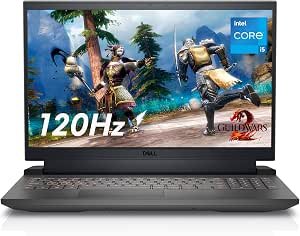
The Dell G15 5520 Core i5 and RTX 3050 configuration is the most affordable starting point in this comparison.
It combines a 12th-generation Intel Core i5-12500H processor with an NVIDIA GeForce RTX 3050 carrying 4GB of dedicated graphics memory. The Amazon listing also includes 8GB of DDR5 RAM, a 512GB PCIe Gen 4 SSD, Wi-Fi 6, and a 15.6-inch Full HD 120Hz display.
The Core i5-12500H remains a capable laptop processor for everyday gaming, school assignments, streaming, office work, and moderate creative applications. Its combination of performance and efficiency cores gives it enough multitasking ability for gaming while keeping Discord, a browser, or a recording application open.
The RTX 3050 is best suited to 1080p gaming. It can handle esports titles comfortably and run many graphically demanding games when settings are adjusted sensibly. Its 4GB of graphics memory is the main limitation, particularly in newer games using high-resolution textures.
The 120Hz display is still a meaningful improvement over an ordinary 60Hz laptop screen. Fast games look smoother, and general movement around Windows feels more responsive.
Pros
- One of the least expensive ways to enter Dell G15 gaming
- Capable 12-core Intel Core i5-12500H processor
- Dedicated NVIDIA RTX 3050 graphics
- 120Hz Full HD display
- Fast PCIe Gen 4 SSD
- Modern DDR5 memory
- Wi-Fi 6 connectivity
- Suitable for esports and moderate 1080p gaming
- Memory can be upgraded
- Full-size keyboard with number pad
Cons
- Only 8GB of RAM
- RTX 3050 has just 4GB of graphics memory
- Demanding games require reduced settings
- 512GB storage can fill quickly
- Renewed rather than factory-new
- Thick and relatively heavy
- Fans become noticeable during gaming
- Charger is large compared with a normal laptop adapter
My Honest Opinion
This is the model to consider when the purchase price must stay as low as possible.
The processor is not the problem. The Core i5-12500H still provides enough performance for a budget gaming system. The main weakness is the single 8GB memory configuration.
Windows, background applications, game launchers, browser tabs, and modern games can place substantial pressure on 8GB of RAM. The laptop may still run, but background multitasking and demanding games can produce more stuttering than they would with 16GB.
I would treat a RAM upgrade as part of the purchase rather than an optional future improvement. Once upgraded to 16GB, this G15 becomes a more balanced entry-level machine.
The RTX 3050 also requires realistic expectations. It is appropriate for games such as Valorant, Fortnite, Rocket League, League of Legends, Minecraft, and many older AAA releases. Newer visually demanding titles may require medium or low settings, especially when their texture requirements exceed the available 4GB of VRAM.
The Amazon page identifies this as a Renewed laptop and lists other renewed buying offers. Amazon also shows a limited 90-day warranty for this particular listing, so check the seller, cosmetic grade, battery condition, and return terms before ordering.
Best for: First-time PC gamers, students, esports players, and buyers willing to upgrade the RAM.
2. Dell G15 5520 Core i5, RTX 3050, 16GB RAM — Best Entry-Level Configuration
Credit: Amazon
Check the Current Price on Amazon
The Dell G15 5520 with 16GB RAM uses the same general performance platform as the previous model but arrives with a more practical memory configuration.
Its Amazon listing specifies a Core i5-12500H processor, NVIDIA GeForce RTX 3050 graphics, 16GB of RAM, a 512GB SSD, and a 15.6-inch Full HD 165Hz display.
The increase from 8GB to 16GB may not look dramatic in a product title, but it can make the laptop noticeably easier to live with. Modern games, Windows, voice chat, browsers, launchers, and background utilities no longer have to compete for such a restricted amount of memory.
The 165Hz display is another advantage. It is most valuable in competitive games where the RTX 3050 can produce high frame rates, including Valorant, Counter-Strike 2, Overwatch 2, Rocket League, and similar titles.
The 512GB SSD is sufficient for Windows, applications, and a small game library. However, large modern releases can occupy more than 100GB each, so an additional internal or external drive may eventually become necessary.
Pros
- 16GB RAM is ready for modern gaming
- Core i5-12500H offers strong everyday performance
- Dedicated RTX 3050 graphics
- Smoother 165Hz Full HD display
- 512GB solid-state storage
- Better multitasking than the 8GB configuration
- Appropriate for esports and 1080p gaming
- No immediate memory upgrade required
- Suitable for school, work, streaming, and editing
- Stronger overall balance than the cheapest configuration
Cons
- RTX 3050 remains limited to the entry level
- 4GB VRAM restricts high texture settings
- 512GB SSD may need expansion
- Laptop is bulky for daily travel
- Gaming performance drops on battery power
- Fans can become loud under sustained load
- Listing availability may vary by renewed seller
My Honest Opinion
For most budget buyers, this is a better starting point than the 8GB version.
The CPU and GPU remain the same, but 16GB of RAM removes one of the most obvious bottlenecks. You can install a game, open Discord, keep a browser running, and use basic recording or streaming tools without immediately exhausting system memory.
The 165Hz display is useful, although buyers should understand that an RTX 3050 will not run every graphically demanding game at 165 frames per second. The high refresh rate is most beneficial in lighter competitive titles.
For AAA gaming, a realistic target is smooth 1080p performance with settings adjusted according to the game. High texture presets can be difficult because the RTX 3050 has limited graphics memory.
This configuration becomes especially attractive when its price is only slightly above the 8GB version. Paying a reasonable premium for twice the memory and a faster display is usually preferable to buying the lowest configuration and upgrading it immediately.
Best for: Budget buyers who want a Dell gaming laptop that is usable immediately without opening the chassis.
3. Dell G15 5530 Core i5, RTX 3050, 8GB RAM — Best Newer Processor on a Tight Budget
Credit: Amazon
Check the Current Price on Amazon
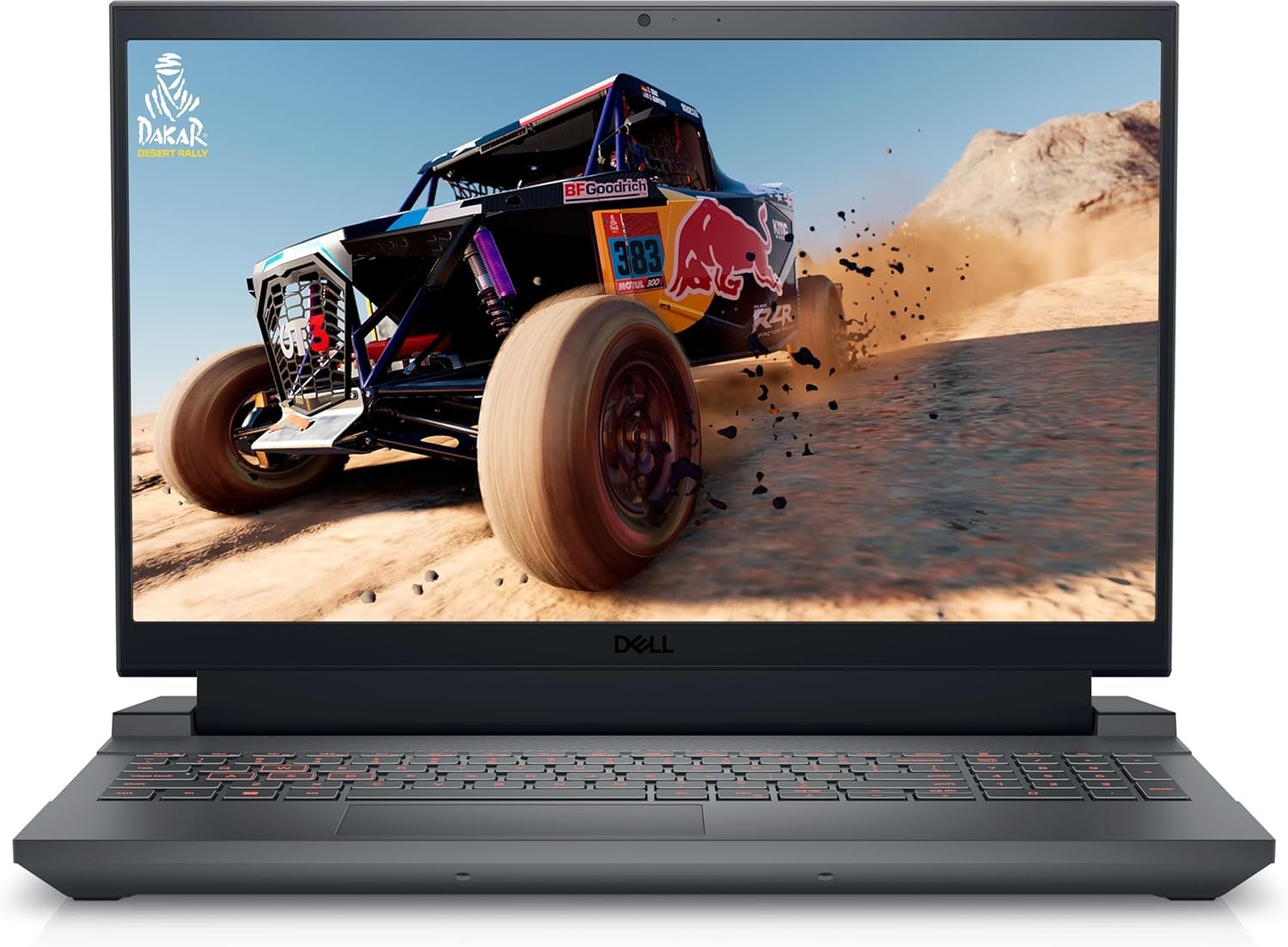
The Dell G15 5530 Core i5 configuration provides a newer 13th-generation processor while keeping the RTX 3050 graphics tier.
The Amazon Renewed listing specifies an Intel Core i5-13450HX processor with 10 cores, a 15.6-inch Full HD 360Hz display, 8GB of RAM, a 256GB SSD, and an RTX 3050 with 4GB of dedicated graphics memory. The page contained a Buy Now configuration when checked.
The Core i5-13450HX can reach up to 4.6GHz and gives the laptop strong CPU performance for games, multitasking, coding, school projects, and CPU-heavy applications. Dell’s G15 5530 platform also includes Ethernet, HDMI 2.1, USB-A ports, USB-C with DisplayPort support, Wi-Fi 6, and a full keyboard with a number pad.
The headline 360Hz display sounds impressive, but it should not be the main reason to buy this configuration. The RTX 3050 can produce very high frame rates in lightweight esports games, but it will not drive demanding AAA games anywhere close to 360 frames per second.
Storage is the bigger concern. A 256GB SSD is extremely restrictive for a gaming laptop after Windows, recovery files, launchers, and updates are installed.
Pros
- Newer Core i5-13450HX processor
- High-refresh 360Hz Full HD display
- Dedicated NVIDIA RTX 3050 graphics
- Strong CPU performance for the price
- Modern Dell G15 5530 platform
- HDMI 2.1 and USB-C DisplayPort connectivity
- Ethernet port for stable online gaming
- Good option for competitive esports
- RAM and storage can be upgraded
- Current Amazon Renewed buying listing
Cons
- Only 8GB of RAM
- Very small 256GB SSD
- RTX 3050 has only 4GB VRAM in this listing
- 360Hz display exceeds what the GPU can deliver in most games
- Renewed product condition varies
- Heavy and thick chassis
- Upgrades should be planned immediately
My Honest Opinion
This configuration is unusual because it combines a strong processor and extremely fast display with entry-level memory and storage.
The Core i5-13450HX is attractive. It provides more than enough CPU power for a budget gaming laptop and should remain useful after the RAM and storage are upgraded.
The 8GB memory and 256GB SSD are harder to accept. A 256GB drive can fill after installing only one or two large games. The most sensible plan is to add or replace the SSD and increase the RAM to at least 16GB.
The 360Hz panel makes sense mainly for dedicated competitive players. Valorant, Counter-Strike 2, and other lightweight games can benefit from very high refresh rates. For ordinary gaming, a 120Hz or 165Hz display paired with more RAM and storage is often the better-balanced purchase.
Another reason for caution is configuration variation. Dell G15 5530 laptops were sold with several processors, GPUs, displays, batteries, and memory arrangements. The Amazon listing reviewed here specifically describes 8GB RAM, a 256GB SSD, and an RTX 3050 with 4GB VRAM. Verify that the product delivered matches the listing before the return window closes.
Best for: Competitive esports players and buyers who want a newer processor and are comfortable upgrading RAM and storage.
4. Dell G15 5520 Core i7, RTX 3060, 16GB RAM — Best Mid-Range Value
Credit: Amazon
Check the Current Price on Amazon
The Dell G15 5520 Core i7 and RTX 3060 configuration offers a meaningful graphics upgrade over the RTX 3050 models.
Its Amazon Renewed listing combines an Intel Core i7-12700H processor, 16GB of DDR5 RAM, a 512GB SSD, and an NVIDIA GeForce RTX 3060 with 6GB of dedicated graphics memory.
The RTX 3060’s additional processing power and 6GB VRAM make it better suited to demanding 1080p games than the RTX 3050. It provides more room for higher texture quality, stronger visual settings, and steadier performance in games that place greater demands on the GPU.
The Core i7-12700H is also a strong multitasking processor. It is useful for gaming, livestreaming, video editing, rendering, programming, and other workloads that can benefit from additional cores.
The 16GB memory configuration is appropriate for current gaming, while the 512GB SSD provides enough space to start. Storage expansion may still become necessary for buyers with several large games.
Pros
- Considerably stronger RTX 3060 graphics
- 6GB of dedicated graphics memory
- Powerful Core i7-12700H processor
- 16GB DDR5 RAM
- Suitable for demanding 1080p gaming
- Better high-setting performance than RTX 3050 models
- Useful for streaming and video editing
- 512GB solid-state storage
- Good balance of CPU and GPU performance
- Potentially strong renewed-market value
Cons
- Older GPU generation than the RTX 4060
- Renewed rather than new
- 512GB storage can still fill quickly
- Heavy chassis and power adapter
- Fans are audible under gaming loads
- Battery life is not a major strength
- Seller and warranty terms require careful checking
My Honest Opinion
This may be the smartest value choice when its renewed price sits much closer to an RTX 3050 laptop than an RTX 4060 model.
The move from an RTX 3050 to an RTX 3060 is more meaningful for gaming than moving from a Core i5 to a Core i7 while keeping the same entry-level GPU. Games are often limited by graphics performance, so the stronger GPU and additional VRAM matter.
The Core i7-12700H also gives the laptop enough processor headroom for editing, streaming, and productivity. It is not a weak or outdated CPU simply because a newer generation exists.
The biggest decision is whether to buy an older RTX 3060 configuration or spend more for an RTX 4060 laptop. The RTX 4060 model offers newer graphics architecture, 8GB VRAM, and more long-term headroom. The RTX 3060 version remains appealing when the price difference is substantial.
Check the exact Amazon condition and warranty carefully. A well-priced renewed unit can provide excellent value, but a small discount may not justify giving up a longer new-product warranty.
Best for: Buyers who want better AAA gaming performance without paying for the highest configuration in this guide.
5. Dell G15 5530 Core i7, RTX 4060, 16GB RAM and 1TB SSD — Best Overall
Credit: Amazon
Check the Current Price on Amazon
The Dell G15 5530 with Core i7 and RTX 4060 is the strongest overall configuration in this comparison.
Its Amazon Renewed listing includes a 13th-generation Intel Core i7-13650HX processor, 16GB of memory, a 1TB PCIe SSD, a 15.6-inch Full HD display, and an NVIDIA GeForce RTX 4060 with 8GB of dedicated graphics memory.
The Core i7-13650HX provides 14 cores and can boost to 4.9GHz. Dell’s official G15 5530 specifications also list the i7-13650HX and RTX 4060 8GB as supported platform options.
The RTX 4060 gives the laptop more gaming headroom than the RTX 3050 and RTX 3060 models. Its 8GB VRAM is particularly helpful in newer games that use larger textures and more complex graphical assets.
A 1TB SSD also makes the configuration easier to recommend. It provides significantly more practical space for Windows, applications, several large games, and personal files before an upgrade becomes necessary.
One detail requires verification: the Amazon listing contains inconsistent memory descriptions, referring to different RAM generations in separate areas of the page. Confirm the exact memory specification with the seller before ordering.
Pros
- Strong RTX 4060 gaming performance
- 8GB of dedicated graphics memory
- Powerful Core i7-13650HX processor
- 16GB system memory
- Large 1TB PCIe SSD
- Better suited to recent AAA games
- Strong option for streaming and content creation
- HDMI 2.1 and USB-C display output
- Ethernet and Wi-Fi connectivity
- Most future-ready model in the comparison
Cons
- Highest-cost selection in this guide
- Renewed rather than factory-new
- Amazon listing contains inconsistent RAM details
- Large and heavy chassis
- Fans become loud under sustained loads
- High gaming performance requires AC power
- Seller and warranty must be verified
- Less portable than thin gaming laptops
My Honest Opinion
This is the best Dell G15 configuration here for a buyer who wants to keep the laptop for several years.
The RTX 4060’s 8GB of graphics memory gives it more breathing room for modern games than the 4GB RTX 3050 and 6GB RTX 3060. The stronger Core i7 processor also makes the system suitable for gaming alongside streaming, editing, coding, or other demanding work.
The 1TB SSD is equally important. Storage upgrades are possible, but starting with 1TB avoids the immediate frustration of uninstalling games every time a new release arrives.
It is only a “budget” recommendation when its renewed price is competitive. Do not assume that a renewed listing is automatically inexpensive. Compare its total cost, seller rating, warranty, and return policy with current new gaming laptops using RTX 4050 or RTX 4060 graphics.
The Amazon page explains that Renewed products are inspected, tested, cleaned, and refurbished by Amazon-qualified suppliers. It also notes that cosmetic condition can vary and that accessories may be compatible replacements rather than original items.
Best for: Buyers seeking the strongest gaming performance, more VRAM, larger storage, and better long-term value.
Buyer’s Guide: 3 Key Factors to Consider
Factor 1: Choose the GPU Before the Processor
The graphics card usually has the greatest effect on gaming performance.
The configurations in this guide fall into three main levels:
RTX 3050 4GB: Best for esports, older games, and moderate 1080p gaming. New demanding games may require lower textures and reduced graphics settings.
RTX 3060 6GB: A meaningful improvement for demanding 1080p games. The extra graphics memory gives you more flexibility with texture quality and visual settings.
RTX 4060 8GB: The strongest option here. It provides more performance and VRAM for recent games, higher settings, content creation, and a longer useful life.
Do not pay a large premium for a Core i7 when the laptop still uses the same RTX 3050 found in a cheaper Core i5 model. For gaming, moving to a stronger GPU often produces a more noticeable improvement.
The processor still matters for strategy games, simulation titles, streaming, video editing, compiling code, and general multitasking. However, a modern Core i5 H-series or HX-series chip is already powerful enough for most budget gaming systems.
Factor 2: Start With 16GB RAM and Enough SSD Space
An 8GB gaming laptop can work, but it should usually be viewed as an upgrade project.
Windows, game launchers, browser tabs, voice chat, antivirus tools, and background utilities all consume memory before the game is launched. Moving to 16GB reduces memory pressure and generally produces a smoother experience.
Storage matters just as much.
A 256GB SSD is too restrictive for most gaming users. After Windows and essential applications, there may be room for only one or two large games.
A 512GB SSD is a reasonable starting point, while 1TB is much more comfortable. Before buying an additional drive, confirm the number of internal SSD slots and the supported drive format for the exact model.
Amazon Renewed listings can be created by different sellers, and similar product titles may include different memory or storage upgrades. Read the complete specification rather than relying only on the first line of the title.
Factor 3: Verify the Display, Condition, and Warranty
Dell sold G15 models with several display options. Two laptops with the same G15 5520 or G15 5530 name may have different refresh rates, brightness, response times, and color coverage.
A 120Hz display is sufficient for general gaming. A 165Hz screen is a stronger all-around choice, while a 360Hz panel is mainly useful for competitive esports players who can generate extremely high frame rates.
Renewed condition also deserves close attention.
Check:
- Whether the condition is Premium, Excellent, Good, or Acceptable
- Who sells and ships the laptop
- Warranty duration
- Return window
- Battery-health expectations
- Included charger
- Cosmetic-damage description
- Exact keyboard layout
- RAM and SSD configuration
- Whether the product images match the model
Amazon explains that Renewed products are inspected and restored to functional condition, but cosmetic condition and packaging can vary. Accessories may be compatible replacements rather than original Dell parts.
Frequently Asked Questions
What Is the Best Budget Dell Gaming Laptop?
The Dell G15 5520 with Core i5, RTX 3050, and 16GB RAM is the best entry-level choice for most buyers.
It offers enough memory for current gaming without requiring an immediate upgrade. Buyers seeking stronger performance should consider the RTX 3060 or RTX 4060 configurations.
Which Dell G15 Has the Best Gaming Performance?
The Dell G15 5530 with Core i7-13650HX and RTX 4060 provides the strongest gaming performance in this comparison.
Its RTX 4060 includes 8GB of dedicated graphics memory, while the laptop also provides 16GB of system memory and a 1TB SSD.
Is the Dell G15 Good for Gaming?
Yes. Dell G15 laptops use dedicated NVIDIA graphics, high-performance processors, high-refresh displays, and gaming-oriented cooling.
The experience depends heavily on the exact GPU. An RTX 3050 configuration is an entry-level gaming system, while an RTX 4060 version can handle considerably more demanding settings.
Is 8GB RAM Enough for a Dell Gaming Laptop?
Eight gigabytes is enough to start Windows and run many games, but it is no longer the ideal configuration for a gaming laptop.
Sixteen gigabytes provides a better experience when gaming with Discord, a browser, a recording program, or other background applications open.
Is the RTX 3050 Still Worth Buying?
An RTX 3050 laptop can still be worth buying at the right price.
It is suitable for esports, indie games, older AAA titles, and moderate 1080p gaming. Its main limitation is the 4GB VRAM found in the configurations reviewed here.
Do not pay close to RTX 4050 or RTX 4060 pricing for an RTX 3050 laptop.
Is an RTX 3060 Better Than an RTX 3050 Laptop?
The RTX 3060 is the stronger choice for gaming.
It provides more graphics performance and 6GB of VRAM in the Dell G15 5520 configuration reviewed here, compared with 4GB on the RTX 3050 models.
Should I Buy the RTX 3060 or RTX 4060 Dell G15?
Choose the RTX 3060 model when it is significantly less expensive.
Choose the RTX 4060 when you want 8GB VRAM, stronger performance in newer games, a larger 1TB SSD, and better long-term headroom.
Can Dell G15 RAM Be Upgraded?
Many Dell G15 configurations use replaceable laptop memory, but the supported capacity and module arrangement depend on the exact model.
The 8GB configurations in this guide are best purchased with an upgrade to 16GB in mind. Check Dell’s service manual and the installed memory arrangement before ordering new modules.
Can I Upgrade the Dell G15 SSD?
Dell G15 laptops commonly support replaceable M.2 NVMe storage, but available slots and supported capacities can vary by generation and configuration.
Check the service manual for the exact service tag or model before buying an additional SSD.
Is a Renewed Dell Gaming Laptop Worth It?
A renewed laptop can provide good value when the discount is meaningful and the seller offers clear warranty and return terms.
Inspect the laptop immediately after delivery. Test the display, keyboard, ports, speakers, Wi-Fi, battery, charger, fans, temperatures, SSD health, and dedicated GPU before the return period expires.
Is the Dell G15 Easy to Carry?
The Dell G15 is portable in the sense that it can be moved between locations, but it is not an ultraportable laptop.
The computer and its large power adapter add considerable weight to a backpack. It is better suited to a desk, dorm room, home office, or occasional travel than daily lightweight commuting.
Should I Play Games While Using Battery Power?
For the best performance, connect the charger while gaming.
Gaming laptops normally reduce CPU and GPU power on battery to control heat and preserve runtime. Demanding games also drain the battery quickly.
Is a 360Hz Display Necessary?
A 360Hz display is mainly useful for highly competitive esports gaming.
Most users will receive an excellent experience from a 120Hz or 165Hz screen. A stronger GPU, additional RAM, or larger SSD may provide more practical value than moving from 165Hz to 360Hz.
Final Verdict: Which Dell Gaming Laptop Should You Buy?
The Dell G15 5530 with Core i7, RTX 4060, 16GB RAM, and 1TB SSD is the best overall performer. Its stronger graphics card, 8GB VRAM, capable processor, and larger storage make it the most complete option in this comparison.
For a more affordable ready-to-use configuration, choose the Dell G15 5520 with Core i5, RTX 3050, and 16GB RAM. It is the best entry-level balance because it does not require an immediate memory upgrade.
The Dell G15 5520 with RTX 3060 is the strongest mid-range value when its renewed price is substantially below the RTX 4060 model.
Choose the 8GB Dell G15 5520 only when it is the least expensive option and you are prepared to upgrade the RAM.
The Dell G15 5530 with a 360Hz display makes the most sense for competitive players who value the newer Core i5 processor and intend to replace its limited 8GB RAM and 256GB SSD.
Before ordering, compare the final price against current new laptops, verify the exact GPU and display, review the renewed condition, and confirm the seller’s warranty. A lower sticker price is only a bargain when the configuration is balanced and the product arrives in dependable condition.