Your headset drops from the Windows 11 Bluetooth list while a match is in progress. That is the most frustrating way to learn how to fix Bluetooth device disappears from Windows on a gaming laptop. The radio may still work, or the operating system may have simply stopped seeing it.
Aggregate reports from gaming laptop owners point to two common causes. The culprit is usually a Windows update that swaps a validated driver, or a CNVi module waiting for chipset software. Our troubleshooting path starts at Settings, then moves to drivers, and ends at the hardware.
How to Fix Bluetooth Device Disappears From Windows on a Gaming Laptop
First, open Settings and confirm the adapter exists. Restart the machine if the device shows no error. Install your manufacturer's latest wireless and chipset drivers.
Disable Fast Startup to prevent stale driver states. Remove and rescan the Bluetooth device.
Symptom Snapshot: What "Disappears" Actually Looks Like on a Gaming Laptop
Which of three symptoms do you actually have?
This matters first. Bluetooth disappears means three different things, and each one gets a different fix. Sometimes Settings shows the adapter row, but the toggle sits gray and unclickable.
Other times Device Manager displays a missing device with no icon at all. A third path has the radio vanish only after sleep or after a driver update.
Identify which of these three you are facing. Then read the error code beside the device. Code 45 points at a driver or chipset issue.
Code 43 usually means firmware failed to load. Code 19 signals a registry entry the operating system cannot read. The table above maps the most common codes we see in the field.
What do the error codes mean?
| What you see | Likely cause | First fix |
|---|---|---|
| Adapter missing from Device Manager | Chipset driver absent, CNVi radio not enumerated | Install chipset drivers |
| Adapter shows error Code 45 | Wireless card not enumerated | Restart, then update BIOS |
| Adapter shows error Code 43 | Driver-firmware mismatch | Roll back or delete driver |
| Device paired, drops after sleep | Power management or Fast Startup | Disable Fast Startup |
Our research on gaming laptops shows the adapter vanishes most often after a Windows update replaces the OEM wireless package. If the radio is gone from Settings entirely, the Windows Bluetooth stack is not talking to the hardware. When Wi-Fi suddenly stops showing follows a similar dead-end pattern.
The 60-Second Triage: Radio, Settings, and the First Restart
Are the radios simply disabled?
Start with the absolute basics before opening any menus. Some laptops ship with the radio off, and a single key press turns it back on.
- Look at the Quick Settings flyout in the lower-right corner. Confirm airplane mode is gray, not blue.
- Press the function key that carries a radio icon, usually F2, F5, or F12.
- Open Settings, go to Bluetooth & devices, and see if the switch exists at all.
If the switch exists but will not move, restart the machine. Shutting down and powering back on does not reset drivers. A full restart clears the driver cache and reinitializes the radio.
This one step fixes the majority of missing adapter reports. Windows does not perform a cold boot when you choose Shut down. That is why the quick reboot matters so much.
Why does sleep break the radio?
Keep three things in mind. Fast Startup is on by default and it keeps the kernel in a hibernation file. Modern Standby also holds Bluetooth in a suspended state that sometimes fails to wake.
Neither situation shows up as a hardware fault in Device Manager. A wireless card that resets mid-session causes the same kind of mid-match dropout. How network adapters reset during gameplay covers that failure too.
Software Stack Fixes: Services, Power Settings, and the Fast Startup Trap
Could a second Bluetooth stack be fighting yours?
Gaming laptops sometimes ship with two Bluetooth stacks. Windows, the manufacturer, and a third-party utility can all install their own software on one radio. When two programs talk to the same hardware, the operating system cannot decide who controls it.
The result is a missing device, and it happens silently. Legacy stacks such as Toshiba, BlueSoleil, or Widcomm are the usual suspects.
Turn off automatic driver updates for a moment. Let Windows Update install only what it already chose. A generic inbox driver can replace a validated OEM package overnight.
That replacement removes the pairing data and drops the adapter from Settings. Driver updates run in the background whenever a laptop connects to the network.
Disable Fast Startup permanently. Open the power options, choose what the power buttons do, and uncheck fast startup. Then shut down and boot again to verify.
Also check the Bluetooth Support Service. Open Services, find the entry, and set it to automatic. Restart it, then scan for hardware changes.
If the radio still vanishes, roll back the driver or delete the driver package entirely. A clean driver removal gives the operating system a fresh start to rebuild the stack. Learn how we isolate driver conflicts.
Driver and Firmware Level: Stale Packages, Conflicting Stacks, and CNVi Gotchas
Is the CNVi module missing its chipset drivers?
Most current gaming laptops use an Intel CNVi module. The Bluetooth MAC lives inside the Wi-Fi silicon instead of on a separate chip. Intel Wi-Fi 6E AX210 uses a standard PCIe interface and needs only a regular driver.
AX211 and newer CNVio2 parts depend on the motherboard chipset drivers, which Windows Update does not supply first. Your product page lists the exact module by serial number.
Install the chipset drivers before you install the wireless driver. The Bluetooth MAC will not enumerate until the chipset stack is present. This order fixes the Code 45 and Code 19 errors seen on many brands.
Which driver package should you trust?
Your manufacturer publishes the validated package. Use Dell, Lenovo, HP, ASUS, or MSI support instead of a generic download. Third-party driver tools often install the wrong variant and create exactly this failure.
The same package usually includes both Wi-Fi and Bluetooth firmware.
If you already deleted the driver, Windows shows Code 28. A full scan for hardware changes will find it again. Otherwise, use pnputil to remove the stale INF entry from the store.
As of 2026, Windows 11 still treats missing chipset drivers as the top cause of silent adapter loss. Intel documents the CNVi interface on its official support site.
Hardware Diagnostics: Antennas, M.2 Cards, and the USB Dongle Test
Did the physical connection come loose?
The M.2 2230 card is small, and the antenna leads are fragile. A fan replacement or a rough shipping event can unseat either one. Open the bottom cover only after disconnecting the battery.
ESD-safe precautions help. Disconnect the battery and touch a metal surface before touching the card.
Does a USB dongle prove the OS is healthy?
If the internal radio is dead, a USB Bluetooth dongle tells you the operating system stack is fine. It also becomes your cheap stopgap while parts ship. You can buy a dongle for under fifteen dollars from most electronics retailers.
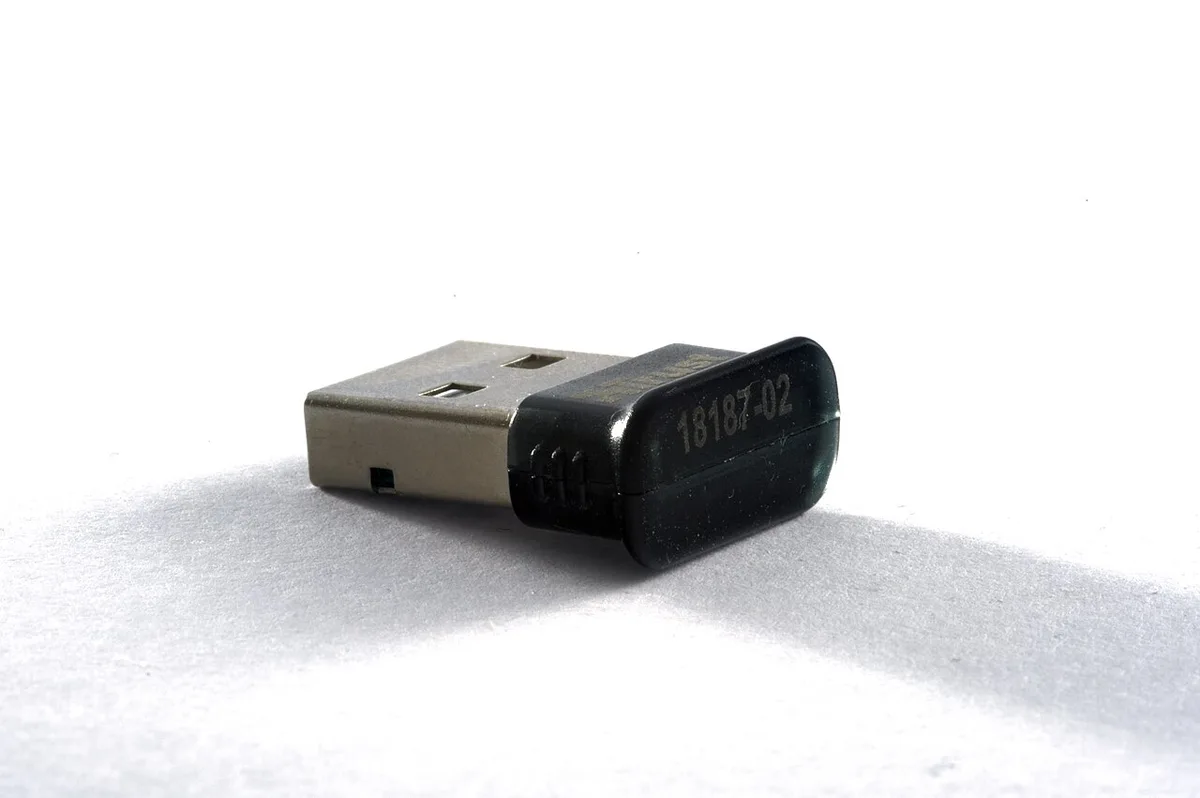
Image source: Wikimedia Commons / VSchagow (CC BY-SA)
A dongle works on any machine, so it isolates the motherboard from the software. If your headset connects through the dongle, stop chasing drivers. Reseat the internal card and reattach both antenna leads, then reinstall the OEM driver.
Is 2.4 GHz interference the real culprit?
If nothing connects at all, check RF interference. USB 3.x devices radiate noise near 2.4 GHz. Move any external drive to a different hub, or use a USB 2.0 extension cable.
Official Bluetooth SIG profiles define how A2DP and HFP share the band. Sometimes high ping feels like interference. How to fix online-game lag when your speed test is fast rules out other congestion.
When It's Not the Laptop: Interference, Peripherals, and Environment
Does 2.4 GHz congestion explain the dropouts?
Gaming laptops often sit beside USB 3 external drives, charging bricks, and router boxes. All of those radiate near 2.4 GHz, creating noise that can knock a Bluetooth link offline. Move the laptop to a different surface, away from the desk clutter.
Test with a single peripheral connected. If the headset stabilizes, the environment was the variable.
Can a USB 3.x hub destabilize the radio?
Official Bluetooth SIG testing confirms that USB 3.0 host controllers produce broadband noise that overlaps the ISM band. Shift any high‑speed storage to a USB 2.0 port or a different hub. Use a powered hub if the laptop port cannot supply enough current.
This simple re‑routing frequently restores a steady link.
What about other wireless devices in the room?
Cordless phones, baby monitors, and microwave ovens pulse strong 2.4 GHz signals. Turn them off during a quick test. If the headset pairs cleanly, you have identified the source.
Relocate the laptop or the interfering device to separate the radios.
Escalation Path: Repair, Reset, and Clean Install Without Losing Your Library
When should you attempt an in‑place repair?
If the adapter still does not appear after driver removal, Windows 11 offers an in‑place upgrade that preserves apps and files. Download the installation media from Microsoft, boot from it, and choose “Keep personal files.” The process reinstalls the OS while leaving your game library intact, often resetting a corrupted driver store.
Does a full reset fix persistent stack faults?
A reset this PC → remove everything wipes the driver database completely. It is the nuclear option, effective when multiple reboots and service resets have failed. Back up your game library to an external drive first, because this action deletes everything on the primary partition.
How can you stage the Bluetooth driver before a clean install?
Use the DISM /Add‑Driver /Recurse command in Windows PE to inject the OEM wireless package before the out‑of‑box experience. This avoids the post‑install scramble to find the correct INF. Intel and OEM sites publish the exact driver version needed for each module revision.
Frequently Asked Questions
Why does my Bluetooth device disappear after a Windows update?
Updates sometimes replace the OEM wireless driver with a generic inbox driver. The generic package may lack the CNVi module’s chipset dependencies, causing the radio to vanish from Settings. Re‑install the manufacturer’s driver to restore the stack.
How do I tell if the problem is hardware or software?
Boot the laptop into Safe Mode. If the Bluetooth adapter appears, the issue stems from a third‑party service or startup driver. If it remains absent, the fault lies with the hardware, the antenna leads, or the M.2 card seating.
A USB dongle test confirms whether the OS stack is functional.
Can I use a USB Bluetooth dongle as a permanent solution?
Yes, a dongle bypasses the internal module entirely. Choose a model with Bluetooth 5.0 or newer for better range and lower latency. Pair your headset or controller directly to the dongle; the operating system treats it as a separate radio, eliminating the internal conflict.
What if the adapter is greyed out in Device Manager?
A greyed‑out device usually means the power‑management setting “Allow the computer to turn off this device to save power” is enabled. Open the device’s properties, uncheck that box, and confirm the change after a restart. This setting frequently locks the radio in a low‑power state that Windows cannot override.
How often should I update Bluetooth drivers?
Check for updates whenever you install a new Windows cumulative update, as Microsoft’s update stack can overwrite OEM packages. Otherwise, a driver refresh every six months is sufficient unless you experience recurring dropouts. Always source the package from your laptop manufacturer’s support site.