Finding an affordable gaming laptop in 2026 is more complicated than simply choosing the model with the lowest price.
Some inexpensive laptops use integrated graphics and attach the word “gaming” to the product title even though they cannot run demanding modern games properly. Others include a dedicated GPU but cut costs with only 8GB of RAM, a small SSD, a dim display, or a low-powered graphics configuration.
A good budget gaming laptop should give you smooth 1080p performance, at least a 144Hz display, practical upgrade options, and enough processing power for everyday tasks. Ideally, it should also include 16GB of RAM and at least 512GB of SSD storage.
For this guide, I compared five laptops aimed at students, first-time PC gamers, casual players, and budget-conscious buyers. The shortlist includes RTX 4050 laptops for affordable 1080p gaming and an RTX 5050 model for buyers who can spend slightly more for newer graphics hardware.
All five products displayed an active Amazon Buy Now option when checked on August 5, 2026. Prices, sellers, delivery dates, configurations, and availability can change without notice, so verify every specification before ordering.
Affiliate Disclosure: As an Amazon Associate, Game Insider Hub earns from qualifying purchases. This does not increase the price you pay.
Best Budget Friendly Gaming Laptops at a Glance
| Gaming Laptop | Graphics | RAM and Storage | Best For | Check Price |
|---|---|---|---|---|
| Acer Nitro V ANV15-52-586Z | RTX 4050 6GB | 8GB / 512GB SSD | Lowest-cost RTX starter | View on Amazon |
| MSI Thin 15 B12VE-2023US | RTX 4050 6GB | 16GB / 512GB SSD | Portability and value | View on Amazon |
| Lenovo LOQ 15 Ryzen 7 Gaming Laptop | RTX 4050 6GB | 16GB / 512GB SSD | Best overall | View on Amazon |
| HP Victus 15 Ryzen 5 Gaming Laptop | RTX 4050 6GB | 32GB / 1TB SSD | Multitasking and storage | View on Amazon |
| Acer Nitro V RTX 5050 Gaming Laptop | RTX 5050 8GB | 16GB / 512GB SSD | Best gaming performance | View on Amazon |
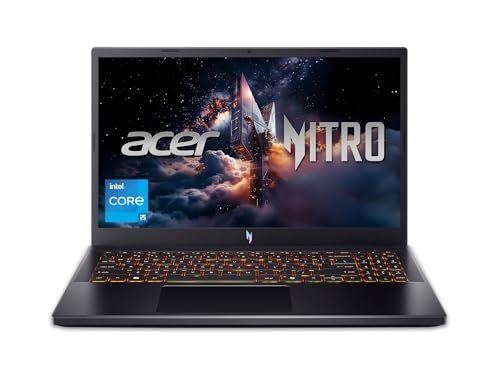
1. Acer Nitro V ANV15-52-586Z Gaming Laptop — Best Low-Cost RTX Starter
Credit: Amazon
Check the Current Price on Amazon
The Acer Nitro V ANV15-52-586Z is the most affordable entry point in this comparison for buyers who want an RTX 4050 rather than an older RTX 2050 or RTX 3050.
It combines an Intel Core i5-13420H processor with NVIDIA GeForce RTX 4050 laptop graphics. The Amazon configuration also includes a 15.6-inch Full HD IPS display with a 165Hz refresh rate, 8GB of memory, a 512GB Gen 4 SSD, Wi-Fi 6, and a backlit keyboard.
The Core i5-13420H is powerful enough for gaming, school assignments, coding, streaming, office work, and light content creation. For most games, the RTX 4050 will have a larger effect on performance than upgrading to a Core i7 while staying with a weaker GPU.
Its 165Hz screen is another welcome feature. Competitive games such as Valorant, Rocket League, Fortnite, Overwatch 2, and Counter-Strike 2 can benefit from the smoother motion and reduced input delay compared with an ordinary 60Hz display.
The main weakness is the included 8GB of RAM. It can run games, but Windows, browsers, launchers, voice chat, and background programs can consume a large portion of that memory before the game even starts.
Pros
- Affordable access to RTX 4050 graphics
- Capable Intel Core i5-13420H processor
- Smooth 165Hz Full HD IPS display
- Fast 512GB Gen 4 SSD
- Wi-Fi 6 support
- Backlit keyboard
- Suitable for esports and modern 1080p games
- Current Acer Nitro design
- Active Amazon purchasing option when checked
Cons
- Only 8GB of RAM
- Memory upgrade should be planned
- 512GB storage may fill quickly
- Plastic construction
- Fans become noticeable during gaming
- Battery life is limited under demanding use
- Display color coverage may not satisfy professional creators
- Third-party seller terms should be checked
My Honest Opinion
This Acer makes sense when you want the lowest purchase price without dropping below an RTX 4050.
The GPU gives it a much better gaming foundation than laptops using integrated graphics or an RTX 2050. You should be able to play esports games at high frame rates and run many modern titles at sensible 1080p settings.
However, I would include the cost of a RAM upgrade in your budget. Eight gigabytes is increasingly restrictive for gaming in 2026, especially when a browser, Discord, RGB utility, antivirus program, and game launcher remain active in the background.
The 512GB SSD is acceptable as a starting point, although large games can consume more than 100GB each. You may eventually need additional internal or external storage.
This is a strong option when it is significantly less expensive than the 16GB laptops below. When the price difference is small, buying a model that already includes 16GB is usually the more convenient choice.
Best for: First-time PC gamers, students, esports players, and buyers willing to upgrade the memory.
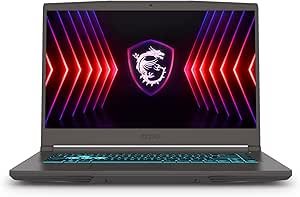
2. MSI Thin 15 B12VE-2023US Gaming Laptop — Best for Portability
Credit: Amazon
Check the Current Price on Amazon
The MSI Thin 15 B12VE-2023US is aimed at buyers who want dedicated RTX graphics in a less bulky chassis.
Its Amazon listing includes an Intel Core i7-12650H processor, RTX 4050 graphics, 16GB of memory, a 512GB NVMe SSD, and a 15.6-inch Full HD 144Hz screen. Amazon displayed both Add to Cart and Buy Now options when the page was checked. (Amazon)
MSI’s official specifications list the RTX 4050 with 6GB of GDDR6 graphics memory and a maximum graphics power of 45 watts for the Thin 15 B12VE platform. MSI also lists a Full HD 144Hz display, two memory slots, support for up to 64GB of RAM, and PCIe Gen 4 storage. (MSI)
That 45-watt graphics limit deserves attention. Two laptops can carry the same RTX 4050 name yet perform differently because manufacturers assign different power levels and cooling systems.
The MSI should still handle 1080p gaming well, but a thicker laptop with a higher-powered RTX 4050 may produce better sustained frame rates.
There is also a listing discrepancy worth checking. Amazon describes this configuration as using DDR5 memory, while MSI’s official B12VE platform specification lists DDR4-3200. Confirm the installed memory type before purchasing.
Pros
- Intel Core i7 processor
- RTX 4050 with 6GB graphics memory
- 16GB of included RAM
- Full HD 144Hz display
- 512GB NVMe SSD
- Thinner design than many budget gaming laptops
- Two memory slots
- Supports substantial RAM expansion
- Wi-Fi 6E support on the platform
- Backlit keyboard
- Amazon’s Choice status when checked
Cons
- RTX 4050 is limited to relatively low graphics power
- Not as fast as every other RTX 4050 laptop
- Amazon and MSI disagree about the memory type
- Only one M.2 SSD slot is listed by MSI
- Build feels less rigid than thicker gaming machines
- Fans can be audible
- Battery life is still typical of a gaming laptop
- Seller is not Amazon itself on the checked offer
My Honest Opinion
The MSI Thin 15 is easy to misunderstand.
Its Core i7 processor and RTX 4050 sound impressive, but graphics power limits matter. The 45-watt RTX 4050 should not be expected to perform identically to a higher-powered version inside a thicker Lenovo LOQ or similar machine.
That does not make it a bad laptop. It gives you a useful compromise between gaming performance, price, and portability.
The included 16GB of RAM is a clear advantage over the entry Acer. You can start gaming immediately without planning a memory upgrade. The 512GB SSD is adequate for a modest game library, but storage management may become necessary later.
This model is most attractive when you regularly move between home, college, work, or another gaming location. Buyers who keep the laptop permanently on a desk may receive more performance from a heavier system with stronger cooling.
Confirm the memory specification and seller warranty before ordering because the Amazon title and MSI’s official documentation do not fully agree.
Best for: Students, commuters, casual gamers, and buyers who want RTX 4050 performance in a relatively slim chassis.
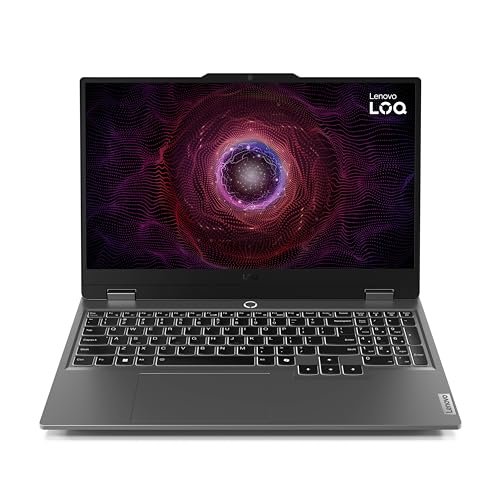
3. Lenovo LOQ 15 Ryzen 7 RTX 4050 Gaming Laptop — Best Overall
Credit: Amazon
Check the Current Price on Amazon
The Lenovo LOQ 15 is the best balanced option in this roundup.
Its Amazon listing combines an AMD Ryzen 7 7435HS processor, NVIDIA GeForce RTX 4050 graphics, 16GB of RAM, a 512GB SSD, and a 15.6-inch Full HD 144Hz display. An active Buy Now option appeared on the product page when checked.
Lenovo’s official LOQ 15ARP9 configuration information confirms that the platform supports the Ryzen 7 7435HS, RTX 4050 with 6GB GDDR6 memory, 16GB RAM, and 512GB SSD combination. (Lenovo)
The Ryzen 7 processor provides eight cores and sixteen processing threads, giving the laptop enough CPU power for gaming, multitasking, editing, coding, and productivity work.
The LOQ chassis is not particularly thin, but the larger body gives Lenovo more room for cooling than MSI has in the Thin 15. That can be more valuable than saving a small amount of weight when the laptop will spend most of its time on a desk.
The 16GB memory and 512GB SSD also create a sensible starting configuration. There is no immediate RAM emergency, although buyers with large game libraries may eventually want more storage.
Pros
- Strong Ryzen 7 7435HS processor
- RTX 4050 with 6GB graphics memory
- 16GB RAM included
- 512GB SSD
- Full HD 144Hz gaming display
- Better-balanced configuration than most entry models
- Suitable for gaming and productive work
- Practical port selection
- Substantial cooling chassis
- Backlit keyboard
- Active Amazon Buy Now option when checked
- Good long-term upgrade foundation
Cons
- Heavier than an everyday laptop
- Large power adapter
- Battery life is not a major strength
- 512GB storage may eventually need expansion
- Design is functional rather than premium
- Fans become loud in performance modes
- Amazon offer may come from a third-party seller
- Warranty eligibility should be verified
My Honest Opinion
The Lenovo LOQ earns the best overall position because its parts make sense together.
It does not use an unnecessarily expensive processor beside an underpowered GPU. It also does not save money by reducing the system to 8GB of RAM or a 256GB SSD.
The Ryzen 7 and RTX 4050 combination should provide a solid 1080p gaming experience. Competitive games can take advantage of the 144Hz screen, while demanding single-player titles can be played with settings adjusted according to the game.
The thicker chassis is a disadvantage when carrying the laptop all day, but it can help with cooling and sustained performance. For a gaming laptop, that is often a worthwhile trade.
One concern is the Amazon seller. The listing is not necessarily supplied directly by Lenovo, so check whether the exact unit qualifies for Lenovo’s standard warranty and whether the seller has changed the memory or storage.
When its price is close to the MSI Thin 15, I would generally choose the Lenovo for the more balanced gaming-focused design. Choose MSI instead when lower weight matters more.
Best for: Most budget gamers, students who also need processing power, and buyers wanting a balanced 16GB RTX 4050 configuration.
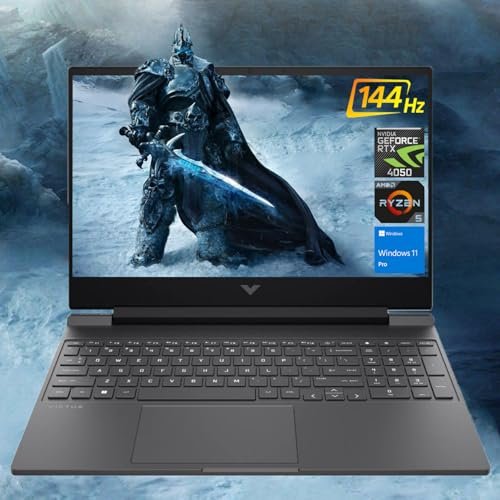
4. HP Victus 15 Ryzen 5 RTX 4050 Gaming Laptop — Best for Multitasking and Storage
Credit: Amazon
Check the Current Price on Amazon
The HP Victus 15 offers considerably more memory and storage than most entry-level gaming laptop configurations.
The selected Amazon listing includes an AMD Ryzen 5 8645HS processor, NVIDIA GeForce RTX 4050 graphics, 32GB of memory, a 1TB SSD, a 15.6-inch Full HD 144Hz display, a backlit keyboard, and Windows 11 Pro. The product page displayed a Buy Now option when checked.
The 32GB memory configuration is useful for buyers who want to play games while running browsers, communication software, streaming tools, virtual machines, editing programs, or other demanding applications.
A 1TB SSD is equally practical. It leaves much more room for modern games than a 256GB or 512GB drive and reduces the need for an immediate storage upgrade.
HP positions the Victus range as its value-oriented gaming family beneath the higher-priced OMEN range. (HP)
The exterior is more restrained than many gaming laptops, which can be useful when the same computer will be taken to classes, meetings, or an office.
Pros
- 32GB of memory
- Large 1TB SSD
- RTX 4050 graphics
- AMD Ryzen 5 8645HS processor
- Full HD 144Hz display
- Suitable for gaming and heavy multitasking
- More professional-looking design
- Backlit keyboard
- Windows 11 Pro on the selected listing
- No immediate RAM or storage upgrade required
- Active Amazon purchasing option when checked
Cons
- Memory and storage appear to be seller upgraded
- Warranty implications must be checked
- Seller-installed components may vary
- Display is only Full HD
- Chassis flex can be more noticeable than on premium laptops
- Fans are audible during demanding gaming
- Battery performance declines under GPU use
- Configuration title includes unnecessary marketing comparisons
My Honest Opinion
This specific Victus configuration is attractive because of its 32GB RAM and 1TB SSD, not because it will dramatically outperform every other RTX 4050 laptop.
Extra system memory helps with multitasking, editing, virtual machines, and professional applications. It does not automatically double game frame rates compared with a properly configured 16GB laptop.
The 1TB SSD may provide the more noticeable everyday benefit. You can install several large games without immediately removing older titles.
The biggest concern is that this appears to be a seller-modified configuration. The base laptop may have been opened to install additional memory or storage before being listed on Amazon.
That is not automatically a problem, but you should verify who performed the upgrade, whether the original components were replaced, and whether HP will honor the full manufacturer warranty.
Compare its price with an official 16GB Victus configuration. The extra RAM and storage are worthwhile only when the seller premium is reasonable and the warranty terms are clear.
Best for: Gamers who also edit videos, stream, run many applications, or want a large SSD from the first day.
5. Acer Nitro V RTX 5050 Gaming Laptop — Best Gaming Performance
Credit: Amazon
Check the Current Price on Amazon
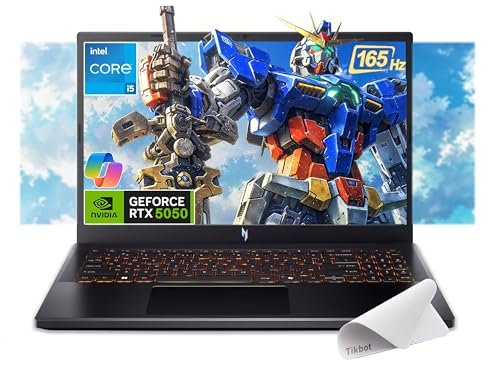
The Acer Nitro V RTX 5050 configuration is the performance-focused choice for buyers who can stretch beyond the cheapest RTX 4050 systems.
Its Amazon listing includes an Intel Core i5-13420H processor, NVIDIA GeForce RTX 5050 graphics with 8GB of GDDR7 memory, 16GB of RAM, a 512GB PCIe SSD, and a 15.6-inch Full HD IPS 165Hz display. A Buy Now option was active when checked.
Acer’s official specifications for an equivalent Nitro V 15 ANV15-52 configuration confirm the Core i5-13420H, RTX 5050 with 8GB GDDR7 memory, Full HD 165Hz display, 16GB memory, and 512GB SSD platform. (Acer Store)
The most important advantage is the 8GB of dedicated graphics memory. That provides more room for modern game textures and graphical assets than the 6GB RTX 4050 configurations reviewed above.
Its 16GB of system memory is also much more appropriate for a 2026 gaming machine than the 8GB included with the entry Acer.
The 512GB SSD is the one area that still feels modest. It is enough to begin, but buyers installing several large releases should plan for additional storage.
Pros
- Newer RTX 5050 laptop graphics
- 8GB of GDDR7 graphics memory
- 16GB RAM included
- Full HD 165Hz IPS display
- Capable Intel Core i5-13420H processor
- Fast 512GB PCIe SSD
- Better graphics headroom than RTX 4050 models
- Suitable for recent 1080p games
- Backlit keyboard
- Current-generation graphics features
- Active Amazon Buy Now option when checked
Cons
- More expensive than RTX 4050 alternatives
- 512GB SSD remains limited
- Plastic chassis
- Fans can become loud
- Battery life is modest during gaming
- The Amazon offer includes a third-party mouse-pad bundle
- Seller warranty and configuration should be confirmed
- RTX 5050 performance still depends on the laptop’s power limit
My Honest Opinion
This is the strongest gaming laptop in the list, but it is not automatically the best value.
The RTX 5050 and its 8GB of graphics memory give it better long-term potential than the RTX 4050 models. That matters as newer games place greater demands on texture memory and GPU resources.
The Core i5 processor is not a serious weakness. For gaming, the stronger graphics card is often more valuable than paying for a Core i7 while remaining on an RTX 4050.
The decision should come down to price. When this Acer costs only moderately more than the Lenovo LOQ or MSI Thin 15, the graphics upgrade is appealing.
When the price approaches RTX 5060 laptops, it becomes less convincing. Always compare the final checkout price with newer RTX 5060 deals rather than assuming the word “budget” in a listing guarantees good value.
The seller bundle also requires attention. Confirm that the laptop itself is new, the exact configuration matches the title, and the warranty is valid for the United States.
Best for: Buyers prioritizing frame rates, newer graphics hardware, 8GB VRAM, and longer gaming relevance.
Buyer’s Guide: 3 Key Factors to Consider
Factor 1: Choose the GPU Tier Before Paying for a Faster CPU
The graphics card usually has the greatest effect on gaming performance.
The five laptops reviewed here use either an RTX 4050 or RTX 5050.
An RTX 4050 with 6GB VRAM is a sensible starting point for 1080p gaming. It can handle esports games comfortably and run many demanding titles when settings are adjusted appropriately.
An RTX 5050 with 8GB VRAM provides more graphics-memory headroom and is the stronger option for recent games. However, the improvement must be weighed against the price difference.
Laptop GPU names do not tell the complete story. Manufacturers can configure the same GPU at different power levels.
For example, MSI lists the RTX 4050 in the Thin 15 B12VE at up to 45 watts. A higher-powered RTX 4050 in a thicker laptop may perform better even though both machines use the same GPU name. (MSI)
Do not pay a large premium for a Core i7 when the laptop still uses a weak or heavily power-limited GPU. A modern Core i5 or Ryzen 5 is usually sufficient for a budget gaming system.
Factor 2: Aim for 16GB RAM and at Least a 512GB SSD
Eight gigabytes of RAM should be treated as the minimum, not the ideal target.
The operating system, game launchers, browser tabs, communication programs, antivirus software, and background utilities all consume memory. A laptop with 16GB provides more room for games and reduces the chance of slowdowns caused by memory pressure.
Buying an 8GB model can still make sense when:
- It is considerably cheaper.
- Its memory is upgradeable.
- You are comfortable opening the laptop.
- The cost of additional RAM is included in your budget.
Storage is equally important.
A 256GB SSD is difficult to recommend for gaming in 2026. Windows and basic software can consume a meaningful portion before any games are installed.
A 512GB SSD is a reasonable starting point. A 1TB drive is more comfortable for users who want several modern games installed simultaneously.
Before buying an upgrade, check:
- Number of M.2 slots
- Maximum supported SSD size
- Installed RAM arrangement
- Supported memory generation
- Whether opening the laptop affects the warranty
- Whether a seller has already modified the system
Factor 3: Check the Display, Cooling, Seller, and Warranty
A 144Hz or 165Hz display is a good match for a budget gaming laptop.
The higher refresh rate makes motion look smoother and allows competitive games to feel more responsive. However, refresh rate alone does not describe screen quality.
Also check:
- Brightness
- Color coverage
- Response time
- IPS or IPS-level technology
- Resolution
- Adaptive-sync support
- Viewing angles
Cooling matters because laptop processors and graphics cards reduce performance when they become too hot.
Thicker laptops such as the Lenovo LOQ may be heavier, but the larger chassis can provide more room for airflow. Thin models are easier to carry but may operate their GPUs at lower power.
Finally, inspect the Amazon listing carefully. Many laptop listings are created by third-party resellers that install additional RAM or storage.
Confirm:
- Exact model number
- CPU and GPU
- Graphics-memory capacity
- RAM amount and type
- SSD size
- Display refresh rate
- New, renewed, or used condition
- Seller identity
- Return window
- Manufacturer-warranty eligibility
- Whether the original charger is included
Frequently Asked Questions About Best Budget Friendly Gaming Laptop 2026
What Is the Best Budget Friendly Gaming Laptop in 2026?
The Lenovo LOQ 15 Ryzen 7 RTX 4050 is the best overall choice in this comparison.
It provides a balanced combination of Ryzen 7 processing power, RTX 4050 graphics, 16GB RAM, 512GB storage, and a 144Hz display.
Which Laptop Has the Best Gaming Performance?
The Acer Nitro V with RTX 5050 has the strongest graphics configuration here.
Its RTX 5050 includes 8GB of GDDR7 memory, compared with 6GB on the RTX 4050 laptops.
Is the RTX 4050 Still Good in 2026?
Yes, provided the laptop is priced appropriately.
The RTX 4050 remains suitable for esports and many modern games at 1080p. More demanding titles may require medium settings, DLSS, or reduced ray tracing.
Is an RTX 5050 Worth Paying More For?
It can be worth paying more when the price difference is reasonable.
The RTX 5050’s 8GB of graphics memory provides more headroom than a 6GB RTX 4050. However, an overpriced RTX 5050 laptop may offer worse value than a discounted RTX 5060 model.
Is 8GB RAM Enough for Gaming?
Eight gigabytes can run many games, but 16GB is a much better target in 2026.
An 8GB laptop is most appropriate when it is inexpensive and can be upgraded easily.
Is 32GB RAM Necessary for Gaming?
Most budget gamers do not need 32GB solely for gaming.
It becomes useful for video editing, streaming, virtual machines, large creative projects, heavy browser use, and running several demanding applications simultaneously.
Is a 512GB SSD Enough?
A 512GB SSD is enough to get started, but it can fill quickly.
Windows, applications, updates, and several modern games may use most of the available capacity. A 1TB SSD is more comfortable for a large game library.
Which Laptop Is Best for College Students?
The MSI Thin 15 is easier to transport than many thicker gaming laptops.
The Lenovo LOQ provides a better-balanced gaming design when weight and portability are less important.
Which Laptop Is Best for Gaming and Video Editing?
The HP Victus 15 with 32GB RAM and a 1TB SSD is well equipped for multitasking and editing.
The Acer RTX 5050 may provide better GPU performance, while the HP offers more system memory and storage.
Do Gaming Laptops Work Well on Battery?
Gaming laptops can perform ordinary tasks on battery, but demanding games should normally be played while connected to the charger.
CPU and GPU performance is reduced on battery, and intensive games can drain the battery quickly.
Are Budget Gaming Laptops Loud?
Most gaming laptops produce noticeable fan noise under heavy load.
The cooling system must remove heat from the processor and dedicated graphics card. Quiet or balanced modes can reduce noise, but they may also lower performance.
Can I Upgrade a Gaming Laptop Later?
Many gaming laptops allow RAM and SSD upgrades, but options vary by model.
Always check the service manual for the exact model number. Do not assume every laptop has two RAM slots or multiple SSD connectors.
Should I Buy From a Third-Party Amazon Seller?
A third-party seller can offer a good configuration, but additional checks are necessary.
Verify the seller rating, return policy, warranty, laptop condition, and whether the seller installed aftermarket memory or storage.
Is a High-Refresh Display Useful for Single-Player Games?
Yes, although the benefit is most obvious in competitive games.
A 144Hz or 165Hz screen can still make movement, camera panning, and general Windows use feel smoother than a 60Hz panel.
Final Verdict: Which Budget Gaming Laptop Should You Buy?
The Lenovo LOQ 15 Ryzen 7 RTX 4050 Gaming Laptop is the best overall choice. Its Ryzen 7 processor, 16GB RAM, RTX 4050 graphics, 512GB SSD, and 144Hz display create the most balanced configuration for the average budget gamer.
Choose the Acer Nitro V ANV15-52-586Z when keeping the initial purchase price low is your main priority. Plan to increase its RAM from 8GB to at least 16GB.
The MSI Thin 15 B12VE-2023US is the better choice for portability. Its 16GB memory is practical, but its lower-powered RTX 4050 may trail thicker gaming laptops.
Choose the HP Victus 15 when you need 32GB RAM and a 1TB SSD for gaming, editing, streaming, or heavy multitasking. Confirm the seller-upgrade and warranty details before ordering.
The Acer Nitro V RTX 5050 Gaming Laptop provides the strongest graphics hardware in this roundup. Its 8GB RTX 5050 makes it the better performance choice when the price remains reasonably close to RTX 4050 alternatives.
Before buying, compare the final checkout prices rather than relying on the original list prices. Also verify the exact GPU, RAM, storage, display, seller, condition, warranty, and return window.
The best budget gaming laptop is not always the cheapest machine. It is the one that provides enough performance today without forcing you to replace or extensively upgrade it within the next year.
Check the Lenovo LOQ 15 RTX 4050 Gaming Laptop on Amazon
Amazon availability and hosted image addresses can change. Test every affiliate link and image immediately before publishing, and use Amazon Associates SiteStripe or the Product Advertising API for the final image implementation.