A 17-inch gaming laptop gives you a noticeably larger view of games, editing timelines, spreadsheets, and streaming content without requiring a separate desktop monitor.
The larger screen can make open-world games feel more immersive and help you spot smaller details in competitive titles. It also provides more room for creative software, programming windows, and everyday multitasking.
However, large-screen gaming laptops involve several compromises. They are heavier, require larger backpacks, use substantial power adapters, and usually cost more than similarly equipped 15.6-inch models. Battery life is rarely their strongest feature either.
For that reason, “budget” in the 17-inch category does not always mean extremely cheap. It means finding a large-screen laptop that provides the right graphics performance, processor, memory, storage, and display without paying for features you will not use.
For this guide, I compared five 17.3-inch gaming laptops currently listed on Amazon. The selection ranges from affordable RTX 4050 configurations to stronger RTX 4060 and RTX 5060 machines for buyers who need more gaming headroom.
All five products had active Amazon purchasing options when checked on August 5, 2026. Inventory, sellers, delivery dates, prices, and warranty eligibility can change, so verify the exact configuration before ordering.
Affiliate Disclosure: As an Amazon Associate, Game Insider Hub earns from qualifying purchases. This does not increase the price you pay.
Best 17-Inch Budget Gaming Laptops at a Glance
| Gaming Laptop | Graphics | RAM and Storage | Display | Best For |
|---|---|---|---|---|
| Acer Nitro 17 AN17-42-R61S | RTX 4050 6GB | 16GB / 512GB SSD | 17.3-inch FHD 165Hz | Lowest-cost balanced option |
| ASUS TUF Gaming A17 FA707NU-DS74 | RTX 4050 6GB | 16GB / 1TB SSD | 17.3-inch FHD 144Hz | Best overall value |
| Acer Nitro 17 Ryzen 7 RTX 4060 | RTX 4060 8GB | 16GB / 1TB SSD | 17.3-inch FHD 165Hz | Best balanced RTX 4060 |
| MSI Katana 17 B13VFK-835US | RTX 4060 8GB | 32GB / 1TB SSD | 17.3-inch FHD 144Hz | Gaming and heavy multitasking |
| MSI Cyborg 17 B2RWFKG-074US | RTX 5060 8GB | 16GB / 1TB SSD | 17.3-inch FHD 144Hz | Best gaming performance |
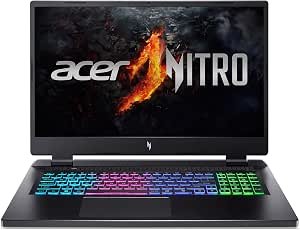
1. Acer Nitro 17 AN17-42-R61S Gaming Laptop — Best Affordable Option
Credit: Amazon
Check the Current Price on Amazon
The Acer Nitro 17 AN17-42-R61S is a strong starting point for buyers who want a large gaming display without immediately paying for RTX 4060 or RTX 5060 graphics.
This configuration combines an AMD Ryzen 5 8645HS processor with an NVIDIA GeForce RTX 4050 laptop GPU. It also includes 16GB of DDR5 memory, a 512GB SSD, Wi-Fi 6E, and a 17.3-inch Full HD IPS display with a 165Hz refresh rate. Amazon displayed both Add to Cart and Buy Now options when the listing was checked.
The Ryzen 5 8645HS provides six processor cores and is capable of supporting gaming, office applications, programming, streaming, schoolwork, and moderate editing.
Its RTX 4050 is intended primarily for 1080p gaming. It can run esports titles at high frame rates and handle many demanding single-player games when the graphics settings are adjusted sensibly.
The 165Hz IPS display is one of the laptop’s strongest features. Fast movement looks smoother than it would on an ordinary 60Hz panel, and competitive games can take advantage of frame rates above 100 fps.
Unlike many entry-level gaming laptops, this configuration already includes 16GB of RAM. You should not need an immediate memory upgrade simply to run a game alongside Discord, a browser, and background applications.
Pros
- Large 17.3-inch IPS display
- Smooth 165Hz refresh rate
- Dedicated RTX 4050 graphics
- Capable Ryzen 5 8645HS processor
- 16GB DDR5 RAM included
- Wi-Fi 6E connectivity
- Suitable for esports and modern 1080p games
- Backlit keyboard with number pad
- No immediate memory upgrade required
- Active Amazon purchasing option when checked
Cons
- Only 512GB of storage
- RTX 4050 is the lowest graphics tier in this roundup
- Large and heavy compared with 15-inch laptops
- Plastic construction
- Fans become audible during demanding games
- Battery life is limited when the dedicated GPU is active
- The checked offer came from a marketplace seller
- A large charger adds more travel weight
My Honest Opinion
This Acer is the most sensible starting point for someone who wants a real 17.3-inch gaming laptop while keeping the purchase price under control.
The RTX 4050 should provide a comfortable experience in Valorant, Fortnite, Counter-Strike 2, Rocket League, Overwatch 2, Minecraft, and similar games. It can also handle newer AAA titles, although medium or high settings will be more realistic than maximum settings.
The 165Hz display is particularly appealing. It gives competitive games a smooth and responsive appearance, while the IPS panel provides better viewing angles than a basic low-cost screen.
Storage is the main limitation. A 512GB drive can become crowded after Windows, applications, updates, and several large games are installed. Some current releases occupy well over 100GB by themselves.
Choose this configuration when it remains substantially less expensive than the RTX 4060 models. When the price difference is small, the stronger GPU and larger SSD in the Acer Nitro 17 RTX 4060 may provide better long-term value.
Best for: First-time gaming-laptop buyers, students, esports players, and anyone seeking an affordable 17.3-inch RTX laptop.
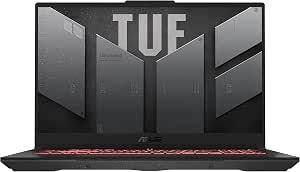
2. ASUS TUF Gaming A17 FA707NU-DS74 — Best Overall Value
Credit: Amazon
Check the Current Price on Amazon
The ASUS TUF Gaming A17 FA707NU-DS74 earns the best overall value position because it combines a capable eight-core processor, RTX 4050 graphics, 16GB of memory, and a practical 1TB SSD.
Its AMD Ryzen 7 7735HS processor provides eight cores and sixteen processing threads. The Amazon configuration also includes an RTX 4050, 16GB DDR5 RAM, a 1TB PCIe 4.0 SSD, Wi-Fi 6, and a 17.3-inch Full HD 144Hz display. The product had active Add to Cart and Buy Now controls when checked.
The processor gives the ASUS enough power for more than gaming. It is suitable for streaming, editing, programming, running development tools, managing large documents, and multitasking between several applications.
The 1TB SSD is a meaningful advantage over the entry Acer. It gives you substantially more room for games, project files, media, and applications before storage expansion becomes necessary.
Its 144Hz screen is slightly slower than the Nitro’s 165Hz display, but the difference is relatively small during normal use. Both are major upgrades over a 60Hz panel.
The TUF Gaming range is also designed around sustained gaming performance rather than thin-and-light portability. The larger chassis provides space for cooling, although it makes the laptop less convenient to carry every day.
Pros
- Eight-core Ryzen 7 7735HS processor
- RTX 4050 with 6GB of graphics memory
- 16GB DDR5 RAM
- Large 1TB PCIe 4.0 SSD
- 17.3-inch Full HD display
- Smooth 144Hz refresh rate
- Appropriate for gaming and productive work
- Wi-Fi 6
- Full keyboard with numeric keypad
- Balanced specifications
- Active Amazon buying options when checked
- ENERGY STAR certification shown on Amazon
Cons
- RTX 4050 remains an entry-level modern gaming GPU
- Large chassis and power adapter
- Plastic surfaces
- Battery life cannot match a normal productivity laptop
- Fans become noticeable in performance mode
- Display resolution is limited to Full HD
- The checked offer was supplied by a third-party seller
- Less portable than a 15.6-inch alternative
My Honest Opinion
The ASUS TUF Gaming A17 is the most balanced value choice when you want a large screen but do not need the strongest possible GPU.
The Ryzen 7 processor is useful for work, editing, and multitasking, while the RTX 4050 provides competent Full HD gaming performance. The 16GB RAM and 1TB SSD also mean the laptop is ready to use without an immediate upgrade.
The extra storage is particularly important. A 512GB gaming laptop can require constant game management, while 1TB gives you enough space for a more practical library.
Its main limitation is the RTX 4050. The GPU is perfectly usable at 1080p, but buyers hoping to keep demanding new games at high settings for several years may prefer an RTX 4060.
When the ASUS is discounted well below the RTX 4060 models, it provides excellent value. When prices are close, the stronger GPU should usually take priority over the difference between a Ryzen 7 processor and another capable modern CPU.
Best for: Budget-conscious gamers, students, streamers, programmers, and buyers who want 1TB of storage from the first day.
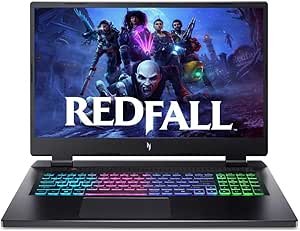
3. Acer Nitro 17 Ryzen 7 RTX 4060 Gaming Laptop — Best Balanced RTX 4060 Option
Credit: Amazon
Check the Current Price on Amazon
The Acer Nitro 17 RTX 4060 is the stronger choice for buyers who want more gaming performance without moving directly to an RTX 5060 configuration.
This version combines an AMD Ryzen 7 8845HS processor with an NVIDIA GeForce RTX 4060 carrying 8GB of dedicated graphics memory. It also includes 16GB DDR5 RAM, a 1TB M.2 SSD, Wi-Fi 6E, and a 17.3-inch Full HD IPS display with a 165Hz refresh rate. Amazon showed a new Buy Now offer and a separate used-like-new option during verification.
The RTX 4060’s 8GB of VRAM gives it more flexibility than the RTX 4050’s 6GB configuration. The additional memory can help with higher-resolution textures, demanding visual settings, rendering, and GPU-accelerated creative software.
Its Ryzen 7 processor is also capable of gaming, livestreaming, video editing, programming, and other multicore workloads.
The display retains the 165Hz refresh rate found on the lower-priced Nitro 17, making it suitable for competitive games as well as visually demanding titles.
Pros
- Stronger RTX 4060 graphics
- 8GB of dedicated VRAM
- Eight-core Ryzen 7 8845HS processor
- 16GB DDR5 RAM
- Large 1TB SSD
- 17.3-inch Full HD IPS display
- Smooth 165Hz refresh rate
- Wi-Fi 6E
- Suitable for gaming and content creation
- Better long-term headroom than RTX 4050 models
- Active new Amazon purchasing offer when checked
Cons
- More expensive than RTX 4050 laptops
- Heavy and thick
- Fans can become loud under sustained load
- Full HD resolution may feel modest on a 17.3-inch screen
- Battery life is limited during intensive use
- Large charger adds travel weight
- Checked offers were supplied by marketplace sellers
- Not ideal for daily commuting
My Honest Opinion
This is the strongest all-around gaming choice for buyers who want a meaningful performance upgrade without paying for the newest RTX 5060 hardware.
The move from an RTX 4050 to an RTX 4060 matters more for gaming than a minor difference between two capable processors. You receive more graphics performance and 8GB of VRAM, which can make demanding modern titles easier to manage.
The 1TB SSD is another important benefit. It gives the laptop enough storage to feel complete rather than like a machine waiting for an immediate upgrade.
The Ryzen 7 processor and RTX 4060 also make this model suitable for video editing, livestreaming, rendering, game development, and other demanding applications.
Its size should not be ignored. Independent coverage of the Nitro 17 platform has described it as a particularly heavy and thick laptop. This is best treated as a portable desktop replacement rather than something you will happily carry all day.
Choose this model when the laptop will spend most of its time on a desk and gaming performance matters more than mobility.
Best for: AAA gamers, streamers, editors, developers, and buyers seeking a balanced RTX 4060 desktop replacement.
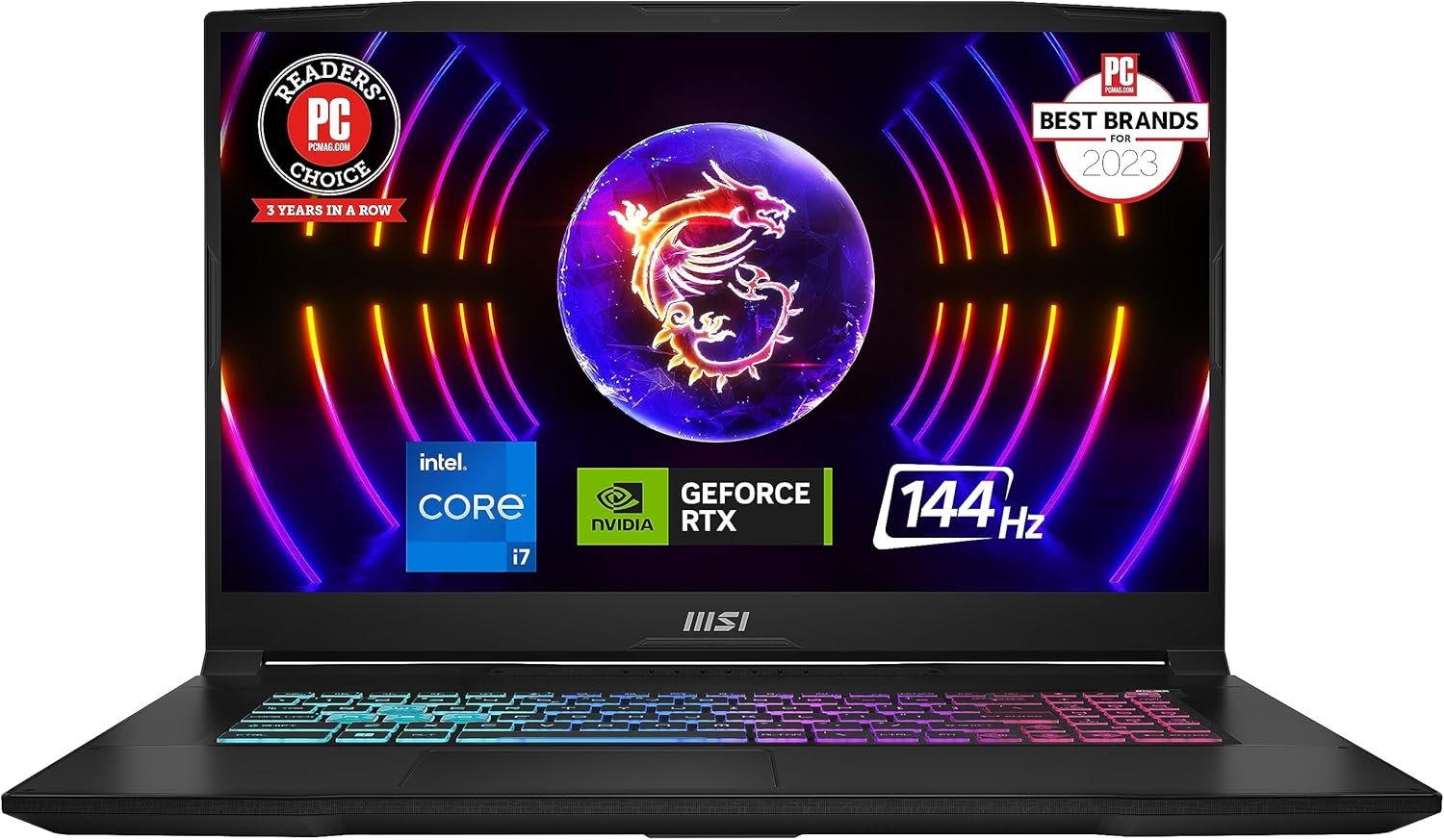
4. MSI Katana 17 B13VFK-835US — Best for Gaming and Heavy Multitasking
Credit: Amazon
Check the Current Price on Amazon
The MSI Katana 17 B13VFK-835US stands out because it combines RTX 4060 graphics with 32GB of DDR5 memory.
The configuration includes an Intel Core i7-13620H processor, NVIDIA GeForce RTX 4060 graphics, 32GB RAM, a 1TB NVMe SSD, USB-C connectivity, and a 17.3-inch Full HD 144Hz display. MSI’s official specification confirms the Core i7-13620H for this exact model number.
The 32GB memory configuration is more than most games require, but it can be helpful for heavy multitasking, livestreaming, video editing, virtual machines, programming environments, and creative applications.
Its RTX 4060 includes 8GB of dedicated graphics memory, giving it enough performance for demanding Full HD gaming and GPU-accelerated work.
MSI also uses its Cooler Boost 5 cooling arrangement on the Katana 17 platform. The larger chassis provides space for multiple cooling components, although the fans can become clearly audible when the laptop is running at full performance.
Pros
- RTX 4060 with 8GB VRAM
- Intel Core i7-13620H processor
- Generous 32GB DDR5 RAM
- Large 1TB NVMe SSD
- 17.3-inch Full HD display
- Smooth 144Hz refresh rate
- Useful for gaming, streaming, and editing
- USB-C connectivity
- Cooler Boost 5 cooling design
- Four-zone RGB-style gaming appearance
- Plenty of memory for demanding multitasking
Cons
- 32GB RAM is unnecessary for gaming alone
- Large and heavy
- Battery capacity is modest for such a powerful laptop
- Fans become loud at maximum performance
- Plastic chassis feels less premium than higher-priced machines
- Full HD display is not ideal for color-critical professional work
- The Amazon configuration may be reseller upgraded
- Warranty details require careful checking
My Honest Opinion
The MSI Katana 17 is the best option here for buyers who run demanding applications alongside their games.
Sixteen gigabytes is enough for most gaming users. The 32GB configuration becomes useful when you are livestreaming, editing video, running virtual machines, managing large development projects, or keeping numerous demanding programs open simultaneously.
The RTX 4060 provides capable 1080p performance, while the Core i7-13620H is strong enough to support gaming and productive workloads.
However, do not pay a large premium solely for the extra RAM. Memory can often be upgraded later, while the processor and GPU cannot be replaced practically.
Check whether the 32GB configuration was installed by MSI or by the Amazon seller. Reseller upgrades can offer good value, but they may affect how warranty claims are handled.
The Katana becomes particularly attractive when its price is close to 16GB RTX 4060 laptops. When it costs substantially more, the Acer Nitro 17 RTX 4060 may provide the better balance.
Best for: Streamers, video editors, developers, virtual-machine users, and gamers who regularly perform heavy multitasking.
5. MSI Cyborg 17 B2RWFKG-074US — Best Gaming Performance
Credit: Amazon
Check the Current Price on Amazon
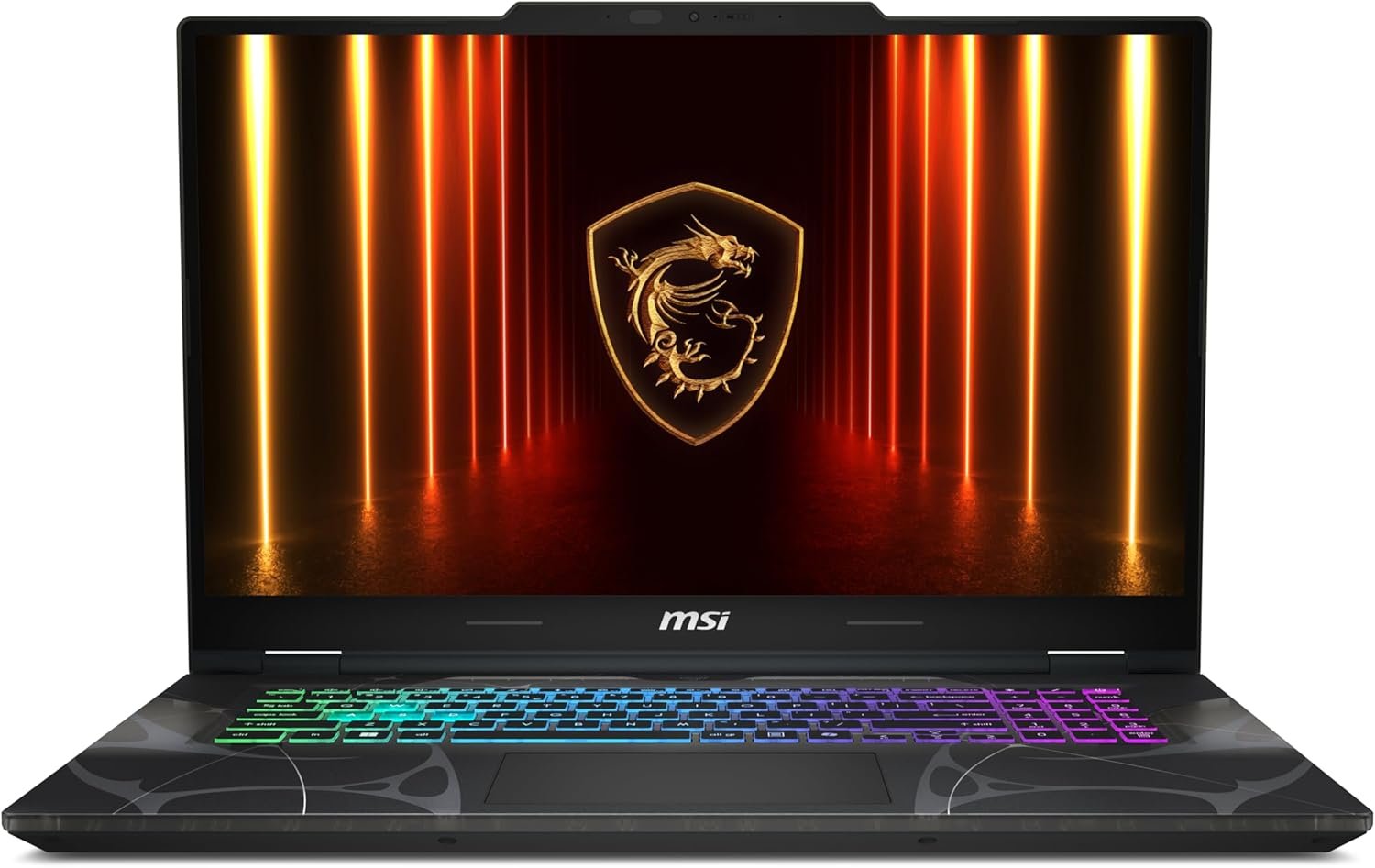
The MSI Cyborg 17 B2RWFKG-074US provides the newest and strongest graphics hardware in this comparison.
It combines an Intel Core 7 240H processor with an NVIDIA GeForce RTX 5060 laptop GPU. The Amazon configuration also includes 16GB DDR5 RAM, a 1TB NVMe SSD, Wi-Fi 6E, USB-C connectivity, and a 17.3-inch Full HD 144Hz screen. Amazon displayed an active Buy Now option during verification.
MSI lists the Cyborg 17 B2RW platform with an RTX 5060 carrying 8GB of GDDR7 graphics memory. That gives the laptop newer graphics architecture and more headroom than the RTX 4050 configurations.
The Core 7 240H is capable of gaming, productivity, streaming, editing, and multitasking. Its 16GB memory and 1TB SSD create a balanced starting configuration without forcing an immediate upgrade.
The Cyborg design uses translucent details that give the laptop a more distinctive gaming appearance than the relatively restrained ASUS TUF or Acer Nitro models.
Pros
- Newer RTX 5060 laptop GPU
- 8GB of GDDR7 graphics memory
- Intel Core 7 240H processor
- 16GB DDR5 RAM
- Large 1TB NVMe SSD
- 17.3-inch Full HD display
- Smooth 144Hz refresh rate
- Wi-Fi 6E
- USB-C connectivity
- Strongest gaming hardware in this roundup
- Active Amazon Buy Now option when checked
- Better long-term graphics headroom
Cons
- Highest-priced option in the comparison
- May stretch the definition of a budget laptop
- 144Hz display is slower than the Nitro’s 165Hz panel
- Translucent gaming design may not suit professional environments
- Large chassis remains difficult to carry daily
- Fans become audible under demanding loads
- Battery life is limited during gaming
- Must be compared with competing RTX 5060 deals
My Honest Opinion
The MSI Cyborg 17 is the best performance choice, but it is only the best value when the price remains reasonably close to RTX 4060 alternatives.
Its RTX 5060 and 8GB of GDDR7 memory provide more graphics headroom for newer games, ray-traced effects, AI-assisted graphics features, editing, and rendering.
The 1TB SSD and 16GB RAM also make the configuration usable immediately. You will not need to replace a tiny 256GB drive or upgrade from 8GB just to create a balanced system.
The Full HD display is a sensible match for the hardware. A higher-resolution screen would look sharper, but it would also require the GPU to render significantly more pixels.
The main consideration is price. An RTX 5060 laptop should not be purchased simply because it belongs to a newer generation. Compare its final cost with discounted RTX 4060 machines and consider how much additional performance you genuinely need.
Choose the Cyborg when gaming performance and longer-term relevance matter more than obtaining the lowest possible purchase price.
Best for: Demanding gamers, streamers, editors, and buyers who want the strongest 17-inch option without entering premium RTX 5070 pricing.
Buyer’s Guide: 3 Key Factors to Consider
Factor 1: Choose the Right GPU Tier
The graphics card has the greatest influence on gaming performance.
The laptops reviewed here fall into three main levels.
RTX 4050 with 6GB VRAM
This is the most affordable modern option. It is suitable for esports, indie games, older AAA titles, and many recent games at practical 1080p settings.
Choose an RTX 4050 when:
- Your budget is strict.
- You mostly play competitive games.
- Medium or high settings are acceptable.
- Maximum ray tracing is not a priority.
- You do not need heavy GPU rendering.
RTX 4060 with 8GB VRAM
The RTX 4060 provides more performance and graphics memory. It is better suited to demanding modern games, higher texture settings, streaming, editing, and longer ownership.
Choose an RTX 4060 when:
- You play visually demanding AAA games.
- You want more graphics-memory headroom.
- You use GPU-accelerated creative software.
- You expect to keep the laptop for several years.
- The price difference from an RTX 4050 is reasonable.
RTX 5060 with 8GB GDDR7
The RTX 5060 is the newest option in this comparison. It provides stronger gaming potential and newer graphics features, although its value depends heavily on the purchase price.
Choose an RTX 5060 when:
- You want the strongest performance in this guide.
- You play recent demanding games.
- Longer-term GPU relevance matters.
- You stream, edit, or render regularly.
- The price does not approach a much stronger GPU tier.
Remember that two laptops with the same GPU can perform differently. Cooling, graphics-power limits, memory, and manufacturer performance settings all matter.
Factor 2: Decide Whether a 17-Inch Laptop Fits Your Routine
The large display is the main reason to buy a 17.3-inch gaming laptop.
Advantages include:
- More immersive gaming
- Larger interface elements
- Better visibility in strategy and simulation games
- More room for editing timelines
- Easier spreadsheet and document work
- A full keyboard with number pad
- Less need for an external monitor
The disadvantages are equally important:
- Greater weight
- Larger backpack requirement
- Bigger power adapter
- More desk space
- Reduced portability
- Limited battery life
- Awkward use on small airplane or classroom desks
A 17-inch gaming laptop is best viewed as a desktop replacement that can still be moved when necessary.
A 15.6- or 16-inch laptop is usually the better choice when you carry the computer every day. The large-screen model makes more sense when it remains on a desk most of the week.
Factor 3: Check RAM, Storage, Seller, and Warranty
Aim for at least 16GB of RAM.
That amount is sufficient for most current games, Windows, browsers, game launchers, voice chat, office applications, and moderate creative work.
Consider 32GB when you use:
- Video-editing software
- Virtual machines
- Large development environments
- 3D rendering applications
- Livestreaming software
- Large datasets
- Several demanding programs simultaneously
Storage is equally important.
A 512GB SSD is enough to begin, but it can fill quickly. A 1TB drive is much more comfortable for a gaming laptop.
Before purchasing, check:
- Number of M.2 SSD slots
- Supported SSD format
- Maximum memory capacity
- Whether RAM is replaceable
- Whether the seller changed the original configuration
- Whether opening the laptop affects the warranty
Marketplace sellers sometimes install additional RAM or storage. This can provide good value, but you should verify the component brands and manufacturer-warranty status.
Also confirm:
- Exact model number
- Processor
- GPU and VRAM
- Display refresh rate
- New, renewed, or used condition
- Seller identity
- Return period
- Original charger
- Keyboard region
- Manufacturer-warranty eligibility
Frequently Asked Questions About Best Budget Gaming Laptop 17 Inch
What Is the Best Budget 17-Inch Gaming Laptop?
The ASUS TUF Gaming A17 is the best overall value for most buyers.
It combines a Ryzen 7 processor, RTX 4050 graphics, 16GB RAM, a 1TB SSD, and a 144Hz display without moving into the highest price tier.
Which 17-Inch Laptop Has the Best Gaming Performance?
The MSI Cyborg 17 RTX 5060 provides the strongest GPU in this comparison.
Its RTX 5060 includes 8GB of GDDR7 graphics memory.
Is a 17-Inch Laptop Too Big for Gaming?
No. A 17.3-inch screen can provide a highly immersive gaming experience.
The larger issue is portability. These laptops are best for desk use and occasional transportation rather than daily lightweight travel.
Is a 17.3-Inch Display Better Than a 15.6-Inch Display?
It is better when screen size and visibility matter more than portability.
A 15.6-inch laptop is easier to carry, while a 17.3-inch machine offers a larger view and can reduce the need for an external monitor.
Is the RTX 4050 Good Enough for 17-Inch Gaming?
Yes.
The RTX 4050 is suitable for Full HD gaming, which is the native resolution of the selected Acer and ASUS models. Demanding games may require adjusted visual settings.
Is an RTX 4060 Worth Paying More For?
It can be worthwhile for demanding modern games, higher settings, creative software, and longer-term use.
The RTX 4060 also provides 8GB of VRAM compared with the 6GB RTX 4050 configurations reviewed here.
Is the RTX 5060 Better Than the RTX 4060?
The RTX 5060 belongs to a newer graphics generation and uses 8GB of GDDR7 memory in the MSI Cyborg configuration.
Real-world value depends on the laptop’s cooling, power limit, and price. A heavily discounted RTX 4060 laptop may still be the smarter purchase.
Is 16GB RAM Enough for Gaming?
Yes. Sixteen gigabytes remains a practical starting point for modern gaming and everyday multitasking.
Thirty-two gigabytes is more useful for streaming, editing, virtual machines, and professional workloads than for gaming alone.
Is 512GB Storage Enough?
It is enough to start, but it can fill quickly.
A 1TB SSD is preferable for a gaming laptop because modern games and updates can require substantial storage.
Which Laptop Has the Most RAM?
The MSI Katana 17 includes 32GB of DDR5 memory in the selected configuration.
Which Laptop Is Best for Editing and Gaming?
The Acer Nitro 17 RTX 4060 and MSI Katana 17 are the strongest options for editing and gaming.
The Acer offers a balanced processor, GPU, and display, while the MSI provides 32GB RAM for heavier multitasking.
Are 17-Inch Gaming Laptops Heavy?
Most are heavier than 15.6-inch gaming laptops and much heavier than ordinary productivity notebooks.
Remember to include the charger when estimating the total weight you will carry.
Do 17-Inch Gaming Laptops Have Better Cooling?
Their larger chassis can provide more room for cooling hardware, but cooling quality still varies by model.
A larger laptop is not automatically quiet or cool. Fan design, heat pipes, air vents, and power limits all matter.
Can I Use a 17-Inch Gaming Laptop for Work?
Yes.
The large display is useful for spreadsheets, coding, editing, research, office applications, and multitasking. The main disadvantages are weight and limited battery life.
Can I Connect an External Monitor?
Yes.
The reviewed laptops provide HDMI, USB-C display output, or both, depending on the model. Confirm the exact port specifications before purchasing a monitor or docking station.
Should I Game on Battery Power?
For the best performance, connect the original charger.
Gaming laptops reduce CPU and GPU power on battery, and demanding games can drain the battery quickly.
Are Budget 17-Inch Gaming Laptops Loud?
They can be.
Gaming hardware generates heat, and fans must run quickly during demanding games. Quiet modes reduce noise but may also reduce performance.
Should I Buy a Laptop From a Third-Party Amazon Seller?
A third-party seller can offer a competitive deal, but verify the seller rating, return policy, warranty, and exact configuration.
Pay particular attention to whether the seller changed the RAM or storage.
Final Verdict: Which 17-Inch Gaming Laptop Should You Buy?
The ASUS TUF Gaming A17 FA707NU-DS74 is the best overall value. Its Ryzen 7 processor, RTX 4050 graphics, 16GB DDR5 RAM, 1TB SSD, and 144Hz display provide a balanced package for gaming and everyday work.
Choose the Acer Nitro 17 AN17-42-R61S when keeping the initial purchase price low is your main priority. Its 165Hz display and 16GB RAM make it a practical entry-level large-screen gaming laptop.
The Acer Nitro 17 RTX 4060 is the stronger choice for demanding games. Its RTX 4060, 8GB VRAM, Ryzen 7 processor, 1TB SSD, and 165Hz screen provide the best balance between performance and price.
Choose the MSI Katana 17 when you need 32GB RAM for streaming, editing, development work, virtual machines, or heavy multitasking.
The MSI Cyborg 17 RTX 5060 offers the strongest gaming performance. It is the best option when newer graphics hardware and longer-term gaming potential matter more than obtaining the lowest possible price.
Before ordering, compare the final checkout prices and verify the processor, GPU, VRAM, RAM, storage, screen refresh rate, seller, condition, warranty, and return period.
The best budget 17-inch gaming laptop is not simply the least expensive large-screen model. It is the laptop that provides enough performance and storage to remain useful without forcing expensive upgrades or an early replacement.