Gaming laptops promise desktop-level entertainment in a portable package. You can play demanding games, edit videos, attend classes, complete office work, and carry the same computer between locations. However, that convenience usually comes with higher prices, shorter battery life, more heat, louder fans, and limited upgrade options.
So, are gaming laptops worth it?
For many people, the answer is yes—but only when portability genuinely matters. A gaming laptop can be an excellent investment for students, frequent travelers, remote workers, content creators, and people who do not have space for a full desktop setup. However, someone who games exclusively from one desk will usually receive better performance, cooling, repairability, and long-term value from a desktop PC.
This guide examines the real advantages and disadvantages of gaming laptops, how they compare with desktops and consoles, how long they last, which specifications matter, and how to decide whether buying one makes sense for you.
Quick Verdict: Are Gaming Laptops Worth It?
Gaming laptops are worth it when you need a portable computer that can handle both gaming and demanding everyday tasks. They are less appealing when maximum performance, quiet operation, easy upgrades, and the lowest possible cost are your main priorities.
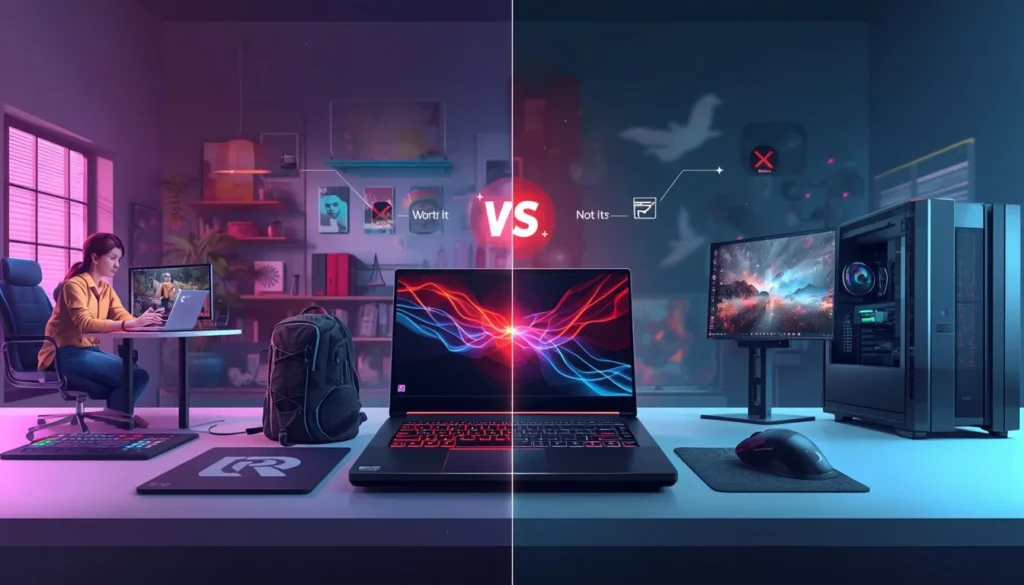
A gaming laptop is probably worth buying if:
- You need to move your computer regularly.
- You want one device for gaming, work, school, and entertainment.
- You live in a small apartment, dorm, or shared home.
- You travel frequently.
- You are comfortable gaming while connected to a charger.
- You do not plan to upgrade the graphics card later.
- You value convenience more than maximum performance per dollar.
A gaming laptop may not be worth it if:
- You always play games from the same desk.
- You want the highest possible frame rates for your budget.
- You expect long gaming sessions on battery power.
- You want to replace the graphics card every few years.
- Fan noise and surface heat bother you.
- You want a computer that is easy and inexpensive to repair.
- You already own a suitable monitor, keyboard, and desk setup.
What Is a Gaming Laptop?
A gaming laptop is a portable computer designed to run games more effectively than a typical everyday laptop. It usually includes a dedicated graphics processor, a more powerful CPU, a high-refresh-rate display, faster memory, improved cooling, and software that allows the user to adjust performance and fan behavior.
Unlike a regular productivity laptop, a gaming model must manage significant power and heat inside a relatively small chassis. That is why gaming laptops are usually thicker, heavier, louder, and equipped with larger chargers.
Gaming Laptop vs Regular Laptop
A regular laptop is designed primarily for web browsing, office applications, video calls, streaming, and light creative work. It may run casual or older games, but it is not always suitable for demanding modern titles.
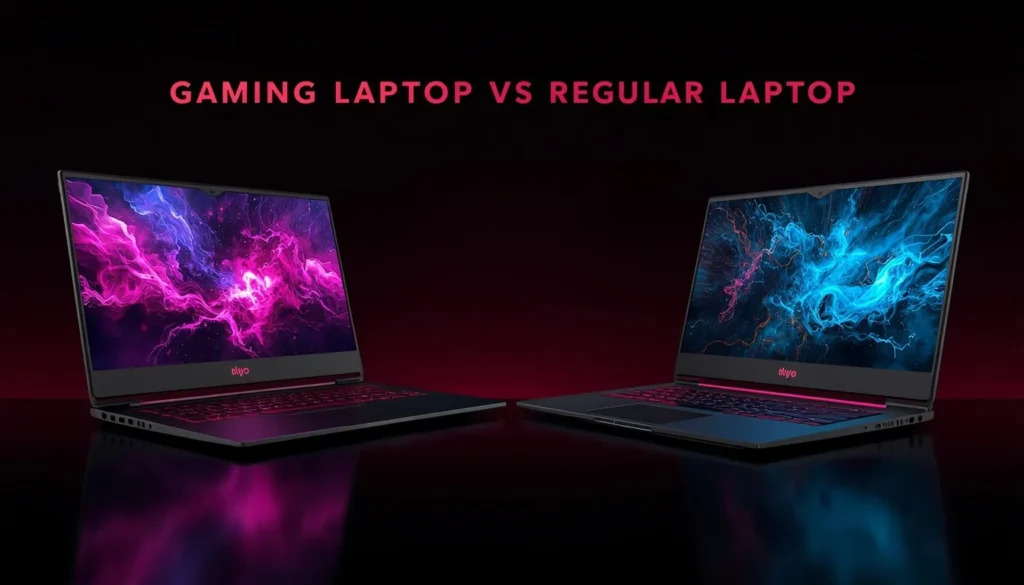
A gaming laptop generally offers:
- A dedicated NVIDIA, AMD, or Intel GPU
- A higher-performance mobile processor
- More capable cooling
- A 120Hz, 144Hz, 165Hz, or faster display
- Better support for external monitors
- Upgradeable storage and, in many models, upgradeable RAM
- More performance modes and fan controls
- A larger power adapter
The trade-off is that a gaming laptop is usually heavier, more expensive, and less efficient during everyday use.
Why Gaming Laptops Are Worth It for Some Buyers
Portability Is the Biggest Advantage
The clearest reason to buy a gaming laptop is portability. A desktop may provide better performance, but it cannot be packed into a backpack and carried between home, school, work, or another city.
A gaming laptop allows you to use the same files, applications, settings, and games wherever you go. This can be particularly useful for:
- University students living between campus and home
- People who travel for work
- Military personnel and contract workers
- Remote employees
- People living in temporary accommodation
- Gamers who regularly visit friends or attend LAN events
A gaming laptop is not necessarily lightweight, especially when its charger is included. However, it is still much easier to transport than a desktop tower, monitor, keyboard, and other accessories.
One Computer Can Handle Gaming, Work, and Study
A good gaming laptop can be more than a gaming machine. Its powerful processor and dedicated GPU can also support:
- Video editing
- Graphic design
- 3D rendering
- Programming
- CAD software
- Engineering applications
- Music production
- Data analysis
- Live streaming
- Virtual machines
This versatility can make the higher purchase price easier to justify. Instead of buying a gaming system and a separate work laptop, you may be able to use one device for both purposes.
You Get a Complete Setup
A desktop normally requires a separate monitor, keyboard, speakers, webcam, and sometimes a Wi-Fi adapter. A laptop includes most of these components in one package.
This does not mean a gaming laptop is always cheaper. However, comparing only the price of a laptop with the price of a desktop tower can be misleading. The total cost of the desktop setup should also include all required accessories.
Gaming Laptops Require Less Space
Not everyone has room for a dedicated gaming desk. A gaming laptop can be used on a small table and stored away when it is not needed.
This makes it attractive for people living in:
- Student dorms
- Studio apartments
- Shared bedrooms
- Small homes
- Temporary housing
- Multipurpose family spaces
You can also connect it to a larger monitor at home and use it like a desktop, then disconnect it when you need portability.
Modern Gaming Laptops Can Deliver Strong Performance
Current gaming laptops can provide excellent results at 1080p and 1440p when the GPU, cooling system, power limits, and display resolution are properly matched.
However, buyers should not evaluate performance from the GPU name alone. Laptop GPUs operate within different power and thermal limits, and two laptops using the same GPU family can perform differently. NVIDIA’s own laptop materials identify GPU power configuration and technologies such as Dynamic Boost as factors in mobile performance.
Why Gaming Laptops May Not Be Worth It
You Usually Pay a Portability Premium
Gaming laptops must fit powerful components, a battery, a display, a keyboard, speakers, and cooling hardware into a compact body. Designing and manufacturing that package adds cost.
A desktop can use larger cooling systems and components without the same space restrictions. As a result, a similarly priced desktop will often provide:
- Higher sustained performance
- Lower temperatures
- Quieter operation
- Better upgrade options
- Easier repairs
- More ports
- A longer useful upgrade path
You are not simply paying for gaming performance when buying a gaming laptop. You are also paying for portability and integration.
Laptop and Desktop GPUs Are Not Identical
A laptop GPU and desktop GPU with similar branding should not automatically be expected to deliver the same performance.
A gaming laptop has stricter limitations involving:
- Available electrical power
- Cooling capacity
- Chassis thickness
- Fan size
- CPU and GPU heat sharing
- Manufacturer performance settings
Total Graphics Power, commonly called TGP, can influence how much performance a laptop GPU can sustain. However, TGP is not the only factor. Architecture, cooling, memory, CPU performance, software, and workload also matter. Intel similarly describes laptops as portable systems while desktops offer greater customization and expansion.
This is why independent benchmarks for the exact laptop model are more useful than comparing specifications on a product page.
Gaming Battery Life Is Limited
Gaming laptops may offer respectable battery life during browsing, document editing, or video playback, but gaming is a much heavier workload.
When a demanding game is running, the CPU, GPU, memory, display, and fans may all consume significant power. The battery cannot always supply the same power available from the charger, so manufacturers may reduce performance when the laptop is unplugged.
You should generally expect serious gaming to be done while connected to AC power. Features such as NVIDIA Battery Boost are intended to balance frame rate, image quality, and battery consumption, but they do not turn a gaming laptop into an all-day battery-powered gaming device.
Heat and Fan Noise Can Be Noticeable
Powerful components produce heat. A desktop can use large heatsinks and fans, while a laptop must move heat through a much smaller cooling system.
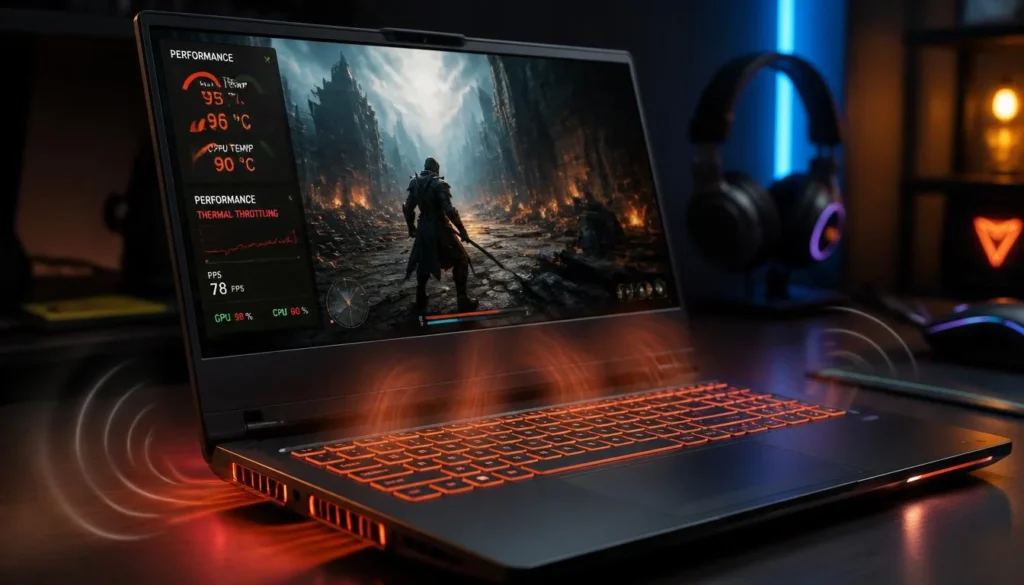
During gaming, you may notice:
- Loud fan noise
- Warm keyboard areas
- Hot exhaust air
- Reduced performance in very warm rooms
- Thermal throttling in poorly cooled models
A laptop running warm is not automatically defective. However, excessive heat can reduce comfort and may affect sustained performance. Reviews that measure temperatures and noise are therefore important.
Upgrade Options Are Limited
Most gaming laptops allow some upgrades, but the possibilities vary by model.
Components that may be upgradeable include:
- RAM
- SSD storage
- Wi-Fi card
- Battery
Components that are usually not upgradeable include:
- CPU
- GPU
- Video memory
- Display processor
A desktop allows you to replace the graphics card, processor, power supply, cooling system, case, and other components separately. With a laptop, a major performance upgrade often requires replacing the entire machine.
Repairs Can Be Expensive
Laptop components are tightly integrated. A problem affecting the motherboard, cooling assembly, keyboard, or display may require specialized repair work.
Before buying, examine:
- Warranty length
- Parts coverage
- Accidental damage coverage
- Local service availability
- Return policy
- Battery replacement availability
The FTC recommends reading warranty terms carefully because coverage does not automatically include every component, repair, or type of damage. It also advises comparing an extended warranty with the protection already included with the product.
Gaming Laptop vs Desktop: Which Is More Worth It?
Neither option is universally better. The right choice depends on whether portability or long-term performance matters more.
| Factor | Gaming Laptop | Gaming Desktop |
|---|---|---|
| Portability | Excellent | Very limited |
| Performance per dollar | Usually lower | Usually higher |
| Upgradeability | Limited | Excellent |
| Cooling | Restricted by size | More flexible |
| Repairability | More difficult | Usually easier |
| Space required | Minimal | Requires a desk area |
| Display included | Yes | Usually no |
| Keyboard included | Yes | Usually no |
| Battery backup | Yes | No |
| Fan noise | Can be noticeable | Easier to control |
| Long-term flexibility | Limited | Strong |
| Setup convenience | Excellent | Requires assembly and accessories |
Intel’s comparison reaches a similar overall distinction: laptops prioritize compactness and portability, while desktops provide more customization and expansion.
Choose a Gaming Laptop When
A gaming laptop is the better option when:
- You move between locations.
- Your gaming area is not permanent.
- You need one system for school or work.
- You have limited space.
- You value setup simplicity.
- You accept limited hardware upgrades.
Choose a Gaming Desktop When
A desktop is likely the better choice when:
- You game almost entirely at home.
- You want the most performance for your budget.
- You plan to upgrade components.
- You want quieter cooling.
- You already own a monitor and accessories.
- You want easier repairs and a longer upgrade path.
Could a Desktop and Cheap Laptop Be Better?
For some people, the best solution is a gaming desktop at home and an inexpensive lightweight laptop for work or study.
This setup provides strong gaming performance and better portability for daily tasks. However, it also means maintaining two devices, transferring files between them, and paying for two operating environments.
A single gaming laptop is more convenient. A two-device setup can offer better specialization.
Can a Gaming Laptop Replace a Desktop?
Yes, a gaming laptop can replace a desktop for many users. It can run games, productivity software, creative applications, and external displays from one system.
A desktop-replacement setup may include:
- An external monitor
- A mechanical keyboard
- A gaming mouse
- A laptop stand
- External speakers or a headset
- A USB hub or docking station
- Ethernet
- External storage
Intel’s gaming-laptop setup guidance specifically discusses building a larger desktop-style setup around a portable gaming computer.
Can You Use a Gaming Laptop With an External Monitor?
Yes. Most gaming laptops support one or more external displays through HDMI, DisplayPort over USB-C, Thunderbolt, or another video-capable connection.
Before buying, check:
- Maximum supported resolution
- Maximum supported refresh rate
- Whether the port connects directly to the dedicated GPU
- Adaptive-sync support
- Number of external displays supported
An external monitor can improve comfort and screen size, but it also adds to the total cost.
Can You Keep a Gaming Laptop Docked All Day?
You can use a gaming laptop as a docked computer for extended periods. However, provide enough airflow around the intake and exhaust vents.
Avoid placing the laptop on:
- A bed
- A sofa
- Thick carpet
- Soft fabric
- Any surface that blocks the vents
A stand can improve screen height and airflow, but it cannot fix an inadequate internal cooling design.
Do You Really Need a Gaming Laptop?
A gaming laptop is not necessary for every person who occasionally plays games.
You may not need one if you mainly play:
- Browser games
- Older PC games
- Lightweight indie titles
- Turn-based strategy games
- Games with low graphics requirements
- Cloud-streamed games
A regular laptop with capable integrated graphics may be sufficient for less demanding use. However, performance depends on the exact processor, memory configuration, cooling, game, resolution, and quality settings.
Is a Gaming Laptop Overkill for Casual Gaming?
It can be.
A gaming laptop may still make sense for a casual gamer who also edits videos, uses CAD software, creates 3D content, or needs GPU acceleration. It is harder to justify when gaming is occasional and the rest of the workload involves only documents, browsing, and streaming.
Before purchasing, list the five most demanding games or applications you expect to use. Then compare their requirements with independent tests of the laptop you are considering.
When Do You Need a Dedicated GPU?
A dedicated GPU becomes more valuable when you want:
- Higher frame rates
- Higher resolutions
- Better graphics settings
- Ray tracing
- VR gaming
- 3D rendering
- GPU-accelerated video editing
- Local AI or machine-learning workloads
- Better performance in demanding creative software
What Specifications Make a Gaming Laptop Worth It?
A balanced system is more valuable than a laptop with one impressive specification and several weak components.
Intel’s gaming laptop buying guide identifies the display, form factor, battery life, CPU, GPU, memory, and storage as important parts of the buying decision.
GPU Model and TGP
The GPU is usually the most important component for gaming, but its model name does not tell the complete story.
Check:
- The exact laptop GPU
- Its configured power range
- Cooling performance
- Real game benchmarks
- Available video memory
- Whether the laptop reduces power in quieter modes
A higher TGP does not guarantee that one laptop will outperform another in every workload, but comparing power configurations can help explain performance differences between models using similar GPUs.
How Much VRAM Do You Need?
Video memory requirements vary by game, resolution, textures, ray tracing settings, and future software demands.
More VRAM can help with:
- High-resolution textures
- 1440p or 4K gaming
- Ray tracing
- Heavily modified games
- 3D creation
- Video editing
- Local AI workloads
Do not evaluate VRAM in isolation. A slower GPU with more memory is not automatically better than a faster, more efficient GPU with less memory.
Does a MUX Switch Matter?
Many gaming laptops include integrated graphics and a dedicated GPU. A MUX switch can allow the internal display to connect more directly to the dedicated GPU, potentially improving gaming performance in some situations.
Advanced graphics-switching technologies can provide similar flexibility without requiring the user to restart the laptop. NVIDIA describes Optimus as a system that switches between integrated and discrete graphics to balance performance and battery life.
The practical benefit varies by laptop, game, resolution, and whether you use an external display.
CPU and GPU Balance
An expensive GPU paired with an inadequate processor can limit performance in CPU-heavy games. Conversely, spending heavily on the fastest processor may provide little benefit if the GPU is the main limitation.
Competitive games at high frame rates often depend more heavily on CPU performance. Graphically demanding single-player games are more likely to be GPU-limited.
RAM
For a modern multipurpose gaming laptop, 16GB is a sensible practical starting point. More memory can be useful for:
- Heavy multitasking
- Video editing
- Large creative projects
- Virtual machines
- Programming environments
- Streaming while gaming
- Professional applications
Check whether the memory is upgradeable. Some thin laptops use partially or fully soldered RAM.
Storage
Game installations can consume substantial storage space. A 512GB SSD may fill quickly after the operating system, applications, and several large games are installed.
A 1TB SSD is more comfortable for many users, but an accessible second storage slot may be more valuable than paying a large premium for preinstalled capacity.
Display Quality
Do not focus only on refresh rate.
Also evaluate:
- Resolution
- Brightness
- Color accuracy
- Response time
- Contrast
- Adaptive-sync support
- Screen size
- Glare and reflections
A fast display with poor brightness and weak color can still produce a disappointing experience.
Are Budget Gaming Laptops Worth It?
Budget gaming laptops can be worthwhile when expectations are realistic.
They are often suitable for:
- Esports games
- Indie games
- Older titles
- Entry-level 1080p gaming
- Students who also need productivity performance
- Buyers willing to lower graphics settings
Common Budget Gaming Laptop Compromises
Lower-priced models may reduce cost through:
- Dim displays
- Limited color coverage
- Smaller batteries
- Plastic construction
- Lower-powered GPU configurations
- Basic cooling systems
- Limited storage
- Single-channel memory
- Fewer ports
- Lower-quality webcams and speakers
A cheap laptop is not a good deal if it requires immediate storage and memory upgrades or becomes uncomfortable under sustained load.
Minimum Features to Look For
Consider prioritizing:
- A dedicated GPU suitable for your target games
- At least 16GB of RAM or a clear upgrade path
- SSD storage
- A 120Hz or faster IPS-level display
- Dual-fan cooling
- Accessible storage slots
- Independent thermal and noise testing
- A useful warranty
- A reasonable return policy
What Gaming Laptop Size Is Worth Buying?
Size affects portability, cooling, display comfort, and keyboard layout.
Are 14-Inch Gaming Laptops Worth It?
A 14-inch model can be ideal for frequent travelers and students. It is easier to carry and takes up less desk space.
Possible compromises include:
- Smaller display
- Less cooling capacity
- Reduced upgrade access
- Smaller battery or keyboard
- Higher component temperatures
- Premium pricing for compact engineering
A 14-inch gaming laptop is worth it when mobility matters more than maximum sustained performance.
Is a 16-Inch Gaming Laptop the Best Balance?
For many buyers, a 15- or 16-inch model provides the strongest balance between portability, cooling, screen size, and performance.
It may offer:
- Better thermal capacity than smaller models
- A comfortable display
- More ports
- Easier storage or memory upgrades
- Better keyboard spacing
It will still be heavier than a normal productivity laptop.
Are 17- and 18-Inch Gaming Laptops Portable?
They are technically portable, but they are usually designed as desktop replacements.
Large models can provide:
- Bigger displays
- Better cooling
- More powerful hardware configurations
- Larger keyboards
- More ports
However, the laptop and charger together may be inconvenient for daily commuting. Measure your backpack and check the combined travel weight before buying.
Thin vs Thick Gaming Laptops
A thin gaming laptop can look more professional and fit more easily into a bag. A thicker laptop has more physical space for cooling and may sustain performance more effectively.
Thin does not automatically mean weak, and thick does not automatically mean fast. Independent performance, temperature, and noise testing remain essential.
Should You Keep a Gaming Laptop Plugged In While Gaming?
In most cases, yes. Gaming laptops are generally designed to provide their highest performance when connected to the included charger.
On battery power, the system may reduce CPU and GPU power to control battery drain, heat, and operating time.
Does Keeping It Plugged In Damage the Battery?
Modern laptops manage charging electronically, so the issue is not simple “overcharging.” However, lithium-ion batteries naturally age, and keeping a battery at a very high charge level for extended periods can accelerate deterioration.
Microsoft advises that repeatedly keeping a battery between approximately 20% and 80%, rather than holding it at 100% continuously, can support long-term battery health. It also notes that smart-charging features may limit maximum charge to reduce battery aging.
Look for manufacturer features such as:
- Battery conservation mode
- Smart charging
- Charge limit
- Battery care mode
- Maximum charge threshold
A limit of around 70% to 80% can be useful for a laptop that spends most of its life connected to a desk, although available settings differ by manufacturer.
How Long Do Gaming Laptops Last?
A gaming laptop can physically last for many years when it is maintained properly. However, physical lifespan and gaming relevance are not the same.
Physical Lifespan
Physical lifespan depends on:
- Build quality
- Cooling design
- Battery condition
- Fan condition
- Hinge durability
- Keyboard wear
- Dust exposure
- Accidental damage
- Repair availability
Performance Lifespan
Performance lifespan depends on:
- The original GPU tier
- Available VRAM
- CPU capability
- RAM capacity
- Storage
- Display resolution
- The types of games you play
- Your willingness to lower settings
A laptop does not suddenly become unusable when a newer generation launches. It may remain useful by reducing graphics quality, using resolution scaling, limiting ray tracing, or targeting a lower frame rate.
Can a Gaming Laptop Last Five Years?
Yes, a good gaming laptop can last five years or longer. Whether it still meets your gaming expectations after five years depends on the hardware and the games you want to play.
A mid-range or high-end model with adequate memory, storage upgrade options, and strong cooling is more likely to remain useful than an entry-level model already operating near its limits.
How to Make a Gaming Laptop Last Longer
- Keep vents clear.
- Use the laptop on a hard surface.
- Clean dust from the cooling system when necessary.
- Avoid unnecessary extreme performance modes.
- Monitor unusual temperature changes.
- Use a battery charge limit where appropriate.
- Protect the laptop during transport.
- Update drivers from official sources.
- Replace a failing battery or fan promptly.
- Add RAM or storage when the laptop supports it.
Are Used or Refurbished Gaming Laptops Worth It?
A used or refurbished gaming laptop can offer excellent value, but it carries more risk than buying new.
Used vs Refurbished vs Open-Box
A used laptop is normally sold in its current condition by an individual or reseller.
A refurbished laptop has generally been inspected, repaired, tested, or restored by a manufacturer or retailer. However, the exact meaning of “refurbished” varies by seller.
An open-box laptop may have been returned after limited use or opened without being used significantly.
The seller’s testing process, warranty, return policy, and reputation matter more than the label alone.
When a Refurbished Gaming Laptop Is Worth Buying
It may be worthwhile when:
- The discount is substantial.
- The seller is reputable.
- A meaningful warranty is included.
- The return policy allows proper testing.
- The battery condition is disclosed.
- The original charger is included.
- Replacement parts are available.
The FTC advises online buyers to compare sellers and products, investigate seller reputation, understand the return policy, and retain purchase records.
What to Test Before Buying
Check:
- Battery health
- Charger authenticity and wattage
- CPU and GPU temperatures
- Fan noise
- Keyboard and trackpad
- Display defects
- Hinges
- USB and video ports
- Wi-Fi
- Speakers
- SSD health
- Memory capacity
- Webcam
- Previous repair history
- Remaining warranty
Run several demanding games or stress tests during the return period. A laptop that performs normally for light browsing may still overheat or shut down during sustained gaming.
Are Gaming Laptops Good for Everyday Use?
Yes, but they are not always the most convenient everyday laptops.
A gaming laptop can browse the web, handle video calls, run office software, and stream content like any other modern computer. The disadvantages are usually related to weight, battery life, charger size, heat, and noise.
Are Gaming Laptops Worth It for College Students?
A gaming laptop can be valuable for students who need performance for both coursework and entertainment.
It is particularly useful for students studying:
- Computer science
- Engineering
- Architecture
- Animation
- Film production
- Graphic design
- Game development
- Data science
However, a large gaming laptop may become uncomfortable to carry every day. Students should consider the weight of the laptop and charger, classroom battery requirements, fan noise, and desk space.
Are Gaming Laptops Good for Programming?
Yes. They often include fast processors, sufficient memory, and strong cooling for compiling code, running development tools, using containers, and operating virtual machines.
A dedicated GPU is not necessary for ordinary programming, but it can help with game development, 3D work, GPU computing, and local machine-learning tasks.
Are Gaming Laptops Good for Engineering?
They can be suitable for CAD, simulation, 3D modeling, and other demanding applications. However, students and professionals should check whether their software requires certified workstation drivers or specific professional GPUs.
A gaming laptop and a mobile workstation may contain powerful hardware, but they are designed and supported for different priorities.
Are Gaming Laptops Good for Video Editing?
Yes. A powerful CPU, dedicated GPU, fast SSD, and sufficient RAM can make a gaming laptop effective for video editing.
Before buying, check:
- Display color accuracy
- RAM capacity
- SSD capacity
- Media-engine support
- SD card reader availability
- External display support
- Noise under export workloads
A high refresh rate does not guarantee that a display is accurate enough for professional color work.
Are Gaming Laptops Good for Work?
They can be excellent work computers, particularly for demanding software. However, aggressive styling, RGB lighting, fan noise, and a large charger may be inconvenient in some professional environments.
Many gaming laptops allow lighting to be disabled and quiet modes to be enabled for meetings and office work.
Are Gaming Laptops Good for Streaming?
A gaming laptop can handle gaming and streaming from one device if the hardware is sufficiently powerful.
Consider:
- GPU encoding support
- CPU performance
- At least 16GB of RAM
- Strong cooling
- Stable wired internet
- External microphone support
- Additional USB ports
- Storage for recordings
Long gaming and streaming sessions place sustained pressure on both the CPU and GPU, making cooling performance especially important.
Gaming Laptop Alternatives
A gaming laptop is only one way to play games.
Gaming Desktop
Best for:
- Maximum performance
- Easy upgrades
- Better cooling
- Long-term flexibility
- Home-only gaming
Regular Laptop With Integrated Graphics
Best for:
- Casual games
- Older titles
- Lightweight indie games
- Everyday productivity
- Better portability and battery life
Console Plus Regular Laptop
This combination can work well for someone who wants simple living-room gaming and a lightweight laptop for work or school.
It may cost less than a premium gaming laptop, but console games, online services, accessories, and separate software ecosystems should be included in the comparison.
Handheld Gaming PC
A handheld device can be more convenient for gaming during travel. However, it usually offers:
- A smaller screen
- Lower sustained performance
- Less comfortable productivity
- Limited upgradeability
- Different game compatibility
It is an alternative to portable gaming, not a complete replacement for every laptop task.
Cloud Gaming
Cloud gaming can reduce the need for powerful local hardware, but the experience depends on:
- Internet speed
- Latency
- Connection stability
- Data limits
- Subscription fees
- Supported games
- Server availability
It is most attractive for people with excellent internet and relatively limited local gaming requirements.
Hidden Costs of Owning a Gaming Laptop
The purchase price may not represent the full cost.
Possible additional expenses include:
- A gaming mouse
- Headset
- Laptop stand
- Cooling pad
- External monitor
- USB hub or dock
- Extra SSD
- RAM upgrade
- Carrying bag
- Replacement charger
- Battery replacement
- Extended warranty
- Professional cleaning
- Out-of-warranty repairs
A cooling pad may improve comfort or airflow in some setups, but it should not be treated as a solution for a laptop with a fundamentally poor cooling system.
Do Gaming Laptops Hold Their Value?
Gaming laptops generally lose value as newer processors and GPUs enter the market. Battery wear and limited component upgrades can also reduce resale appeal.
Factors that support resale value include:
- Good physical condition
- A healthy battery
- A relatively recent GPU
- Upgradeable memory and storage
- Original charger
- Original packaging
- Remaining warranty
- A clean display and keyboard
- Documented maintenance
Buying the most expensive laptop does not guarantee the best resale percentage. A well-priced mid-range model may provide better total value because less money is exposed to depreciation.
Should You Buy a Gaming Laptop Now or Wait?
Waiting makes sense when:
- A confirmed hardware launch is very close.
- Your current computer still meets your needs.
- You expect meaningful discounts soon.
- The models you want are unavailable.
- Early reviews reveal unresolved issues.
Buying now makes sense when:
- You need the computer immediately.
- A suitable model meets your performance target.
- The price fits your budget.
- The warranty and return policy are strong.
- Waiting would delay school, work, or an important project.
There is almost always another generation coming. Waiting indefinitely can prevent you from receiving value from a computer you genuinely need.
A discounted previous-generation laptop may offer better value than a newly launched model, especially when the real-world performance difference is modest.
Regional Buying Considerations
United States
Check whether the displayed price includes local sales tax. Compare retailer return windows, manufacturer warranty support, and open-box conditions carefully.
United Kingdom
Prices normally reflect VAT, but warranty terms, keyboard layout, retailer support, and return conditions should still be checked.
Canada
Availability and pricing can differ from the US market. Include provincial taxes and possible cross-border warranty limitations before comparing Canadian and American prices.
Australia
Check GST-inclusive pricing, local warranty support, replacement-part availability, and whether the exact configuration reviewed internationally is sold locally.
Across all four markets, compare the exact model number. Manufacturers sometimes sell laptops with similar names but different displays, memory, storage, GPUs, or power configurations.
Gaming Laptop Buying Checklist
Before purchasing, verify the following:
- The exact CPU and GPU
- GPU power configuration
- Real gaming benchmarks
- CPU and GPU temperatures
- Fan noise
- Display brightness
- Display color quality
- Screen response time
- RAM capacity
- Whether RAM is upgradeable
- SSD capacity
- Number of storage slots
- Battery test results
- Laptop weight
- Charger weight
- Port selection
- External monitor support
- Webcam quality
- Keyboard comfort
- Build quality
- Warranty terms
- Return policy
- Local repair support
Do not rely on one benchmark or one review. Compare several reliable tests because performance can vary with software versions, room temperature, power mode, and test methodology.
How to Decide Whether a Gaming Laptop Is Worth It for You
Ask yourself these questions before buying.
Do I Need to Move My Gaming Setup?
If the computer will stay on one desk for almost its entire life, a desktop deserves serious consideration.
Which Games Do I Play?
Competitive games, simulation games, AAA titles, indie games, and older games have different hardware demands.
What Frame Rate and Resolution Do I Expect?
A person targeting 60 FPS at 1080p does not need the same hardware as someone targeting high-refresh 1440p gaming with ray tracing.
Will I Use It for Work or Study?
A gaming laptop becomes easier to justify when it replaces several devices or supports demanding professional applications.
Can I Game While Plugged In?
If you expect full gaming performance for many hours without a charger, a gaming laptop may disappoint you.
Do I Plan to Upgrade the GPU?
If regular GPU upgrades are important, buy a desktop.
How Much Noise and Weight Can I Accept?
Read measured reviews rather than relying on descriptions such as “thin,” “quiet,” or “portable.”
Would a Desktop and Basic Laptop Cost Less?
Compare the complete cost and convenience of both setups before deciding.
Final Verdict: Are Gaming Laptops Worth the Money?
Gaming laptops are worth the money for people who genuinely benefit from portability, limited space, and the convenience of using one powerful computer for multiple purposes.
They are particularly valuable for students, travelers, remote workers, creators, and gamers who move between locations. A well-chosen model can provide strong gaming performance while also serving as a workstation, study computer, and entertainment system.
However, a gaming laptop is not automatically the best gaming value. A desktop usually offers better performance per dollar, quieter cooling, easier repairs, and far greater upgradeability. Buyers who play only at home and already have space for a permanent setup should compare desktop options before making a decision.
The best gaming laptop is not necessarily the fastest or most expensive model. It is the one that delivers the performance you need without making you pay for features, portability, or power you will not use.
Frequently Asked Questions
Are gaming laptops worth it for everyday use?
Yes. Gaming laptops can handle everyday work easily, but they are usually heavier, louder, and less efficient than standard productivity laptops.
Are gaming laptops worth it for college students?
They can be worthwhile for students who game or use demanding software. Students who only need web browsing, documents, and video calls may be happier with a lighter laptop that offers longer battery life.
Are gaming laptops worth it over desktops?
They are worth it when portability and space savings matter. A desktop is usually better for performance per dollar, cooling, repairs, and upgrades.
Are cheap gaming laptops worth buying?
A budget gaming laptop can be worthwhile for esports, indie games, and entry-level 1080p gaming. Check its display, RAM configuration, storage, GPU power, cooling, and upgrade options before buying.
How long do gaming laptops last?
A properly maintained gaming laptop can last for several years. Its ability to run new games at your preferred settings may decline before the physical machine stops working.
Can a gaming laptop last five years?
Yes. A strong cooling system, adequate RAM, upgradeable storage, and realistic graphics expectations can help a gaming laptop remain useful for five years or longer.
Do gaming laptops overheat?
Gaming laptops normally run warmer than standard laptops. A properly designed model should manage that heat without unsafe operation or severe performance loss.
Is it bad to use a gaming laptop every day?
No. Gaming laptops are designed for regular use. Keep vents clear, manage battery health, clean dust when necessary, and watch for unusual temperature or fan changes.
Should a gaming laptop be plugged in while gaming?
Yes. Most gaming laptops provide their best performance when connected to their original power adapter.
Does gaming while charging damage the battery?
Gaming while charging is normal for a gaming laptop. Long-term battery aging is influenced more by heat, time, charging behavior, and remaining at a very high charge level for extended periods.
Can a gaming laptop replace a desktop?
Yes. It can be connected to an external monitor, keyboard, mouse, Ethernet connection, and other accessories to create a desktop-style setup.
Are refurbished gaming laptops worth it?
They can be, provided the seller is reputable and offers a meaningful warranty and return period. Test the battery, cooling, display, ports, storage, and gaming performance immediately.
Is a gaming laptop overkill for casual gaming?
It may be. A standard laptop with capable integrated graphics can be enough for lightweight, older, or casual games.
Can you upgrade a gaming laptop?
RAM and SSD storage are upgradeable in many models. The CPU and GPU are usually permanently attached and cannot be upgraded.
What is the biggest disadvantage of a gaming laptop?
The biggest disadvantage is the combination of higher cost and limited upgradeability. You pay for portability but cannot replace major performance components as easily as you can in a desktop.
Is a 14-inch gaming laptop worth it?
Yes, for frequent travelers and students who prioritize portability. Larger models usually provide more screen space and may have greater cooling capacity.
Is a gaming laptop better than a console?
A gaming laptop offers broader software access, productivity features, and portability. A console may provide a simpler and more affordable experience for someone interested mainly in gaming.
Should I buy a gaming laptop now or wait?
Buy when you need the computer and find a model that meets your performance, price, warranty, and portability requirements. Wait when a major confirmed release or meaningful sale is close and your current device remains adequate.