A gaming laptop can generate a surprising amount of heat when you are playing demanding games, streaming, editing videos, or running several programs at once. Once internal temperatures rise, the laptop may increase fan speed, become uncomfortable to touch, or reduce performance to protect its components.
A good cooling pad improves airflow underneath the laptop and raises it away from the desk. However, you do not necessarily need an expensive turbo-powered cooler. Several affordable models provide useful airflow, adjustable viewing angles, stable support, and extra USB connectivity.
After comparing fan arrangements, supported laptop sizes, portability, ergonomics, and current Amazon listings, we selected five of the best budget cooling pads for gaming laptops.
Disclosure: As an Amazon Associate, we earn from qualifying purchases. This does not increase the price you pay.
Amazon prices and product availability can change at any time. Use the links below to check the latest price and availability.
Quick Comparison of the Best Budget Gaming Laptop Cooling Pads
| Product | Best For | Fans | Laptop Compatibility | Check Price |
|---|---|---|---|---|
| havit HV-F2056 Laptop Cooling Pad | Best overall budget option | 3 | 15.6–17 inches | Check Price |
| KLIM Wind Laptop Cooling Pad | Best for wide airflow coverage | 4 | 11–19 inches | Check Price |
| Amazon Basics 6-Fan Laptop Cooling Pad | Best feature-packed budget option | 6 | Up to 17 inches | Check Price |
| LIANGSTAR 6-Fan Laptop Cooling Pad | Best for height adjustment | 6 | 12–17.3 inches | Check Price |
| TECKNET Laptop Cooling Pad | Best slim and portable option | 3 | 12–17 inches | Check Price |
1. havit HV-F2056 Laptop Cooling Pad — Best Overall Budget Pick
Credit: Amazon
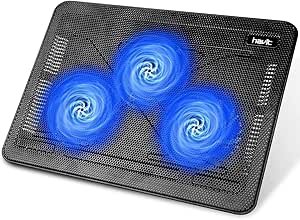
The havit HV-F2056 is one of the easiest budget cooling pads to recommend. It combines three large fans, a metal mesh surface, a slim body, and support for most 15.6-inch and 17-inch gaming laptops.
Its three fans distribute air across a wide area underneath the laptop. This design is particularly useful for laptops with multiple intake vents instead of one small central opening.
The pad also has two adjustable height positions. Raising the rear of the laptop can improve airflow while creating a more comfortable typing and viewing angle.
Pros
- Three quiet cooling fans
- Slim and lightweight design
- Metal mesh surface improves airflow
- Supports most 15.6-inch and 17-inch laptops
- Two adjustable height settings
- Extra USB connectivity
- Stable surface for gaming laptops
Cons
- Fan speed is not adjustable
- Only two height positions
- Lighting cannot be controlled separately from the fans
- Design is more functional than premium
My Honest Opinion
The havit HV-F2056 offers the best balance of affordability, portability, airflow, and simplicity. It does not include advanced RGB controls or a digital display, but those features are not essential for most gamers.
Its strongest advantage is the low-profile design. Many multi-fan cooling pads are bulky and awkward to carry, while the havit can fit more easily into a large laptop bag.
It is particularly suitable for students, casual gamers, and anyone who wants better airflow without turning the cooling pad into the visual centerpiece of the gaming setup.
The fixed fan speed may disappoint users who want precise noise control. However, for straightforward plug-and-play cooling, this is our best overall budget choice.
2. KLIM Wind Laptop Cooling Pad — Best for Wide Airflow Coverage
Credit: Amazon
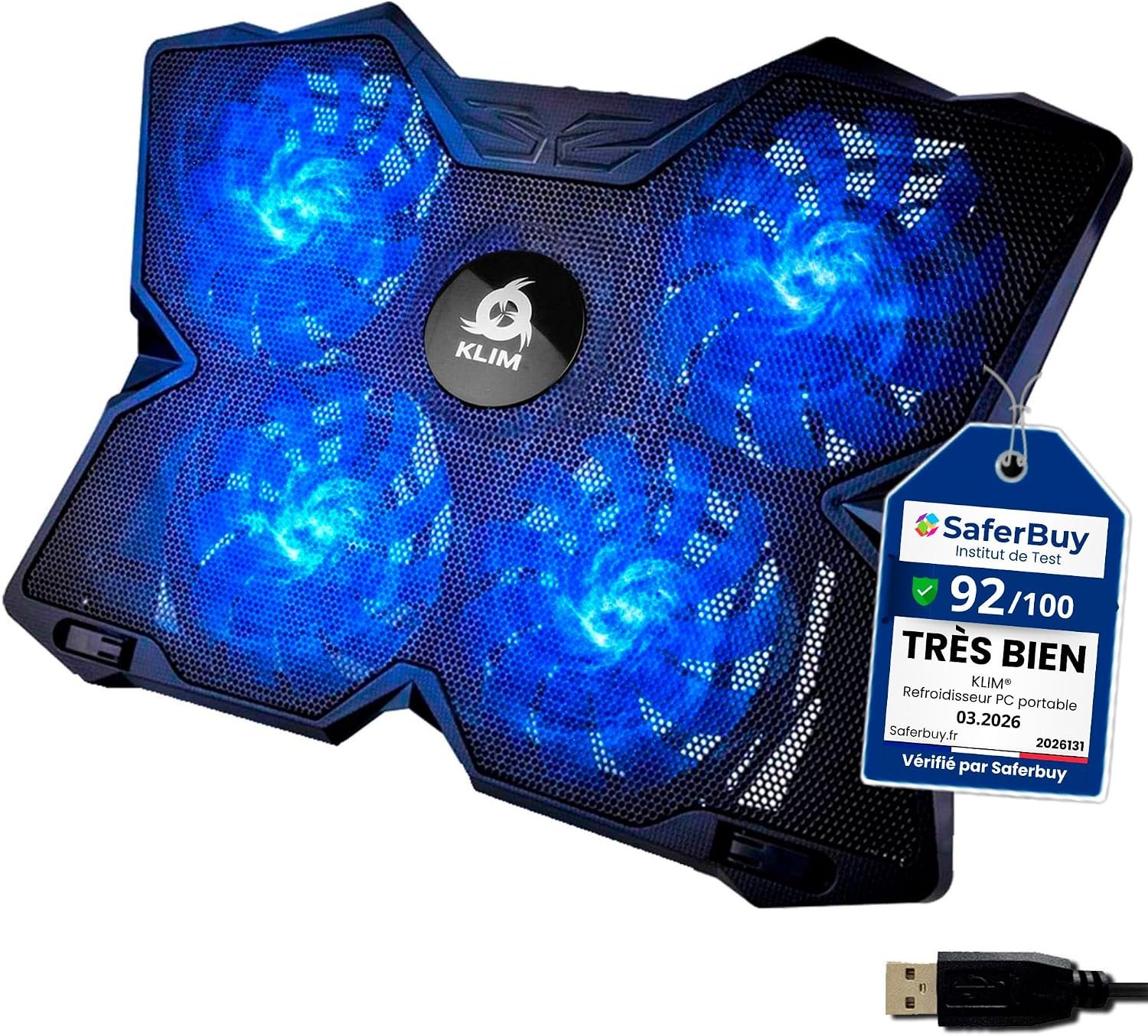
The KLIM Wind uses four large fans to move air across a broad section of the laptop’s underside. Instead of concentrating cooling in one small area, the fan layout is designed to reach several intake locations.
Its fans can operate at up to approximately 1,200 RPM, and fan speed can be controlled using a dial on the back of the unit. This gives you the option to use lower fan speed during light work and increase airflow while gaming.
The pad is an excellent match for laptops between 11 and 16 inches. It can also support larger 17.3-inch, 18-inch, and 19-inch machines, although those laptops may extend beyond the sides.
Pros
- Four large cooling fans
- Wide airflow coverage
- Adjustable fan speed
- Supports a broad range of laptop sizes
- Two USB ports
- Front stoppers help prevent sliding
- Suitable for gaming and demanding workloads
Cons
- Larger footprint than ultra-slim cooling pads
- Larger laptops may extend beyond the edges
- Basic height adjustment system
- Blue gaming design may not suit every workspace
My Honest Opinion
The KLIM Wind is a good option for gamers whose laptops have intake vents spread across the bottom panel. Its four-fan arrangement offers more even coverage than cooling pads that use only one centrally positioned fan.
Adjustable fan speed is another meaningful advantage. You can reduce the speed when browsing or studying and increase it when launching a demanding game.
The larger size makes it less convenient for frequent travel, but it works well as a permanent part of a desktop gaming setup. It is particularly suitable for 15.6-inch and 16-inch laptops, where the cooling surface provides generous coverage without excessive overhang.
Choose the KLIM Wind when airflow coverage and fan control are more important than maximum portability.
3. Amazon Basics 6-Fan Laptop Cooling Pad — Best Feature-Packed Budget Option
Credit: Amazon
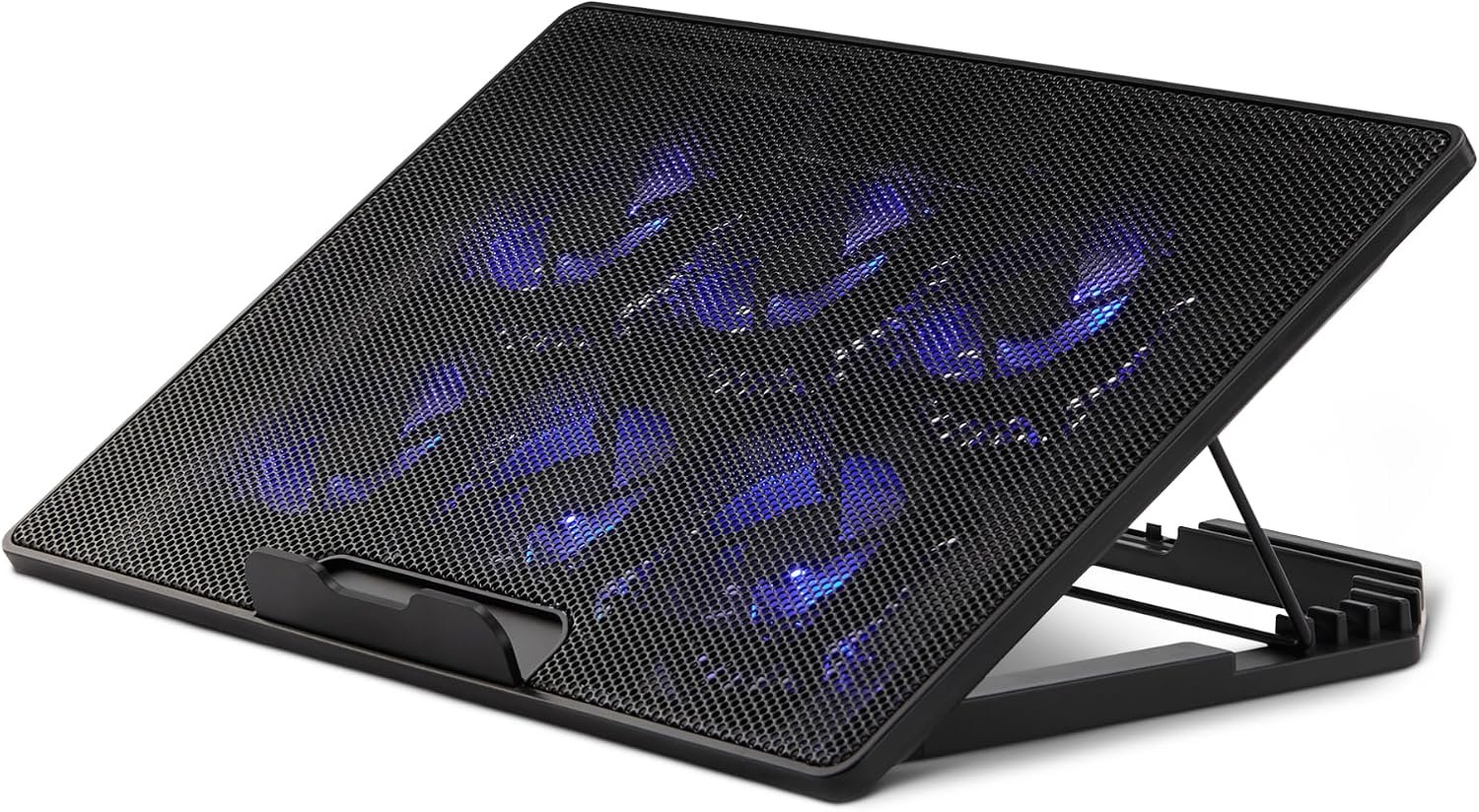
The Amazon Basics cooling pad provides six built-in fans, adjustable fan speed, six height positions, and support for laptops up to 17 inches.
Its multi-fan layout distributes airflow across several areas underneath the laptop. This can be helpful when your gaming laptop has vents near the processor, graphics chip, memory, or storage components.
The six height settings make this one of the most flexible options in the guide. You can keep the laptop at a low angle for gaming or raise the screen when using an external keyboard and mouse.
Another useful feature is the combination of USB-A and USB-C connectivity. This makes the pad more convenient for modern laptops that may have limited traditional USB-A ports.
Pros
- Six built-in cooling fans
- Adjustable fan speed
- Six height settings
- Supports laptops up to 17 inches
- USB-A and USB-C connectivity
- Metal mesh cooling surface
- Suitable for gaming and general productivity
Cons
- Less compact than basic three-fan pads
- Six-fan design may be unnecessary for low-power laptops
- Not the best choice for frequent travel
- USB ports are intended for peripherals rather than device charging
My Honest Opinion
The Amazon Basics model offers the strongest feature set among the cooling pads in this guide. Its combination of six fans, several height levels, and modern USB connectivity makes it more versatile than many similarly priced alternatives.
It is especially useful for gamers who use an external keyboard. You can raise the laptop screen to a more comfortable level without worrying about typing directly on a steeply angled keyboard.
The additional adjustments make the pad slightly bulkier, but that is a reasonable trade-off for a desk-based setup. It is a strong choice for gamers who want more control and flexibility while remaining within a modest budget.
4. LIANGSTAR 6-Fan Laptop Cooling Pad — Best for Height Adjustment
Credit: Amazon
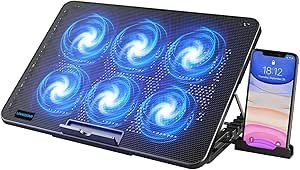
The LIANGSTAR cooling pad combines six fans with seven adjustable height positions. This makes it suitable for gamers who want to fine-tune their laptop’s angle rather than choosing between only one or two positions.
The fans can operate together or in separate groups. Two controls allow you to adjust the airflow depending on how much cooling your laptop needs.
A large metal mesh surface helps air pass through the pad, while the front support prevents the laptop from sliding when the stand is raised. It also includes two USB ports and a removable phone holder.
Pros
- Six cooling fans
- Seven height adjustments
- Adjustable fan speed
- Separate fan-group controls
- Supports laptops from 12 to 17.3 inches
- Two USB ports
- Included phone holder
- Front anti-slip support
Cons
- Larger than ultra-portable cooling pads
- Phone holder may not be useful for every buyer
- Busy gaming appearance
- Mostly budget-oriented construction
My Honest Opinion
The LIANGSTAR is the most adjustable option on this list. Seven height positions allow you to create a low gaming angle, a comfortable typing angle, or a raised display position for use with external accessories.
The separate fan controls are also useful. Running fewer fans during normal work can reduce unnecessary noise, while all six fans can be activated during gaming.
Its appearance is more aggressive than the understated havit or TECKNET models. However, gamers who like illuminated accessories may consider that an advantage.
This model is best for someone building a permanent gaming desk setup and prioritizing ergonomics, fan control, and customization over portability.
5. TECKNET Laptop Cooling Pad — Best Slim and Portable Option
Credit: Amazon
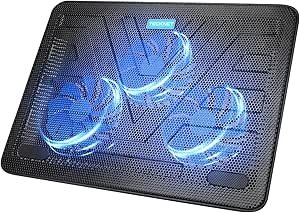
The TECKNET cooling pad uses three 110mm fans operating at approximately 1,200 RPM. Its thin, lightweight body is designed for users who regularly move their gaming laptop between home, school, work, or different rooms.
It supports laptops between 12 and 17 inches and includes a metal mesh top. Two height options allow you to raise the rear of the laptop for better airflow and a more comfortable viewing position.
The cooling pad is powered through USB-A and includes an additional USB port for connecting a mouse, keyboard, or another low-power peripheral.
Pros
- Three large 110mm fans
- Slim and lightweight design
- Suitable for laptops from 12 to 17 inches
- Quiet operation
- Two height settings
- Extra USB port
- Rubber pads improve stability
- Simple plug-and-play operation
Cons
- Limited height adjustment
- No separate fan-zone controls
- Basic lighting and appearance
- USB-C-only laptops may require an adapter
My Honest Opinion
The TECKNET is a sensible choice for gamers who carry their laptops frequently. It provides the essential features without adding a large frame, digital controls, or an elaborate RGB lighting system.
Three large fans can offer smoother airflow than cooling pads that rely on many tiny fans. The design is particularly appropriate for laptops with large intake sections on the bottom.
Its feature set is basic, but that simplicity is part of its appeal. There are fewer controls to manage, and the pad can be connected whenever extra airflow is needed.
Choose the TECKNET when portability, low weight, and straightforward cooling are your main priorities.
How to Choose the Best Budget Cooling Pad for a Gaming Laptop
The number of fans should not be the only factor you consider. A well-positioned three-fan cooling pad can perform better with a particular laptop than a six-fan model whose airflow does not align with the laptop’s intake vents.
Check the Location of Your Laptop’s Air Vents
Turn the laptop over and identify its intake vents. Some laptops have one large central intake, while others have separate vents near the processor and graphics chip.
Choose a cooling pad whose fans can direct air toward those openings. Airflow that hits a solid section of the bottom panel will provide less benefit.
Match the Cooling Pad to Your Laptop Size
A cooling pad should support the laptop’s weight without excessive overhang. Check the supported screen-size range before purchasing.
A 17.3-inch gaming laptop generally needs a wider and more stable pad than a 14-inch gaming laptop. Front stoppers are especially important when using a large machine at a steep angle.
Do Not Judge Performance by Fan Count Alone
More fans do not automatically mean better cooling. Fan size, speed, airflow direction, surface design, and alignment with the laptop vents can be equally important.
Large fans may move air across a wider area while producing a smoother sound. Smaller fans can provide more targeted coverage but may sound busier at maximum speed.
Consider Noise and Fan-Speed Control
Gaming laptops already produce fan noise under load. A cooling pad with adjustable speed allows you to balance additional airflow against background sound.
Fixed-speed models are easier to use, but adjustable models provide more flexibility for working, watching videos, and gaming.
Look for Adjustable Height Settings
Raising the laptop can improve airflow and reduce neck strain. A low angle is usually more comfortable when typing directly on the laptop keyboard.
Higher positions work better when you use an external keyboard and mouse. Make sure the cooling pad includes strong front supports to prevent sliding.
Check the USB Connection
Most budget cooling pads are powered through USB-A. Owners of thin gaming laptops with USB-C-only ports may need an adapter.
Some models include an additional USB port or hub. Remember that these ports are generally intended for peripherals, not charging smartphones or other high-power devices.
Do Gaming Laptop Cooling Pads Actually Work?
A cooling pad can improve the supply of fresh air underneath a gaming laptop, especially when the laptop has large bottom intake vents.
The results depend on the laptop’s internal cooling design, room temperature, fan condition, dust buildup, and the alignment between the cooling pad and the laptop vents.
A cooling pad is most useful when the laptop normally sits flat against a desk or when its bottom vents have limited clearance. Simply raising the laptop can sometimes improve airflow even before the external fans are activated.
However, a cooling pad cannot repair dried thermal paste, blocked internal fans, damaged heat pipes, or other hardware problems. If the laptop is shutting down, producing grinding fan noises, or reaching unusually high temperatures during light use, it may require cleaning or professional servicing.
Frequently Asked Questions on Best Budget Cooling Pad for Gaming Laptop
Can a cooling pad increase gaming FPS?
A cooling pad does not directly increase the power of the processor or graphics card. It may help the laptop maintain more consistent performance if high temperatures were causing thermal throttling.
The improvement varies between laptop models and should not be treated as a guaranteed frame-rate upgrade.
Is a three-fan or six-fan cooling pad better?
Neither design is automatically better. Three large fans may provide broad, quiet airflow, while six smaller fans may cover more individual areas.
The best choice depends on where the intake vents are located underneath your laptop.
What is the best budget cooling pad for a 17-inch gaming laptop?
The havit HV-F2056 is our best overall recommendation for a standard 17-inch laptop. The Amazon Basics and LIANGSTAR models are better options when you want more height adjustment and fan controls.
Can I use a cooling pad on a bed?
It is better to place the cooling pad on a hard, flat surface. Soft bedding can block the pad’s lower air intake and reduce its effectiveness.
When gaming in bed, use a solid lap desk underneath the cooling pad.
Should the cooling-pad fans blow toward the laptop?
Most laptop cooling pads pull cool air from underneath and push it upward toward the laptop’s intake vents. This assists the laptop’s internal fans in drawing in fresh air.
Can I leave a laptop cooling pad running all day?
USB-powered cooling pads can generally be used for extended periods. Keep the fan openings free from dust and periodically check the cable and fan condition.
Will a cooling pad damage my laptop fans?
A properly used cooling pad should not damage the internal fans. It provides additional external airflow and does not physically interfere with the laptop’s cooling components.
How often should I clean my cooling pad?
Inspect it every few weeks, especially in dusty rooms or homes with pets. Use compressed air or a soft brush after disconnecting the pad from the laptop.
Dust accumulation can reduce airflow and increase fan noise.
Final Verdict: Which Budget Cooling Pad Should You Buy?
The havit HV-F2056 is the best budget cooling pad for most gaming laptop owners. It is affordable, lightweight, quiet, and large enough for common 15.6-inch and 17-inch gaming machines.
Choose the KLIM Wind when you want four large fans, adjustable fan speed, and wider airflow coverage.
The Amazon Basics 6-Fan Cooling Pad is the strongest feature-packed option, especially for gamers who want six height settings and both USB-A and USB-C connectivity.
The LIANGSTAR 6-Fan Cooling Pad is the best choice for users who value extensive height adjustment and separate fan controls.
For frequent travel, the TECKNET Laptop Cooling Pad provides a slim, lightweight design without sacrificing support for larger gaming laptops.
Your final choice should match your laptop’s size, bottom-vent position, and typical gaming setup. A properly matched budget cooling pad can improve airflow, make long gaming sessions more comfortable, and help the laptop maintain steadier thermal performance.