You're mid-match, you hit Alt+Tab to answer a Discord message, and the screen just stops. The audio keeps looping, the cursor won't move, and only a hard press of the power button gets you back. Almost every one of these hangs traces back to one thing: the game giving up the display while the Windows Desktop Window Manager tries to take it back.
Microsoft's own documentation describes that switch as a full display mode change, which is why an exclusive fullscreen title can stall for seconds or die outright. Our research across driver release notes and user reports as of 2026 keeps landing on the same four triggers: mismatched GPU drivers, hybrid graphics handoff, overlay software, and thermal or power throttling. Here's how to narrow it down before you change anything risky.
How to Fix Gaming Laptop Freezes When Alt Tabbing on a Gaming Laptop: Causes, Tests & Solutions
Alt+Tab freezes usually trace to the GPU driver or the display handoff. Update that driver first. Then turn off overlays and run the game in borderless windowed mode.
Test again with Task Manager watching CPU and GPU. If it still hangs, check temperatures, power mode, and startup apps.
What the Alt-Tab Freeze Looks Like on a Gaming Laptop
Why the switch is where things break
Alt+Tab looks trivial. It isn't. Your game has the display to itself, and Windows has to take it back.
That handoff runs through DXGI and the Desktop Window Manager, the Windows component that composites everything you see on screen. Microsoft's DWM overview notes that composition never actually pauses. Your game simply stops handing frames over while it owns the display.
Laptops add a second layer. Most gaming laptops draw the desktop on the integrated GPU and the game on the discrete one. Switching windows forces a copy or a full re-route between them.
If that path hiccups, you get a frozen image.
Three symptoms, three different causes
| What you see | Most likely cause | First move |
|---|---|---|
| Black screen, audio still looping, recovers in 3 to 10 seconds | Driver reset or a TDR timeout | Check Event Viewer for display driver errors |
| Image frozen solid, no recovery, hard power press only | DWM or kernel level hang | Clean boot to rule out overlays |
| Freeze, then a reboot or a blue screen | Power delivery, thermals, or a hardware error | Log temps and read the bugcheck code |
The pattern that matters most
Does it happen every time, or once every few hours? Every single alt+tab means configuration or driver, and that's easy to verify. A random hang once a session points at thermals, power, or memory instead.
Timing tells you plenty too. If it only shows up after waking the laptop, suspect the discrete GPU re-initializing, the same family of fault behind the dGPU vanishing after standby. If it only happens unplugged, that's a power plan problem, not a broken driver.
Quick Diagnostic Tests Before You Change Any Settings
Ten minutes of testing beats an hour of blind fixes. Run these in order and write down what happens.

Image source: Wikimedia Commons / Teekatas Suwannakrua (icons, Attribution, share-alike), Waite (AVATAR Mediawiki, Attribution, share-alike), Riviat (AVATAR MUD, CC0) — all contacted and gave permission for this photograph (CC BY-SA)
Can you reproduce it on demand?
Load a demanding title and alt+tab ten times fast. Count the hangs. Consistent failures give you a clean before and after test for every fix you try.
What is the system doing at that moment?
Image source: Wikimedia Commons / 极客湾Geekerwan (CC BY)
Keep Task Manager visible on a second screen, or run the game borderless with Task Manager beside it. Watch GPU utilization, GPU temperature, and CPU load as you switch.
A GPU spike to 100% followed by a stall means the display driver. A single CPU core spiking while the GPU sits flat means a background app or overlay.
Which error did Windows log?
Event Viewer keeps the receipt. Open Windows Logs, then System, and find the freeze timestamp. Three entries cover most cases:
- Display driver stopped responding and has recovered (Event ID 4101). That's a driver or TDR timeout.
- WHEA-Logger warning or error. That's hardware level, usually power or thermals.
- Kernel-Power 41. The machine lost power without shutting down cleanly.
Does borderless windowed behave differently?
Set the game to borderless windowed and alt+tab twenty times. No freeze means the exclusive fullscreen handoff is your culprit, and you've found it.
Is a background app involved?
Run msconfig, hide Microsoft services, disable the rest, then reboot. If the freeze disappears, a startup app or overlay is behind it. Clean boot is the fastest way to catch a driver that keeps crashing under load without warning.
How hot is the GPU when it hangs?
Log one session with HWiNFO64, then inspect the last recorded values. A GPU above 87C, or clocks collapsing right before the freeze, means you're throttling rather than crashing.
Recommended Fixes for DWM, GPU, and Thermal Issues
Match the fix to what your tests found. Don't apply everything at once or you'll never learn which one worked.
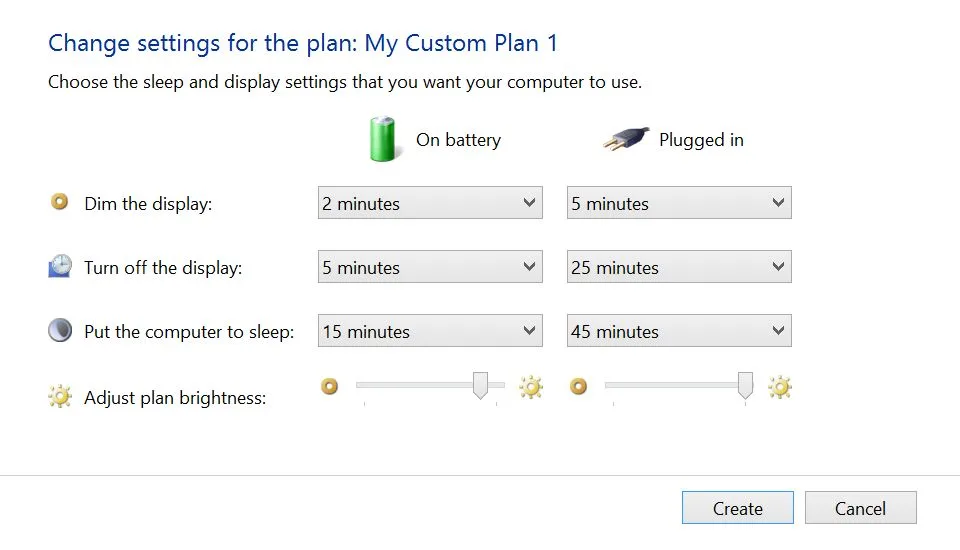
Image source: Wikimedia Commons / Intel Free Press (CC BY-SA)
If Event Viewer logged a driver timeout
Do a clean install, not an in-place update. Remove the current driver with a display driver uninstaller in safe mode, then install fresh from NVIDIA's official driver downloads or your laptop maker's support page.
Also update the BIOS and embedded controller. Plenty of alt+tab faults live in that firmware. And if the installer won't recognize your card, that's its own known problem, covered in our guide to a driver installer that rejects the GPU.
If an overlay is the trigger
Disable them one at a time. Start with Discord (its overlay and hardware acceleration), then Xbox Game Bar, then Steam, then RTSS or Afterburner.
Two overlays hooking the same present call is the classic recipe for a hang.
If borderless fixed it
Set every game to borderless windowed and move on with your day. Want exclusive fullscreen back? Test with hardware accelerated GPU scheduling switched off in Windows graphics settings.
It helps some machines and hurts others.
G-Sync or VRR is worth a look too. Turn it off for one session and see whether the stall disappears.
If the power plan is at fault
Use High performance while plugged in, and set PCI Express link state power management to Off. Expect more freezes on battery, since thin chassis laptops throttle hard there.
Turn off Fast Startup as well. On some machines it leaves the display stack half-initialized.
If thermals are at fault
Clean the fans, repaste if the laptop is over two years old, and try a mild undervolt. Go carefully here. An unstable undervolt produces exactly this freeze at load transitions.
If the graphics switching itself is the weak link, force the game onto the correct GPU, and check whether Optimus is failing to hand off.
Mistakes That Can Keep the Freeze Cycle Going
Most people stuck in this loop have already tried one of these. None are silly. They're just the obvious moves.
- Reinstalling Windows first. That wipes your evidence and rarely fixes firmware or heat problems. Test before you nuke anything.
- Trusting driver booster utilities. They push mismatched packages for hardware they can't identify properly. Use the vendor installer.
- Updating only the GPU driver. On laptops the chipset driver, embedded controller, and BIOS all manage power states. Miss one and the bug survives.
- Skipping Event Viewer. Without an error code you're guessing, and a TDR timeout needs a different fix than a WHEA warning.
- Testing only while plugged in. If it freezes on battery and never on AC, you've been chasing the wrong fault.
- Refusing to leave exclusive fullscreen. Sometimes borderless really is the answer. Take the win.
- Stacking overlays. Discord, Steam, Game Bar, and RTSS together are four hooks fighting over one frame.
- Disabling the page file. People do it to free RAM, then get hard hangs when memory commits spike during a mode switch.
- Buying a cooling pad before measuring. A GPU sitting at 78C doesn't need more airflow.
- Blaming the game. Freezes in three different titles mean the game isn't the variable.
One more thing to rule out. If you ever get a blue screen alongside the freeze, treat it as a separate fault with its own path. And a freeze with a buzzing audio loop points somewhere else entirely, toward power and audio handling.
Decision Guide for Your Alt-Tab Freeze Fix
Work the branches in order. Each one is cheap to test and rules out a whole family of causes.
| What your tests showed | Do this next | If that doesn't hold |
|---|---|---|
| Event ID 4101 in Event Viewer | Clean install the GPU driver from the vendor site | Update BIOS and embedded controller |
| Freeze only in exclusive fullscreen | Switch the game to borderless windowed | Disable hardware accelerated GPU scheduling |
| Two or more overlays running | Disable Discord, Game Bar, Steam, RTSS one at a time | Clean boot to catch the remaining hook |
| Clean boot fixed it | Re-enable startup apps in halves to find the offender | Update that specific app or uninstall it |
| GPU above 87C or clocks collapsing | Clean fans, repaste, apply a mild undervolt | Cap the frame rate to cut sustained load |
| Freeze only on battery | Set High performance and disable PCIe link power saving | Test with the discrete GPU forced on |
| Freeze after waking the laptop | Update chipset and GPU drivers together | Check the graphics switching path |
Two rules keep you out of the loop. Change one variable at a time, and re-run the ten-alt-tab test after each change.
If three different games freeze and the fault survives a clean driver install, stop troubleshooting software. That's a hardware conversation with your laptop's support team, and the WHEA-Logger entry is your evidence.
Frequently Asked Questions
Why does my laptop only freeze when I alt tab, not while playing?
Because alt tab forces a display mode change. Your game surrenders the display, and Windows has to rebuild the desktop through the Desktop Window Manager. While playing, nothing hands off, so the weak link never gets tested.
Does borderless windowed mode fix it for good?
For most people, yes. It skips the exclusive fullscreen handoff entirely, so the fault has nothing to trip on. You trade a little input latency and some frame pacing for stability.
On a competitive title, test both and see which you prefer.
Should I reinstall Windows to stop the freeze?
Only after the driver, overlay, power, and thermal tests come back clean. A reinstall wipes the evidence you need and rarely fixes firmware or heat faults. It also costs you an afternoon of setup for a maybe.
Can running on battery make alt tab freezing worse?
Absolutely. Thin chassis laptops drop the GPU into a low power state on battery, and the switch back can stall. Set the power mode to High performance, disable PCIe link state power management, and test plugged in to confirm.