What surge protector is suitable for a gaming laptop is a question most people only ask after something goes wrong. Gaming laptops pull far more power than ultrabooks, and their AC adapters can spike at 360W or more. A cheap power strip won't protect that investment.
You need a true surge protector rated for the load.
In our research, manufacturer specifications indicate that UL 1449 is the standard that separates a real surge protector from a plain strip. The right unit matches your adapter wattage, outlet spacing, and clamping voltage. Let's walk through what that actually means.
what surge protector is suitable for a gaming laptop
A surge protector with at least 2000 joules, a 330V clamping voltage, and UL 1449 listing. It should also have wide outlet spacing for bulky power bricks. Match the joule rating to your setup's value and risk level.
For most gaming laptops, a 2000 to 3000 joule unit handles daily use well. LAN party or storm-prone setups benefit from 3000 joules or more. Skip anything under 1000 joules.
It won't absorb a real spike.
Why a Gaming Laptop Needs More Than a Basic Power Strip
Basic power strips only distribute power. They do not absorb voltage spikes. A gaming laptop's GPU, battery, and motherboard are sensitive to surges.
One spike can fry the charging circuit or corrupt data.
Power bricks also draw heavy current. A 360W adapter on a thin strip can overheat the cord. Add a second monitor and peripherals and the load climbs further.
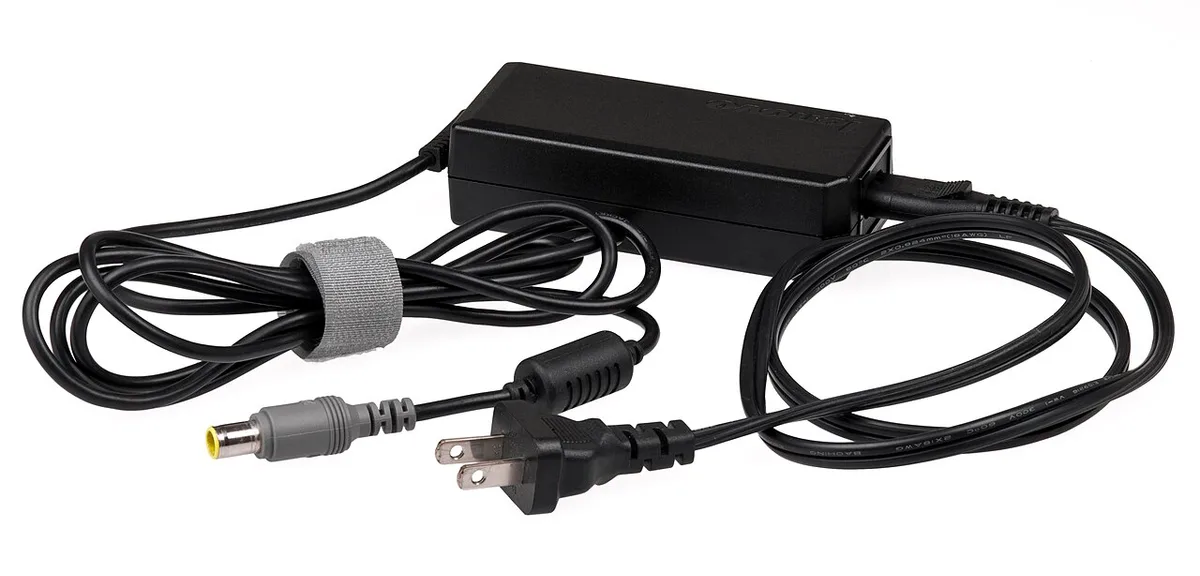
Image source: Wikimedia Commons / Evan-Amos
Look for wide spacing and a heavy cord. A 14 AWG cord handles high draw better than 16 AWG. Indicator lights should show both "protected" and "grounded" status.
If either light is off, the unit is not doing its job.
Dorm rooms make this worse. Shared circuits trip when multiple high-draw devices run at once. A proper strip with a resettable breaker saves you from tripping the whole floor.
When setting up a new gaming rig, plug the laptop directly into the protector, not into a second strip.
How Surge Protectors Actually Work and Which Specs Matter
A surge protector uses a Metal Oxide Varistor (MOV) to shunt excess voltage to ground. The MOV sits idle during normal power. When a spike hits, it clamps the voltage within nanoseconds.
That speed is the whole point.
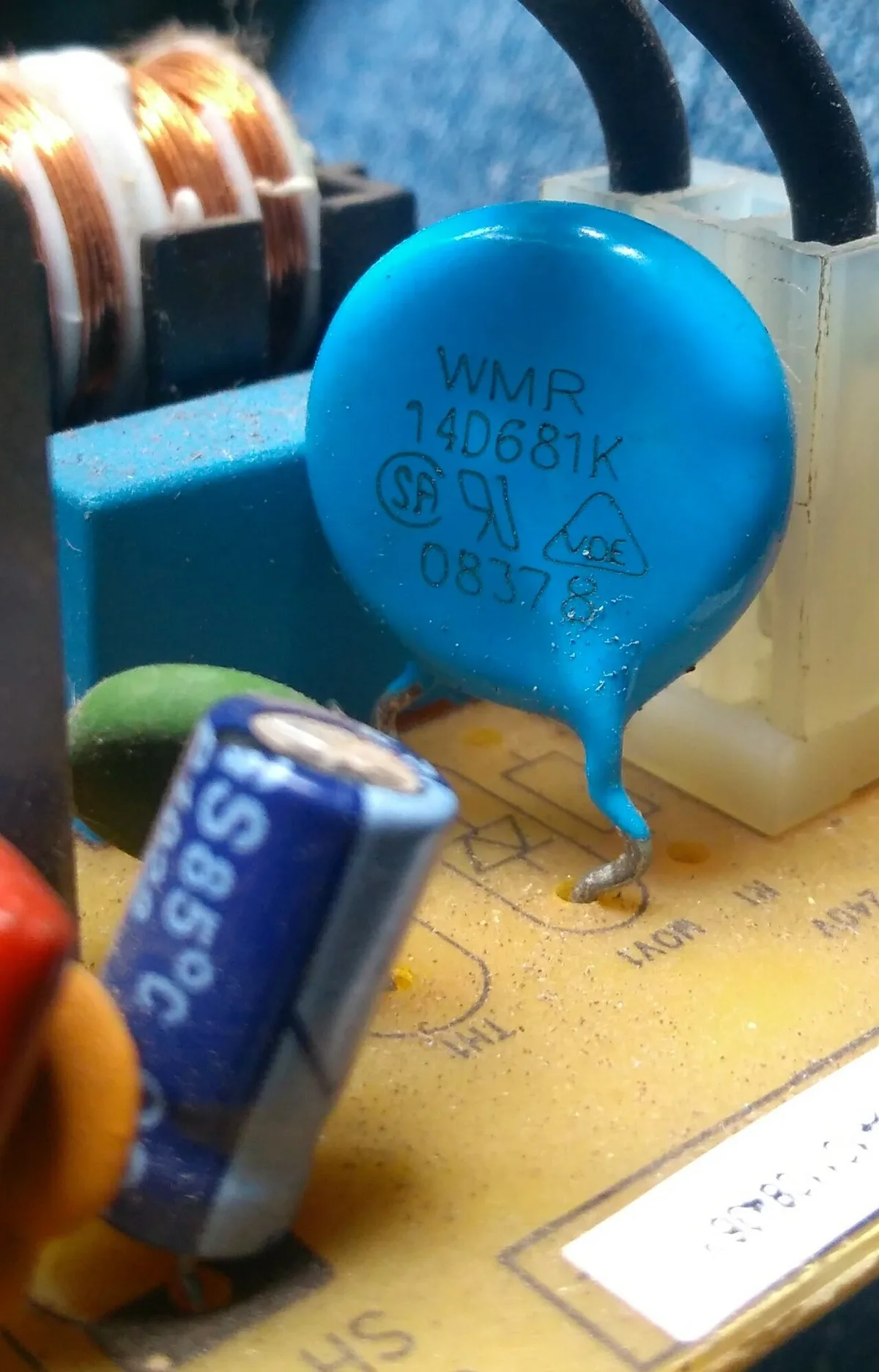
Image source: Wikimedia Commons / Soumyapatra13 (CC BY-SA)
The joule rating tells you how much energy the MOV can absorb before it wears out. Higher is better, but it is not the only spec. Clamping voltage matters just as much.
A lower clamping voltage means less energy reaches your laptop.
Response time is usually under one nanosecond for quality units. Anything slower leaves a window for damage. EMI/RFI filtering is a bonus.
It reduces noise that can affect audio and USB devices.
MOV degradation is the hidden issue. Every surge, even small ones, wears the MOV down. After a major event, the protector may still pass power but no longer protect.
That is why indicator lights matter. Replace the unit after any known surge event.
Surge Protector vs. UPS vs. Power Conditioner: Which One Do You Need?
These three devices do different jobs. A surge protector only handles spikes. A UPS adds battery backup for blackouts and brownouts.
A power conditioner smooths voltage and reduces electrical noise.
For most gamers, a surge protector is enough. It is cheap and effective for spike protection. If you live in an area with frequent outages, a UPS is worth the extra cost.
It keeps your session alive long enough to save and shut down.
Power conditioners are overkill for gaming laptops. They help audio and video gear more than computers. Skip them unless you also run studio equipment.
| Device | Spike Protection | Battery Backup | Best For |
|---|---|---|---|
| Surge Protector | Yes | No | Most gamers |
| UPS | Yes | Yes | Outage-prone areas |
| Power Conditioner | Yes | No | Audio/video gear |
If you are choosing between them, start with a surge protector. Add a UPS only if outages are common where you live. Do not buy a conditioner for a laptop.
What Specs to Look For in a Gaming Laptop Surge Protector
Match the specs to your actual setup. A 180W adapter needs less than a 360W one. List your devices and add up their wattage.
Then pick a unit that exceeds that total by at least 20 percent.
| Spec | Minimum | Recommended |
|---|---|---|
| Joule Rating | 1000J | 2000-3000J |
| Clamping Voltage | 400V | 330V |
| Response Time | 1ns | Under 1ns |
| Cord Gauge | 16 AWG | 14 AWG |
| Outlet Spacing | Standard | Wide |
Outlet count matters too. Six outlets is the sweet spot for a desk. Twelve is overkill unless you run a full streaming rig.
USB-C Power Delivery ports are useful for charging peripherals. Check the PD wattage. 60W charges most laptops. 100W handles larger adapters.
Safety listings come first. Look for UL 1449 or ETL certification. A connected equipment warranty is a nice bonus.
It covers gear if the protector fails during a surge. Read the fine print though. Many warranties require registration within 30 days.
When optimizing your setup out of the box, verify the protector's indicator lights before plugging in the laptop. Grounded and protected should both glow green. If not, try a different wall outlet.
An ungrounded outlet voids the protection entirely. Per UL testing standards, proper grounding is a precondition for surge suppression to function at all.
For first steps with a new machine, plug the surge protector into the wall first. Then connect the laptop adapter. Never reverse the order.
This ensures the MOV is active before any load hits.What surge protector is suitable for a gaming laptop is a question most people only ask after something goes wrong. Gaming laptops pull far more power than ultrabooks, and their AC adapters can spike at 360W or more. A cheap power strip won't protect that investment.
You need a true surge protector rated for the load.
In our research, manufacturer specifications indicate that UL 1449 is the standard that separates a real surge protector from a plain strip. The right unit matches your adapter wattage, outlet spacing, and clamping voltage. Let's walk through what that actually means.
what surge protector is suitable for a gaming laptop
A surge protector with at least 2000 joules, a 330V clamping voltage, and UL 1449 listing. It should also have wide outlet spacing for bulky power bricks. Match the joule rating to your setup's value and risk level.
For most gaming laptops, a 2000 to 3000 joule unit handles daily use well. LAN party or storm-prone setups benefit from 3000 joules or more. Skip anything under 1000 joules.
It won't absorb a real spike.
Why a Gaming Laptop Needs More Than a Basic Power Strip
Basic power strips only distribute power. They do not absorb voltage spikes. A gaming laptop's GPU, battery, and motherboard are sensitive to surges.
One spike can fry the charging circuit or corrupt data.
Power bricks also draw heavy current. A 360W adapter on a thin strip can overheat the cord. Add a second monitor and peripherals and the load climbs further.
Image source: Wikimedia Commons / Evan-Amos
Look for wide spacing and a heavy cord. A 14 AWG cord handles high draw better than 16 AWG. Indicator lights should show both "protected" and "grounded" status.
If either light is off, the unit is not doing its job.
Dorm rooms make this worse. Shared circuits trip when multiple high-draw devices run at once. A proper strip with a resettable breaker saves you from tripping the whole floor.
When getting a fresh machine running, plug the laptop directly into the protector, not into a second strip.
How Surge Protectors Actually Work and Which Specs Matter
A surge protector uses a Metal Oxide Varistor (MOV) to shunt excess voltage to ground. The MOV sits idle during normal power. When a spike hits, it clamps the voltage within nanoseconds.
That speed is the whole point.
Image source: Wikimedia Commons / Soumyapatra13 (CC BY-SA)
The joule rating tells you how much energy the MOV can absorb before it wears out. Higher is better, but it is not the only spec. Clamping voltage matters just as much.
A lower clamping voltage means less energy reaches your laptop.
Response time is usually under one nanosecond for quality units. Anything slower leaves a window for damage. EMI/RFI filtering is a bonus.
It reduces noise that can affect audio and USB devices.
MOV degradation is the hidden issue. Every surge, even small ones, wears the MOV down. After a major event, the protector may still pass power but no longer protect.
That is why indicator lights matter. Replace the unit after any known surge event.
When adding a second display to your desk, route its power through the same protector. This keeps the whole setup on one grounded path. Splitting across outlets increases risk.
Surge Protector vs. UPS vs. Power Conditioner: Which One Do You Need?
These three devices do different jobs. A surge protector only handles spikes. A UPS adds battery backup for blackouts and brownouts.
A power conditioner smooths voltage and reduces electrical noise.
For most gamers, a surge protector is enough. It is cheap and effective for spike protection. If you live in an area with frequent outages, a UPS is worth the extra cost.
It keeps your session alive long enough to save and shut down.
Power conditioners are overkill for gaming laptops. They help audio and video gear more than computers. Skip them unless you also run studio equipment.
| Device | Spike Protection | Battery Backup | Best For |
|---|---|---|---|
| Surge Protector | Yes | No | Most gamers |
| UPS | Yes | Yes | Outage-prone areas |
| Power Conditioner | Yes | No | Audio/video gear |
If you are choosing between them, start with a surge protector. Add a UPS only if outages are common where you live. Do not buy a conditioner for a laptop.
When gathering essential desk accessories, prioritize protection over convenience features. A basic surge protector with solid specs beats a fancy strip with weak MOVs.
What Specs to Look For in a Gaming Laptop Surge Protector
Match the specs to your actual setup. A 180W adapter needs less than a 360W one. List your devices and add up their wattage.
Then pick a unit that exceeds that total by at least 20 percent.
| Spec | Minimum | Recommended |
|---|---|---|
| Joule Rating | 1000J | 2000-3000J |
| Clamping Voltage | 400V | 330V |
| Response Time | 1ns | Under 1ns |
| Cord Gauge | 16 AWG | 14 AWG |
| Outlet Spacing | Standard | Wide |
Outlet count matters too. Six outlets is the sweet spot for a desk. Twelve is overkill unless you run a full streaming rig.
USB-C Power Delivery ports are useful for charging peripherals. Check the PD wattage. 60W charges most laptops. 100W handles larger adapters.
Safety listings come first. Look for UL 1449 or ETL certification. A connected equipment warranty is a nice bonus.
It covers gear if the protector fails during a surge. Read the fine print though. Many warranties require registration within 30 days.
When tuning a new system, verify the protector's indicator lights before plugging in the laptop. Grounded and protected should both glow green. If not, try a different wall outlet.
An ungrounded outlet voids the protection entirely. Per UL testing standards, proper grounding is a precondition for surge suppression to function at all.
For early setup steps, plug the surge protector into the wall first. Then connect the laptop adapter. Never reverse the order.
This ensures the MOV is active before any load hits.
Best Options for Each Gaming Setup (Dorm, LAN Party, Home Desk, Travel)
Different setups call for different protectors. A dorm room has shared circuits and limited outlets. A LAN party needs portability.
A home desk can handle a full strip. Match the unit to your situation, not just your laptop.
Dorm rooms demand compact units with resettable breakers. Shared circuits trip easily when multiple high-draw devices run at once. A 6-outlet strip with 2000 joules fits under a bed or desk.
Keep the cord short to avoid tangles in tight spaces.
LAN parties need portable protection. A compact 4 to 6 outlet model with 3000+ joules handles the abuse of packing and unpacking. Look for a flat plug that fits behind hotel furniture.
When setting up a new machine at an event, plug the protector in first, then connect the laptop.
Home desks can support larger units. Eight to twelve outlets handle a monitor, speakers, and peripherals. USB-C Power Delivery ports reduce cable clutter.
A 14 AWG cord reaches distant outlets without voltage drop.
Travel setups need the smallest footprint. A 3-outlet compact protector fits in a backpack. 1000 joules is the floor here. Anything less is not real protection.
| Setup | Outlets | Joules | Key Feature |
|---|---|---|---|
| Dorm Room | 6 | 2000+ | Resettable breaker |
| LAN Party | 4-6 | 3000+ | Flat plug, portable |
| Home Desk | 8-12 | 2000-3000 | USB-C PD ports |
| Travel | 3 | 1000+ | Compact, flat plug |
When choosing essential desk accessories, prioritize protection over convenience features. A basic surge protector with solid specs beats a fancy strip with weak MOVs.
Mistakes Gamers Make When Buying Surge Protectors
Most mistakes come from confusing power strips with surge protectors. A strip distributes power. It does not absorb spikes.
Check the packaging for UL 1449 listing before buying.
Daisy-chaining is the next big error. Plugging one strip into another creates fire risk. It also voids warranties on both units.
One strip per wall outlet. No exceptions.
Ignoring clamping voltage costs people protection they think they have. A 500V clamping voltage lets more energy through than 330V. That gap matters during a real surge.
Always check this spec.
Not verifying grounding is another common miss. An ungrounded outlet makes the protector useless. The MOV has nowhere to send the excess voltage.
Use a simple outlet tester before trusting any strip.
Buying on price alone backfires. A $10 strip with 500 joules is not protection. It is a false sense of security.
Spend $25 to $40 for a real unit. When adding a second display, route its power through the same grounded protector.
Failing to replace after a surge is the last mistake. MOVs wear out. A protector that survived a storm may not survive the next one.
Replace it after any known event. Indicator lights help, but they are not perfect. When tuning a new system, check the lights before every session.
Costs, Joule Ratings, and Real-World Spec Data
Surge protectors fall into three price tiers. Each tier matches different needs and budgets. Spend based on what you are protecting, not just what feels cheap.
| Tier | Price Range | Joules | Best For |
|---|---|---|---|
| Budget | $15-$25 | 1000-1500J | Travel, low-value gear |
| Mid-Range | $25-$45 | 2000-3000J | Most gaming laptops |
| Premium | $45-$80 | 3000J+ | Full streaming rigs |
Budget units work for travel or backup protection. They lack wide spacing and USB-C ports. The MOVs are smaller and wear faster.
Expect to replace them sooner.
Mid-range is the sweet spot. 2000 to 3000 joules covers most gaming laptops and a monitor. Wide spacing fits bulky power bricks. A 14 AWG cord handles 360W adapters without heat buildup.
Most gamers should land here.
Premium units add USB-C Power Delivery and smart monitoring. 100W PD ports charge laptops directly. Wi-Fi alerts notify you of surge events. These features are nice but not essential.
As of 2026, premium prices have dropped about 15 percent year over year.
Cord length affects price too. A 6-foot cord is standard. 10-foot and 12-foot versions cost $5 to $10 more. Longer cords add convenience but increase resistance slightly.
Keep it under 12 feet for best performance.
Safety Certifications and Compliance That Actually Matter
UL 1449 is the standard that matters. It defines how surge protectors are tested and rated. A UL-listed unit has passed spike, thermal, and endurance tests.
ETL and CSA listings are equivalent alternatives. All three are acceptable.
The connected equipment warranty is a secondary benefit. It covers gear if the protector fails during a surge. Coverage ranges from $25,000 to $300,000.
Read the fine print. Many require product registration within 30 days. Keep your receipt.
Thermal fuses prevent fires. If the MOV overheats, the fuse cuts power. This stops the strip from becoming a fire hazard.
Not all units have this. Check the spec sheet.
Grounding is a precondition, not an option. Per UL standards, surge suppression requires a grounded outlet. An ungrounded outlet voids protection entirely.
Use an outlet tester to confirm grounding before trusting any strip.
NEC compliance matters for permanent installations. Fixed surge protection devices must meet National Electrical Code requirements. Portable strips fall under UL 1449.
Both standards work together to keep setups safe.
When setting up a new machine, verify the protector's indicator lights before plugging in. Grounded and protected should both glow green. If either is off, try a different outlet.
Never bypass this check.
Frequently Asked Questions
Can I plug a gaming laptop into a regular power strip?
No. A regular power strip only distributes power. It does not absorb voltage spikes.
Your laptop's GPU, battery, and motherboard remain unprotected. Use a UL 1449 listed surge protector instead.
How many joules does a gaming laptop need?
At least 1000 joules for basic protection. 2000 to 3000 joules is the recommended range. Higher ratings absorb more energy before wearing out. LAN party and storm-prone setups benefit from 3000 joules or more.
Does a surge protector fix brownouts?
No. A standard surge protector only handles voltage spikes. Brownouts are sustained low voltage.
You need a UPS with automatic voltage regulation for that. A UPS keeps your session alive during outages.
How often should I replace a surge protector?
Replace after any known surge event. MOVs degrade with each spike, even small ones. Also replace if indicator lights fail or the unit is over three years old.
Manufacturer specs suggest a three to five year lifespan for typical use.
Is a higher joule rating always better?
Not always. A 5000 joule unit with 500V clamping voltage protects less than a 2000 joule unit with 330V clamping. Both specs matter together.
Lower clamping voltage means less energy reaches your laptop.
Can I use a surge protector with a docking station?
Yes, but check total wattage first. A docking station plus 360W adapter plus monitor can exceed 500W. Pick a unit rated for at least 20 percent above your total.
Use a 14 AWG cord for high-draw setups.