Amazon has hundreds of laptops described as “gaming laptops,” but many of the cheapest options are not designed for serious gaming. Some rely entirely on integrated graphics, while others use outdated processors, 60Hz displays, or only 8GB of memory.
The best budget gaming laptop on Amazon should provide more than an attractive product title. It needs a dedicated graphics card, a high-refresh display, fast SSD storage, sufficient cooling, and a processor that can support modern games without creating an obvious bottleneck.
You also need to check the exact configuration carefully. Two laptops with the same model name may have different graphics cards, displays, memory capacities, storage drives, and warranty terms.
For this guide, I compared five Amazon-listed gaming laptops covering different needs. The selections include a lower-cost RTX 4050 starter, a portable 16GB model, a balanced Lenovo LOQ, an ASUS laptop with a better color display, and a newer RTX 5050 option for stronger performance.
Every featured laptop displayed an active Amazon purchasing option during verification. Availability, seller, delivery date, and price can still change according to your ZIP code.
Affiliate Disclosure: As an Amazon Associate, Game Insider Hub earns from qualifying purchases. This does not increase the price you pay.
Best Budget Gaming Laptops on Amazon at a Glance
| Gaming Laptop | Graphics | Memory and Storage | Display | Best For |
|---|---|---|---|---|
| Acer Nitro V ANV15-52-586Z | RTX 4050 6GB | 8GB / 512GB SSD | 15.6-inch FHD 165Hz | Lowest initial cost |
| MSI Thin 15 B12VE-2023US | RTX 4050 6GB | 16GB / 512GB SSD | 15.6-inch FHD 144Hz | Portability |
| Lenovo LOQ 15ARP9 | RTX 4050 6GB | 16GB / 512GB SSD | 15.6-inch FHD 144Hz | Best overall |
| ASUS TUF Gaming A15 FA507NUR-AS73 | RTX 4050 6GB | 16GB / 512GB SSD | 15.6-inch FHD 144Hz, 100% sRGB | Gaming and creative work |
| Acer Nitro V RTX 5050 | RTX 5050 8GB | 16GB / 512GB SSD | 15.6-inch FHD 165Hz | Best gaming performance |
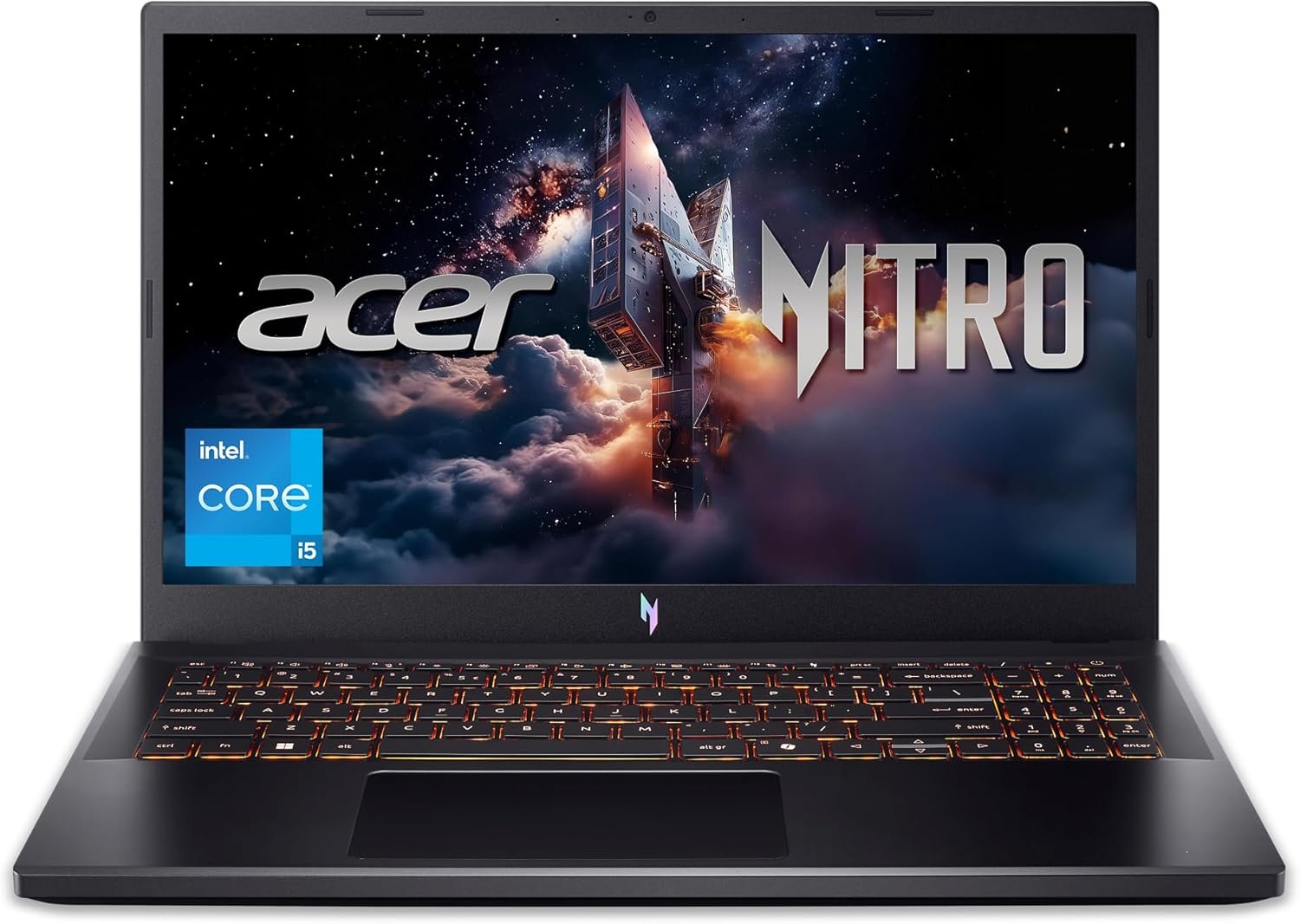
1. Acer Nitro V ANV15-52-586Z Gaming Laptop — Best Affordable Starter
Credit: Amazon
Check the Current Price on Amazon
The Acer Nitro V ANV15-52-586Z is the most affordable starting point in this comparison for buyers who want current RTX graphics rather than an older GTX or RTX 2050 configuration.
It combines an Intel Core i5-13420H processor with an NVIDIA GeForce RTX 4050 laptop GPU. The exact Amazon listing also includes an IPS Full HD 165Hz screen, 8GB of DDR5 memory, a 512GB Gen 4 SSD, Wi-Fi 6, and a backlit keyboard. Amazon displayed a Buy Now option and identified Amazon.com as the seller when checked.
The Core i5-13420H provides enough processing power for esports, modern games, school assignments, programming, office applications, and moderate creative work. For most buyers in this price range, the dedicated RTX 4050 will have a greater effect on gaming performance than paying more for a Core i7 while accepting a weaker GPU.
Its 165Hz display is another meaningful advantage. Fast games look smoother than they do on an ordinary 60Hz screen, and competitive titles can take advantage of frame rates above 100 fps.
The main compromise is the included 8GB of RAM. The laptop can run games in its original configuration, but Windows, browsers, launchers, Discord, antivirus tools, and other background programs can consume much of that memory before the game begins.
Pros
- Affordable access to RTX 4050 graphics
- Capable Intel Core i5-13420H processor
- Smooth 165Hz Full HD IPS display
- Fast 512GB Gen 4 SSD
- Modern DDR5 memory
- Wi-Fi 6
- Backlit keyboard
- Suitable for esports and 1080p gaming
- Sold and shipped by Amazon.com when checked
- Upgradeable foundation
Cons
- Only 8GB of RAM
- A memory upgrade should be planned
- 512GB storage can fill quickly
- Plastic construction
- Fans become noticeable during gaming
- Limited battery life under heavy use
- Display color coverage is not aimed at professional creators
- Large charger reduces portability
My Honest Opinion
This Acer makes sense when keeping the initial purchase price low is the main priority.
The processor and RTX 4050 create a solid gaming foundation. It should handle games such as Valorant, Fortnite, Rocket League, Minecraft, Counter-Strike 2, and Overwatch 2 comfortably. Many demanding single-player games should also run well at 1080p when you choose sensible settings and use DLSS where available.
The 8GB of RAM is its most obvious weakness. I would treat a 16GB upgrade as part of the purchase rather than something to consider several years later.
Acer provides a much stronger overall package once the memory bottleneck is removed. The fast display, capable GPU, and Gen 4 SSD are already in place.
Before buying, compare the total cost of the laptop and additional RAM with the 16GB MSI and Lenovo configurations below. The Acer is the better bargain only when it remains meaningfully less expensive after the upgrade.
Best for: First-time PC gamers, students, esports players, and buyers who are comfortable upgrading the RAM.
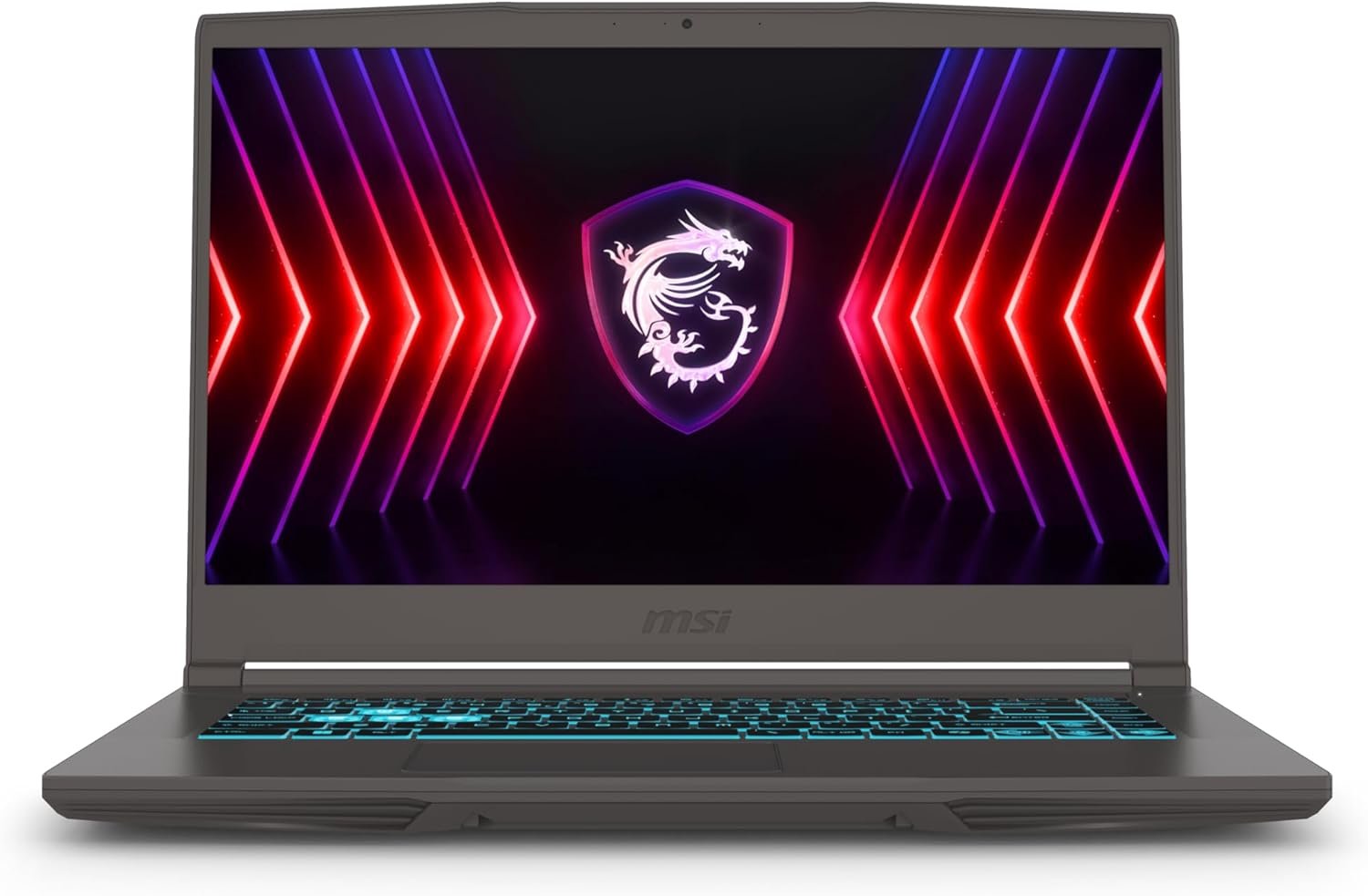
2. MSI Thin 15 B12VE-2023US Gaming Laptop — Best for Portability
Credit: Amazon
Check the Current Price on Amazon
The MSI Thin 15 B12VE-2023US is designed for buyers who want dedicated gaming hardware without carrying one of the thickest laptops in the category.
The Amazon configuration includes an Intel Core i7-12650H processor, an RTX 4050, 16GB of RAM, a 512GB NVMe SSD, and a 15.6-inch Full HD 144Hz display. The exact product page displayed a Buy Now option during verification.
The Core i7 processor remains capable of gaming, office work, coding, editing, research, and multitasking. Its 16GB memory also makes the MSI more practical out of the box than the 8GB Acer.
MSI’s official specifications list Wi-Fi 6E, Ethernet, USB-C DisplayPort output, HDMI, multiple USB-A ports, two memory slots, and support for substantial memory expansion on the Thin 15 platform.
However, the MSI uses a relatively low-powered RTX 4050 implementation. Thin gaming laptops have less room for cooling, and MSI lists lower graphics-power limits on this platform than those used by some thicker gaming machines.
That means the MSI can be easier to carry but may not match every Lenovo, ASUS, or Acer laptop with the same RTX 4050 name.
Pros
- Relatively thin and portable design
- Intel Core i7 processor
- RTX 4050 with 6GB graphics memory
- 16GB RAM included
- Full HD 144Hz display
- 512GB NVMe SSD
- USB-C DisplayPort support
- Wi-Fi 6E
- Ethernet connection
- Two memory slots
- No immediate RAM upgrade required
Cons
- Lower-powered RTX 4050 implementation
- May trail thicker RTX 4050 laptops
- Only 512GB of storage
- Limited internal storage expansion
- Build feels less rigid than heavier gaming laptops
- Fans can become loud
- Battery capacity is relatively modest
- Seller and warranty details should be checked
My Honest Opinion
The MSI Thin 15 is a compromise, but it is a reasonable one for the right buyer.
Its 16GB RAM, Core i7 processor, and RTX 4050 give it enough performance for gaming, school, office work, and moderate content creation. The lighter chassis makes it easier to carry between home, college, and work than the Lenovo LOQ or ASUS TUF A15.
The graphics-power limit is the important detail. An RTX 4050 is not a fixed level of performance across every laptop. Cooling and wattage can create noticeable differences.
Choose the MSI when portability is genuinely important. Buyers who expect the laptop to remain on the same desk most of the week should usually favor the Lenovo or ASUS for their more performance-focused designs.
The 512GB SSD is acceptable initially, but buyers with several large games may need an external drive or replacement SSD sooner than expected.
Best for: Students, commuters, hybrid workers, casual gamers, and users who regularly carry their laptop.
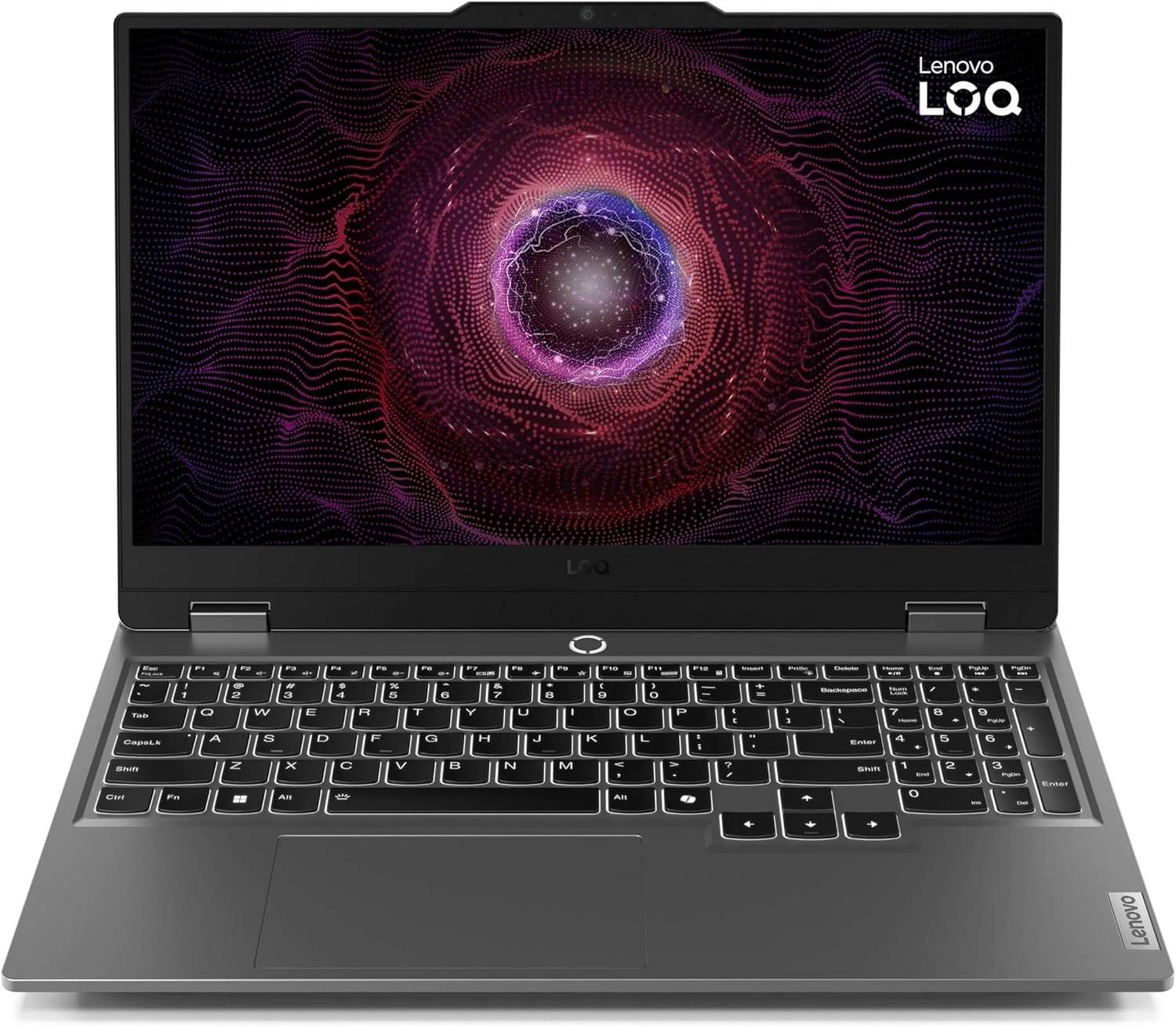
3. Lenovo LOQ 15ARP9 Ryzen 7 Gaming Laptop — Best Overall
Credit: Amazon
Check the Current Price on Amazon
The Lenovo LOQ 15ARP9 earns the best overall position because its processor, GPU, memory, display, and upgrade options create the most balanced package.
Its exact Amazon configuration includes an AMD Ryzen 7 7435HS processor, 16GB of RAM, a 512GB SSD, an RTX 4050, and a 15.6-inch Full HD 144Hz display. The product was marked Amazon’s Choice in the retrieved listing and displayed an active Buy Now option.
The Ryzen 7 7435HS provides eight cores and sixteen threads. Lenovo’s official platform specifications also list the RTX 4050 with 6GB of GDDR6 memory and a graphics-power limit of up to 105 watts for the LOQ 15ARP9.
That higher graphics allowance gives the LOQ more performance potential than a thin, lower-wattage RTX 4050 laptop.
Lenovo also lists two DDR5 memory slots and support for up to 32GB of memory. The platform can support the built-in screen alongside two external displays through HDMI and USB-C.
The laptop’s cooling-focused construction makes it thicker and heavier than an ordinary productivity notebook. However, that extra size is more acceptable in a machine intended to sustain gaming performance.
Pros
- Strong eight-core Ryzen 7 processor
- RTX 4050 with 6GB VRAM
- Higher graphics-power allowance than thin models
- 16GB RAM included
- Full HD 144Hz display
- 512GB SSD
- Two replaceable memory slots
- Supports external displays through HDMI and USB-C
- Suitable for gaming and productive work
- Balanced performance-focused construction
- Amazon’s Choice status when checked
- Active Buy Now option
Cons
- Heavier than the MSI Thin 15
- Large power adapter
- 512GB storage may require expansion
- Battery life is not a major strength
- Fans become audible in performance mode
- No integrated graphics on this Ryzen configuration
- Functional rather than premium design
- Requires a larger backpack
My Honest Opinion
The Lenovo LOQ is the best option for most buyers because it avoids the most frustrating budget compromises.
You receive 16GB of memory instead of 8GB, a capable eight-core processor, a gaming-focused RTX 4050 configuration, and a 144Hz display. Nothing essential needs to be upgraded immediately.
Its higher GPU power limit is particularly important. The laptop is better positioned to use the RTX 4050’s performance than a very thin model constrained by lower power and tighter cooling.
The Ryzen 7 processor is also strong enough for programming, streaming, editing, office work, and heavy multitasking. This makes the LOQ a practical choice for someone purchasing one computer for both productivity and gaming.
The absence of integrated graphics can reduce unplugged battery efficiency, so this is not the best machine for working away from an outlet all day. It is closer to a portable gaming desktop than an ultraportable laptop.
Best for: Most budget gamers, students, programmers, editors, streamers, and buyers who want the strongest overall balance.
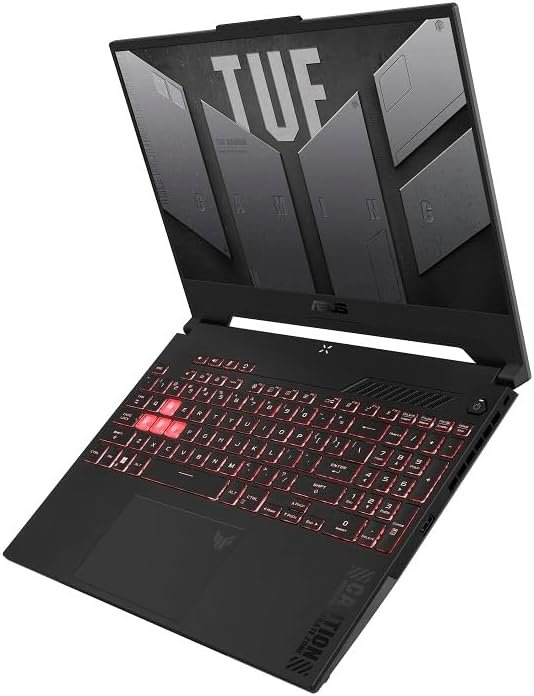
4. ASUS TUF Gaming A15 FA507NUR-AS73 — Best for Gaming and Content Creation
Credit: Amazon
Check the Current Price on Amazon
The ASUS TUF Gaming A15 FA507NUR-AS73 is the better choice for buyers who want an affordable gaming laptop with a more useful display for design, editing, and visual content.
It combines an AMD Ryzen 7 7435HS processor with an RTX 4050, 16GB of DDR5 RAM, a 512GB PCIe SSD, Wi-Fi 6, and a 15.6-inch Full HD 144Hz display. The Amazon page specifically identifies the screen as covering 100% of the sRGB color space and displayed a Buy Now option when checked.
The wide color coverage is its most important advantage. Many inexpensive gaming displays prioritize refresh rate while reproducing a relatively narrow color range. A 100% sRGB panel is more appropriate for website graphics, thumbnails, photographs, digital artwork, and video projects.
The Ryzen 7 processor provides strong multicore performance for productive work, while the RTX 4050 can accelerate compatible creative applications as well as games.
ASUS’s TUF platform is designed as a performance-focused gaming range rather than a thin office laptop. Its larger chassis gives the cooling system more space but also makes the computer heavier than the MSI Thin 15.
Pros
- Eight-core Ryzen 7 processor
- RTX 4050 with 6GB VRAM
- 16GB DDR5 RAM
- 144Hz Full HD display
- 100% sRGB color coverage
- Better suited to visual creative work
- 512GB PCIe SSD
- Wi-Fi 6
- Gaming-focused cooling
- Full keyboard with number pad
- Active Amazon Buy Now option
- Good balance between gaming and editing
Cons
- More expensive than some RTX 4050 competitors
- Only 512GB of storage
- Large and relatively heavy
- Plastic construction
- Fans can become loud in performance modes
- Battery life falls quickly during gaming
- The checked listing had limited stock
- Marketplace-seller warranty should be verified
My Honest Opinion
The ASUS TUF A15 is worth considering when the laptop will be used for both gaming and visual creative work.
The 100% sRGB display is more valuable than it may initially appear. Better color coverage helps when editing photos, designing website graphics, creating thumbnails, or working on video projects.
For gaming alone, the Lenovo LOQ may provide better value when it is cheaper. Both include a Ryzen 7 processor, 16GB RAM, and RTX 4050 graphics.
The ASUS becomes the better purchase when display quality matters enough to justify the difference.
The 512GB SSD is its biggest practical limitation. Creative applications, cache files, video projects, and games can fill the drive quickly. Check the exact storage-expansion arrangement before ordering another SSD.
Because the Amazon offer showed limited inventory and a third-party seller, verify the seller rating, return period, and ASUS warranty eligibility before completing the order.
Best for: Gamers, YouTube creators, designers, photographers, video editors, and students working with visual media.
5. Acer Nitro V RTX 5050 Gaming Laptop — Best Gaming Performance
Credit: Amazon
Check the Current Price on Amazon
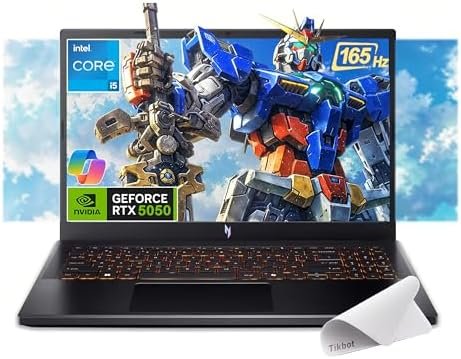
The Acer Nitro V RTX 5050 provides the strongest graphics hardware in this comparison.
The selected Amazon listing combines an Intel Core i5-13420H processor with an NVIDIA GeForce RTX 5050 carrying 8GB of GDDR7 graphics memory. It also includes 16GB of RAM, a 512GB PCIe SSD, and a 15.6-inch Full HD IPS 165Hz display. Multiple Buy Now purchasing options were visible during verification.
The increase to 8GB of dedicated graphics memory gives the RTX 5050 more headroom than the 6GB RTX 4050 configurations. This can help with newer games using larger textures, demanding graphical effects, and GPU-accelerated creative applications.
Its Core i5 processor is not the fastest CPU in the comparison, but it remains suitable for gaming and everyday productive work. In a budget gaming laptop, prioritizing the stronger GPU can be more valuable than paying for a faster processor while accepting weaker graphics.
The 165Hz display is a good match for competitive games. Full HD resolution also keeps the rendering demand reasonable for a mid-range laptop GPU.
Pros
- Newer RTX 5050 graphics
- 8GB of GDDR7 VRAM
- 16GB RAM included
- Capable Core i5-13420H processor
- Full HD IPS display
- Smooth 165Hz refresh rate
- Suitable for newer demanding games
- More graphics-memory headroom
- Fast PCIe storage
- Active Amazon Buy Now options
- No immediate memory upgrade required
Cons
- Highest-priced selection in this guide
- Only 512GB of storage
- Plastic chassis
- Fans become loud under gaming loads
- Limited gaming battery life
- Actual performance depends on the GPU power limit
- Third-party bundle adds little value
- Must be compared with discounted RTX 5060 laptops
My Honest Opinion
This Acer is the best performance choice, but it is not automatically the best value.
The RTX 5050’s 8GB of graphics memory gives it more flexibility for newer games than the RTX 4050 models. It is the better option for buyers who want stronger graphics performance and plan to keep the laptop for several years.
The Core i5-13420H remains adequate. Most games in this category will benefit more from the stronger graphics card than from replacing the Core i5 with a Core i7 while keeping an RTX 4050.
Price is the deciding factor. The RTX 5050 Acer is attractive when it costs moderately more than the Lenovo LOQ. It becomes less convincing when its price approaches laptops with an RTX 5060.
The 512GB SSD is also modest for the highest-performing laptop here. Buyers with a large game library should expect to expand or replace the storage.
Best for: Buyers prioritizing gaming performance, newer graphics hardware, 8GB VRAM, and longer-term gaming use.
Buyer’s Guide: 3 Factors to Consider Before Buying on Amazon
Factor 1: Choose the Graphics Card Before the Processor
The graphics card usually has the greatest effect on gaming performance.
The laptops in this guide use two graphics tiers.
RTX 4050 with 6GB VRAM
This remains a practical choice for Full HD gaming. It can handle esports titles at high frame rates and run many demanding games at medium or high settings.
Choose an RTX 4050 when:
- Your budget is strict.
- You mainly play competitive games.
- You are comfortable adjusting settings.
- Maximum ray tracing is not essential.
- You want the widest selection of affordable laptops.
RTX 5050 with 8GB VRAM
The RTX 5050 provides newer graphics hardware and additional memory for textures and other graphical data.
Choose it when:
- You play demanding recent releases.
- You want additional graphics-memory headroom.
- You use GPU-accelerated creative software.
- You plan to keep the laptop for several years.
- The price remains below comparable RTX 5060 deals.
Do not compare laptop GPUs using the name alone. Power limits and cooling matter.
For example, Lenovo lists its LOQ RTX 4050 at up to 105 watts, while MSI’s thin platform operates its GPU at a lower power level. That can allow the Lenovo to produce stronger sustained gaming performance despite using the same RTX 4050 name.
Factor 2: Aim for 16GB RAM and Enough Storage
Sixteen gigabytes of RAM is the practical target for a gaming laptop in 2026.
It provides enough room for:
- Windows
- Modern games
- Browsers
- Discord
- Game launchers
- Antivirus software
- Office applications
- Light streaming
- Moderate editing
- Everyday multitasking
An 8GB laptop can still be a good bargain when it is upgradeable and considerably cheaper. However, the cost of additional memory should be included when comparing prices.
Storage is just as important.
A 512GB SSD is enough to begin, but several large games can consume most of it quickly. A 1TB drive is more comfortable, particularly when the laptop will also store work files, videos, photographs, or editing projects.
Check:
- Number of memory slots
- Maximum supported RAM
- Number of M.2 SSD slots
- Installed memory arrangement
- SSD format
- Whether opening the laptop affects warranty coverage
Lenovo officially lists two DDR5 memory slots and support for up to 32GB on the LOQ 15ARP9 platform.
Factor 3: Verify the Exact Amazon Listing
Amazon often combines several configurations and sellers on similar-looking product pages.
Before ordering, confirm:
- Exact model number
- Processor
- Graphics card
- Dedicated graphics memory
- RAM capacity
- SSD capacity
- Display refresh rate
- Display resolution
- New, renewed, or used condition
- Seller identity
- Shipping provider
- Return period
- Manufacturer warranty
- Keyboard region
- Included charger
Be particularly cautious with reseller-upgraded laptops. A seller may open a base laptop and install additional RAM or storage before listing it.
This is not necessarily bad, but you should know:
- Who performed the upgrade
- Which component brands were installed
- Whether original parts were removed
- Whether the manufacturer warranty remains valid
- Who handles future technical support
Avoid choosing a laptop only because a reseller has added excessive RAM. Gaming performance depends much more on the GPU than moving from 16GB to 32GB or 64GB.
Frequently Asked Questions
What Is the Best Budget Gaming Laptop on Amazon?
The Lenovo LOQ 15ARP9 is the best overall option in this comparison.
It provides a Ryzen 7 processor, 16GB RAM, RTX 4050 graphics, a 144Hz display, and a higher graphics-power allowance than many thin competitors.
What Is the Cheapest Gaming Laptop in This Guide?
The Acer Nitro V ANV15-52-586Z is positioned as the lowest-cost starter.
Remember to include the cost of upgrading its RAM from 8GB to at least 16GB.
Which Laptop Has the Best Gaming Performance?
The Acer Nitro V RTX 5050 has the strongest graphics hardware in this roundup.
Its RTX 5050 includes 8GB of GDDR7 memory.
Is an RTX 4050 Laptop Good in 2026?
Yes, when it is priced appropriately.
An RTX 4050 remains suitable for esports and modern Full HD gaming. Demanding games may require DLSS, medium settings, or reduced ray tracing.
Is the RTX 5050 Worth Paying More For?
It can be worth paying more for newer games and additional graphics-memory headroom.
Compare the price carefully, because a discounted RTX 5060 laptop may provide better value when the prices are close.
Is 8GB RAM Enough for Gaming?
Eight gigabytes can run many games, but 16GB is a much better target.
An 8GB laptop is most attractive when it is inexpensive and easy to upgrade.
Is 16GB RAM Enough for Gaming?
Yes.
Sixteen gigabytes is sufficient for most current games, Windows, browsers, Discord, launchers, and normal background applications.
Do I Need 32GB RAM?
Most gamers do not need 32GB solely for gaming.
It is more useful for video editing, virtual machines, game development, livestreaming, 3D software, and unusually heavy multitasking.
Is a 512GB SSD Enough?
It is enough to start, but it may fill quickly.
A gaming laptop with a second M.2 slot is easier to expand when you need more storage.
Which Laptop Is Best for Students?
The MSI Thin 15 is easier to carry regularly.
The Lenovo LOQ offers stronger overall balance when weight and battery efficiency are less important.
Which Laptop Is Best for Gaming and Editing?
The ASUS TUF Gaming A15 is the strongest choice for visual creative work because its Amazon-listed display covers 100% of the sRGB color space.
The Acer RTX 5050 provides the stronger GPU.
Does a Core i7 Always Beat a Core i5 for Gaming?
No.
A laptop with a Core i5 and stronger graphics can outperform a Core i7 laptop with a weaker or lower-powered GPU.
Is a 144Hz Display Good for Gaming?
Yes.
A 144Hz display is substantially smoother than a standard 60Hz screen and is well suited to competitive gaming.
Is 165Hz Much Better Than 144Hz?
The difference is relatively small.
GPU performance, display brightness, response time, and color quality may matter more than the difference between 144Hz and 165Hz.
Can I Upgrade a Gaming Laptop?
Many gaming laptops allow RAM and SSD upgrades, but this varies by model.
Check the official service manual before buying memory or storage.
Can I Play Games on Battery Power?
You can, but performance will normally be reduced.
Connect the original charger for full CPU and GPU performance.
Are Budget Gaming Laptops Loud?
Most gaming laptops produce noticeable fan noise during demanding games.
The fans must remove heat from the processor and dedicated graphics card.
Is It Safe to Buy a Gaming Laptop From Amazon?
Amazon can be a convenient place to buy a gaming laptop, but you should verify the seller, product condition, warranty, and return policy.
Buying from Amazon.com or an authorized brand seller can simplify support compared with an unknown marketplace reseller.
Final Verdict: Which Budget Gaming Laptop Should You Buy?
The Lenovo LOQ 15ARP9 is the best budget gaming laptop on Amazon for most buyers. Its Ryzen 7 processor, 16GB RAM, RTX 4050 graphics, 144Hz display, and gaming-focused power configuration create the strongest overall balance.
Choose the Acer Nitro V ANV15-52-586Z when the lowest initial purchase price is your priority. Plan to increase the memory from 8GB to 16GB.
The MSI Thin 15 is the better option for regular travel. Its lighter design is easier to carry, although the lower-powered RTX 4050 may not match thicker gaming laptops.
Choose the ASUS TUF Gaming A15 when display color quality matters for editing, design, photography, or content creation.
The Acer Nitro V RTX 5050 offers the strongest gaming performance in this roundup. Its 8GB RTX 5050 is the better long-term graphics choice when the price remains reasonably close to RTX 4050 alternatives.
Before ordering, verify the final price, exact configuration, seller, product condition, return period, and manufacturer-warranty eligibility.
The best budget gaming laptop is not simply the cheapest listing on Amazon. It is the model that offers enough graphics performance, RAM, storage, cooling, and upgrade flexibility to remain useful for several years.
1 thought on “Best Budget Gaming Laptop on Amazon: 5 Top Value Picks for 2026”
Comments are closed.