If you've been shopping Acer gaming laptops, what is the difference between Acer Predator and Nitro probably feels confusing at first. Both lines play the same games, use similar Intel, AMD, and Nvidia parts, and even share Acer's software. The real split is price, cooling headroom, display quality, and how hard you push the machine.
As of 2026, Nitro laptops often start around $700, while Predator models usually start near $1,200 and climb past $3,000. Manufacturer specs show the gap is not just branding. Let's break down what actually changes when you spend more.
what is the difference between Acer Predator and Nitro
Predator is Acer's premium gaming line. Nitro is its value-focused line. Predator usually costs more.
It often has better cooling and displays. Nitro gives stronger price-to-performance.
What Actually Separates Acer Predator and Nitro
Acer builds both lines for gamers, but they target different budgets and expectations. Nitro is the entry and mid-range door. Predator is the premium door.
That single difference shapes almost everything else.
Predator models usually get stronger cooling, brighter and faster displays, stiffer chassis materials, and higher-end GPU options. Nitro models keep the price lower by using plastic builds, simpler cooling, and more modest display panels. You are not buying a different gaming experience at 1080p low settings.
You are buying more headroom for demanding games, hotter rooms, and longer sessions.
Both lines run NitroSense or PredatorSense for fan control and performance modes. Both can be upgraded with more RAM or storage on many models. Both can handle school, streaming, and creative work.
The choice is less about "can it game" and more about "how hard, how long, and how much noise you can tolerate."
If you are still unsure about chassis feel, it helps to check build quality before buying. Materials also matter more than many shoppers expect, so chassis materials are worth a quick read. A metal lid can feel sturdier, but a well-built plastic Nitro can still be a smart buy.
Hardware Breakdown: CPU, GPU, Display, and Cooling
CPU and GPU Tiers
Nitro usually lands in the mainstream CPU and GPU range. Think Intel Core i5 or i7, AMD Ryzen 5 or 7, and Nvidia RTX 4050, 4060, or sometimes 4070 laptop GPUs. That is plenty for esports, 1080p gaming, and many AAA titles at medium to high settings.
Predator usually starts higher and goes much higher. You will see Intel Core i7 or i9, AMD Ryzen 7 or 9, and Nvidia RTX 4070, 4080, or 4090 laptop GPUs on top models. More important than the chip name is GPU wattage.
A 140W RTX 4060 can beat a 115W RTX 4070 in some games. Always check TGP, not just the model number.
Display Quality
Nitro displays are usually fine, but more basic. Many use 1080p IPS panels at 144Hz or 165Hz. Brightness often lands around 250 to 300 nits.
That works indoors, but it can look dim near a window.
Predator displays usually step up. You will see higher refresh rates, brighter panels, QHD options, and better color coverage. Some models use mini-LED or very fast 240Hz panels.
If you play competitive shooters or care about color accuracy, this is one of the clearest Predator wins.
Cooling and Thermals
Cooling is where the price gap makes the most sense. Predator models often use larger vapor chambers, more heat pipes, and Acer's AeroBlade fans. That helps the CPU and GPU stay at higher clock speeds for longer.
Nitro uses CoolBoost and simpler fan layouts. It can still game well, but sustained loads may bring more fan noise or lower boost clocks. In a hot room, the difference can be noticeable.
Aggregate reviews report that Predator models usually hold performance better during long sessions, while Nitro models can get louder and warmer under the same load.
Side-by-Side Comparison Table
| Feature | Acer Nitro | Acer Predator |
|---|---|---|
| Typical price | About $700 to $1,300 | About $1,200 to $3,000+ |
| Build feel | Mostly plastic | Metal and stronger plastic mix |
| Cooling | CoolBoost, simpler layout | Larger cooling, AeroBlade fans |
| Display | 1080p, 144Hz to 165Hz common | Higher refresh, brighter, QHD options |
| GPU range | RTX 4050 to 4070 | RTX 4070 to 4090 |
| Best for | Budget and casual gaming | High settings and esports |
| Battery life | Short, like most gaming laptops | Short, sometimes slightly better |
If you travel with your laptop often, weight matters more than raw power. A lighter Nitro can be easier to carry, but some Predator thin models also travel well. Comfort during long sessions matters too, especially if you game at a desk for hours.
Pricing: What You're Really Paying For
Nitro is where Acer competes on value. You get a real gaming GPU, a high refresh screen, and upgradeable memory at a price that does not scare first-time buyers. For many students and casual gamers, that is the sweet spot.
Predator pricing buys three things: cooling capacity, display quality, and higher performance ceilings. It also buys better materials and sometimes quieter operation under load. You are not paying for a magic frame rate boost.
You are paying for the machine to hold its boost clocks when the room gets warm.
Sales change the math. A discounted Predator can land close to a full-price Nitro. As of 2026, holiday and back-to-school pricing often blurs the line.
Always compare the exact CPU, GPU wattage, RAM, and display before deciding.
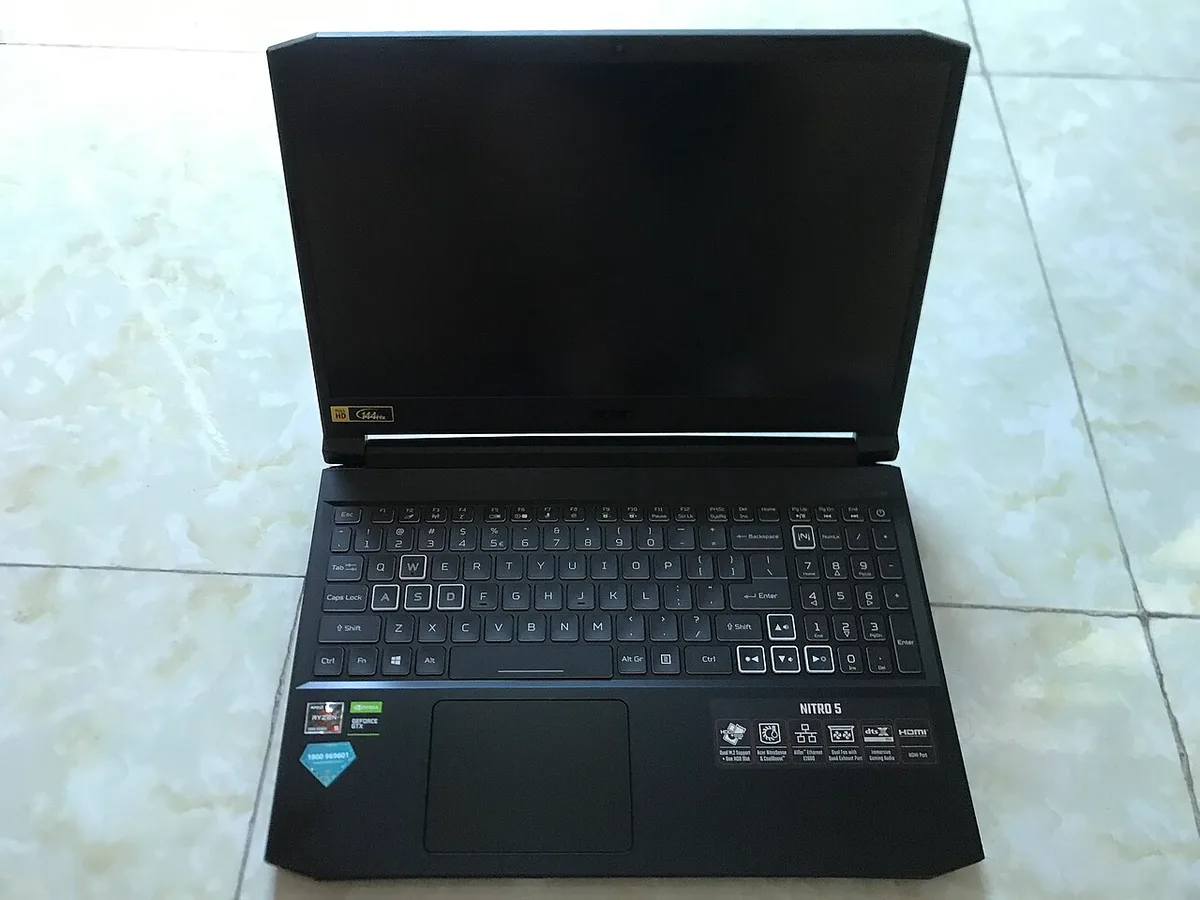
Image source: Wikimedia Commons / AnVuong1222004 (CC BY-SA)
If you care about portability, check how heavy it is before buying. Thick gaming laptops also have a reason for their size, and thicker usually means better cooling. A slim laptop can be great, but it may run hotter and louder under load.
Manufacturer specs confirm that two laptops with the same GPU can perform differently based on wattage and cooling. Nvidia's GeForce laptop GPU specifications are a useful reference for comparing mobile GPU tiers. Acer's official product pages are the best place to verify exact refresh rates, panel types, and port layouts before you buy.
Which Line Fits Which Gamer
Nitro fits buyers who want strong value. It runs esports and 1080p AAA games well. It suits students and first-time owners.
Predator fits buyers who want higher settings, better cooling, and premium displays.
- Choose Nitro if your budget is under $1,000, you play mostly esports, and you are fine with a plastic chassis.
- Choose Predator if your budget is over $1,200, you play demanding AAA games, and you want QHD or 240Hz options.
- A discounted Predator can beat a full-price Nitro, so compare exact GPU wattage and display specs.
- If you need one machine for school and gaming, daily work use often favors Nitro because the lower price leaves room for accessories.
- For long sessions, long-session comfort matters, and Predator's stronger cooling can help in warm rooms.
- For travel, check average laptop weight, backpack fit, and carrying it safely before you buy.
- If you protect the laptop on trips, travel protection is worth adding to your plan.
Common Buying Mistakes to Avoid
The biggest mistake is buying by line name alone. Nitro and Predator both have many configurations, and the exact CPU, GPU wattage, RAM, SSD, and display matter more than the badge.
- Ignoring GPU wattage. A 140W RTX 4060 can beat a weaker 4070 in some games.
- Assuming all models in a line are equal. Panel quality and cooling vary by model year.
- Skipping build quality checks. Hinges, chassis flex, and keyboard feel affect daily use.
- Choosing metal or plastic based on looks alone. A metal vs plastic chassis choice should match your travel and durability needs.
- Forgetting fan noise. If you study in quiet spaces, quiet fan noise matters as much as frame rates.
- Overlooking hinge durability. Gaming laptops get opened often, so hinge durability deserves attention.
- Buying too little memory. 16GB RAM and 1TB SSD are safer for modern games and updates.
- Ignoring weight. A heavier laptop can be annoying if you carry it every day.
Pro Tips for Buying and Owning Either Line
Verify the exact configuration on Acer's official site before you buy. Retail listings often simplify specs, and small display or GPU wattage differences change the value.
- Update BIOS, graphics drivers, and Windows after setup.
- Use performance modes wisely. Balanced mode helps in class, while performance mode helps in games.
- Clean vents and fans every few months. Dust reduces cooling and increases noise.
- Check whether RAM and storage are upgradeable before buying. Many models have open slots.
- Calibrate the display if color accuracy matters for creative work.
- Protect hinges by opening the lid with both hands and avoiding one-corner lifting.
- Use a cooling pad in hot rooms or during long AAA sessions.
- Set up an ergonomic desk if you game for hours. Good posture reduces strain.
- If you carry the laptop often, review carrying it safely and travel protection.
- Pack the charger carefully and review charger travel tips.
- Thin models are easier to carry, but thin models can trade cooling for portability.
- Keep receipts and warranty details. Some regions offer different support terms.
FAQs
Is Acer Predator better than Nitro?
Predator is usually better for high settings, stronger cooling, and premium displays. Nitro is usually better for value and budget-conscious buyers. "Better" depends on your budget and the exact configuration, not just the product line.
Can a Nitro run AAA games?
Yes, many Nitro models run AAA games well at 1080p with medium to high settings. Performance depends on the CPU, GPU wattage, RAM, and cooling. Check the exact model specs before buying.
Is Predator worth the extra money?
Predator is worth it if you want higher refresh rates, better cooling, brighter displays, or stronger GPUs. If you mostly play esports or 1080p games, Nitro often gives better value for the money.
Do Predator laptops last longer?
Predator models often have stiffer builds and stronger cooling, which can help long-term performance. Longevity still depends on care, dust, heat, and how hard the laptop is pushed. Regular cleaning and good airflow matter for both lines.
Which is better for college students?
Nitro is often better for college students because it costs less and still handles gaming, schoolwork, and streaming. Predator makes sense if you need more power for creative projects or want a better display. Budget and portability should guide the choice.
Can you upgrade RAM and storage on both?
Many Nitro and Predator models allow RAM and storage upgrades, but not every configuration does. Check the specific model's service manual or Acer's official specs before buying. Upgradeability can add years of useful life.