Many shoppers ask what are the disadvantages of a prebuilt gaming pc before spending serious money on a machine they cannot easily change. The appeal is obvious: plug it in, install a game, and start playing. But factory-sealed convenience often hides trade-offs that surface months later.
Manufacturer specifications frequently list a 650-watt power supply unit without naming the brand or its 80 Plus efficiency rating. Aggregate reviews show that some systems ship with single-channel RAM instead of the dual-channel setup most gamers need. Our research found entry-level prebuilts cost about 20 percent more than equivalent custom builds as of 2026.
Start with the real downsides below to decide if the trade-off fits you.
The Real Downsides of Prebuilt Gaming PCs (Not What You Hear)
A prebuilt gaming PC arrives ready to play, but that convenience carries a price most buyers do not see until later. The clearest disadvantage is cost. Manufacturers charge for labor, branding, and warranty support on top of the parts.
Our research indicates entry-level and mid-range prebuilts often run 15 to 30 percent above the cost of sourcing the same components individually.
Upgrade paths are another common frustration. Many cases use non-standard motherboard mounting points or power supply shrouds that block off-the-shelf graphics cards. A buyer might want a larger GPU after a year, only to discover the chassis lacks physical clearance or the PSU wattage to support it.
Thermal design also suffers in compact prebuilts. Stock coolers and limited airflow can push CPU temperatures into the 90s under load, triggering thermal throttling that cuts frame rates. Aggregate reviews report loud fan noise as a frequent complaint, especially in small form-factor models.
Software clutter rounds out the list. Pre-installed trial antivirus, browser toolbars, and manufacturer dashboards consume background resources. While removable, cleaning them takes time and technical confidence many new owners do not have.
Warranty terms create a grey area too. Opening the case to add RAM or swap storage can void coverage on some brands, leaving the owner stuck between performance gains and protected support.
| Factor | Prebuilt Gaming PC | Custom Build |
|---|---|---|
| Price | Higher assembly markup | Pay only for parts |
| Upgrades | Often limited by case and PSU | Full control |
| Software | Bloatware included | Clean OS install |
| Warranty | Single vendor support | Individual part warranties |
| Setup | Immediate | Hours of assembly |
Power supplies in prebuilts often use proprietary cables. Swapping the unit for a higher-wattage model means replacing every connector, not just the box. That detail alone can make a simple upgrade impractical.
Motherboards frequently lack extra M.2 slots or BIOS options for tuning. Enthusiasts who want to adjust fan curves or memory timings may find the interface locked down.
What Are the Disadvantages of a Prebuilt Gaming Pc
Prebuilt gaming PCs cost more than custom builds with the same parts. Upgrades are often blocked by proprietary cases and power supplies. Bloatware runs in the background and slows performance.
Warranty coverage can vanish if you open the chassis. Cooling designs in compact models may cause thermal throttling under load.
Inside the Box: How Prebuilts Are Configured and What's Included
Opening the side panel reveals a mix of branded and generic components. Manufacturers prioritize cost targets over enthusiast preferences. You often get a capable processor paired with a basic motherboard that lacks overclocking headroom.
Core components vary by tier. Entry-level models pair an Intel Core i5 or AMD Ryzen 5 with an NVIDIA RTX 3050 or similar card. Mid-range steps move to an RTX 4060 or 4070, but the supporting parts may still be economy grade.
Memory and storage reveal the biggest shortcuts. Many prebuilts ship with a single stick of RAM instead of a matched pair. That single-channel configuration reduces memory bandwidth and can lower frame rates in CPU-bound games.
Storage usually includes one NVMe SSD, often 512 gigabytes, with room for a second drive that is not always easy to access.
The power supply is the most opaque part. A spec sheet may list 650 watts without naming the manufacturer or efficiency certification. Intel processor specifications confirm that stable voltage delivery matters for sustained gaming sessions, yet prebuilt buyers rarely see that detail.
Software is preloaded before shipping. Windows comes with trial antivirus, browser extensions, and manufacturer utilities. These programs run at startup and consume RAM.
Removing them improves performance but requires time and confidence.
- CPU: Usually the headline spec, often current generation
- GPU: Matched to price tier, sometimes last-generation stock
- RAM: Frequently single-channel, limiting bandwidth
- Storage: One SSD slot occupied, second slot varies
- PSU: Wattage listed, brand and efficiency often hidden
The case itself is often designed for cost, not airflow. Mesh panels may be narrow, and fan placement favors noise over cooling. That thermal trade-off affects how long components can sustain boost clocks.
Component Quality, Upgrade Limits, and Hidden Costs That Matter
The sticker price rarely tells the full story. A prebuilt can look affordable until you try to improve it. Proprietary parts and hidden fees often turn a bargain into a long-term expense.
Proprietary parts lock buyers into one ecosystem. Power supplies use non-standard cables, so swapping the unit means replacing every connector. Motherboards may use custom mounting points that prevent off-the-shelf coolers.
Some models solder RAM directly to the board, eliminating upgrades entirely. High RAM usage in modern titles makes that limitation painful.
Upgrade limits appear in the chassis too. Small cases lack clearance for triple-fan graphics cards. A power supply rated at 500 watts leaves no headroom for a more demanding GPU later.
Buyers who plan to add storage may find only one M.2 slot, already filled.
Hidden costs emerge after purchase. Extended warranties cost extra. Shipping a heavy desktop for repair under warranty can take weeks.
Some brands charge for on-site service or diagnostic fees. Software subscriptions bundled at setup may renew automatically.
If you plan to stress test your CPU after an upgrade, know that prebuilt cooling may not sustain the load. Our research shows thermal throttling appears more often in factory-sealed systems than in builds with retail coolers. Buyers who plan to add storage should check storage speed and slot availability before assuming room to grow.
Pros and Cons: When Prebuilts Shine and When They Fall Short
Prebuilt gaming PCs offer clear benefits for specific buyers. The main advantage is convenience. A system arrives tested, assembled, and ready to run.
Warranty support comes from one vendor, which simplifies claims. Financing options are common at major retailers, lowering the upfront barrier.
The downsides stack up for enthusiasts. Cost per frame is higher than a custom build. Upgrade options are narrow.
Proprietary cases and power supplies block standard parts. Bloatware consumes resources. Thermal headroom is tight in compact designs.
Who should buy one? First-time buyers who want to avoid assembly. Gift givers who need a working system on arrival.
Office workers who game occasionally and lack time to troubleshoot. Anyone with limited desk space who values a compact form factor.
Who should skip it? Upgrade-focused gamers who swap parts every year. Budget builders who want maximum frames per dollar should compare benchmark results before choosing a prebuilt.
Competitive players who tweak fan curves and memory timings should look elsewhere. Users who need easy access to internal storage should build their own.
| Buyer Type | Prebuilt Fit | Reason |
|---|---|---|
| First-time owner | Strong | No assembly required |
| Upgrade enthusiast | Weak | Proprietary limits |
| Budget shopper | Weak | DIY costs less |
| Casual gamer | Strong | Plug-and-play simplicity |
| Small-space user | Strong | Compact designs available |
Who Should Buy a Prebuilt Gaming PC? Best Use Cases and Who It's Not For
Prebuilt gaming PCs suit buyers who prioritize immediate readiness over customization flexibility. First-time owners who lack assembly confidence benefit from factory-tested compatibility and vendor support. Gift givers appreciate the plug-and-play experience, delivering a working system without requiring technical knowledge from the recipient.
Office workers with occasional gaming needs find compact designs fit limited desk spaces while handling light to moderate workloads. Casual gamers who play a few titles weekly often achieve sufficient frame rates with preconfigured mid-range components. Users who value warranty coverage over part-level control also gain peace of mind through single-vendor accountability.
However, upgrade-focused gamers should think twice before purchasing a prebuilt. Enthusiasts who swap graphics cards or add RAM annually will encounter proprietary power supplies and non-standard chassis that block common components. Budget builders seeking maximum frames per dollar typically achieve better value by sourcing parts individually and assembling a custom system.
Competitive players who tweak fan curves, memory timings, or overclock GPU settings may find factory-limited BIOS options restrictive. Users who need easy internal access for regular maintenance or cleaning should consider designs with tool-less panels and modular layouts instead of sealed units.
Small-space residents often favor prebuilts for their integrated, space-saving footprints. Compact cases combine motherboard, power supply, and storage into a single footprint, freeing valuable desk real estate. Users in dorm rooms or studio apartments benefit from factory-assembled units that avoid the need for separate component sourcing.
However, those who anticipate future expansion should verify upgrade headroom before purchase, as slim chassis frequently lack clearance for longer graphics cards or additional drive bays. Thermal designs in tiny enclosures may also run warmer under sustained loads.
Gamers who prefer console-like simplicity without sacrificing PC-exclusive titles should weigh prebuilts against DIY alternatives carefully. First-time builders willing to invest a few hours in research can often outperform similarly priced prebuilts while retaining full control over future upgrades. The learning curve involves watching assembly guides, verifying part compatibility, and installing drivers, but the reward is a system tailored to specific performance goals.
Those uncomfortable with troubleshooting may still prefer the guaranteed compatibility of a reputable prebuilt manufacturer.
Ultimately, the decision aligns with personal priorities around time, budget, and long-term flexibility. Buyers comfortable with a one-time setup and future-proofing through selective upgrades often find custom builds more satisfying. Conversely, users who value immediate usability, bundled support, and compact design without tinkering will appreciate what a well-configured prebuilt offers.
Matching the system to intended use ensures satisfaction well beyond the initial unboxing experience.
Common Mistakes, Hidden Traps, and Upgrade Headaches to Avoid
Buy‑ing a prebuilt can feel like a shortcut, but overlooking a few details turns that shortcut into a detour. One of the biggest mistakes is ignoring the fine print on power supply wattage and efficiency. A 650‑watt unit without an 80 Plus rating may struggle when you later add a high‑end GPU, causing instability.
Manufacturers often hide component quality behind sleek marketing, so a buyer may assume every part meets the same standards as a custom build, which isn’t true.
Upgrade headaches often start with proprietary cases. Many prebuilts use custom mounting brackets that block standard PCIe slots, making it impossible to drop in a longer graphics card without buying a new chassis. The same applies to RAM; some systems solder memory onto the motherboard, leaving no room for expansion.
Bloatware is another silent thief of performance; trial antivirus and system utilities eat background cycles, dropping frames in demanding titles. Users who don’t clean these applications early find their “plug‑and‑play” experience slower than a fresh Windows install.
Thermal design oversights cause frequent throttling. Compact prebuilts often ship with stock coolers that cannot sustain boost clocks under long gaming sessions, leading to CPU or GPU temperature alerts. The case’s limited airflow can trap hot air, especially when the PSU is placed at the top instead of the bottom.
Users who ignore these signs end up with lower frame rates than expected, even though the advertised specs seemed adequate.
Warranty limitations can trap owners after the first repair. Opening the case to add a SSD or extra storage often voids coverage, leaving the buyer to pay out of pocket for a simple upgrade. Some brands also require shipping the entire system for service, which can take weeks and cost shipping fees.
The result is frustration when a minor upgrade becomes a costly, time‑consuming process.
To avoid these pitfalls, verify PSU efficiency, check for standard motherboard form factors, and list any proprietary connectors before purchase. Scan the system for bloatware and remove it immediately after unboxing. Monitor temperatures during stress tests such as How to Stress Test Your Gaming PC CPU Safely and compare real‑world performance against benchmark data in Decode Gaming PC Benchmarks: What the Numbers Really Mean.
Finally, review the warranty terms for upgrade restrictions; many manufacturers explicitly state that any internal changes cancel coverage.
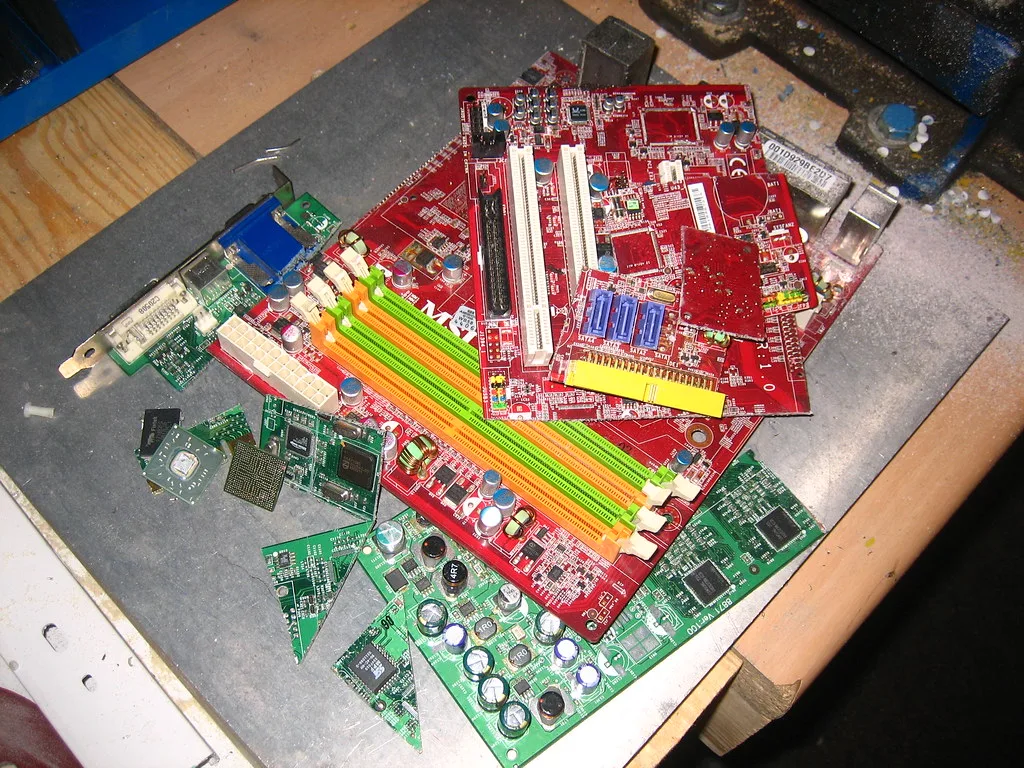
A quick reference table can help you spot hidden traps:
| Issue | Why It Hurts | Spot It Early |
|---|---|---|
| Low PSU efficiency | Insufficient power for future GPU upgrades | Look for 80 Plus Gold or higher |
| Proprietary mounting | Blocks standard PCIe cards | Check case specs for “standard PCIe x16” |
| Soldered RAM | No RAM upgrades possible | Verify “SO-DIMM slots” vs. soldered modules |
| Bloatware | Consumes background cycles | Run a clean Windows reset before gaming |
| Thermal design limits | Throttling under load | Use stress test tools to monitor temps |
By keeping these warning signs in mind, you can sidestep most upgrade headaches and enjoy a smoother, longer‑lasting gaming experience.
Frequently Asked Questions
Are prebuilt gaming PCs worse than custom builds?
Prebuilt gaming PCs are not inherently worse, but they often cost 15 to 30 percent more for equivalent performance. Custom builds offer better upgrade paths, cleaner software, and component-level warranties. Prebuilts win on convenience and single-vendor support.
Choose based on whether you value time or long-term flexibility.
Can you upgrade a prebuilt gaming PC later?
Upgradability varies by manufacturer and model. Many prebuilts use standard PCIe slots and extra M.2 bays, allowing GPU and storage upgrades. Others employ proprietary power supplies, soldered RAM, or custom cases that block larger cards.
Always check the specific chassis, motherboard form factor, and PSU connectors before assuming future upgrades are possible.
Does opening a prebuilt void the warranty?
Opening the case can void the warranty on some brands, especially if you damage components during an upgrade. Others allow user-accessible upgrades like RAM and storage without penalty. Read the warranty terms carefully; look for phrases like "user-replaceable parts" or contact support before breaking seals.
How much bloatware comes on a prebuilt gaming PC?
Most prebuilts include trial antivirus, browser toolbars, manufacturer dashboards, and promotional apps. These run at startup and consume 1 to 3 gigabytes of RAM. A clean Windows reset or manual uninstall removes them in 20 minutes and often improves frame rates by reducing background overhead.
Are prebuilt gaming PCs good for 1440p or 4K gaming?
Mid-range and high-end prebuilts with RTX 4070 Ti, 4080, or 4090 cards handle 1440p and 4K well. Entry-level models with RTX 3050 or 4060 struggle at higher resolutions. Match the GPU to your target resolution; don't rely on the system's marketing tier alone.
What should I check immediately after unboxing a prebuilt?
Verify all cables are seated, run Windows updates, uninstall bloatware, update GPU drivers from NVIDIA or AMD directly, and run a quick stress test to confirm temperatures stay under 85°C on CPU and 80°C on GPU. Check that RAM runs in dual-channel mode using Task Manager or CPU-Z. If single-channel is detected, install a matching stick to enable the full bandwidth.
Verify the change improves performance in a game benchmark before continuing with other optimizations.
Final Recommendation / Verdict / Decision Guide
Prebuilt gaming PCs deliver immediate usability for users who prioritize convenience over long-term flexibility. Buyers comfortable with a fixed configuration and occasional professional servicing often find the trade-off acceptable. Those who anticipate regular upgrades, demand maximum performance per dollar, or enjoy hands-on assembly will likely prefer a custom build.
Match your choice to your technical comfort level, budget constraints, and upgrade intentions before committing to a purchase.