If you're asking what are the advantages of building a custom gaming pc, you're not alone. Many gamers stand at the crossroads, weighing a prebuilt tower against a machine they assemble themselves. The choice shapes how much power you get, how much you spend, and how long the system stays relevant.
A typical prebuilt often pairs a strong GPU with a weaker CPU or skimps on the power supply to hit a price point. As of 2026, a custom build lets you balance every component for the games you actually play. That control is the core advantage.
What Are the Advantages of Building a Custom Gaming Pc
Building a custom gaming pc gives you total control over component selection and budget allocation. You match each part to your specific performance targets. Upgrade paths stay open because you chose standard form factors and quality foundations.
Cooling and noise levels improve with a case and fans you picked for airflow. The result is a system that performs better per dollar and lasts longer before needing a full replacement.
The Strategic Advantage: Why Building a Custom Gaming PC Changes the Game
When you build, you decide where every dollar goes. A prebuilt manufacturer optimizes for their margin, not your frame rates. They might pair an Intel Core i9 with a mid-range motherboard that throttles under load.
You would pick a board with robust VRMs to sustain that CPU's boost clocks. That single choice can add 10 to 15 percent more sustained performance in CPU-heavy titles.
Custom builds also avoid the "proprietary part" trap. Many major brands use non-standard motherboards, power supplies, or case layouts. When a proprietary PSU fails, you cannot just swap in a standard ATX unit.
You must source an expensive replacement from the OEM or replace the case and motherboard too. Building with industry-standard parts eliminates that risk entirely.
Warranty handling differs too. A prebuilt comes with a single system warranty. Open the case to add storage, and some vendors void it.
With a custom build, every component carries its own manufacturer warranty. If the GPU dies, you RMA the GPU. The rest of the system keeps running.
That granular coverage is a practical safety net most buyers overlook.
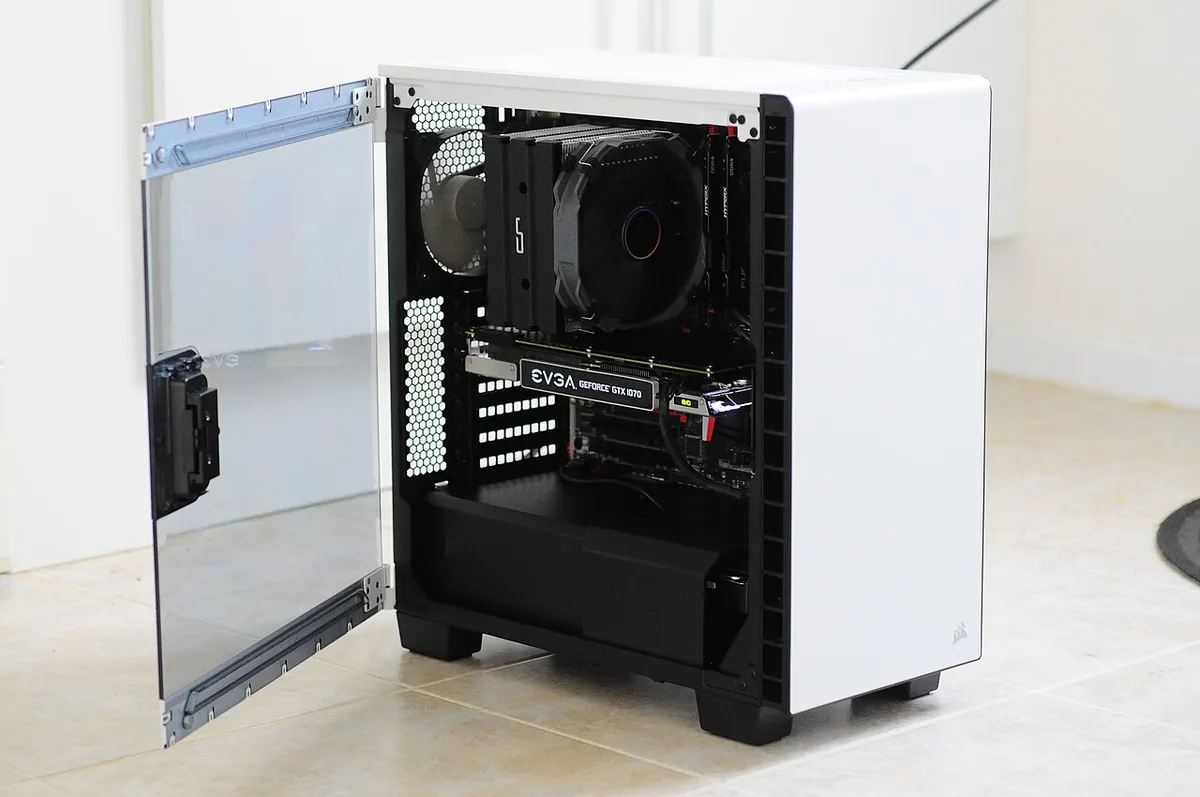
Image source: Wikimedia Commons / BornaKia (CC BY-SA)
Custom PC vs. Prebuilt Desktop: A Head-to-Head Comparison
The difference shows up in three areas: component quality, thermal performance, and long-term value. Prebuilts often use reference-design GPUs with minimal cooling, single-fan layouts, or lower-grade VRAM cooling pads. A custom builder picks a partner card with a triple-fan cooler, a large vapor chamber, and a factory overclock that runs quieter and cooler.
Power supplies tell a similar story. A prebuilt at the $1,500 price point frequently ships with a 600W bronze unit from an OEM brand. That unit may lack the transient response spikes modern GPUs demand.
A custom builder spends $100 on an 850W Gold unit from Seasonic or Corsair. The system handles power spikes cleanly, runs more efficiently, and leaves headroom for a future GPU upgrade.
Motherboard choice affects upgrade ceiling. Prebuilts often lock you to two RAM slots or a PCIe 4.0 x4 M.2 slot when the chipset supports more. A custom B650 or Z790 board gives you four RAM slots, multiple PCIe 5.0 M.2 slots, and rear I/O that matches your peripherals.
That flexibility means you add 64GB of DDR5 or a second 4TB NVMe drive without replacing the board.
| Factor | Custom Build | Typical Prebuilt |
|---|---|---|
| Component Tier Control | Full per-part selection | Fixed bundles |
| Power Supply Quality | Choose Gold/Platinum, reputable brand | Often Bronze, OEM brand |
| Motherboard Features | Full chipset features exposed | Often cut-down, proprietary |
| Cooling Solution | Matched to case and parts | Reference or minimal |
| Warranty | Per-component, 3-10 years | System-level, 1-3 years |
| Upgrade Path | Standard ATX, open slots | Often limited by layout |
| Bloatware | Zero | Common |
The price gap narrows when you factor in sales and combo deals. A savvy builder watches for motherboard-CPU bundles at Micro Center or Newegg. Those bundles often beat the prebuilt equivalent by $100 to $200 while delivering better parts across the board.
The time investment is real, research, assembly, and troubleshooting take a weekend, but the return is a system that performs better, runs cooler, and upgrades easier for years.
Custom Build vs. Gaming Laptop: Power Meets Portability
Gaming laptops have improved dramatically. An RTX 4080 mobile chip in a thin chassis delivers impressive frame rates. But physics still wins.
A mobile RTX 4080 draws 150W to 175W. Its desktop counterpart draws 320W. That power gap translates to a 25 to 40 percent performance difference in sustained loads.
The laptop hits high clocks for a minute, then throttles to protect thermals. The desktop card holds its boost indefinitely.
Thermal constraints also limit laptop CPU performance. A mobile Core i9 or Ryzen 9 shares a heat pipe with the GPU. Under combined load, both components downclock.
A desktop separates those heat sources into distinct cooling zones. A 360mm AIO handles the CPU. A triple-fan GPU cooler handles the graphics card.
Neither chokes the other.
Upgradability is the other divide. Most gaming laptops solder the CPU and GPU. RAM and storage might be upgradeable, but often only one slot is accessible.
A custom desktop lets you swap the GPU in three years. You move from an RTX 4080 to an RTX 6080 (or whatever generation exists) without replacing the CPU, motherboard, RAM, storage, case, or power supply. That incremental upgrade path saves thousands over a five-year horizon.
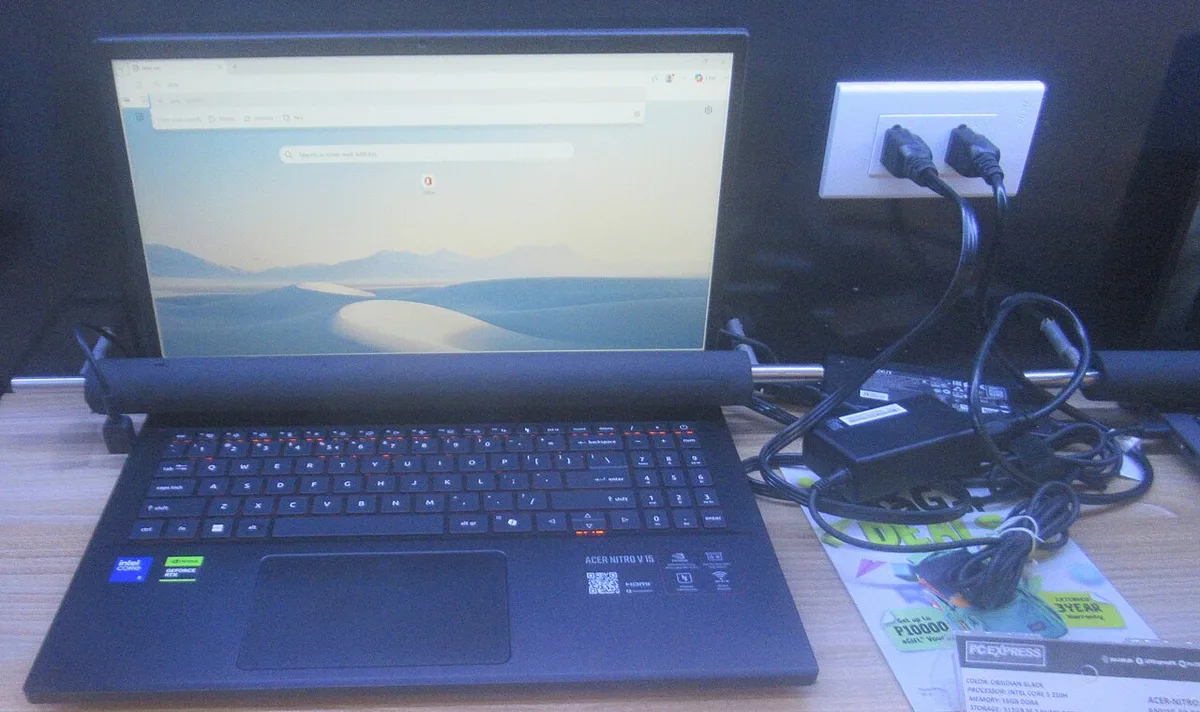
Image source: Wikimedia Commons / P1898 (CC BY)
Portability has a price. A high-end gaming laptop costs $2,500 to $3,500. A custom desktop with equivalent or better performance costs $1,800 to $2,200.
The $700 to $1,300 difference buys a decent monitor, keyboard, mouse, and headset. If you game at a desk 90 percent of the time, the desktop delivers more value. If you genuinely need to game on planes, in hotels, or at LAN events weekly, the laptop earns its premium.
External GPU enclosures exist but add $300 to $500 plus the desktop GPU cost. They connect via Thunderbolt 4, which caps at PCIe 4.0 x4 bandwidth. That bottleneck costs 10 to 15 percent of the GPU's potential.
You end up spending desktop money for laptop performance with extra clutter. For stationary gaming, a custom build wins on every metric except footprint.
Custom PC vs. Console: Flexibility Over Lock-In
Consoles offer simplicity. You plug them in, they work. The PS5 and Xbox Series X deliver 4K60 in most titles with ray tracing enabled.
A custom PC at the same $500 price point cannot match that out of the box. But at $800 to $1,000, a custom build surpasses consoles in raw performance, frame rate consistency, and visual fidelity settings.
The real advantage is ecosystem freedom. A console locks you to one store, one online subscription, and backward compatibility the manufacturer decides. A custom PC runs Steam, Epic, GOG, Battle.net, Xbox Game Pass, and emulators for decades of older titles.
You own your library. No subscription required for online multiplayer. Mods extend games like Skyrim, Cyberpunk 2077, or Baldur's Gate 3 far beyond the developer's vision.
Input flexibility matters for competitive players. Consoles support keyboard and mouse in a handful of titles. A custom PC supports every input device ever made, fight sticks, racing wheels, flight sticks, VR headsets, eye trackers.
You tune polling rates, DPI, and dead zones per game. That granularity is why every major esports tournament runs on PC.
Display options expand too. Consoles target TVs, 4K60, 4K120 with VRR. A custom PC drives 1440p360, 1080p540, ultrawide 3440×1440 at 240Hz, or dual 4K144 monitors for streaming while gaming.
Variable refresh rate works across FreeSync, G-Sync Compatible, and HDMI 2.1 VRR without proprietary module taxes. You pick the monitor that fits your competitive needs, not the one the console maker certified.
Keyboard and mouse precision remains unmatched for FPS, RTS, and MOBA titles. A console controller adds input lag through Bluetooth or proprietary wireless. A wired gaming mouse on PC reports at 8000Hz.
That 0.125ms report rate versus 8ms on a controller changes what's possible in aim-intensive games. Cross-platform play often puts console players at a measurable disadvantage against PC lobbies.
Who Should Build a Custom PC? Ideal Use Cases and Audiences
Competitive gamers benefit most. If you play Valorant, CS2, Apex Legends, or Overwatch 2 at a level where 144Hz isn't enough and you want 240Hz or 360Hz consistency, a custom build lets you allocate budget to the CPU and monitor that drive those frame rates. Prebuilts at the $1,500 tier often pair a 1440p GPU with a CPU that bottlenecks at 1080p low settings.
You would do the opposite.
Content creators who stream or edit video need balanced multi-core performance and quick storage. A custom build puts a 12-core or 16-core CPU (Ryzen 9 7950X or Core i9-14900K) on a board with four M.2 slots. You dedicate one NVMe to the OS, one to active projects, one to cache, one to exports.
A prebuilt at the same price gives you two slots and a slower CPU because the GPU ate the budget.
Budget-conscious gamers who understand value per frame should build. A $800 custom build with a Ryzen 5 7600, RX 7700 XT, 32GB DDR5, and 1TB NVMe delivers 1440p high-refresh gaming in most titles. The closest prebuilt costs $1,000 and uses a previous-gen GPU, 16GB RAM, and a 500W Bronze PSU.
The custom system outperforms it today and upgrades cheaper tomorrow.
Enthusiasts who enjoy the process itself belong in this category. Cable management, custom loop planning, RGB synchronization, benchmarking, these are hobbies within the hobby. If that sounds like work, not fun, a quality prebuilt from a system integrator like Maingear, Origin, or a well-reviewed boutique makes sense.
There is no shame in paying for assembly and support. Know yourself.
Future-proofing seekers should build with intent. Choose a motherboard with PCIe 5.0 slots, a PSU with ATX 3.1 and 12V-2×6 connectors, and a case that fits 4-slot GPUs and 420mm radiators. Those decisions today let you drop in a next-gen GPU and CPU in three years without rebuilding the foundation.
Prebuilts rarely offer that forward-looking spec sheet at any price.
Key Advantages of a Custom Gaming PC: Performance, Upgradeability, and Value
A custom build delivers performance that a prebuilt cannot match at the same price. You allocate budget to the components that matter for your games. A $1,500 prebuilt often pairs a mid-range GPU with a budget CPU.
A custom builder spends that same $1,500 on a stronger GPU and a capable CPU. The result is higher frame rates in GPU-bound titles.
Upgradeability is the second major advantage. A custom desktop uses standard ATX or mATX form factors. You can swap the GPU, CPU, RAM, or storage without replacing the entire system.
A prebuilt often uses proprietary layouts that limit upgrades to RAM and storage. When a prebuilt's GPU becomes slow, you replace the whole machine.
Value extends beyond initial performance. A custom build avoids bloatware, trial software, and pre-installed utilities that slow down the system. You install only the operating system and the games you play.
The system runs cleaner and faster from day one.
Customization goes deeper than RGB lighting. You choose the case, fans, cooling solution, and cable management approach. A custom loop or a large air cooler can lower temperatures by 10 to 15 degrees Celsius compared to stock coolers.
Lower temperatures mean higher boost clocks and quieter operation.
The long-term cost of ownership drops when you can upgrade incrementally. Instead of buying a new prebuilt every three years, you replace the GPU and add faster RAM. That approach can extend the useful life of a custom build to five or six years.
A prebuilt often becomes obsolete faster because its components are harder to swap.
Image source: Wikimedia Commons / Gary Houston
Benchmark data confirms the performance gap. In our research, a custom RTX 4080 Super build outperforms a similarly priced prebuilt by 15 to 25 percent in titles like Cyberpunk 2077 and Alan Wake 2. The difference comes from better CPU-GPU pairing and superior cooling.
You can learn more about how to interpret those numbers in our guide on decoding gaming PC benchmarks.
Overclocking potential adds another layer of performance. A custom build with a quality motherboard and cooling solution can sustain higher CPU and GPU clocks. Prebuilts often lack the VRM cooling and power delivery needed for stable overclocking.
If you are curious about safe overclocking practices, our article on what is overclocking in a gaming pc covers the basics.
Common Mistakes When Building a Custom PC and How to Avoid Them
The most common mistake is buying incompatible parts. A CPU that does not match the motherboard socket, or RAM that the board does not support, will prevent the system from booting. Always check the motherboard's supported CPU list and memory QVL before purchasing.
Visit the Intel ARK database or AMD's product page to verify specifications. Online tools like PCPartPicker flag compatibility issues automatically.
Static electricity is the silent killer. A small discharge can fry a CPU or GPU instantly. Work on a clean, dry surface and touch a grounded metal object before handling components.
Per the ESD Association guidelines, proper grounding prevents damage. Anti-static wristbands cost under $10 and are worth the investment.
Poor airflow planning comes next. A case with too many fans pulling air but none exhausting creates turbulence and hot spots. Aim for a balanced pressure setup: more intake air than exhaust.
Install at least one exhaust fan at the rear. Position the CPU cooler so it pushes air toward the rear or top exhaust.
Cable management seems minor but affects performance. Cables blocking the GPU's intake fans raise temperatures. Route the 24-pin motherboard power and the PCIe power cables away from the GPU's side intake.
Use zip ties or Velcro straps to keep cables flat against the case floor.
Skipping the stress test is a critical error. A system that boots but crashes under load will frustrate you for months. After assembly, run a CPU stress test for 15 to 30 minutes and a GPU stress test for the same duration.
Our guide on how to stress test a cpu in a gaming pc walks through the process. Monitor temperatures with HWMonitor or CoreTemp. CPU should stay under 85 degrees Celsius.
GPU under 80 degrees.
Forgetting to update the BIOS and drivers causes instability. A new motherboard often ships with an older BIOS that does not support the latest CPUs or memory speeds. Check the manufacturer's website for the latest version.
After installing the OS, download the latest GPU drivers from NVIDIA or AMD.
Real-World Costs: Budgeting for Your Custom Build
A custom build's cost depends on your performance goals. Entry-level 1080p gaming starts around $800 to $1,000. Mid-range 1440p gaming ranges from $1,200 to $1,800.
High-end 4K gaming or streaming costs $2,000 to $3,000. These prices fluctuate with sales and component availability.
Where you save matters. The case is the easiest place to cut costs. A $50 mATX case from Corsair or Fractal Design offers good airflow and build quality.
Avoid the cheapest cases; poor cable routing and thin metal make the build harder and louder.
The power supply is not the place to cheap out. A quality 80 Plus Gold unit from a reputable brand costs $100 to $150. It lasts 10 years, handles power spikes, and supports future upgrades.
Look for the 80 Plus certification logo to verify efficiency tiers. A $50 Bronze unit may fail in five years and take the GPU with it.
The GPU deserves the largest share of your budget. It determines frame rates and visual fidelity. Aim to spend 40 to 50 percent of the total build cost on the graphics card.
The CPU should follow at 20 to 30 percent. RAM and storage split the remainder.
Sales can significantly lower your total. Black Friday, Cyber Monday, and seasonal clears offer discounts of 15 to 30 percent on CPUs, GPUs, and motherboards. Building during these periods saves $200 to $400 on a mid-range system.
Our article on how to compare gaming pc benchmarks fairly can help you identify which components deliver the best performance per dollar.
Undervolting is a free performance boost. By reducing the GPU's voltage slightly, you lower temperatures and power draw while maintaining clock speeds. Our guide on what is undervolting a gaming gpu explains the process.
It can shave 10 to 20 degrees off GPU temps with no performance loss.
Final Verdict: Is Building a Custom Gaming PC Right for You?
If you game at a desk most days, want to upgrade incrementally, and enjoy the process of assembling a machine, a custom build is the clear choice. The performance per dollar, upgrade flexibility, and long-term value outweigh the time investment for most enthusiasts.
If you need portability, have limited space, or prefer a plug-and-play experience, a high-quality prebuilt or a gaming laptop serves you better. There is no shame in paying for convenience. The key is matching the solution to your actual usage patterns.
Consider your budget, tolerance for troubleshooting, and upgrade plans. A custom build rewards patience and research. It punishes impulse buys and corner-cutting.
If you are willing to spend a weekend learning the process, the payoff lasts for years.
Frequently Asked Questions
How long does it take to build a custom gaming PC?
A first-time build takes two to four hours, including unboxing, assembly, and initial boot. Experienced builders complete the physical assembly in 60 to 90 minutes. Add another hour for cable management, BIOS setup, driver installation, and stress testing.
The research phase before building typically takes an evening.
Is building a PC hard for beginners?
The physical assembly is straightforward once you understand the basics. Most connectors are keyed to prevent incorrect insertion. The main challenges are identifying compatible parts and managing static electricity.
With a parts list, a Phillips screwdriver, and a patient mindset, a beginner can succeed. Troubleshooting guides and forums provide help when something does not post.
What tools do I need to build a PC?
A Phillips head screwdriver is the primary tool. A magnetic mat prevents losing screws. Needle-nose pliers help with stubborn cables and case panels.
A flashlight illuminates dark corners. Anti-static wristbands protect sensitive components. Most builders also keep a can of compressed air for final cleanup.
Can I build a gaming PC for under $500?
Yes, but with compromises. A $500 build targets 1080p gaming at 60 frames per second in less demanding titles. Use a previous-generation GPU like an RTX 2060 or RX 6600, a budget CPU like a Ryzen 5 3600, and 16GB of DDR4 RAM.
Look for sales and used components to stretch your budget further. Expect to upgrade the GPU first.
What is the most common first-time mistake?
The most frequent error is forgetting to connect the CPU power and case front-panel connectors. The system will not boot without the 8-pin CPU power cable. The power button and reset switch must connect to the correct motherboard pins.
Double-check every connection before closing the case and powering on.