If you have wondered what are ray tracing cores in a gaming GPU you are not alone. These specialized units handle the heavy math of tracing light paths in real time. Without them modern games fall back to shader hacks that crawl at slideshow speeds.
The difference shows up the moment you flip on ray traced reflections or shadows.
Nvidia’s Ada Lovelace architecture packs up to 512 third‑gen RT Cores on the RTX 4090 while AMD’s RDNA 3 tops out at 96 second‑gen Ray Accelerators on the RX 7900 XTX. Both vendors measure peak throughput in GigaRays per second but real frame rates depend on memory bandwidth cache hierarchy and driver scheduling. Let’s break down why those cores decide whether your 1440p session stays smooth or stutters.
Why Ray Tracing Cores Matter for Your Frame Rates
Dedicated ray tracing hardware isolates the intersection test from the general shader pipeline. When a game fires millions of rays per frame the BVH traversal unit walks the acceleration structure without stalling the raster pipes. That parallelism keeps the GPU fed with work instead of bubbles.
If your card lacks those units the driver falls back to software emulation on the shader cores. That path is orders of magnitude slower and consumes shader cycles that could be shading pixels. The result is a frame rate cliff that no amount of overclocking can fix.
Upscaling technologies like DLSS and FSR lean on the same hardware. Tensor Cores or WMMA units denoise the sparse ray traced image while the RT Cores keep feeding new rays. The two pipelines run concurrently so the upscaler gets a cleaner input with less temporal ghosting.
Budget buyers should check the spec sheet before assuming a GPU supports hardware ray tracing. Some entry models share the same marketing name but ship with zero RT Cores. That omission turns a playable experience into a slide show the moment you enable any RT effect.
What RT Cores and Ray Accelerators Actually Do
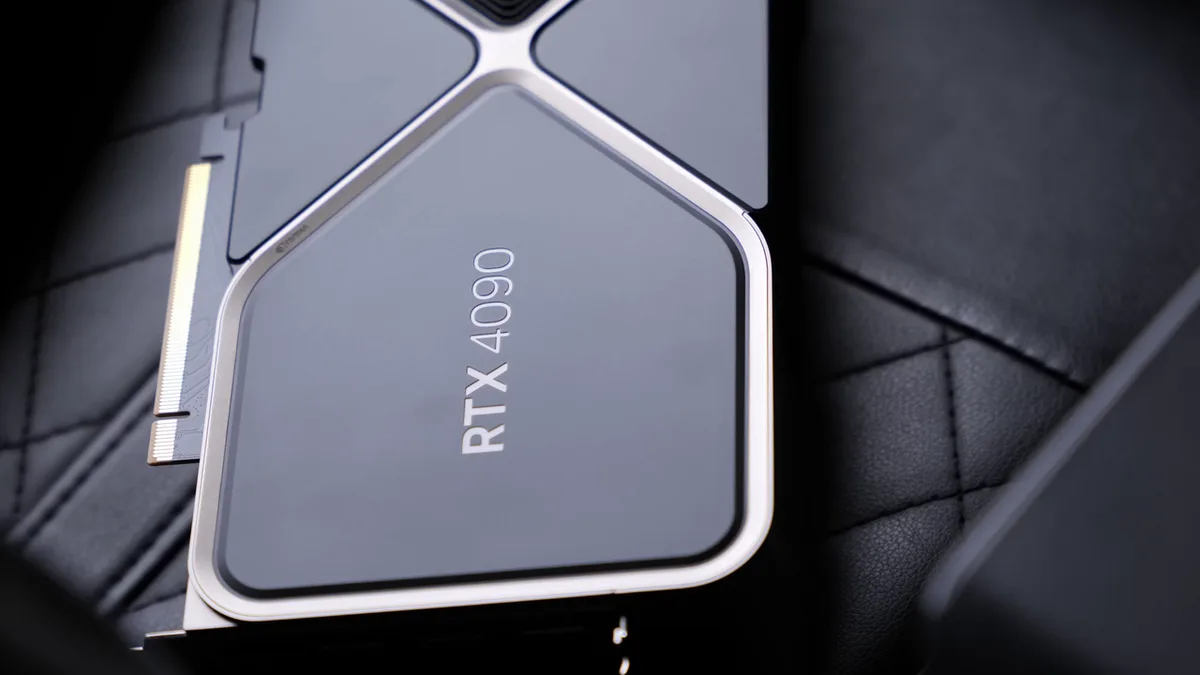
RT Cores and Ray Accelerators are fixed‑function blocks that perform ray box and ray triangle intersection tests. They accept a ray origin direction and a BVH node then return hit or miss plus distance. The shader core only sees the result not the traversal logic.
Nvidia’s first gen Turing cores could run one ray triangle test per clock. Second gen Ampere doubled that throughput and added concurrent ray tracing and compute. Third gen Ada Lovelace introduced Shader Execution Reordering which groups similar rays together to reduce warp divergence.
AMD’s RDNA 2 Ray Accelerators handle four ray box or one ray triangle test per cycle. RDNA 3 doubles the box test rate and adds instructions for instance transform and opacity micromaps. Both vendors expose the hardware through DXR and Vulkan ray tracing extensions.
Intel’s Xe cores in Arc Alchemist include a dedicated ray tracing unit per slice. It supports the same DXR 1.1 feature set but with lower peak GigaRays per second. The programming model is identical so game code paths remain vendor agnostic.
Generations, Counts, and What the Specs Don't Tell You
Marketing slides love to quote peak GigaRays per second but that number assumes perfect occupancy and zero memory latency. Real games spend cycles building and refitting the BVH streaming geometry and waiting on texture fetches. Those stalls hide behind the raw throughput figure.
Core count scales with the GPU tier but not linearly. An RTX 4070 has 184 third gen RT Cores while the 4060 drops to 72. The 4060 Ti sits in between with 120.
Each step down also loses memory bandwidth and L2 cache which hurts ray tracing more than rasterization.
Clock speed matters because intersection throughput is clock gated. A 4070 running at 2.5 GHz delivers more rays per second than a 4080 held at 2.0 GHz by thermal limits. Laptop variants often run 30 to 40 percent lower clocks than desktop counterparts with the same core count.
Driver maturity shifts performance after launch. Early Ampere drivers struggled with SER emulation while later updates unlocked the hardware scheduler. AMD’s RDNA 3 saw similar gains after the 23.5 driver added better BVH refit heuristics.
Always test with current drivers before judging a generation.
Nvidia RT Cores vs AMD Ray Accelerators vs Intel Xe RT Units
Nvidia’s RT Cores pair tightly with Tensor Cores for DLSS denoising. That integration lets the ray tracing pipeline feed a neural denoiser without a round trip to VRAM. The result is cleaner images at lower ray counts which translates to higher frame rates.
AMD separates the Ray Accelerator from the AI matrix units. FSR 3 uses a spatial temporal upscaler that runs on the compute units not a dedicated tensor block. The denoiser is hand tuned and runs in a separate compute pass which adds latency but works on any GPU.
Intel’s Xe RT units sit alongside XMX matrix engines. The Arc driver stack routes DXR work to the RT unit and XMX work to the matrix engine. Early drivers had scheduling overhead but recent updates improved concurrency.
The hardware supports the same feature set as DXR 1.1.
If you already own a GPU the vendor choice is made. For new buyers the decision hinges on ecosystem features. Nvidia leads in path traced titles and DLSS adoption.
AMD offers more VRAM per dollar which helps at 4K. Intel targets the mid range with competitive raster and decent RT for the price.
Checking Your GPU, Enabling RT, and Benchmarking the Cost
Open Device Manager or GPU‑Z and confirm the ray tracing core count matches the spec sheet. On Nvidia cards the RT Core count appears in the specs tab. AMD lists Ray Accelerators per compute unit.
Intel shows Xe cores with RT capability.
Update to the latest Game Ready or Adrenalin driver. Enable DXR or Vulkan ray tracing in the game settings. Start with a single effect like reflections or shadows rather than full path tracing.
That isolates the cost and keeps the frame rate playable.
Turn on DLSS Quality or FSR 2 Quality at your target resolution. Run the in‑game benchmark or use OCAT to capture a 60 second run. Note the average frame rate and 1 percent lows.
Repeat with ray tracing off to calculate the delta.
If VRAM usage exceeds 90 percent lower the ray tracing texture quality or geometry detail before dropping the upscaling tier. BVH data lives in VRAM and spilling to system memory kills frame pacing. A 12 GB card handles 1440p RT better than an 8 GB card at the same tier.
Most buying mistakes come from trusting a product name instead of the spec sheet. Nvidia reuses the RTX label across cards with wildly different core counts. An RTX 3050 carries 20 second gen RT Cores, while the RTX 3060 carries 28, and both sit under the same umbrella.
Check the number before you pay.
Here are the errors we see most often:
- Assuming laptop equals desktop. An RTX 4070 Laptop chip has fewer cores and lower clocks than the desktop 4070. Treat mobile parts as a separate tier entirely.
- Turning on every effect at once. Start with ray traced reflections. If frames hold, add shadows. Save full path tracing for last.
- Skipping the upscaler. Ray tracing without DLSS or FSR is a self-inflicted wound on mid range hardware.
- Ignoring VRAM. BVH data and ray payloads add 1.5 to 3 GB. An 8 GB card at 1440p will spill.
- Judging with old drivers. Per Microsoft's DirectX Raytracing specification, the API layer is stable, but vendor drivers behind it improved noticeably across Ampere and RDNA 3 after launch.
One more error hides in the rest of the build. Ray tracing pushes the whole pipeline, so the available PCIe lanes and the CPU feeding work matter more than they do in plain rasterization.
Who Needs Dedicated Ray Tracing Hardware (And Who Doesn't)
Not everyone benefits equally. The honest answer depends on what you actually play and how you spend your evenings.
If cinematic single player titles fill your library, the hardware pays for itself fast. Path traced lighting in games like Alan Wake 2 changes how a scene reads in ways no settings slider can fake.
If you live in competitive shooters at 240 Hz, ray tracing mostly works against you. The frame cost outweighs the visual gain when you're tracking targets at speed. Put that money into refresh rate instead.
| Your situation | Verdict |
|---|---|
| Single player, 1440p or 4K, 60 fps target | Worth the premium |
| Competitive esports, high refresh | Skip it |
| 3D rendering, Unreal, D5 Render | Strong yes |
| 1080p budget build on a sub $300 card | Optional |
Creators see the math shift again. Blender's OptiX backend and Unreal Engine's hardware Lumen both lean on these units directly. Render times drop noticeably compared to shader based fallbacks.
Pairing a fast card with a weak CPU creates its own bottleneck, and cache-heavy CPU designs feed a GPU better than budget chips do. Plan the whole system, not just the graphics card.
Quick Answers to Common Ray Tracing Core Questions
Do RT Cores do anything when ray tracing is off?
No. The units sit idle during normal rasterized rendering. They activate only when a game submits DXR or Vulkan ray tracing work, so you lose nothing by leaving the feature disabled in titles that don't support it.
Are RT Cores the same as Tensor Cores?
No, they handle different jobs. RT Cores run ray intersection tests against the BVH structure. Tensor Cores run matrix math for DLSS and neural denoising.
Nvidia pairs them so denoising happens in parallel with the next frame's rays.
Can a GPU without RT Cores run ray tracing?
Technically yes, but not usefully for gaming. The driver falls back to shader based emulation, which is orders of magnitude slower. Cards like the GTX 16 series technically support DXR and produce single digit frame rates in modern RT titles.
How much extra VRAM does ray tracing need?
Roughly 1.5 to 3 GB at 1440p, depending on the scene. That covers the BVH structure plus per pixel ray payloads. Cards with 8 GB or less struggle once you add high resolution textures on top.
Is ray tracing worth it on a gaming laptop?
Sometimes. Mobile RT Cores are cut down and clocked lower, so the frame cost runs higher than on desktop. It works well on high tier laptops with strong cooling and a regular cleaning schedule to hold clocks steady.