Buying one laptop for both work and gaming can save money, desk space, and the inconvenience of maintaining two separate computers. The challenge is finding a model that performs well after office hours without becoming awkward during meetings, classes, or everyday productivity work.
A good budget gaming and work laptop needs more than a dedicated graphics card. It should have enough RAM for multitasking, a comfortable keyboard, fast storage, useful ports, a capable processor, and a design that does not look completely out of place in a professional setting.
Portability matters too. A powerful laptop may deliver excellent frame rates but become frustrating when you have to carry a heavy computer and an oversized charger every day.
For this guide, I compared five Amazon-listed laptops that balance gaming performance with office applications, study, programming, video calls, content creation, and general multitasking. The models range from an affordable RTX 4050 starter to a stronger RTX 4060 option for buyers with more demanding workloads.
All five products had active Amazon purchasing options when checked on August 5, 2026. Prices, sellers, configurations, delivery dates, and warranty terms can change, so verify the exact specifications before ordering.
Affiliate Disclosure: As an Amazon Associate, Game Insider Hub earns from qualifying purchases. This does not increase the price you pay.
Best Budget Gaming and Work Laptops at a Glance
| Laptop | Graphics | Memory and Storage | Best For | Check Price |
|---|---|---|---|---|
| Lenovo LOQ 15 Ryzen 7 Gaming Laptop | RTX 4050 6GB | 16GB / 512GB SSD | Best overall | View on Amazon |
| HP Victus 15 Ryzen 5 Gaming Laptop | RTX 4050 6GB | 32GB / 1TB SSD | Heavy multitasking | View on Amazon |
| MSI Thin 15 B12VE-2023US | RTX 4050 6GB | 16GB / 512GB SSD | Portability | View on Amazon |
| Acer Nitro V ANV15-52-586Z | RTX 4050 6GB | 8GB / 512GB SSD | Lowest initial cost | View on Amazon |
| ASUS TUF Gaming A15 FA507NV-EH74 | RTX 4060 8GB | 16GB / 1TB SSD | Best performance | View on Amazon |
1. Lenovo LOQ 15 Ryzen 7 RTX 4050 Gaming Laptop — Best Overall
Credit: Amazon
Check the Current Price on Amazon
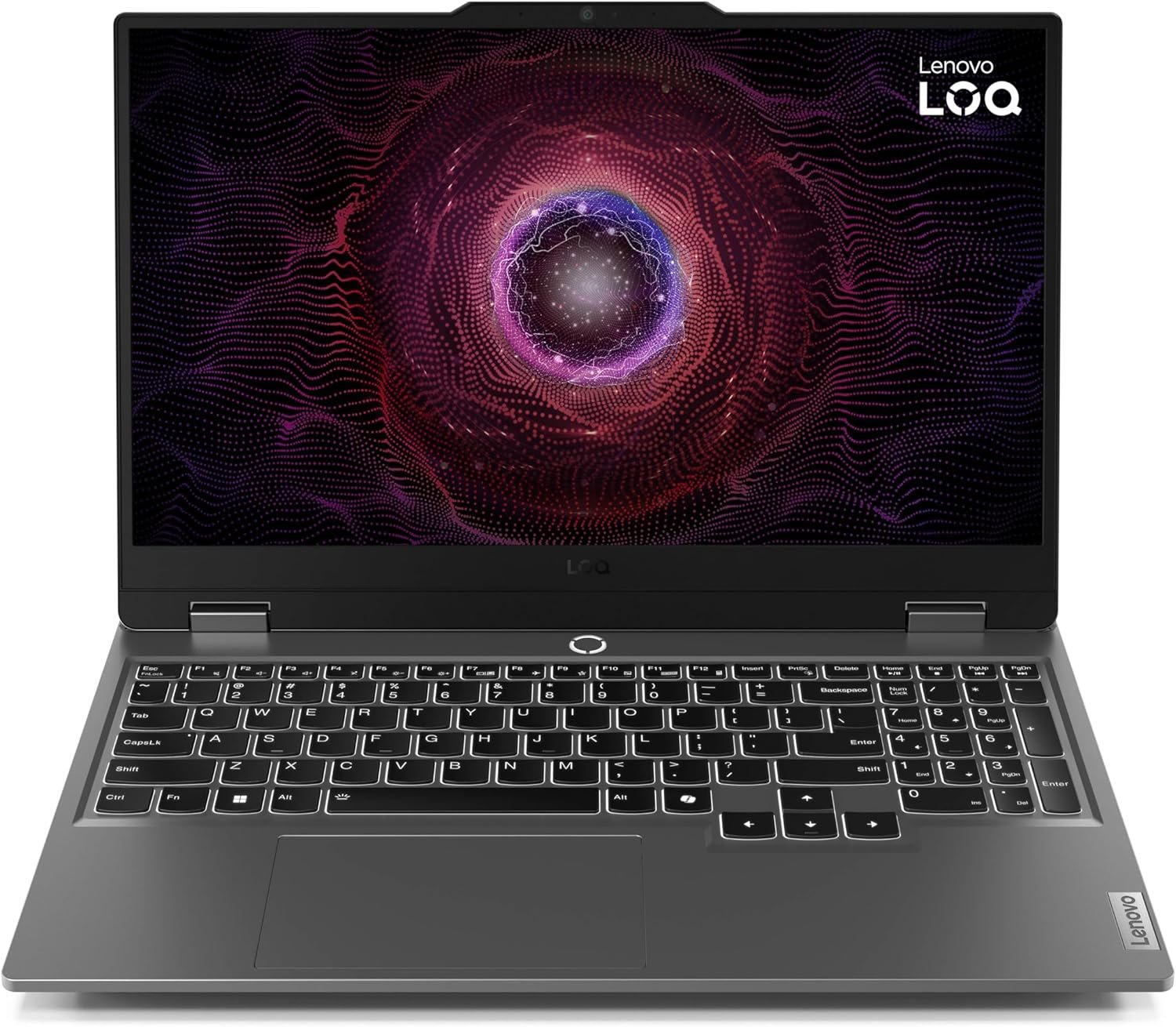
The Lenovo LOQ 15 offers the best balance between gaming capability and everyday work performance.
The selected configuration combines an eight-core AMD Ryzen 7 7435HS processor, NVIDIA GeForce RTX 4050 graphics, 16GB of RAM, a 512GB SSD, and a 15.6-inch Full HD display with a 144Hz refresh rate. The exact Amazon listing is model 83JC007KUS and had an active Buy Now option during verification.
The Ryzen 7 processor provides enough multicore performance for office applications, programming, spreadsheets, research, moderate video editing, and running several applications simultaneously. The RTX 4050 handles modern 1080p gaming and can also accelerate compatible editing, rendering, and creative software.
Its 16GB memory configuration is appropriate for a dual-purpose laptop. You can keep browser tabs, communication software, documents, and background utilities open without placing the system under the pressure commonly seen on an 8GB machine.
Lenovo also gives the LOQ a useful selection of ports. The official specification includes three USB-A connections, USB-C with DisplayPort and charging support, HDMI 2.1, Ethernet, and a headphone-and-microphone jack. The platform has two memory slots and supports two M.2 SSDs, making future upgrades easier.
Pros
- Strong eight-core Ryzen 7 processor
- RTX 4050 with 6GB of dedicated graphics memory
- 16GB RAM included
- Smooth 144Hz Full HD display
- Suitable for gaming, coding, office work, and editing
- Full-size keyboard with number pad
- USB-C, HDMI 2.1, Ethernet, and multiple USB-A ports
- Two memory slots
- Support for two M.2 SSDs
- Restrained gray exterior
- Good performance-to-price balance
- Active Amazon listing when checked
Cons
- Heavier than a conventional office laptop
- 512GB SSD may fill quickly
- Large power adapter
- Battery life is not its strongest feature
- Fans become noticeable during demanding games
- The design still looks more like a gaming laptop than a business notebook
- Amazon availability may depend on a third-party seller
My Honest Opinion
The Lenovo LOQ is the easiest laptop to recommend for someone who divides their time between serious work and gaming.
The hardware is well balanced. Lenovo does not pair an unnecessarily expensive processor with weak graphics, nor does it restrict the laptop to 8GB of memory or a tiny 256GB SSD.
The Ryzen 7 processor gives you plenty of room for multitasking, while the RTX 4050 provides a capable 1080p gaming experience. It should run esports games at high frame rates and handle many graphically demanding titles when settings are adjusted sensibly.
The port selection also makes it practical for desk work. You can connect an external monitor, keyboard, mouse, storage drive, Ethernet cable, and headset without depending entirely on a docking station.
Its main drawback is portability. The LOQ is designed around sustained performance and cooling rather than all-day mobility. It is better for someone who carries a laptop occasionally than for a commuter moving between several locations every day.
Best for: Students, programmers, remote workers, beginner editors, and gamers who want one balanced computer for almost everything.
2. HP Victus 15 Ryzen 5 RTX 4050 Gaming Laptop — Best for Heavy Multitasking
Credit: Amazon
Check the Current Price on Amazon
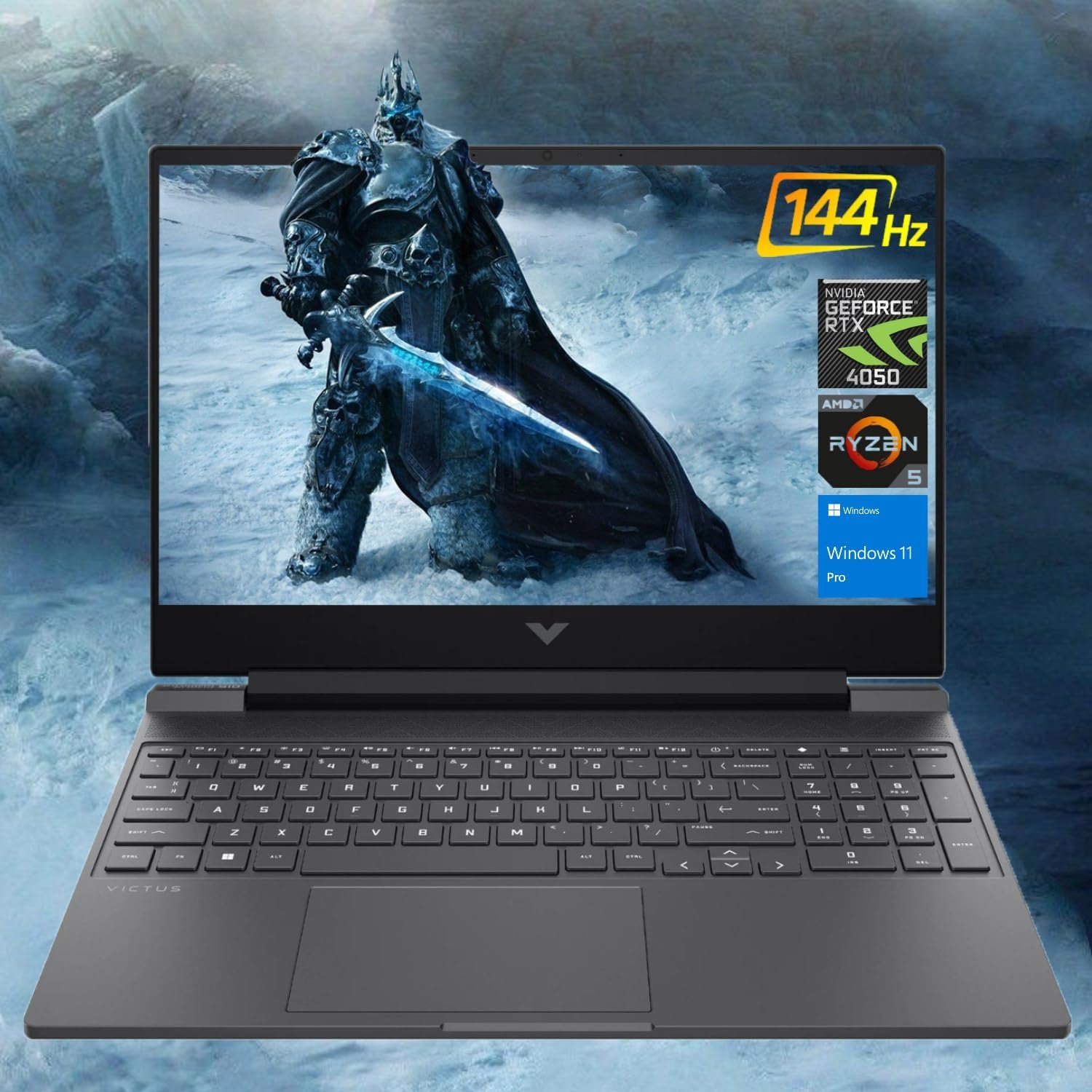
The HP Victus 15 stands out because the selected Amazon configuration provides 32GB of RAM and a 1TB SSD.
It uses an AMD Ryzen 5 8645HS processor, NVIDIA GeForce RTX 4050 graphics, a 15.6-inch Full HD 144Hz screen, a backlit keyboard, and Windows 11 Pro. The product page had an active Buy Now option when checked.
The Ryzen 5 8645HS is a six-core, twelve-thread processor capable of handling office applications, coding, research, content management, editing, and modern games. HP’s official Victus specifications confirm support for this processor alongside an RTX 4050 with 6GB of graphics memory and a 144Hz Full HD display.
The 32GB memory configuration is more than most games require, but it can be valuable for demanding work. It gives you room for large spreadsheets, virtual machines, development tools, design applications, video-editing software, and heavy browser use.
A 1TB SSD is equally useful. Many budget laptops come with 512GB, which can become restrictive after installing Windows, productivity programs, project files, and several large games.
The Victus design is less aggressive than many gaming laptops. Its simple shape and dark finish allow it to blend more easily into a classroom, home office, or meeting environment.
Pros
- Generous 32GB RAM configuration
- Large 1TB SSD
- Ryzen 5 8645HS processor
- RTX 4050 with 6GB VRAM
- Full HD 144Hz display
- Suitable for gaming and demanding multitasking
- More understated design than many competitors
- Backlit keyboard with number pad
- Useful for editing and development work
- Windows 11 Pro in the selected listing
- No immediate RAM or storage upgrade required
Cons
- Memory and storage appear to be reseller upgraded
- Warranty coverage should be verified
- Configuration can vary between Amazon sellers
- More RAM does not automatically increase gaming frame rates
- Plastic chassis
- Fans can become loud under sustained load
- Battery life is typical for a gaming laptop
- The listing title contains unnecessary processor comparisons
My Honest Opinion
The HP Victus is the best option here for someone whose work is more demanding than basic document editing.
Its 32GB of RAM makes sense for video editors, developers, designers, streamers, researchers, and people who keep a large number of applications open. The 1TB SSD also eliminates one of the most common frustrations associated with budget gaming laptops.
For gaming alone, 16GB would normally be enough. The additional memory is valuable because this laptop is expected to handle work and gaming—not because 32GB will double the frame rate.
The seller-upgraded configuration deserves careful checking. Resellers commonly open base laptops to install extra memory or storage. That can provide excellent value, but you should confirm whether the upgrade affects HP’s warranty and whether the installed parts are from reputable manufacturers.
Buy the Victus when the 32GB and 1TB configuration is priced reasonably. A large seller premium may make an official 16GB configuration plus your own future upgrade the better choice.
Best for: Video editors, programmers, heavy multitaskers, streamers, business users, and gamers who want more storage from day one.
3. MSI Thin 15 B12VE-2023US Gaming Laptop — Best for Portability
Credit: Amazon
Check the Current Price on Amazon
The MSI Thin 15 B12VE-2023US is the best fit for someone who needs gaming hardware but does not want one of the thickest laptops in the category.
Its Amazon configuration includes an Intel Core i7-12650H processor, RTX 4050 graphics, 16GB of RAM, a 512GB NVMe SSD, and a 15.6-inch Full HD 144Hz display. Amazon identified it as an Amazon’s Choice product when checked.
MSI lists the Thin 15 at approximately 1.86 kilograms, or about 4.1 pounds. The official specification also includes Wi-Fi 6E, Ethernet, USB-C with DisplayPort, HDMI, three USB-A ports, a backlit keyboard, and two memory slots supporting up to 64GB.
That lower weight makes it easier to carry between home, college, work, and another gaming location than the Lenovo LOQ or ASUS TUF A15.
The Core i7-12650H remains capable of office work, multitasking, coding, and editing. Its RTX 4050 also supports modern 1080p gaming and GPU-accelerated creative applications.
However, MSI lists the RTX 4050 at a maximum graphics power of 45 watts. That is considerably lower than the graphics limit used in some thicker gaming laptops, so you should not assume that every RTX 4050 machine performs identically. (MSI)
Pros
- Lighter than many gaming laptops
- Core i7-12650H processor
- RTX 4050 with 6GB VRAM
- 16GB RAM included
- Full HD 144Hz display
- USB-C DisplayPort support
- Wi-Fi 6E and Ethernet
- Three USB-A ports
- Two memory slots
- Relatively understated exterior
- Appropriate for work, study, and moderate gaming
- Easier to carry than thicker performance models
Cons
- RTX 4050 is limited to 45 watts
- Slower gaming performance than some thicker RTX 4050 laptops
- 512GB SSD may need expansion
- Only one M.2 SSD slot is listed
- Display is intended more for gaming than professional color work
- Compact cooling system can become loud
- Build feels less substantial than the ASUS TUF
- Battery is relatively small
My Honest Opinion
The MSI Thin 15 makes a sensible compromise for buyers who need to move their laptop regularly.
A heavier laptop may provide stronger cooling and higher GPU performance, but that advantage becomes less appealing when the machine spends every day inside a backpack.
The Core i7, 16GB RAM, and RTX 4050 provide enough performance for office work, study, coding, presentations, and evening gaming. You also get a useful range of ports, including Ethernet and external-display support.
The 45-watt graphics limit is the main compromise. The GPU can still handle 1080p gaming, but it may trail a Lenovo LOQ, ASUS TUF, or another thicker laptop using a higher-powered RTX 4050.
Choose the MSI for portability and convenience. Choose the Lenovo or ASUS when maximum gaming performance is more important than carrying weight.
Best for: Students, commuters, hybrid workers, and gamers who regularly move between locations.
4. Acer Nitro V ANV15-52-586Z Gaming Laptop — Best Low-Cost Option
Credit: Amazon
Check the Current Price on Amazon
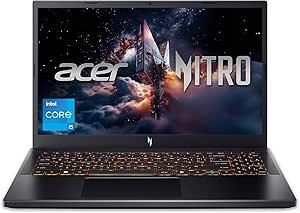
The Acer Nitro V ANV15-52-586Z is the most affordable entry point in this roundup for buyers who still want RTX 4050 graphics.
It includes an Intel Core i5-13420H processor, NVIDIA GeForce RTX 4050 laptop graphics, 8GB of DDR5 memory, a 512GB PCIe Gen 4 SSD, and a 15.6-inch Full HD IPS display with a 165Hz refresh rate. Acer also provides Wi-Fi 6, Gigabit Ethernet, a backlit keyboard, Thunderbolt 4, and two memory slots supporting up to 32GB. (Amazon)
The Core i5-13420H has enough processing power for office work, research, programming, presentations, moderate editing, and gaming. The RTX 4050 is much better suited to modern games and creative software than integrated graphics or older entry-level GPUs.
Its 165Hz screen is useful for fast-paced games and also makes ordinary scrolling and interface movement feel smoother.
The most obvious weakness is the 8GB memory configuration. It can run Windows and many games, but background applications can consume a significant part of that capacity before you begin gaming or working.
Pros
- Affordable RTX 4050 configuration
- Capable Core i5-13420H processor
- Fast 165Hz Full HD IPS display
- 512GB Gen 4 SSD
- Two memory slots
- Thunderbolt 4
- Wi-Fi 6 and Gigabit Ethernet
- Backlit keyboard with numeric keypad
- Suitable for work and 1080p gaming
- Upgradeable foundation
- Active Amazon Buy Now option when checked
Cons
- Only 8GB of RAM
- RAM upgrade should be considered essential
- 512GB SSD can fill quickly
- Plastic construction
- Fans become noticeable under load
- Battery life is not ideal for a full workday
- Gamer-focused styling
- Current Amazon offer may come from a third-party seller
My Honest Opinion
The Acer Nitro V is attractive when you need to keep the initial cost as low as possible.
Its Core i5 and RTX 4050 provide a strong performance foundation. You can use it for everyday work during the day and enjoy modern 1080p games in the evening.
The stock memory is the problem. Eight gigabytes is increasingly restrictive for a dual-purpose laptop. A browser, Microsoft Teams, Slack, Discord, cloud-sync software, antivirus tools, and game launchers can consume memory quickly.
I would budget for an upgrade to at least 16GB. Acer provides two memory slots, so the laptop can become much more balanced without replacing the entire machine.
Compare the total cost after the RAM upgrade with the 16GB Lenovo and MSI options. The Acer is a genuine bargain only when it remains meaningfully cheaper.
Best for: Students, first-time gaming-laptop buyers, home-office users, and anyone comfortable upgrading the memory.
5. ASUS TUF Gaming A15 FA507NV-EH74 — Best Performance
Credit: Amazon
Check the Current Price on Amazon
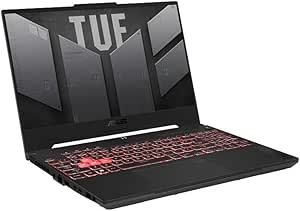
The ASUS TUF Gaming A15 FA507NV-EH74 is the strongest option for buyers who can stretch beyond entry-level RTX 4050 pricing.
It combines an AMD Ryzen 7 7735HS processor, an RTX 4060 with 8GB of graphics memory, 16GB DDR5 RAM, a 1TB PCIe SSD, and a 15.6-inch Full HD 144Hz display with 100% sRGB color coverage. The Amazon listing had an active Buy Now option when checked. (Amazon)
ASUS lists the RTX 4060 at up to 140 watts, giving this model considerably more graphics headroom than the lower-powered RTX 4050 inside the MSI Thin 15. The display also supports G-Sync, a MUX switch, and Advanced Optimus. (ASUS Global)
The 100% sRGB display is particularly useful for work involving graphics, website design, photography, thumbnails, and video. It is a better creative-work foundation than many budget gaming panels with narrow color coverage.
A 1TB SSD provides practical room for work files, software, and a larger game library. The system also includes two RAM slots and two M.2 storage slots, allowing future expansion. (ASUS Global)
ASUS equips the laptop with a 90Wh battery, HDMI 2.1, USB-C connections, Ethernet, Wi-Fi 6, and a 720p webcam. It weighs about 4.85 pounds, placing it between the MSI Thin and some heavier desktop-replacement laptops. (ASUS Global)
Pros
- Strong RTX 4060 with 8GB VRAM
- High graphics-power limit
- Eight-core Ryzen 7 processor
- 16GB DDR5 RAM
- Large 1TB SSD
- 144Hz display with 100% sRGB coverage
- Better suited to creative work
- G-Sync and MUX switch
- Two memory slots
- Two M.2 SSD slots
- Large 90Wh battery
- Broad port selection
- Strong cooling design
Cons
- Most expensive laptop in the comparison
- Heavier than the MSI Thin 15
- Gaming design may not suit every workplace
- Large 240-watt charger
- Fans are clearly audible during demanding use
- Webcam is only 720p
- Marketplace seller and warranty should be verified
- May exceed a strict entry-level budget
My Honest Opinion
The ASUS TUF A15 is the strongest long-term purchase in the roundup when your budget allows it.
The move from an RTX 4050 to an RTX 4060 is meaningful. You receive more graphics memory and stronger performance for demanding games, 3D applications, rendering, GPU-accelerated editing, and creative workloads.
The screen also makes the ASUS more suitable for visual work. Its 100% sRGB coverage gives you a better starting point for design and content creation than a basic gaming display with limited color reproduction.
The 1TB SSD reduces the need for an immediate storage upgrade, while the two M.2 slots provide room for further expansion.
It is not the lightest or cheapest option. However, it requires fewer compromises than most budget models and should remain useful for longer.
Choose the ASUS when work includes design, editing, or rendering and gaming performance is a major priority. The Lenovo remains the better value for users who do not need the stronger GPU or wider color coverage.
Best for: Editors, designers, developers, demanding gamers, and buyers who want stronger long-term performance.
Buyer’s Guide: 3 Key Factors to Consider
Factor 1: Balance Work Performance With Gaming Power
The processor and graphics card handle different parts of your workload.
The CPU affects:
- Office applications
- Programming
- Large spreadsheets
- Web browsing
- Multitasking
- Compiling code
- Video encoding
- Strategy and simulation games
The GPU affects:
- Gaming frame rates
- 3D rendering
- Effects acceleration
- AI-assisted creative features
- Game development
- GPU-supported video editing
- External high-resolution displays
An RTX 4050 is a practical entry point for 1080p gaming and moderate creative work. An RTX 4060 provides more performance and 8GB of graphics memory, making it better suited to demanding games and GPU-intensive professional software.
Laptop GPU power limits also matter. MSI lists its Thin 15 RTX 4050 at up to 45 watts, while ASUS lists the TUF A15 RTX 4060 at up to 140 watts. The name printed beside the GPU does not tell you the complete performance story. (MSI)
Factor 2: Choose Enough RAM, Storage, and Display Quality
For a gaming and work laptop, 16GB of RAM should be the practical minimum.
Eight gigabytes may be enough for simple office work or one lightweight game, but it becomes restrictive when several applications run together.
Consider 32GB when your work involves:
- Video editing
- Virtual machines
- Large design projects
- Software development
- Heavy browser use
- Streaming
- Data analysis
- 3D software
A 512GB SSD is enough to begin, but 1TB is more comfortable. Modern games, editing caches, project files, and applications can consume storage quickly.
Display specifications also require careful attention. Refresh rate matters for gaming, while color coverage matters for visual work.
A 144Hz or 165Hz panel is suitable for gaming. For photo, design, and video work, look for close to 100% sRGB coverage. The ASUS TUF A15 reviewed here explicitly includes a 100% sRGB display. (Amazon)
Factor 3: Check Portability, Ports, Battery, and Seller Details
Gaming laptops are heavier and use more power than ordinary productivity notebooks.
Before ordering, consider:
- Laptop weight
- Charger size
- Battery capacity
- Webcam quality
- Keyboard layout
- Number pad
- Ethernet
- USB-C display output
- HDMI version
- Memory-upgrade access
- SSD slots
The MSI Thin 15 is easier to carry at approximately 1.86 kilograms, while the ASUS TUF A15 weighs about 2.2 kilograms but provides stronger cooling, a larger battery, and more graphics power. (MSI)
You should also inspect the Amazon seller carefully. Some configurations, particularly the HP Victus with 32GB RAM and a 1TB SSD, may have been upgraded by a reseller.
Confirm:
- New, renewed, or used condition
- Exact model number
- Installed RAM type
- SSD brand and capacity
- Manufacturer-warranty eligibility
- Seller rating
- Return period
- Included charger
- Keyboard region
- Whether the laptop has been opened or modified
Frequently Asked Questions
What Is the Best Budget Gaming and Work Laptop?
The Lenovo LOQ 15 Ryzen 7 RTX 4050 is the best overall option in this comparison.
It provides a balanced processor, dedicated graphics, 16GB RAM, upgradeable storage, useful ports, and a 144Hz display without moving into premium-laptop pricing.
Which Laptop Is Best for Work and Gaming From Home?
The Lenovo LOQ is the best balanced home-office option.
Its port selection makes it easy to connect an external display, Ethernet, storage, keyboard, mouse, and other peripherals.
Which Laptop Is Best for Traveling?
The MSI Thin 15 is the easiest to carry among the reviewed models.
It weighs approximately 4.1 pounds while still providing an RTX 4050, 16GB RAM, and an Intel Core i7 processor.
Which Laptop Is Best for Video Editing?
The ASUS TUF Gaming A15 is the strongest editing option.
Its RTX 4060, 8GB VRAM, Ryzen 7 processor, 1TB SSD, and 100% sRGB display provide the best combination for visual creative work.
Which Laptop Is Best for Heavy Multitasking?
The HP Victus 15 with 32GB RAM is the best configuration for heavy multitasking.
Verify the seller upgrade and warranty before ordering.
Is 8GB RAM Enough for Work and Gaming?
Eight gigabytes can handle basic office applications and lighter games, but it is not the ideal target for a dual-purpose laptop in 2026.
Choose 16GB or upgrade an 8GB laptop soon after purchase.
Is an RTX 4050 Good for Work?
Yes.
An RTX 4050 can accelerate supported video-editing, rendering, design, AI, and 3D applications. It also provides capable 1080p gaming performance.
Is the RTX 4060 Worth Paying More For?
The RTX 4060 is worth considering when you play demanding games or use GPU-intensive professional software.
Its 8GB of graphics memory provides more headroom than the 6GB RTX 4050 configurations reviewed here.
Do I Need 32GB RAM for Office Work?
No. Standard office work, browsing, video calls, and document editing normally work well with 16GB.
Thirty-two gigabytes becomes useful for editing, programming environments, virtual machines, large datasets, and unusually heavy multitasking.
Can These Laptops Run Microsoft Office?
Yes.
All five are Windows laptops capable of running Microsoft Office and similar productivity applications. A Microsoft 365 or Office license may need to be purchased separately.
Are Gaming Laptops Good for Zoom and Teams Meetings?
Yes, but built-in webcam quality varies.
An external webcam and headset may provide better video and audio quality for professional meetings.
Can I Use an External Monitor?
Yes.
The reviewed laptops provide HDMI or USB-C display output. Check the exact port specifications and monitor resolution before purchasing cables or docks.
Are Gaming Laptops Good for Programming?
Yes.
The powerful processors, upgradeable memory, fast storage, and broad port selections make these laptops suitable for programming, compiling, local development servers, and moderate virtual-machine use.
Can I Game While Using Battery Power?
You can, but performance will normally be lower.
For full CPU and GPU performance, connect the original charger while gaming or performing intensive creative work.
How Long Does a Gaming Laptop Battery Last?
Battery life varies according to the model, screen brightness, power mode, background applications, and whether the dedicated GPU is active.
Gaming and rendering consume much more power than document editing or web browsing.
Should I Buy From a Third-Party Amazon Seller?
A third-party seller can provide good value, but check the seller’s feedback, return policy, warranty coverage, and exact configuration carefully.
Pay particular attention to laptops with reseller-installed RAM or SSD upgrades.
Final Verdict: Which Laptop Should You Buy?
The Lenovo LOQ 15 Ryzen 7 RTX 4050 is the best budget gaming and work laptop for most buyers. Its eight-core processor, 16GB RAM, RTX 4050 graphics, upgradeable storage, and practical connectivity provide the strongest overall balance.
Choose the HP Victus 15 when your work requires 32GB of RAM and a 1TB SSD. Confirm the reseller upgrade and warranty terms before purchasing.
The MSI Thin 15 is the better option for students and commuters. Its lighter chassis is easier to carry, although its lower-powered RTX 4050 cannot match every thicker gaming laptop.
Choose the Acer Nitro V when the lowest initial price is your priority. Budget for a RAM upgrade from 8GB to at least 16GB.
The ASUS TUF Gaming A15 provides the strongest gaming and creative performance. Its RTX 4060, 100% sRGB display, 1TB SSD, and upgradeable design make it the best long-term choice for demanding users.
Before ordering, compare current prices and verify the exact CPU, GPU, graphics-memory capacity, RAM, SSD, display, seller, warranty, and product condition.
The best dual-purpose laptop is not simply the fastest gaming machine. It is the model that remains comfortable and practical throughout your workday while delivering the gaming performance you want afterward.
Check the Lenovo LOQ 15 RTX 4050 Gaming Laptop on Amazon
Amazon availability and hosted image addresses can change. Test each affiliate link and image immediately before publishing, and use Amazon Associates SiteStripe or the Product Advertising API for the final image implementation.