A 14-inch gaming laptop sounds like the perfect compromise. It is small enough to carry to college, work, or a coffee shop, yet powerful enough to run modern games after the day is over.
The difficulty is finding one at a reasonable price.
Compact gaming laptops usually cost more than similarly equipped 15.6-inch models. Manufacturers must fit a dedicated graphics card, high-performance processor, battery, speakers, and cooling system inside a much smaller chassis. That extra engineering often raises the price.
For this reason, “budget” in the 14-inch gaming category does not always mean entry-level cheap. It usually means choosing the model that provides the best combination of gaming performance, display quality, portability, memory, and storage for the money.
For this guide, I compared five 14-inch and 14.5-inch gaming laptops currently listed on Amazon. The selections include an affordable RTX 4050 model, several RTX 4060 options, OLED displays, upgradeable storage, and configurations suitable for gaming, college work, video editing, and everyday travel.
All five laptops had active Amazon purchasing options when checked on August 5, 2026. Amazon prices, sellers, delivery dates, warranty eligibility, and exact configurations can change without notice. Confirm every specification before ordering.
Affiliate Disclosure: As an Amazon Associate, Game Insider Hub earns from qualifying purchases. This does not increase the price you pay.
Best 14-Inch Budget Gaming Laptops at a Glance
| Gaming Laptop | Graphics | Memory and Storage | Display | Best For |
|---|---|---|---|---|
| MSI Stealth 14 AI Studio A1VEG-090US | RTX 4050 6GB | 16GB / 1TB SSD | 14-inch FHD+ 165Hz | Lowest-cost compact option |
| Lenovo Legion Slim 5 14APH8 | RTX 4060 8GB | 16GB / 1TB SSD | 14.5-inch 2.8K OLED 120Hz | Best OLED value |
| HP OMEN Transcend 14-fb0761nr | RTX 4060 8GB | 16GB / 1TB SSD | 14-inch 2.8K OLED 120Hz | Gaming and creative work |
| ASUS TUF Gaming A14 FA401WV-WB94 | RTX 4060 8GB | 16GB / 1TB SSD | 14-inch 2.5K 165Hz | Best overall |
| ASUS ROG Zephyrus G14 | RTX 4060 8GB | 16GB / 2TB SSD | 14-inch 3K OLED 120Hz | Best premium portable |
1. MSI Stealth 14 AI Studio A1VEG-090US — Best Affordable Compact Option
Credit: Amazon
Check the Current Price on Amazon
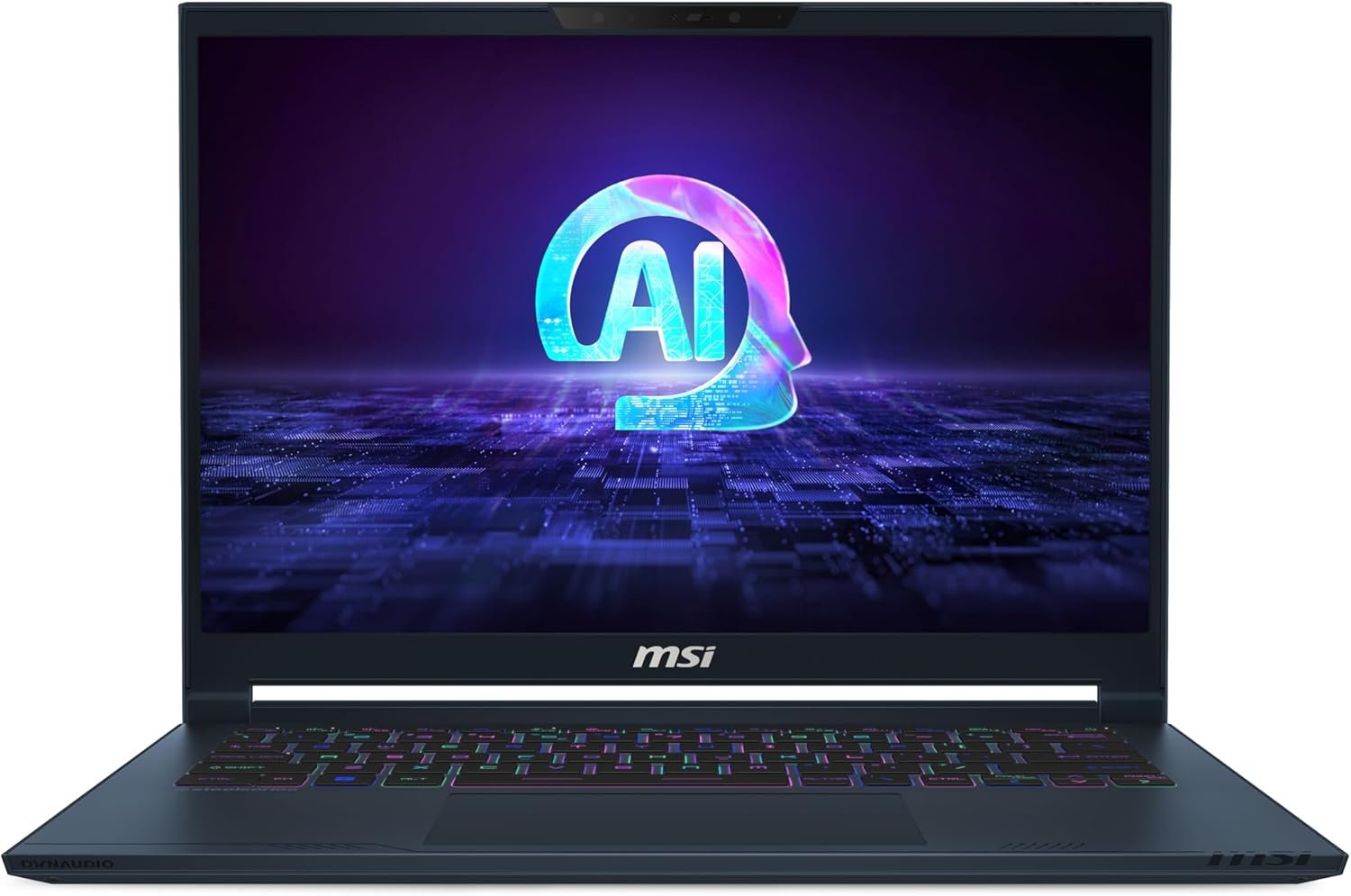
The MSI Stealth 14 AI Studio A1VEG-090US is the most affordable starting point in this comparison for buyers who want a genuinely compact laptop with dedicated RTX graphics.
The Amazon configuration combines an Intel Core Ultra 7 155H processor with an NVIDIA GeForce RTX 4050, 16GB of DDR5 memory, a 1TB NVMe SSD, and a 14-inch Full HD+ display with a 165Hz refresh rate. It also includes Thunderbolt 4 and Windows 11 Pro.
The Core Ultra 7 processor is suitable for gaming, office work, programming, video calls, photo editing, and moderate video-production tasks. Its integrated neural processing hardware may also support compatible AI-assisted applications and Windows features.
The RTX 4050 is the lowest graphics tier in this roundup, but it remains a practical option for 1080p gaming. Competitive titles such as Valorant, Fortnite, Rocket League, Overwatch 2, and Counter-Strike 2 should be well matched to the 165Hz display.
More demanding single-player games will require reasonable settings. The RTX 4050 has 6GB of graphics memory, so ultra-resolution texture packs and aggressive ray tracing may be too demanding in newer titles.
MSI describes the Stealth 14 AI Studio platform as a slim magnesium-aluminum design weighing around 1.7 kilograms. That makes it easier to carry than many thicker gaming laptops.
Pros
- Compact 14-inch design
- Intel Core Ultra 7 processor
- Dedicated RTX 4050 graphics
- 16GB RAM included
- Large 1TB NVMe SSD
- Smooth 165Hz display
- Thunderbolt 4
- Windows 11 Pro
- Easier to carry than many gaming laptops
- Suitable for gaming and everyday work
- Active Amazon Buy Now option when checked
Cons
- RTX 4050 is the weakest GPU in this comparison
- 6GB VRAM can restrict demanding games
- Full HD+ resolution is less detailed than the OLED competitors
- Thin chassis has less cooling space
- Fans may become noticeable under heavy load
- Display may not match the color quality of an OLED panel
- Seller and warranty terms require careful checking
My Honest Opinion
This is the most logical model for someone who wants a true 14-inch gaming laptop without immediately moving into the highest price tier.
The included 16GB of RAM and 1TB SSD create a practical configuration. You do not need to plan an immediate memory or storage upgrade, which is unusual among lower-priced gaming laptops.
The main compromise is graphics performance. An RTX 4050 can deliver a good 1080p gaming experience, but it does not have the same headroom as the RTX 4060 models below.
The MSI makes the most sense for esports, lighter games, older AAA releases, schoolwork, programming, and occasional creative projects. A buyer who prioritizes demanding new games should compare its final price with the Lenovo Legion Slim 5 and ASUS TUF A14 before ordering.
The checked Amazon offer was provided by a marketplace seller rather than directly by MSI. Confirm that the laptop is new, the US keyboard is included, and the manufacturer warranty will be honored.
Best for: Students, commuters, esports players, hybrid workers, and buyers seeking the least expensive compact RTX option.
2. Lenovo Legion Slim 5 14APH8 — Best OLED Value
Credit: Amazon
Check the Current Price on Amazon
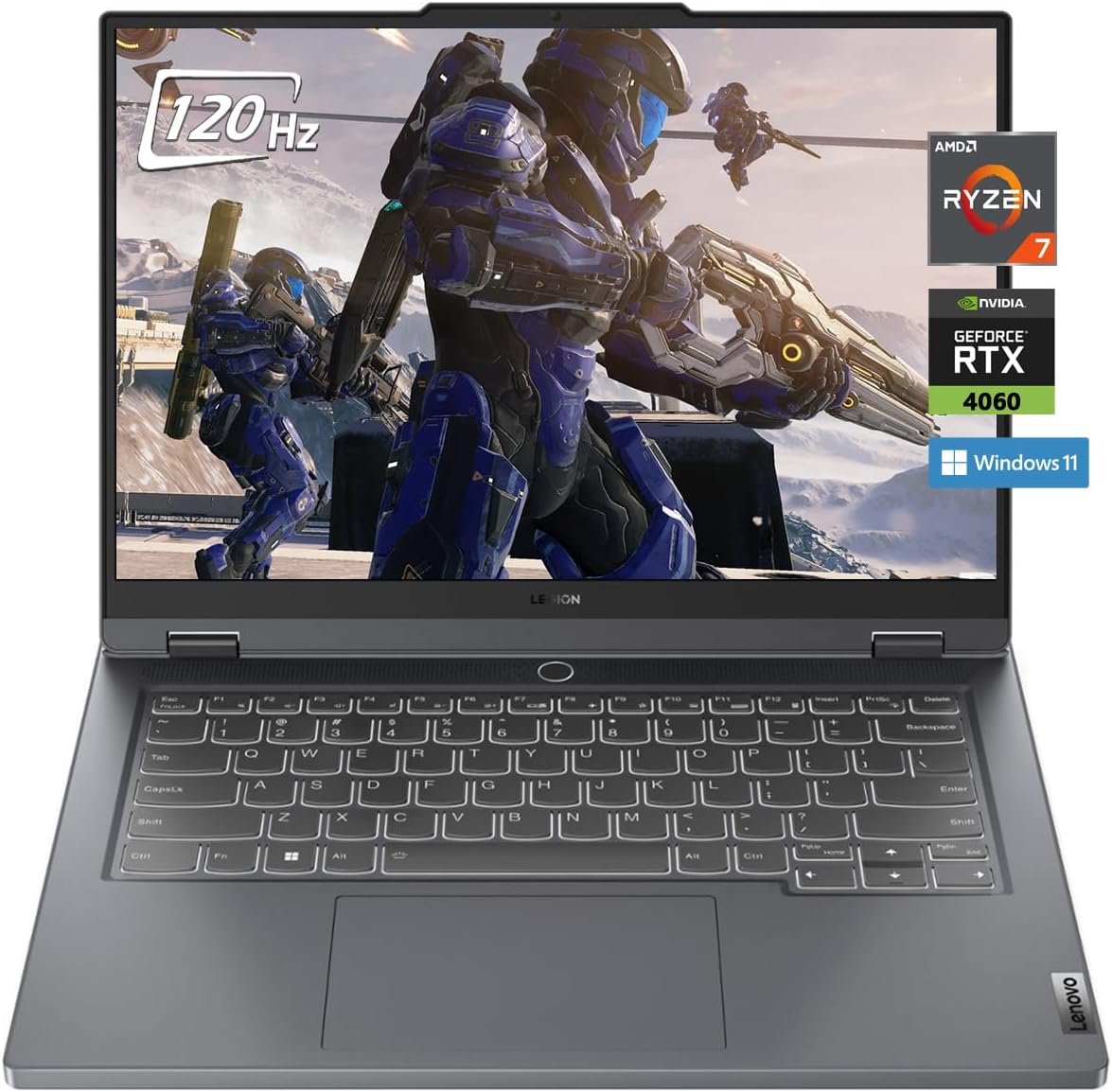
The Lenovo Legion Slim 5 14APH8 provides one of the strongest combinations of display quality and gaming performance in the compact-laptop category.
Technically, the screen measures 14.5 inches rather than exactly 14 inches. The difference is small enough that the laptop remains significantly more portable than most 15.6- or 16-inch gaming systems.
The selected Amazon configuration includes an AMD Ryzen 7 7840HS processor, NVIDIA GeForce RTX 4060 graphics, 16GB of LPDDR5X memory, a 1TB SSD, and a 14.5-inch 2880 × 1800 OLED display running at 120Hz.
The RTX 4060 carries 8GB of graphics memory and runs at up to 105 watts on supported Legion Slim 5 configurations. That gives it considerably more gaming headroom than the RTX 4050 in the MSI.
Its OLED display is another major advantage. Lenovo lists 100% DCI-P3 color coverage, 400-nit brightness, Dolby Vision, DisplayHDR True Black 500, and factory color calibration. These specifications make it suitable for visually rich gaming and color-sensitive creative work.
The 16:10 aspect ratio also provides more vertical workspace than a conventional 16:9 gaming display. Documents, websites, editing timelines, and programming windows can show more content without constant scrolling.
Pros
- RTX 4060 with 8GB VRAM
- Strong Ryzen 7 7840HS processor
- Sharp 2880 × 1800 OLED screen
- Smooth 120Hz refresh rate
- 100% DCI-P3 color coverage
- Factory color calibration
- 16GB LPDDR5X memory
- Large 1TB SSD
- Aluminium top and bottom construction
- Strong choice for gaming and editing
- Multiple display outputs
- Active Amazon purchasing offer when checked
Cons
- Screen is 14.5 inches rather than exactly 14 inches
- Glossy OLED surface can reflect lights
- Soldered memory cannot be upgraded
- OLED displays require sensible static-image use
- Higher native resolution can place more demand on the GPU
- No Ethernet port built directly into the chassis
- Marketplace configuration may include third-party accessories
My Honest Opinion
The Legion Slim 5 offers exceptional value when the Amazon price remains reasonably close to ordinary IPS gaming laptops.
The display is the biggest reason to choose it. Games, movies, photographs, and creative projects benefit from OLED contrast and wide color coverage. The 2880 × 1800 resolution also makes text and interface elements look exceptionally sharp.
For gaming, you will not always want to run demanding titles at the screen’s full native resolution. Lowering the rendering resolution or using DLSS can improve frame rates without ruining the visual experience.
The RTX 4060 is powerful enough for modern gaming and GPU-accelerated creative work. It also provides 8GB of graphics memory, giving it more flexibility than compact RTX 4050 laptops.
The fixed memory is the main long-term limitation. Sixteen gigabytes remains usable for gaming and ordinary creative work, but you cannot increase it later. Buyers who run large virtual machines, complex 3D projects, or unusually heavy editing workflows may prefer a 32GB configuration.
The Amazon listing contained an Add to Cart option when checked, but it appears to be a reseller configuration. Verify the exact Lenovo model number and warranty status before purchasing.
Best for: Gamers, photographers, editors, design students, and buyers who want an OLED screen without entering the highest price tier.
3. HP OMEN Transcend 14-fb0761nr — Best for Gaming and Creative Work
Credit: Amazon
Check the Current Price on Amazon
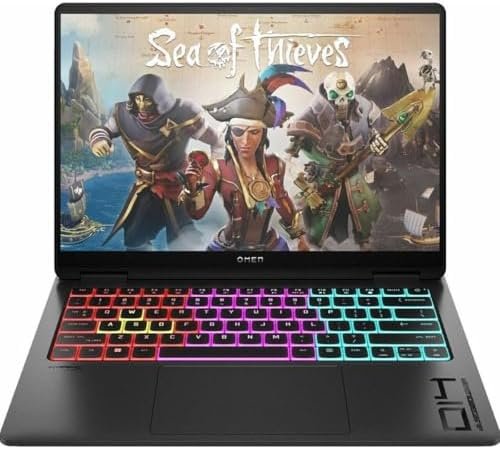
The HP OMEN Transcend 14-fb0761nr is designed for users who want gaming capability inside a laptop that can also serve as a portable creative workstation.
The Amazon configuration includes an Intel Core Ultra 7 155H processor, NVIDIA GeForce RTX 4060 graphics with 8GB VRAM, 16GB of memory, a 1TB SSD, and a 14-inch 2.8K OLED display running at 120Hz.
HP markets the OMEN Transcend 14 as a gaming-and-creator laptop with an OLED display, NVIDIA Studio support, PCIe Gen 4 storage, and a lightweight chassis.
The OLED screen is particularly useful for photo editing, video production, digital artwork, and entertainment. HP lists configurations with 100% DCI-P3 coverage, helping the display reproduce a wider color range than many inexpensive gaming panels.
Its Core Ultra processor is well suited to mixed workloads. You can use the laptop for research, office work, editing, programming, streaming, and gaming without carrying a large desktop-replacement machine.
The RTX 4060 is also a better long-term choice than the RTX 4050. Its 8GB of graphics memory provides additional room for modern game textures, GPU-accelerated effects, and creative applications.
Pros
- Compact 14-inch chassis
- RTX 4060 with 8GB VRAM
- Intel Core Ultra 7 processor
- 2.8K OLED display
- Smooth 120Hz refresh rate
- Wide color coverage
- 16GB memory
- 1TB SSD
- Suitable for gaming and content creation
- Modern, relatively understated appearance
- Active Amazon Add to Cart option when checked
Cons
- More expensive than basic RTX 4050 laptops
- Memory is onboard and may not be upgradeable
- OLED display is glossy
- Compact cooling can become audible
- 2.8K gaming requires more GPU power than 1080p
- Port selection is less extensive than on a large laptop
- Amazon offer may be used or marketplace supplied
My Honest Opinion
The OMEN Transcend 14 makes the most sense for a buyer who cares equally about gaming and visual creative work.
Its OLED screen provides the contrast, sharpness, and color range that ordinary budget gaming displays often lack. The RTX 4060 can also accelerate compatible editing, rendering, design, and AI-assisted applications.
The laptop remains compact enough for regular travel. HP lists the Transcend 14 platform at around 1.64 kilograms and approximately 0.70 inches thick, although the precise weight can vary by configuration.
The biggest concern is memory. Sixteen gigabytes is enough for most games and moderate editing, but buyers working with complex video timelines, large Photoshop files, or several professional applications simultaneously may prefer 32GB.
The checked Amazon page offered an Add to Cart option, although the available offer appeared under Amazon’s used-buying interface. Confirm whether the unit is new, used, renewed, or open-box before paying.
Best for: Video editors, photographers, designers, students, creators, and gamers who need a color-rich portable display.
4. ASUS TUF Gaming A14 FA401WV-WB94 — Best Overall
Credit: Amazon
Check the Current Price on Amazon
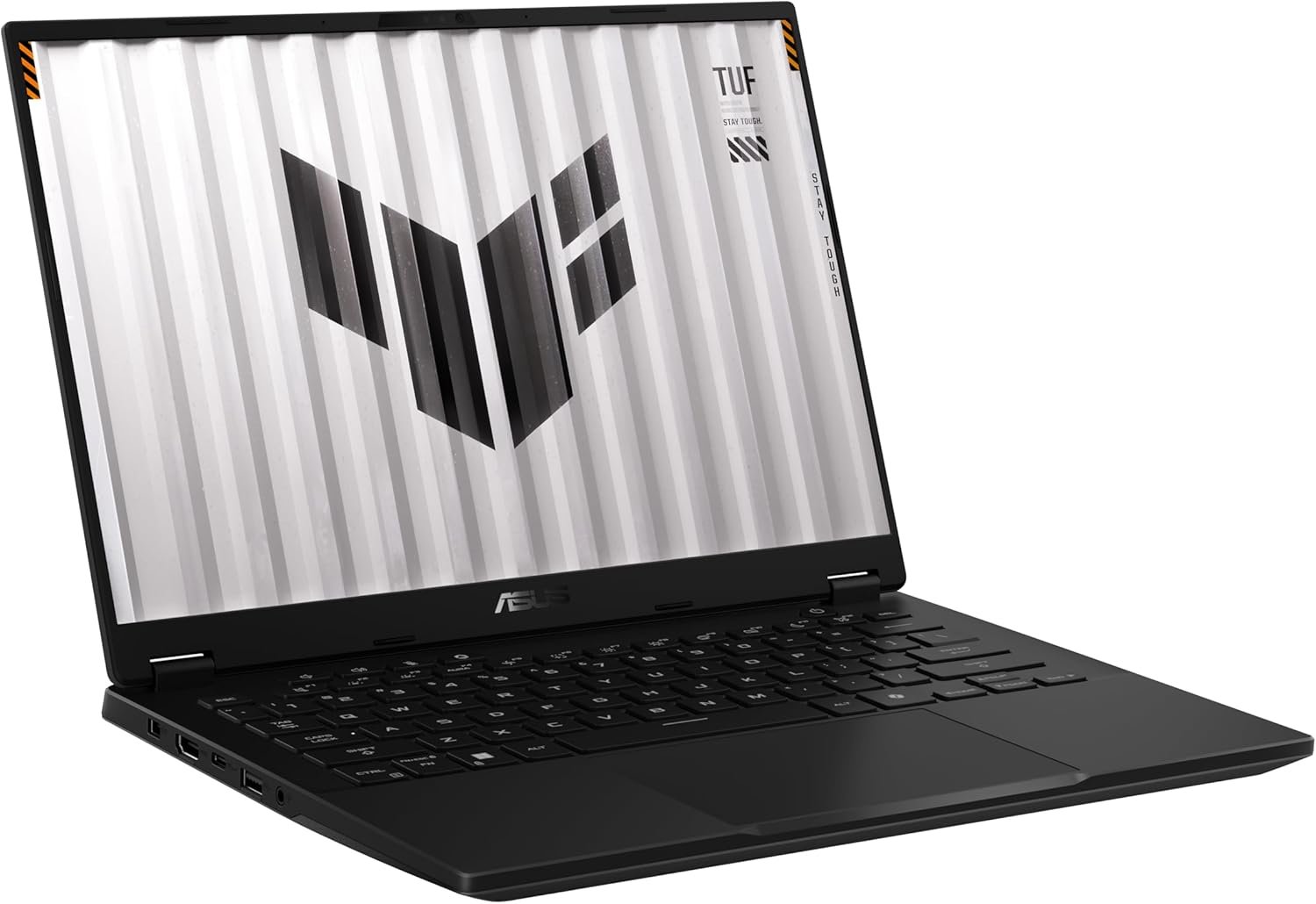
The ASUS TUF Gaming A14 FA401WV-WB94 earns the best overall position because it balances gaming power, processing performance, portability, display quality, and storage flexibility.
The Amazon configuration includes an AMD Ryzen AI 9 HX 370 processor, NVIDIA GeForce RTX 4060 graphics, 16GB of LPDDR5X memory, a 1TB PCIe Gen 4 SSD, Wi-Fi 6E, and a 14-inch WQXGA 165Hz display.
The Ryzen AI 9 HX 370 provides 12 cores and 24 processing threads, making it suitable for gaming, editing, coding, rendering, office work, and demanding multitasking. ASUS also lists an integrated neural processor for supported AI workloads.
The RTX 4060 supplies 8GB of dedicated graphics memory. It is a strong match for the 2560 × 1600 display, particularly when games support DLSS or allow resolution scaling.
Unlike several compact gaming laptops, the TUF A14 also supports expanded SSD storage. ASUS says the platform can support up to 4TB across its available storage arrangement, although the secondary slot operates at a reduced PCIe lane configuration.
The 165Hz display makes fast games feel responsive, while the 16:10 aspect ratio improves productivity. ASUS also positions the A14 as its most compact TUF Gaming laptop.
Pros
- Powerful Ryzen AI 9 HX 370 processor
- RTX 4060 with 8GB VRAM
- 14-inch 2.5K-class display
- Smooth 165Hz refresh rate
- 16GB high-speed LPDDR5X memory
- 1TB Gen 4 SSD
- Expandable SSD storage
- Wi-Fi 6E
- Good balance between portability and cooling
- Suitable for gaming and demanding work
- Less expensive branding than the ROG Zephyrus line
- Active Amazon product offer when checked
Cons
- Memory is soldered and cannot be upgraded
- 16GB may limit unusually heavy professional workloads
- RTX 4060 is not the newest graphics generation
- Fans can become loud during performance mode
- TUF styling may not suit every office
- Higher-resolution display places more demand on the GPU
- Price must be compared with newer RTX 5060 deals
My Honest Opinion
The TUF Gaming A14 is the most complete recommendation in the list.
It provides a significantly stronger processor than many older compact gaming laptops, while the RTX 4060 remains capable of running modern games at practical settings.
The 165Hz display also gives it an advantage over OLED laptops limited to 120Hz. OLED still provides better black levels and contrast, but the ASUS panel is better suited to users who prioritize high-refresh competitive gaming.
Expandable storage is another meaningful benefit. Modern games can exceed 100GB, so the ability to add another SSD can extend the useful life of the laptop.
The soldered 16GB memory is the biggest weakness. It is sufficient for gaming, college work, programming, and moderate editing, but users with heavier professional requirements may eventually feel restricted.
ASUS originally positioned the TUF A14 as a more affordable compact gaming alternative to the Zephyrus G14. The checked Amazon page showed an active product offer and no out-of-stock message.
Best for: Most buyers seeking a compact gaming laptop with strong performance, modern processing power, and expandable storage.
5. ASUS ROG Zephyrus G14 RTX 4060 — Best Premium Portable Option
Credit: Amazon
Check the Current Price on Amazon
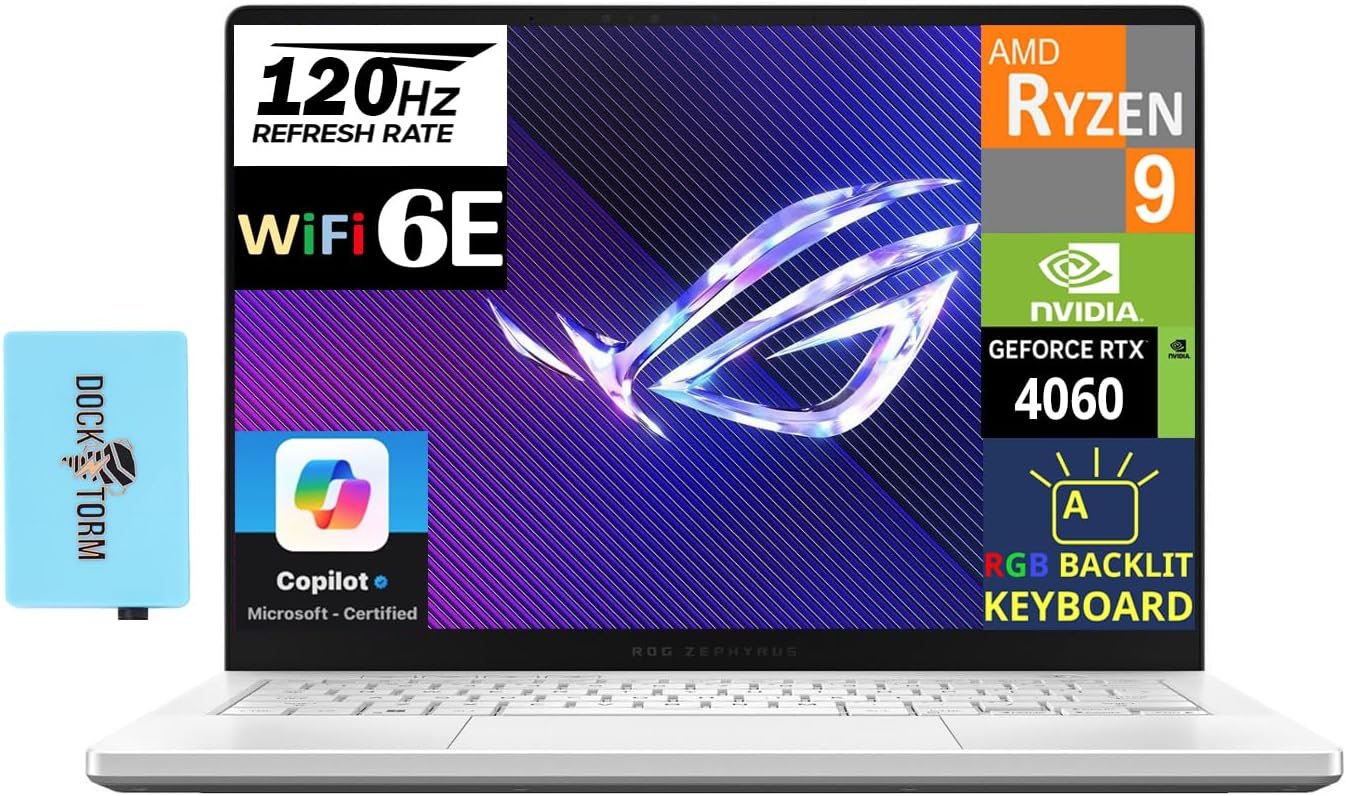
The ASUS ROG Zephyrus G14 is the premium step-up for buyers who want strong gaming performance in one of the lightest and most refined 14-inch designs.
The selected Amazon configuration combines an AMD Ryzen 9 8945HS processor, RTX 4060 graphics with 8GB VRAM, 16GB of LPDDR5X memory, a 2TB SSD, and a 14-inch 2880 × 1800 OLED display running at 120Hz.
ASUS lists the 2024 Zephyrus G14 platform with a 3K OLED ROG Nebula display, 0.2ms response time, G-Sync, 100% DCI-P3 color coverage, Dolby Vision, and a weight of about 3.31 pounds.
This combination makes it particularly attractive for people who need to carry the laptop regularly. It delivers substantially more gaming power than a normal thin-and-light productivity machine without approaching the size of a desktop replacement.
The Ryzen 9 processor is capable of gaming, content creation, programming, streaming, and demanding productivity. The RTX 4060 provides enough performance for modern games, although demanding titles may require DLSS or a lower rendering resolution than the screen’s native 3K setting.
The Amazon configuration includes a 2TB SSD, giving it twice the storage of most models in this roundup. However, this appears to be a reseller-modified configuration bundled with an accessory hub rather than a standard ASUS retail package.
Pros
- Lightweight 14-inch design
- Ryzen 9 8945HS processor
- RTX 4060 with 8GB VRAM
- Sharp 3K OLED screen
- Smooth 120Hz refresh rate
- 100% DCI-P3 color coverage
- G-Sync and Dolby Vision
- Large 2TB SSD
- Premium construction and appearance
- Suitable for gaming and professional creative work
- MicroSD card reader
- Active Amazon Buy Now option when checked
Cons
- Most expensive model in the list
- Soldered 16GB memory cannot be upgraded
- RTX 4060 runs within a compact thermal design
- Glossy OLED screen reflects bright lights
- High native resolution can reduce gaming frame rates
- Reseller-installed storage may affect warranty handling
- Accessory bundle may add unnecessary cost
My Honest Opinion
The Zephyrus G14 is not the cheapest choice, but it may offer the best overall ownership experience for someone who carries a gaming laptop every day.
Its OLED display, lightweight construction, compact charger, strong speakers, and professional-looking design help it function as more than a gaming machine. It can fit into a classroom, meeting, studio, or office without looking excessively aggressive.
The RTX 4060 provides capable gaming performance, but this is not the laptop to buy purely for the highest possible frame rates per dollar. A thicker 15.6-inch model with the same GPU may perform similarly or better for less money.
You are paying for portability, display quality, construction, and design.
The checked Amazon offer had an active Buy Now button. Because it includes a 2TB SSD and an accessory hub, confirm whether the reseller opened the laptop to upgrade the drive and whether ASUS will honor the full warranty.
Best for: Frequent travelers, creators, professionals, students, and buyers who want a premium compact gaming laptop.
Buyer’s Guide: 3 Key Factors to Consider
Factor 1: Understand the Price of a Compact Gaming Laptop
Fourteen-inch gaming laptops are rarely the cheapest way to buy gaming performance.
A 15.6-inch laptop gives manufacturers more room for cooling, batteries, memory slots, storage bays, and a higher-powered GPU. Those laptops often deliver more frames per dollar.
Choose a 14-inch gaming laptop when you genuinely value:
- Lower carrying weight
- Smaller backpack size
- Easier travel
- A cleaner desk setup
- Better portability for college or work
- Premium display options
- One laptop for gaming and productivity
Do not pay a large portability premium when the computer will remain on the same desk almost every day.
The MSI Stealth 14 offers the lowest graphics tier in this roundup. The Lenovo, HP, ASUS TUF, and ASUS ROG models use RTX 4060 graphics with 8GB VRAM, giving them more flexibility for demanding games and creative applications.
Factor 2: Compare the Display and GPU Together
A high-resolution screen looks excellent for documents, photos, video, and everyday use. It also increases the number of pixels the graphics card must render during gaming.
The laptops reviewed here include:
- FHD+ 165Hz IPS
- 2.5K 165Hz IPS
- 2.8K 120Hz OLED
- 3K 120Hz OLED
An RTX 4050 is best matched to 1080p or FHD+ gaming. It may struggle when running demanding games at a 2.8K or 3K native resolution.
An RTX 4060 provides more headroom, but you may still need to use:
- DLSS
- Resolution scaling
- Medium or high rather than ultra settings
- Reduced ray tracing
- A lower in-game resolution
OLED displays provide excellent contrast, deep blacks, and wide color coverage. IPS screens can be better for buyers concerned about long-term static interface use or those who want a higher 165Hz refresh rate.
Choose OLED when movies, image quality, and creative work are important. Choose a fast IPS display when competitive gaming and predictable long-term desktop use matter more.
Factor 3: Check Memory, Storage, Seller, and Warranty
Compact gaming laptops often use soldered memory to save internal space.
The Lenovo Legion Slim 5, ASUS TUF A14, and Zephyrus G14 configurations reviewed here use onboard memory that cannot be upgraded.
Sixteen gigabytes is enough for:
- Current gaming
- Office applications
- Programming
- Browsing
- College work
- Moderate photo and video editing
- Everyday multitasking
Consider 32GB when your work involves:
- Large video projects
- Heavy After Effects compositions
- Virtual machines
- 3D rendering
- Large datasets
- Extensive game development
- Several professional applications running together
Storage is easier to manage. A 1TB SSD is a comfortable starting point, while the 2TB Zephyrus configuration provides more room for large games and project files.
Before ordering from Amazon, verify:
- Exact model number
- CPU and GPU
- Graphics-memory capacity
- RAM amount
- SSD size
- New, used, renewed, or open-box condition
- Seller identity
- Return period
- Manufacturer-warranty eligibility
- Keyboard region
- Included charger and accessories
Marketplace sellers sometimes upgrade RAM or storage before listing the laptop. That can offer good value, but it may affect warranty support.
Frequently Asked Questions About Best Budget Gaming Laptop 14 Inch
What Is the Best Budget Gaming Laptop With a 14-Inch Screen?
The ASUS TUF Gaming A14 is the best overall choice in this comparison.
It combines a Ryzen AI 9 processor, RTX 4060 graphics, 16GB RAM, a 1TB SSD, a 165Hz display, and expandable storage.
What Is the Cheapest 14-Inch Gaming Laptop in This List?
The MSI Stealth 14 AI Studio is positioned as the most affordable model in this roundup.
Its RTX 4050 is less powerful than the RTX 4060 options, but it remains suitable for esports and sensible 1080p gaming.
Is 14 Inches Too Small for Gaming?
A 14-inch screen is not too small for gaming, particularly when you sit relatively close to the laptop.
The compact size is convenient for travel. At home, you can connect an external monitor for a larger experience.
Is a 14.5-Inch Laptop Considered Compact?
Yes.
The Lenovo Legion Slim 5 has a 14.5-inch display but remains significantly smaller than most 15.6- and 16-inch gaming laptops.
Is an RTX 4050 Good Enough for Gaming in 2026?
An RTX 4050 remains suitable for 1080p esports, indie games, older AAA titles, and many recent games with adjusted settings.
Its 6GB of graphics memory is the main limitation compared with an RTX 4060 carrying 8GB.
Is the RTX 4060 Worth Paying More For?
It is usually worth considering when the price difference is reasonable.
An RTX 4060 provides more performance and 8GB VRAM, helping with demanding games, higher-resolution displays, editing, rendering, and longer-term use.
Is 16GB RAM Enough for a Gaming Laptop?
Yes, 16GB remains enough for most current games and everyday applications.
It may become restrictive for heavy creative work or virtual machines, particularly when the memory is soldered and cannot be upgraded.
Is OLED Good for Gaming?
OLED provides excellent contrast, fast pixel response, deep blacks, and rich colors.
It is especially attractive for single-player games, movies, and creative work. Users should still follow the manufacturer’s screen-care tools and avoid leaving static content displayed unnecessarily.
Which Laptop Has the Best Display?
The Lenovo Legion Slim 5 and ASUS ROG Zephyrus G14 offer the strongest displays in this roundup.
The Lenovo provides a 14.5-inch 2.8K OLED panel, while the Zephyrus uses a 14-inch 3K OLED screen.
Which Laptop Is Best for Video Editing?
The HP OMEN Transcend 14 and ASUS ROG Zephyrus G14 are the best choices for video editing.
Both combine RTX 4060 graphics with sharp OLED displays and wide color coverage.
Which Laptop Is Easiest to Carry?
The ASUS ROG Zephyrus G14 is one of the lightest options, with ASUS listing the platform at approximately 3.31 pounds.
The MSI Stealth 14 is also relatively portable at roughly 1.7 kilograms.
Can I Upgrade the RAM?
Upgradeability varies.
Many thin 14-inch laptops use soldered memory. Check the official service manual for the exact model before ordering RAM.
Can I Upgrade the SSD?
Most models allow SSD replacement, while some provide a second storage slot.
The ASUS TUF A14 is particularly useful for storage expansion because ASUS includes an additional SSD arrangement on the platform.
Are Compact Gaming Laptops Loud?
They can be.
Powerful processors and GPUs generate heat inside a small chassis. Fans must spin faster during gaming, rendering, and other demanding workloads.
Can I Play Games on Battery Power?
You can, but performance will normally be reduced.
For full GPU performance, connect the original charger and use the manufacturer’s performance mode.
Should I Buy a Reseller-Upgraded Laptop?
A reseller-upgraded configuration can be worthwhile when the seller uses reputable components and clearly explains the warranty.
Verify whether the laptop was opened, what parts were installed, and whether the manufacturer will provide support.
Final Verdict: Which 14-Inch Gaming Laptop Should You Buy?
The ASUS TUF Gaming A14 FA401WV-WB94 is the best overall choice. Its Ryzen AI 9 processor, RTX 4060 graphics, 165Hz display, 16GB memory, 1TB SSD, and expandable storage provide the strongest all-around balance.
Choose the MSI Stealth 14 AI Studio when keeping the purchase price as low as possible is your main priority. Its RTX 4050 is less powerful, but the 16GB RAM and 1TB SSD make it ready to use.
The Lenovo Legion Slim 5 14APH8 offers the best display value. Its 2.8K OLED panel, RTX 4060, and 1TB SSD make it suitable for both gaming and creative work.
Choose the HP OMEN Transcend 14 when you want a lightweight gaming-and-creator laptop with an OLED screen and understated appearance.
The ASUS ROG Zephyrus G14 is the premium portable choice. Its lightweight chassis, 3K OLED display, RTX 4060, and 2TB SSD create an excellent package, although the price is usually higher.
Before purchasing, compare the final checkout prices rather than the original list prices. Confirm the seller, product condition, exact configuration, warranty, and return window.
The best budget 14-inch gaming laptop is not automatically the cheapest one. It is the model that provides enough performance, memory, storage, and portability to remain useful for several years.