Buying a gaming laptop on a budget is harder than it looks.
Two machines can both have an AMD Ryzen 7 sticker on the box, yet one may run games noticeably better because it has a stronger GPU, more RAM, better cooling, or a faster display.
That is why I would never choose a budget gaming laptop based on the processor alone.
For this guide, I compared AMD-powered gaming laptops currently listed on Amazon and focused on the things that actually matter once you start playing: GPU performance, memory, storage, display quality, upgrade potential, and overall value.
If you are searching for the best budget gaming laptop AMD buyers can get without paying premium gaming-laptop prices, these five are the models I would look at first.
Affiliate Disclosure: As an Amazon Associate, Game Insider Hub earns from qualifying purchases.
Note: Amazon prices, sellers, specifications, and availability can change. Always double-check the exact configuration before ordering.
Best Budget AMD Gaming Laptops at a Glance
| Product | Best For | CPU | GPU | RAM / Storage | Display |
|---|---|---|---|---|---|
| ASUS TUF Gaming A15 | Best Overall | Ryzen 7 7435HS | RTX 4050 | 16GB / 512GB | 15.6″ FHD 144Hz |
| Lenovo LOQ 15ARP9 | Best RTX 4060 Pick | Ryzen 7 7435HS | RTX 4060 | 32GB / 1TB | 15.6″ FHD 144Hz |
| Acer Nitro 16 | Best Display Value | Ryzen 5 7640HS | RTX 4050 | 8GB / 512GB | 16″ WUXGA 165Hz |
| ASUS TUF Gaming A16 | Best All-AMD Pick | Ryzen 7 7735HS | Radeon RX 7700S | 16GB / 512GB | 16″ WUXGA 165Hz |
| HP Victus 15 | Best Entry-Level Pick | Ryzen 5 8645HS | RTX 4050 | 8GB / 512GB | 15.6″ FHD 144Hz |
1. ASUS TUF Gaming A15 — Best Overall Budget AMD Gaming Laptop
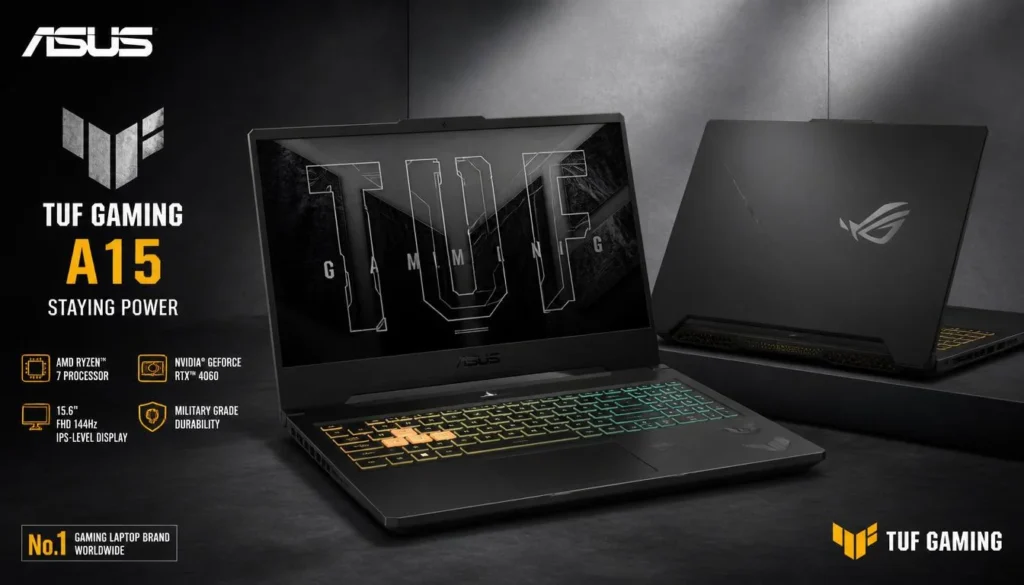
The ASUS TUF Gaming A15 is the laptop I would recommend first to most budget-conscious gamers.
The reason is simple: there is no glaring weak point in the configuration.
You get an AMD Ryzen 7 7435HS processor, NVIDIA GeForce RTX 4050 graphics, 16GB of DDR5 RAM, a 512GB PCIe SSD, and a 15.6-inch 144Hz Full HD display. Amazon’s listing also specifies 100% sRGB coverage, which is a welcome bonus in a price category where display quality is often sacrificed.
That combination is well suited to 1080p gaming. Competitive titles such as Valorant, Fortnite, Overwatch 2, Rainbow Six Siege, and Apex Legends should make good use of the high-refresh display, while the RTX 4050 gives you enough graphics power for much more demanding games when settings are adjusted sensibly.
The included 16GB of RAM is another reason I like this configuration. You can start gaming without immediately thinking about a memory upgrade.
Pros
- Strong Ryzen 7 and RTX 4050 combination
- 16GB DDR5 RAM out of the box
- Smooth 144Hz display
- 100% sRGB color coverage
- Good choice for gaming and everyday work
- Solid value for a mainstream gaming setup
Cons
- 512GB SSD can fill quickly
- Gaming performance drops significantly on battery power
- Fans may get loud under sustained load
- Ryzen 7 7435HS does not prioritize battery efficiency
- Heavier than a normal productivity laptop
My Honest Opinion
This is the easiest laptop in the group to recommend.
It is not the fastest model here—that title goes to the RTX 4060 Lenovo—but the overall package makes more sense for most people shopping on a budget.
You are getting enough GPU power for modern 1080p gaming, enough RAM to avoid an immediate upgrade, and a display that is better than many cheap gaming panels.
The only thing I would plan for later is additional storage. A 512GB SSD sounds fine until Windows, launchers, updates, and three or four huge games begin fighting for space.
For someone buying a first serious gaming laptop, the ASUS TUF Gaming A15 is my best overall pick.
2. Lenovo LOQ 15ARP9 — Best Budget RTX 4060 Performance
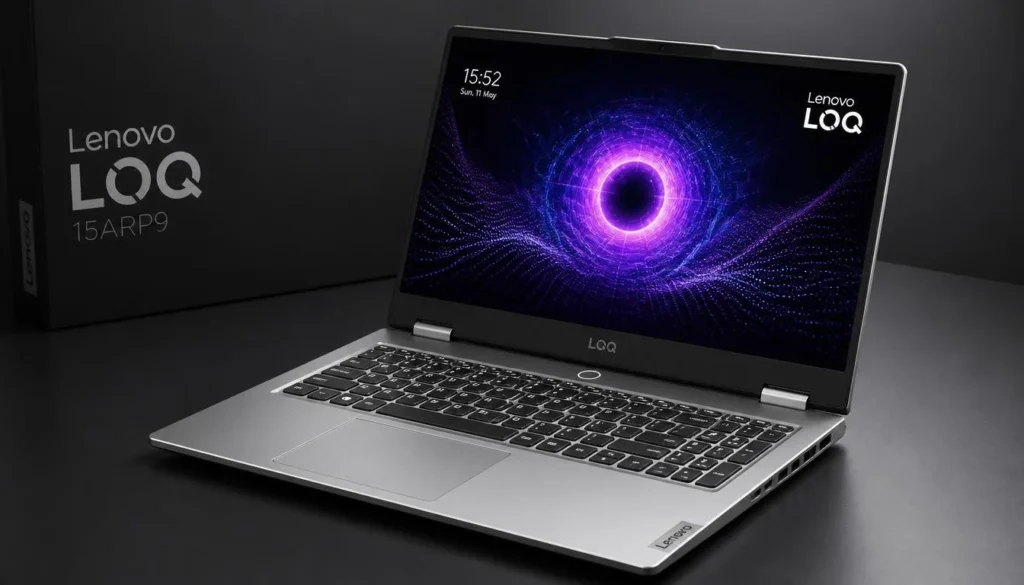
If maximum gaming performance matters more to you than getting the absolute cheapest laptop, the Lenovo LOQ 15ARP9 is the model I would watch closely.
The Amazon configuration I checked combines an AMD Ryzen 7 7435HS with an NVIDIA GeForce RTX 4060, 32GB of DDR5 RAM, a 1TB SSD, and a 15.6-inch Full HD 144Hz screen.
The RTX 4060 is the big reason to buy it.
Compared with an RTX 4050 laptop, you have additional graphics headroom for demanding AAA games, higher graphics settings, ray tracing, and games that may become more demanding over the next few years.
The 1TB SSD is also a practical advantage. Game installations are huge now, and having twice the storage of a typical 512GB budget laptop makes daily ownership much easier.
Pros
- RTX 4060 offers stronger gaming performance
- Powerful Ryzen 7 processor
- Generous 32GB DDR5 RAM on this listing
- Spacious 1TB SSD
- 144Hz Full HD display
- Good desktop-replacement potential
- Better long-term gaming headroom
Cons
- Usually more expensive than RTX 4050 laptops
- Fairly bulky
- Battery life is not its strongest feature
- Some Amazon LOQ listings are seller-upgraded configurations
- Buyers should verify warranty and seller information
My Honest Opinion
This is the laptop I would choose if I could stretch my budget beyond a normal RTX 4050 machine.
The RTX 4060 matters more to gaming performance than moving from one similar Ryzen processor to another. If you play newer AAA games, want to keep the laptop for several years, or plan to connect a gaming monitor later, that extra GPU power is useful.
I also like that this Amazon listing includes more RAM and storage than most entry-level gaming laptops.
Just pay close attention to the seller. Lenovo LOQ configurations on Amazon can vary, so verify exactly what RAM, storage, operating system, warranty, and accessories are included before checking out.
For pure frame-per-dollar potential, the Lenovo LOQ 15ARP9 is one of the strongest choices here.
3. Acer Nitro 16 — Best Large High-Refresh Display
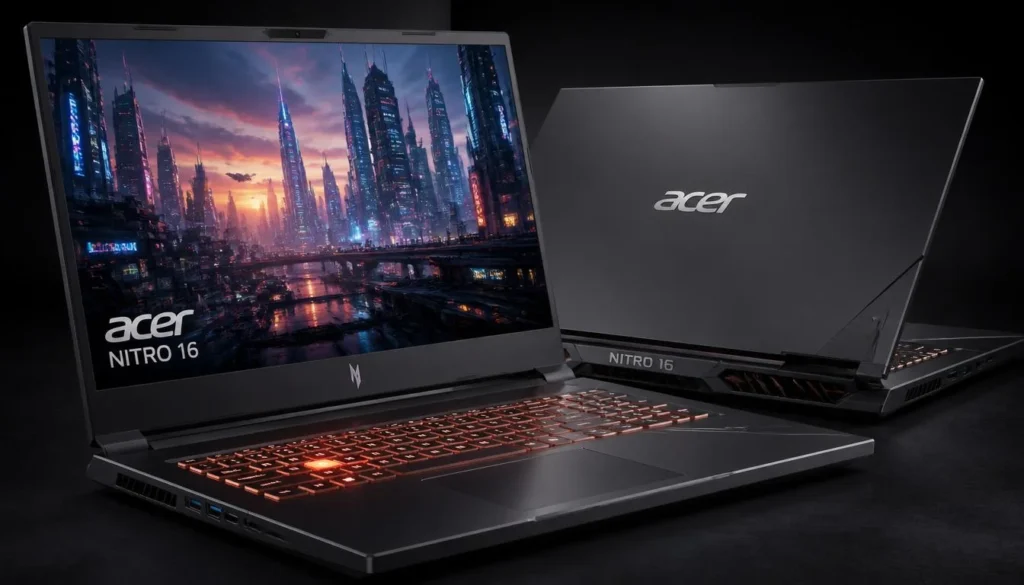
The Acer Nitro 16 is the one I would consider if screen size matters almost as much as performance.
This configuration uses an AMD Ryzen 5 7640HS processor together with NVIDIA GeForce RTX 4050 graphics. Amazon lists an 8GB DDR5 memory configuration, a 512GB Gen 4 SSD, Wi-Fi 6E, and a 16-inch WUXGA IPS display running at 165Hz.
That 16-inch display is the standout feature.
Instead of the typical 1920 × 1080 16:9 panel found on many budget gaming laptops, you get a taller 16:10 screen. The additional vertical space is useful for web browsing, schoolwork, editing, coding, and productivity—not just gaming.
The RTX 4050 also gives it enough graphics power for a very respectable 1080p/WUXGA gaming experience.
There is one obvious problem, though: 8GB of RAM.
Pros
- Large 16-inch WUXGA display
- Fast 165Hz refresh rate
- RTX 4050 dedicated graphics
- Modern Ryzen 5 processor
- Fast Gen 4 SSD
- Wi-Fi 6E
- Great screen for gaming and productivity
Cons
- Only 8GB RAM in this configuration
- RAM upgrade is highly recommended
- 512GB storage is not generous
- Larger chassis is less portable
- Cooling fans can become noticeable while gaming
My Honest Opinion
I like this laptop more than its 8GB RAM specification suggests.
The core hardware is good. The Ryzen 5 processor is capable, the RTX 4050 is appropriate for budget gaming, and the 165Hz WUXGA display is arguably better for everyday use than a standard 15.6-inch 1080p panel.
But I would factor a RAM upgrade into the purchase price from day one.
Once you move to 16GB, the Acer Nitro 16 becomes a much more complete gaming laptop.
If you want a bigger screen and do not mind upgrading memory, this is a very appealing option.
4. ASUS TUF Gaming A16 — Best All-AMD Gaming Laptop
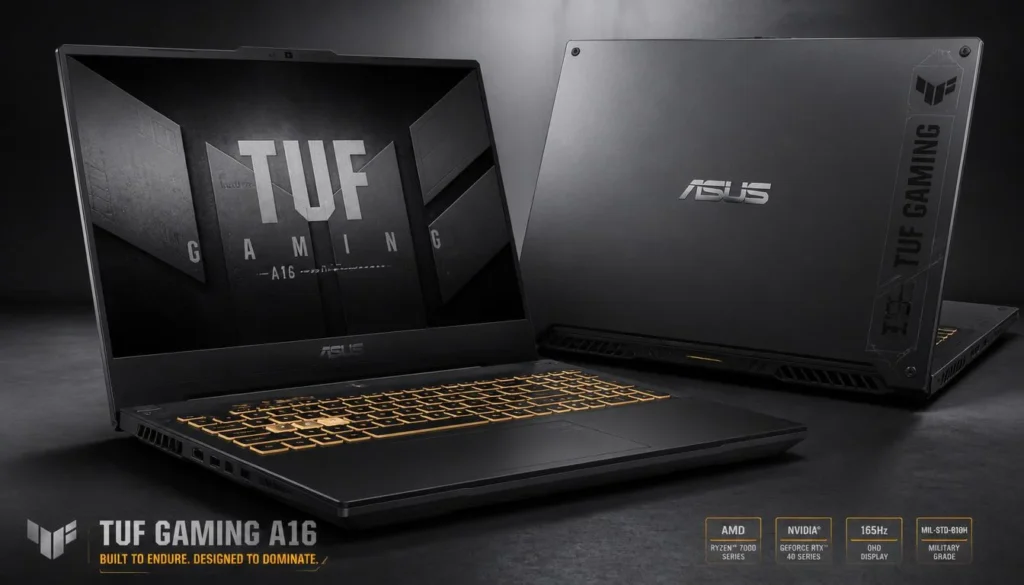
The ASUS TUF Gaming A16 is the most interesting laptop here if you specifically want an AMD CPU and AMD dedicated graphics.
Its Amazon configuration pairs an AMD Ryzen 7 7735HS processor with Radeon RX 7700S graphics, 16GB of RAM, a 512GB SSD, and a 16-inch WUXGA 165Hz display.
The Radeon RX 7700S carries 8GB of dedicated graphics memory, giving the laptop a healthy amount of VRAM for conventional gaming.
You also get a taller 16:10 display, which makes the laptop feel more spacious outside games.
This is a particularly attractive machine for buyers who do not care about owning an NVIDIA GPU just because NVIDIA dominates gaming-laptop marketing.
Pros
- AMD Ryzen CPU and AMD Radeon GPU
- Radeon RX 7700S with 8GB graphics memory
- 16GB RAM included
- Large 16-inch WUXGA screen
- Smooth 165Hz refresh rate
- Strong conventional gaming performance
- Great option for an all-AMD setup
Cons
- NVIDIA can be preferable for certain ray-tracing workloads
- Some creative apps benefit from NVIDIA CUDA
- 512GB SSD is relatively small
- Large chassis is not highly portable
- Exact Amazon configurations may vary
My Honest Opinion
The ASUS TUF Gaming A16 is the most fun alternative in this list.
Instead of buying yet another Ryzen-plus-RTX gaming laptop, you get an AMD-focused machine with plenty of VRAM and a genuinely good 16-inch gaming display.
For standard rasterized gaming, it makes a lot of sense.
I would lean toward an NVIDIA model if your workflow depends heavily on CUDA applications or if ray tracing is a major priority. For regular gaming, though, the RX 7700S should not be dismissed.
If the A16 is priced competitively against RTX 4050 alternatives when you shop, it deserves serious consideration.
5. HP Victus 15 — Best Entry-Level AMD Gaming Laptop
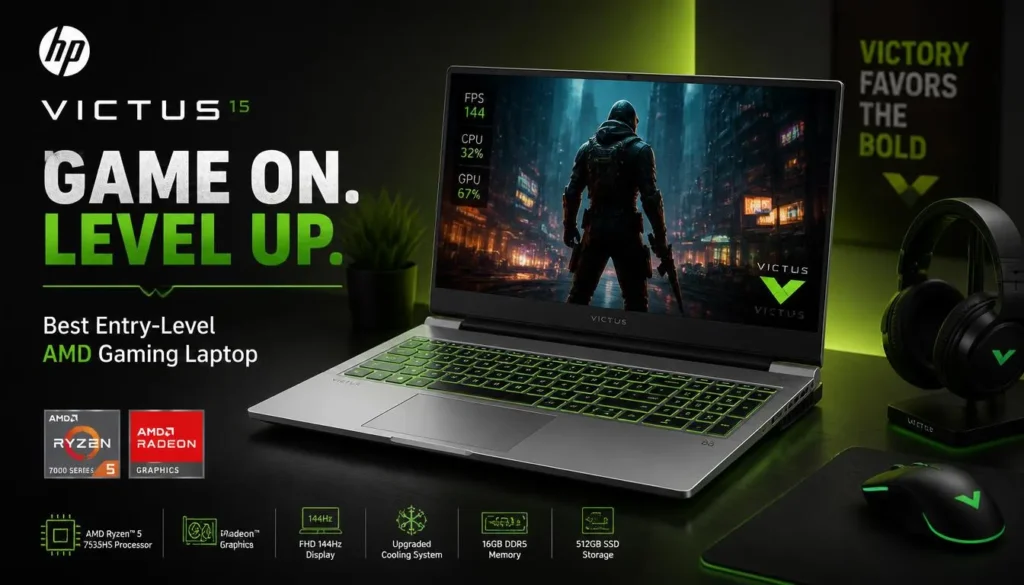
The HP Victus 15 makes sense for someone trying to get into proper PC gaming without paying for unnecessary extras.
Amazon currently lists this configuration with an AMD Ryzen 5 8645HS processor, NVIDIA GeForce RTX 4050 Laptop GPU, 8GB DDR5 RAM, a 512GB PCIe 4.0 SSD, Wi-Fi 6, and a 15.6-inch 1080p 144Hz IPS display.
Those are solid foundations for a budget machine.
The Ryzen 5 8645HS gives you six Zen 4 cores and twelve threads, while the RTX 4050 handles the heavy graphics work in games. Amazon also specifies 6GB of GDDR6 graphics memory for the RTX 4050.
Again, the weak link is RAM.
Eight gigabytes is usable, but it is not where I would want a new gaming laptop to stay.
Pros
- Modern AMD Ryzen 5 processor
- RTX 4050 dedicated GPU
- 144Hz IPS display
- DDR5 memory
- Wi-Fi 6 and Ethernet
- Clean design works for school or office use
- Good foundation for entry-level gaming
Cons
- Only 8GB RAM
- Memory upgrade should be considered
- 512GB SSD fills quickly
- Less GPU performance than RTX 4060 models
- Seller-upgraded configurations require extra attention
My Honest Opinion
The value of the HP Victus 15 depends heavily on what Amazon is charging when you read this.
If it is noticeably cheaper than a 16GB RTX 4050 ASUS TUF A15, the Victus can make sense. Buy the cheaper machine and add RAM later.
If the prices are close, I would take the ASUS because it arrives with 16GB already installed.
That does not make the Victus bad. It simply means you need to calculate the real cost after upgrades, not just the number shown on the product page.
Buyer’s Guide: 3 Key Factors to Consider
Buying the cheapest laptop with “Ryzen 7” in the title is a bad strategy.
These three things matter more.
Factor 1: GPU Performance Matters Most for Gaming
Your graphics card usually has a bigger effect on gaming performance than a small difference between similar Ryzen processors.
For the laptops in this guide, I would roughly think about them this way:
RTX 4060: Best choice if you want more headroom for demanding games.
RTX 4050: The sweet spot for affordable 1080p gaming.
Radeon RX 7700S: Strong alternative for buyers who prefer an all-AMD system.
Do not buy a Ryzen 7 laptop with weak integrated graphics and assume it will outperform a Ryzen 5 machine with an RTX 4050.
It probably will not.
Factor 2: Aim for 16GB of RAM
For a new gaming laptop, 16GB is the sensible target.
Windows itself uses memory. Then you add Steam, Discord, a web browser, game launchers, antivirus software, background applications, and the game.
Eight gigabytes disappears quickly.
That does not mean an 8GB laptop is automatically a bad purchase. It means you should check whether the RAM can be upgraded and include the cost of that upgrade in your budget.
The ASUS TUF Gaming A15 is especially attractive because it already includes 16GB.
Factor 3: Do Not Ignore the Display and Storage
A gaming laptop is not just a CPU and GPU.
You stare at the screen every time you use it.
For gaming, I recommend looking for at least a 144Hz refresh rate. A 165Hz display is even better for competitive games if the GPU can produce high frame rates.
Display color quality matters too. A 100% sRGB panel can be useful if you also edit photos, make videos, or create graphics.
Then there is storage.
A 512GB SSD is usable, but it is easy to fill. Once Windows and your applications are installed, your usable free space is already below the advertised 512GB.
Add several large games and you may start deleting things sooner than expected.
A 1TB SSD is much more comfortable.
Frequently Asked Questions
What is the best budget gaming laptop AMD users should buy?
For most buyers, the ASUS TUF Gaming A15 offers the best overall balance. It combines a Ryzen 7 processor, RTX 4050 graphics, 16GB DDR5 memory, and a 144Hz display without requiring an immediate RAM upgrade.
For higher gaming performance, the Lenovo LOQ 15ARP9 with RTX 4060 is the stronger option.
Is AMD Ryzen 5 good for gaming laptops?
Yes.
A modern Ryzen 5 HS-series processor is more than capable of gaming when paired with a good dedicated GPU.
For example, a Ryzen 5 laptop with an RTX 4050 can be a much better gaming machine than a Ryzen 7 laptop relying only on integrated graphics.
Is Ryzen 7 better than Ryzen 5 for gaming?
Not automatically.
Ryzen 7 processors often provide more cores or stronger multitasking capability, but your GPU, laptop cooling, RAM configuration, and GPU power limits can have a larger impact on actual gaming performance.
Compare the whole laptop rather than choosing by CPU name alone.
Is 8GB RAM enough for gaming?
It can run games, but I would not intentionally choose 8GB as my long-term configuration in a new gaming laptop.
Sixteen gigabytes provides considerably more breathing room for gaming, browsers, Discord, launchers, and background software.
If you buy an 8GB laptop, check the upgrade options first.
Is an RTX 4050 gaming laptop worth buying?
Yes, especially for budget-focused 1080p gaming.
The RTX 4050 is capable of running esports games at high frame rates and can handle many demanding modern games when settings are adjusted appropriately.
If your budget allows a reasonably priced RTX 4060 laptop, however, the extra graphics power can provide better long-term value.
RTX 4050 vs RTX 4060: which should I choose?
Choose an RTX 4050 if keeping the purchase price low is your main concern and you primarily game at 1080p.
Choose an RTX 4060 if you want additional graphics headroom, plan to play demanding games at higher settings, or want to keep the laptop for several years.
Always compare the complete laptop because GPU power limits and cooling can affect performance.
Are AMD Radeon gaming laptops good?
Yes.
The ASUS TUF Gaming A16 is a good example. Its Ryzen processor and Radeon RX 7700S GPU create an attractive all-AMD gaming package.
NVIDIA may still be preferable for certain CUDA workloads, ray tracing, or software-specific features.
Can a budget AMD gaming laptop be used for video editing?
Absolutely.
Models with 16GB RAM and dedicated graphics can handle common video-editing workloads quite well.
For heavier 4K projects, large timelines, or professional creative work, 32GB RAM and additional storage become more useful.
Is a 512GB SSD enough for gaming?
It is enough to get started, but it is not generous.
A few large AAA games can consume hundreds of gigabytes.
If you choose a 512GB model, check whether the laptop includes another M.2 slot or allows the existing SSD to be replaced easily.
Should I keep my gaming laptop plugged in while gaming?
For demanding games, yes.
Gaming laptops generally deliver their highest CPU and GPU performance while connected to their power adapter.
Playing on battery usually reduces performance and drains the battery quickly.
Final Verdict: Which AMD Gaming Laptop Should You Buy?
For most people searching for the best budget gaming laptop AMD, I would choose the ASUS TUF Gaming A15.
It gets the important things right: Ryzen 7 processing power, RTX 4050 graphics, 16GB DDR5 RAM, a fast 144Hz screen, and solid overall balance.
If gaming performance comes first and you can spend more, the Lenovo LOQ 15ARP9 with RTX 4060 offers the most graphics headroom in this group.
Want a larger screen? Pick the Acer Nitro 16.
Want an AMD CPU and Radeon GPU together? The ASUS TUF Gaming A16 is the standout.
And if the price is low enough, the HP Victus 15 remains a good entry point—just budget for more RAM.
There is no single laptop that is perfect for everyone.
But if you match the GPU, RAM, display, and storage to the games you actually play, you can get a genuinely good AMD gaming laptop without spending flagship-level money.