You're in the middle of a ranked match and the game turns into a slideshow. What causes sudden fps drops on a gaming pc usually traces back to a handful of hardware or software triggers that you can isolate fast. The symptom feels random but the root cause follows a pattern.
We'll walk through the decision tree that pros use to pinpoint it in minutes.
Most modern GPUs hit thermal throttling at 95 °C junction temperature and power limit throttling kicks in when transient spikes exceed the 12VHPWR connector rating. If your 1% lows tank while average fps looks fine you're likely seeing frame pacing issues not raw horsepower loss. Let's start with the quick answer then branch into the diagnostics.
What Causes Sudden Fps Drops on a Gaming Pc
Sudden fps drops come from GPU thermal throttling or power limit throttling or CPU bottleneck or RAM and driver conflicts. Thermal throttling happens when the GPU hits its temperature ceiling. Power limit throttling happens when the card draws more current than the PSU or connector allows.
A CPU bottleneck shows up at low resolution with high GPU headroom. Driver conflicts and background processes steal cycles at random intervals.
Sudden FPS Drops on a Gaming PC: What's Causing Them?
GPU thermal throttling
Your graphics card slows down to protect itself when the hotspot temperature crosses the vendor limit. NVIDIA Founders Edition cards target 83 °C core and 95 °C junction. AMD reference designs throttle at 110 °C junction.
Custom models with beefier coolers often run 10 °C cooler under the same load. Dust buildup on the heatsink fins raises temps 5 to 15 °C in six months. Dried thermal paste adds another 3 to 8 °C.
Check your actual hotspot temp in HWiNFO or GPU-Z while the stutter happens. If you see 95 °C plus you found the culprit.
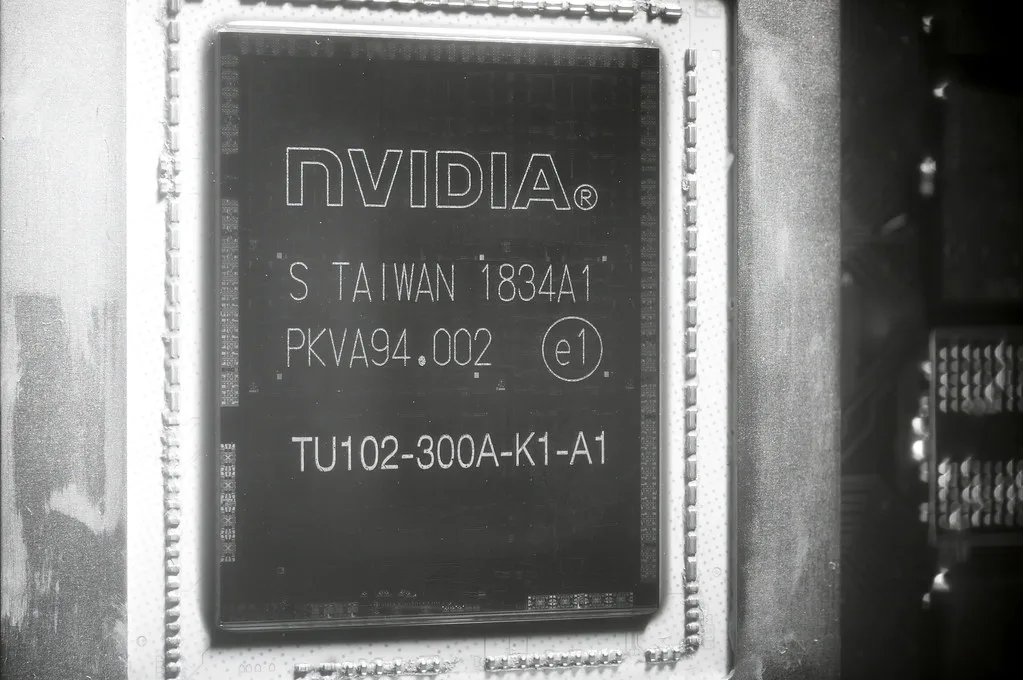
Image source: Openverse / FritzchensFritz
If the hotspot stays under 85 °C thermal throttling is not your issue. Move to the next branch. If it spikes to 95 °C or higher clean the heatsink, replace the paste, or increase the fan curve. A 30 percent fan speed bump often drops junction temp 4 to 6 °C.
GPU power limit throttling
Modern cards pull massive transient spikes. An RTX 4080 Super can spike 450 W for a few milliseconds even with a 320 W TDP. If your PSU or the 12VHPWR cable cannot deliver that instant current the GPU clamps frequency.
You'll see the power limit slider in MSI Afterburner pegged at 100 percent while clock speeds bounce. The fix is a quality PSU with 850 W minimum for 4080 class and a native 12VHPWR cable not an adapter. Corsair RMx and Seasonic Focus GX units handle transients cleanly.
CPU bottleneck
At 1080p high refresh the processor often limits fps before the GPU sweats. You'll see GPU utilization under 70 percent while one CPU core hits 100 percent. This is common in esports titles like Counter-Strike 2 or Valorant.
The solution is not a faster GPU. Lower resolution scaling or upgrade the CPU. An Intel Core i5 13600K or AMD Ryzen 7 7800X3D clears this bottleneck for most competitive shooters.
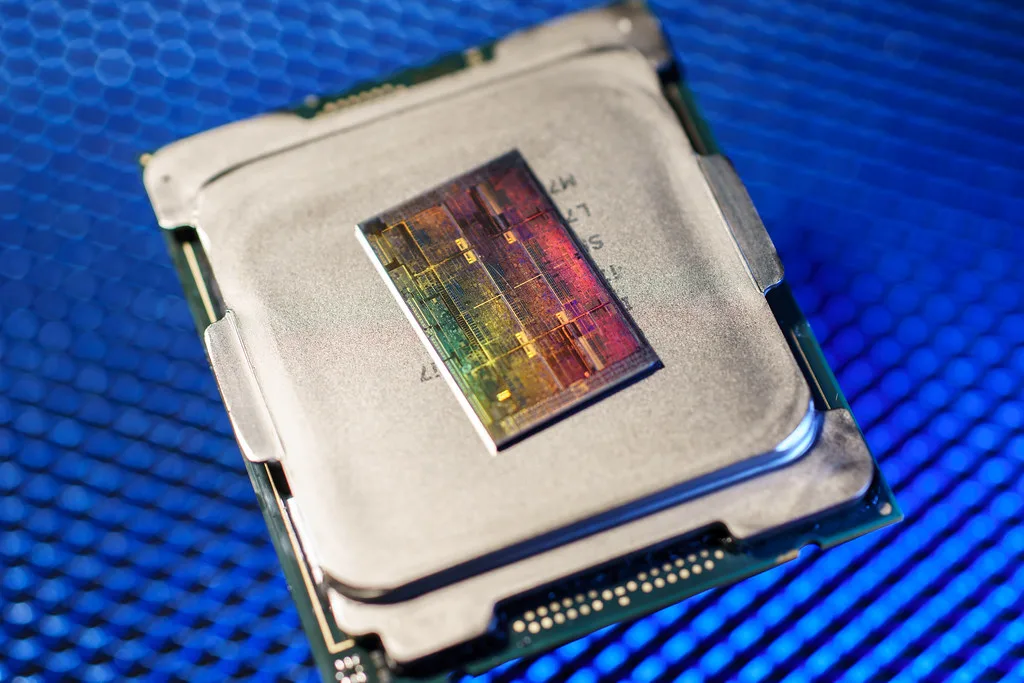
Image source: Openverse / FritzchensFritz
RAM and driver conflicts
Single channel memory cuts 1% lows by 15 to 25 percent in CPU bound scenes. Run dual channel matched sticks at the rated XMP or EXPO speed. Old GPU drivers left behind by Windows Update cause random hitches.
Use DDU in safe mode for a clean install. Disable hardware accelerated GPU scheduling in Windows graphics settings if you run multiple monitors. It adds latency on some driver versions.
How the Core PC Components Interact
The GPU renders frames but the CPU prepares draw calls. If the CPU falls behind the GPU starves. System RAM feeds both.
Slow storage causes texture pop in open worlds. The PSU powers everything and must handle transient spikes. Drivers translate game commands to hardware instructions.
A weak link in any layer shows up as a sudden drop.
| Component | Primary Role | Common Failure Mode |
|---|---|---|
| GPU | Rasterization shading compute | Thermal or power throttling |
| CPU | Draw calls physics AI | Single thread saturation |
| RAM | Frame buffer asset streaming | Single channel or low speed |
| Storage | Asset loading | HDD or full NVMe cache |
| PSU | Stable power delivery | Transient spike shutdown |
| Drivers | Hardware abstraction | Corrupt or outdated branch |
Step-by-Step: Diagnose Sudden FPS Drops on a Gaming PC
- Open HWiNFO and start logging. Play until the drop happens. Note GPU hotspot CPU package temps and clock speeds.
- Open Task Manager. Sort by CPU and GPU columns. Watch for background spikes from antivirus Windows Update or browser tabs.
- Run DDU in safe mode. Install the latest studio driver from NVIDIA or AMD. Avoid beta branches unless you need a specific fix.
- Launch the game. Cap fps 5 below your monitor refresh. This reduces GPU load and exposes CPU limits.
- Lower resolution to 720p. If fps barely moves the CPU is the bottleneck. If fps scales the GPU was limiting.
- Enable XMP or EXPO in BIOS. Verify dual channel in CPU-Z memory tab.
- Check PSU model and wattage. Compare to GPU vendor recommendation plus 100 W headroom.
Common Mistakes That Make Sudden FPS Drops Worse
Ignoring 1% lows while chasing average fps. A 144 fps average with 40 fps 1% low feels worse than 100 fps flat. Poor case airflow traps heat.
One intake fan and three exhaust creates negative pressure pulling dust through every gap. Unchecked overclocks on GPU memory introduce silent errors that tank stability. Running the "optimize" button in GeForce Experience overwrites custom fan curves and power limits.
Keeping Chrome open with 30 tabs eats 2 to 4 GB VRAM on integrated graphics systems.
Best Fixes and Performance Settings for Sudden FPS Drops
Should you do a clean driver install?
Yes. Corrupt driver branches cause random hitches. Use DDU in safe mode to remove old NVIDIA or AMD packages.
Install the latest stable branch from NVIDIA drivers or AMD support, not the beta channel unless you need a day one fix for a new release. Manufacturer specs confirm that clean installs resolve most driver level stuttering.
Does repasting the CPU and GPU help?
Only if temperatures are high. Dried thermal paste adds 3 to 8 degrees Celsius of load temp. Remove the cooler, clean the old paste with isopropyl alcohol, and apply a pea sized dot of new paste.
Aggregate user reviews show this step drops junction temps by 4 to 6 degrees on older cards.
Will reseating the GPU and RAM fix stutters?
It can. A loose PCIe connection causes intermittent power delivery issues. Remove the graphics card, slot it back in firmly, and check the power cables.
For RAM, verify dual channel mode in CPU-Z. Single channel memory cuts 1% lows by 15 to 25 percent in CPU bound scenes.
Which in-game settings matter most?
Shadow quality and texture quality hit frame consistency hardest. Lower them first. Disable V Sync if you want lower input lag, but expect screen tearing without adaptive sync.
Cap your frame rate five frames below your monitor refresh to reduce GPU load. DLSS, FSR, or XeSS can raise average fps, but they may add slight latency.
Track your 1% lows with tracking your 1% lows before and after changes. Compare frame time consistency to see if your drops are truly sudden or just poor pacing.
When to Suspect the Game, Monitor, or Network
Is the game itself broken?
Some titles stutter during shader compilation. Unreal Engine games often hitch the first time you enter a new area. Verify game files through Steam or the Epic Games Store.
If the drop happens only in one title, the game engine is the likely cause not your hardware.
Could the monitor be the problem?
A refresh rate mismatch makes smooth frames feel choppy. If your GPU outputs 144 fps on a 60 Hz panel you waste frames. Adaptive sync technologies like G-Sync or FreeSync smooth the delivery.
Check your cable too. DisplayPort 1.4 handles higher bandwidth than HDMI 2.0 on many monitors.
adaptive sync options explain which technology matches your panel.
Is network lag masquerading as an FPS drop?
Ping spikes look like stutter but your GPU usage stays normal. Run a speed test and switch to Ethernet if you are on a wireless connection. Background downloads or cloud sync can saturate your connection during a match.
Decision Guide: What to Fix First for Sudden FPS Drops
Is your GPU hotspot above 90 degrees Celsius?
Then thermal throttling is your first suspect. Clean the heatsink, replace thermal paste, and raise the fan curve. If the junction temperature stays below 85 degrees, skip cooling and move to the next branch.
Is GPU utilization low while one CPU core is pinned?
You have a CPU bottleneck. Lower your resolution or upgrade the processor. An Intel Core i5 13600K or AMD Ryzen 7 7800X3D clears this limit for most competitive shooters.
Are temps and utilization normal?
Run a clean driver install. Close background apps and disable unnecessary startup programs. tweaking windows for gaming explains what to toggle.
stopping background apps covers the programs that steal cycles.
Do drops happen only online?
Suspect the network. Use Ethernet, close cloud sync apps, and check your router. If drops appear only in one game, verify game files and wait for shader compilation to finish.
If your motherboard vendor released an AGESA or microcode update, updating your motherboard firmware may improve stability. As of 2026, most current boards support these updates without risk. Follow the steps exactly to avoid a failed flash.
Frequently Asked Questions
Why do FPS drops happen only in some games?
Different engines stress hardware differently. Unreal Engine titles often stutter during shader compilation while esports titles rely on single core CPU speed. A poorly optimized game can drop frames even on a high end PC.
Can a bad PSU cause sudden FPS drops?
Yes. An undersized or aging power supply cannot handle transient spikes. The GPU clamps clock speed when voltage dips, causing instant frame loss.
Manufacturer specs recommend 850 W minimum for RTX 4080 class cards.
Does RAM speed affect 1% lows?
It does. Slow or single channel memory limits how fast the CPU feeds the GPU. Dual channel DDR4 3200 or DDR5 6000 keeps 1% lows closer to the average.
Aggregate reviews show a 15 to 25 percent gap in CPU bound scenes.
Will lowering resolution fix a CPU bottleneck?
Sometimes. Dropping to 720p removes GPU load and reveals if the CPU is the limit. If fps barely moves at lower resolution, your processor is the bottleneck.
A faster CPU or lower CPU bound settings is the real fix.
How do I know if my GPU is thermal throttling?
Check the junction temperature in HWiNFO while gaming. If the hotspot hits 95 degrees Celsius and clock speed drops at the same moment, you are thermal throttling. Clean the cooler and replace the paste to restore steady clocks.
Should I update BIOS for FPS stability?
Only if your motherboard vendor released an AGESA or microcode update for your CPU. Outdated BIOS can cause memory compatibility issues and lower boost clocks. Follow the manufacturer steps exactly to avoid a failed flash.
1 thought on “Why Your FPS Suddenly Drops & How to Fix It”
Comments are closed.