What is anti-ghosting on a gaming laptop keyboard? It is a hardware design that keeps one physical keypress from creating extra phantom inputs. The idea sounds simple, but it comes from how the keyboard's internal wiring is scanned.
As of 2026, the standard USB HID boot protocol still limits a basic keyboard report to six simultaneous non-modifier keys. That limit is why some laptops can only promise partial rollover, even when the box says anti-ghosting.
If you play games that need chords, combos, or awkward finger positions, the difference between a clean input and a phantom one can decide a fight. Let's walk through what actually happens inside the keyboard, how to read the spec, and when the feature matters.
Why Ghosting Happens on Gaming Laptop Keyboards
Ghosting happens because a keyboard does not give every key its own private wire to the controller. Most laptop keyboards use a matrix, which means keys share rows and columns like a grid. When you press several keys at once, the controller reads electrical paths and has to guess which keys are really down.
If the matrix has no diodes, some key combinations create an extra closed path. The controller can then report a key you never pressed. That is the ghost input.
It is not always dramatic, but in games it can trigger an ability, cancel a movement, or send a command at the wrong time.
The risk rises with specific finger clusters. Fighting games, RTS games, and rhythm games often use close keys, and those clusters are more likely to share matrix lines. Casual single-player games may never expose the problem.
What Anti-Ghosting Actually Is
Anti-ghosting is the design that stops those false extra inputs. In most laptop keyboards, that means adding diodes to the matrix so each key's electrical path stays isolated. The controller can then scan the matrix and trust the result.
It does not automatically mean every key can be pressed at the same time. That is a separate rating called rollover. Anti-ghosting solves the phantom-key problem.
Rollover tells you how many real keys the keyboard can report together.
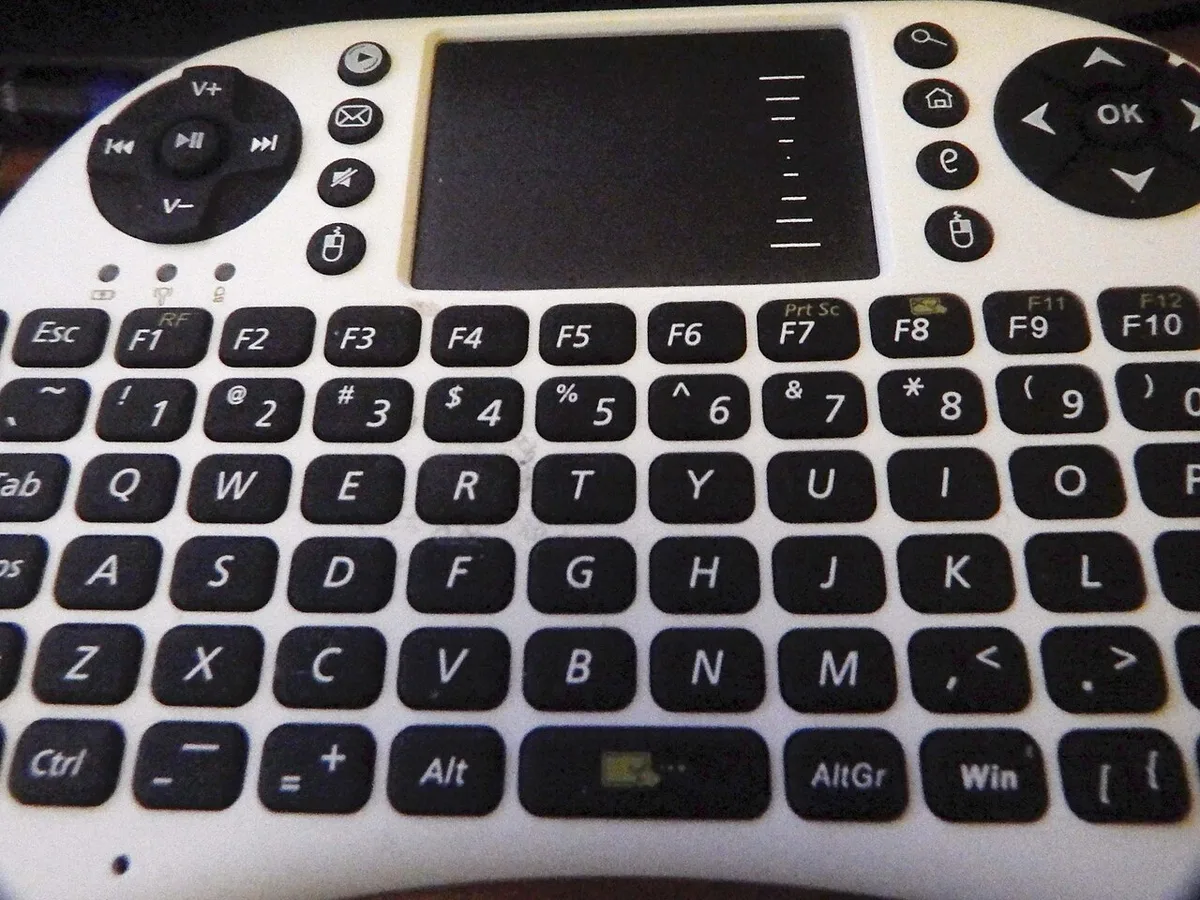
Image source: Wikimedia Commons / Делфина (CC BY-SA)
| Feature | What it means | What it does not promise |
|---|---|---|
| Anti-ghosting | Prevents phantom keypresses | Does not guarantee high rollover |
| Ghosting | Extra key reported without being pressed | Is a matrix limitation, not a software bug |
| Rollover | Number of keys reported at once | Does not by itself stop phantom inputs |
How a Keyboard Matrix Creates Ghost Inputs
A matrix works like a spreadsheet. Rows and columns cross at each key. The controller sends a signal down one row, then checks which columns complete a circuit.
It repeats this fast enough that the keyboard feels instant.
The problem starts when three or more keys in the same row and column pattern are pressed. Without diodes, electricity can travel backward through shared lines. The controller sees a closed circuit and assumes another key is down.
Diodes act like one-way valves. They let current flow in the intended direction and block the reverse path. That is why a diode-isolated matrix can scan many keys without creating ghosts.
Laptop keyboards have a harder job than desktop keyboards. They are thin, light, and tightly packed. That can limit matrix design, switch height, and service access.
Manufacturer specifications are the safest place to check what the matrix actually supports.
If you are troubleshooting odd inputs, it also helps to understand the firmware layer. A firmware issue can mimic a hardware problem, especially after an update. Update paths vary by brand, so use the maker's manufacturer control software rather than guessing.
Rollover Ratings, Zones, and Full-Keyboard Coverage
Rollover is usually written as KRO. A 6KRO keyboard can report six non-modifier keys at once. A 10KRO model can report ten.
NKRO means n-key rollover, which means the keyboard can report many more keys at once, often limited by the connection or software mode.
Anti-ghosting and rollover are related, but they are not the same. A keyboard can have anti-ghosting on common gaming clusters while still having a modest rollover rating. That is why you should look for both words on the spec sheet.
Some laptops advertise anti-ghosting zones. That usually means certain key groups, such as WASD and nearby keys, are protected. Full-keyboard anti-ghosting means the protection applies across the whole matrix.
| Rating or label | Practical meaning | Best fit |
|---|---|---|
| 6KRO | Six non-modifier keys at once | Most casual and FPS play |
| 10KRO | Ten non-modifier keys at once | MOBA and RTS chord work |
| NKRO | Many keys at once | Fighting games and complex combos |
| Zoned anti-ghosting | Protected key clusters only | Budget and thin laptops |
| Full-keyboard anti-ghosting | Whole matrix protected | Competitive play |
USB details matter here. The USB HID standard defines how keyboard data is reported. In basic boot mode, the report is small, so six keys is a common ceiling.
Some keyboards use larger reports or special modes to exceed that. For authoritative USB background, see the USB Implementers Forum.
Anti-Ghosting vs N-Key Rollover vs Key Blocking
These three terms get mixed up often. Anti-ghosting prevents false inputs. N-key rollover measures how many real inputs can be reported together.
Key blocking, also called jamming, is when the keyboard simply refuses to register an extra key once the matrix limit is reached.
Key blocking can feel safer than ghosting because it does not invent a phantom command. But it can still drop a real input during a combo. If you press seven keys on a 6KRO keyboard, one may not register.
That is not a ghost. It is a rollover limit.
For many players, key blocking is acceptable. If you rarely press more than five keys at once, a 6KRO board with anti-ghosting may be enough. If you play games with long chords, NKRO or a higher KRO rating is more useful.
| Term | Main job | Common result |
|---|---|---|
| Anti-ghosting | Stops phantom inputs | Cleaner matrix scanning |
| N-key rollover | Reports many real keys | Better combo reliability |
| Key blocking | Drops extra inputs at the limit | No phantom, but possible missed input |
When comparing laptops, do not trust a single marketing line. Check the rated rollover, whether coverage is zoned or full, and whether the spec mentions diodes or matrix design. If a listing is vague, treat the claim as unverified.
For deeper hardware checks, you can also diagnose hardware issues before assuming the keyboard is faulty.
Which Gamers Actually Benefit (and Who Doesn't)
If you play fighting games, you benefit. Chords and rapid directional inputs need clean matrix scanning. If you play RTS or MOBA, you benefit too.
Multi-key commands and camera controls can stack quickly.
If you play casual shooters or single-player games, you may not notice. Most of those games use fewer simultaneous keys. A basic keyboard with clean blocking can feel fine.
Laptop-first players should care more. An external mechanical board may have better rollover. A built-in laptop keyboard is more likely to have zones or limits.
| Player type | Need level | Why |
|---|---|---|
| Fighting game player | High | Chords expose matrix limits |
| RTS or MOBA player | Medium to high | Many keys can stack |
| Casual player | Low | Fewer simultaneous inputs |
| Laptop-only player | Medium | Built-in matrix may be limited |
If you often press more than six keys at once, look for a higher rollover rating. If you rarely do, anti-ghosting on common clusters may be enough. If you add an external board through USB4 ports, the port itself is not the keyboard limit.
How to Test Your Laptop's Real Rollover
Start with the spec sheet. Look for rollover count and coverage. If the sheet only says "anti-ghosting," the rating is unclear.
Open a plain text field. Press common combos without releasing them. Try WASD plus Shift, Space, and a number key.
Count how many letters appear.
Use a rollover tester if you want a cleaner check. These tools show which keys the system reports. They do not fix the matrix, but they reveal limits.
Test in a training mode too. Games handle input differently than text fields. A combo that works in Notepad may still fail in a fighter.
| Test step | What to watch for |
|---|---|
| Read specs | Rollover count and coverage |
| Text field test | Missing or extra characters |
| Combo test | Keys in the same cluster |
| Game test | Dropped or phantom commands |
Remember the USB boot-protocol limit. Six non-modifier keys is common in basic mode. Some laptops use larger reports or special modes.
BIOS settings can affect firmware behavior after updates.
Marketing Traps and Common Mistakes
Do not assume "anti-ghosting" means NKRO. The phrase may only cover common clusters. Full-keyboard claims should name the coverage.
Do not trust RGB or switch marketing as proof. Lighting and switch feel do not show matrix design. A loud keyboard can still ghost.
Do not test only one combo. Ghosting depends on matrix layout. One clean cluster does not prove the whole board is clean.
- Vague "anti-ghosting" with no rollover number
- "Gaming keyboard" labels without matrix details
- Testing only WASD and ignoring nearby keys
- Assuming software can fix hardware matrix limits
- Comparing laptops by price alone
If inputs behave strangely after updates, check firmware first. A firmware update can change scanning behavior or key mapping.
Frequently Asked Questions
Is anti-ghosting the same as N-key rollover?
No. Anti-ghosting prevents phantom inputs. N-key rollover measures how many real keys report at once.
A keyboard can have anti-ghosting and still have a 6KRO limit. Check both specs before buying.
Does every gaming laptop have anti-ghosting?
No. Many gaming laptops have some protection, but coverage varies. Some only protect common clusters.
Budget or thin models may use zoned designs. Read the spec sheet instead of trusting the category label.
Can software fix ghosting?
Usually no. Ghosting comes from the keyboard matrix and hardware scanning. Software can change key mapping or polling, but it cannot add diodes.
If a matrix lacks isolation, firmware cannot fully solve it.
Is 6KRO enough for most games?
Often yes. Many games use fewer than six simultaneous non-modifier keys. Fighting games and complex chord setups may need more.
If you play those genres, look for 10KRO or NKRO.
Why do some keys ghost together?
They share matrix rows or columns. When several keys in the same pattern are pressed, current can take an alternate path. Diodes block that path.
Without them, the controller may report an extra key.
Does anti-ghosting improve typing too?
It can help, but typing rarely presses complex chords. Most typing uses one or two keys at a time. The bigger benefit is in games with simultaneous inputs.
A clean matrix still feels more consistent.
Do You Actually Need Anti-Ghosting? A Decision Guide
If you play fighting games, choose full coverage and high rollover. If you play RTS or MOBA, choose at least 10KRO with anti-ghosting. If you play casual games, zoned protection is usually enough.
If you use an external keyboard, compare both. The built-in board may be fine for travel. The external board may be better for ranked play.
If specs are vague, assume partial coverage. That is the safer reading. Ask the manufacturer or test before a tournament.
- Need high rollover: fighting, rhythm, complex macros
- Need medium rollover: RTS, MOBA, racing
- Need basic protection: FPS, casual, single-player
- Need external board: tournament or desk setup
The right choice depends on your games, your keys, and your setup. Anti-ghosting is not a luxury for everyone, but it is cheap insurance for chord-heavy play. Check the matrix, test the combos, and trust measured behavior over marketing.
1 thought on “What Is Anti-Ghosting on a Gaming Laptop Keyboard?”
Comments are closed.