If you're asking what is the difference between Lenovo Legion and LOQ, the short version is this: Legion is Lenovo's higher-end gaming line, while LOQ is the newer budget-first line that grew out of the old IdeaPad Gaming series. The name on the lid matters less than the config you actually buy.
As of 2026, Legion laptops often start around $1,000 and climb past $2,500, while LOQ models more commonly land between $700 and $1,200. Both can use NVIDIA RTX 40-series graphics, but they usually differ in cooling, chassis quality, display brightness, and how much power the GPU is allowed to draw.
The Short Answer: Legion vs LOQ in Plain English
Legion is the line Lenovo aims at gamers who want stronger cooling, better screens, and more upgrade headroom. LOQ is the line for buyers who want playable 1080p frame rates without paying premium-laptop money.
The simplest way to think about it is this:
- Legion = better build, better thermals, more premium options.
- LOQ = lower price, solid entry-level performance, fewer premium extras.
- Both = Windows gaming laptops with Lenovo Vantage, MUX switch support on many configs, and RTX graphics on most current models.
That said, a well-specced LOQ can beat a weak Legion config in real games. Always compare the exact CPU, GPU, TGP, RAM, and display before you buy.
How Lenovo Actually Positions These Two Lines
Lenovo did not create LOQ to replace Legion. It created LOQ to cover the budget and mid-range space more clearly. Legion still covers the mainstream-to-premium side.
In practice, the lineup usually breaks down like this:
- LOQ 15 and LOQ 16: entry-level and lower-mid gaming.
- Legion 5 and Legion 5i: mainstream gaming with stronger cooling.
- Legion Pro 5i and Legion 7i: higher-end performance and premium features.
- Legion Slim models: thinner designs with some thermal trade-offs.
The confusing part is that names overlap. A Legion 5 with an RTX 4050 is not automatically better than a LOQ 15 with an RTX 4060. The GPU, TGP, and cooling matter more than the family name.
Before you decide, it helps to check build quality carefully. A good starting point is learning how to check gaming laptop build quality before you buy, especially if you are comparing plastic and metal chassis.
Legion Breakdown: Build, Cooling, and Performance Headroom
Legion is where Lenovo puts its stronger cooling designs, better panel options, and more premium materials. That does not mean every Legion is expensive, but the line is built around higher performance ceilings.
Common Legion advantages include:
- Higher GPU wattage on many configs
- Better vapor chamber or heat pipe layouts
- More aluminum or mixed-material chassis parts
- Brighter, faster, or higher-resolution displays
- More RAM and SSD upgrade flexibility on many models
- Cleaner keyboard and port layouts
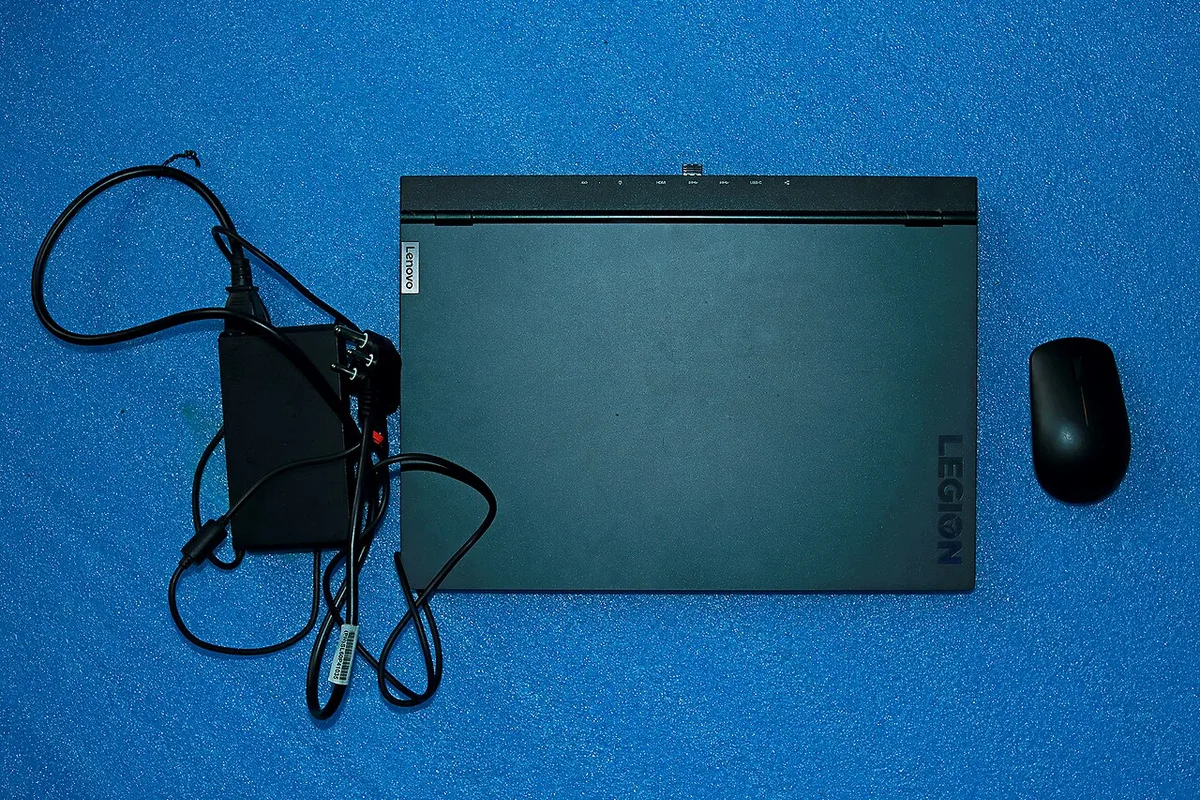
Image source: Wikimedia Commons / Atudu (CC BY-SA)
The cooling difference is the big one. A GPU can run at very different power levels depending on the laptop's thermal design. Manufacturer specifications and independent spec databases show that mobile RTX 4060 chips can be configured well below their maximum TGP in thinner or cheaper chassis.
Legion models often give that chip more room to breathe.
That is why a Legion 5 with an RTX 4060 can feel smoother than a thinner competitor with the same GPU name. The chip is not just present; it is allowed to work harder.
Legion is also the better fit if you care about chassis feel. If you are deciding between metal and plastic, read up on whether a metal gaming laptop is better than plastic before you pay extra for a premium shell.
LOQ Breakdown: Where the Budget Line Makes Sense
LOQ makes the most sense for buyers who want a real gaming laptop without stretching the budget. It is not a toy, and it is not just an office laptop with a gaming sticker.
LOQ models usually focus on:
- Lower starting prices
- Practical 1080p gaming performance
- Simpler chassis designs
- Fewer premium display options
- Enough ports for a basic gaming setup
- Easy entry into RTX 40-series graphics
For many students and first-time buyers, that is enough. A LOQ with an RTX 4050 or 4060 can handle popular esports titles well and run many AAA games at 1080p with adjusted settings.
The trade-offs are honest. You may get more plastic flex, louder fans, lower peak GPU power, and a dimmer base display. Those are not deal-breakers if your goal is value.
They are deal-breakers if you expect premium polish.
Weight is another practical factor. If you plan to carry the laptop often, check how heavy a gaming laptop is before choosing a 16-inch LOQ with a large battery.
Side-by-Side Comparison: Specs, Design, and Thermals
This is where the decision gets real. Use the table as a starting point, then verify the exact config on Lenovo's site.
| Area | Legion | LOQ |
|---|---|---|
| Typical price | Higher | Lower |
| Build quality | Better on most models | More plastic, simpler feel |
| Cooling | Stronger, more headroom | Adequate, more limited |
| GPU power | Often higher TGP | Often lower TGP |
| Display options | Better brightness and refresh choices | More basic panels |
| Upgradeability | Often stronger | Varies by model |
| Best for | Long-term gaming and creator work | Budget 1080p gaming |
A few practical rules help:
- Compare TGP, not just GPU name.
- Compare display brightness in nits, not just resolution.
- Check whether RAM is soldered or upgradable.
- Check fan noise reviews for the exact model.
- Check weight if you travel with it.
If you are sensitive to fan noise, it is worth learning how to reduce gaming laptop fan noise in a library, because cheaper chassis often get louder under sustained load.
Legion usually wins on thermals and long-term comfort. LOQ usually wins on price and risk. The right choice depends on which of those matters more to you.
What You Pay: Pricing Tiers and Real Value
Price is where the Legion and LOQ gap feels biggest. LOQ usually starts lower, while Legion offers more configs above the $1,000 mark.
As of 2026, sale pricing can blur the lines. A discounted Legion may cost close to a full-price LOQ. That is why you should compare the final cart price, not the starting MSRP.
| Tier | Typical range | What you usually get |
|---|---|---|
| Entry LOQ | $700-$900 | RTX 4050, 1080p, basic panel |
| Mid LOQ | $900-$1,200 | RTX 4060, faster refresh, better cooling |
| Entry Legion | $1,000-$1,400 | RTX 4060, stronger chassis, better screen |
| Premium Legion | $1,500-$2,500+ | RTX 4070 or above, premium panels, stronger thermals |
Value is not just the sticker price. A cheaper laptop with soldered RAM may cost more later if you cannot upgrade it. A slightly pricier Legion with easy RAM and SSD access can be the better long-term buy.
Check the warranty and support options too. Lenovo offers different care plans by region. Manufacturer specs and support pages are the safest place to confirm what is included with your exact model.
If you want to avoid paying for a weak shell, review how to check gaming laptop build quality before you buy before you place the order.
Which One Fits Your Gaming Style and Use Case
The better laptop is the one that matches your actual play habits. A competitive esports player and a casual story-game player need different things.
Legion is usually the better fit if you:
- Play demanding AAA games at 1440p or higher settings
- Want stronger cooling during long sessions
- Care about display color and brightness
- Plan to keep the laptop for several years
- Use it for streaming, editing, or 3D work
LOQ is usually the better fit if you:
- Play mostly esports or 1080p games
- Want the lowest cost of entry
- Travel often and want less financial risk
- Prefer simple upgrades over premium materials
- Are buying your first gaming laptop
Screen size also changes the experience. A 16-inch model feels better for immersion but is harder to carry. If portability matters, check what size gaming laptop fits in a backpack before choosing a larger chassis.
Thin designs can be tempting too. Some thin gaming laptops look great but run hotter and louder. Read up on whether thin gaming laptops are actually good for gaming if you are comparing slim Legion models against LOQ.
Common Buying Mistakes to Avoid
Most bad purchases happen when buyers compare names instead of parts. The Legion badge does not guarantee a better GPU, and LOQ does not mean weak performance.
Avoid these mistakes:
- Buying by brand name alone
- Ignoring GPU TGP
- Assuming all Legion models have metal chassis
- Assuming all LOQ models have poor displays
- Forgetting to check RAM upgradeability
- Overpaying for RGB instead of cooling
- Skipping port checks for your monitor or dock
Another common mistake is ignoring hinge and chassis stress. Gaming laptops get opened and closed constantly. If you travel with yours, learn how to prevent gaming laptop hinge damage before it starts.
Also check the display panel carefully. A fast refresh rate is nice, but brightness and color coverage matter more for daily use. A dim 144Hz panel can feel worse than a brighter 120Hz panel in a bright room.
Finally, do not buy the highest wattage power brick fantasy. Match the charger to the laptop's actual power needs. Carrying an oversized brick every day gets old fast.
Pro Tips Before You Order or Upgrade
Small checks can save you from a frustrating purchase. Do these before you click buy.
- Verify the exact GPU wattage in the spec sheet.
- Check whether RAM is soldered, upgradable, or both.
- Count the M.2 SSD slots.
- Compare display brightness in nits.
- Read noise reviews for the exact model.
- Confirm the charger wattage and port type.
- Check return policy and warranty terms.

Image source: Wikimedia Commons / Evan-Amos
If you plan to upgrade later, the chassis material and internal layout matter. Some models make RAM and SSD access easy. Others require careful disassembly.
Manufacturer documentation and teardown reviews are useful here.
Chassis material also affects feel and durability. If you are torn between metal and plastic, review what materials are used in a gaming laptop chassis before paying extra.
For graphics behavior, NVIDIA's official GeForce RTX mobile specifications are a good reference. They explain how mobile GPUs can vary by power target, which is exactly why two laptops with the same GPU name can perform differently.
Frequently Asked Questions
Is LOQ just a renamed IdeaPad Gaming laptop?
LOQ grew from the IdeaPad Gaming line, but it is not identical. Lenovo changed naming, design, and some feature sets. Think of it as the budget gaming tier, not a simple rename.
Can a LOQ beat a Legion in games?
Yes, if the LOQ has a stronger GPU or higher TGP. A Legion with a weaker config can lose to a better-specced LOQ. Compare the exact parts, not the family name.
Which line is better for school and work?
LOQ is often enough for school, browsing, and light work. Legion offers stronger multitasking and creator performance. Either works if you value portability and battery life.
Do both lines support MUX switch?
Many current Legion and LOQ configs include a MUX switch or Advanced Optimus. Check the spec sheet for the exact model. It matters for frame rates and battery life.
How much should I spend?
Spend based on your target resolution and settings. Entry gaming often starts around $700 to $900. Higher refresh and stronger GPUs push the budget toward $1,200 or more.
Final Verdict: Which Lenovo Gaming Laptop Should You Buy
If you want the best long-term gaming experience and can afford it, choose Legion. If you want solid 1080p performance at the lowest sensible price, choose LOQ.
That is the cleanest answer, but the real decision still comes down to the exact config. A well-specced LOQ can outperform a weak Legion, and a discounted Legion can be the better value.
Use this quick decision guide:
- Choose Legion if you play demanding games, want better cooling, care about display quality, or plan to keep the laptop for years.
- Choose LOQ if you want entry-level gaming, lower risk, and the lowest price that still delivers real RTX performance.
- Compare exact GPU wattage, RAM upgradeability, display brightness, and warranty before buying.
- Check sale prices because discounts can flip the value equation.
- Prioritize cooling and upgrade headroom over RGB and marketing names.
The Legion vs LOQ question is not really about brand prestige. It is about matching the laptop to your budget, games, and travel habits. Buy the config that fits your life, not the name that sounds better.
1 thought on “Lenovo Legion vs LOQ: What’s the Real Difference?”
Comments are closed.