If you're asking what is the difference between ASUS ROG and TUF laptops, you're not alone. Both lines look similar online. Both target gamers.
The labels alone don't explain the real gap.
As of 2026, ASUS still sells both families side by side. TUF models often start near $700. Many ROG models start near $1,200.
The useful difference lives in build, cooling, display, and GPU ceiling.
what is the difference between ASUS ROG and TUF laptops
ROG targets premium gaming. TUF targets durable value. Both use NVIDIA GPUs.
Prices often overlap today. Your budget decides best.
Why the ROG vs TUF Question Trips Up So Many Buyers
ASUS uses two gaming brands for a reason. ROG stands for Republic of Gamers. TUF stands for The Ultimate Force.
Those names suggest different goals.
The confusion comes from overlap. A mid-tier ROG Strix can cost close to a high-end TUF. Both may use the same RTX 4060.
Both may ship with 16GB RAM.
So the name alone is weak. You need to compare the exact model. Check the chassis, cooling, display, and GPU power.
That is where the real split shows.
Many buyers also see old advice. Some still say TUF is only budget. That is outdated now.
Modern TUF models can be strong mid-range machines.
If you want a clearer buying process, start with build quality checks before comparing specs.
What ASUS ROG Really Is (And Who It's Built For)
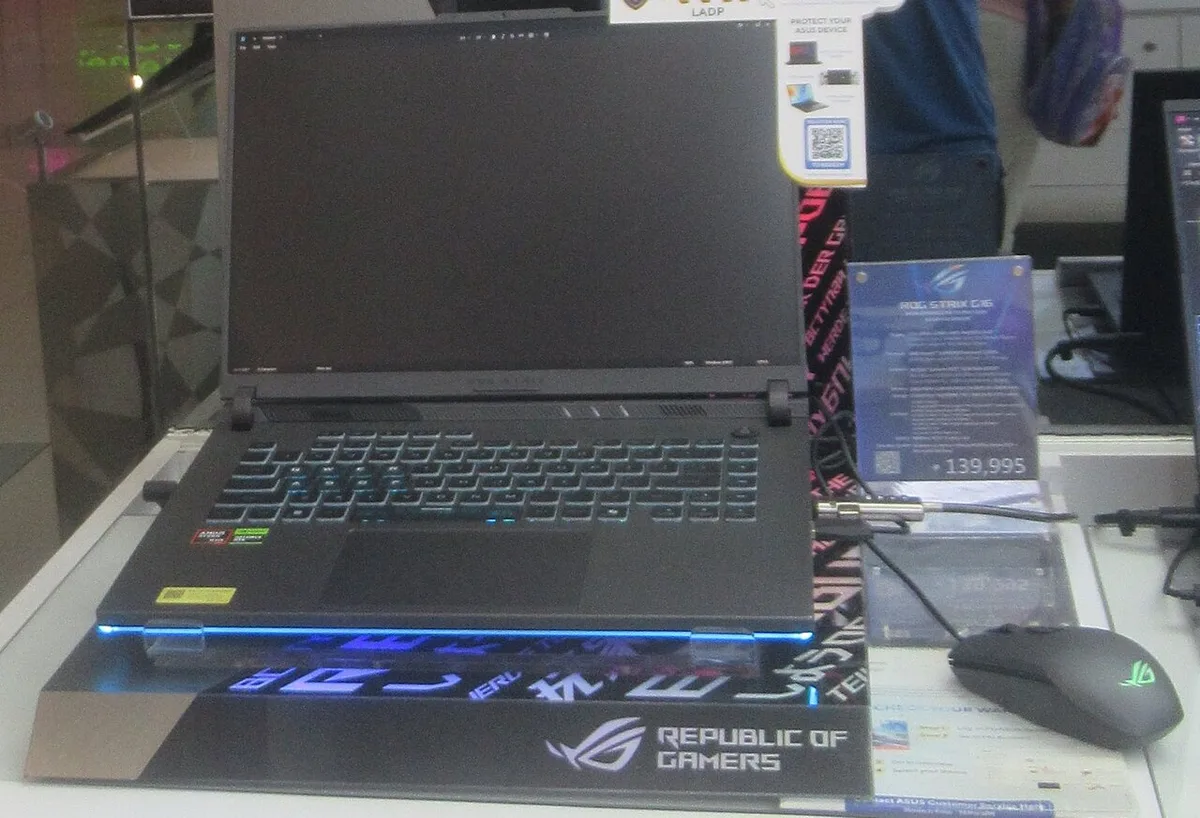
Image source: Wikimedia Commons / P1898 (CC BY)
ROG is ASUS's premium gaming laptop family. It includes Strix, Zephyrus, Flow, and Scar sub-lines. The focus is high performance, better displays, and advanced cooling.
These machines often use higher GPU tiers. You may see RTX 4070, 4080, or 4090 options. Some also use vapor chambers, liquid metal, or larger fan systems.
The audience is broader than esports. Competitive players like the high refresh rates. Creators like the color-accurate panels.
Buyers who want premium materials also land here.
Price is the tradeoff. ROG models can run from about $1,200 to $4,000 or more. Weight can also rise on high-end models.
If you travel often, check laptop weight before choosing a large chassis.

Image source: Wikimedia Commons / Solomon203 (CC BY-SA)
What ASUS TUF Gaming Really Is (And Who It's Built For)
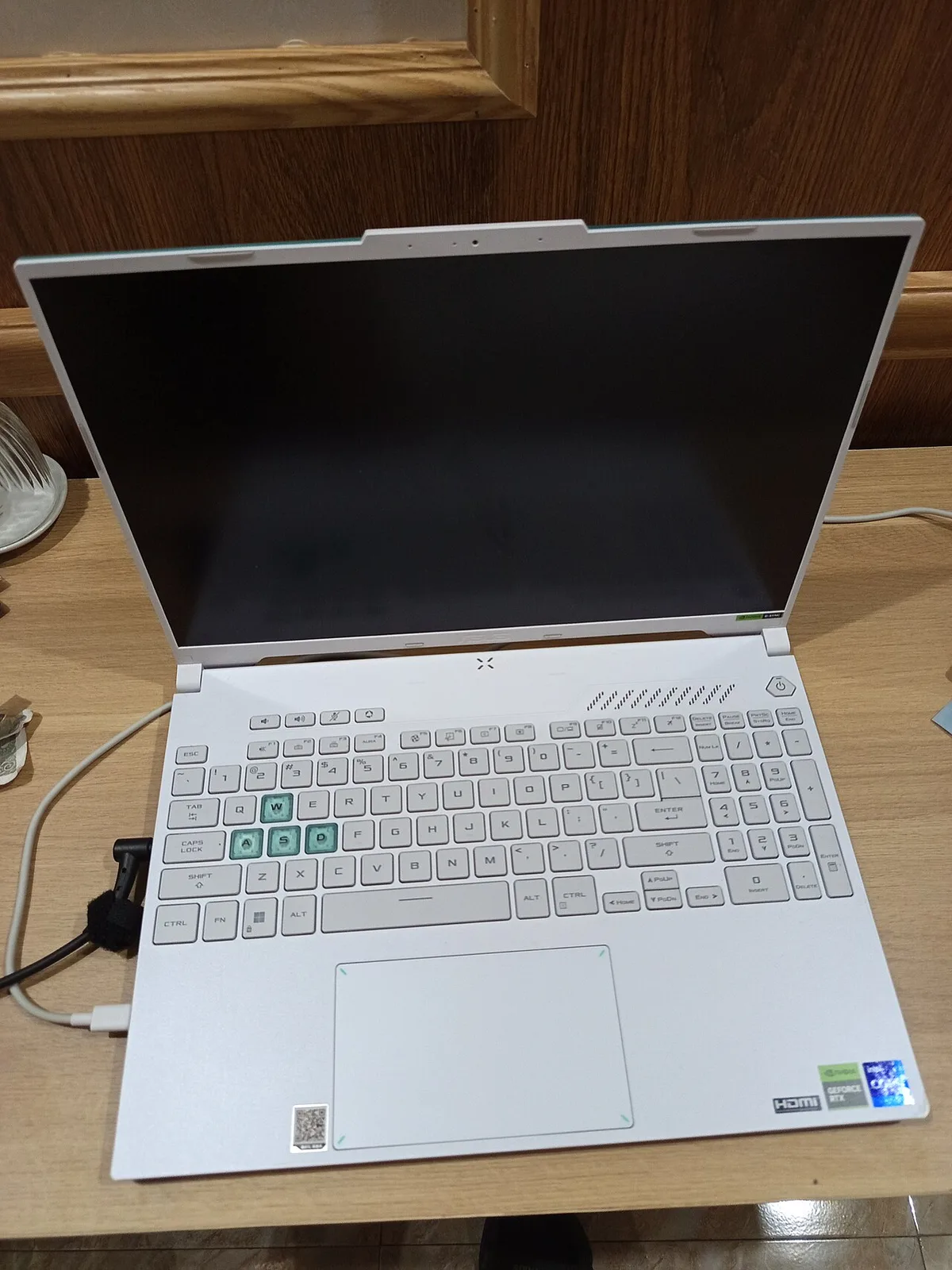
Image source: Wikimedia Commons / HuangWending18072009
TUF Gaming is ASUS's value-focused gaming line. It centers on price-to-performance and durability. Many models are tested to the MIL-STD-810H standard.
That does not mean every TUF is weak. It means the line starts lower. You often find RTX 4050 or 4060 configs.
Some higher TUF models still compete well in daily gaming.
The target buyer is practical. Students, first-time gaming laptop owners, and budget-conscious players fit well. Buyers who want a machine for travel use may also prefer TUF's lower cost.
Build materials often lean toward reinforced plastic. That can reduce weight and cost. It may not feel as premium as aluminum, but it can still be durable.
The Real Differences That Actually Matter

Image source: Wikimedia Commons / Matti Blume (CC BY-SA)
The biggest differences are not the logo. They are the parts you touch and the parts that control heat.
Build Quality and Materials
ROG often uses aluminum or magnesium alloy on premium models. TUF often uses reinforced plastic. Both can be durable, but they feel different in hand.
If chassis feel matters, read about chassis materials. That helps you judge beyond marketing words.
Cooling and Thermals
ROG usually gets stronger cooling. That can mean higher GPU power and better sustained performance. TUF cooling is solid, but thinner or cheaper models may run warmer.
Fan noise is part of this. If you study in quiet places, check fan noise before buying.
Display Quality
ROG more often offers brighter panels, higher refresh rates, and OLED options. TUF displays are usually good but more basic. Check the exact panel, not just the inch size.
GPU and CPU Tiers
ROG reaches higher GPU ceilings. TUF usually stops lower. For raw AAA gaming at high settings, GPU tier matters more than brand name.
Keyboard, Audio, and Extras
ROG may offer per-key RGB, better audio, and more ports. TUF keeps things simpler. If lighting matters, learn about per-key RGB.
For verified specs, use ASUS official specifications. For GPU details, check NVIDIA GeForce RTX specs.
Side-by-Side Spec and Price Comparison
| Category | ASUS ROG | ASUS TUF Gaming |
|---|---|---|
| Typical price | $1,200 to $4,000+ | $700 to $1,400 |
| Common GPUs | RTX 4060 to 4090 | RTX 4050 to 4070 |
| Build feel | Premium metal on many models | Reinforced plastic on many models |
| Cooling | Stronger on high-end models | Solid, varies by model |
| Display options | More OLED and high refresh | Mostly IPS, good value |
| Best fit | Max performance and premium feel | Budget value and durability |
Use this table as a starting point only. Always verify the exact model number. Regional specs can differ.
If you plan long sessions, also consider an ergonomic setup. Comfort matters as much as raw speed.
Where ROG and TUF Overlap (And Why That Confuses Buyers)
The overlap is real. A high-end TUF can land near a base ROG in price. Both may use an RTX 4060.
Both may offer 16GB RAM and a 144Hz screen. That makes the family name less useful than the exact model.
The key is to compare the same parts. Look at GPU power, cooling, display brightness, and chassis. A cheaper ROG with a low-power GPU may not beat a well-priced TUF.
Model numbers matter more than labels. ASUS uses different codes by region. Two laptops with similar names can have different CPUs and GPUs.
Sales also blur the lines. A discounted ROG can drop into TUF pricing. A new TUF launch can push older TUF models lower.
Always check the current price and exact specs before deciding.
Which One Fits Your Use Case
Pick by how you actually play and work. Brand preference should come last.
- Competitive esports players: ROG models with high refresh rates make sense. Look for 240Hz or higher panels.
- AAA gamers: ROG usually offers higher GPU ceilings. That helps at 1440p and ultra settings.
- Content creators: ROG displays often offer better color coverage. That matters for photo and video work.
- Students and budget buyers: TUF gives strong value. It handles 1080p gaming well.
- Travelers: TUF can be cheaper and durable. Still check weight and battery before buying.
- Work plus gaming: Either line works. Focus on keyboard feel, port layout, and battery life.
If you plan daily work use, review daily work use. If comfort matters, check long-session comfort.
Mistakes to Avoid When Picking Between ROG and TUF
Avoid these common traps. They cost money or cause regret.
- Buying by logo alone. The model specs matter more.
- Ignoring GPU power limits. Two RTX 4060 laptops can perform differently.
- Assuming TUF is weak. Modern TUF models can be strong mid-range machines.
- Buying a thin model for heavy gaming. Thin chassis may run hotter and louder.
- Skipping display checks. Brightness and color coverage vary widely.
- Ignoring warranty terms. Coverage can differ by region.
- Buying gray-market units. Warranty support may be limited.
- Overpaying for RGB. Lighting does not improve frame rates.
If you want to inspect build quality, read build quality checks. If you care about hinges, see hinge durability.
Final Verdict: Which ASUS Gaming Laptop Should You Buy
Start with your budget. Then match the GPU to your games. After that, compare cooling and display.
| Budget | Better Starting Point | Why |
|---|---|---|
| Under $1,000 | TUF Gaming | Better value and solid 1080p performance |
| $1,000 to $1,500 | Compare both | Overlap zone with mixed specs |
| Over $1,500 | ROG | Higher GPU tiers and premium features |
Choose TUF when value and durability matter most. Choose ROG when you want stronger cooling, better displays, or higher-end GPUs.
The smart move is simple. Ignore the family name first. Compare the exact model, price, and specs.
Then buy the one that fits your games and budget.
Frequently Asked Questions
Is TUF worse than ROG?
No. TUF is not automatically worse. It is usually more value-focused.
A strong TUF can beat a weaker ROG in real gaming performance. Always compare the exact GPU, cooling, and display.
Do TUF laptops last long?
Many TUF models are built for durability. ASUS tests many to MIL-STD-810H standards. That helps with bumps and travel.
Still, care and cooling matter over time.
Are ROG laptops worth the price?
They can be worth it for buyers who need stronger cooling, better displays, or higher GPU tiers. If you only play esports at 1080p, the extra cost may not pay off. Match the laptop to your needs.
Can a TUF run AAA games?
Yes, if it has a capable GPU. An RTX 4060 TUF can run many AAA games at 1080p. Settings and frame rates depend on the game and cooling.
Check the model's GPU power before buying.
Which has better cooling?
ROG usually has stronger cooling on high-end models. TUF cooling varies by price and chassis. Thin TUF models may run warmer under load.
Check reviews for the exact model.