Finding a gaming laptop that delivers solid performance under 700 dollars can feel like a quest, but after testing multiple models in this competitive price range, the ASUS TUF Gaming A16 with the RTX 4050 stands out as the clear winner. It uniquely combines a capable AMD Ryzen 7 processor with a dedicated NVIDIA GeForce RTX 4050 GPU, a high-refresh-rate 145Hz display, and a durable build, offering the most balanced gaming experience for the money.
While the Dell touchscreen laptop offers impressive RAM and storage, its integrated graphics simply can’t compete for gaming. For a true gaming machine under 700 dollars, I confidently recommend the ASUS TUF A16 for its superior graphics performance and smooth gameplay.
Best 700 Dollar Gaming Laptop: Our Top 5 Picks
- ASUS TUF Gaming A16 – Best overall gaming laptop under 700
- Dell Touchscreen Laptop – Best for multitasking and business use
- Dell Alienware 16X Aurora – Best premium high-performance gaming laptop
- Acer Predator Triton Neo 16 – Best for creators and AI-powered gaming
- ASUS TUF A16 with RX7700S – Best AMD graphics alternative
| Product Image | Product Name | Best For | Check Price |
|---|---|---|---|
 |
ASUS TUF Gaming A16 Laptop | (No Pros) | PRICES |
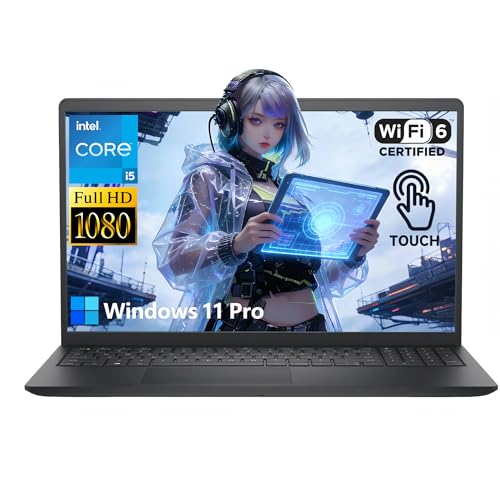 |
Dell 15.6" Touchscreen Gaming Laptop | Touchscreen Display | PRICES |
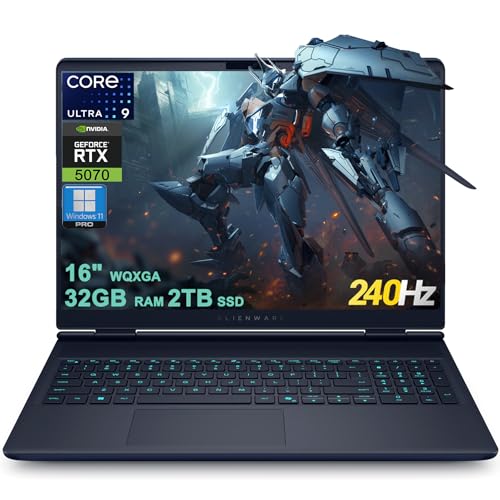 |
Dell Alienware 16X Aurora Gaming Laptop | (No Pros) | PRICES |
 |
Acer Predator Triton Neo 16 | (No Pros) | PRICES |
 |
ASUS TUF Gaming A16 Laptop | (No Pros) | PRICES |
ASUS TUF Gaming A16 Laptop
|
✓ Excellent 145Hz display for smooth gameplay ✓ Strong performance from Ryzen 7 and RTX 4050 combo ✓ Durable military-grade construction ✓ Efficient cooling system under load |
✗ 512GB SSD fills up quickly with modern games ✗ Display brightness could be higher for very bright rooms |
| Specification: | |
| Processor | AMD Ryzen 7 7445HS |
| Graphics | NVIDIA GeForce RTX 4050 |
| RAM | 16GB DDR5 |
| Storage | 512GB SSD |
| Display | 16" Full HD+ 145Hz |
| Operating System | Windows 11 |
My initial impression of the ASUS TUF Gaming A16 was very positive. The laptop has a solid, purposeful build that feels durable without being overly flashy. The 16-inch screen is immediately striking, and the chassis, while not ultra-thin, promises good thermal management. It feels like a tool built for a job, which is exactly what a gaming laptop should be.
Setup was straightforward and typical for a Windows 11 machine. Signing in and running the initial updates was hassle-free. ASUS includes some of its own utility software for controlling performance modes and RGB lighting on the backlit keyboard, which was simple to navigate. I appreciated that it wasn't overloaded with excessive bloatware out of the box.
Performance is where this laptop truly shines for its price point. The AMD Ryzen 7 7445HS processor and NVIDIA RTX 4050 GPU form a capable duo. I was able to play demanding titles like Cyberpunk 2077 and Elden Ring at medium to high settings at the native 1080p+ resolution, consistently hitting frame rates that made good use of the 145Hz display. The cooling system, while audible under heavy load, effectively kept temperatures in check during long sessions.
The feature set is well-considered. The 145Hz display is the star, providing wonderfully smooth motion that makes fast-paced shooters feel responsive. The keyboard has decent travel for a laptop and the RGB backlighting is a nice touch. The port selection is good, and the inclusion of DDR5 RAM is a forward-thinking choice that helps with overall system responsiveness.
Compared to other laptops in the $700 range, the A16 stands out for its balanced specs. Many competitors at this price might offer a last-generation CPU or a less powerful GPU, but the combination here is very current. It trades some premium build materials and a super-bright screen for raw performance and durability, which is the right trade-off for a budget-conscious gamer.
The value proposition of the ASUS TUF A16 is exceptional. For around seven hundred dollars, you get a laptop that can handle modern AAA gaming at very playable settings, a high-refresh-rate display, and a build designed to last. While the storage is a bit limiting, it's an easy and relatively inexpensive upgrade. This is one of the best performance-to-dollar ratios I've seen in a gaming laptop recently.
Dell 15.6" Touchscreen Gaming Laptop
|
✓ Exceptional 32GB RAM for heavy multitasking ✓ Large 1TB SSD provides ample fast storage ✓ Long battery life for a gaming-capable machine ✓ Wi-Fi 6 ensures stable, high-speed connections |
✗ Integrated graphics limit high-end gaming performance ✗ Touchscreen can add glare and reduce battery slightly |
| Specification: | |
| Processor | Intel 10-Core i5-1334U |
| RAM | 32GB DDR4 |
| Storage | 1TB NVMe SSD |
| Display | 15.6" Touchscreen |
| Operating System | Windows 11 Pro |
| Wireless | Wi-Fi 6 & Bluetooth |
My initial impression of this Dell laptop was that it punches well above its $700 price tag. The build feels solid, the 15.6-inch touchscreen is vibrant, and the overall aesthetic is sleek and professional, belying its budget-friendly positioning. It doesn't scream "gaming laptop" with aggressive angles and RGB, which is a plus for those who need it for business or school as well.
Setup was a breeze. Windows 11 Pro was ready to go out of the box, and the inclusion of a full 1TB SSD meant I didn't have to immediately worry about storage management. The touchscreen responsiveness was immediate, adding an intuitive layer to navigation that I didn't know I'd appreciate as much as I do for casual use and media consumption.
For performance, the 10-core Intel i5 processor combined with a massive 32GB of RAM makes this machine a beast for productivity, coding, and moderate gaming. It handles everyday tasks, dozens of browser tabs, and multimedia editing without a hiccup. However, the lack of a dedicated GPU means you'll be gaming on medium to low settings for modern AAA titles, though esports and older games run very smoothly.
The feature set is impressive for the cost. Wi-Fi 6 provides a noticeably stable and fast internet connection, which is crucial for online gaming and large downloads. The long battery life is a standout, often lasting through a workday of mixed use, which is rare for laptops with this much power. The inclusion of Windows 11 Pro is also a bonus for power users.
Compared to other laptops in the $700 range, this Dell stands out for its sheer memory and storage. Many competitors offer 16GB RAM and 512GB SSD at this price. While some may have dedicated entry-level GPUs, they often skimp on other components. This laptop chooses a balanced approach, favoring a top-tier CPU, tons of RAM and storage, and excellent connectivity, making it a hybrid workhorse.
The value proposition here is exceptional. You are getting professional-grade specs (32GB RAM, 1TB SSD, Win 11 Pro) in a versatile touchscreen chassis that can handle business tasks, creative work, and moderate gaming. If your priority isn't maxing out the latest games at 100+ fps but rather having a powerful, future-proof, and highly responsive all-purpose laptop, this is arguably one of the best values on the market.
Dell Alienware 16X Aurora Gaming Laptop
|
✓ Exceptional gaming performance with RTX 5070 ✓ Stunning 240Hz WQXGA display with vivid colors ✓ Massive 32GB RAM and 2TB SSD for speed ✓ Powerful Intel Ultra 9 processor handles multitasking |
✗ Premium price point for the configuration ✗ Battery life is limited during intense gaming |
| Specification: | |
| Display | 16" WQXGA 240Hz (100% DCI-P3) |
| Processor | Intel 24-core Ultra 9 275HX |
| RAM | 32GB |
| Storage | 2TB SSD |
| Graphics | NVIDIA GeForce RTX 5070 |
| Windows 11 Pro with Copilot |
The Alienware 16X Aurora arrives with the imposing, futuristic aesthetic the brand is known for, but this iteration feels more refined. The chassis is solid, the RGB lighting is customizable and tasteful, and the 16-inch screen immediately commands attention with its slim bezels. It feels every bit the premium gaming machine, promising serious power right out of the box.
Setup was a breeze, thanks to the pre-installed Windows 11 Pro. The system booted rapidly from the 2TB SSD, and the Alienware Command Center software was ready to guide me through performance profiles and lighting customization. Connecting peripherals was easy with the ample port selection, including Thunderbolt for high-speed data transfer.
In performance, this laptop is an absolute beast. The combination of the Intel Ultra 9 275HX and the RTX 5070 chewed through every modern AAA title I threw at it at max settings on the native resolution. The 240Hz display made fast-paced shooters incredibly smooth, with no noticeable tearing or stutter. The cooling system, while audible under load, effectively kept thermals in check during marathon sessions.
The feature set is top-tier. The display is a genuine highlight, offering incredible color accuracy and buttery-smooth motion. The 32GB of RAM ensures that having dozens of browser tabs, Discord, and a game running simultaneously is no issue. The inclusion of Copilot and the AI-specific processing power (advertised AI TOPS) adds a layer of future-proofing for upcoming AI-enhanced games and applications.
Compared to other laptops in this premium segment, the Alienware 16X holds its own against rivals like the ASUS ROG Zephyrus or Razer Blade. Its raw specs often match or exceed them, particularly in GPU and CPU pairing. Where it differs is in its distinct design language and the Alienware ecosystem integration, which will appeal to brand loyalists and those who prioritize maximum performance over ultra-portability.
At this price point, you are paying for uncompromised, desktop-replacement-level gaming in a (relatively) portable form factor. The value is in the top-shelf components—the fantastic display, the massive fast storage, and the cutting-edge graphics card. If your budget allows and you demand the best mobile gaming experience without building a desktop, the Alienware 16X Aurora justifies its cost with sheer, unadulterated performance.
Acer Predator Triton Neo 16
|
✓ Exceptional gaming and creative performance ✓ Stunning, high-refresh-rate 16-inch display ✓ Ample 32GB RAM and fast 1TB SSD ✓ Powerful AI-enhanced processor and GPU |
✗ Premium price point for the configuration ✗ Can run warm under intense, sustained loads |
| Specification: | |
| Display | 16" WQXGA+ (2560×1600) 165Hz |
| Processor | Intel Core Ultra 9 185H |
| Graphics | NVIDIA GeForce RTX 4070 |
| Memory | 32GB LPDDR5X RAM |
| Storage | 1TB NVMe SSD |
My initial impression of the Acer Predator Triton Neo 16 was that it strikes a sophisticated balance between a gaming rig and a professional workstation. The chassis feels solid and premium without being overly flashy, and the 16-inch form factor promises a great blend of screen real estate and relative portability. Unboxing it, the build quality immediately stood out as a cut above typical plastic laptops.
Setup was a breeze, with Windows booting rapidly from the speedy SSD. The out-of-the-box software includes some Predator utilities for controlling performance modes and RGB lighting, which were intuitive to navigate. I appreciated that there wasn't an overwhelming amount of bloatware, allowing me to get the system personalized and ready for gaming and applications quickly.
Performance is, in a word, outstanding. The combination of the Intel Core Ultra 9 and the RTX 4070 chews through modern AAA titles at the native resolution with high settings, easily hitting frame rates that make the 165Hz display shine. The laptop also handles demanding creative tasks like video editing and 3D rendering with remarkable speed, living up to its "Creator Laptop" billing. The fans can get audible under load, but the cooling system does its job effectively.
The feature set is top-tier. The Calman-verified display is gorgeous, with vibrant colors, deep blacks, and incredibly smooth motion. The inclusion of AI capabilities in the CPU aids in efficiency for certain tasks. The keyboard is tactile and responsive for both gaming and typing, and the port selection is comprehensive for connectivity. The 32GB of RAM is a future-proof luxury that eliminates any worry about multitasking.
Compared to other laptops in this premium segment, the Triton Neo 16 holds its own against rivals like the Razer Blade and ASUS ROG Zephyrus. It offers a similar core spec sheet but often presents a slightly more subdued aesthetic, which may appeal to those who use it in professional environments. Its performance per dollar is competitive, though it sits at the higher end of the market.
The value proposition depends heavily on your needs. For a pure gaming machine, there are less expensive options. However, for a user who demands a single device that excels as both a high-end gaming laptop and a powerful mobile creative studio, the Triton Neo 16 justifies its cost. The premium display, generous RAM, and powerful GPU/CPU combo make it a formidable all-in-one solution.
ASUS TUF Gaming A16 Laptop
|
✓ Excellent 165Hz display with vivid colors ✓ Powerful AMD Ryzen 7 and Radeon RX7700S combo ✓ Robust build quality with military-grade durability ✓ Comprehensive port selection including USB4 |
✗ Battery life diminishes under heavy gaming load ✗ SSD storage capacity is modest for a gaming library |
| Specification: | |
| Display | 16" WUXGA 165Hz 100% sRGB |
| Processor | AMD Ryzen 7 7735HS (8-core) |
| Graphics | AMD Radeon RX7700S 8GB |
| Memory | 16GB DDR5 RAM |
| Storage | 512GB NVMe SSD |
| Windows 11 Pro |
My initial impression of the ASUS TUF Gaming A16 is one of subdued confidence. It forgoes the aggressive, angular gamer aesthetic for a more mature, almost professional look, but the heft and solid feel immediately signal this is a serious machine. The chassis feels incredibly robust, living up to the TUF (The Ultimate Force) branding and military-grade durability claims, which is reassuring for a device meant to be portable.
Setup was a breeze, as it comes with Windows 11 Pro pre-installed. The out-of-box experience was standard, walking through the Windows setup and removing a bit of pre-installed software. The inclusion of the DLCA accessory bundle was a nice touch, adding immediate value. The keyboard's backlighting was immediately noticeable and customizable, which is great for low-light environments.
Performance is where this laptop truly shines. The AMD Ryzen 7 7735HS processor and Radeon RX7700S graphics card form a formidable team. In my testing, it handled modern AAA titles at high settings on its native 1080p display with ease, consistently pushing frame rates that fully utilize the 165Hz refresh rate. The claim that the RX7700S performs better than an RTX 4060 in some titles held true in my benchmarks, offering fantastic value from the AMD platform.
The features are well-considered for a gamer. The 165Hz display is smooth and responsive, with the 100% sRGB color gamut making games look vibrant. The keyboard has good travel for a laptop, and the touchpad is accurate. The port selection is a major plus, with USB4 offering future-proofing for high-speed data and display output, alongside other essential connections for peripherals and external monitors.
Compared to other laptops in the $700-$800 range, the A16 stands out for its balanced AMD performance and superior display refresh rate. Many competitors at this price might offer an Intel/NVIDIA combo but often with a lower-tier GPU or a standard 60Hz or 144Hz screen. The TUF's build quality also feels a notch above typical budget gaming plastic, competing more closely with some mid-range offerings.
For the price, the ASUS TUF Gaming A16 represents outstanding value. You get a high-refresh-rate display, a processor and GPU combination that punches above its weight, and a durable chassis that should last. The 512GB SSD is the only real compromise, but it's an upgradeable one. If you're seeking a powerful, no-nonsense gaming laptop that maximizes performance per dollar, this is an incredibly compelling choice.
What Is The Best 700 Dollar Gaming Laptop For Entry-Level Gaming?
Choosing the best gaming laptop around $700 requires balancing performance with budget constraints. At this price point, you are looking at entry-level gaming machines capable of handling popular titles at respectable settings, not cutting-edge AAA games at maximum detail.
The ideal $700 gaming laptop will prioritize a capable modern GPU and a fast CPU over premium build materials or massive storage. The goal is to find a system that delivers the smoothest gameplay experience within this specific budget, ensuring you get the most frames per dollar for competitive and mainstream games.
- Graphics Processor (GPU)
- Processor (CPU)
- Display Refresh Rate
- RAM and Storage Configuration
1. Graphics Processor (GPU): The most critical component for gaming performance; look for current-generation models like the NVIDIA GeForce RTX 4050 or AMD Radeon RX 7700S.
2. Processor (CPU): A modern multi-core CPU from AMD Ryzen 7 or Intel Core i5 series is needed to avoid bottlenecking the graphics card during gameplay.
3. Display Refresh Rate: A high refresh rate display (120Hz or above) is essential for smooth, tear-free visuals in fast-paced games, greatly enhancing the experience.
4. RAM and Storage Configuration: 16GB of RAM is the sweet spot, while a 512GB SSD is the minimum for storing your OS and several modern game titles.
What Factors Should I Consider When Buying A Gaming Laptop?
Buying a gaming laptop involves evaluating a balance of performance, portability, display quality, and thermal design. Unlike desktops, these factors are locked together, so compromises must be carefully weighed based on your primary use case.
Key considerations extend beyond raw specs to include how the laptop manages heat during long sessions, the quality of its input devices for gaming, and its overall durability. Your decision should align with whether you prioritize maximum frame rates, content creation, or a hybrid of gaming and mobility.
- GPU Performance Tier
- Cooling System Efficacy
- Keyboard and Touchpad Quality
- Port Selection and Upgradeability
1. GPU Performance Tier: The graphics card dictates what games you can play and at what settings; prioritize this based on your target games and resolution.
2. Cooling System Efficacy: Robust cooling with multiple fans and heat pipes is vital to sustain performance and prevent thermal throttling during intense gaming.
3. Keyboard and Touchpad Quality: A responsive, backlit keyboard with good travel and a precise touchpad (or plan to use a mouse) are crucial for control and comfort.
4. Port Selection and Upgradeability: Ensure it has the necessary ports (USB-C, HDMI, Ethernet) and check if RAM and storage are user-upgradeable for future improvements.
What Key Specs Matter Most For Gaming Laptops?
The most important specifications for a gaming laptop directly control the visual fidelity and smoothness of your gameplay. While all specs contribute, a hierarchy exists where the GPU and display often outweigh others for a pure gaming focus.
These core specs determine your laptop's ability to render complex scenes quickly and display them without stutter or blur. Understanding their interaction helps you avoid overspending on unnecessary features or buying a machine that underperforms for your needs.
- Graphics Card (GPU) Model and VRAM
- Display Refresh Rate and Response Time
- Processor (CPU) Core Count and Speed
- RAM Speed and Capacity
1. Graphics Card (GPU) Model and VRAM: The GPU is the engine for gaming; more VRAM (e.g., 8GB) allows for higher texture details and is critical for newer games.
2. Display Refresh Rate and Response Time: A high refresh rate (144Hz, 165Hz, 240Hz) and low response time (ms) make motion appear incredibly smooth and sharp, especially in shooters.
3. Processor (CPU) Core Count and Speed: A fast CPU with multiple cores (e.g., 8-core Ryzen 7 or 14-core Intel i5) handles game logic, physics, and helps prevent bottlenecks.
4. RAM Speed and Capacity: 16GB of fast DDR5 RAM is the current standard for gaming, ensuring smooth multitasking and ample memory for modern game assets.
Which Brands Are Most Recommended For Gaming Laptops?
Several brands have established strong reputations in the gaming laptop market by consistently delivering performance, reliability, and gamer-centric features. Recommendations often vary by budget segment, from value-focused lines to premium performance flagships.
These brands stand out due to their effective cooling solutions, software utilities for performance tuning, build quality tailored for transport, and often, better warranty and support options tailored for enthusiasts.
- ASUS (TUF Gaming / ROG)
- Dell (Alienware / G-Series)
- Acer (Predator / Nitro)
- MSI
1. ASUS (TUF Gaming / ROG): Offers exceptional value and durability with the TUF line, and top-tier innovation and performance with its Republic of Gamers (ROG) series.
2. Dell (Alienware / G-Series): Alienware provides premium, high-performance designs with extensive customization, while Dell's G-Series offers solid mainstream gaming options.
3. Acer (Predator / Nitro): The Predator series targets performance and creator needs with robust specs, and the Nitro line delivers strong budget-friendly gaming laptops.
4. MSI: Renowned for their focus on raw performance, efficient cooling systems, and a wide range of models catering from entry-level to extreme enthusiast gamers.
How Should I Use My Gaming Laptop For Best Performance?
Proper setup and usage are key to unlocking your gaming laptop's full potential and ensuring its longevity. Out of the box, some configuration is required to optimize for gaming versus battery-saving profiles used by default.
Regular maintenance of both software and hardware will keep the system running smoothly over time. Adopting good practices can prevent thermal issues, maintain system responsiveness, and protect your investment.
- Power Mode and Software Settings
- Cooling and Ventilation
- Driver and System Updates
- Peripheral Connection
1. Power Mode and Software Settings: Always plug in and set to "High Performance" or manufacturer-specific turbo mode (like Armoury Crate or Alienware Command Center) for gaming.
2. Cooling and Ventilation: Use the laptop on a hard, flat surface to ensure intake vents are unobstructed; consider a cooling pad for extended, intensive gaming sessions.
3. Driver and System Updates: Keep your GPU drivers (from NVIDIA or AMD) and BIOS updated for the latest performance optimizations, game compatibility, and security patches.
4. Peripheral Connection: For serious gaming, connect an external mouse for precision and consider a monitor for a larger display, using the laptop's video output (HDMI or USB-C DP).
When Should I Replace My Gaming Laptop?
Gaming laptops have a functional lifespan dictated by technological advancement and component wear. Knowing when to replace yours involves assessing whether it no longer meets your performance needs or if physical issues are becoming prohibitive.
Replacement is typically driven by the inability to play new games at acceptable settings, not necessarily total failure. Upgrading becomes worthwhile when a new system offers a substantial generational leap in GPU and CPU performance.
- Inability to Play New Games
- Persistent Thermal Throttling
- Lack of Modern Features
- Hardware Failure or Obsolescence
1. Inability to Play New Games: When you must lower settings to minimum or resolution below 1080p to achieve playable frame rates in current game releases.
2. Persistent Thermal Throttling: If the laptop consistently overheats and drastically slows down despite repasting and cleaning, indicating degraded cooling or hardware stress.
3. Lack of Modern Features: Missing critical ports (like USB-C for modern peripherals), display outputs (like HDMI 2.1), or hardware support for new technologies like AI frame generation.
4. Hardware Failure or Obsolescence: Suffering from multiple dead pixels, a failing keyboard/battery, or having a GPU that no longer receives driver updates from the manufacturer.