Figuring out what are good gaming laptop specs feels impossible when every brand claims their machine is the fastest. You’re bombarded with acronyms like TGP, VRAM, and DLSS, making it hard to tell marketing hype from real performance. Most buyers waste money on flashy features that don’t actually improve their gameplay experience.
We’ve seen countless users buy high-end machines only to suffer from thermal throttling or poor battery life. The truth is, there’s no single "best" spec sheet for everyone. It depends entirely on your budget, the games you play, and whether you need portability.
Let’s break down how to match hardware to your specific needs.
what are good gaming laptop specs
Good gaming laptop specs depend on your target resolution and frame rate goals. For 1080p competitive play, aim for an RTX 4060 or higher with 144Hz+ refresh rates. For 1440p AAA titles, look for an RTX 4070 with 12GB VRAM.
Always check the GPU’s Total Graphics Power (TGP) in watts. Higher wattage means better performance. Don’t ignore cooling systems, as they prevent throttling during long sessions.
Stop Guessing: Why "Good" Specs Depend on Your Specific Gaming Style
Most people ask for a universal list of "good" specs, but that approach fails immediately. A laptop perfect for playing Counter-Strike 2 might struggle with Cyberpunk 2077. The difference lies in where your system spends its resources.
Competitive shooters rely heavily on CPU speed and low latency. They don’t care much about ray tracing or ultra-high resolutions.
On the other hand, modern AAA titles demand massive graphical horsepower. These games push the GPU to its limit. They benefit from higher VRAM capacities and advanced upscaling technologies like NVIDIA DLSS 3.5.
If you buy a CPU-heavy machine for graphics-intensive games, you’ll bottleneck your visual quality. Conversely, a GPU-focused rig might stutter in strategy games that love multi-core processors.
We also need to consider your environment. Are you gaming at a desk plugged into power? Or are you traveling frequently?
Laptop performance drops significantly on battery power. Many manufacturers throttle components to save energy. This isn't always obvious until you try to game away from an outlet.
Understanding your primary use case dictates which specs matter most.
The Three Main Archetypes
- The Esports Competitor: Needs high frame rates (240Hz+) and low input lag. Prioritizes CPU clock speeds and fast RAM over raw GPU power.
- The Visual Purist: Wants maximum settings at 1440p or 4K. Needs a powerful GPU with ample VRAM (12GB+) and a high-quality display panel.
- The Hybrid Creator/Gamer: Balances rendering tasks with gaming. Requires strong multi-core CPU performance and decent GPU capabilities without sacrificing portability too much.
Identify which group you fall into before looking at any price tags. This simple step saves hundreds of dollars by preventing overspending on irrelevant features.
Step 1: Define Your Target Resolution and Frame Rate Goals
Your monitor determines what your hardware needs to do. Playing at 1080p requires far less power than driving pixels at 4K. We recommend starting here because it sets the ceiling for your GPU choice.
If you pick a 4K screen, you must pair it with a top-tier graphics card. Otherwise, you’ll face unplayable frame rates.
For most gamers in 2026, 1440p remains the sweet spot. It offers sharp visuals without demanding extreme hardware prices. However, if you’re on a tight budget, sticking to 1080p allows you to afford better components elsewhere.
You can spend those savings on more RAM or faster storage instead.
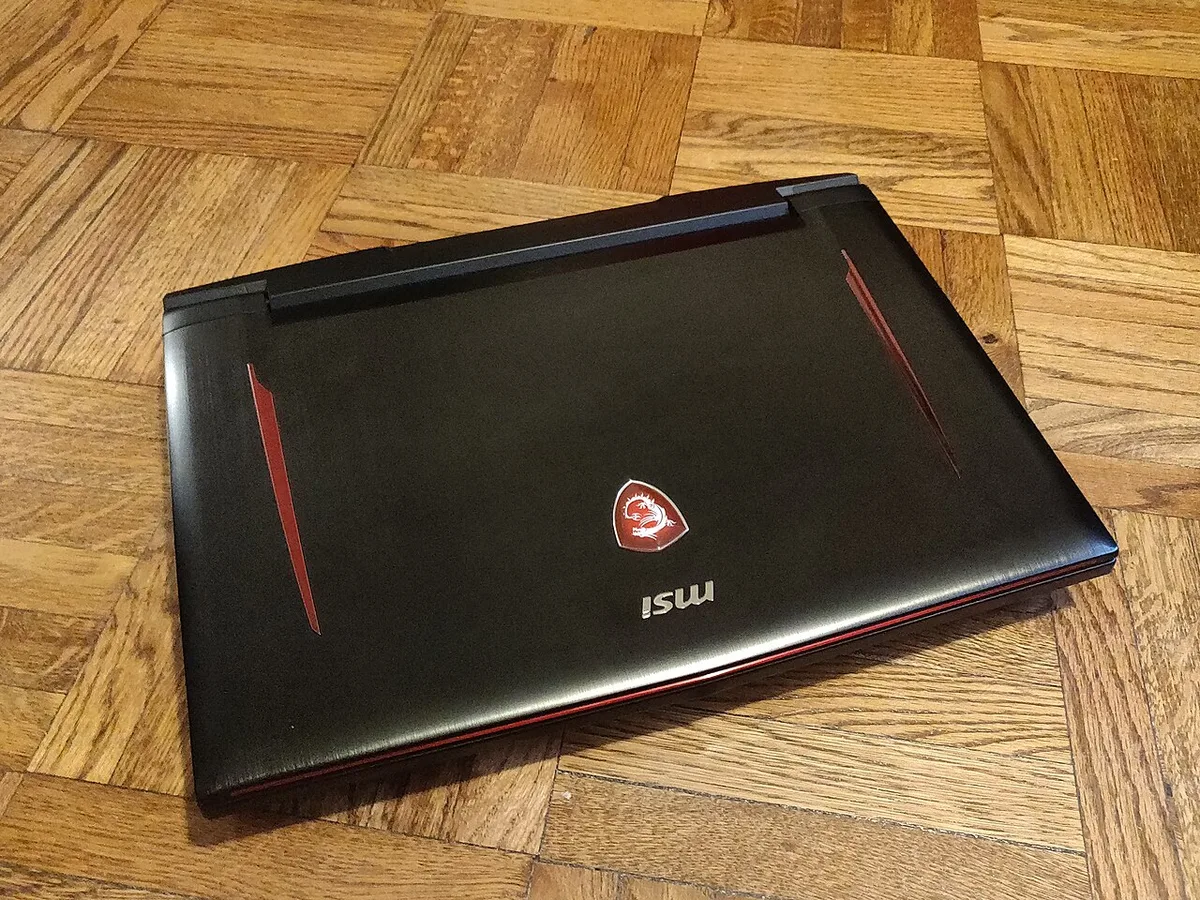
Frame rate targets vary by genre. Competitive players often chase 144FPS minimums. Single-player enthusiasts might accept 60FPS if the visuals are stunning.
Be honest with yourself about what you value more. Smoothness usually beats beauty in multiplayer environments. But cinematic immersion relies on detailed textures and lighting effects.
Matching Resolutions to Hardware Tiers
| Target Resolution | Minimum GPU Tier | Recommended Refresh Rate | Ideal Use Case |
|---|---|---|---|
| 1080p (FHD) | RTX 4050 / RX 7600M | 144Hz – 165Hz | Budget builds, esports focus |
| 1440p (QHD) | RTX 4060 / RX 7700S | 165Hz – 240Hz | Balanced AAA & competitive |
| 4K (UHD) | RTX 4080 / 4090 | 120Hz+ | High-end visual fidelity |
Don’t let salespeople convince you that a 4K laptop is necessary unless you have the budget to support it. Often, upscaling technologies allow lower-resolution panels to render sharper images efficiently. This trick reduces the load on your GPU while maintaining perceived clarity.
Check our guide on boosting FPS without upgrades for software tweaks that help mid-range cards punch above their weight.
Step 2: Choose the GPU Tier That Matches Your Budget and TGP Reality
The Graphics Processing Unit (GPU) is the heart of any gaming laptop. In 2026, NVIDIA’s RTX 40-series dominates the market. AMD’s Radeon RX 7000M series offers stiff competition, particularly in value segments.
But naming conventions hide critical differences. An "RTX 4060" label doesn’t guarantee identical performance across brands.
This discrepancy stems from Total Graphics Power (TGP). Manufacturers configure GPUs to run at different wattages. A 140W RTX 4060 will vastly outperform an 85W version.
The lower-wattage chip generates less heat but sacrifices significant frame rates. Always verify the TGP rating in the technical specifications sheet. Never assume the model number tells the whole story.
Why Wattage Matters More Than Model Numbers
High-TGP configurations require robust cooling solutions. Thin laptops often cap GPU power to stay cool. This leads to thermal throttling during intense sessions.
You might see impressive benchmark scores initially. But sustained loads cause temperatures to spike. The system then slows down to protect itself.
If you prioritize longevity and consistent performance, choose thicker chassis designs. These accommodate larger heatsinks and fans. They handle higher wattages without becoming noisy jet engines.
Our research indicates that paying slightly more for better thermals yields longer-term satisfaction than chasing peak burst speeds.
Consider these tiers based on current market availability:
- Entry-Level (RTX 4050): Great for 1080p medium/high settings. Look for 90W+ TGP.
- Mid-Range (RTX 4060/4070): The volume sellers. Handles 1440p well with DLSS enabled. Aim for 115W, 140W TGP.
- High-End (RTX 4080/4090): Overkill for most, but essential for native 4K gaming. Requires substantial power delivery and cooling.
If your dedicated GPU seems missing or underutilized, check our troubleshooting tips on forcing dedicated GPU usage. Sometimes driver conflicts mask actual hardware capability. Ensuring your system recognizes the full potential of your investment prevents unnecessary panic.
Step 3: Balance CPU Power Without Creating a Bottleneck
Many buyers obsess over GPU specs and neglect the Central Processing Unit (CPU). This mistake causes bottlenecks in CPU-dependent titles. Strategy games, simulations, and older esports titles rely heavily on processor speed.
If your CPU lags behind your GPU, frames drop despite having graphical muscle available.
Intel’s Core i7/i9 HX-series and AMD’s Ryzen 7/9 HS/HX-series lead the pack. Both offer excellent single-core performance crucial for gaming. Multi-core counts matter less for pure gaming but become vital for streaming or video editing.
Decide if you need multitasking prowess or just raw game logic processing.
Avoiding the Mismatch Trap
Pairing a top-tier GPU with a mid-tier CPU creates imbalance. Imagine putting a Ferrari engine in a sedan chassis. The car can’t utilize all that power effectively.
Similarly, a weak CPU limits how many instructions per second reach the GPU. You pay for premium graphics but receive average responsiveness.
Conversely, overspending on a flagship CPU for a modest GPU wastes money. The processor sits idle waiting for the graphics card to catch up. Find harmony between the two components.
For 1440p gaming, a solid i7 or Ryzen 7 suffices. Reserve i9/Ryzen 9 choices for 4K workflows or heavy content creation alongside gaming.
Pay attention to cache sizes and boost clocks. Larger L3 caches help maintain stability during complex scene transitions. Boost frequencies determine peak responsiveness in short bursts.
While base clocks matter for sustained loads, gaming benefits more from quick spikes. Review manufacturer datasheets carefully. Some vendors lock boost potentials aggressively to manage heat.
Also, consider integrated graphics fallback options. If your discrete GPU fails or drivers crash, knowing how to switch to integrated graphics keeps you productive temporarily. It won’t run AAA titles smoothly, but it handles desktop tasks fine.
This resilience adds peace of mind when dealing with complex driver ecosystems.
Step 4: Select RAM, Storage, and Display for Smooth Performance
Memory and storage affect loading times and texture streaming. Insufficient RAM forces systems to swap data to slower drives. This causes stutters during open-world exploration. 16GB remains the absolute minimum standard for 2026 gaming.
However, 32GB provides breathing room for background apps and future-proofing.
Speed matters too. DDR5 modules operate faster than previous generations. Lower latency improves overall system responsiveness.
Ensure your motherboard supports XMP profiles. Enabling these overclocks unlocks rated speeds. Default BIOS settings often restrict RAM to conservative baseline frequencies.
Tweaking this setting yields free performance gains.
Storage technology has evolved rapidly. PCIe Gen 4 NVMe SSDs deliver read/write speeds exceeding 7,000 MB/s. This drastically cuts asset loading durations.
Game installations happen in minutes rather than hours. Capacity should start at 1TB. Modern titles exceed 100GB individually.
Fill up a smaller drive quickly, leading to fragmentation issues later.
Displays deserve equal scrutiny. Panel type influences color accuracy and contrast ratios. IPS panels offer wide viewing angles and decent response times.
OLED variants provide infinite contrast and vibrant blacks. Mini-LED bridges the gap with localized dimming zones. Choose based on your sensitivity to visual artifacts.
Gamers preferring motion clarity might stick with high-refresh IPS units. Cinematic lovers lean toward OLED richness.
Check response time metrics closely. Gray-to-gray (GtG) figures under 5ms prevent ghosting trails. Adaptive sync technologies like G-Sync or FreeSync eliminate tearing.
Verify compatibility between your GPU and monitor standards. Mismatches result in ineffective synchronization. Read reviews focusing on pixel overshoot tests.
Marketing claims rarely reflect real-world smear levels accurately.
The Hidden Trap: Thermal Design and Build Quality Matter More Than Spec Sheets
You might have the fastest GPU on paper, but if it overheats, you get nothing. Thermal design is the silent killer of gaming laptop performance. Aggregate reviews consistently show that identical chips perform wildly differently across brands.
This variance comes down to heat pipes, fan curves, and chassis airflow. A thin, stylish laptop often sacrifices cooling for aesthetics. That looks great on a desk, but it throttles hard during long sessions.
Look for vapor chamber cooling or large dual-fan setups. These systems move heat away from critical components more effectively. Manufacturer specs confirm that liquid metal thermal paste improves conductivity over traditional silicone compounds.
However, application quality varies by factory. Poorly applied paste can lead to hotspots within months. Check independent teardown analyses before buying premium models.
They reveal internal layout secrets that marketing hides.
Build quality extends beyond just thermals. Hinge durability matters for portability. Keyboard travel distance affects comfort during marathon gaming nights.
Trackpad precision helps when navigating menus without a mouse. You want a chassis that feels solid, not hollow. Flex in the keyboard deck distracts you mid-game.
Sturdy aluminum or magnesium alloys resist bending better than plastic composites.
Why does this matter for your wallet? Because a throttling laptop wastes money. You paid for peak performance but only got it for ten minutes.
Then temperatures rise, clocks drop, and frame rates plummet. This inconsistency ruins immersion. It’s frustrating to see FPS swings while playing competitive matches.
Reliable cooling ensures sustained high performance. It keeps your investment working as intended year after year.
If you notice sudden slowdowns despite good specs, check our guide on why laptops lag in high performance mode. Often, aggressive power limits are the culprit. Adjusting BIOS settings can unlock hidden potential.
But proper hardware design prevents these issues from arising in the first place. Prioritize machines known for robust thermal solutions. Your future self will thank you during summer gaming marathons.
Common Pitfalls: Where Buyers Waste Money on Unnecessary Upgrades
Marketing loves to highlight features that don’t impact gameplay. Don’t fall for the trap of paying extra for RGB lighting alone. While customizable lights look cool, they add zero frames per second.
Focus your budget on core components instead. Similarly, ultra-high refresh rate screens (360Hz+) offer diminishing returns for most users. Unless you’re a pro esports athlete, 144Hz or 165Hz is plenty smooth.
Another common mistake is overspending on storage speed. Yes, PCIe Gen 4 SSDs are fast. But the difference between Gen 3 and Gen 4 is negligible in actual game loading times.
Both load assets in seconds. Save that cash for more RAM or a better GPU tier. Capacity matters more than raw sequential read speeds for gamers. 1TB is the sweet spot for balancing cost and convenience.
Wi-Fi standards also trip up buyers. Wi-Fi 7 is emerging, but routers aren’t ubiquitous yet. Wi-Fi 6E offers excellent stability and speed for current networks.
Paying a premium for cutting-edge wireless tech rarely pays off immediately. Wired Ethernet connections remain superior for low-latency gaming anyway. Most modern laptops include an RJ-45 port or support USB-C adapters.
Use those for competitive play.
Finally, ignore brand loyalty if it costs you performance. Some manufacturers charge premiums for logos without upgrading internals. Compare TGP ratings and CPU boost clocks across brands.
You’ll find surprising disparities. An RTX 4070 at 100W performs worse than an RTX 4060 Ti at 140W. Always verify wattage limits.
Don’t assume higher model numbers guarantee better real-world results. Research specific SKU configurations carefully.
These pitfalls drain budgets without enhancing experience. Stick to fundamentals: GPU power, CPU balance, adequate RAM, and reliable cooling. Everything else is secondary garnish.
By avoiding these traps, you maximize value per dollar spent. Your rig runs cooler, quieter, and faster. That’s the true definition of a smart purchase.
Quick Reference: Recommended Spec Combinations by User Type
Choosing specs becomes easier when you map them to personas. Below are three distinct profiles with tailored recommendations. Find the one closest to your habits.
This approach prevents analysis paralysis during shopping trips. Remember, flexibility exists within each tier. Adjust based on local pricing and availability.
The Esports Competitor
Prioritize latency and frame consistency above all else. You need a CPU with strong single-core performance. Pair it with a mid-range GPU capable of pushing high FPS at 1080p.
Screen response time must be under 3ms GtG. Refresh rates should hit 240Hz minimum. 16GB of fast DDR5 RAM suffices. Storage needs are modest since games install quickly.
Look for lightweight chassis designs for easy transport to tournaments. Avoid heavy desktop replacements. Portability aids practice schedules.
The Visual Purist
Focus on graphical fidelity and immersive detail. A high-end GPU like the RTX 4080 or 4090 is essential. VRAM capacity of 12GB+ handles 4K textures comfortably.
Display quality takes precedence here. OLED or Mini-LED panels provide superior contrast ratios. Resolution should match your target output, likely 1440p or 4K.
Cooling systems must handle sustained loads without noise pollution. 32GB RAM supports background recording software. Large SSDs (2TB+) store massive game libraries. Weight matters less than visual perfection.
The Hybrid Creator/Gamer
Balance productivity tasks with leisure gaming. Multi-core CPU strength is vital for rendering videos or compiling code. A mid-to-high tier GPU accelerates creative apps and plays AAA titles well. 32GB RAM prevents bottlenecks during multitasking.
Color-accurate displays help with photo editing. Connectivity options like Thunderbolt 4 expand external monitor support. Battery life deserves attention for mobility.
Choose thinner profiles that still dissipate heat adequately. Versatility defines this category. You sacrifice some peak gaming stats for broader utility.
| Persona | Priority Component | Minimum Spec Target | Key Feature |
|---|---|---|---|
| Esports Competitor | CPU & Display Speed | i7/Ryzen 7 + 240Hz | Low Latency |
| Visual Purist | GPU & Panel Quality | RTX 4080 + OLED | Ray Tracing |
| Hybrid Creator | RAM & Core Count | 32GB + i9/Ryzen 9 | Multitasking |
Select your archetype honestly. Mixing priorities leads to compromise. A "jack of all trades" laptop often excels at neither gaming nor creation deeply.
Specialization yields better satisfaction. Use this table as a starting checklist. Verify each item against retailer listings.
Confidence grows when specs align with usage patterns.
FAQs: Clarifying Confusion on Laptop-Specific Hardware
Is 8GB of RAM enough for gaming in 2026?
No, 8GB is insufficient for modern titles. Background processes consume memory quickly. Games themselves demand 12GB+ for stable performance.
You’ll experience stuttering and longer load times. Upgrade to 16GB minimum immediately. 32GB provides headroom for streaming or editing. Never buy a new laptop with soldered 8GB RAM.
It limits longevity severely. Future updates will exacerbate shortages. Invest in sufficient memory upfront to avoid regret later.
Do I need a dedicated GPU for casual indie games?
Not necessarily. Integrated graphics like Intel Arc or AMD Radeon 780M handle lighter titles well. Games such as Stardew Valley or Hades run smoothly without discrete power.
However, AAA releases require dedicated hardware. If you plan to stick to indies, save money on the GPU. But consider future-proofing.
Newer indie hits increasingly use Unreal Engine 5. These may strain integrated chips soon. Assess your library preferences carefully before deciding.
How much does battery life affect gaming performance?
Significantly. Laptops throttle CPUs and GPUs on battery power. Frame rates drop by 30-50% typically.
You cannot sustain high settings unplugged. Always plug in for serious gaming sessions. Manufacturers optimize for AC power delivery.
Batteries serve productivity tasks, not entertainment. Expect short runtime during gameplay regardless of capacity. Manage expectations accordingly.
Portable gaming usually means compromised visuals or lower FPS. Plan outlets access into your setup routine.
Should I worry about screen resolution matching my GPU?
Yes, mismatched resolutions cause poor experiences. A weak GPU struggles with 4K outputs. You’ll get slideshow-like framerates.
Conversely, a powerful GPU wasted on 1080p leaves performance unused. Match tiers logically. RTX 4060 suits 1080p/1440p.
RTX 4080 handles 4K. Upscaling technologies bridge gaps partially. But native resolution offers best clarity.
Check benchmark data for your specific card at target pixels. Align hardware capabilities with display demands for optimal results.
1 thought on “What Are Good Gaming Laptop Specs?”
Comments are closed.