If you're shopping for a gaming laptop, you've probably asked what is the difference between Intel and AMD gaming laptop CPUs. The short answer is that both can run modern games well, but they behave differently inside a laptop's tight thermal limits. Intel leans on strong single-thread speed and platform features.
AMD often delivers better multi-core efficiency and stronger integrated graphics.
Per manufacturer specifications, current mobile chips from both brands now ship with hybrid or chiplet designs, NPUs, and DDR5 support. The real gap shows up in heat, battery life, and how each OEM tunes the same chip. Let's break down what that means before you buy.
what is the difference between Intel and AMD gaming laptop CPUs
Intel and AMD gaming laptop CPUs differ in architecture and tuning. Intel uses P-cores and E-cores for mixed workloads. AMD uses Zen cores with high efficiency.
Both run modern games well with a discrete GPU. The bigger differences are heat, battery, and platform features.
Why Laptop Gaming CPU Choice Matters More Than Desktop Choice
On a desktop, you can swap the CPU later. On a laptop, the processor is soldered to the motherboard. That single fact changes how you should shop.
Laptop CPUs live inside a tight thermal envelope. A desktop chip can pull 150 watts or more. A laptop chip often runs at 45 to 80 watts.
The same brand name can perform very differently depending on the cooling system inside a specific laptop.
This is why two laptops with the same CPU can post different benchmark scores. OEM tuning, fan design, and power limits all matter. You are not just buying a chip.
You are buying how that chip is cooled and powered in that chassis.
The CPU also cannot be upgraded later. RAM and storage often can be, but the processor stays. So the choice you make at purchase locks in your laptop's ceiling for years.
If you want to understand which parts you can change later, our guide on specs you cannot upgrade covers it in detail.
For most gamers, the CPU is not the bottleneck. The discrete GPU does the heavy lifting in modern games. But the CPU still sets your frame rate ceiling in CPU-bound titles like strategy games and large multiplayer shooters.
That is why the choice matters, even if the GPU gets most of the attention.
Intel Core Mobile Architecture and What It Means for Games
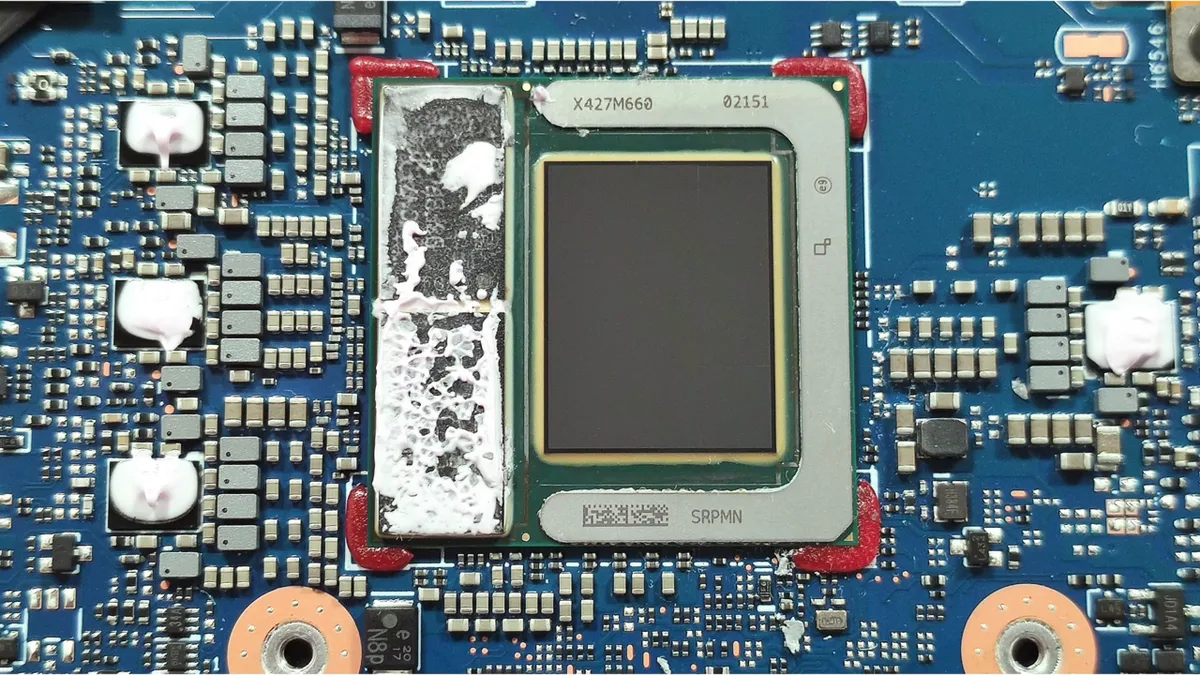
Image source: Wikimedia Commons / LaptopMedia (CC BY)
Intel's current mobile lineup is built around a hybrid design. Performance-cores, called P-cores, handle demanding tasks like rendering frames and compiling shaders. Efficiency-cores, called E-cores, handle background work like Discord, browsers, and system processes.
This split lets the chip balance speed and power. In a game, the P-cores push single-thread performance, which matters for frame rates. The E-cores keep the system responsive while you play.
Intel also uses a Thread Director to route tasks to the right cores automatically.
Intel organizes its mobile chips into tiers. HX chips are the most powerful and often appear in thick gaming laptops. H chips suit thinner gaming machines.
P and U chips appear in lighter laptops with less cooling.
Intel also tends to lead in platform features. Thunderbolt support, PCIe 5.0 lanes, and fast memory controllers are common on premium Intel laptops. The integrated graphics, now branded Intel Arc Graphics, have improved but still lag behind AMD's best in laptops without a discrete GPU.
For gaming with a discrete GPU, Intel's strength is single-thread speed. Many games still rely heavily on one or two cores. Intel's P-cores often post higher clock speeds in that scenario.
That can translate to smoother frame times in CPU-heavy scenes.
The tradeoff is heat and power draw. Intel HX chips can pull serious wattage under load. In a thin chassis, that means more fan noise and shorter battery life.
In a thick, well-cooled laptop, the same chip can shine.
AMD Ryzen Mobile Architecture and What It Means for Games
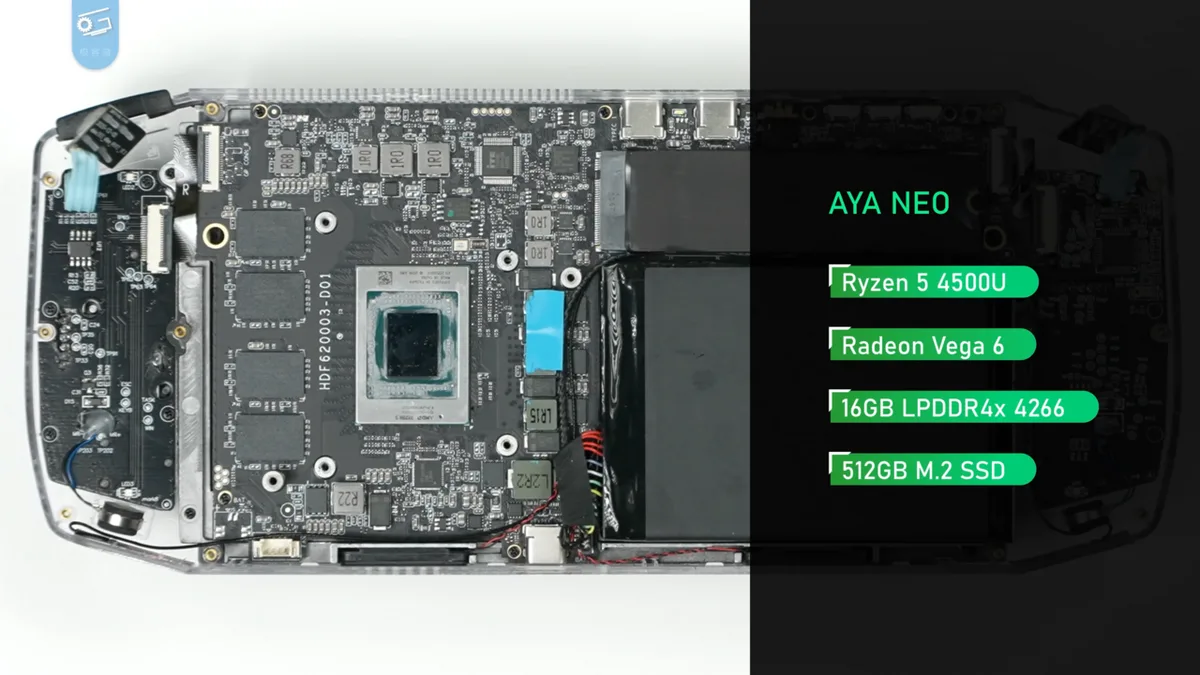
Image source: Wikimedia Commons / 极客湾Geekerwan (CC BY)
AMD takes a different approach. Its mobile chips use Zen architecture cores built on a chiplet design. Every core is a full-performance core.
There are no separate efficiency cores in the same sense as Intel's hybrid layout.
This gives AMD a clean multi-thread profile. All cores can handle heavy work. That helps in games that use many threads, and in tasks like streaming or recording while you play.
It also helps with multitasking when you have a browser and chat open alongside the game.
AMD's mobile chips are known for efficiency. Per manufacturer specifications, many Ryzen mobile processors deliver strong performance per watt. That often means cooler operation and longer battery life in comparable laptops.
For a thin-and-light gaming machine, that efficiency can be a real advantage.
Where AMD really stands out is integrated graphics. The Radeon graphics built into many Ryzen mobile chips are strong enough for light gaming without a discrete GPU. If you buy a laptop with no dedicated graphics card, an AMD APU can still play older titles and esports games at low settings.
Our overview of what a dedicated graphics card does explains why that still matters for new AAA games.
AMD also leads in memory support on some platforms. Many Ryzen laptops support faster DDR5 and larger memory bandwidth. That helps both the CPU and the integrated GPU, since they share the same memory pool.
The tradeoff is platform features and single-thread peaks. Intel still edges ahead in raw single-thread clock speed on some chips. AMD also has fewer Thunderbolt-certified options, though USB4 is common.
For most gamers with a discrete GPU, the difference in game frames is small.
Head-to-Head Specs, Benchmarks, and Real Game Results
Specs on paper only tell part of the story. Here is how the two brands compare in the areas that matter for gaming laptops.
| Factor | Intel Core Mobile | AMD Ryzen Mobile |
|---|---|---|
| Core design | Hybrid P-cores + E-cores | Zen cores, all full-performance |
| Single-thread speed | Often higher peak | Strong, slightly lower peak |
| Multi-thread efficiency | Good, varies by tier | Often better per watt |
| Integrated graphics | Intel Arc, improving | Radeon, generally stronger |
| Platform features | Thunderbolt, PCIe 5 common | USB4, strong memory support |
| Battery life under load | Shorter on HX chips | Often longer |
| Heat and fan noise | Higher on top tiers | Generally cooler |
Benchmarks confirm the pattern. In Cinebench R24 multi-core tests, AMD Ryzen HX chips often match or beat Intel HX chips while drawing less power. In single-core tests, Intel's top P-cores usually lead by a few percent.
Game results follow the same trend. In CPU-bound games like strategy titles and large multiplayer shooters, Intel's single-thread edge can show a few extra frames per second. In GPU-bound AAA games, the two brands are nearly identical when paired with the same graphics card.
Aggregate reviews report that the laptop model matters more than the brand. A well-cooled Intel laptop can beat a poorly cooled AMD one, and vice versa. Always check reviews for the specific model, not just the CPU name.
If you want to decode spec sheets yourself, our guide on reading laptop specifications walks through it step by step.
As of 2026, both brands have also added NPUs for AI tasks. Intel's Core Ultra and AMD's Ryzen AI 300 series include these accelerators. For gaming, the NPU does not change frame rates yet.
It helps with background AI features and future software support.
Best CPU Choice by Gaming Style and Laptop Type
The right choice depends on how you play and what kind of laptop you want. Here is a practical breakdown.
- Esports and competitive gaming at 1080p. Both brands work well. Intel's single-thread edge can help in CPU-heavy competitive titles. Look for a high refresh rate screen and strong cooling.
- AAA gaming with a discrete GPU. The GPU matters far more than the CPU here. Pick based on thermals, battery, and price. Either brand is fine.
- Thin-and-light portable gaming. AMD's efficiency often wins. Cooler operation and longer battery matter more than peak clock speed in a slim chassis.
- Budget gaming laptops. AMD often delivers better value in the midrange. Intel can be competitive on sale. Check our notes on what to expect from entry-level performance before you set expectations.
- Streaming or content creation on the side. AMD's multi-thread efficiency helps when encoding video while gaming. Intel's Quick Sync also accelerates certain exports. Both are capable.
- No discrete GPU. AMD's integrated graphics are the clear winner. Intel's Arc iGPU is improving but trails in most titles.
For most buyers, the deciding factor is not the brand. It is the specific laptop. Cooling design, GPU tier, RAM, and storage all outweigh the CPU brand in real-world gaming.
If you are weighing the whole machine, our guide on which specs matter most is a good next read.
If you want to compare value across full configurations, our breakdown of how to compare gaming laptop value helps you see past the sticker price. And if you are still unsure whether the CPU or GPU matters more for your games, our comparison of CPU vs GPU priority settles that debate.
Buying Mistakes That Make Intel vs AMD Look Wrong
The biggest mistake is judging the CPU in isolation. A fast processor in a poorly cooled laptop will throttle and feel slower than a modest chip in a well-built machine.
Another mistake is buying old inventory. Retailers still list laptops with 12th Gen Intel or Ryzen 6000 chips alongside newer models. Those can be fine, but only if the price reflects the age.
Always check the exact model number and launch year.
RAM and storage also change the outcome. A CPU with 16GB of slow RAM or a small SSD feels sluggish no matter the brand. Match the CPU tier to at least 16GB of DDR5 and a 1TB SSD for a smoother experience.
Finally, do not ignore the GPU. Many buyers fixate on Intel versus AMD while the graphics card drives most game performance. If your budget is tight, spend on the GPU first, then pick the CPU that fits the remaining budget.
Manufacturer specifications from Intel and AMD help, but real reviews of the exact laptop matter more. Check thermal tests, fan noise, and battery results before you decide.
How to Pair the CPU With GPU, RAM, Cooling, and Power
Start with the GPU tier. A high-end CPU paired with a weak GPU wastes money. A midrange CPU paired with a strong GPU usually gives better gaming value.
Match RAM to the workload. 16GB is the floor for modern gaming. 32GB helps if you stream, edit video, or keep many tabs open. Faster DDR5 improves frame pacing, especially on AMD systems where the integrated graphics share memory.
Cooling is the hidden multiplier. Look for dual fans, multiple heat pipes, and vents on the sides or rear. A thick laptop with good airflow lets an HX chip reach its full boost.
A thin laptop may limit the same chip to lower power.
Power profiles matter too. Most laptops offer silent, balanced, and performance modes. Performance mode raises wattage and fan speed.
Silent mode cuts power and noise. Test both before you judge the CPU.
| Laptop type | CPU tier | GPU tier | RAM |
|---|---|---|---|
| Thin and light | Efficient H or P | RTX 4050 or 4060 | 16GB |
| Midrange gaming | H or HX | RTX 4060 or 4070 | 16GB to 32GB |
| Desktop replacement | HX | RTX 4080 or 4090 | 32GB |
If you are still deciding on the whole machine, our guide on what to look for in a gaming laptop ties these parts together. The CPU is only one piece of the puzzle.
Long-Term Ownership: Updates, Thermals, and Battery Life
Both brands release driver and BIOS updates after launch. Intel and AMD both push chipset, graphics, and platform updates. OEMs control how quickly those reach your laptop, so check the manufacturer support page.
Thermals age with dust and dried thermal paste. After a year or two, cleaning the fans and replacing paste can restore lost performance. Be careful, though.
Repasting or undervolting may affect your warranty.
Battery life depends on the chip and the power profile. AMD's efficient cores often stretch battery further during light use. Intel's hybrid design can also save power when E-cores handle background tasks.
Either way, gaming on battery drains fast.
Heat also affects comfort. A hot palm rest or loud fans can ruin the experience even if frame rates are high. Look for reviews that measure surface temperatures, not just benchmark scores.
Over time, the CPU itself will not be your limit. Storage speed, RAM capacity, and GPU age usually matter more. That is another reason to buy a balanced configuration instead of chasing the highest CPU number.
Frequently Asked Questions
Is Intel or AMD better for gaming laptops?
Neither brand is universally better. With a discrete GPU, both deliver similar frame rates in most games. Intel often leads in single-thread speed.
AMD often leads in efficiency and integrated graphics. The specific laptop model and cooling design matter more than the brand.
Does the CPU brand affect battery life?
Yes, but not always in the same way. AMD's efficient Zen cores often deliver longer battery life in light tasks. Intel's hybrid design can also save power when E-cores handle background work.
Real battery tests for the exact laptop give the clearest answer.
Can you upgrade a laptop CPU later?
No. Laptop CPUs are soldered to the motherboard. You cannot swap them.
That is why it pays to buy enough CPU performance upfront. You can usually upgrade RAM and storage instead.
Is integrated graphics enough for gaming?
It depends on the game. AMD's Radeon integrated graphics can handle esports and older titles at low settings. Intel Arc integrated graphics are improving but still trail in many games.
For new AAA games, you still want a discrete GPU.
Are older Intel or AMD laptops worth buying?
They can be, if the price is right. Older chips still run many games well, especially with a decent GPU. Check the exact generation, cooling design, and battery health before you buy.
Avoid paying new-laptop prices for last-generation hardware.
Final Verdict: Which Brand Fits Your Next Gaming Laptop
Choose Intel if you want strong single-thread performance, Thunderbolt support, and a wide selection of premium laptops. It suits competitive gaming and users who also need fast exports or platform features.
Choose AMD if you value efficiency, cooler operation, and stronger integrated graphics. It suits thin-and-light machines, battery-focused use, and buyers who want strong multi-thread value.
For most people, the better question is which laptop is better built. A well-cooled machine with the right GPU and enough RAM will outperform a poorly cooled rival with a faster CPU name on the box.
If you are still narrowing your budget, our guide on a realistic gaming laptop budget can help you avoid overspending on the wrong part. Pick the configuration that fits your games, then let cooling and value decide the brand.