If you're asking what is the total cost of owning a gaming laptop, the short answer is this: it's a lot more than the sticker price. The box you carry home is only the starting line. Over three to five years, electricity, repairs, accessories, and depreciation quietly stack up.
Most buyers budget for the machine and get surprised by everything else.
Manufacturer specifications indicate that a mid-tier gaming laptop draws 180 to 330 watts under load, and that adds up across hundreds of hours of play. Factor in battery wear, thermal maintenance, and resale loss, and the real number lands well above the purchase price. Let's break down exactly where the money goes.
what is the total cost of owning a gaming laptop
A gaming laptop's total cost of ownership spans three to five years. It includes purchase price, electricity, accessories, repairs, and upgrades. Depreciation cuts resale value sharply after year two.
Budget models run cheaper to own but cost more per hour. Expect real totals well above the sticker price.
The Real Number: What a Gaming Laptop Actually Costs Over Time
The headline figure most people miss
Let's put real numbers on a realistic scenario. Take a mid-tier gaming laptop bought for $1,200 in 2026, used for gaming about 15 hours a week, owned for three years. Per aggregate buyer reports and manufacturer specs, here's how the spend breaks down.
| Cost category | Amount |
|---|---|
| Purchase price | $1,200 |
| Sales tax (~8%) | $96 |
| Electricity over 3 years | $110 |
| Accessories (mouse, headset, cooling pad, bag) | $200 |
| Thermal paste and cleaning supplies | $25 |
| Battery replacement (year 3) | $120 |
| Total spent | $1,751 |
| Resale value after 3 years | $450 |
| Net total cost of ownership | $1,301 |
That's $1,301 of net cost for a $1,200 machine. The headline figure most people miss is the gap between purchase price and true cost. It's roughly 10 to 25 percent higher than the sticker, and it climbs fast if you add accidental damage or a high-wattage panel.
The biggest single swing factor is depreciation. Gaming laptops lose value faster than desktops because the GPU and CPU are locked in place. A three-year-old machine with a mid-range chip often resells for 35 to 45 percent of its original price.
That's the cost you can't avoid, only slow down.
What "Total Cost of Ownership" Really Includes
Total cost of ownership, or TCO, is the full price of an item across its entire useful life. For a gaming laptop, that means five buckets.
- Acquisition cost: purchase price, tax, shipping, and any extended warranty.
- Operating cost: electricity, accessories, and peripherals bought along the way.
- Maintenance cost: thermal paste, fan cleaning, battery replacement, and minor repairs.
- Depreciation: the value the machine loses while you own it.
- Exit value: what you recover when you sell, trade in, or recycle it.
Each bucket is small on its own. Together they explain why the real number surprises people. The key is to plan for all five before you buy, not after the first repair bill arrives.
The Upfront Purchase: Where Most of Your Money Goes
The price tag vs. the out-the-door price
Most shoppers stop at the listed price. The out-the-door price is usually higher, and it sets the baseline for everything that follows.
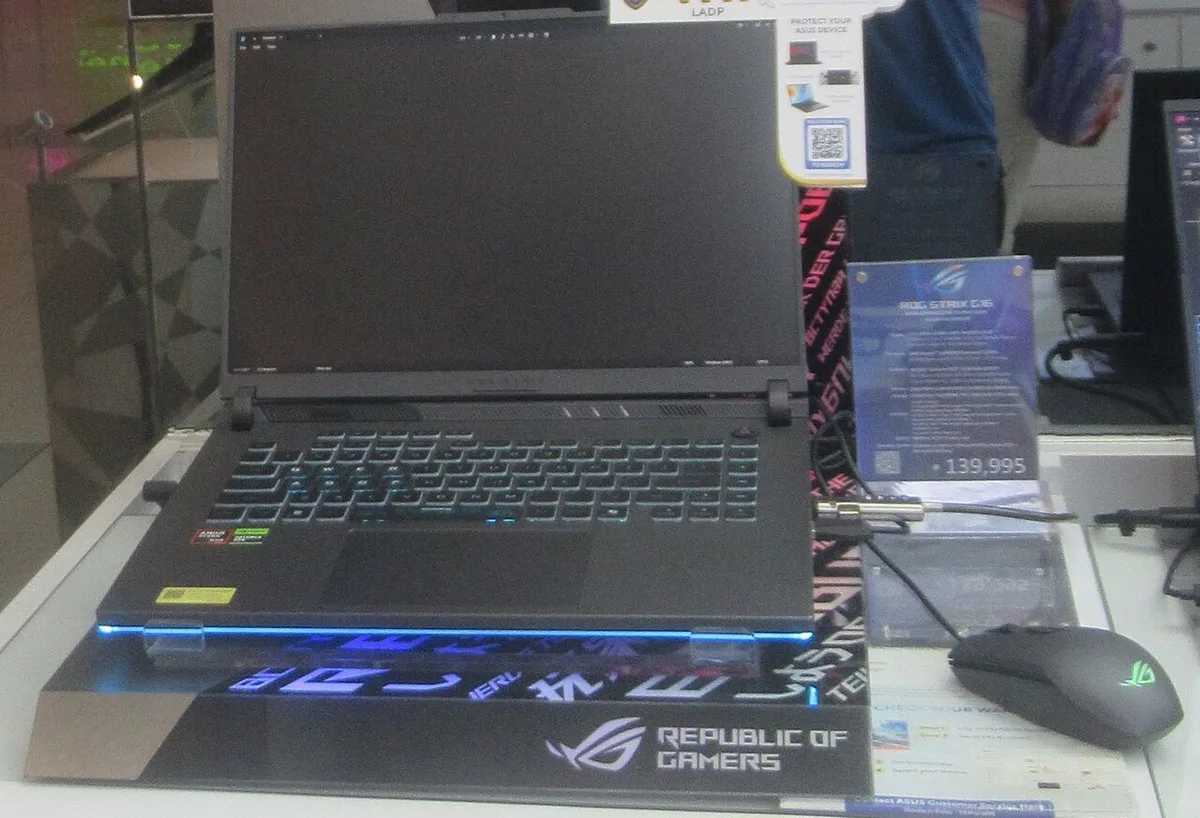
Sales tax alone can add 6 to 10 percent in most US states. Add shipping, a carrying case, and a mouse, and a $1,200 laptop becomes $1,400 before you play a single game. Extended warranties add another $100 to $200, which matters more on gaming laptops because heat and battery wear are real risks.
As of 2026, a solid mid-range gaming laptop typically starts around $1,000 to $1,300. High-end models with top-tier GPUs run $2,000 to $3,500. Knowing what a good gaming laptop costs helps you set a realistic ceiling before tax and extras.
The reason these machines cost so much comes down to the GPU, cooling, and high-refresh displays. Why gaming laptops are so expensive breaks down the component costs if you want the full picture. The short version: you're paying for performance that fits in a backpack, and that premium carries into every downstream cost.
A Real Three-Year Ownership Timeline
Year one: honeymoon costs
Year one is the honeymoon. You buy the machine, set it up, and spend on the extras you skipped at checkout. Expect $150 to $300 in accessories and maybe a cooling pad.
Power draw is highest now because you're gaming more than you will later. Depreciation is steepest in year one too, often 20 to 30 percent of value.
Year two: the quiet drain
Year two is the quiet drain. The excitement fades but the costs don't. The battery starts losing capacity, fans collect dust, and thermal paste dries out.
A cleaning kit and paste run $20 to $40. If you skipped maintenance, you'll notice thermal throttling and louder fans. This is also when many owners add a second SSD or more RAM.
Year three: exit value and replacement
Year three is exit value and replacement. The battery may need replacing at $80 to $150. Resale value drops to roughly 35 to 45 percent of original price.
If you're happy with performance, you can keep going. If not, the resale helps fund the next machine. Either way, year three is where the true total cost becomes visible.
The Hidden Running Costs: Power, Accessories, and Upgrades
Electricity and the power brick
Electricity is the cost nobody budgets for. A gaming laptop under load pulls 180 to 330 watts through its power brick. At the US average rate of about $0.16 per kWh, 200 hours of gaming a year costs roughly $6 to $11.
Idle and light use add another $10 to $20 a year. Over three years that's $50 to $90, small but real. Hot climates push this higher because cooling works harder.
Accessories you'll actually buy
Accessories you'll actually buy include a mouse, headset, mouse pad, and maybe a laptop stand or cooling pad. Budget $150 to $250 total. Some owners add an external monitor, which runs $150 to $400 and changes the whole value equation.
Upgrades and repairs
Upgrades and repairs are where TCO swings wildly. RAM and storage upgrades cost $40 to $120 if the slots are accessible. But some parts you can't swap later, like the GPU or soldered RAM.
That's why checking upgradeability before buying matters. Repairs range from $80 for a battery to $300 or more for a screen. Knowing what you can upgrade later keeps these surprises smaller.
Depreciation and Resale Value: What You Get Back
Depreciation is the silent cost. A gaming laptop loses value fast because its GPU and CPU are locked in place. Aggregate resale listings suggest a mid-tier machine keeps 55 to 65 percent of value after one year, 40 to 50 percent after two, and 30 to 40 percent after three.
Hot models with strong brands hold slightly better, but the curve is steep for everyone.
Condition matters more than age. A clean chassis, healthy battery, and original box can add 10 to 15 percent to resale price. A swollen battery or cracked hinge can cut it in half.
Keep receipts, boxes, and accessories. They pay off at resale.
The locked-in parts like the GPU drive most of the loss. That's why buyers should weigh upgradeability before purchase. Models with accessible RAM and storage slots age more gracefully because you can extend their life cheaply.
A realistic price ceiling also helps, since overspending upfront deepens the depreciation hit.
Where you sell also changes the number. Trade-in programs pay the least but are fastest. Direct sales on marketplaces take longer but return 15 to 25 percent more.
Local pickup avoids shipping risk. Plan your exit before you buy, and the cost feels smaller.
Gaming Laptop vs Desktop vs Console: TCO Side by Side
| Option | Typical 3-year total | Portability | Upgrade path | Best for |
|---|---|---|---|---|
| Gaming laptop | $1,300-$1,800 | High | Limited | Travel, small spaces |
| Gaming desktop | $1,500-$2,200 | None | Strong | Home setups, longevity |
| Console | $700-$1,000 | Medium | None | Couch gaming, simplicity |
| Handheld PC | $900-$1,400 | Highest | Very limited | On-the-go play |
The laptop sits in the middle. It costs less than a full desktop plus monitor but more than a console. The tradeoff is portability against upgrade freedom.
If you stay home, a desktop often wins on TCO because you can swap parts instead of replacing the whole machine. If you travel, the laptop's portability justifies the premium.
Console TCO is lowest because games and hardware are standardized. But you give up PC flexibility and resale value on older games. Handheld PCs are the newest option, and their TCO is still settling as repair and accessory ecosystems mature.
Mistakes That Quietly Inflate Your Total Cost
Skipping thermal maintenance
Dust and dried paste raise temperatures, which lowers performance and shortens component life. Clean fans every six months and repaste every one to two years. A $20 kit beats a $300 board repair.
Buying soldered, non-upgradeable configs
Soldered RAM and storage look sleek but lock you into the original spec. Check upgradeability before buying. Paying $50 more for accessible slots often saves $150 later.
Ignoring warranty and accidental damage coverage
Gaming laptops run hot and travel often. A drop or spill can cost more than the warranty. Read terms carefully, and consider accidental damage protection if you commute or travel with it.
FTC warranty guidance explains what manufacturers must cover.
Frequently Asked Questions
How much does a gaming laptop cost to run per year?
Electricity for a mid-tier machine runs about $20 to $35 a year at US average rates. Add accessories and maintenance, and most owners spend $50 to $100 a year beyond the purchase price.
Do gaming laptops last as long as desktops?
No. Most run well for three to five years. Desktops often last longer because parts are replaceable.
Battery wear and heat are the main limits.
Is it cheaper to repair or replace?
For machines under two years old, repair usually wins. After three years, replacement often makes more sense because resale value is low and parts are aging.
Does an ENERGY STAR rating lower costs?
Yes, slightly. ENERGY STAR certified models use less power at idle. The savings are modest, around $5 to $15 a year, but they also run cooler.
Should I buy refurbished to save money?
Often yes. Refurbished units can cut upfront cost by 15 to 30 percent. Check battery health, warranty, and return policy before buying.
The Verdict: Is a Gaming Laptop Worth It for You?
It depends on how you live. If you move often, game in small spaces, or want one device for work and play, the premium is justified. If you stay home and want maximum longevity, a desktop usually wins on TCO.
Budget tiers matter too, so match your spend to your games. The smartest move is simple. Budget the full three-year cost, not just the price tag.
Check features that earn their keep, and buy a config you can upgrade later. Do that, and the total cost stops being a surprise.
1 thought on “What Is the Total Cost of Owning a Gaming Laptop?”
Comments are closed.