why do gaming laptop speakers sound tinny? Usually it's a mix of tiny drivers, blocked vents, and software EQ that boosts treble. The good news is that placement and settings often fix more than you'd expect.
Start with surface and EQ before blaming the hardware.
Most built-in gaming laptop speakers use 10 to 20 mm drivers and 2 to 4 watts per channel, so deep bass is physically limited. As of 2026, many models still rely on downward-firing placement, which makes soft surfaces worse. Once you know the cause, the fix is usually simple.
Let's walk through the diagnosis.
why do gaming laptop speakers sound tinny
Gaming laptop speakers sound tinny because the drivers are small and the chassis limits bass. Placement can block low frequencies. EQ settings may boost treble.
Soft surfaces absorb bass. Check placement, drivers, and EQ before replacing anything.
What Actually Makes Laptop Audio Sound Thin
A "tinny" sound is mostly missing low and mid frequencies, not just too much treble. Small drivers move less air, so bass drops off early. Plastic chassis panels can vibrate and blur the midrange.
Downward-firing grilles can bounce sound off a desk or get blocked by fabric.
Key parts to check:
- Driver size: 10 to 20 mm is common. Larger drivers usually reach lower.
- Wattage: 2 to 4 watts per channel is typical. Low power limits clean volume.
- Placement: Downward-firing units depend on a hard surface to reflect sound.
- Chassis material: Aluminum often rings less than thin plastic.
- Software: Dolby Access, Nahimic, and DTS:X Ultra can boost treble by default.
If you use manufacturer control software for performance modes, check whether it also resets audio profiles after updates.
The Four Variables That Change the Diagnosis
The same laptop can sound different in two rooms. That's why diagnosis comes before buying anything. Use these four variables.
| Variable | What to check | Why it matters |
|---|---|---|
| Hardware | Driver size, wattage, grill design | Sets the physical bass limit |
| Placement | Desk, bed, couch, lap, stand | Changes reflection and absorption |
| Software | Realtek driver, EQ profile, enhancements | Can boost treble or cut bass |
| Expectations | Game audio, music, voice chat | Some content has little bass |
A quick example: competitive shooters often emphasize footsteps and voice clarity. That can sound "thin" even when the speaker is working as intended. If silent mode behavior changes fan speed and power limits, it may also alter how the system manages audio enhancements.
Find Your Cause: Hardware, Placement, Software, or Expectations
Use this if/then flow before changing settings.
Test on a hard desk.
If bass improves, placement was the main issue.If not, move to software.
Check the audio driver.
If Windows shows "High Definition Audio Device" instead of Realtek, reinstall the laptop maker's driver.If Realtek is present, move to EQ.
Open the EQ or enhancement app.
If bass sliders are cut or treble is boosted, reset the profile.If settings look normal, move to hardware limits.
Compare with a headset or external speaker.
If external audio sounds full, the laptop speakers are the limit.If everything sounds thin, the source audio or room is the issue.
Check for dust or rattling.
If grilles are clogged or panels buzz, clean carefully or contact support.Do not open the chassis if it voids warranty.
For Bluetooth accessories, Bluetooth audio lag is a separate issue from built-in speaker quality. Test with wired or built-in audio first.
Fixes That Actually Match the Cause
Match the fix to the cause. Random tweaks usually waste time.
- Downward-firing on soft surfaces: Move the laptop to a hard desk, cooling pad, or stand. This gives the sound a reflective surface.
- Blocked vents: Clean grilles with short bursts of compressed air. Keep the can upright.
- Bad EQ profile: Reset Dolby, Nahimic, or DTS settings. Then boost 100 to 250 Hz slightly and reduce 4 to 8 kHz if harsh.
- Generic Windows driver: Install the manufacturer's Realtek or audio package from the support page.
- Too little bass by design: Use a 2.1 desktop set, a soundbar, or a headset. A $30 to $150 external set usually outperforms built-in speakers.
- Rattling chassis: Lower volume, avoid bass-heavy EQ, and check warranty options.
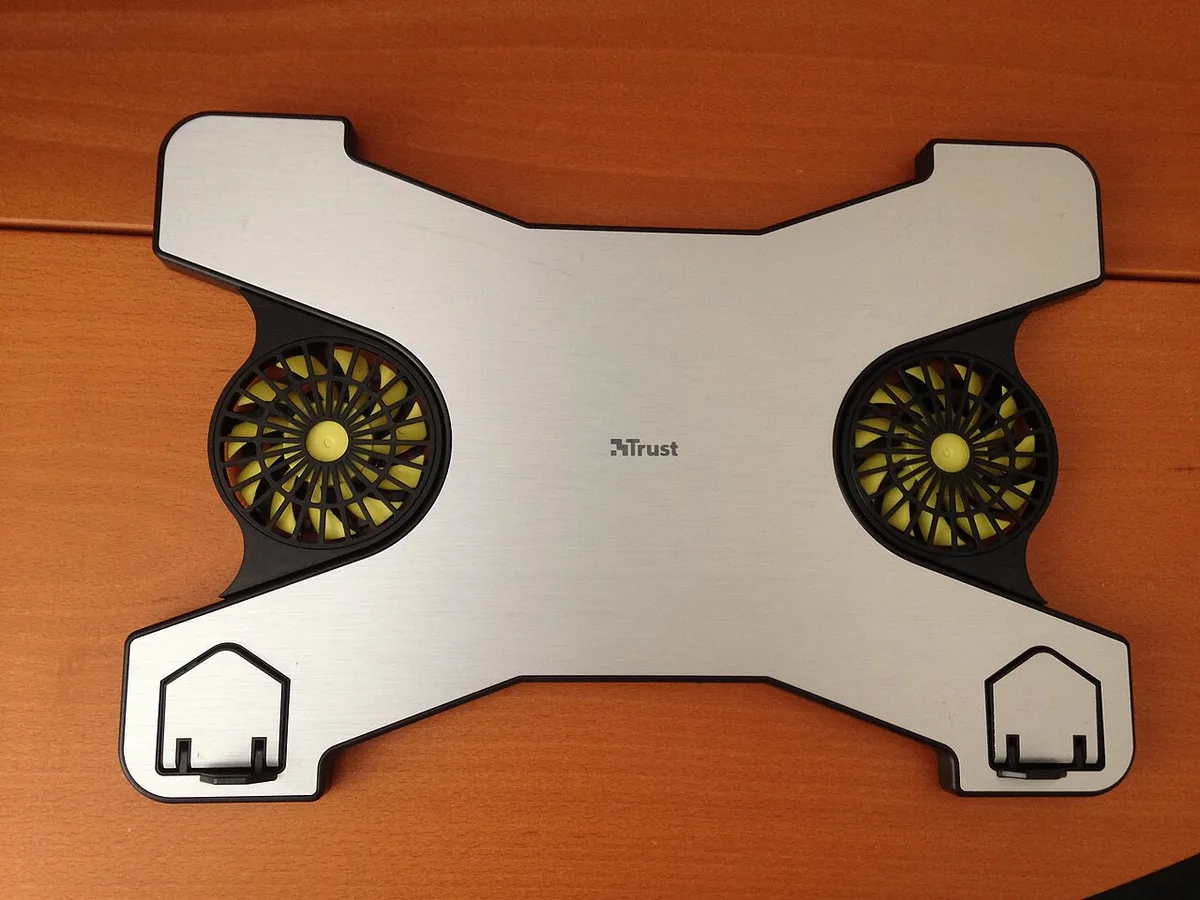
Image source: Wikimedia Commons / Air fans (CC BY-SA)
If you travel often, connecting to a TV can be a better audio upgrade than carrying speakers. For private play, pairing Bluetooth headphones avoids waking a roommate.
Keep volume reasonable. The CDC's NIOSH guidance treats 85 dB as a key hearing-conservation reference, and tiny laptop speakers can still reach uncomfortable levels close to your ears. If you want a deeper standard reference, see CDC NIOSH noise and hearing loss.
Common Mistakes That Make Tinny Speakers Worse
Many "bad speaker" complaints come from setup, not hardware. A few habits make thin audio sound even thinner. Fix these first.
- Cranking volume to 100%. Small drivers distort early. Lower volume often sounds cleaner.
- Stacking audio enhancers. Dolby Access and Nahimic can conflict. Use one, or none.
- Gaming on a bed or couch. Fabric absorbs bass and blocks downward-firing vents.
- Expecting sub-bass. A 15 mm driver won't shake a desk. Set realistic expectations.
- Spraying cleaner into grilles. Liquid can damage paper or mylar cones. Use dry air only.
- Opening the chassis. This can void warranty and risk battery damage.
If the sound changes when you lift the laptop, the problem is placement. If it stays thin everywhere, the limit is hardware or software.
What Specs Matter (and What Marketing Oversells)
Spec sheets can help, but only a few numbers matter. Ignore "studio sound" claims and focus on physical limits.
| Spec | What it tells you | What to watch for |
|---|---|---|
| Driver size | How much air the speaker moves | 10 to 20 mm is common |
| Wattage | Clean volume headroom | 2 to 4 W per channel |
| Frequency response | Claimed range | Often no real bass below 150 Hz |
| THD | Distortion at volume | Lower is better, if listed |
| Enhancements | Software tuning | Can help or hurt |
Marketing often highlights "virtual surround" or "AI noise reduction." Those features affect effects and voice clarity, not bass. A laptop with larger drivers and upward-firing placement usually sounds fuller than one with more software modes. If you're choosing between models, compare placement and driver size first.
Pro Tips for Better Built-In Laptop Audio
You can't turn a tiny driver into a subwoofer. You can make it sound cleaner and more balanced.
- Elevate the laptop. A stand or cooling pad improves airflow and sound dispersion.
- Use a hard surface. Desks reflect bass better than beds or laps.
- Pick one EQ profile. Reset enhancements, then adjust bass and treble gently.
- Keep grilles clean. Dust reduces output and can cause rattling.
- Close conflicting audio apps. Two enhancement layers often cancel each other out.
- Use external audio for big moments. A $30 to $150 speaker set or headset beats built-in sound for movies.
- Protect your hearing. Take breaks and avoid max volume near your ears.
For competitive play, reducing ping matters more than audio upgrades. For solo sessions, connecting two external monitors can free desk space for better speakers.
FAQs
Can a gaming laptop speaker be fixed if it sounds tinny?
Sometimes. If placement or EQ is the cause, yes. If the drivers are small, the improvement is limited.
Clean vents, reset profiles, and test on a hard desk before assuming hardware failure.
Why do headphones sound better than laptop speakers?
Headphones sit close to your ears and use larger drivers in a sealed space. They also avoid room reflections and chassis vibration. That gives clearer bass and detail.
Does Dolby Atmos make laptop speakers sound better?
It can improve spatial cues, but it won't create deep bass. If the profile boosts treble, it may sound thinner. Reset and tune it before judging the feature.
Should I buy external speakers for a gaming laptop?
If you care about music, movies, or immersion, yes. A basic 2.0 or 2.1 set often costs $30 to $150 and sounds fuller than built-in speakers.
Can dust make laptop speakers sound muffled?
Yes. Dust can clog grilles and reduce output. Use short bursts of compressed air with the can upright.
Avoid liquids and sharp tools.
Does a cooling pad improve laptop audio?
Indirectly. It can lift the chassis, improve airflow, and give downward-firing speakers a better surface to reflect from. It won't increase bass by itself.
Quick Decision Guide: What to Do Next
Start with the cheapest checks. Move to hardware only if needed.
- If sound improves on a hard desk: Keep the laptop elevated and clean.
- If EQ is boosted or cut: Reset one profile and tune gently.
- If the driver is generic: Install the manufacturer's audio package.
- If everything sounds thin: Accept the hardware limit or add external audio.
- If panels rattle or hiss: Contact support before opening the chassis.
A good rule: fix placement and software first, then decide on upgrades. Most tinny sound has a simple cause, and the fix is often free. If you still want more volume for parties or movies, a headset or desktop speaker set is the smarter buy.