does screen size affect gaming laptop portability? Yes, but it is only one piece of the puzzle. A 17.3-inch gaming laptop can feel manageable in one backpack and awkward in another.
The real question is how the whole machine fits your day.
Manufacturer specs list diagonal display size, yet they do not tell you bag fit, charger bulk, or total carry weight. A 15.6-inch model with thick bezels can take more space than a 16-inch model with slim bezels. As of 2026, many gaming laptops range from about 3.5 to over 7 pounds before the power brick.
We'll walk through the checks that matter before you buy.
Why Screen Size Alone Doesn't Answer the Portability Question
Screen size is a display measurement, not a travel score. It tells you how large the panel is from corner to corner. It does not tell you how much room the laptop takes in a bag.
If you buy by inches alone, you can miss three bigger factors. First, bezel size changes the outer chassis size. Second, weight changes how long you want to carry it.
Third, the power brick adds real bulk.
A 14-inch gaming laptop can still weigh over 4 pounds with a heavy charger. A 17.3-inch model can be slim enough for a large backpack. The screen only starts the conversation.
Think of portability as a system. Screen, chassis, weight, battery, and bag all matter together. If one part fails, the whole setup feels heavy.
Before you judge a model, review safe carrying habits for gaming laptops and protect the hinges, screen, and ports during travel.
The Short Answer: What Actually Makes a Gaming Laptop Portable
A gaming laptop is portable when you can carry it, power it, and use it without strain. Screen size helps, but it does not decide the outcome by itself.
Use this quick test. If the laptop fits your bag, the charger fits too, the total weight feels fine for your commute, and the battery lasts long enough for your route, it is portable for you. If any one fails, the screen size will not save the setup.
| Portability Factor | Why It Matters | Quick Check |
|---|---|---|
| Total carry weight | You feel laptop plus charger, not laptop alone | Weigh both together |
| Bag fit | A tight bag strains zippers and corners | Measure interior space |
| Battery life | Gaming drains power fast | Check real gaming runtime |
| Desk or tray fit | Small spaces make large laptops awkward | Measure your main surface |
| Charger size | Bulky bricks add weight and volume | Compare brick dimensions |
If you travel often, start with weight and bag fit. If you mostly move between rooms, screen size and keyboard comfort matter more.
Screen Size vs. Chassis Footprint: The Real Portability Equation
Chassis footprint means the outer length and width of the closed laptop. That is what actually fights for space in a backpack or on a tray table.
Two laptops with the same screen size can have very different footprints. Slim bezels reduce the outer frame. A 16:10 display can change the shape even when the diagonal size looks similar.
Hinge design and cooling layout also affect how wide the body gets.
This is why a 16-inch gaming laptop can sometimes fit where an older 15.6-inch model does not. The newer design may use thinner borders and a taller screen. The diagonal number stayed close, but the usable shape changed.
Do not assume a smaller screen always means a smaller machine. Check the listed dimensions in millimeters or inches. Then compare them with your bag, desk, and travel space.
If you are unsure about bag fit, check which gaming laptop sizes fit in a backpack before you commit to a screen size.
Side-by-Side: 14-Inch, 15.6-Inch, 16-Inch, and 17.3-Inch Gaming Laptops
Each size has a clear tradeoff. The right choice depends on where you play and how often you move.
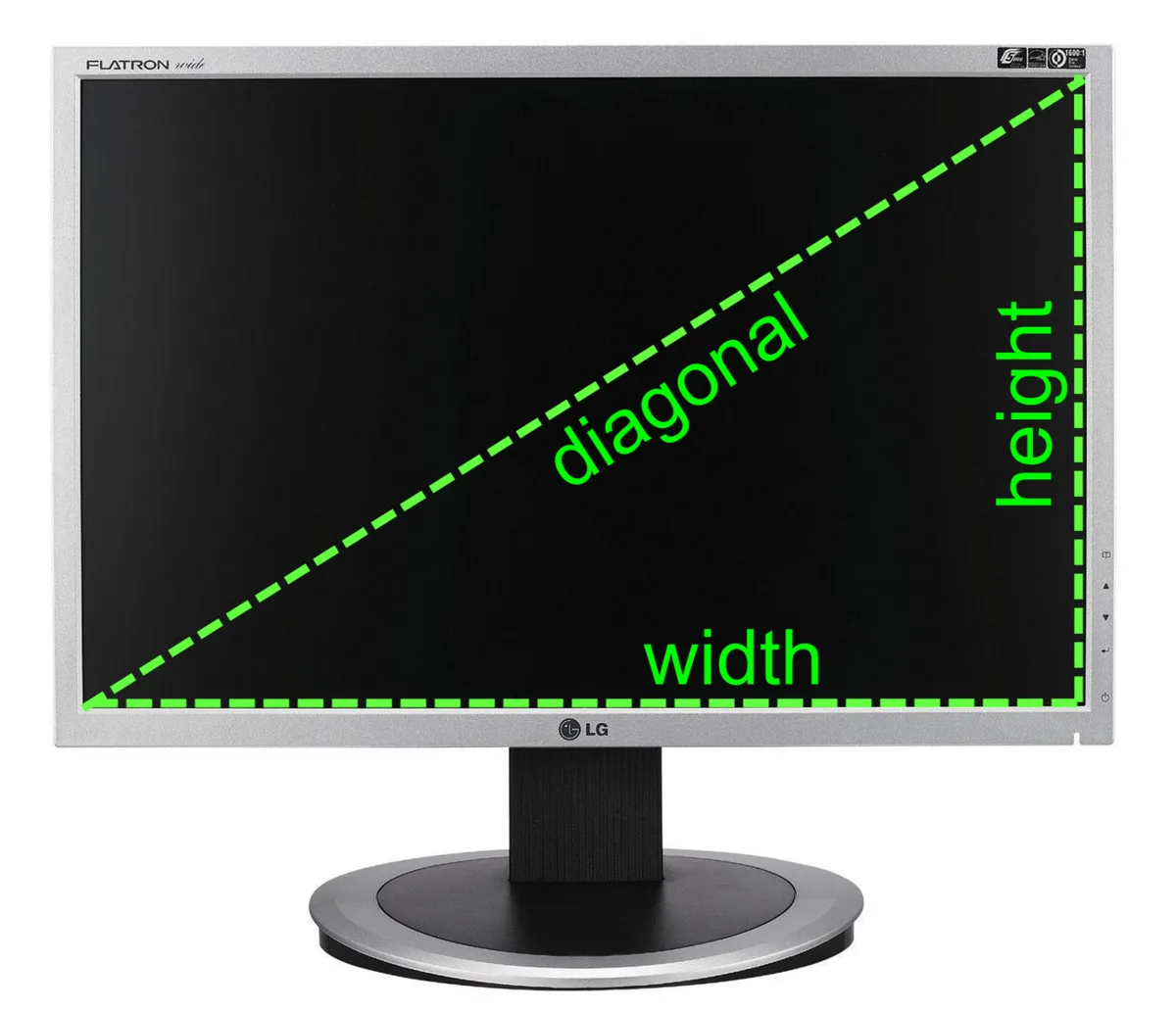
Image source: Wikimedia Commons / Mikael Häggström (CC BY-SA)
| Screen Size | Typical Feel | Best For | Watch Out For |
|---|---|---|---|
| 14-inch | Lightest and most compact | Commuters, students, frequent flyers | Smaller keyboard deck and less screen space |
| 15.6-inch | Balanced and common | Mixed home and travel use | Older designs can have thick bezels |
| 16-inch | Roomy without huge bulk | Gamers who want more view and still travel | Bag fit varies by chassis |
| 17.3-inch | Desktop-like experience | Desk gaming, LAN events, shared screens | Heavier weight and larger bags |
A 14-inch model is easier to slide into a normal backpack. It also leaves more room for a headset or mouse. The downside is less screen space for maps, timelines, or multitasking.
A 15.6-inch model is the familiar middle ground. Many bags and sleeves fit it well. Still, some chassis are thicker than expected because of cooling needs.
A 16-inch model often feels like the sweet spot for many gamers. You get more viewing area without jumping to a desktop-replacement size. Check the exact width and depth before buying.
A 17.3-inch model shines on a desk. It gives strong immersion and more room for a comfortable keyboard layout. It is less friendly for planes, small coffee tables, and tight backpacks.
Who Each Screen Size Actually Fits: Real Use Cases
Match the laptop to your routine, not to a spec sheet. Your real week matters more than the diagonal number.
If you commute by train or bus, a 14-inch or slim 15.6-inch model makes more sense. You will lift it often, sit in tight spaces, and need quick bag access. If you mostly game at home but move to a friend's house sometimes, a 16-inch or 17.3-inch model can work well.
Students need a different balance. A 14-inch or 15.6-inch laptop fits dorm desks, library tables, and crowded backpacks. A 17.3-inch model may feel great in the room but annoying in class or on a small desk.
Frequent flyers should think about tray tables and bag limits. A 14-inch model is usually easier. A 15.6-inch or 16-inch model may fit, but the width can matter.
A 17.3-inch model is usually the least travel-friendly.
Remote workers who game at night need both comfort and mobility. A 16-inch model can give enough screen space for work and play. A 14-inch model is easier to carry between rooms.
If you want the lightest possible option, compare how heavy gaming laptops are on average before you choose a screen size. Weight class can matter as much as display size.
Thin designs can tempt you too. They look portable, but cooling and battery tradeoffs still matter. If you are considering one, read whether thin gaming laptops are actually good for gaming before you assume it will handle your games well.
If your main goal is travel, also review whether a gaming laptop is good for travel. That helps you weigh screen size against battery life, heat, and daily comfort.
How to Decide: A Step-by-Step Portability Check
Start with your real routine, not the spec sheet. A laptop that feels portable for a desk gamer may feel heavy for a daily commuter.
Follow this order before you buy.
- Measure your main bag's interior length, width, and depth.
- Weigh the laptop and power brick together.
- Measure your desk, tray table, or lap setup.
- Check battery life during your usual game, not idle time.
- Count how often you carry it each week.
Use these if/then rules to narrow the choice.
- If you carry it daily and your bag is under 20 liters, lean toward 14-inch or slim 15.6-inch models.
- If you fly monthly, check airline personal item and carry-on limits before choosing 16-inch or 17.3-inch models.
- If you mostly game at a desk, a 16-inch or 17.3-inch model can make sense.
- If your commute involves stairs, long walks, or crowded transit, prioritize lower total carry weight.
| Check | Good Sign | Warning Sign |
|---|---|---|
| Bag fit | Laptop slides in without forcing zippers | Corners press against fabric |
| Total weight | You can carry it for 20 minutes comfortably | You shift it between shoulders |
| Charger fit | Brick fits in a side pocket | Charger takes main compartment space |
| Surface fit | Screen opens fully on your desk or tray | Hinge hits the edge |
| Battery | Enough runtime for your route | Needs a mid-trip charge |
Before you commit, review safe carrying habits so hinges, ports, and screens survive travel. For bag sizing, use a backpack fit guide instead of guessing from screen size.
Common Mistakes When Buying for Portability
Most mistakes happen when one number gets too much attention. Screen size is easy to compare, so buyers often treat it like the whole answer.
- Buying by diagonal size alone and ignoring chassis dimensions.
- Forgetting the power brick in total carry weight.
- Assuming a thin laptop is automatically light.
- Not checking bag depth, only length and width.
- Ignoring battery life during actual gaming.
- Choosing a large screen for a small desk or tray table.
- Skipping ventilation space in a crowded backpack.
A 17.3-inch model can be a great desk machine and a poor travel machine. A 14-inch model can be easy to carry and too cramped for long sessions. The mistake is not the size itself.
The mistake is matching the wrong size to the wrong routine.
Check an average laptop weight guide before you decide. Then compare lightest laptop categories if weight matters more than screen space.
Real Numbers: Weight, Dimensions, and Carry Weight
Specs vary by model, but ranges help you plan. Gaming laptops are heavier than office laptops because of GPUs, cooling, and larger batteries.
| Screen Size | Typical Laptop Weight | Common Total Carry Weight With Charger | Fit Notes |
|---|---|---|---|
| 14-inch | 3.3 to 4.5 lb | 4.5 to 6.0 lb | Easiest for standard backpacks |
| 15.6-inch | 4.0 to 5.5 lb | 5.5 to 7.0 lb | Most common, fit varies by bezels |
| 16-inch | 4.2 to 5.8 lb | 5.8 to 7.5 lb | Check width and depth carefully |
| 17.3-inch | 5.5 to 8.0 lb | 7.0 to 9.5 lb | Usually needs a large bag |
Total carry weight includes the laptop, charger, mouse, headset, and any cable. That is the number your shoulders feel. A lighter laptop with a huge charger can still feel heavy.
Dimensions matter as much as weight. Two 15.6-inch laptops can have very different widths because of bezel design. Always compare listed length, width, and depth with your bag and desk.
If weight is your top concern, review lightest laptop categories before choosing screen size. A smaller display does not guarantee a lighter machine.
Travel Rules, Battery Limits, and Safety Considerations
Travel adds rules that have nothing to do with screen size. Battery size, heat, and bag space can decide whether a setup is safe and practical.
Lithium-ion batteries power most gaming laptops. Aggregate guidance from aviation authorities warns against packing spare lithium-ion batteries in checked luggage. Keep them in carry-on baggage and follow watt-hour limits.
The FAA battery guidance and IATA dangerous goods limits are useful starting points.
Heat is another risk. Do not run a gaming laptop inside a closed bag. Gaming loads create heat, and poor airflow can raise temperatures.
Let the machine sleep or shut down before packing it.
Battery capacity also affects travel. A larger battery can help, but it adds weight and may face transport limits. Check the watt-hour rating before flying.
Standards such as IEC 62133, UL 2054, and UN 38.3 relate to battery safety and transport testing. Manufacturer documentation should list the exact rating.
If travel is central to your decision, compare the travel pros and cons before buying. A great screen is less useful if the laptop is hard to charge or carry on the road.
Frequently Asked Questions
Does a 14-inch gaming laptop always travel better?
No. A 14-inch model is usually easier to pack and carry, but weight, charger size, and bag fit still matter. Some 14-inch gaming laptops are heavy because of powerful GPUs and cooling.
Check total carry weight, not just display size, before deciding.
Is 15.6 inches still the safest all-around size?
For many buyers, yes. A 15.6-inch gaming laptop often balances screen space, bag fit, and keyboard comfort. Still, chassis design can make one 15.6-inch model much larger than another.
Measure the outer dimensions and compare them with your bag and desk.
Can a 17.3-inch gaming laptop fit in a backpack?
Sometimes. It needs a large backpack with enough width, depth, and padding. Many standard backpacks are too small or too tight for 17.3-inch models.
Check the laptop's outer dimensions and your bag's interior measurements before buying.
How much does charger size affect portability?
A lot. The power brick adds weight, volume, and packing complexity. A light laptop with a bulky charger can feel less portable than a slightly heavier laptop with a compact charger.
Always weigh and measure the charger with the laptop.
Are thin gaming laptops easier to carry?
Often, but not always. Thin designs can reduce weight and bag bulk, yet they may use smaller batteries or run hotter under load. Review thin gaming laptop tradeoffs before assuming a slim chassis will handle your games well.
1 thought on “Does Screen Size Really Affect Gaming Laptop Portability?”
Comments are closed.