Are Alienware gaming laptops worth it? The answer depends on what you value most. Some buyers want brand polish and support.
Others want the most frames per dollar.
As of 2026, Alienware models often cost more than rivals with similar chips. You pay for design, software, and service. This guide breaks down the real trade-offs so you can decide with confidence.
are Alienware gaming laptops worth it
Yes, for buyers who want premium build and support. No, if you want the most performance per dollar. Alienware laptops are powerful and polished.
They cost more than many rivals. Your budget and priorities decide the value.
What You're Actually Paying For
Alienware is Dell's premium gaming brand. That name carries real weight in the market. It also adds to the price.
You are paying for more than the CPU and GPU. The chassis often uses magnesium alloy or aluminum. The lighting zones feel cohesive.
The optional Cherry MX keyboard gives a mechanical feel that many laptops skip.
Support matters too. Dell offers warranty options that can extend up to four years with Premium Support. That can be valuable if you rely on one machine for work and play.
There is also resale value. Alienware laptops often hold value better than generic gaming brands. That softens the upfront cost if you upgrade every few years.
The catch is the Alienware tax. A rival laptop may use the same RTX 4070 and deliver similar frame rates for less money. If raw performance is your only goal, the premium can feel hard to justify.
Build quality still deserves attention. Look at chassis materials before buying. A sturdy shell helps with daily travel.
It also affects how the laptop feels over time. Our research suggests that premium chassis materials can improve long-term satisfaction. You can also check how long a gaming laptop chassis lasts before committing to a high price.
Alienware's Lineup Broken Down
Alienware sells several distinct laptop families. They are not all aimed at the same buyer.
The m-series is the mainstream performance line. Models like the m16 and m18 focus on power. They often have stronger cooling and larger screens.
They are heavy, so they work best as desk machines.
The x-series targets a thinner profile. The x14 and x16 look sleeker and travel better. They still play demanding games, but cooling has less room to breathe.
That trade-off matters if you play long sessions.
There is also the legacy Area-51m idea. It was built as a desktop replacement. Newer Alienware laptops are less modular, but the spirit remains.
Some buyers still want a big machine that stays plugged in.
Thin models can be tempting. They look great and fit in a backpack. Yet they may run hotter and louder under load.
If you want a lighter machine, review whether thin gaming laptops are actually good for gaming before choosing one.
Screen size changes the experience too. A 14-inch laptop is easier to carry. An 18-inch screen feels more immersive.
Larger screens also affect gaming laptop portability, so match the size to your routine.
Alienware vs. The Competition
This is where the real decision happens. Alienware is not the only premium gaming brand.
Lenovo Legion laptops often deliver strong cooling and good value. ASUS ROG models range from thin ultraportables to heavy performance machines. MSI offers powerful desktop replacements.
Razer focuses on sleek design and premium materials. HP Omen sits in a more accessible price band.
Alienware usually wins on brand identity and design. It also offers strong high-end GPU options. Many rivals win on price.
Some win on weight. A few win on upgradeability.
If you want the most performance per dollar, compare carefully. A Lenovo Legion rival may match an Alienware RTX 4070 laptop while costing less. An ASUS ROG model may offer a better screen at the same price.
An HP Omen system may be easier to find on sale.
The image below shows a Razer Blade, one of the sleek rivals Alienware competes against.
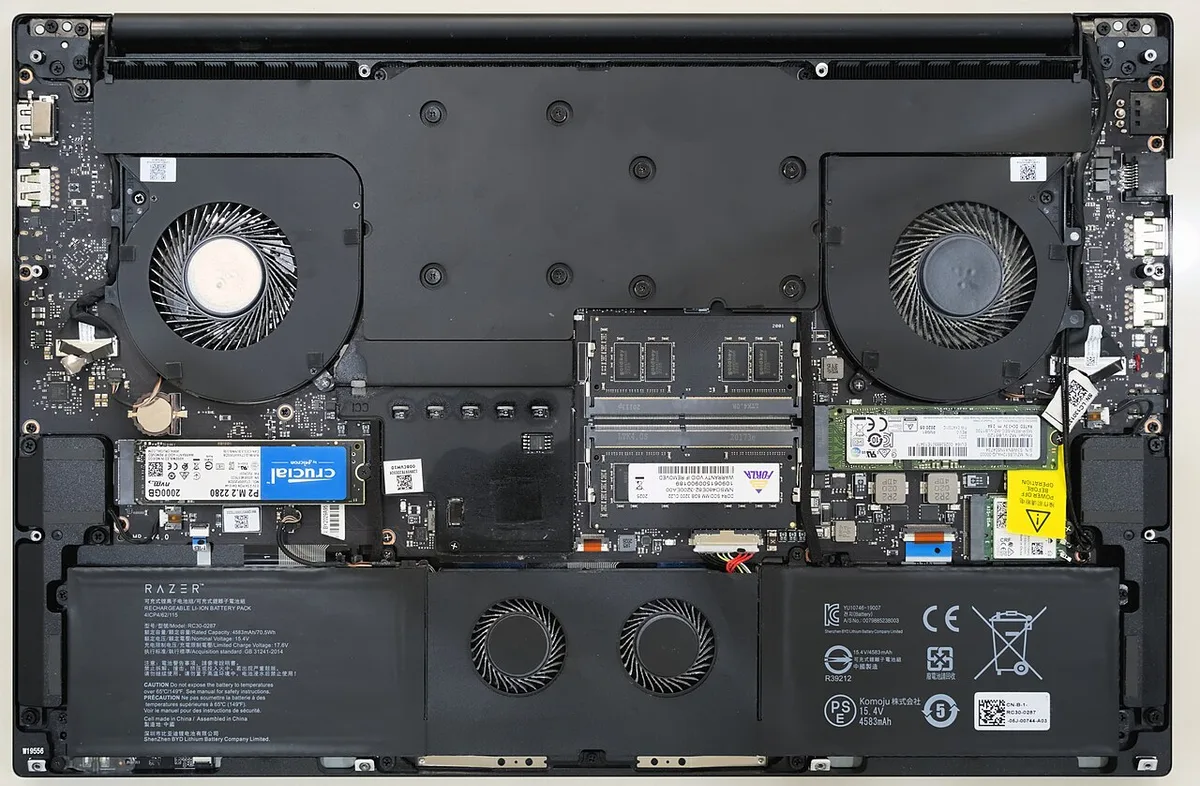
Image source: Wikimedia Commons / Benlisquare (CC BY-SA)
Do not buy on brand alone. Compare the exact GPU, RAM, storage, and display. Then compare warranty and support.
That is the honest way to judge value. Manufacturer specs confirm that laptop GPUs vary by power limits, so two RTX 4080 laptops may not perform the same.
Side-by-Side Specs and Pricing
Price is the biggest hurdle for many buyers. Alienware laptops often start around $1,200 and climb past $4,500. The exact cost depends on GPU, display, and storage.
| Model | Typical Price | GPU Tier | Best For |
|---|---|---|---|
| Alienware x14 | $1,200 to $2,000 | RTX 4050 to 4060 | Travel and light gaming |
| Alienware m16 | $1,500 to $3,000 | RTX 4060 to 4080 | Balanced performance |
| Alienware m18 | $2,000 to $4,500+ | RTX 4080 to 4090 | Desktop replacement |
| Alienware x16 | $1,800 to $3,500 | RTX 4070 to 4090 | Premium thin power |
Specs matter as much as price. Look for DDR5 RAM and fast NVMe storage. Check refresh rate, response time, and color coverage.
A 240Hz panel helps competitive play. A QHD OLED panel helps creators and single-player fans.
Weight and battery life also shape daily use. Many Alienware laptops weigh 5.5 to 9 pounds. Battery life during gaming may be only 2 to 4 hours.
That is normal for high-end gaming laptops, but it still matters.
Warranty terms deserve a close read. Standard coverage is often one year. Extended plans can add accidental damage protection.
If you travel often, that extra coverage may be worth it.
Dell's official product pages list the exact configurations for each region. Check those pages before buying because availability changes. NVIDIA's laptop GPU specifications also help you compare power limits across models.
Pros and Cons of Owning an Alienware
Pros:
- Premium materials and finish
- Recognizable design with AlienFX lighting
- Strong support options through Dell
- Good resale value
- High-end GPU configurations
- Optional Cherry MX mechanical keyboard
- OLED display options on select models
- Cryo-Tech cooling on thicker models
Cons:
- Higher price than similar specs
- Thermal throttling in thin models
- Loud fans under load
- Heavy chassis on larger models
- Limited upgradeability on some models
- Short battery life when gaming
- Large power brick
- Preinstalled software you may not want
The premium feel is real. Magnesium alloy and aluminum shells resist flex better than cheap plastic. The optional Cherry MX keyboard gives a mechanical feel that many gaming laptops skip.
AlienFX lighting also looks more coordinated than random RGB zones.
Support is a bigger deal than many buyers expect. Dell offers warranty options that can extend up to four years with Premium Support. Accidental damage protection can help if you travel.
Trade-in programs also make upgrades easier.
Resale value helps soften the cost. Alienware laptops often hold value better than generic brands. If you upgrade every two or three years, that matters.
The downsides are just as real. The Alienware tax is the biggest one. A rival may use the same RTX 4070 and deliver similar frame rates for less money.
If raw performance is your only goal, the premium can feel hard to justify.
Thermals are the second big issue. Thin models have less room for heat. Under long sessions, the CPU or GPU may throttle.
That means lower frame rates than the spec sheet suggests. Thicker models usually handle heat better.
Fan noise follows the same pattern. Thin models can get loud under load. If you study or work in quiet spaces, that noise matters.
You can reduce fan noise with custom curves, but the hardware still has limits.
Weight is another daily cost. Many Alienware laptops weigh 5.5 to 9 pounds. Add the large power brick and the bag gets heavy fast.
If you carry your laptop every day, that adds up.
Battery life is modest. Many models last 2 to 4 hours while gaming. Productivity use lasts longer, but still not all day.
Plan on carrying the charger.
Upgrade limits can surprise buyers. Some thin models use soldered RAM. Storage may be easier to upgrade, but memory is not.
Check the exact configuration before buying.
A practical tip: check build quality before purchase. Look at hinge feel, lid flex, and keyboard deck. Also compare metal chassis vs plastic if you travel often.
Metal can feel sturdier, but plastic can be lighter.
Long-term, hinge durability matters more than most buyers expect. A sturdy hinge protects the display and keeps the laptop feeling solid. If you care about chassis lifespan, Alienware's premium shells are a plus.
Fan noise is another trade-off. Alienware's thin models can get loud under load. If you study in quiet spaces, learn how to reduce fan noise before you buy.
Who Alienware Is Actually Right For
Alienware fits buyers who want one machine for gaming, work, and travel. It also fits people who value support and design.
It is a strong match if you:
- Want a desktop replacement
- Prefer premium materials
- Plan to keep the laptop for years
- Value Dell support options
- Care about resale value
- Play demanding AAA games
- Want optional mechanical keyboard feel
- Prefer OLED or high refresh displays
It is a weaker match if you:
- Want the lowest price
- Need all-day battery life
- Travel light every day
- Upgrade RAM or storage often
- Play mostly esports titles
- Are sensitive to fan noise
- Want the lightest possible 14-inch laptop
Daily work use is realistic on many Alienware models. The CPU and RAM are strong. The keyboard is comfortable for typing.
Still, the weight and charger can be annoying on the road.
Long-session comfort depends on ergonomics. A heavy laptop on your lap gets tiring. Screen size and portability also matter.
A 14-inch model travels better. An 18-inch model stays home more.
Creators can benefit too. High-end GPUs help with video editing and 3D work. OLED panels help with color-critical tasks.
Just remember that battery life drops fast under heavy loads.
Students should think carefully. The price is high for a campus machine. If you only play lighter games, a cheaper laptop may be smarter.
If you need one machine for everything, Alienware can work.
Competitive players should focus on refresh rate and response time. A 240Hz or 360Hz panel helps. A fast GPU matters more than chassis luxury.
In that case, a rival may offer better value.
Common Buyer Mistakes and Long-Term Ownership
The biggest mistake is buying the highest configuration blindly. More power means more heat and more noise. Match the GPU to your actual games.
Another mistake is ignoring power limits. Two RTX 4080 laptops can perform differently. Check the wattage before buying.
NVIDIA's laptop GPU specifications help compare power limits across models.
Upgrade limits catch people too. Some thin models have soldered RAM. If you want to add memory later, confirm the slots first.
Storage is usually easier to upgrade, but check the slot count.
Cooling mistakes are common. Do not block the vents. Do not use the laptop on a bed or couch for long sessions.
A hard surface helps airflow. A cooling pad can help if you run hot.
Software bloat is another frustration. Some buyers never clean up preinstalled apps. Spend an hour removing what you do not need.
Update drivers and BIOS early.
Long-term care is simple but important. Keep vents clear. Clean dust every few months.
Use a cooling pad if needed. Adjust fan curves in Alienware Command Center.
Repasting can help older machines. Liquid metal and fresh thermal paste can lower temperatures. That is more of a maintenance step than a beginner task.
If you are not comfortable, use a professional.
Battery care matters too. Avoid keeping the laptop at 100% charge all the time if possible. Use battery saver modes for light tasks.
That helps reduce wear over years.
Travel care matters. Carry it safely and protect it while traveling. Use a sleeve and avoid pressure on the lid.
Travel with a charger safely and keep the brick in a padded pocket.
Hinge care is cheap insurance. Do not lift the laptop by the screen. Open it from the center.
This helps prevent hinge damage over time.
Frequently Asked Questions
Are Alienware laptops overpriced?
Some models are priced above rivals with similar specs. You pay for design, support, and brand. If those matter to you, the price can be fair.
If not, rivals may offer better value.
Do Alienware laptops overheat?
Thin models can run hot under sustained load. Thicker models usually handle heat better. Keep vents clear and use a cooling pad if needed.
Fan noise often rises with heat.
Can you upgrade RAM and storage?
It depends on the model. Some Alienware laptops have socketed RAM and SSD slots. Others use soldered memory.
Check the exact configuration before buying.
How long do Alienware laptops last?
With good care, many last four to six years. Battery wear and heat are the main limits. Dust cleaning and proper ventilation help extend lifespan.
Is Alienware better than Razer?
Alienware often offers more configuration options and support. Razer often focuses on thinner, lighter designs. The better choice depends on your budget and portability needs.
Are Alienware laptops good for work?
Yes, for demanding work like editing and rendering. The processors and GPUs are strong. The weight and charger are less ideal for daily commuting.
Final Verdict
Alienware is worth it for the right buyer. You pay a premium, but you get premium design, strong support, and good resale value. If you want the most performance per dollar, rivals often win.
| Buyer Type | Alienware? | Better Alternative |
|---|---|---|
| Desktop replacement buyer | Yes | MSI Titan or ASUS ROG Strix Scar |
| Travel-heavy student | Maybe | ASUS ROG Zephyrus G14 or Razer Blade 14 |
| Budget-focused gamer | No | Lenovo Legion or HP Omen |
| Creator needing OLED | Yes | Razer Blade 16 or ASUS ROG Zephyrus G16 |
| Competitive esports player | Maybe | Lenovo Legion Pro or MSI Raider |
Choose Alienware if you value polish and support. Choose a rival if you want lower cost or lighter weight. Check Dell's product and support pages before buying.
Compare NVIDIA's laptop GPU specifications to match power limits.
That is the honest bottom line.
1 thought on “Are Alienware Gaming Laptops Worth the Money?”
Comments are closed.