Are ASUS TUF gaming laptops good? For many buyers, yes, but only if you match the exact model to your budget and games. The line mixes rugged build claims with wide performance gaps between SKUs.
As of 2026, TUF remains a budget-to-midrange option, not a premium one.
Manufacturer specs and aggregate reviews show strong 1080p value on sale, while base configs can lag behind rivals. Check the CPU, GPU wattage, RAM channel, and screen before you buy. The details below make that check simple.
are ASUS TUF gaming laptops good
Are ASUS TUF gaming laptops good? Yes, for budget 1080p gaming. Many models offer strong value.
Some base configs feel underpowered. Check specs before buying.
What the ASUS TUF Line Is (and What It Isn't)
ASUS TUF Gaming is ASUS's rugged-leaning, value-focused gaming laptop family. It sits below the premium ROG line. Models include the A15, A16, F15, F17, Dash F15, and newer A14 variants.
TUF is not one fixed design. One SKU may use AMD Ryzen and RTX 4050. Another may use Intel Core and RTX 4060.
Panel quality, RAM speed, and GPU wattage can change by region and retailer.
That is why "TUF" alone is not a buying answer. You are buying a specific configuration, not a brand promise.
Where TUF Earns Its Reputation
TUF's best trait is practical durability. Many models are tested to MIL-STD-810H standards for shock, vibration, and temperature. That does not mean damage-proof.
It means the design is tested harder than many budget rivals.
Aggregate reviews often praise three things:
- Strong 1080p gaming performance on discounted RTX configs
- Upgradable RAM and storage on many models
- Useful ports, including HDMI, Ethernet, and USB-C on many SKUs
TUF also tends to offer high-refresh 144Hz or 165Hz displays. That helps smooth gameplay even when settings are lowered.
If you want a laptop for school, travel, and casual gaming, TUF can fit well. Before buying, it helps to check build quality before buying and compare metal versus plastic chassis options.
Where TUF Falls Short
TUF's weak points are consistency and thermals. Some models run hot under sustained CPU and GPU load. Fans can get loud at high performance.
Heat can also collect near the keyboard and palm rest.
Base configurations are the biggest risk. A model with single-channel RAM or a lower GPU wattage can underperform. That can make a cheaper TUF feel slower than a similar Lenovo Legion 5 or Acer Nitro.
Other common complaints include:
- Plastic flex on some lids and keyboards
- Average color accuracy on budget panels
- Battery life that drops fast while gaming
- Preinstalled software that needs cleanup
If you plan long sessions, review long-session comfort before choosing a heavier TUF model.
TUF vs Lenovo Legion, Acer Nitro, MSI Katana, and HP Victus
TUF competes in the budget and lower midrange gaming market. The right pick depends on the SKU, not just the brand.
| Option | Typical Strength | Typical Weakness | Best For |
|---|---|---|---|
| ASUS TUF | Rugged design, good port mix, strong sale pricing | Inconsistent configs, thermals on some models | Travel, school, 1080p gaming |
| Lenovo Legion 5 | Balanced thermals, strong keyboards | Often costs more | All-around gaming |
| Acer Nitro | Aggressive pricing, easy upgrades | Plastic build, fan noise | Tight budgets |
| MSI Katana | Lighter designs, simple layouts | Weaker cooling on some SKUs | Portable 1080p play |
| HP Victus | Clean styling, mainstream support | Mixed performance tiers | Casual gamers |
TUF is usually best when you find a strong discount. At full price, compare the exact GPU wattage and display first. If you care about carrying it daily, check screen size and portability and daily work use.
Which TUF Model Fits Which Buyer
TUF models are not interchangeable. The A15 and A16 often pair AMD Ryzen mobile CPUs with NVIDIA RTX GPUs. The F15 and F17 often use Intel Core mobile chips.
The Dash F15 is thinner and lighter. The A14 is newer and more portable.
Use the model family as a starting point, then verify the exact SKU.
- A15 and A16: strong value for 1080p gaming and upgrades
- F15 and F17: good for Intel preference and larger screens
- Dash F15: better for travel and lighter daily carry
- A14: better for portability and newer platform features
| TUF family | Usually best for | Main thing to verify |
|---|---|---|
| A15 / A16 | Budget 1080p gaming | GPU wattage and RAM channel |
| F15 / F17 | Intel-based gaming setups | Cooling and battery life |
| Dash F15 | Travel and lighter loads | Sustained CPU performance |
| A14 | Portable gaming and school | Price versus older A15 deals |
If you plan to carry it often, check backpack-friendly size before choosing a 17-inch model. If you play for hours, review long-session comfort before buying a heavier chassis. Weight also matters, so compare weight tradeoffs against your daily bag and commute.
What to Check Before You Buy a TUF
Do not buy based on the TUF name alone. Buy the exact configuration.
- Confirm the full model number and region.
- Check the GPU wattage, not just the GPU name.
- Check whether RAM is dual-channel or single-channel.
- Check display brightness, refresh rate, and color coverage.
- Check battery capacity in watt-hours.
- Check warranty terms and the return window.
| Buying check | Why it matters |
|---|---|
| GPU wattage | Same GPU name can perform very differently |
| RAM channel | Single-channel memory can reduce gaming performance |
| Display panel | Budget panels can limit color and brightness |
| Battery size | Larger batteries help away from the wall |
| Warranty region | Coverage can vary by market |
Manufacturer specifications indicate that ASUS TUF models can differ by market and retailer. For GPU details, NVIDIA GeForce laptop GPU specifications can help you compare wattage classes. For purchase and support terms, review ASUS TUF Gaming product pages before ordering.
Long-Term Ownership: Thermals, Upgrades, and Maintenance
TUF ownership is mostly about heat management. Many models cool well for short bursts but get warmer under long sessions. Keep vents clear and raise the rear slightly for better airflow.
Routine care helps:
- Clean dust from fans and vents every few months
- Use a laptop stand or cooling pad during heavy gaming
- Update BIOS, drivers, and Armoury Crate carefully
- Repaste only if you understand the risk
- Calibrate the battery occasionally
- Keep liquids away from the keyboard
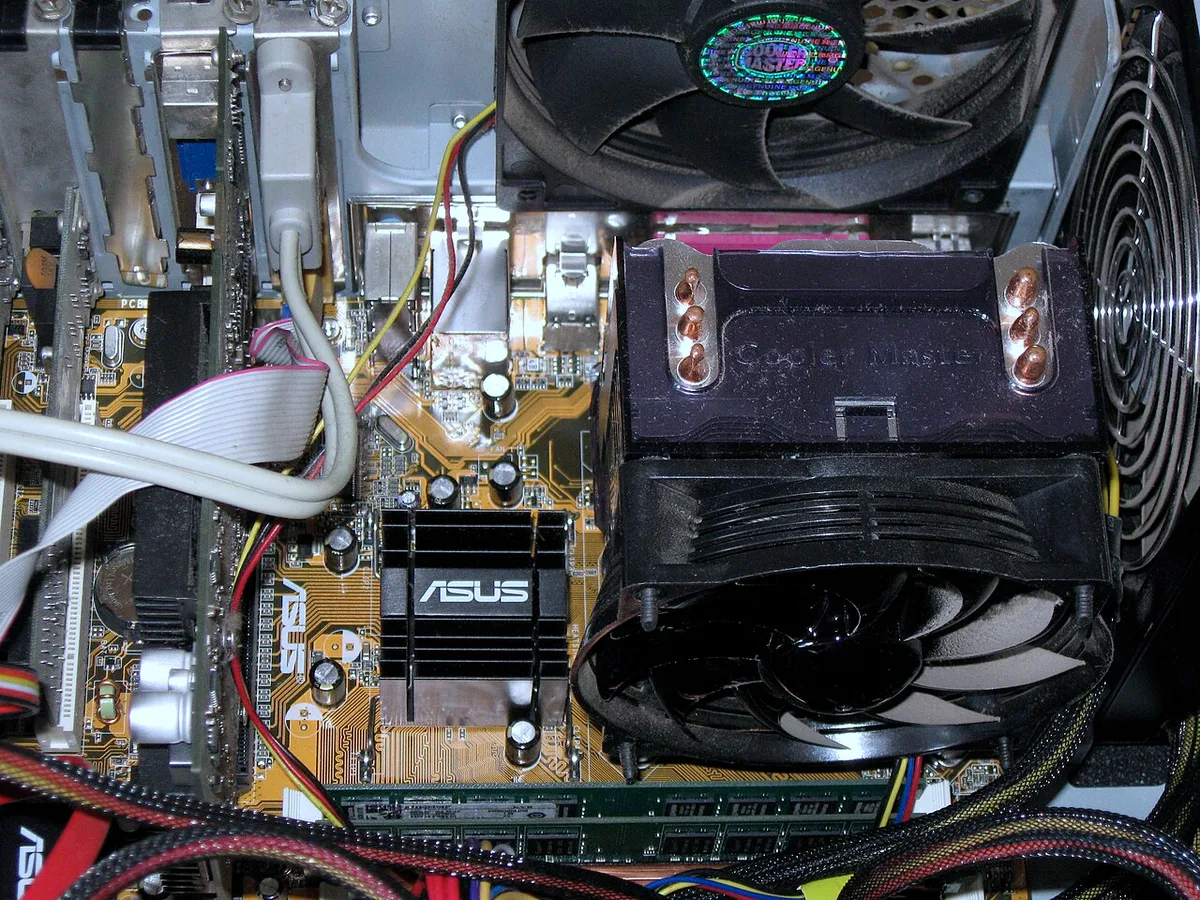
Image source: Wikimedia Commons / Carlosar (CC BY-SA)
Upgrades can extend value. Many TUF models allow RAM and SSD upgrades, but some use soldered memory. Check the exact SKU before buying parts.
If fan noise becomes a problem, use fan noise reduction steps before opening the laptop. Hinge wear is another common issue, so follow hinge wear prevention habits when opening and closing the lid. If you travel often, use travel protection steps to reduce impact damage.
Frequently Asked Questions
Is a TUF laptop good for college?
Yes, if you choose the right SKU. TUF models can handle schoolwork, media, and 1080p gaming in one machine. Pick a model with enough RAM, a comfortable keyboard, and a battery that fits your classes.
Avoid the cheapest base config if you plan to game often.
Are TUF laptops durable enough for travel?
They are more travel-friendly than many budget gaming laptops. MIL-STD-810H testing suggests stronger resistance to shock and vibration. That does not mean damage-proof.
Use a padded sleeve, avoid pressure on the lid, and keep the charger protected.
Do TUF laptops overheat?
Some do under sustained load. Heat depends on the model, room temperature, and settings. Clean vents, improve airflow, and tune fan curves.
If heat remains high, lower CPU and GPU power limits or use a cooling pad.
Is 8GB RAM enough on a TUF?
It is usually not ideal for modern gaming. Many games and background apps benefit from 16GB. If the laptop has one 8GB stick, upgrading to dual-channel 16GB can improve smoothness.
Check whether the RAM is soldered before buying.
Can you upgrade a TUF laptop?
Often yes, but it varies by model. Many allow SSD upgrades and sometimes RAM upgrades. Some SKUs have soldered memory.
Check the service manual or manufacturer support page before ordering parts. Upgrading storage is usually easier than upgrading RAM.
Is TUF better than ROG?
TUF is usually cheaper and more rugged. ROG is usually more premium, with better cooling, displays, and build on many models. TUF is the better value choice.
ROG is the better performance and refinement choice if your budget allows.
Final Verdict: Should You Buy a TUF?
Buy a TUF if you want budget 1080p gaming, travel durability, and strong value on sale. It is a good choice for students, first-time buyers, and casual esports players.
Skip or compare carefully if you need quiet cooling, premium displays, or consistent high-end performance. In that case, compare the exact TUF SKU against Lenovo Legion, Acer Nitro, MSI Katana, and HP Victus before spending.
The safest rule is simple. Check the GPU wattage, RAM channel, display, and warranty first. Then buy the model that fits your games, bag, and budget.