Are gaming laptops comfortable for long sessions? The honest answer is yes and no. It depends on heat, posture, and where you play.
Per OSHA ergonomic guidance, keep your screen top near eye level and take short breaks every 30 to 60 minutes. Most gaming laptops run 15 to 18 inches and weigh 4 to 9 pounds. A good desk setup fixes most comfort problems.
A bad one causes pain fast. Let's walk through the choices.
are gaming laptops comfortable for long sessions
Are gaming laptops comfortable for long sessions? Yes, with the right setup. No, on a lap for hours.
Heat, weight, and posture decide it. A desk, stand, and breaks help.
The Short Answer: It Depends on Your Setup
A gaming laptop can feel great for hours. It can also feel awful in 20 minutes. The difference is rarely the laptop alone.
Think in if and then terms. If you use a desk, external mouse, and raised screen, comfort is usually good. If you game on a soft bed with the laptop on your lap, heat and posture suffer fast.
If you play competitive games, input feel matters as much as chair comfort. If you play story games, screen size and glare matter more.
Weight matters too. Many machines weigh 4 to 9 pounds, and a heavy chassis on your thighs gets old fast. That is why laptop weight deserves real attention before long sessions.
What Makes a Gaming Laptop Comfortable (or Miserable)
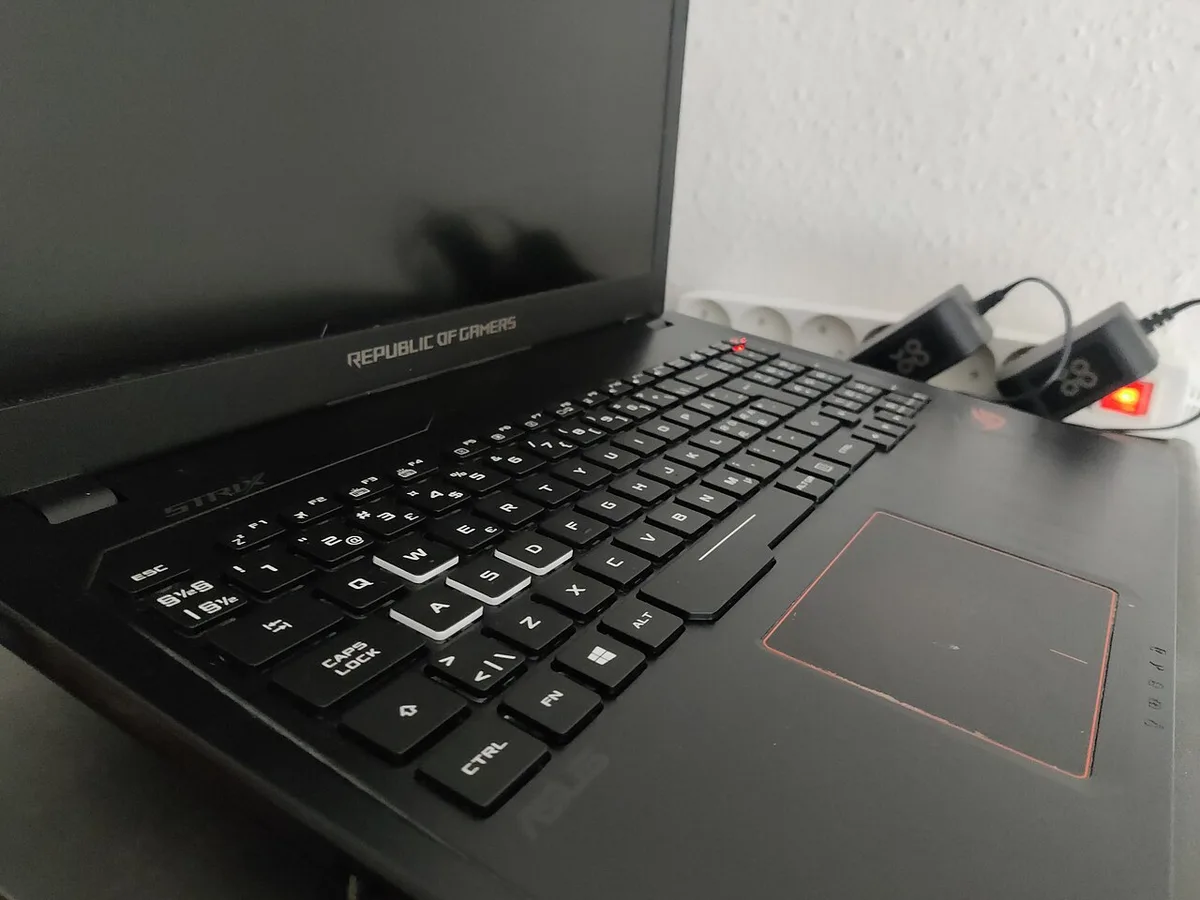
Comfort comes from a few parts working together. Screen height, keyboard layout, cooling, and surface heat all matter. As of 2026, many models still push serious heat during long play.
- Screen size: 15-inch models fit smaller desks. 17-inch and 18-inch models need more space.
- Keyboard travel: Shallow keys can feel tiring. Better travel helps for long typing and gaming.
- Cooling: Bottom vents need airflow. Blocked vents mean more heat and louder fans.
- Surface temperature: Hot palm rests make sessions feel longer than they are.
- Port placement: Side ports can poke your mouse hand or cable path.
- Chassis design: A thin chassis can run hotter and louder under load.
A good laptop on a bad desk still feels bad. A modest laptop on a good desk can feel fine.
Desk, Lap, or Couch? Your Setup Changes Everything
Where you play changes the answer more than the spec sheet. Use this quick comparison.
| Setup | Best For | Main Risk | Fix |
|---|---|---|---|
| Desk | Long sessions | Screen too low | Raise laptop or use monitor |
| Lap | Short sessions | Heat on thighs | Use stand or tray |
| Couch | Casual play | Neck strain | Add pillow and table |
| Bed | Quick games | Poor posture | Avoid for long play |
Desk use is the easiest win. Lap use is the biggest comfort trap. Couch use works if you build a stable base.
If you move between rooms often, plan the setup, not just the machine. A light bag helps, but comfort still depends on where the laptop lands.
How to Build a Comfortable Gaming Laptop Setup
Start simple. Then adjust one thing at a time.
- Put the laptop on a solid desk.
- Raise the screen toward eye level.
- Add an external keyboard and mouse.
- Leave space behind and under the laptop.
- Set chair height so feet rest flat.
- Keep wrists straight, not bent up.
- Disable the touchpad while gaming.
- Take a 3 to 5 minute break every hour.
Keyboard feel matters during long play. If keys feel mushy or slow, adjust response settings before blaming your hands. If lighting distracts you, lower brightness or change the pattern.
A cooling pad can help, but it is not magic. Clean vents and give the laptop room to breathe first. Good habits beat extra accessories.
Gaming Laptop vs Desktop vs Console for Long Play
A desktop is usually the most comfortable for long sessions. It lets you choose monitor height, keyboard, and chair. A gaming laptop is more flexible.
A console is easiest for couch play.
If you play in one room for hours, a desktop wins on heat and posture. If you move often, a laptop wins on space. If you want simple TV gaming, a console wins on ease.
| Option | Best For | Comfort Strength | Main Drawback |
|---|---|---|---|
| Desktop PC | Fixed desk play | Best ergonomics | Not portable |
| Gaming laptop | Small spaces, travel | All-in-one | Heat and weight |
| Console | Couch play | Simple setup | Less control over ergonomics |
Portable gaming helps if you live in a dorm or small apartment. Carrying it between rooms is easier with a good bag and safe handling. Still, portable does not mean comfortable on your lap.
Use OSHA ergonomics guidance as a baseline. It supports neutral posture and regular breaks.
Common Mistakes That Ruin Long Gaming Sessions
Most comfort problems come from setup habits. Fix these first.
- Gaming on your lap for hours. Heat builds fast.
- Blocking bottom vents with blankets or pillows.
- Keeping the screen below eye level.
- Using the built-in keyboard for marathon play.
- Ignoring fan noise and surface heat.
- Skipping breaks after one or two hours.
- Letting cables drag under the mouse hand.
- Using a chair with no back support.
If keys feel off, check keyboard response before replacing hardware. If sound distracts you, fix audio crackle early. Small annoyances become fatigue over time.
Keeping Your Setup Comfortable Over Time
Comfort fades if the setup degrades. Dust, heat, and bad habits build up.
Clean vents monthly. Keep the laptop on a hard surface. Recheck chair height every few months.
Replace worn wrist rests. If the laptop runs hotter than before, clean fans or consider fresh thermal paste from a qualified technician.
Weight and size affect daily comfort. A lighter machine is easier to move, but cooling still matters. Backpack fit matters if you carry it to class or events.
Frequently Asked Questions
Can you game on a laptop for 8 hours?
Yes, if the setup is right. Use a desk, raised screen, external mouse, and breaks. Stop if you feel numbness or pain.
Is a cooling pad worth it?
Sometimes. It helps with airflow. It does not fix poor posture or a blocked vent.
Are 17-inch gaming laptops more comfortable?
Often yes for screen height. They also need more desk space and weigh more.
Should I use an external monitor?
Yes for long desk sessions. It lets you set eye level and distance better.
Can gaming on a laptop cause back pain?
Yes, if posture is poor. Low screens and bad chairs are common causes.
Do breaks really help?
Yes. Short breaks reduce eye and muscle strain. Even five minutes helps.
Final Verdict: Should You Game on a Laptop for Hours?
Yes, if you treat it like an ergonomic workstation. No, if you game on your lap for hours. Comfort comes from desk height, screen level, cooling, and breaks.
The laptop is only one part.
2 thoughts on “Are Gaming Laptops Actually Comfortable for Long Sessions?”
Comments are closed.