A gaming laptop with 16GB of RAM hits an important sweet spot. It gives Windows, modern games, browsers, voice-chat software, launchers, and background applications enough memory to run together without the limitations commonly found in entry-level 8GB machines.
However, RAM alone does not make a laptop good for gaming.
Some 16GB laptops still use weak integrated graphics, slow displays, limited storage, or outdated processors. Others pair capable hardware with poor upgrade options or reseller-installed components that may affect warranty coverage.
The best budget gaming laptop with 16GB RAM should also include a dedicated graphics card, a high-refresh display, fast SSD storage, and a processor capable of supporting the GPU without becoming an obvious bottleneck.
For this guide, I compared five Amazon-listed gaming laptops with 16GB of memory. The recommendations cover affordable RTX 4050 gaming, balanced RTX 4050 performance, newer RTX 5050 graphics, a work-friendly 1TB configuration, and a stronger RTX 5060 option.
All five products had active Amazon product pages and purchasing options when checked on August 5, 2026. Amazon prices, sellers, warranty terms, delivery dates, and configurations can change, so confirm the exact specifications before ordering.
Affiliate Disclosure: As an Amazon Associate, Game Insider Hub earns from qualifying purchases. This does not increase the price you pay.
Best Budget Gaming Laptops With 16GB RAM at a Glance
| Gaming Laptop | Graphics | Memory and Storage | Display | Best For |
|---|---|---|---|---|
| MSI Thin 15 RTX 4050 Gaming Laptop | RTX 4050 6GB | 16GB / 512GB SSD | 15.6-inch FHD 144Hz | Affordable RTX 4050 gaming |
| Lenovo LOQ-E Ryzen 7 Gaming Laptop | RTX 4050 6GB | 16GB / 512GB SSD | 15.6-inch FHD 144Hz | Best overall |
| Acer Nitro V RTX 5050 Gaming Laptop | RTX 5050 8GB | 16GB / 512GB SSD | 15.6-inch FHD 165Hz | Newer graphics value |
| HP Victus 15 RTX 5050 Gaming Laptop | RTX 5050 8GB | 16GB / 1TB SSD | 15.6-inch FHD 144Hz | Gaming, work, and storage |
| Acer Nitro V RTX 5060 Gaming Laptop | RTX 5060 8GB | 16GB / 512GB SSD | 15.6-inch FHD 165Hz | Best gaming performance |
1. MSI Thin 15 RTX 4050 Gaming Laptop — Best Affordable RTX 4050 Option
Credit: Amazon
Check the Current Price on Amazon
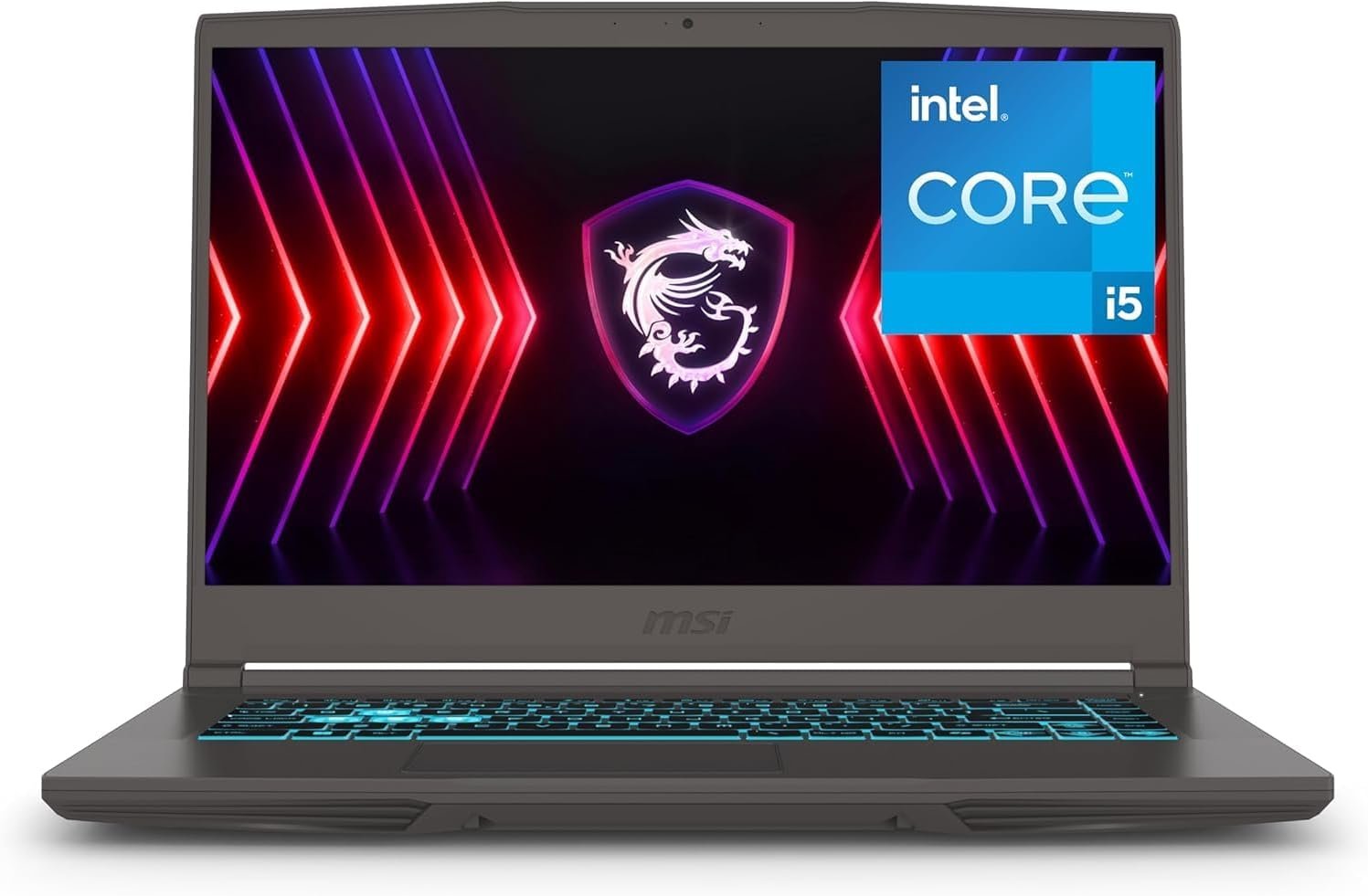
The MSI Thin 15 is a practical starting point for buyers who want 16GB of RAM and RTX 4050 graphics without paying for a bulkier premium gaming laptop.
The selected Amazon configuration includes an Intel Core i5-13420H processor, NVIDIA GeForce RTX 4050 graphics, 16GB of RAM, a 512GB NVMe SSD, a 15.6-inch Full HD 144Hz display, and Windows 11 Pro. Amazon displayed an active Buy Now option for this exact ASIN when checked.
The Core i5-13420H is capable of supporting gaming, office applications, college assignments, programming, streaming, and moderate editing. The RTX 4050 provides 6GB of dedicated graphics memory and is best suited to 1080p gaming.
Competitive games such as Valorant, Counter-Strike 2, Fortnite, Rocket League, and Overwatch 2 should make good use of the 144Hz display. More demanding games may require medium or high settings instead of ultra settings, particularly when ray tracing is enabled.
The included 16GB of RAM is one of the laptop’s strongest advantages. Unlike an entry-level 8GB model, it should not require an immediate memory upgrade just to provide a comfortable gaming and multitasking experience.
Pros
- Dedicated RTX 4050 graphics
- 6GB of graphics memory
- 16GB RAM included
- Capable Intel Core i5 processor
- Full HD 144Hz display
- 512GB NVMe SSD
- Windows 11 Pro
- Relatively slim gaming design
- Suitable for gaming, study, and office work
- No immediate RAM upgrade required
- Active Amazon buying option when checked
Cons
- 512GB storage may fill quickly
- Thin construction provides less cooling space than a large chassis
- Not every RTX 4050 laptop delivers identical performance
- Plastic construction
- Fans can become noticeable during gaming
- Display is designed more for gaming than professional color work
- Battery life is limited during demanding use
- Seller and warranty details should be verified
My Honest Opinion
The MSI Thin 15 makes the most sense for someone who wants a reasonably portable gaming laptop that is ready to use without a RAM upgrade.
Its 16GB memory solves one of the biggest problems found in cheap gaming laptops. You can run a game while keeping Discord, a browser, a launcher, and several background applications open without immediately exhausting system memory.
The RTX 4050 is a capable entry-level modern GPU, but expectations should remain realistic. It is suitable for esports, indie games, older AAA titles, and many current games at adjusted 1080p settings.
The thinner chassis is convenient for travel, but compact gaming laptops often operate with tighter cooling and power limits than heavier models. The GPU name alone does not guarantee that it will match every other RTX 4050 laptop.
Choose the MSI when portability, 16GB RAM, and a low initial price matter more than extracting the highest possible frame rate from the GPU.
Best for: Students, commuters, esports players, first-time gaming-laptop buyers, and people who want 16GB RAM without upgrading the laptop themselves.
2. Lenovo LOQ-E Ryzen 7 RTX 4050 Gaming Laptop — Best Overall
Credit: Amazon
Check the Current Price on Amazon
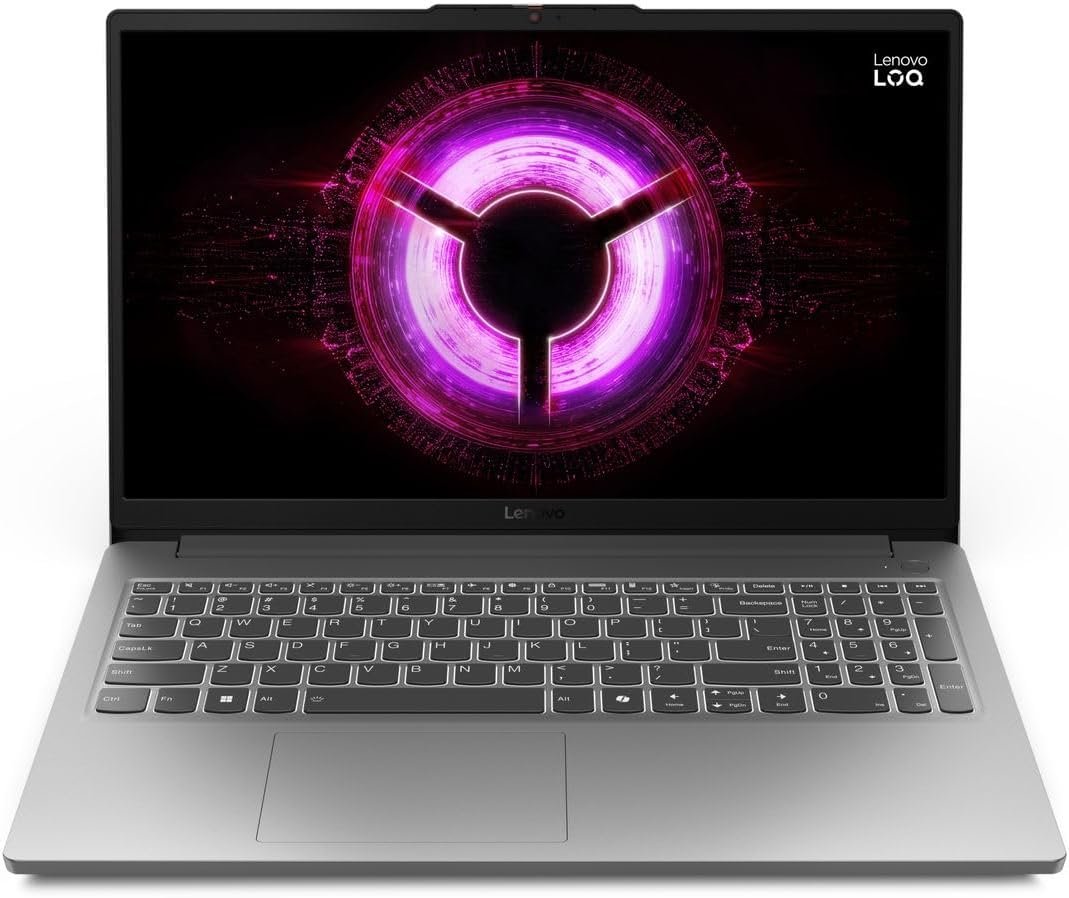
The Lenovo LOQ-E earns the best overall position because its processor, GPU, RAM, display, and storage create a well-balanced budget gaming configuration.
It combines an AMD Ryzen 7 7735HS processor, an NVIDIA GeForce RTX 4050 with 6GB of graphics memory, 16GB of DDR5 RAM, a 512GB SSD, and a 15.6-inch Full HD 144Hz display. Lenovo’s official platform specifications confirm the eight-core Ryzen 7 and RTX 4050 configuration. Amazon showed current buying options for the exact listing when checked.
The Ryzen 7 processor gives the laptop enough CPU performance for gaming, streaming, programming, editing, large spreadsheets, and demanding multitasking.
Its RTX 4050 is still an entry-level modern gaming GPU, but the laptop’s gaming-focused design makes it a more balanced choice than a thin productivity machine with dedicated graphics added as a secondary feature.
The 144Hz display is appropriate for competitive games, while the 16GB memory configuration is enough for current gaming and normal productivity use.
A 512GB SSD is acceptable as a starting point, although modern games can consume a significant amount of storage. Buyers with a large game library should check the available SSD expansion options before ordering an additional drive.
Pros
- Eight-core Ryzen 7 processor
- RTX 4050 with 6GB VRAM
- 16GB DDR5 RAM
- Full HD 144Hz display
- Balanced gaming-focused configuration
- Suitable for gaming and productive workloads
- Comfortable full-size keyboard
- More performance-oriented chassis than thin models
- Good option for streaming and editing
- Modern connectivity
- Strong overall value when priced competitively
Cons
- 512GB SSD may require expansion
- Heavier than ordinary work laptops
- Large charger
- Battery life is not a major strength
- Fans become audible in performance modes
- Design is functional rather than premium
- Amazon may show multiple marketplace buying options
- Warranty eligibility should be confirmed
My Honest Opinion
The Lenovo LOQ-E is the easiest recommendation for most buyers searching for the best budget gaming laptop with 16GB RAM.
Its specifications make sense together. Lenovo has not paired a powerful processor with weak integrated graphics, nor has it reduced the memory to 8GB to create an artificially low headline price.
The Ryzen 7 processor provides enough power for work beyond gaming. It is suitable for coding, content management, moderate editing, research, and running several applications at once.
The RTX 4050 should provide smooth esports performance and workable results in demanding games at sensible Full HD settings. DLSS can also help improve frame rates in supported titles.
The main compromise is storage. A 512GB drive can become restrictive after Windows, applications, and several large games are installed. That limitation is easier to solve than replacing an underpowered graphics card.
Choose the Lenovo when you want the most balanced combination of gaming performance, processing power, and 16GB memory without stepping up to a more expensive RTX 5050 or RTX 5060 model.
Best for: Most budget gamers, students, programmers, home-office users, streamers, and buyers who want a balanced laptop rather than the thinnest machine.
3. Acer Nitro V RTX 5050 Gaming Laptop — Best Newer-Generation Value
Credit: Amazon
Check the Current Price on Amazon
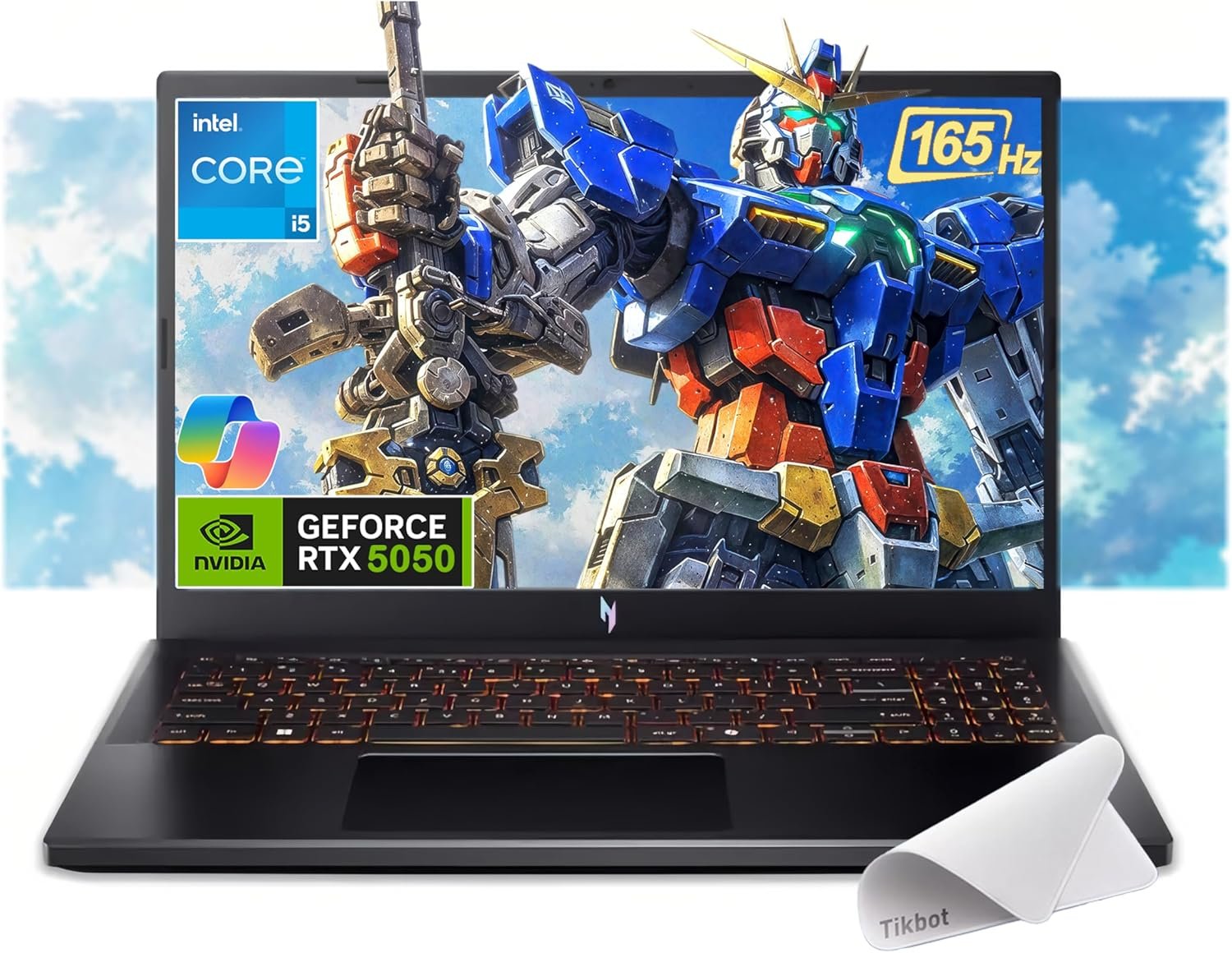
The Acer Nitro V RTX 5050 configuration is aimed at buyers who want newer graphics hardware and more VRAM than a typical RTX 4050 laptop provides.
The selected listing includes an Intel Core i5-13420H processor, NVIDIA GeForce RTX 5050 graphics with 8GB of dedicated memory, 16GB of RAM, a 512GB PCIe SSD, and a 15.6-inch Full HD IPS display running at 165Hz. The Amazon page showed an active Buy Now option, and Acer’s official specifications confirm the same basic hardware combination.
The additional graphics memory is useful because newer games can place increasing pressure on VRAM, especially when higher texture settings are selected.
Its Core i5 processor is not the fastest CPU in this comparison, but it is sufficient for a budget gaming system. For most games, moving to a stronger GPU is more valuable than paying for a Core i7 while remaining on weaker graphics.
The 165Hz IPS display is another advantage. It offers a slightly higher refresh rate than the 144Hz panels in the MSI and Lenovo, although the real-world difference between 144Hz and 165Hz is relatively small.
Pros
- Newer RTX 5050 graphics
- 8GB of dedicated VRAM
- 16GB RAM included
- Full HD IPS display
- Smooth 165Hz refresh rate
- Capable Intel Core i5-13420H
- Fast PCIe SSD
- Suitable for current 1080p games
- More graphics-memory headroom than RTX 4050 models
- Backlit gaming keyboard
- Active Amazon Buy Now option when checked
Cons
- Only 512GB of storage
- Plastic construction
- Fans can become loud under gaming loads
- Battery life remains limited during demanding use
- Actual GPU performance depends on power and cooling
- Mouse-pad bundle adds little value
- Seller warranty should be checked
- May cost close to some discounted RTX 5060 laptops
My Honest Opinion
The Acer Nitro V RTX 5050 is a sensible middle ground between affordable RTX 4050 laptops and higher-priced RTX 5060 machines.
Its 8GB of graphics memory is the main attraction. VRAM does not guarantee a specific frame rate, but it can reduce limitations in games that use large textures or more complex graphical assets.
The Core i5-13420H remains capable enough for gaming, college work, office applications, and moderate creative tasks. Paying for the stronger GPU instead of an unnecessarily expensive processor is a reasonable budget decision.
The 512GB SSD is the weak point. A modern gaming laptop becomes much easier to live with when it has 1TB of storage, particularly if you play several large AAA games.
Compare its final checkout price with the HP Victus and RTX 5060 Acer before deciding. The RTX 5050 model is attractive when it remains meaningfully less expensive than the RTX 5060 configuration.
Best for: Buyers who want newer graphics hardware, 8GB VRAM, competitive gaming, and better long-term gaming potential than an RTX 4050 model.
4. HP Victus 15 RTX 5050 Gaming Laptop — Best for Gaming, Work, and Storage
Credit: Amazon
Check the Current Price on Amazon
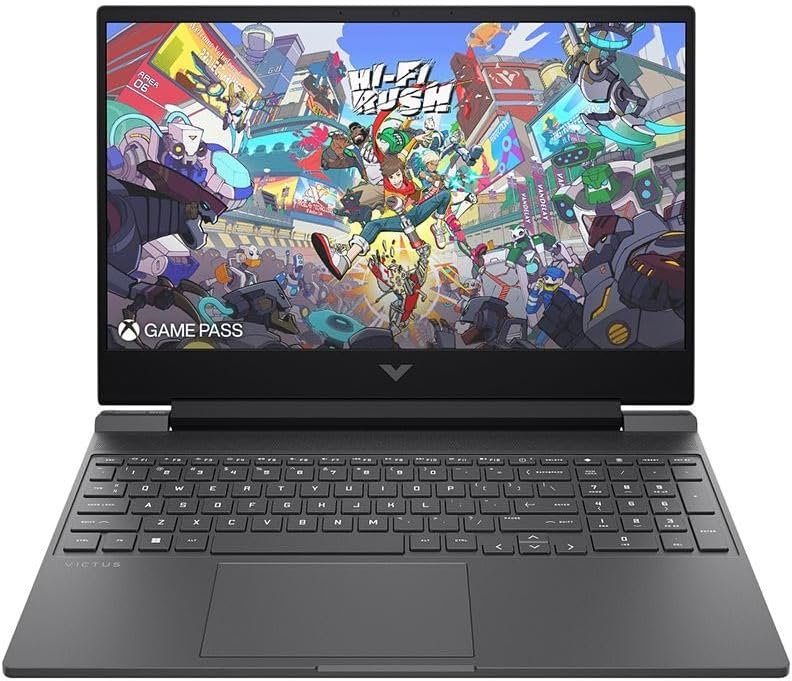
The HP Victus 15 is the most practical option for buyers who need enough storage for both games and work files.
The selected configuration includes an AMD Ryzen AI 5 340 processor, NVIDIA GeForce RTX 5050 graphics with 8GB of dedicated memory, 16GB of DDR5 RAM, a 1TB NVMe SSD, and a 15.6-inch Full HD IPS display with a 144Hz refresh rate. The Amazon listing displayed an active Buy Now option, while HP’s current specifications support this Ryzen AI 5 and RTX 5050 hardware combination.
The 1TB SSD immediately separates it from the MSI, Lenovo, and lower Acer configurations. It gives you more space for Windows, office applications, project files, editing software, and a larger game library.
The Ryzen AI processor is capable of handling gaming, study, office work, coding, editing, and multitasking. The RTX 5050 can also accelerate compatible video-editing, rendering, design, and AI-assisted software.
HP’s Victus design is generally more restrained than the aggressively styled gaming laptops sold by some competitors. That makes it easier to use in a classroom, office, or meeting without attracting unnecessary attention.
Pros
- RTX 5050 with 8GB graphics memory
- 16GB DDR5 RAM
- Large 1TB NVMe SSD
- Ryzen AI 5 processor
- Full HD 144Hz IPS display
- Suitable for gaming and productive work
- More understated exterior design
- Better storage capacity than most budget rivals
- Useful for editing and content creation
- Backlit keyboard
- Active Amazon Buy Now option when checked
Cons
- Usually costs more than basic RTX 4050 models
- Full HD display is less sharp than higher-resolution premium panels
- Plastic construction
- Fans become noticeable during gaming
- Battery performance is limited with the GPU active
- Exact memory details should be reconfirmed before purchase
- Marketplace seller and warranty terms may vary
- RTX 5050 value depends heavily on the current price
My Honest Opinion
The HP Victus is the better choice for someone who expects the laptop to handle more than gaming.
A 1TB SSD may seem less exciting than a faster processor or higher refresh rate, but storage has a major effect on day-to-day convenience. You can install several large games, productivity applications, and project files without immediately deciding what to delete.
The 16GB memory configuration is appropriate for gaming, office work, coding, browsing, and moderate editing. Most users do not need 32GB unless they run virtual machines, complex editing projects, or unusually heavy professional software.
The restrained design is another benefit. The Victus is still a gaming laptop, but it does not look completely out of place in a college classroom or home office.
Choose this HP when you want a balanced RTX 5050 system with useful storage from the first day. Buyers focused exclusively on maximum frame rates should compare it with the RTX 5060 Acer.
Best for: Students, remote workers, editors, content creators, gamers with larger libraries, and buyers who want one laptop for both work and play.
5. Acer Nitro V RTX 5060 Gaming Laptop — Best Gaming Performance
Credit: Amazon
Check the Current Price on Amazon
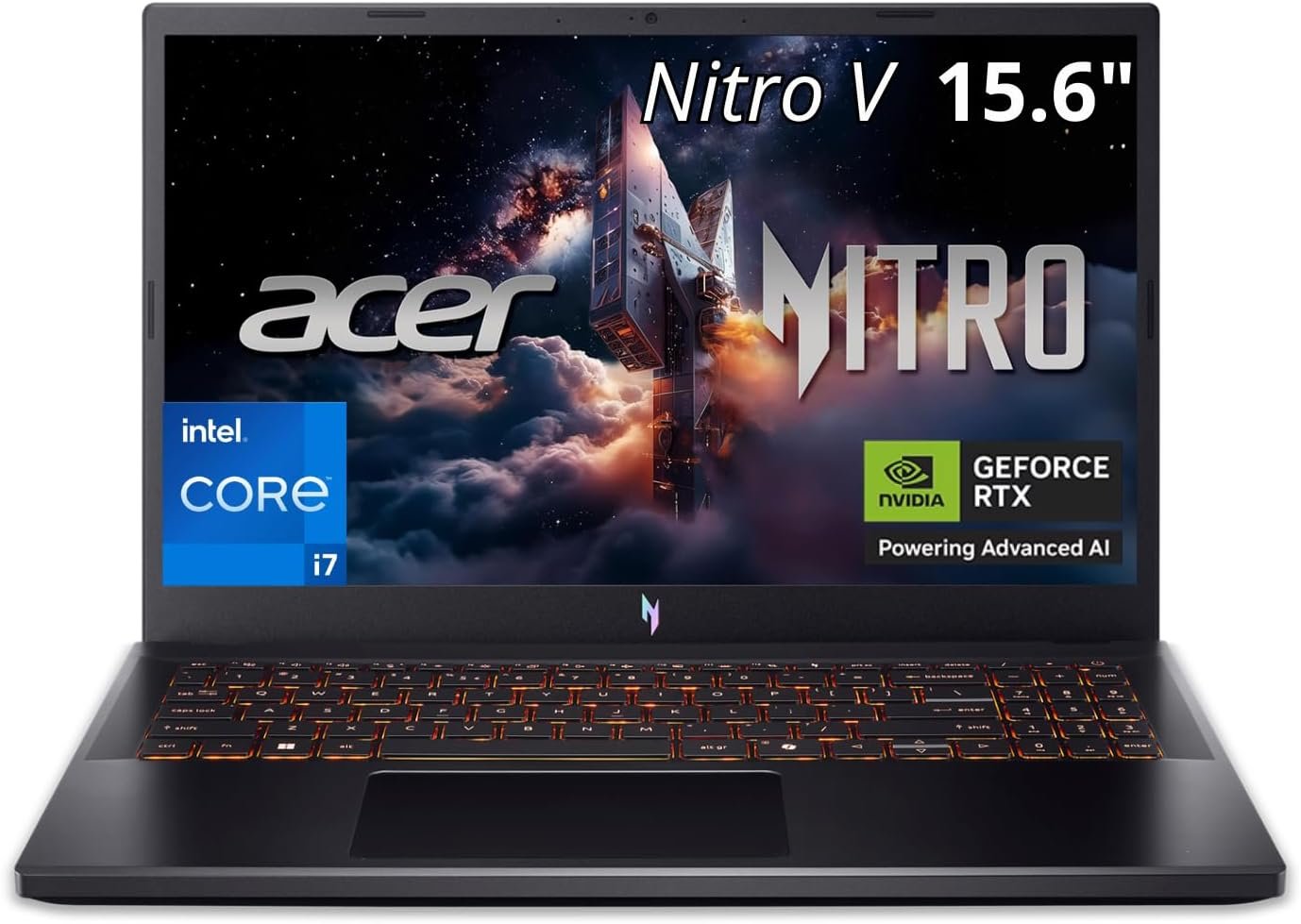
The Acer Nitro V RTX 5060 configuration is the strongest-performing laptop in this comparison.
It combines an Intel Core i7-13620H processor, NVIDIA GeForce RTX 5060 graphics with 8GB of dedicated memory, 16GB of RAM, a 512GB SSD, and a 15.6-inch Full HD IPS display running at 165Hz. Acer’s official specifications confirm this Core i7, RTX 5060, 16GB, and 512GB platform, while Amazon displayed an active purchasing option for the exact ASIN.
The RTX 5060 provides more gaming headroom than the RTX 4050 and RTX 5050 laptops above. It is the better choice for demanding recent games, higher graphics settings, GPU-accelerated editing, rendering, and a longer useful gaming lifespan.
The Core i7-13620H also gives the system stronger processing performance for gaming, streaming, content creation, programming, and multitasking.
Its 165Hz display is a good match for competitive games, while Full HD resolution prevents the GPU from having to render the much larger number of pixels required by a 1440p or 4K screen.
Pros
- Strong RTX 5060 gaming performance
- 8GB of dedicated graphics memory
- Intel Core i7-13620H processor
- 16GB RAM
- Full HD IPS 165Hz display
- Suitable for demanding modern games
- Better option for streaming and editing
- Thunderbolt connectivity listed for the configuration
- Strongest long-term gaming choice in this roundup
- Active Amazon purchasing option when checked
Cons
- Highest-priced laptop in the comparison
- May stretch the meaning of “budget”
- Only 512GB SSD
- Plastic chassis
- Fans become loud under sustained load
- Large charger
- Gaming performance drops significantly on battery
- Must be compared with competing RTX 5060 deals
My Honest Opinion
The Acer Nitro V RTX 5060 is the model to buy when gaming performance matters more than obtaining the lowest possible price.
Its stronger GPU gives it more room for demanding games and higher graphics settings. The Core i7 processor also makes it better suited to streaming, editing, rendering, and CPU-heavy work.
However, the word “budget” becomes relative at this level. An RTX 5060 laptop can cost substantially more than an RTX 4050 system, and the performance improvement should be considered alongside the actual price difference.
The 512GB SSD is disappointing in a higher-performance configuration. Large games can quickly consume the available space, so an additional or larger SSD may become necessary.
Compare its final price with other RTX 5060 laptops rather than automatically assuming that the Nitro branding makes it the least expensive option.
Choose this model when you want the strongest gaming performance of the five and are prepared to pay more for it.
Best for: Demanding gamers, streamers, editors, developers, and buyers who want stronger performance and longer gaming relevance.
Buyer’s Guide: 3 Key Factors to Consider
Factor 1: Choose the GPU Before Paying for a Faster Processor
The graphics card usually has the greatest effect on gaming performance.
The laptops in this guide use three GPU tiers:
RTX 4050 with 6GB VRAM: Suitable for esports and modern 1080p gaming at sensible settings. It is usually the best choice for a strict budget.
RTX 5050 with 8GB VRAM: Provides newer graphics hardware and more memory for game textures and creative applications. Its value depends on how closely it is priced to RTX 4050 and RTX 5060 laptops.
RTX 5060 with 8GB VRAM: The strongest option here. It is better suited to demanding games, higher settings, streaming, editing, and longer-term ownership.
Do not choose a laptop based only on the GPU name. Graphics power limits, cooling, memory configuration, and manufacturer performance settings can cause two laptops with the same GPU to perform differently.
A modern Core i5 or Ryzen 5 is normally sufficient for a budget gaming laptop. Moving to a stronger GPU often creates a larger gaming improvement than paying for a Core i7 while keeping weaker graphics.
Factor 2: Verify the 16GB Memory Configuration and Upgrade Options
Sixteen gigabytes is a practical starting point for gaming in 2026.
It provides enough space for:
- Windows 11
- Modern games
- Discord or other voice-chat software
- Browser tabs
- Game launchers
- Antivirus tools
- Office applications
- Moderate editing
- Everyday multitasking
However, not every 16GB configuration is identical.
A laptop may use:
- One 16GB memory module
- Two 8GB modules
- Soldered onboard memory
- One replaceable module and onboard memory
- DDR4, DDR5, or LPDDR5X
Check whether the laptop has one or two memory slots and whether the RAM can be upgraded. Buyers planning to move to 32GB should verify the maximum supported capacity before ordering.
Thirty-two gigabytes becomes useful for heavy video editing, virtual machines, large 3D projects, software development, streaming, and unusually demanding multitasking. Most gamers do not need it immediately.
Factor 3: Compare Storage, Display, Seller, and Warranty
A 512GB SSD is enough to start, but it is not spacious.
Windows, applications, updates, and a few large games can consume most of the available capacity. A 1TB SSD is more convenient for buyers who want several games installed simultaneously.
Before purchasing, check:
- Number of SSD slots
- Supported drive format
- Maximum storage capacity
- Ease of opening the laptop
- Whether upgrading affects the warranty
A 144Hz or 165Hz Full HD display is appropriate for budget gaming. The difference between 144Hz and 165Hz is smaller than the jump from 60Hz to either option.
Also inspect the Amazon offer carefully. Marketplace sellers sometimes change RAM or storage before listing a laptop.
Confirm:
- Exact model number
- CPU and GPU
- Dedicated graphics memory
- RAM amount and arrangement
- SSD capacity
- Display refresh rate
- New, renewed, or used condition
- Seller identity
- Return period
- Manufacturer-warranty eligibility
- Original charger inclusion
- Keyboard region
Frequently Asked Questions About Best Budget Gaming Laptop 16GB RAM
What Is the Best Budget Gaming Laptop With 16GB RAM?
The Lenovo LOQ-E Ryzen 7 RTX 4050 is the best overall choice for most buyers.
It combines a capable eight-core processor, RTX 4050 graphics, 16GB DDR5 memory, a 144Hz display, and a balanced gaming chassis.
Is 16GB RAM Enough for Gaming in 2026?
Yes. Sixteen gigabytes remains enough for most current games and everyday multitasking.
It is a much better starting point than 8GB, especially when voice chat, browsers, launchers, and background applications remain open.
Do I Need 32GB RAM for Gaming?
Most gamers do not need 32GB solely for playing games.
Consider 32GB for heavy editing, virtual machines, streaming, development work, large design projects, or running several demanding applications together.
Is an RTX 4050 Good With 16GB RAM?
Yes.
An RTX 4050 laptop with 16GB RAM is a sensible entry point for 1080p gaming. It can handle esports titles and many demanding games when graphics settings are adjusted appropriately.
Is the RTX 5050 Better Than the RTX 4050?
The RTX 5050 models reviewed here include 8GB of graphics memory rather than 6GB.
That provides more room for modern textures and GPU-accelerated workloads. Real performance still depends on the laptop’s power limit, cooling, and software settings.
Is an RTX 5060 Worth Paying More For?
It can be worth paying more when gaming performance and longer-term use are priorities.
The RTX 5060 is the strongest GPU in this roundup, but buyers should compare the actual price difference rather than assuming it is automatically the best value.
Is 512GB Storage Enough for Gaming?
It is enough to begin, but it can fill quickly.
Several modern games can occupy more than 100GB each. A 1TB SSD is more practical for a larger library.
Which Laptop Has the Most Storage?
The HP Victus 15 includes a 1TB SSD in the selected configuration.
The other four models reviewed here include 512GB drives.
Which Laptop Is Best for Work and Gaming?
The HP Victus is the strongest work-and-gaming option because it combines 16GB RAM, RTX 5050 graphics, and a 1TB SSD in a relatively restrained design.
The Lenovo LOQ-E is the better balanced choice when processor and gaming value matter more than storage capacity.
Which Laptop Has the Best Gaming Performance?
The Acer Nitro V RTX 5060 provides the strongest gaming hardware in this comparison.
Can I Upgrade the RAM Later?
Upgradeability depends on the exact model.
Some laptops use replaceable modules, while others use partially or fully soldered memory. Check the manufacturer’s service manual before purchasing additional RAM.
Can I Upgrade the SSD?
Many gaming laptops allow SSD replacement, and some include a second M.2 slot.
Verify the exact model because available slots can differ between laptops with very similar product names.
Is a 144Hz Display Good for Gaming?
Yes.
A 144Hz display is much smoother than a standard 60Hz panel and is especially useful in competitive games. A 165Hz display offers a slightly higher refresh rate, but the difference is relatively modest.
Should I Play Games on Battery Power?
For the best performance, connect the original charger.
Gaming laptops normally reduce CPU and GPU power while running on battery, and demanding games can drain the battery quickly.
Are Budget Gaming Laptops Loud?
Most gaming laptops produce noticeable fan noise during demanding games.
The cooling system must remove heat from the processor and GPU. Quiet modes can reduce fan noise but may also reduce performance.
Can These Laptops Handle Video Editing?
Yes.
All five laptops include dedicated NVIDIA graphics and 16GB RAM, making them suitable for moderate video editing. The RTX 5060 Acer provides the strongest GPU performance, while the HP Victus offers the most included storage.
Should I Buy From a Third-Party Amazon Seller?
A third-party seller can offer a good price, but verify the seller rating, warranty, return terms, and exact configuration.
Pay particular attention to whether the seller changed the laptop’s RAM or SSD before listing it.
Final Verdict: Which 16GB Gaming Laptop Should You Buy?
The Lenovo LOQ-E Ryzen 7 RTX 4050 Gaming Laptop is the best overall choice. Its Ryzen 7 processor, RTX 4050 graphics, 16GB DDR5 RAM, and 144Hz display offer the most balanced combination for the average budget gamer.
Choose the MSI Thin 15 when you want an affordable and relatively portable RTX 4050 laptop that already includes 16GB RAM.
The Acer Nitro V RTX 5050 is the better option for buyers who want newer graphics hardware and 8GB of VRAM without moving directly to an RTX 5060 model.
Choose the HP Victus 15 when you need a 1TB SSD for games, work files, and creative applications.
The Acer Nitro V RTX 5060 provides the strongest gaming performance. It is the best long-term choice when its higher price fits your budget.
Before purchasing, compare the final checkout prices and verify the exact CPU, GPU, VRAM, RAM arrangement, storage, display, seller, product condition, warranty, and return window.
The best budget gaming laptop with 16GB RAM is not automatically the model with the fastest processor. It is the laptop that combines enough graphics power, memory, storage, cooling, and upgrade flexibility to meet your needs without forcing an early replacement.
1 thought on “Best Budget Gaming Laptop 16GB RAM: 5 Top Value Picks for 2026”
Comments are closed.