Yes, a gaming PC can use four RAM sticks when the motherboard has four slots and the CPU memory controller supports them. The catch is speed, stability, and slot order, not just capacity. In our research, four sticks are common on ATX boards, while many compact builds stop at two.
JEDEC standards define memory modules, but your motherboard manual decides the safe population order. Let's start with the direct answer.
can a gaming pc use four ram sticks
A gaming PC can use four RAM sticks if the motherboard has four DIMM slots. The CPU must also support that memory layout. Many boards run them in dual-channel pairs.
Four sticks can raise capacity, but they may lower top speed. Always check the manual before buying.
How Four Sticks Work on Gaming PCs
A RAM stick is a DIMM, a small memory module that plugs into the motherboard. The motherboard routes those slots to the CPU's memory controller. That controller decides how many channels can run at once.
Most gaming boards use two memory channels, not four. With four sticks, you usually get two sticks per channel. That is still dual-channel, not quad-channel, unless the platform supports more channels.
The slot labels matter. Boards often mark slots A1, A2, B1, and B2. The manual tells you which pair to fill first.
If you populate the wrong pair, the system may run single-channel and lose bandwidth.
Capacity and speed are separate ideas. Four 8GB sticks give 32GB, but they also add electrical load. Manufacturer specifications indicate that full slot population can reduce the top stable memory speed.
That is why a fast two-stick kit may beat a slower four-stick kit in some games.
If you are planning a new build, start with motherboard choice before RAM. A board with four slots gives more upgrade room, but it also adds tuning complexity.
The Condition Variables That Change the Answer
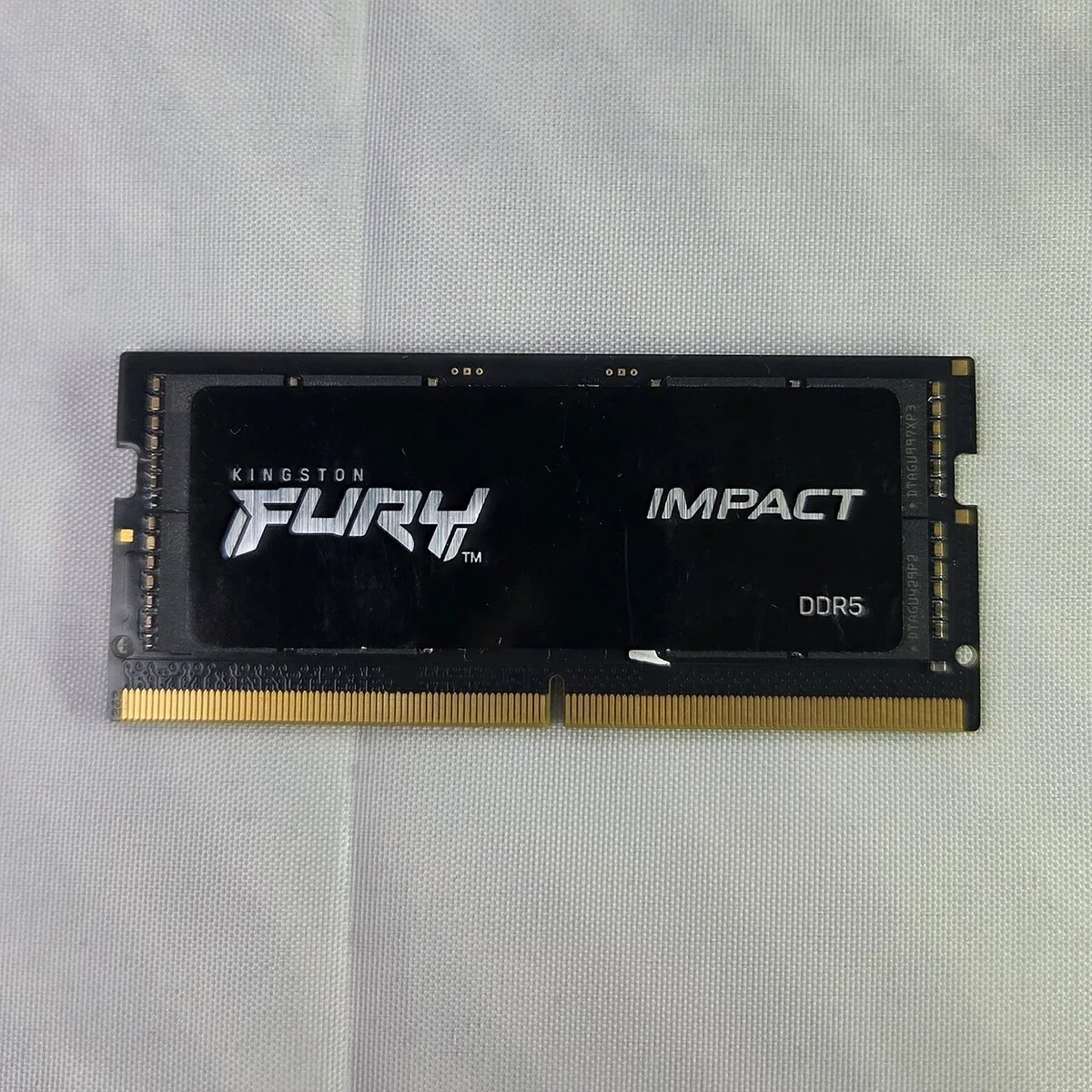
Image source: Wikimedia Commons / ITEagle Europe, Sebastiaan Broekhoven (CC BY-SA)
Motherboard Slot Count and Layout
The first question is simple. Does the board have two slots or four? A two-slot board cannot take four sticks.
A four-slot board can, but only if the layout and manual allow full population.
Slot spacing also matters. Some compact boards place slots close together. Large coolers can block the top slot.
That turns a four-stick plan into a two-stick reality.
CPU and Platform Support
The CPU's memory controller sets the real limit. Intel ARK lists official memory support for each processor. AMD publishes similar platform guidance.
A chip may support 32GB or 64GB total, but not every speed at full population.
Mainstream AM5 and LGA1700 boards usually handle four sticks well at moderate speeds. High-end desktop platforms can use more channels and higher capacities. That is a different class of build with different costs.
RAM Speed, Rank, and Density
Speed is measured in MT/s, such as 3200, 3600, or 6000. Timings like CL16 or CL30 describe latency. Four sticks can make high speeds harder to stabilize, especially with tight timings.
Rank matters too. A dual-rank stick behaves like two logical ranks. Four dual-rank sticks can be demanding.
Aggregate reviews report that some boards need a BIOS update before a four-stick kit trains cleanly.
Density is the other trap. Mixing 8GB and 16GB sticks may work, but it is not ideal. Matching brand, speed, timings, and capacity is the safer path.
Decision Branches by Motherboard and CPU
2-Slot Motherboards
If your board has two slots, the answer is no. You cannot install four sticks. You can still reach 32GB or 64GB by using larger sticks.
This is often cleaner for small cases and simpler builds.
4-Slot Mainstream Boards
If your board has four slots, four sticks are possible. Start with the manual's population order. Many boards want A2 and B2 filled first.
Then add A1 and B1 for four sticks.
This path makes sense if you want 32GB or 64GB total. It also helps if you already own two sticks and want to add two more. The risk is speed downclocking and long memory training.
HEDT and Workstation Platforms
High-end desktop platforms are built for more memory. They may support quad-channel layouts and very high capacities. They also cost more and use different sockets.
For most gamers, this is overkill unless the PC also handles heavy production work.
Recommended Actions Before You Buy or Install
Check the Manual and QVL
Read the motherboard manual first. Look for the memory population table. It shows which slots to use and which speeds are supported at each population level.
Then check the QVL, the qualified vendor list. It lists memory kits tested with that board. A QVL match does not guarantee perfection, but it lowers risk.
If you are unsure about board fit, review a compatibility checklist before ordering parts.
Choose the Right Capacity and Kit
For many gamers, 32GB is the practical target. That can be 2x16GB or 4x8GB. The two-stick option is usually easier to tune.
The four-stick option can be cheaper per GB in some cases, but it may not run as fast.
If you want 64GB, compare 2x32GB against 4x16GB. The first option is simpler. The second may offer better value, but only if the board and CPU handle it well.
Memory overclocking support matters here because four sticks can stress the controller.
Install and Test the Setup
Power down and unplug the system. Open the case and release the slot clips. Install the sticks in the manual's recommended order.
Press firmly until each clip locks.
Enable XMP or EXPO in the BIOS if the kit supports it. XMP is Intel's memory profile system, while EXPO is AMD's. If the system fails to boot, clear CMOS and try default settings.
A BIOS update can also help with memory training.
After boot, test stability. Run a memory stress test and watch temperatures. Do not trust a first successful boot as proof.
If you recently updated firmware, review BIOS flashback steps in case recovery is needed.
For most readers, the decision is simple. Use four sticks when you need capacity and the platform supports them well. Use two sticks when speed and simplicity matter more.
That balance is the real answer, not the slot count alone.
2 Sticks vs 4 Sticks: What Changes in Real Use

Image source: Wikimedia Commons / Wikimedia Commons contributor
Two sticks are usually the easier path for speed. Four sticks are usually the easier path for capacity. The right choice depends on what your games and apps actually need.
Gaming Performance
In many games, a fast two-stick kit can match or beat a slower four-stick kit. Modern games often care more about capacity once you reach 16GB or 32GB. If four sticks force a lower speed, frame times can suffer.
You can compare how memory speed affects gaming performance before choosing a kit. You should also check how RAM latency changes frame times.
Multitasking and Capacity
Four sticks help when you run a game, browser, Discord, and recording software at once. Capacity matters more than peak speed in that case. If you already have 32GB, adding more may not help.
Review how much RAM modern games need to avoid overspending.
Stability and Tuning Headroom
Four sticks add electrical load. Tight XMP settings may fail where two sticks pass. You may need looser timings or a lower speed.
Dual-rank sticks make this harder. If tuning matters, study memory overclocking support before buying.
| Setup | Best for | Watch out for |
|---|---|---|
| 2x16GB | Speed and tuning | Less upgrade room |
| 4x8GB | Capacity value | Speed downclocking |
| 4x16GB | Heavy multitasking | Long training times |
Mistakes That Break Four-Stick Setups
The most common mistake is filling the wrong slots. Always follow the manual's population order. Another mistake is mixing kits with different speeds, timings, or ranks.
Do not assume four sticks create quad-channel memory. Most mainstream gaming boards still use two channels. Also do not trust a successful first boot.
Run a stability test before daily use.
Other common errors include skipping BIOS updates, ignoring cooler clearance, and buying RAM not on the QVL. These issues are fixable, but they waste time. A slow, stable setup beats a fast, unstable one.
Costs, Specs, and What to Expect
As of 2026, prices change often by DDR4, DDR5, speed, and capacity. A 2x16GB kit is often simpler to tune. A 4x8GB kit can offer better value per GB in some cases.
A 4x16GB kit is best only when you truly need 64GB.
Specs vary by platform, but these ranges are common for gaming builds. Use DDR4 and DDR5 differences to choose the right generation first.
| Spec | Common range |
|---|---|
| Total capacity | 32GB to 64GB |
| Speed | 3200 to 6000 MT/s |
| Timings | CL14 to CL36 |
| Voltage | 1.2V to 1.35V |
Manufacturer specs confirm memory support for each CPU. Intel ARK is a useful reference for Intel platforms. AMD publishes platform guidance for AM5.
Match those limits before enabling high-speed profiles.
Final Decision Guide: Should You Run Four Sticks?
If you need 32GB and your board has four slots, four 8GB sticks can work well. Choose a QVL-listed kit and keep expectations realistic. If you want the highest stable speed, two 16GB sticks are usually better.
If you need 64GB, compare 2x32GB against 4x16GB. The two-stick option is simpler and easier to tune. The four-stick option may cost less, but only if your board handles full population cleanly.
If your board has two slots, do not force four sticks. Buy larger sticks instead. If your case is compact, check cooler clearance before planning four sticks.
If you already own two sticks, adding a matched pair can work. Match brand, model, speed, timings, and rank as closely as possible. If the exact kit is unavailable, a full matched four-stick kit is safer.
Frequently Asked Questions
Can I mix different RAM brands with four sticks?
You can, but it is not ideal. Mixing brands can cause speed downclocking or boot failures. If you must mix, match speed, capacity, and timings closely.
Test stability before daily use.
Will four RAM sticks slow down my PC?
They can reduce top stable speed on some boards. That does not always mean slower gaming performance. If you need more capacity, the tradeoff may be worth it.
Check real-world results for your CPU and board.
Do four sticks give quad-channel memory?
Usually no on mainstream gaming boards. Most use two memory channels. Four sticks usually means two sticks per channel.
Quad-channel support is more common on high-end desktop platforms.
Is 4x8GB better than 2x16GB for gaming?
Not always. 2x16GB is usually easier to tune and may run faster. 4x8GB can offer better value per GB. For most gamers, capacity and stable speed matter more than stick count.
Why does my PC not boot with four sticks?
Wrong slot order, unstable XMP, or mixed memory can cause this. Start with default settings and populate only the recommended slots. Update the BIOS if needed.
Then add the remaining sticks one pair at a time.
Should I enable XMP with four sticks?
Yes, but test carefully. Four sticks can make aggressive profiles unstable. If XMP fails, lower the speed or loosen timings.
A stable default profile is better than an unstable fast one.