Is a gaming laptop better than a MacBook for gaming? The honest answer depends on what you play, how much you spend, and whether you need one machine for everything. For most serious gamers, a Windows gaming laptop still wins.
But the gap has narrowed more than you might expect.
Apple Silicon chips like the M3 and M4 now run select AAA titles and indie games with surprising efficiency. As of 2026, though, the MacBook game library remains a fraction of what's available on Windows. Let's break down exactly where each option pulls ahead.
is a gaming laptop better than a MacBook for gaming
For most gamers, yes. A Windows gaming laptop runs far more titles at higher frame rates. MacBooks excel at battery life and quiet operation but lack game library depth.
Choose a MacBook only if gaming is secondary to other work.
Why Gaming Laptop vs MacBook Is a Real Debate Now
For years, the answer was simple. MacBooks weren't gaming machines. You bought a Windows laptop with a dedicated GPU and moved on.
That's changed.
Apple Silicon changed the math. The M1 chip in 2020 proved ARM-based laptops could handle real workloads. By the M3 and M4 generations, Apple's integrated GPUs grew strong enough to run demanding titles.
Games like Baldur's Gate 3, Resident Evil Village, and Death Stranding now have native Mac versions.
Meanwhile, Windows gaming laptops hit a wall. They're powerful but hot, loud, and heavy. Battery life collapses the moment you launch a game.
Many buyers now want one thin laptop for work and play. A MacBook promises exactly that.
Cloud gaming also blurred the line. Services like GeForce NOW and Xbox Cloud Gaming stream AAA games to MacBooks over Wi-Fi. You don't need local GPU power anymore.
You need a fast connection and a subscription.
So the real question shifted. It's no longer "can a Mac game?" It's "does a MacBook game well enough for your needs?" For casual and mid-level gamers, the answer is increasingly yes. For competitive and AAA enthusiasts, not yet.
The debate matters because buying the wrong machine costs real money. A high-end gaming laptop runs $1,500 to $3,000. A MacBook Pro with M4 Pro costs similar.
Both are premium purchases. Neither is cheap to replace.
This comparison is also about lifestyle. A gaming laptop excels at raw performance. A MacBook wins on portability, battery, and build quality.
Your daily routine determines which matters more. Let's dig into the details.
What a Gaming Laptop Actually Delivers for Gaming
A gaming laptop centers on one thing: a dedicated graphics card. Unlike integrated GPUs, discrete cards like the NVIDIA RTX 4060 or 4070 have their own video memory. They render complex 3D scenes at high frame rates without sharing system RAM.
Manufacturer specs confirm this advantage. An RTX 4070 laptop typically delivers 80 to 120 FPS in modern AAA titles at 1080p high settings. MacBooks with M3 or M4 chips rarely match that in native titles.
The gap widens at 1440p and 4K.
Refresh rate is another win. Most gaming laptops ship with 144Hz or 165Hz panels. Some reach 240Hz.
High refresh rates make fast-paced shooters feel smoother. MacBook displays top out at 120Hz ProMotion. That's fine for most games but limits competitive play.
Thermal design matters too. Gaming laptops use larger fans and copper heat pipes. They sustain boost clocks longer under load.
MacBooks throttle more aggressively to stay quiet and cool. Sustained gaming sessions favor the laptop's thermal headroom.
Storage and RAM are easier to upgrade on many gaming laptops. Some models let you add a second SSD or swap RAM sticks. MacBooks solder everything.
You choose your config at purchase and live with it.
The trade-offs are real. Gaming laptops run hot and loud. Battery life drops to 1 to 2 hours during gaming.
They're heavier, often 5 to 6 pounds. But if raw gaming performance is your priority, nothing in the laptop category beats them.
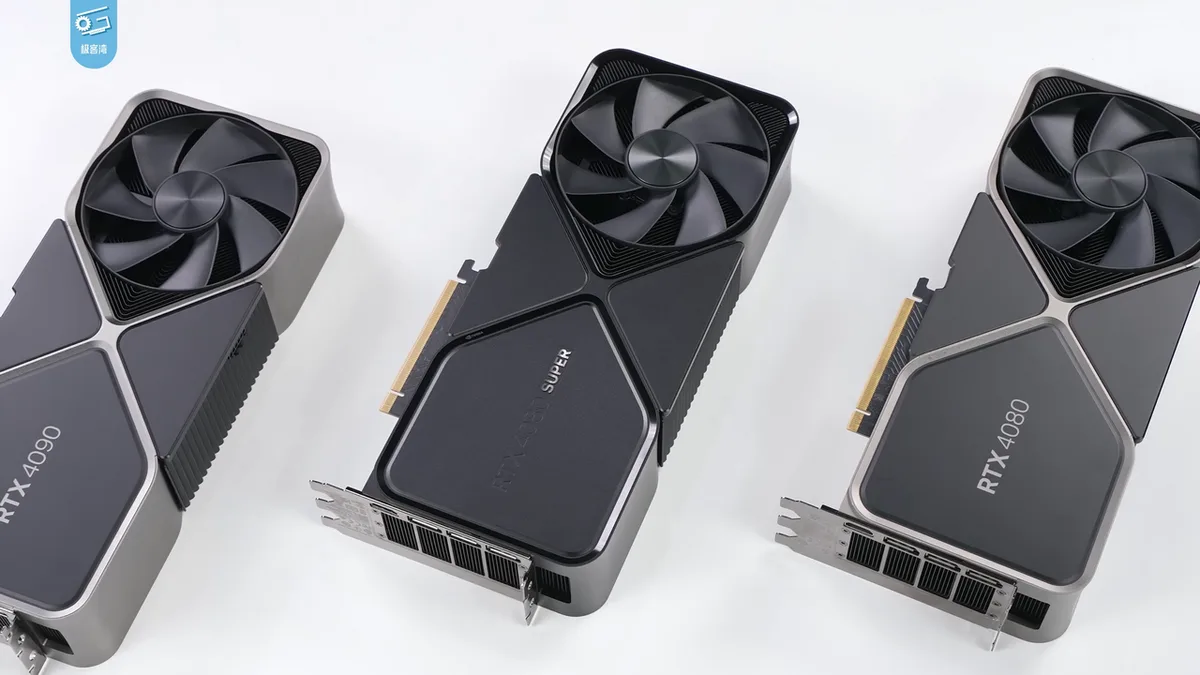
Image source: Wikimedia Commons / 极客湾Geekerwan (CC BY)
For more on how gaming laptops stack up against other devices, see our breakdown of gaming laptop vs console options. The core advantage remains the same: dedicated GPU power.
What a MacBook Can (and Can't) Do for Gaming Today
MacBooks aren't gaming machines by design. But Apple Silicon changed what's possible. The M3 and M4 chips integrate GPU cores that handle light to moderate gaming surprisingly well.
Native Mac games run smoothly. Titles like Hades, Stardew Valley, and Civilization VI perform flawlessly. Apple Arcade offers 200+ curated games optimized for Mac.
For casual players, a MacBook covers most needs without extra hardware.
AAA gaming is where things get tricky. Some major titles now ship Mac versions. Resident Evil 4 Remake, Death Stranding, and Baldur's Gate 3 run natively on Apple Silicon.
Performance varies. You may need to drop settings to medium or lower resolution to hit 60 FPS.
The Game Porting Toolkit, Apple's translation layer, helps developers bring Windows games to Mac. It's not for end users. It's a developer tool.
But it signals Apple's growing interest in gaming.
Anti-cheat software remains a major blocker. Games like Valorant and Fortnite require kernel-level anti-cheat drivers. These don't run on macOS.
You simply can't play many competitive multiplayer titles on a Mac.
Emulation is another path. Tools like CrossOver and Whisky let you run some Windows games on Mac. Results vary wildly.
Some games work perfectly. Others crash or stutter. It's a gamble, not a solution.
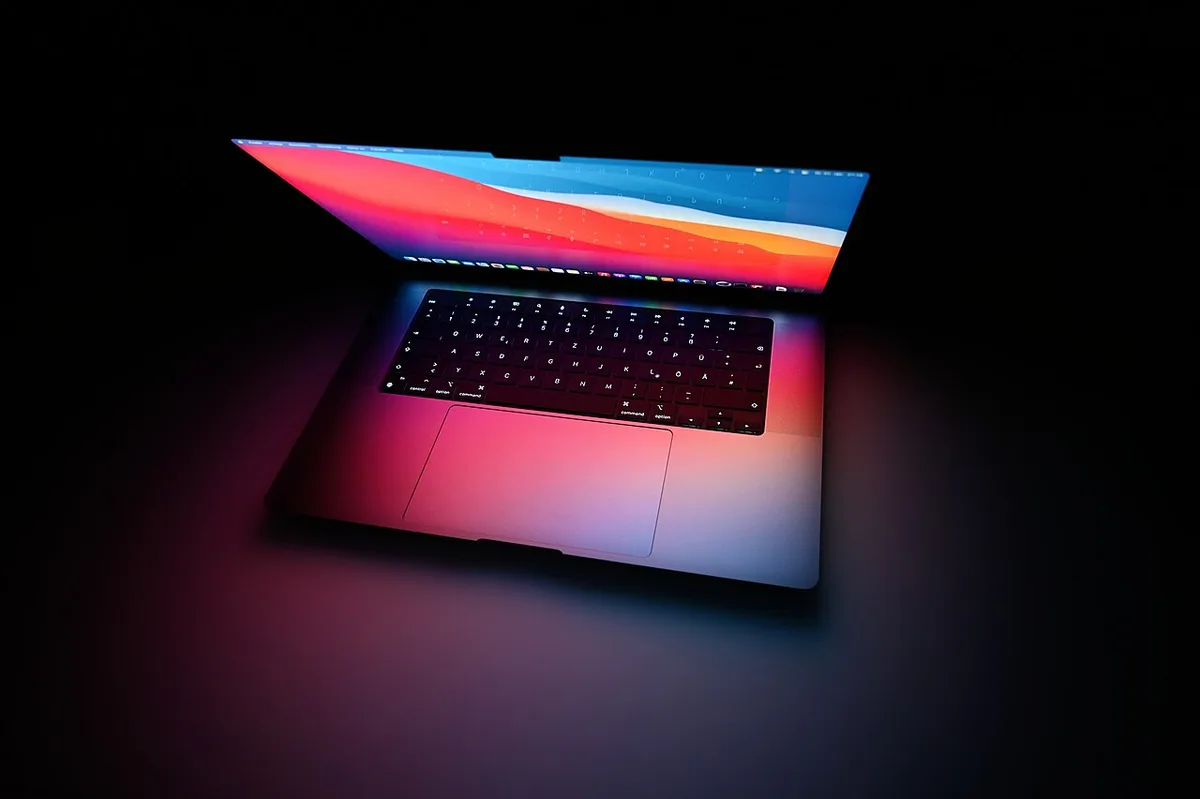
Image source: Wikimedia Commons / SimonWaldherr (CC BY-SA)
Battery life is the MacBook's secret weapon. You can game for 4 to 6 hours on a single charge. A gaming laptop dies in under 2 hours.
For travelers and students, that difference matters daily.
Side-by-Side Comparison: Gaming Laptop vs MacBook
Here's how the two options stack up across key factors. These figures reflect manufacturer specs and aggregate benchmarks as of 2026.
| Factor | Gaming Laptop | MacBook (M3/M4) |
|---|---|---|
| GPU Type | Dedicated (RTX 40-series) | Integrated (Apple Silicon) |
| AAA Performance | 80-120 FPS at 1080p | 30-60 FPS (native titles only) |
| Game Library | 50,000+ Steam titles | ~2,000+ Mac-compatible titles |
| Display Refresh | 144-240Hz | 60-120Hz ProMotion |
| Battery (gaming) | 1-2 hours | 4-6 hours |
| Weight | 5-6 lbs | 3-3.5 lbs |
| Fan Noise | Loud under load | Near silent |
| Starting Price | $800-$1,200 | $1,099 (Air) / $1,599 (Pro) |
| Upgradability | RAM/SSD (some models) | None post-purchase |
The table tells a clear story. Gaming laptops dominate on performance and library size. MacBooks win on portability, battery, and noise.
Price deserves context. Entry-level gaming laptops start around $800. MacBook Air starts at $1,099.
But a MacBook Air with 16GB RAM and 512GB storage costs $1,499. A comparable gaming laptop with RTX 4060 runs $1,000 to $1,200.
Long-term value favors MacBooks. Apple devices hold resale value better than most Windows laptops. A 3-year-old MacBook Pro often sells for 50-60% of original price.
Gaming laptops depreciate faster, especially as GPU generations advance.
If you're weighing desktop-level power against portability, that's a separate but related decision. For now, focus on which laptop fits your actual gaming habits.
Game Library Reality: What Actually Runs Where
This is the deciding factor for most buyers. A powerful laptop means nothing if your favorite games don't run on it.
Windows gaming laptops access virtually everything. Steam, Epic Games Store, EA App, Battle.net, Xbox app, all native. Anti-cheat works.
Mods work. VR works. The entire PC gaming ecosystem is open to you.
MacBooks face a different reality. Steam has a Mac client, but only a fraction of its catalog runs natively. Epic Games Store on Mac is limited.
Battle.net doesn't support macOS. Many launchers simply don't exist for Mac.
Here's what runs well on Mac as of 2026:
- Indie and 2D games: Excellent. Hades, Hollow Knight, Stardew Valley, Terraria all run great.
- Apple Arcade titles: Fully optimized. Over 200 games.
- Select AAA native ports: Resident Evil 4, Death Stranding, Baldur's Gate 3, Lies of P.
- Cloud-streamed games: GeForce NOW and Xbox Cloud Gaming work in Safari or Chrome.
What doesn't run on Mac:
- Most competitive multiplayer: Valorant, Fortnite (limited), Rainbow Six Siege, Apex Legends (limited).
- VR gaming: No native VR support on macOS.
- Windows-only mods and tools: Many modding communities only support Windows.
- Older titles: Many legacy games never got Mac ports.
CrossOver and Whisky can bridge some gaps. These Wine-based tools translate Windows API calls to macOS. Success rates vary by game.
Some run flawlessly. Others won't launch. It's not a reliable gaming solution.
For a broader look at how gaming laptops compare to standard laptops, the key difference is that gaming laptops handle both native and Windows-only titles without workarounds.
The bottom line: if your must-play list includes Windows-only titles, a gaming laptop is the only safe choice. If you mainly play indie games, Apple Arcade, or cloud-streamed titles, a MacBook works fine.
Best Choice by Gamer Type and Use Case
The right machine depends entirely on how you game and what else you do. Let's match real gamer profiles to the best option.
Competitive esports player. You need high refresh rates, low latency, and anti-cheat compatibility. A gaming laptop with a 165Hz+ display and RTX 4060 or better is the only real choice. MacBooks can't run Valorant or most competitive shooters natively.
AAA single-player enthusiast. You want high settings, ray tracing, and immersive visuals. A gaming laptop with an RTX 4070 delivers 60+ FPS at 1440p. A MacBook Pro M4 Max can run some native AAA ports, but the library is smaller and settings often need reducing.
Casual indie gamer. You play Hades, Stardew Valley, or Apple Arcade titles. A MacBook Air handles these effortlessly. You gain silent operation and all-day battery.
No gaming laptop needed.
Student who games on the side. You need one device for classes and light gaming. A MacBook Air or Pro balances both worlds. If your games are Windows-only, consider a mid-range gaming laptop instead.
Check our guide on gaming vs creator laptops for hybrid options.
Traveler or digital nomad. Battery life and weight matter most. MacBooks win decisively here. Cloud gaming via GeForce NOW bridges the gap for AAA titles on the road.
Video editor who also games. MacBooks excel at creative work. But if gaming is equally important, a gaming laptop with a color-accurate display works for both. The trade-off is noise and heat during editing sessions.
Mistakes Buyers Make When Choosing Between Them
Most regret comes from mismatched expectations, not bad hardware. Here are the common traps.
Assuming all games run on Mac. This is the biggest mistake. Buyers see "Mac gaming improved" headlines and expect full compatibility. Reality hits when their favorite title won't launch.
Always check the game's system requirements before buying.
Ignoring anti-cheat restrictions. Kernel-level anti-cheat blocks many competitive games on macOS. Valorant, Rainbow Six Siege, and several others simply won't run. No workaround exists.
If these are your games, skip the MacBook.
Overlooking thermal throttling. MacBooks are quiet because they throttle under sustained load. A 30-minute gaming session may start smooth but degrade. Gaming laptops sustain performance longer but get loud.
Know which trade-off you prefer.
Buying too little storage. MacBook storage isn't upgradeable. A 256GB base model fills quickly with modern games. AAA titles now exceed 100GB each.
Budget for 512GB or 1TB upfront. Gaming laptops often allow SSD upgrades later.
Chasing specs without checking the library. An M4 Max MacBook has impressive GPU cores. But GPU power means nothing if the game doesn't support macOS. Verify your must-play titles first, then compare specs.
Ignoring resale value differences. MacBooks hold value better over 3 to 4 years. Gaming laptops depreciate faster as GPU generations advance. Factor this into total cost of ownership, not just purchase price.
For deeper context on laptop reliability and support, see our guide on comparing gaming laptop brand warranties.
Costs, Upgrades, and Long-Term Value
Purchase price is only part of the equation. Let's look at the full financial picture.
Entry-level gaming laptop. Expect $800 to $1,200 for an RTX 4050 or 4060 model. Brands like Acer, Lenovo, and HP offer solid options. These handle 1080p gaming well.
Storage and RAM are often upgradeable, keeping costs flexible.
Mid-range gaming laptop. $1,200 to $1,800 gets you an RTX 4070 with a better display and cooling. This tier suits most serious gamers. It's the sweet spot for performance per dollar.
MacBook Air. Starts at $1,099 for 8GB RAM and 256GB storage. Gaming is limited but casual titles run fine. Upgrade to 16GB RAM and 512GB storage and you're at $1,499.
That's MacBook Pro territory in price.
MacBook Pro. The 14-inch M4 Pro starts at $1,599. The M4 Max model with 36GB RAM starts at $3,199. These handle native AAA ports and creative work.
But the gaming library remains limited regardless of chip power.
Upgradability comparison. Most gaming laptops let you add RAM and storage. Some allow battery replacement. MacBooks offer zero post-purchase upgrades.
You must configure everything at checkout.
Long-term value. MacBooks typically retain 50 to 60 percent of value after 3 years. Gaming laptops retain 30 to 40 percent. The MacBook's higher resale value partially offsets its premium price.
But if you game heavily on a Mac, the limited library may force a separate gaming device purchase.
Total cost of ownership. A $1,200 gaming laptop plus a $300 Steam library costs $1,500. A $1,599 MacBook Pro plus cloud gaming subscription ($10 to $20 monthly) costs $1,839 to $2,079 over 2 years. Run the numbers for your situation.
For more on laptop longevity, see our article on why gaming laptops are slower than desktops. Understanding performance limits helps set realistic expectations for any laptop purchase.
FAQs About Gaming on Laptops and MacBooks
Can a MacBook run Steam games?
Yes, but with limitations. Steam has a Mac client, but only a fraction of its catalog runs natively on macOS. Many titles require Windows.
Check each game's system requirements before purchasing. CrossOver can help run some Windows games, but results vary.
Is a gaming laptop worth it for casual gaming?
It depends on your games. If you play indie titles or older games, a standard laptop suffices. A gaming laptop makes sense if you want higher settings, better frame rates, or plan to play demanding titles later.
For purely casual gaming, the extra cost may not be justified.
Do MacBooks overheat when gaming?
MacBooks handle casual gaming without major heat issues. Sustained AAA gaming causes noticeable warmth, especially on the bottom panel. Apple Silicon manages heat well but throttles performance to stay cool.
Gaming laptops get hotter and louder but sustain higher performance. Neither is truly silent under gaming load.
Can you upgrade a gaming laptop's GPU?
Generally no. Most gaming laptops solder the GPU to the motherboard. You cannot swap it like a desktop graphics card.
Some high-end models support external GPUs via Thunderbolt, but macOS dropped eGPU support entirely. Plan your GPU choice at purchase time.
Is cloud gaming good on a MacBook?
Yes, for most users. GeForce NOW and Xbox Cloud Gaming stream AAA titles to MacBooks through a browser. You need a fast, stable internet connection, ideally 25 Mbps or higher.
Input lag exists but is minimal on good connections. This is the best way to play Windows-only games on a Mac.
How long do gaming laptops last?
Most gaming laptops remain viable for 4 to 5 years. GPU generations advance every 2 years, so performance expectations shift. Battery degradation is common after 2 to 3 years of heavy use.
MacBooks often last 5 to 7 years due to efficient chips and strong build quality. Factor longevity into your budget.
Final Verdict: Gaming Laptop or MacBook?
For most gamers, a Windows gaming laptop is the better choice. The game library is vastly larger. Performance is higher.
Anti-cheat compatibility is universal. Upgradability extends lifespan. The trade-offs, heat, noise, and short battery, are acceptable for dedicated gaming.
A MacBook makes sense in specific cases. Casual gamers who play indie titles or Apple Arcade games will be happy. Travelers and students who need all-day battery benefit enormously.
Creative professionals who game lightly get a premium machine that handles both worlds.
Cloud gaming narrows the gap. If you're comfortable streaming, a MacBook plus GeForce NOW plays AAA titles fine. But you need reliable internet.
Offline play still requires native support.
The deciding question is simple. What games do you actually play? Check your must-play list against Mac compatibility.
If even one essential title is Windows-only, buy a gaming laptop. If your library is Mac-friendly, save money on a MacBook and enjoy the battery life.
Budget matters too. A $1,000 gaming laptop outperforms a $1,600 MacBook for gaming. But the MacBook wins at everything else.
Match the machine to your priorities, not the other way around.
As of 2026, Apple is investing more in gaming. The Game Porting Toolkit and native AAA ports suggest growth. But Windows gaming remains the safer, more complete choice for now.
Revisit this comparison in a year or two. The landscape is shifting.