If you are asking which gaming pc components become outdated fastest, the short answer is usually the graphics card. Processors and motherboards tend to hold their value longer, while graphics chips face tighter cycles as new games launch. Knowing which parts age quickly helps you spend upgrade money where it matters most.
Aggregate reviews and manufacturer specifications indicate that modern GPUs often remain viable for roughly three to five years at high settings. Per JEDEC standards, DDR5 memory modules outlast DDR4 by several generations of CPU platforms. This section breaks down the lifespan of each major part so you can plan your next build or upgrade.
Which Gaming Pc Components Become Outdated Fastest
Graphics cards age fastest in gaming PCs. Most GPUs stay relevant for about three to five years. CPUs often last longer because sockets change less often.
Storage and cases can survive multiple builds. RAM and motherboards fall in the middle.
Core Explanation: Why CPU, GPU, RAM, Storage, and Platform Longevity Differ
The graphics card carries the heaviest load in modern games. New engines push higher resolutions, ray tracing, and advanced shading that quickly outpace older hardware. A card that handled 1440p ultra in 2022 might only manage 1080p medium in 2025.
That's why the GPU is usually the first part to feel outdated.
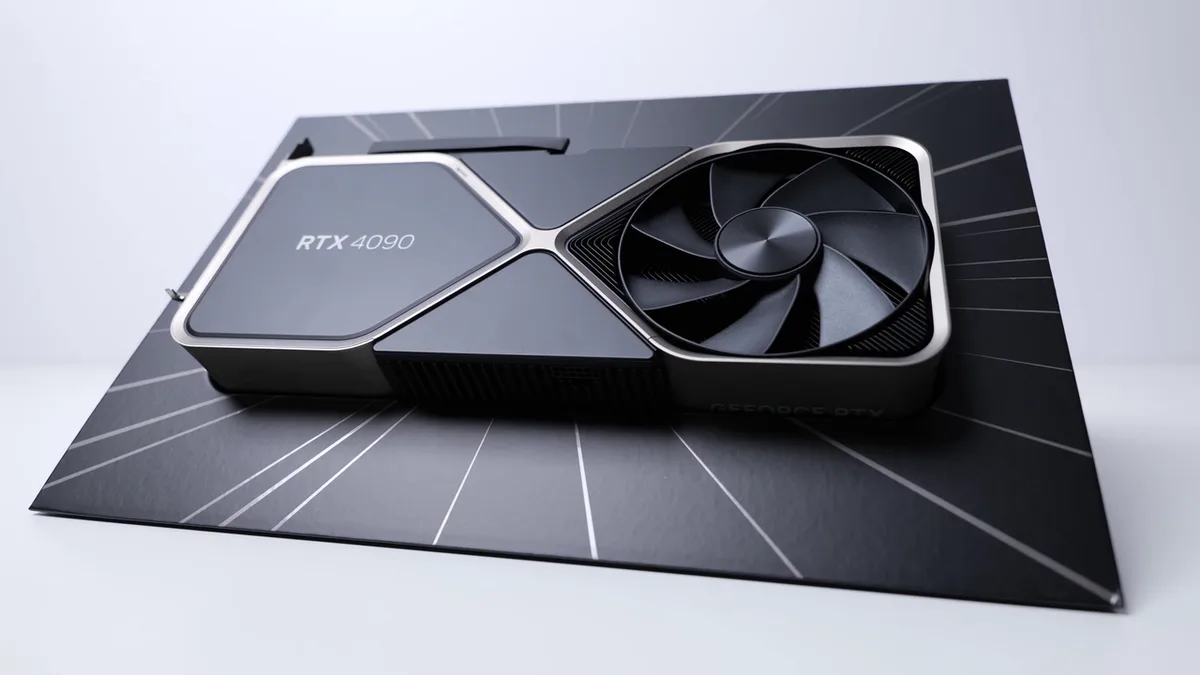
Image source: Wikimedia Commons / ZMASLO (CC BY)
CPUs tend to last longer because the socket and chipset change less frequently. AMD's AM4 platform supported processors from 2016 to 2023, giving it a seven‑year run. Intel's LGA 1700 lasted about three years, but the underlying architecture remained compatible across generations.
This stability means a good CPU can stay useful even when the GPU is upgraded.
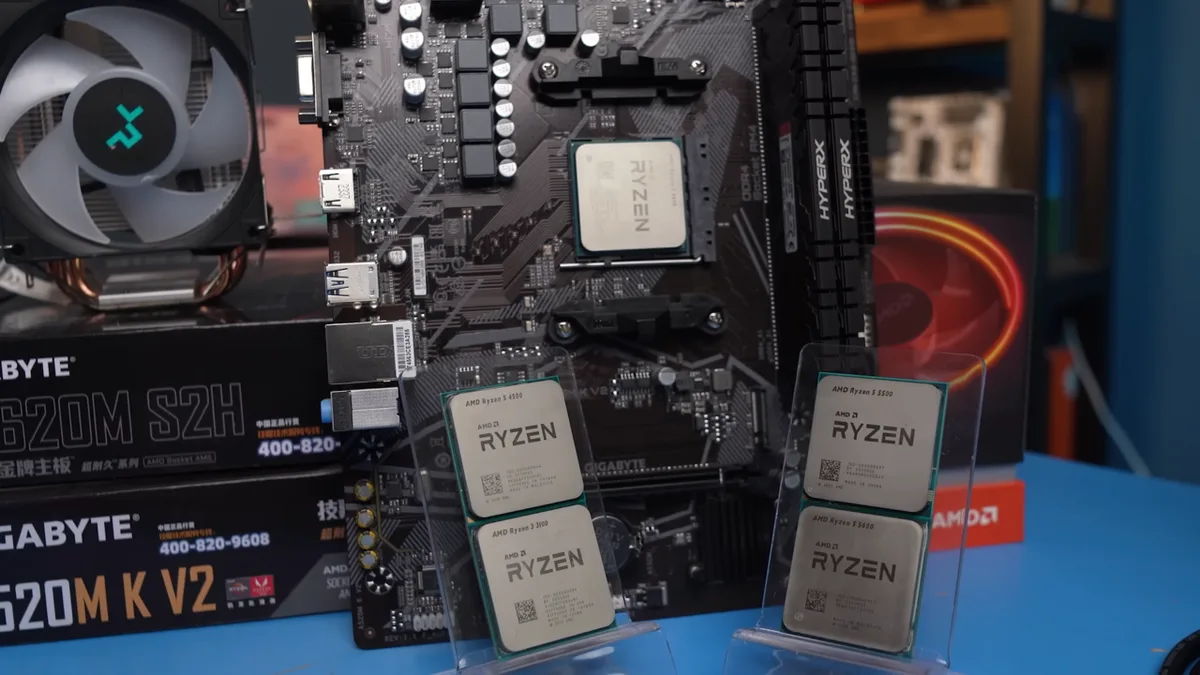
Image source: Wikimedia Commons / Мой Компьютер (CC BY)
RAM follows a different cycle. DDR4 was mainstream from 2014 to 2022, while DDR5 is now the current standard. A kit of DDR4 can still run fine in older systems, but new platforms often require DDR5 for maximum bandwidth.
If you plan to keep a motherboard for several years, choosing the right memory type saves you from a full platform swap later.
Storage drives are more forgiving. A SATA SSD can serve as a boot drive for a decade, but modern games favor NVMe Gen4 or Gen5 for load times. The interface matters less than capacity; a 1 TB NVMe drive will feel slow only when it fills up.
Motherboards live as long as the socket supports them. A board with AM5 will accept future Ryzen chips, extending its useful life. In contrast, a board tied to a dead socket becomes a paperweight after one CPU upgrade.
Power supplies often outlast the rest of the build. A quality 80 PLUS Gold unit can run reliably for ten years, even as the GPU draws more wattage. Checking the PSU quality in a prebuilt PC can prevent a surprise failure.
PC cases are the most durable component. Good airflow and clearance let a case house multiple generations of parts. A well‑vented chassis can be reused when you swap the GPU and CPU.
Detailed Breakdown: Rating Each Component’s Relevance Over Time
| Component | Typical Lifespan | Key Factors |
|---|---|---|
| GPU | 3‑5 years | New APIs, higher resolution, ray tracing demands |
| CPU | 5‑8 years | Socket changes, architecture gains |
| RAM | 4‑6 years | Generation shift (DDR4 to DDR5) |
| Storage | 6‑10 years | Interface speed, capacity limits |
| Motherboard | 5‑8 years | Socket support, chipset features |
| PSU | 8‑12 years | Efficiency rating, wattage headroom |
| Case | 10+ years | Airflow, clearance, build quality |
A GPU's relevance drops fastest because game engines push visual fidelity each year. A card that was high‑end in 2022 may only handle 1080p medium settings by 2025. CPUs age slower; a Ryzen 5 3600 from 2019 still performs well in many titles at 1440p.
RAM becomes a bottleneck only when the platform moves to a newer generation, such as DDR5. Storage remains functional until capacity is exhausted, though NVMe drives keep load times low. Motherboards stay useful as long as the socket receives CPU support; AMD's AM5 roadmap promises compatibility through at least 2027.
A quality PSU can run for a decade, but a low‑quality unit may fail earlier. Cases are essentially permanent if they have good airflow.
Use Cases: Who Benefits Most from Prioritizing These Parts?
Competitive esports players care about high frame rates at 1080p. They benefit most from a fast CPU and a mid‑range GPU, because the GPU is less likely to become a bottleneck in titles like CS2 or Valorant. Upgrading the GPU yields the biggest jump in responsiveness.
AAA gamers targeting 1440p or 4K ultra settings should invest in a powerful GPU. These players feel the impact of new ray tracing and texture packs immediately. A strong GPU extends the time before a rebuild is needed.
Streamers and content creators need both a capable CPU and GPU. Encoding while gaming stresses the processor, so a high‑core‑count CPU prevents stutter. A robust GPU ensures smooth gameplay while capturing.
Budget builders who upgrade one part at a time should start with the GPU. Reusing the case, PSU, and storage across upgrades maximizes value. Checking how to know if your motherboard supports your components ensures compatibility before spending.
Common Upgrade Mistakes and How to Avoid Them
One common error is pairing a high‑end GPU with an outdated CPU, creating a bottleneck. Always match the GPU tier to the CPU's capability; a Ryzen 5 pairs well with an RTX 4060, while an RTX 4090 needs a Core i9 or Ryzen 7.
Ignoring socket compatibility is another pitfall. A motherboard with AM4 will not accept AM5 processors, so verify the socket before buying a new CPU. Reviewing the motherboard's CPU support list prevents a wasted purchase.
Choosing an underpowered PSU can lead to crashes or damage. A 650 W unit may struggle with an RTX 4080, so aim for 850 W or higher for future upgrades. Reading how to upgrade a gaming PC power supply helps you select the right wattage.
Poor airflow causes thermal throttling, reducing performance. Ensure the case has enough intake and exhaust fans, and consider a larger radiator for an AIO cooler. For older PCs, easy cooling upgrades can restore performance without a full rebuild.
Overlooking driver support can leave a GPU unsupported for new titles. NVIDIA and AMD typically provide drivers for five to seven years, but older architectures may lose optimization. Keeping drivers updated is essential.
Finally, buying a prebuilt PC without checking upgrade options can lock you into proprietary parts. Use a guide like how to check upgrade options before choosing a prebuilt PC to avoid dead ends.
FAQs: Real‑World Questions About Component Aging
How long does a graphics card stay relevant for gaming?
Most graphics cards stay viable for about three to five years at high settings. Newer game engines and ray tracing demands push older cards to lower resolutions sooner. A card from 2021 may handle 1080p medium by 2025.
Driver support often fades after seven years.
Does RAM become outdated faster than the CPU?
RAM typically ages slower than the GPU but faster than a stable CPU socket. DDR4 kits still work fine on AM4 systems, but DDR5 is required for AM5 and newer Intel platforms. You only need new RAM when the platform changes.
Mixing generations is not possible on most boards.
Should I replace the motherboard when upgrading the CPU?
Only if the socket changes. An AM5 board supports Ryzen 7000 and 9000 series, so you can swap CPUs without a new board. Intel LGA 1700 ended with 14th Gen, so a move to 15th Gen needs a new motherboard.
Chipset features also matter for PCIe lanes.
Can an old PC case still work with new components?
Yes, if it has enough airflow and clearance for modern GPUs and coolers. A case from 2018 often fits today's parts, but check radiator mounting and GPU length before reusing it. Dust filters and fan mounts affect long term cooling.
Is it worth upgrading storage before the GPU?
No, upgrade the GPU first if games stutter at high settings. Storage upgrades improve load times but not frame rates. Add an NVMe drive when load times feel slow or space runs out.
SATA drives still work for secondary storage.
What happens if my power supply is too weak for a new GPU?
An underpowered PSU can cause crashes or shut down under load. It may also damage other components over time. Match the wattage to your GPU and leave headroom for future upgrades.
Efficiency ratings like 80 PLUS Gold indicate better build quality.
Final Decision Guide: Choosing Your Upgrade Path
Start with the GPU when games feel sluggish at your target resolution. A new graphics card delivers the biggest visible jump per dollar. Check NVIDIA's support timeline before buying older stock.
Upgrade the CPU only when it bottlenecks the GPU or the socket ends. AM4 users moving to AM5 need a new board and DDR5 RAM. Intel LGA 1700 owners face the same swap for newer chips.
Platform changes add cost beyond the processor itself.
Reuse the case and PSU if they are in good condition. A quality 80 PLUS Gold unit lasts through multiple builds. Verify wattage headroom before pairing with a high end GPU.
Poor airflow in an old case can throttle new hardware.
Add storage when capacity runs low or load times drag. An NVMe Gen4 drive fits most current boards and outlasts several GPU generations. SATA drives still work for secondary storage or media libraries.
For prebuilt buyers, check proprietary parts first. Some OEM systems lock you into specific motherboards or PSUs. Review checking upgrade options before purchase.
If budget is tight, prioritize GPU over CPU, then RAM, then storage. The graphics card defines your gaming ceiling more than any other part. A balanced build avoids wasting money on one overpowered component.