How durable are gaming laptop hinges? The honest answer is that it depends on design and daily use. Hinges are moving parts, and every open and close adds wear.
Some last years. Others loosen within months.
Manufacturer specs often list 20,000 to 50,000 open and close cycles for laptop hinges. That number sounds high, but it drops fast with rough handling. Let's look at what changes that lifespan.
Why Gaming Laptop Hinges Fail Sooner Than You Expect
A hinge does more than swing a screen. It holds a heavy lid and fights gravity all day. Gaming laptops often have large screens and thick chassis.
That weight adds stress.
Failure starts small. You may hear a squeak or see a slight wobble. Later you may see cracks near the mounting points.
If you ignore early signs, repair costs rise.
We see three common failure paths. Metal fatigue builds slowly. Plastic cracks under sudden force.
Screw holes strip when torque is uneven.
Budget models may use thinner metal or reinforced plastic. Premium models often use stronger alloys and better mounting. Even premium hinges fail if you carry the laptop by the screen.
Warranty terms often exclude physical damage. So a hinge can look durable on paper and still fail early. If the lid flexes, stop and inspect it.
If the hinge squeaks, clean the area and check the screws. If the case cracks, stop using the laptop and seek repair.
Hinge stress can also tug on internal parts. If audio starts cutting out, review audio troubleshooting before forcing the lid.
The Real Variables That Decide Hinge Durability
Hinge durability is not one number. It is a mix of design, weight, and use. The table below shows the main variables.
| Variable | Why It Matters |
|---|---|
| Hinge material | Aluminum and steel resist wear better than basic plastic |
| Hinge torque | Higher torque holds heavy lids steady |
| Cycle rating | More rated cycles means longer expected wear life |
| Lid weight | Heavier screens put more load on the hinge |
| Chassis reinforcement | Strong mounting points reduce screw pull-out |
| Opening angle | Wider angles can stress hinges if overused |
| Environment | Dust, heat, and travel vibration speed up wear |
If you travel daily, torque and chassis strength matter more. If you game mostly at a desk, screen wobble matters more. If you own a 17-inch model, lid weight matters more.
Hinge torque is the resistance needed to move the lid. A good hinge feels firm but smooth. A bad hinge feels loose or jerky.
Cycle rating means how many open and close motions the hinge is designed to handle. Many laptop hinges are rated for 20,000 to 50,000 cycles. Real life can be lower with rough use.
Standards bodies such as JEDEC publish reliability guidance for electronic devices. Use those specs as a baseline, not a promise.
If you move the laptop often, check port charging support before running cables across the lid.
Single vs Dual Hinge Designs and What They Mean for Longevity
Single hinge designs use one central hinge. Dual hinge designs use two hinges, often near the corners. Both can last.
The better choice depends on weight and use.
| Design | Strength | Weakness | Best For |
|---|---|---|---|
| Single hinge | Simpler build, fewer moving parts | More load on one point | Lighter laptops |
| Dual hinge | Better load sharing, less wobble | More parts to wear | Large or heavy lids |
Single hinges can feel clean and simple. They also concentrate stress in one place. If that point loosens, the whole screen wobbles.
Dual hinges spread the load. They often feel more stable on 16-inch and 17-inch gaming laptops. They can cost more to repair because there are two mechanisms.
If you carry the laptop often, choose dual hinges when possible. If you want a lighter machine, a well-built single hinge can still work. If the screen is large, favor dual hinges.
Manufacturer designs vary. ASUS ROG, MSI, Lenovo Legion, Dell Alienware, HP Omen, Razer, and Acer Predator all use different hinge layouts. Compare hinge material and mounting, not just marketing names.
If you repair a laptop, handle screws carefully. A guide on keyboard replacement shows how fragile small fasteners can be.
How Your Daily Habits Change the Lifespan
Habits often matter more than specs. A strong hinge can still fail from bad handling. The table below shows common risks.
| Habit | Risk | Better Move |
|---|---|---|
| Opening from one corner | Uneven torque | Lift from the center |
| Carrying by the screen | Hinge and cable strain | Carry by the base |
| Over-opening | Joint stress | Stop at the designed angle |
| Backpack pressure | Lid flex | Use a padded sleeve |
| Dust buildup | Grinding and wear | Clean the hinge area |
Opening from one corner twists the lid. That twist stresses the hinge and the screen bezel. Lift from the center with both hands.
Carrying by the screen pulls the hinge away from the chassis. It also stresses display cables. Carry by the base instead.
Over-opening can bend the hinge past its limit. Many gaming laptops are not designed for a full flat lay. Stop when resistance changes.
Backpacks can press on the lid. That pressure flexes the chassis and hinge. Use a padded sleeve and keep heavy items away from the screen.
Dust and grit collect in the hinge gap. That debris acts like sandpaper. Clean the hinge area with a soft brush and dry cloth.
If cables get tugged during movement, check Ethernet troubleshooting before blaming the network.
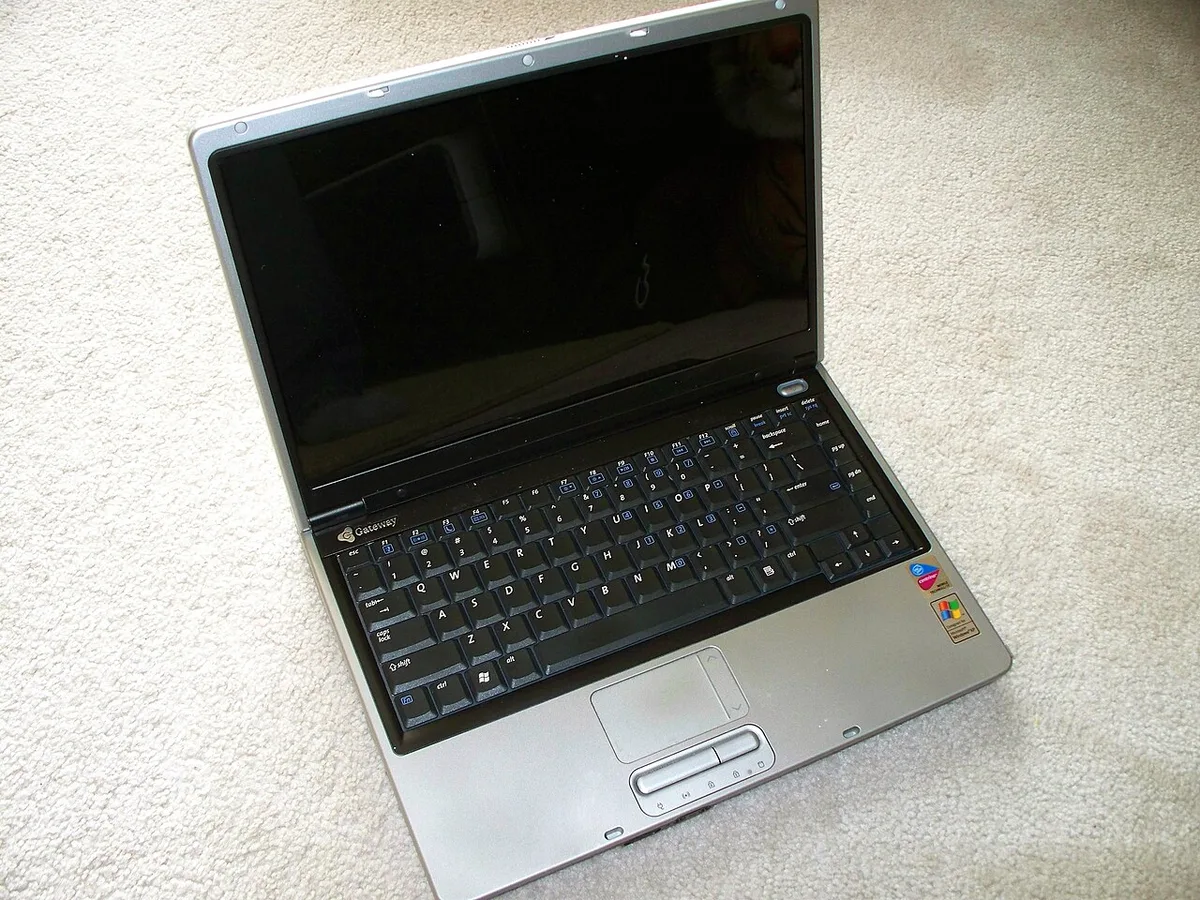
Image source: Wikimedia Commons / Dennis Sylvester Hurd
Branching Decision Guide: What Your Situation Means
Use your real use pattern to judge hinge durability. The guide below turns that into action.
| Situation | What to Prioritize | What to Avoid |
|---|---|---|
| Desk gamer, rare travel | Smooth hinge feel and low wobble | Paying only for premium branding |
| Student with daily backpack use | Metal or reinforced hinge, padded sleeve | Thin plastic hinge covers |
| Tournament traveler | Dual hinge, hard case, careful packing | Checked baggage and loose cables |
| Budget buyer | Warranty terms and repair access | Assuming cheap hinges will last |
| Already loose hinge | Stop forcing, inspect screws | Tightening with wrong tools |
If you mostly game at a desk, a mid-range hinge is often enough. Inspect it monthly for wobble. Do not ignore a new squeak.
If you carry the laptop every day, prioritize hinge material and chassis strength. A padded sleeve is cheap insurance. Keep heavy chargers away from the screen.
If you travel for events, treat the hinge like a fragile part. Use a hard case when possible. Pack cables so they do not pull the lid.
If you buy on a budget, plan for a shorter hinge life. Check warranty terms before purchase. Ask whether hinge failure counts as physical damage.
If the hinge is already loose, stop opening it fully. Tighten only the screws you can reach safely. If the case cracks, use authorized service.
For travel setups, keep controllers and cables tidy. A guide on controller connection can help reduce cable strain near the hinge.
Preventive Maintenance That Actually Extends Hinge Life
Small habits keep hinges working longer. Clean the hinge gap monthly with a soft brush and dry cloth. Check for wobble before it becomes a crack.
Tighten only visible screws with the correct driver. Stop if resistance feels wrong. Over-tightening can strip threads and make the problem worse.
| Task | Frequency | Notes |
|---|---|---|
| Clean hinge gap | Monthly | Use a soft brush and dry cloth |
| Inspect screen wobble | Weekly | Compare both sides of the lid |
| Tighten visible screws | As needed | Use the correct driver size |
| Check case cracks | Monthly | Stop if cracks spread |
| Store in a padded sleeve | Daily | Reduces lid pressure in bags |
Keep the laptop on a flat surface when opening it. Avoid soft beds or couches that twist the chassis. If you travel, pack cables so they cannot pull the lid.
Humidity and dust matter too. Wipe the hinge area after dusty trips. Let the laptop reach room temperature before opening it after cold weather.
Common Hinge Mistakes That Kill Durability
Most hinge damage comes from handling, not age. The mistakes below are easy to avoid once you know them.
| Mistake | What It Does |
|---|---|
| Lifting from one corner | Twists the lid and stresses one hinge |
| Carrying by the screen | Pulls hinges away from the chassis |
| Forcing past the stop | Bends joints beyond design limits |
| Ignoring squeaks | Lets wear continue until cracking |
| Tightening with the wrong tool | Strips screws and worsens looseness |
| Storing under pressure | Flexes the lid and mounting points |
Lifting from one corner is the most common error. It feels quick, but it applies uneven force. Lift from the center with both hands instead.
Carrying by the screen is another big risk. It strains the hinge and display cables at the same time. Carry by the base with the lid closed.
Forcing the lid past its natural stop can bend the hinge. Many gaming laptops are not meant to lie flat. Stop when resistance changes.
Ignoring a squeak is risky. A squeak often means friction or looseness. Clean the hinge and inspect the mounting area before it worsens.
DIY repairs can help, but only with the right tools. If screws spin freely, stop and seek service.
Repair, Warranty, and Replacement Cost Reality
Hinge repair costs vary by model and damage level. Simple screw tightening may cost little. Full hinge replacement can cost much more.
| Situation | Typical Cost Range | Notes |
|---|---|---|
| Screw tightening or cleaning | Low cost | Often a quick service |
| Hinge replacement | Moderate to high | Parts and labor vary |
| Lid or chassis repair | Higher | Damage may spread |
| Warranty-covered defect | Often no charge | Physical damage usually excluded |
Warranty terms often separate manufacturing defects from physical damage. A hinge that loosens without impact may be covered. A hinge damaged by a drop usually is not.
If the hinge is loose, document it early. Take clear photos of the hinge and case. Keep proof of purchase and service records.
Third-party repair can cost less, but part quality varies. Authorized service may cost more, but parts are usually matched to the model. Right-to-repair efforts may improve access in some regions, but availability still varies.
Safety matters during repair. Broken hinges can leave sharp metal edges. Damaged chassis can also expose battery or cable areas.
If the case is cracked, stop using the laptop and seek professional service.
If repair costs approach replacement value, compare options carefully. A new laptop may make more sense than a major chassis repair.
Expert Decision Guide: How to Choose and Care for a Gaming Laptop
Choose the hinge based on how you use the laptop. Specs matter, but habits matter more.
If you travel daily, prioritize metal hinges, dual hinge designs, and a padded sleeve. Inspect the hinge weekly. Clean the hinge gap monthly.
If you game mostly at a desk, a mid-range hinge is often enough. Focus on smooth motion and low wobble. Check for changes every month.
If you buy on a budget, plan for shorter hinge life. Read warranty terms before purchase. Ask whether hinge failure counts as physical damage.
If you carry a large screen, favor stronger mounting points. Avoid over-opening. Keep heavy items away from the lid in your bag.
If the hinge is already loose, change your handling first. Lift from the center and carry by the base. Seek service before cracks spread.
A simple care plan works best:
- Inspect the hinge weekly.
- Clean the hinge gap monthly.
- Store the laptop in a padded sleeve.
- Avoid opening past the natural stop.
- Seek service at the first sign of cracking.
Frequently Asked Questions
How long do gaming laptop hinges usually last?
Gaming laptop hinges often last several years with careful use. Cycle ratings commonly range from 20,000 to 50,000 open and close motions. Rough handling, travel, and heavy lids can shorten that lifespan.
Inspect the hinge regularly and fix small looseness early.
Can a loose gaming laptop hinge be tightened?
Sometimes yes. Visible screws may be tightened carefully with the correct driver. If screws spin freely or the case cracks, stop.
That usually means stripped threads or deeper damage, and professional service is safer.
Does hinge material affect durability?
Yes. Aluminum, steel, and reinforced alloys usually resist wear better than basic plastic. Material alone is not enough, though.
Mounting strength, torque, and daily handling also decide how long the hinge lasts.
Is hinge damage covered by warranty?
It depends on the cause. Manufacturing defects may be covered, while physical damage often is not. Read the warranty terms before buying.
Keep photos and proof of purchase if a hinge fails early.
When should you replace instead of repair?
Consider replacement when repair costs are high or the chassis is cracked. If the laptop is older and parts are hard to find, replacement may be smarter. Compare total repair cost, downtime, and remaining laptop value.