can a lower wattage charger damage a gaming laptop? Usually, it will not instantly break the laptop if the voltage matches and the charger is certified. The bigger risk is heat, slow charging, battery stress, or a shutdown when the GPU and CPU pull more power than the adapter can supply.
Manufacturer specifications indicate that a gaming laptop can draw anywhere from 120W to 330W under load, while many travel chargers top out at 65W or 100W.
The real answer depends on how you use it. A lower wattage charger may keep a laptop alive during light browsing, but it may not cover gaming, charging, and battery wear at the same time. As of 2026, the safest rule is simple: match the original adapter's voltage first, then make sure wattage is high enough for your real workload.
The Short Answer: Can a Lower Wattage Charger Damage a Gaming Laptop?
A lower wattage charger can damage a gaming laptop, but usually only when it is the wrong voltage, poorly made, or used under heavy load. If the voltage matches and the charger is certified, the laptop's power controller usually limits charging and may run from the battery to cover the gap. That can still create heat, slow charging, and battery stress.
The danger rises when the adapter runs at its limit for long periods. A 65W charger feeding a 180W gaming laptop during a long session can overheat, throttle performance, or drain the battery while plugged in. Certified designs from UL include protections, but cheap or counterfeit adapters may not.
- Usually safer: same voltage, lower wattage, certified charger, light use
- Higher risk: gaming, charging, and high brightness at the same time
- Do not use: wrong voltage, damaged cable, no certification, overheating adapter
How a Gaming Laptop Actually Draws Power
A gaming laptop does not pull one fixed amount of power. At idle, it may use 15W to 40W. During a demanding game, the CPU, GPU, display, fans, and cooling system can push demand far higher.
The battery may also charge at the same time, which adds another load.
This is why wattage matters. Wattage is the total power available, while voltage is the electrical pressure the laptop expects. If wattage is too low, the laptop may pull from the battery to cover the shortfall.
That can feel fine for a while, but it creates extra heat and charge cycles.
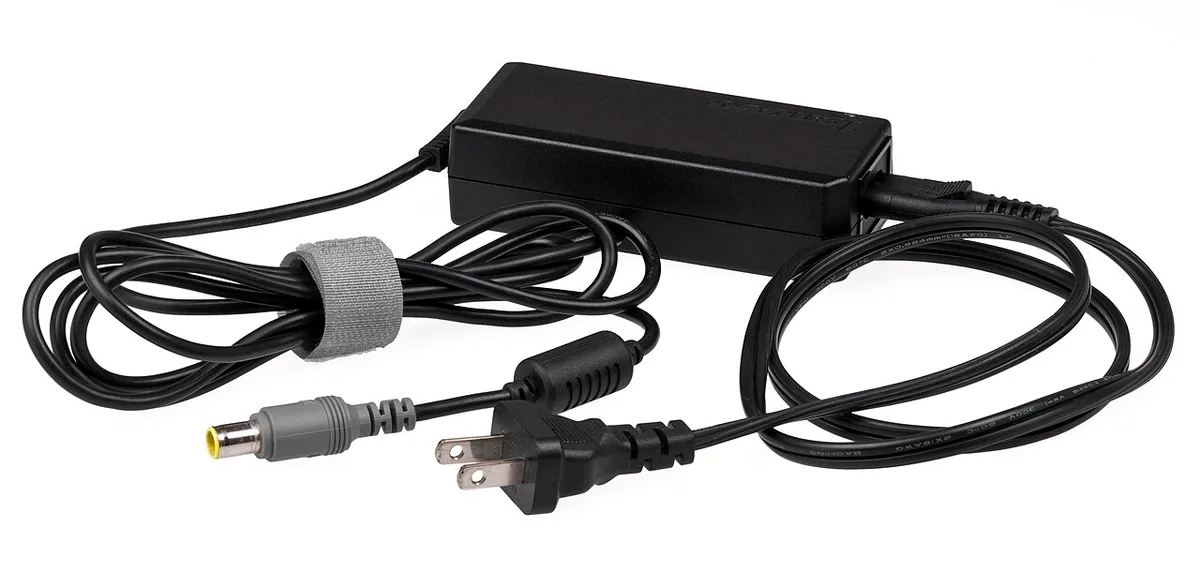
Image source: Wikimedia Commons / Evan-Amos
Gaming laptops also manage power dynamically. They may reduce clock speeds when power is limited, which is why thermal stress and low power can feel similar. A weak charger may cause frame drops while gaming even if the laptop does not shut down.
What Makes a Charger Safe or Unsafe for a Gaming Laptop
A safe charger matches three things: voltage, connector type, and enough wattage for the task. Voltage must match the laptop's requirement. Current, measured in amps, must support the wattage.
The connector must fit firmly and carry the rated current.
USB-C Power Delivery adds another layer. The laptop and charger negotiate a power profile before full output is allowed. A USB-C PD charger can be safe at 100W, but only if both the laptop and cable support that level.
The USB Implementers Forum defines these Power Delivery rules.
| Charger trait | Safer choice | Risky choice |
|---|---|---|
| Voltage | Exact OEM match | Higher or lower voltage |
| Wattage | Equal or higher than OEM | Much lower than gaming load |
| Certification | UL, CE, FCC, USB-IF | No marks or unclear marks |
| Cable | Correct gauge and rating | Thin, damaged, or unknown |
| Connector | Firm, correct type | Loose or wobbly fit |
A charger can also be unsafe even if the numbers look right. Poor cooling, bad soldering, or counterfeit components can cause failure. Aggregate reviews report that overheating chargers often show warning signs first, such as a hot brick, burning smell, or cycling power.
When a Lower Wattage Charger Can Actually Cause Damage
Damage is most likely when the charger is underpowered and forced to work at its limit. Heat is the main enemy. Repeated heat can stress the charger, cable, laptop charging port, and battery.
Over time, that can reduce battery health and create a fire risk.
A lower wattage charger can also cause the battery to discharge during gaming. The laptop may show "plugged in, not charging" while the battery percentage falls. That is not always damage, but it adds cycles and heat.
If the battery is already weak, the system may shut down suddenly.
The biggest red flags are voltage mismatch, counterfeit parts, and physical damage. A charger with the wrong voltage can push too much or too little electrical pressure into the laptop. A damaged cable can arc, melt, or short.
If you notice swelling, hissing, or extreme heat, stop using it and follow overheating on soft surfaces safety habits by keeping it on a hard, ventilated surface.
- Battery stress: repeated discharge while plugged in
- Charger stress: running at maximum output for hours
- Port stress: loose connector causing heat and arcing
- System stress: sudden shutdowns during heavy load
How to Check Charger Compatibility Before You Plug It In
Start with the original adapter label. Find the output voltage and wattage. Then compare the replacement charger's output label.
Voltage must match. Wattage should be equal or higher, not lower, if you plan to game while charging.
Next, check the connector and charging standard. Barrel-jack chargers are model-specific. USB-C chargers need the right Power Delivery profile and cable rating.
A 100W USB-C charger with a weak 3A cable may not deliver its full output.
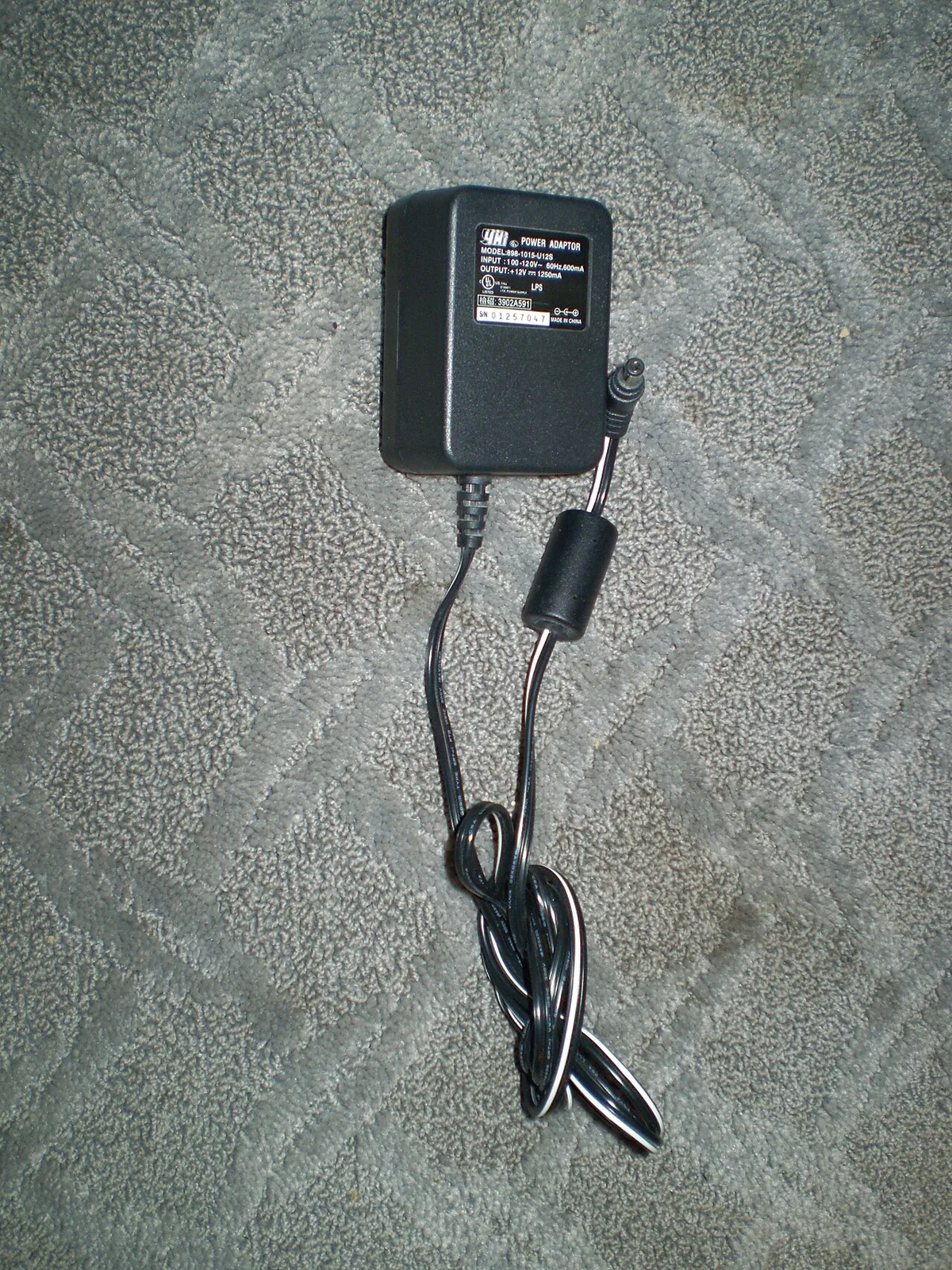
Image source: Wikimedia Commons / Rjluna2 (CC BY-SA)
Use this quick process:
- Read the original adapter label.
- Match voltage exactly.
- Choose wattage equal to or higher than OEM.
- Confirm connector type and fit.
- Confirm USB-C PD and cable rating if used.
- Test under light load first.
- Watch temperature for 15 minutes.
- Check battery behavior while gaming.
- Keep the charger ventilated.
- Stop if anything smells hot or unstable.
Before gaming, adjust performance settings so you are not pushing maximum power and heat at the same time. If the laptop still shows frame drops while gaming, the charger may be too weak for that workload.
OEM Chargers vs. Third-Party and USB-C PD Alternatives
OEM chargers are built for the exact voltage and wattage profile of the laptop. They are the safest choice for sustained gaming and charging at the same time. Third-party chargers can work well, but only when they match the specs and carry real certifications.
A GaN charger can deliver high wattage in a smaller body. That helps travel, but size is not the same as safety. Check the label, not the marketing.
| Option | Best for | Main caution |
|---|---|---|
| OEM adapter | Daily gaming and charging | Higher cost and bulk |
| Certified third-party | Backup or travel | Verify voltage and wattage |
| USB-C PD GaN | Light use and travel | Cable and PD profile limits |
If you play demanding games for hours, use the original adapter. If you only browse, write, or watch video, a lower wattage certified charger may be fine. For safe replacement habits, treat charger heat like fan heat and keep airflow clear.
Common Charging Mistakes That Kill Laptop Batteries
Heat is the first killer. Charging on a bed, blanket, or pillow traps heat around the adapter and laptop. That can stress the battery and charger at the same time.
Using a charger far below gaming demand is another mistake. The laptop may pull from the battery while plugged in, which adds cycles and heat. Cheap cables can also limit current or overheat.
- Gaming for hours on a weak charger
- Charging under blankets or in tight spaces
- Using damaged or uncertified cables
- Ignoring a hot adapter or burning smell
- Keeping the battery at 100 percent in hot rooms
- Plugging and unplugging under heavy load
If performance drops, check frame drops while gaming before blaming the game. A weak power supply can look like a graphics problem. Also watch thermal throttling signs when the system slows down.
Safety Warnings, Certifications, and When to Stop Using a Charger
Certifications matter because they show the charger passed safety testing. Look for UL, CE, FCC, RoHS, and USB-IF marks from trusted labs. A mark alone is not enough if the seller is unknown, so buy from reputable sources.
Stop using a charger if it gets too hot to touch, smells burnt, makes noise, or shows a melted plug. A swollen battery, flickering charge light, or sudden shutdowns are also warning signs.
Manufacturer documentation and CPSC guidance can help with recall checks. If the adapter is damaged, do not repair it yourself. Replace it and recycle the old one safely.
Real-World Charging Scenarios: Travel, Gaming, and Emergencies
Travel chargers are about convenience, not peak performance. A 65W or 100W adapter can keep a gaming laptop alive for email, video, and light work. It may not cover gaming and charging together.
For long gaming sessions, use the original high-wattage adapter. For emergencies, the battery is your buffer. Lower the brightness, cap frame rate, and close background apps.
| Scenario | Charger choice | Expected result |
|---|---|---|
| Airport or hotel work | 65W to 100W certified | Slow charge, stable light use |
| Travel gaming | OEM or high-wattage PD | Better sustained performance |
| Power outage | Battery plus low settings | Short runtime, possible shutdown |
| Damaged original adapter | Temporary certified backup | Reduced charging speed |
If heat builds during travel, reduce laptop temperature fast before it affects the battery. Keep the adapter on a hard surface and out of bags while charging.
Frequently Asked Questions
Can a lower wattage charger damage a gaming laptop?
Yes, it can if the voltage is wrong, the charger is uncertified, or it overheats under load. A certified charger with matching voltage usually will not cause instant damage. The main risks are heat, slow charging, battery stress, and shutdowns during heavy gaming.
Will a 65W charger work on a 180W gaming laptop?
It may power light tasks and slow charging, but it usually cannot cover gaming load. The laptop may drain the battery while plugged in. Use the original adapter for demanding games and long sessions.
Is it safe to game while charging with a weaker charger?
It is sometimes safe for short periods, but not ideal. The adapter may run hot and the battery may discharge. If the charger or laptop gets too warm, stop and switch to the original adapter.
What wattage should I buy as a replacement charger?
Buy one that matches the original voltage and equals or exceeds the original wattage. Higher wattage is fine if the laptop supports it. Lower wattage is only for light use, not gaming.
Can USB-C Power Delivery charge any gaming laptop?
No. The laptop must support USB-C charging and the correct Power Delivery profile. The cable must also handle the wattage.
Some gaming laptops still need a barrel-jack adapter for full power.
Does a lower wattage charger ruin battery health?
It can contribute to faster wear if it causes heat and repeated discharge cycles. A good charger with matching voltage is less risky. Avoid heat, cheap cables, and long gaming sessions on weak power.