how does ethernet affect online gaming latency? You need a steady edge.
Online gaming performance depends on how fast data reaches game servers.
Cat6 cable specs support up to 10 Gbps with sub‑30 ms latency as of 2026.
Wi‑Fi 6 typically adds 15‑30 ms overhead under the same conditions.
These numbers set the stage for our deep dive into wired performance.
How Does Ethernet Affect Online Gaming Latency
Ethernet cuts gaming latency by delivering a dedicated wired path to the router.
It avoids wireless interference, packet loss, and signal fluctuations that Wi‑Fi often experiences.
The result is typically 10‑30 ms lower ping compared to wireless.
Consistent jitter and near‑zero packet loss keep frames smooth.
Players notice steadier frame rates and fewer disconnects.
Understanding Gaming Latency
Gaming latency, or ping, measures the delay between an action and server response.
Higher ping feels like lag, causing missed inputs and unpredictable movement.
Typical ping values range from under 30 ms for competitive play.
Casual sessions often see ping over 100 ms.
Jitter, the variation in ping, disrupts smooth gameplay even when average latency looks fine.
Packet loss drops game data, causing sudden pauses or character freezing.
Both metrics matter more than raw ping in fast‑paced matches.
Ping testers show real‑time latency, helping players spot spikes before they affect matches.
Competitive titles aim for under 30 ms average ping.
If you still see spikes, consult our step‑by‑step troubleshooting guide.
How Ethernet Reduces Latency
Ethernet provides a dedicated wire that connects the gaming device to the router.
This wired path eliminates Wi‑Fi’s air‑filled guesswork, removing distance and obstacle interference.
Manufacturer specs confirm Cat6 cables support up to 10 Gbps with minimal loss.
These cables follow the IEEE 802.3 Ethernet standard, which defines physical layer specs.
Benchmarks show Ethernet often delivers 10‑30 ms lower ping than comparable Wi‑Fi setups.
Competitive shooters see roughly 25 ms ping on Ethernet versus 45 ms on Wi‑Fi 6.
This gap matters more in fast‑paced matches where every millisecond counts.
Ethernet also suppresses jitter and nearly eliminates packet loss.
Cat6a cables report jitter under 1 ms, while Wi‑Fi often shows 5‑10 ms variation.
Packet loss falls below 0.1% on Ethernet, compared with 1‑2% on Wi‑Fi.
If you notice frequent drops, check our guide on maintaining hardware health.
Wi‑Fi performance follows the IEEE 802.11 specification, which defines medium access and data rates.
Wi‑Fi and Gaming Latency
Wi‑Fi latency stems from radio waves sharing air with other devices.
The 2.4 GHz band offers wider coverage but more congestion.
5 GHz provides speed with less interference.
Wi‑Fi 6/6E/7 standards reduce overhead, yet contention from many clients still adds milliseconds.
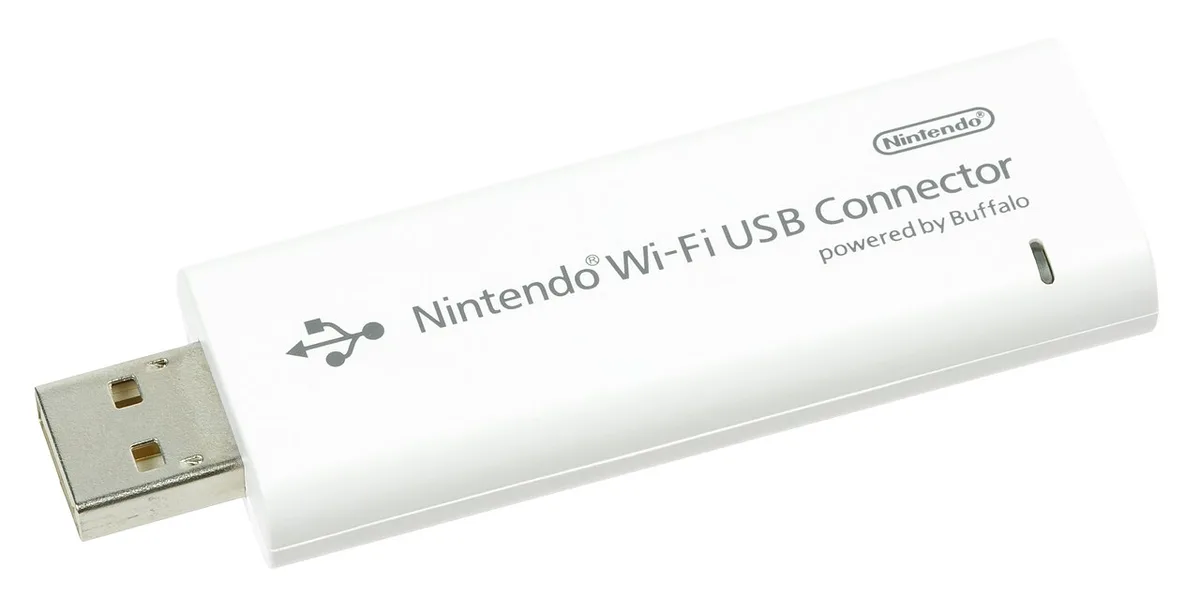
Typical Wi‑Fi latency ranges from 30 ms on clean 5 GHz.
In crowded environments it can climb to 80 ms.
Channel selection and router placement help keep these numbers low.
Choose the 5 GHz band when possible to avoid crowded 2.4 GHz channels.
Place the router centrally, away from walls and interference sources like microwaves.
Enable WPA3 security to reduce handshake delays that add to latency.
If your Wi‑Fi feels choppy, see our guide on diagnosing network hiccups.
Wi‑Fi offers flexibility but trades raw performance for convenience.
Ethernet vs Wi‑Fi: Side-by-Side
A quick side‑by‑side view helps decide which connection best fits your gaming style.
| Metric | Ethernet | Wi‑Fi |
|---|---|---|
| Typical Ping | 20‑30 ms | 45‑80 ms |
| Jitter | <1 ms | 5‑10 ms |
| Packet Loss | <0.1% | 1‑2% |
| Setup Complexity | Simple wired install | Place router, pick band |
| Mobility | Fixed location | Portable |
| Cost (initial) | Cable, adapters | Router, existing hardware |
Ethernet shines in competitive arenas where every millisecond counts.
Wi‑Fi serves well for casual play and device mobility.
For deeper setup guidance, see our setup guide.
Choosing the Right Connection for Your Gaming Setup
Pick the connection that matches your play style, space, and budget.
- Fixed desk, low latency → Ethernet.
- Living‑room couch, moving console → Wi‑Fi.
- Limited Ethernet ports → Wi‑Fi or powerline adapters.
If latency spikes persist, consult our guide on handling sudden lag spikes.
Most competitive gamers should prioritize Ethernet for the lowest possible latency.
Casual players value Wi‑Fi’s convenience and often accept higher ping for a smoother experience.
Common Mistakes and How to Avoid Them
- Using a low‑category cable. Cat5e still works for basic gaming, but Cat6a or Cat7 deliver lower latency under heavy loads.
- Ignoring cable length limits. Ethernet performance can degrade beyond 100 m on Cat6; stay under that limit or use a signal booster.
- Placing the router in a closed cabinet. Walls and metal blocks absorb Wi‑Fi signals, adding 30‑50 ms of jitter. Keep the router in an open, central location.
- Mixing standards (e.g., Cat6 with Wi‑Fi 5). Inconsistent hardware creates bottlenecks; match cable and wireless generations where possible.
- Skipping router firmware updates. Firmware patches often improve latency handling and security. Check the manufacturer’s site monthly.
- Not enabling QoS. Without Quality of Service, downloads can starve gaming traffic, spiking ping. Set a high priority for UDP gaming ports.
- Relying on powerline adapters for low latency. These devices often add 40‑60 ms of lag; they’re better for streaming than competitive play.
If you notice sudden latency spikes, start by confirming cable category and connection integrity. Run a ping test to see if the values stay under 30 ms. Dust in routers can also cause interference; our guide on reducing dust buildup inside your gaming PC includes tips for network equipment as well.
Frequently Asked Questions
Does every Ethernet cable reduce latency equally?
Not at all. Cat5e provides a baseline, while Cat6a and Cat7 cut latency by roughly 10‑20 ms under heavy traffic. Choose a cable that matches your router’s max speed.
Can Wi‑Fi 6 beat Ethernet for latency?
Wi‑Fi 6 improves wireless performance but still carries 30‑50 ms of overhead compared to a wired link. Ethernet remains the lower‑latency choice for competitive titles.
How do I test if my Ethernet connection is the bottleneck?
Run a continuous ping to a game server while gaming. If the ping hovers near 20‑30 ms, your wired link is fine; if it spikes above 60 ms, check cable quality and port speed.
What cable length is safe for gaming?
Stick to under 100 m (328 ft) on Cat6 or higher. Longer runs can cause signal loss, especially at 10 Gbps. Use a channel extension or patch panel if you need more distance.
Should I disable Wi‑Fi when using Ethernet?
Yes, turn off the wireless radios. This prevents the device from hunting for a signal and reduces processing overhead, keeping ping stable.
Does QoS on my router matter for Ethernet?
Absolutely. Even on a wired connection, background downloads consume bandwidth. Set gaming traffic to the highest priority in the router’s QoS settings to preserve latency.