How many CPU cores does a gaming laptop need? That question trips up a lot of buyers because laptop boxes shout big numbers while games care about different things. The right answer depends on your games, your budget, and whether you stream or create content.
Manufacturer specs and aggregate reviews show a clear pattern. Most gamers do best with six cores. Four is fine for light play, and eight helps for streaming.
As of 2026, six cores hit the best value point.
how many CPU cores does a gaming laptop need
Most gaming laptops need six CPU cores for smooth 1080p play. Four cores work for esports and older games. Eight cores help with streaming and multitasking.
More than eight rarely boosts frame rates in games.
Why Core Count Marketing Misleads Gaming Laptop Buyers
Laptop ads love big core counts. A bigger number feels like better value. It is not that simple.
Games do not use every core equally. Many rely on one or two fast cores. So a high core count can waste money if those cores run slow.
Buyers also miss the GPU side. A strong CPU cannot save a weak graphics card. That is why the specs that matter most include more than cores.
Core count still matters. It helps with background apps and smoother frame times. But it is only one piece of the puzzle.
The Short Answer: How Many Cores You Actually Need
Six cores is the sweet spot for most gamers. It gives strong game performance and leaves room for apps. It also fits most mid-range laptops.
Four cores still works for esports titles. Games like Valorant and CS2 lean on single-core speed. A fast four-core chip can feel smooth there.
Eight cores makes sense for streamers. It helps when you game and encode video at once. It also helps with video editing and 3D work.
Ten or twelve cores is for heavy creators. Most pure gamers will not see much benefit. Save that money for a better GPU.
If you are unsure, start with six cores. It covers the widest range of games. It also ages better than four.
How CPU Cores Actually Affect Gaming Performance
A CPU core is a worker inside the processor. More workers can handle more tasks at once. But games are not all heavy multitasking jobs.
Many games lean on one main thread. That thread handles game logic and physics. So single-core speed often matters more than core count.
Extra cores still help in two ways. They reduce stutters when apps run in the background. They also help frame time consistency, which feels smoother.
Thermals matter too. A laptop with many cores can run hot. Heat can slow the CPU down under load.
That is why reading laptop specs should include TDP and cooling.
A good test is CPU usage during gameplay. If usage sits near 100 percent, you may be CPU bound. If the GPU maxes out first, more cores will not help much.
4-Core vs 6-Core vs 8-Core vs 10/12-Core: Side-by-Side
Here is a simple way to compare core counts. Use it as a starting point, not a hard rule.

Image source: Wikimedia Commons / Bill Abbott (CC BY-SA)
| Core Count | Best For | Main Strength | Main Risk |
|---|---|---|---|
| 4 cores | Esports and light games | Lower price and heat | Weak multitasking |
| 6 cores | Most gamers | Best balance | Not ideal for heavy streaming |
| 8 cores | Gaming plus streaming | Strong multitasking | Higher price and heat |
| 10 to 12 cores | Creators and pros | Heavy workloads | Poor value for pure gaming |
Four cores keeps costs down. It is common in entry-level machines. For many buyers, entry level laptops are a smart first step.
Six cores is the safest default. It handles modern games well. It also leaves headroom for Discord, browsers, and launchers.
Eight cores earns its price for creators. It helps with recording and editing. It also helps when you run many apps at once.
Ten or twelve cores is niche. It shines in rendering and compilation. It is not needed for most game libraries.
What Matters More Than Core Count (Clock Speed, Cache, TDP, GPU Balance)
Core count is not the whole story. Clock speed affects how fast each core works. A six-core chip at high boost can beat an eight-core chip at lower clocks.
Cache helps too. Larger L3 cache can improve game performance. It keeps data close to the CPU.
TDP is thermal design power. It shows how much heat the chip can create. A 45W or 55W chip can hold higher speeds longer.
A 15W chip may throttle sooner.
The biggest factor is GPU balance. Most gaming laptops are GPU bound at 1080p and 1440p. That means the graphics card limits frame rate first.
Discrete graphics matter more than extra CPU cores.
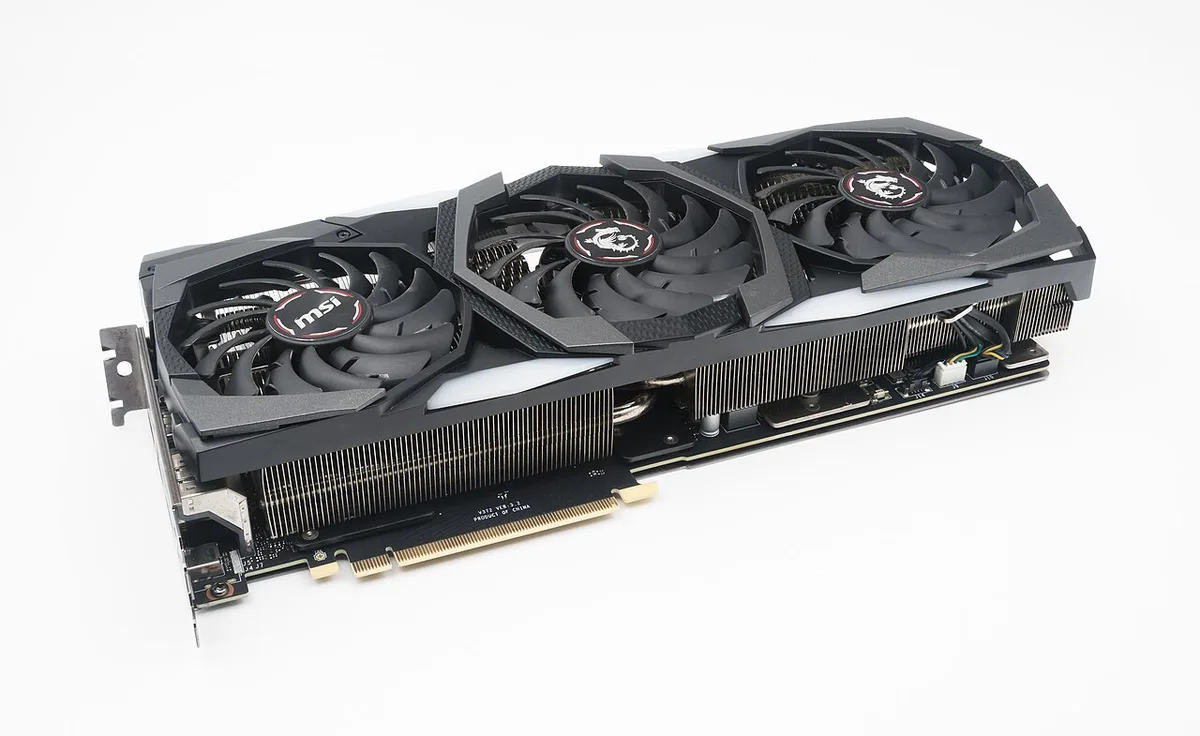
Image source: Wikimedia Commons / Jacek Halicki (CC BY-SA)
So compare the whole system. Look at CPU, GPU, cooling, and price together. A balanced laptop beats a flashy spec sheet.
Best Core Count for Each Use Case (1080p Esports, AAA, Streaming, Creator)
Six cores is the safest default for most gamers. It handles modern games and daily multitasking well. It also avoids paying for cores you will not use.

Image source: Wikimedia Commons / Bruce Liu (CC BY-SA)
1080p Esports and Competitive Games
Four or six cores works well here. Games like Valorant and CS2 lean on fast single-core speed. A strong four-core chip can feel smooth at high frame rates.
AAA Single-Player Games
Six cores is usually enough. Many AAA games are GPU bound at 1080p and 1440p. That means the graphics card limits frame rate before the CPU does.
Gaming While Streaming
Eight cores is the better pick. Streaming adds encoding and background work. Extra cores help keep frame times steady while you broadcast.
Content Creation and Productivity
Eight to twelve cores makes sense here. Video editing, 3D work, and large compiles use more threads. Pure gaming alone does not need that much.
| Use Case | Recommended Cores | Why It Fits |
|---|---|---|
| Esports at 1080p | 4 to 6 | Fast single-core speed matters most |
| AAA gaming | 6 | Strong balance of price and performance |
| Gaming plus streaming | 8 | Handles encoding and gameplay together |
| Creator workloads | 8 to 12 | Benefits from extra threads |
The right choice also depends on which part limits frame rate. If the GPU maxes out first, extra CPU cores add little. Also check enough memory for multitasking before chasing core count.
Common Mistakes Gamers Make When Buying by Core Count
Buying by core count alone leads to wasted money. Many laptops look impressive on paper but feel average in games. Watch for these common errors.
- Buying 10 to 12 cores for 1080p gaming. Most games will not use them well.
- Ignoring the GPU. A weak graphics card caps performance first.
- Ignoring cooling. A hot laptop can slow down under load.
- Assuming more cores always means higher FPS. Single-core speed matters too.
- Buying a thin laptop with a low-watt CPU. It may throttle during long sessions.
- Skipping game requirements. Some titles need stronger CPUs than others.
Before buying, match your laptop to game requirements. That step saves more money than chasing core count. Also review specs you cannot upgrade later so you know what is locked in.
Price Tiers and What You Get at Each Level
Price often decides the core count you can afford. As of 2026, the market splits into clear tiers. Each tier changes what CPU makes sense.
| Price Tier | Typical Cores | Common GPU Pairing | Best Buyer |
|---|---|---|---|
| $600 to $900 | 4 to 6 | Entry-level discrete GPU | Budget and esports players |
| $900 to $1,500 | 6 to 8 | Mid-range discrete GPU | Most mainstream gamers |
| $1,500+ | 8 to 12+ | High-end discrete GPU | Streamers and creators |
Budget laptops can still game well. A six-core chip with a decent GPU beats an eight-core chip with a weak GPU. Mid-range laptops usually offer the best balance.
High-end models add cores for creator work. That is useful if you edit video or render scenes. For pure gaming, the extra cores may not justify the price.
Set a realistic laptop budget first. Then compare value for money across brands. This keeps core count in perspective.
Expert Tips for Getting the Best CPU Value in a Gaming Laptop
The best CPU value is not always the biggest one. It is the chip that fits your games and your budget. Use these tips when shopping.
- Prioritize six fast cores over eight slow ones.
- Check boost clock speed, not just core count.
- Look at TDP and cooling reviews before buying.
- Match the CPU to the GPU tier.
- Read real-game benchmarks, not synthetic scores alone.
- Consider last-generation chips for better price drops.
- Buy during seasonal sales when possible.
- Leave budget for RAM and storage upgrades.
Manufacturer documentation from Intel and AMD can confirm TDP and boost behavior. Those specs help explain why two chips with the same core count perform differently.
If you plan to keep the laptop for years, think about specs you can upgrade later. CPU upgrades are rare in laptops. So choose the right core count at purchase.
Frequently Asked Questions
Is 4 cores enough for a gaming laptop?
Yes for esports and lighter games. Four fast cores can handle titles like Valorant and CS2 well. They struggle more with heavy AAA games and multitasking.
If you stream or edit video, choose six or eight cores instead.
Is 8 cores overkill for gaming?
Not always. Eight cores is great for streaming and content creation. It is less useful for pure 1080p gaming.
If your budget is tight, six cores often gives better overall value.
Does core count affect FPS?
It can, but only in some games. Many titles rely on one or two fast cores. Extra cores help frame time consistency and background tasks.
The GPU usually has a bigger impact on FPS.
Should I choose Intel or AMD for a gaming laptop?
Both can work well. Compare boost clocks, TDP, cooling, and price. Also check real game benchmarks for the exact chip.
The better choice depends on the laptop model and your budget.
Can I upgrade a gaming laptop CPU later?
Usually no. Most gaming laptop CPUs are soldered to the motherboard. That makes the initial choice important.
Focus on the right core count before you buy.
How many cores do I need for streaming and gaming?
Eight cores is a strong target. It gives room for gameplay and encoding at the same time. Six cores can work for light streaming.
Higher core counts help with heavy creator workloads.