Picking a gaming laptop feels overwhelming. Spec sheets throw dozens of numbers at you, and most of them don't matter as much as the marketing suggests. Which gaming laptop specs matter most comes down to one question: what bottleneck will you hit first in the games you play.
In our research, the graphics card accounts for roughly 60 to 70 percent of gaming performance in most titles. Manufacturer specifications from NVIDIA and AMD confirm that GPU tier and power limit have the biggest impact on frame rates. Everything else, including CPU, RAM, and storage, plays a supporting role.
Let's walk through each component so you know exactly where your money should go.
which gaming laptop specs matter most
The GPU matters most for gaming laptops. CPU comes second for most titles. 16GB of RAM is the current sweet spot. A 1TB NVMe SSD handles most game libraries.
Display refresh rate matters for competitive play. GPU power limit is as important as the model.
GPU: The Component That Decides Your Frame Rate
The GPU, or graphics processing unit, renders every frame you see on screen. It handles 3D geometry, textures, lighting, and ray tracing. For gaming, no other component comes close in importance.
Aggregate reviews and benchmark data from 3DMark and in-game tests show that the GPU accounts for the majority of frame rate performance. A weak GPU with a strong CPU will still stutter in demanding games. The reverse is rarely true.
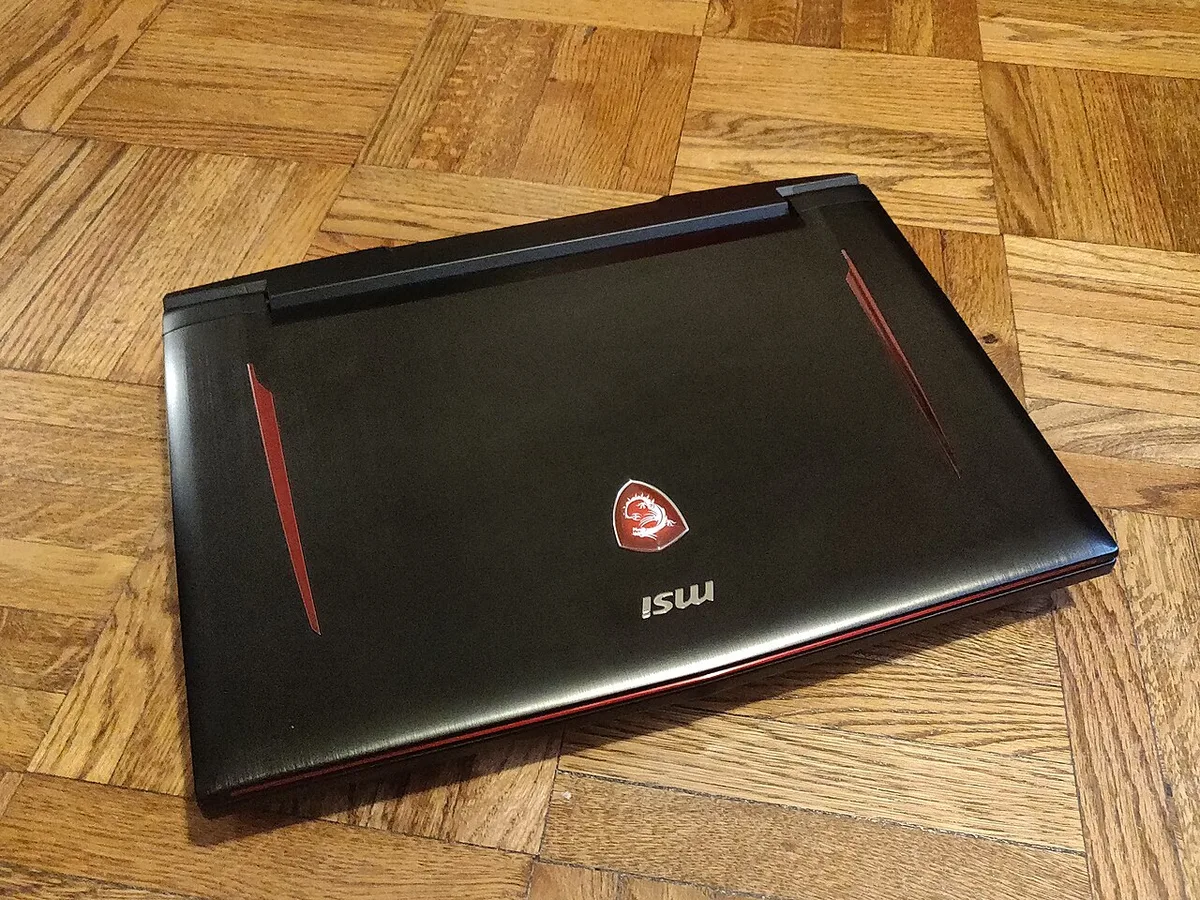
Image source: Wikimedia Commons / Kurt Kaiser
GPU Tiers Worth Knowing
Laptop GPUs come in tiers that map roughly to price. Here's what you can expect from each level as of 2026.
| GPU Tier | Typical Use Case | Expected 1080p Performance |
|---|---|---|
| RTX 4050 / RX 7600S | Budget gaming, esports | 60-90 FPS in AAA titles |
| RTX 4060 / RX 7700S | Mid-range, balanced | 90-120 FPS in AAA titles |
| RTX 4070 | High settings, 1440p | 120+ FPS in most games |
| RTX 4080 / 4090 | Max settings, 4K | 144+ FPS, ray tracing |
Manufacturer product pages from NVIDIA and AMD list these as the current mobile GPU lineup. Entry-level chips handle esports and older titles well. Mid-range options like the RTX 4060 offer the best value per dollar for most buyers.
High-end GPUs cost significantly more and mainly benefit from ray tracing and 4K gaming.
Understanding what a laptop GPU actually does helps you read these specs with confidence. The model number alone doesn't tell the full story.
VRAM capacity matters for high-resolution textures and ray tracing. 8GB is the minimum for modern games. 12GB and 16GB help at 1440p and 4K resolutions. DLSS and FSR upscaling technologies can boost frame rates by rendering at lower resolution and upscaling. These features are GPU-dependent and work best on newer hardware.
TGP: The Hidden Spec on the Spec Sheet
TGP stands for Total Graphics Power. It measures how many watts the GPU can draw. This number is often buried in spec sheets or missing entirely.
Two laptops with the same RTX 4070 can perform very differently. One might run at 80W TGP while another runs at 140W. The higher-wattage version delivers noticeably better frame rates.
Manufacturer specifications list these power limits, but retailers rarely highlight them.
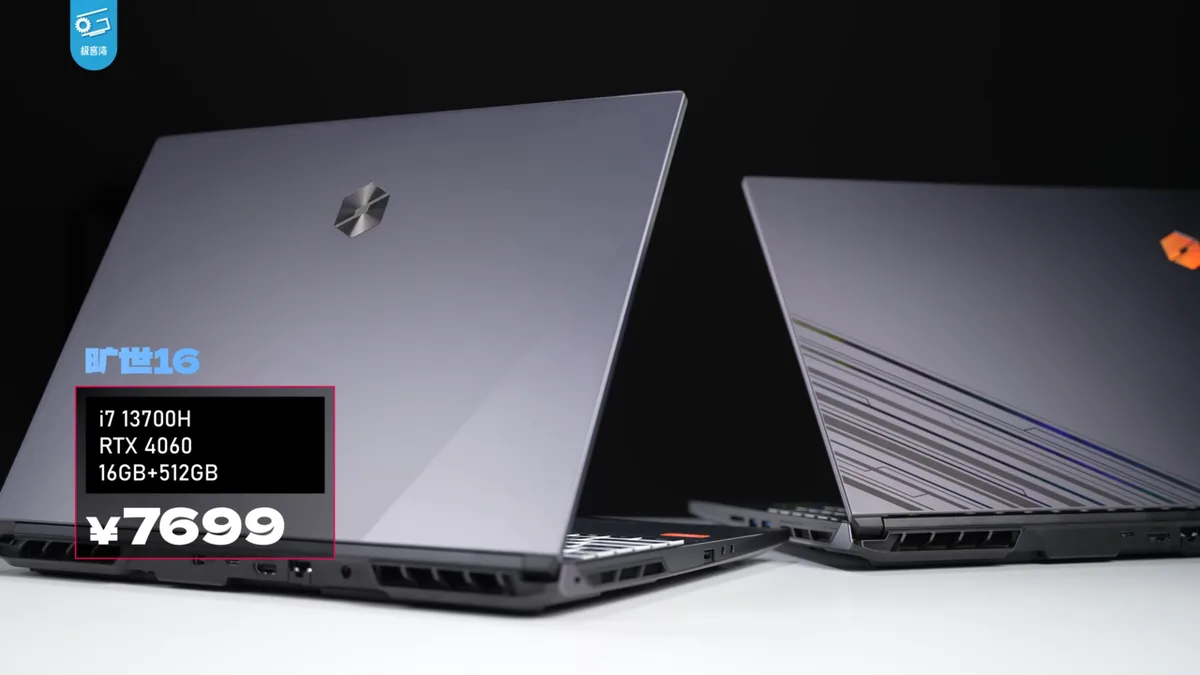
Image source: Wikimedia Commons / 极客湾Geekerwan (CC BY)
Power limits and why they matter come down to thermal design. A thin chassis can't cool a high-wattage GPU. That's why bulky laptops often outperform sleek ones with identical chips.
Always check TGP before buying. If the spec sheet doesn't list it, look up the model on the manufacturer's site.
Aggregate reviews report that TGP differences of 30 watts or more can produce 15 to 25 percent performance gaps. That's the difference between smooth 60 FPS and choppy gameplay in demanding titles. TDP in a gaming laptop works similarly for the CPU.
Both numbers deserve your attention.
CPU: Important, But Rarely the Bottleneck
The CPU handles game logic, physics, AI, and background tasks. It matters, but for most games it's not the limiting factor. A mid-range processor paired with a strong GPU will outperform the reverse setup.
In our research, most modern games rely heavily on the GPU. CPU-intensive titles like strategy games and large open-world games are the exception. For those, a faster processor helps maintain smooth frame rates when the screen gets busy.
Manufacturer specifications from Intel and AMD show current mobile CPU lineups. Intel Core i7 and AMD Ryzen 7 chips handle nearly all gaming scenarios well. Stepping up to an i9 or Ryzen 9 adds cost and heat without much gaming benefit.
Save that money for a better GPU.
Core count matters for multitasking. 6 to 8 cores handle gaming well. 10 to 14 cores help with streaming and content creation. Intel's hybrid architecture uses performance cores and efficiency cores. AMD uses standard cores with simultaneous multithreading.
Both approaches work fine for gaming.
When a Faster CPU Actually Helps
A faster CPU matters in specific scenarios. CPU vs GPU comparison data shows clear patterns.
Strategy games like Civilization and Total War push CPU usage hard. Open-world games with large NPC counts do too. Streaming while gaming splits resources between game and encoder.
Content creators running OBS alongside games benefit from extra cores.
For competitive esports at high frame rates, CPU speed matters more. Games like Valorant and CS2 can push 300+ FPS. A faster CPU helps reach those numbers.
But most players won't notice the difference above 144 FPS.
What a processor actually does is manage all non-graphics computation. If your games don't stress it, spending extra is wasted. Most buyers do better putting that budget toward the GPU or display.
RAM: Capacity, Speed, and the Upgrade Trap
RAM stores active game data, textures, and background processes. Too little causes stuttering and long load times. Too much wastes money that could go toward a better GPU.
16GB is the current sweet spot for gaming. It handles modern AAA titles, browser tabs, and Discord without issue. 32GB helps content creators and heavy multitaskers. 8GB is outdated and causes problems in newer games.
DDR5 is the current standard in gaming laptops as of 2026. Speed matters less than capacity for most gamers. DDR5-5200 and DDR5-5600 both work fine.
The difference between them is small in real gameplay.
DDR5 speeds range from 4800 to 5600 MHz in laptops. Higher speeds help in CPU-bound scenarios. The real-world gaming difference between 4800 and 5600 is usually under 5 percent.
Capacity and dual-channel configuration matter far more than raw speed.
Single-Channel vs Dual-Channel Memory
This is the upgrade trap. Some laptops ship with a single RAM stick. That's single-channel configuration.
It cuts memory bandwidth roughly in half compared to dual-channel.
The performance hit varies by game. Aggregate benchmarks show 10 to 20 percent lower frame rates in CPU-bound scenarios. Some games barely notice.
Others stutter noticeably.
How much RAM your laptop actually needs depends on your use case. For gaming alone, 16GB in dual-channel is ideal. If your laptop has one stick, adding a matching second stick is one of the cheapest performance upgrades available.
Watch for soldered RAM too. Some thin laptops solder memory to the board. You can't upgrade it later.
Check the spec sheet for "upgradable" or "soldered" before buying. This matters more than the brand name on the box.
Storage and Display: The Specs You Feel Every Day
Storage and display don't boost frame rates. But you interact with them constantly. A slow drive means long load screens.
A poor display ruins the visual experience even at high frame rates.
NVMe SSDs are standard in gaming laptops now. They load games fast and boot quickly. Capacity matters more than raw speed for most users.
A 1TB drive holds 10 to 15 large games. A 512GB drive fills up fast.
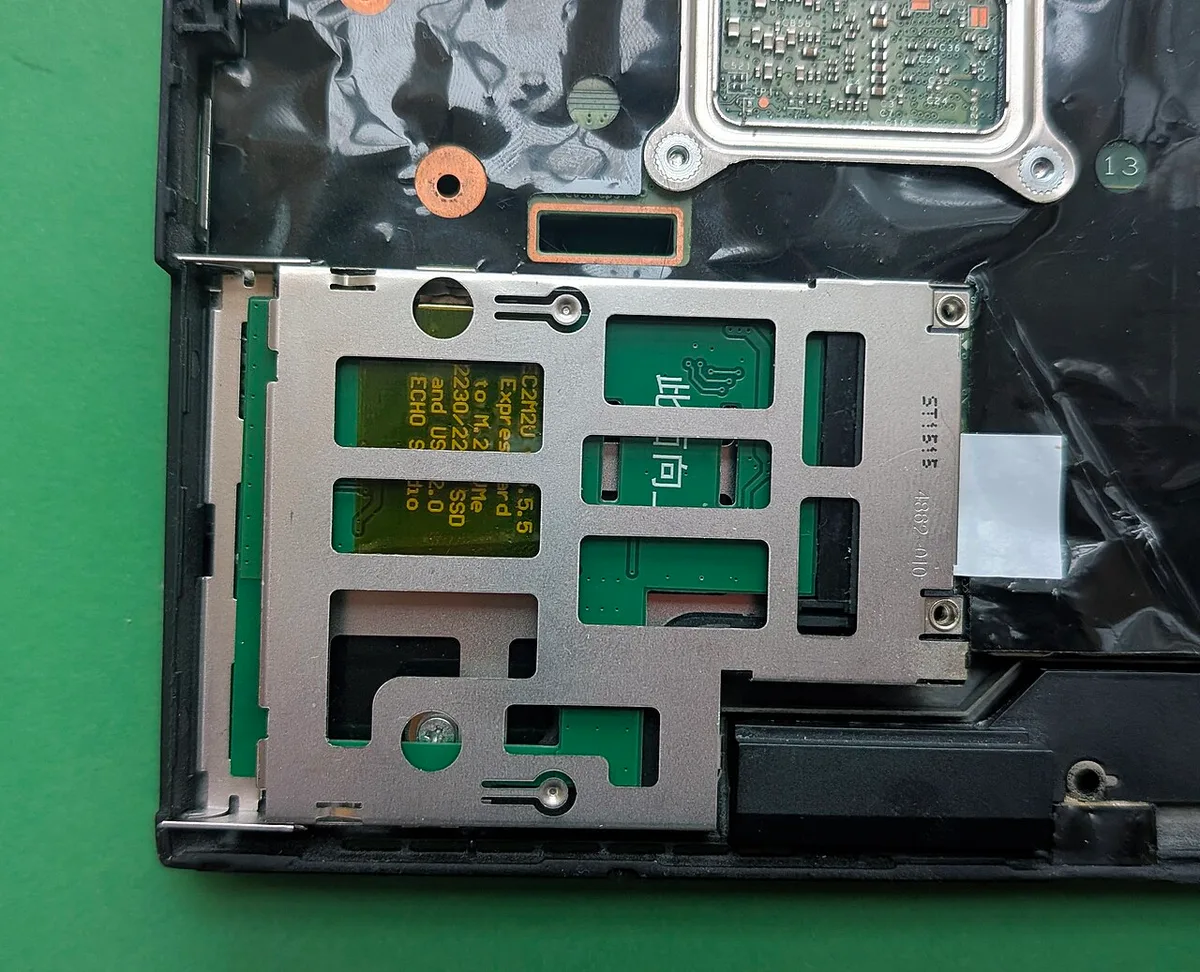
Image source: Wikimedia Commons / Siarhei V (CC BY-SA)
NVMe SSD: Capacity and Speed
PCIe Gen4 NVMe drives are the current norm. Gen5 drives exist but cost more with minimal real-world gaming benefit. Load time differences between Gen4 and Gen5 are measured in seconds, not minutes.
How much SSD storage your laptop needs depends on your library. If you play 3 to 5 games at a time, 512GB works. If you keep a large library installed, get 1TB or more.
Many laptops have a second M.2 slot for easy upgrades later.
Avoid laptops with only eMMC or SATA SSDs. They're noticeably slower. Check the spec sheet for "NVMe" or "PCIe" in the storage description.
External SSDs over USB-C offer a budget-friendly way to expand storage. They're slower than internal drives but fine for older games. Keep your most-played titles on the internal drive for best load times.
Display Refresh Rate, Resolution, and Panel Type
The display is where all that GPU power becomes visible. Refresh rate, resolution, and panel type all matter.
Refresh rate determines how smooth motion looks. 144Hz is the minimum for gaming. 165Hz and 240Hz offer smoother motion. 360Hz exists but mainly benefits competitive esports players. Most gamers won't notice beyond 165Hz.
Resolution affects sharpness. 1080p is standard and runs well on mid-range GPUs. 1440p (QHD) looks sharper but demands more GPU power. 4K is overkill for most gaming laptops and tanks frame rates.
Panel type matters for color and contrast. IPS panels offer good color accuracy and viewing angles. OLED panels deliver perfect blacks and vibrant colors but cost more.
Mini-LED bridges the gap with high brightness and good contrast.
What screen size is best for a gaming laptop affects portability and immersion. 15-inch panels balance both. 17-inch screens offer more immersion but add weight. 14-inch models suit travelers.
Side-by-Side Spec Priority Ranking
When you compare spec sheets, rank components by how directly they affect the games you play. The table below reflects aggregate benchmark data and manufacturer specifications across current gaming laptops.
| Component | Gaming Impact | What to Check | Budget Priority |
|---|---|---|---|
| GPU | Highest | Model and TGP in watts | Spend most here |
| CPU | Medium | Cores and boost clock | Mid-range is fine |
| RAM | Medium | 16GB, dual-channel | Upgrade later if needed |
| Storage | Low to medium | 1TB NVMe SSD | Capacity over speed |
| Display | Medium | Refresh rate and panel | Match your GPU |
| Cooling | High under load | Fan noise and temps | Don't ignore it |
The GPU sits at the top because it renders every frame. A stronger graphics card improves frame rates more than any other upgrade. CPU matters more in strategy games and large open worlds.
For most titles, a mid-range processor keeps pace.
RAM and storage affect smoothness and convenience. They rarely raise frame rates directly. The display determines how that performance feels.
A 240Hz screen with a weak GPU just shows stuttering more clearly.
Cooling and power delivery are easy to overlook. A laptop with a great GPU and poor cooling will throttle under load. Check review data for sustained performance, not just peak numbers.
Knowing which component matters more helps you avoid overspending on the wrong part. Reviewing the parts inside a gaming laptop also helps you read a spec sheet with confidence.
Best Spec Mix by Use Case and Budget
The right spec mix depends on what you play and how much you can spend. A competitive esports player needs different hardware than someone playing cinematic single-player games. Use the tiers below as a starting point.
| Budget Tier | GPU Target | CPU Target | RAM | Display |
|---|---|---|---|---|
| Under $900 | RTX 4050 or RX 7600S | Ryzen 5 or Core i5 | 16GB | 1080p, 144Hz |
| $900 to $1,400 | RTX 4060 | Ryzen 7 or Core i7 | 16GB | 1080p or 1440p, 165Hz |
| $1,400 to $2,000 | RTX 4070 | Ryzen 7 or Core i7 | 16GB to 32GB | 1440p, 165Hz or 240Hz |
| $2,000+ | RTX 4080 or 4090 | Ryzen 9 or Core i9 | 32GB | 1440p or 4K, 240Hz+ |
Competitive Esports and Budget Buyers
Esports titles like Valorant, CS2, and Rocket League run well on modest hardware. Frame rate stability matters more than visual fidelity. A 144Hz or 165Hz display paired with an RTX 4050 or 4060 is a strong combo.
Spend on refresh rate and cooling before chasing a top-tier GPU.
Budget buyers should watch for low-TGP GPUs and single-channel RAM. These cut costs but hurt performance. A slightly older RTX 4060 with full TGP often beats a newer chip running at reduced power.
Checking good spec targets helps you spot these traps.
AAA Single-Player and Content Creators
AAA games demand GPU power. Ray tracing, high-resolution textures, and 1440p displays all push the graphics card. An RTX 4070 with 12GB VRAM is the sweet spot for this tier.
Add 32GB RAM if you stream or edit video.
Content creators benefit from color-accurate displays. Look for panels covering 100 percent sRGB or high DCI-P3 coverage. OLED and Mini-LED panels shine here.
VESA DisplayHDR certification from VESA indicates tested brightness and contrast levels. Pair the GPU investment with a solid CPU for encoding and rendering.
Thin-and-Light and Travel Setups
Thin laptops trade cooling capacity for portability. That limits GPU TGP and sustained performance. An RTX 4060 or 4070 at moderate wattage fits well here.
Expect lower frame rates than a bulky chassis with the same chip.
Travelers benefit from smaller screens and lighter weight. 14-inch panels reduce bulk. Battery life matters more when you're away from outlets. These machines often use hybrid graphics to save power.
Advanced Optimus can switch between integrated and discrete GPUs automatically.
Mistakes That Waste Your Money
Buying the wrong spec is easy when spec sheets hide important details. These mistakes show up repeatedly in aggregate reviews and buyer feedback.
- Ignoring GPU TGP. Two identical GPUs can perform very differently at different power limits.
- Buying 8GB RAM. It causes stuttering in modern games and limits multitasking.
- Choosing 4K displays on mid-range GPUs. The frame rate hit isn't worth the sharper image.
- Overpaying for CPU tier. An i9 or Ryzen 9 rarely improves gaming over an i7 or Ryzen 7.
- Ignoring cooling. A hot laptop throttles and gets loud.
- Accepting single-channel RAM without planning an upgrade.
- Buying 512GB storage when your library needs 1TB.
- Forgetting port selection. Missing USB-C or Ethernet causes daily frustration.
- Skipping display color coverage if you also create content.
- Assuming thin means efficient. Thin chassis often run hotter.
Understanding power limits helps you avoid the most common trap. Checking how to match a gaming laptop to game requirements also prevents overspending on specs you won't use.
Final Verdict: A Simple Decision Framework
You don't need the best of everything. You need the right balance for your games and budget. Use this framework to decide.
- If you play competitive esports, prioritize refresh rate and a mid-range GPU.
- If you play AAA games, prioritize GPU tier and VRAM.
- If you stream or create content, prioritize CPU cores and RAM capacity.
- If you travel often, prioritize weight, battery, and cooling.
- If your budget is tight, prioritize GPU TGP over model number.
- If you want longevity, prioritize upgradable RAM and storage.
- If you use an external monitor, prioritize GPU and ports over display.
- If you play a mix of genres, prioritize a balanced mid-range build.
Choosing a gaming laptop by budget can help you narrow options quickly. The key is matching specs to real usage, not marketing claims.
Frequently Asked Questions
Which gaming laptop spec matters most?
The GPU matters most for gaming performance. It renders every frame and has the biggest impact on frame rates. CPU, RAM, and storage support it, but they rarely limit gaming performance as much as the graphics card does.
Is 16GB RAM enough for gaming laptops in 2026?
Yes, 16GB is enough for most gaming scenarios in 2026. It handles modern AAA titles, browser tabs, and background apps without stuttering. 32GB helps content creators and heavy multitaskers, but most gamers won't notice the difference.
Does a higher refresh rate improve gaming performance?
A higher refresh rate doesn't increase frame rates. It makes motion look smoother when your GPU can produce matching frames. 144Hz is the practical minimum for gaming. Competitive players benefit from 240Hz, but most gamers won't notice beyond 165Hz.
Should I prioritize GPU or CPU for a gaming laptop?
Prioritize the GPU for gaming. It handles rendering and has the largest impact on frame rates. A mid-range CPU paired with a strong GPU outperforms the reverse.
Only prioritize CPU if you play strategy games, stream, or create content.
How much SSD storage does a gaming laptop need?
Most gamers need at least 1TB of NVMe SSD storage. Modern AAA games take 50 to 150GB each. A 512GB drive fills quickly.
If your laptop has a second M.2 slot, you can upgrade storage later without replacing the main drive.
1 thought on “Which Gaming Laptop Specs Matter Most for Performance?”
Comments are closed.