Most people think throwing money at the latest graphics card makes a rig "high-end." It doesn't. A true high-end build balances raw power with stability, thermal headroom, and zero bottlenecks across every component. If you ask what specifications define a high end gaming pc, the answer isn't just one part.
It's the synergy of top-tier silicon working in harmony to deliver consistent, stutter-free frames at 4K resolution or ultra-high refresh rates at 1440p.
As of 2026, the baseline has shifted. We're looking at systems that handle path-traced lighting without breaking a sweat. They maintain sub-35dB noise levels under load.
And they don't throttle when pushed to their limits for hours on end. Let's break down exactly what separates a premium machine from a merely expensive one.
The Myth of the "Flagship Only" Build
Many buyers assume that slapping an RTX 4090-class GPU into any chassis creates a high-end experience. This is a dangerous misconception. Aggregate reviews indicate that mismatched components often lead to severe bottlenecks, negating the cost advantage of the flagship part.
A powerful GPU starved by a slow CPU or insufficient memory bandwidth simply waits for data. That wait translates to dropped frames and inconsistent pacing.
True high-end status requires holistic engineering. You need a processor capable of feeding instructions fast enough to keep those shaders busy. You need RAM that operates at low latencies to reduce access times.
You need a motherboard that provides robust VRMs to sustain peak clock speeds without overheating. Without this balance, your system is essentially a sports car engine trapped in a traffic jam.
Consider the scenario where a user pairs a top-tier GPU with a mid-range B-series motherboard. The board may lack adequate phase cooling. Under sustained loads, voltage regulation modules can overheat.
This triggers protective throttling. Suddenly, your $2,000 graphics card runs at reduced clocks. The result is performance closer to a cheaper tier.
This is why experts emphasize platform quality over single-component hype.
We also see confusion around pre-built systems. Some vendors label machines "high-end" based solely on the GPU model. They cut corners elsewhere to hit a price point.
Our research shows these configurations often suffer from poor airflow designs or inadequate power supplies. Always verify the full spec sheet. Look beyond the headline component.
The weakest link determines the overall strength of the chain.
Defining the True High-End Tier: Performance Thresholds That Matter
So, what numbers actually count as high-end today? It’s not just about hitting 60 FPS. That’s the floor.
A high-end definition starts with consistency at higher resolutions and refresh rates. For 4K gaming, we expect stable averages above 60 FPS in demanding titles with ray tracing enabled. At 1440p, the target shifts to 144+ FPS for competitive smoothness.
These thresholds demand specific hardware capabilities. Your GPU must have sufficient Video Random Access Memory (VRAM). As of 2026, 16GB is the absolute minimum for modern AAA titles at 4K Ultra settings.
Anything less forces texture streaming issues. These manifest as pop-in artifacts or sudden frame drops. 24GB or more provides comfortable headroom for future-proofing and heavy modding.
Frame time consistency matters more than peak FPS. A spike from 100 to 150 FPS feels worse than a steady 120 FPS if the former includes micro-stutters. High-end systems minimize these variances through superior CPU scheduling and optimized driver stacks.
Input latency should remain imperceptible. Competitive players notice delays over 20ms. Premium builds keep this figure well below 10ms.

Image source: Wikimedia Commons / A.-K. D. (CC BY-SA)
Thermal performance defines sustainability. A high-end rig maintains boost clocks indefinitely. It doesn’t slow down after thirty minutes of play.
Temperatures on critical sensors stay within safe margins. Typically, this means GPU hotspots under 85°C and CPU package temperatures staying below 90°C during stress tests. Noise levels shouldn’t exceed 40dBA at ear distance.
Silence is a luxury feature now baked into the definition of premium.
Finally, consider productivity overlap. Many high-end gamers also stream or edit video. Their specs must support multi-threaded workloads alongside gaming.
This dual-use capability pushes requirements higher than pure gaming metrics alone.
The Core Pillars: CPU, GPU, and Memory Synergy
The heart of any high-end build lies in the interplay between three main components. Get this right, and everything else falls into place. Get it wrong, and no amount of cooling fixes the fundamental flaw.
First, the Graphics Processing Unit (GPU). In 2026, NVIDIA’s Ada Lovelace successors and AMD’s RDNA 4 architectures dominate the top tier. For high-end classification, look for cards offering dedicated hardware acceleration for AI upscaling like DLSS 3.5 or FSR 3.
Raw rasterization power remains king, but efficient scaling allows playable framerates in otherwise unrunnable scenarios. Manufacturer specifications confirm that top-tier cards consume 350W to 450W under load. Ensure your rest of the system supports this draw.
Second, the Central Processing Unit (CPU). Don’t underestimate its role. Modern games increasingly rely on complex physics and AI routines handled by the CPU.
Intel’s hybrid architecture (P-cores and E-cores) and AMD’s Zen 4/Zen 5 designs compete fiercely here. A high-end CPU typically features 8 to 16 performance cores. Single-core speed is vital for gaming responsiveness.
Multi-core throughput helps background tasks and content creation. Pairing a weak CPU with a strong GPU causes severe utilization imbalances. The GPU idles while waiting for the CPU.
Third, System Memory (RAM). DDR5 has become standard for enthusiast platforms. But capacity isn't everything.
Speed and latency matter immensely. The sweet spot for high-end gaming sits around DDR5-6000 MHz with CAS Latency (CL) of 30 or lower. Higher frequencies offer diminishing returns unless tightly tuned.
Insufficient bandwidth chokes both CPU and integrated graphics paths. 32GB is the new baseline; 64GB offers comfort for multitaskers and creators.
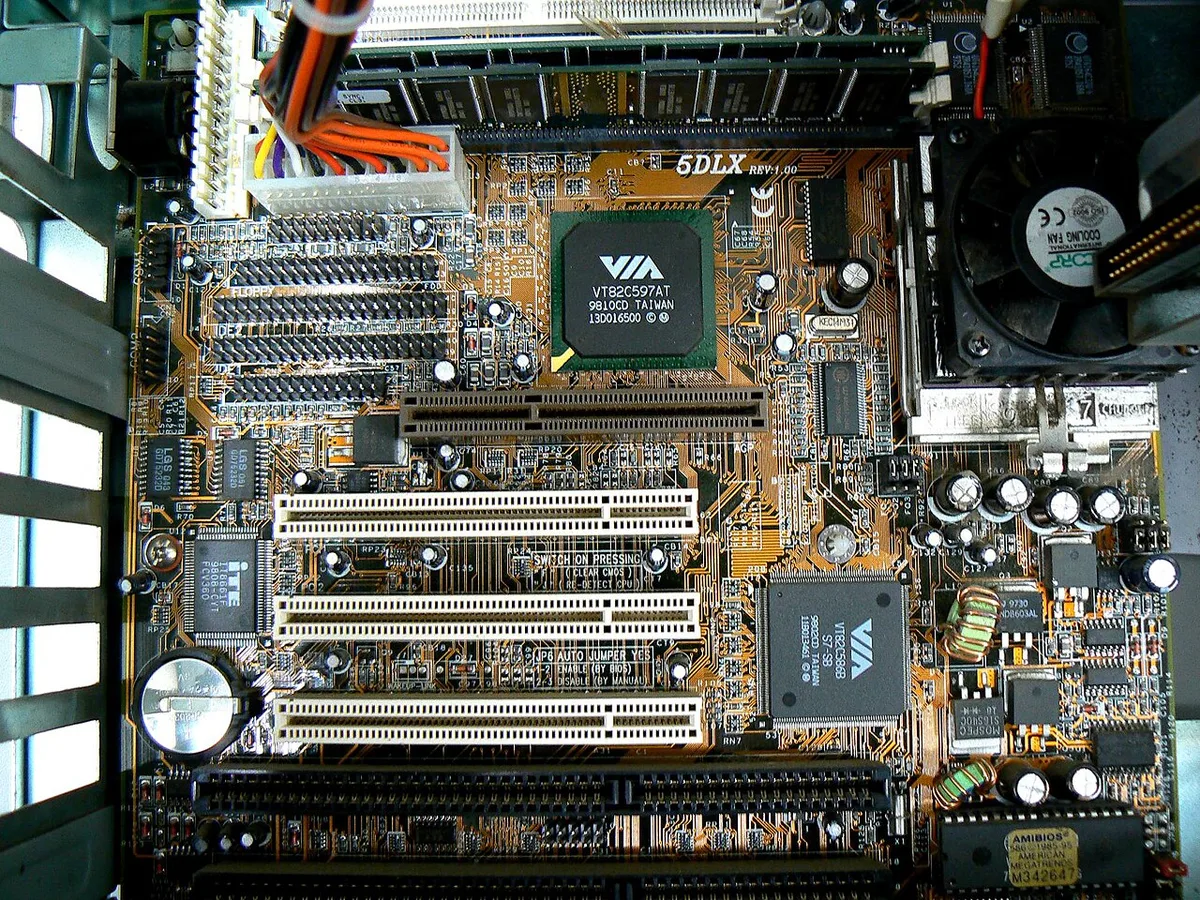
Image source: Wikimedia Commons / Zosma (CC BY-SA)
The motherboard ties these together. Enthusiast chipsets like X670E or Z790 provide necessary PCIe lanes and VRM quality. Budget boards may share lanes between storage and GPU, reducing effective bandwidth.
Check best PC gaming motherboards to understand which platforms offer the most expandability. Proper BIOS tuning unlocks EXPO or XMP profiles, ensuring your RAM runs at rated speeds. Default JEDEC standards are conservative.
High-end users enable aggressive timings manually or via presets.
Supporting Cast: Storage, Power Delivery, and Thermal Dynamics
Often overlooked, these supporting elements determine whether your system lasts years or fails prematurely. They convert raw potential into reliable daily performance.
Storage technology has evolved rapidly. PCIe Gen 4 NVMe SSDs are now entry-level for high-end builds. Gen 5 drives offer blistering sequential reads exceeding 10,000 MB/s.
However, random read/write speeds impact game loading more critically. Look for drives with high IOPS ratings. Capacity should start at 2TB minimum.
Games are massive now. A single title can occupy 150GB. Running out of space forces painful deletions or external drive usage.
External USB connections introduce latency. Keep active libraries internal.
Power Supply Units (PSU) deserve careful selection. ATX 3.0 and 3.1 standards ensure native support for modern GPU connectors. Avoid adapters whenever possible.
They create failure points and fire hazards. Efficiency ratings of Gold or Titanium minimize waste heat. A poorly sized PSU struggles with transient spikes.
Flagship GPUs can double their power draw in milliseconds. An undersized unit trips protection circuits, crashing the system. Calculate total wattage needs plus 20% headroom.
For typical high-end rigs, 850W to 1000W suffices. Extreme overclocking might push toward 1200W. Refer to our guide on best virus protection for gaming pc indirectly by remembering software stability relies on hardware integrity.
Unstable power corrupts files and OS installations.
Cooling solutions manage the heat generated by these powerful parts. Air coolers remain viable for many CPUs. Large tower heatsinks with dual fans excel here.
Liquid cooling offers better density for compact cases. All-In-One (AIO) units simplify installation. Custom loops maximize aesthetics and thermal dissipation but require maintenance expertise.
Case airflow dictates effectiveness. Positive pressure setups prevent dust ingress. Negative pressure pulls air through filters inefficiently.
Mesh front panels outperform solid glass fronts for thermal transfer. Fans should be quiet yet static-pressure focused. Standard case fans fail against dense radiators.
Choose models designed for resistance.
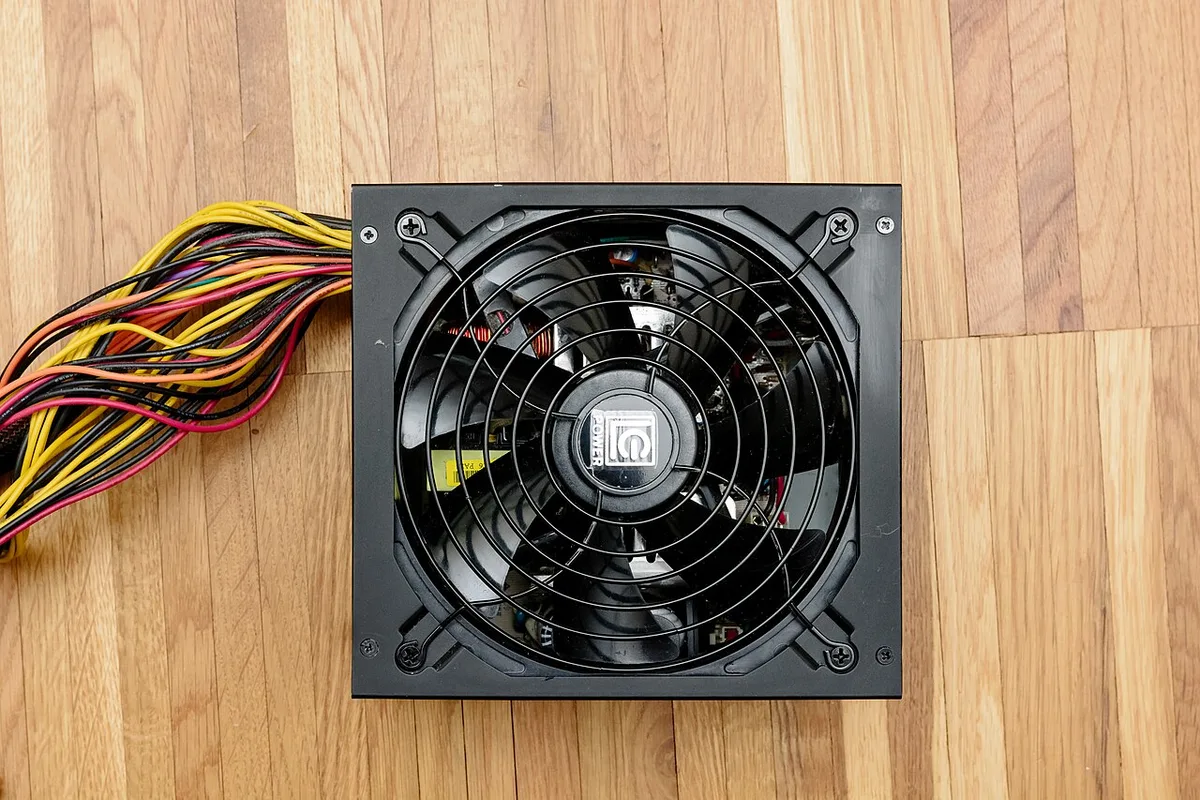
Image source: Wikimedia Commons / Henry Kellner (CC BY-SA)
Cable management aids airflow and ease of service. Modular PSUs allow removing unused cables. Clutter blocks fan intakes.
Route wires behind the tray. Use velcro straps instead of zip ties for adjustability. Good organization reduces anxiety during upgrades.
It also prevents accidental disconnections during transport. Dust accumulation accelerates over time. Regular cleaning preserves thermal performance.
Consider environmental factors like pet hair or smoking residue. These clog filters faster.
Side-by-Side Breakdown: NVIDIA vs. AMD Ecosystem Choices
Choosing between NVIDIA and AMD isn't just about brand loyalty. It involves weighing feature sets, pricing structures, and long-term viability. Both companies produce excellent high-end silicon in 2026.
Understanding their differences clarifies which fits your specific goals.
NVIDIA leads in proprietary technologies. DLSS 3.5 Frame Generation uses AI to synthesize intermediate frames. This boosts perceived smoothness significantly in supported titles.
Ray Tracing performance remains superior due to specialized RT cores. Professional applications favor CUDA acceleration. Content creators relying on Adobe Premiere or Blender often find NVIDIA drivers more optimized.
However, pricing premiums persist. Flagship cards command steep costs. Availability fluctuates based on crypto-mining trends or export restrictions.
AMD counters with open-standard approaches. FidelityFX Super Resolution (FSR) works across various GPUs, including older generations. It lacks AI tensor core dependency.
Recent iterations improve image quality substantially. Rasterization efficiency rivals NVIDIA at lower price points. Radeon RX 7900 XTX class cards often undercut competitors on raw FPS per dollar.
Driver maturity has improved greatly since early RDNA launches. Linux support is notably stronger thanks to Mesa drivers. Open-source enthusiasts appreciate transparency.
Yet, professional creative workflows sometimes lag behind NVIDIA’s ecosystem integration.
| Feature | NVIDIA High-End (e.g., RTX 4090 Successor) | AMD High-End (e.g., RX 7900 XTX Successor) |
|---|---|---|
| Upscaling Tech | DLSS 3.5 (AI-driven, superior quality) | FSR 3 (Open standard, broader compatibility) |
| Ray Tracing | Dedicated RT Cores (Best-in-class) | Hybrid Compute/Ray Acceleration (Good, improving) |
| Power Efficiency | High TDP, advanced node benefits | Competitive efficiency, variable boost behavior |
| Software Suite | GeForce Experience/NVIDIA App (Polished) | Adrenalin Edition (Feature-rich, occasional bugs) |
| Professional Work | CUDA dominance, certified drivers | ROCm growing, niche adoption increasing |
| Price-to-Performance | Lower ratio (Premium tax applied) | Higher ratio (Value proposition stronger) |
For pure gaming at 4K, NVIDIA still holds an edge in ray-traced titles. The difference widens when Path Tracing becomes common. If you prioritize rasterized performance and value, AMD delivers compelling results.
Check best graphic cards for gaming pc for current market comparisons. Remember that monitor choice influences this decision too. G-Sync compatible displays pair seamlessly with NVIDIA.
FreeSync works universally but varies in implementation quality. Verify VRR certification lists before purchasing monitors.
Ultimately, neither vendor dominates absolutely. The "best" depends on your library preferences. Do you play Cyberpunk-style RT-heavy games?
Lean NVIDIA. Do you prefer esports titles or classic shooters? AMD saves money for other upgrades.
Balance the budget accordingly.
Pre-Built Convenience vs. DIY Precision: Where Your Money Goes
Buying a high-end system involves a critical fork in the road. You can assemble parts yourself or purchase a factory-integrated tower. Each path offers distinct advantages and hidden costs.
Our research indicates that DIY builds typically save 15% to 20% compared to equivalent pre-builts. This margin covers premium components like faster RAM or larger SSDs. However, you assume full responsibility for compatibility and assembly errors.
Pre-built systems justify their price tag through integration and support. Manufacturers test stability rigorously before shipping. They optimize cable management and airflow within specific chassis designs.
If something fails, one phone call resolves the issue. This convenience appeals to users who value time over money. Verified buyer feedback often cites peace of mind as the primary benefit.
Yet, pre-builts frequently hide compromises. Vendors may use proprietary motherboards with limited upgrade paths. Power supplies might be custom-shaped units that cannot be replaced easily.
Storage drives are often slower OEM models not found in retail boxes. Always inspect the detailed spec sheet. Look for standard ATX form factors.
Avoid locked BIOS settings if you plan to tweak performance later.
DIY offers ultimate control. You select every component based on personal preference. Want silent operation?
Choose low-RPM fans and sound-dampening cases. Need maximum RGB customization? Pick matching peripherals and controllers.
This flexibility ensures your build reflects your exact needs. But it requires patience. Troubleshooting boot issues demands technical knowledge.
A single incompatible part can halt progress for days.
Consider your skill level honestly. If you’ve never opened a PC case, start small. Build a mid-range system first.
Learn the basics of thermal paste application and static safety. Then scale up to high-end territory. Alternatively, hire a professional builder service.
Many local shops offer assembly for a flat fee. This hybrid approach combines DIY savings with expert execution. It eliminates risk without paying vendor markups.
For those leaning toward pre-builts, check best prebuilt gaming pc options carefully. Compare warranties and return policies. Some brands offer two-year coverage on labor and parts.
Others restrict support to ninety days. Longer terms signal confidence in product durability. Also, verify software bloatware presence.
Clean Windows installations enhance security and speed. Ask sellers if they include antivirus trials or unnecessary utilities. Remove them immediately upon setup.
Common Pitfalls: Bottlenecks, Diminishing Returns, and Compatibility Traps
Even experienced builders fall into traps when chasing peak performance. The most common error is ignoring the bottleneck effect. Pairing an RTX 4090-class GPU with a six-core CPU limits frame rates in CPU-intensive titles.
Games like Microsoft Flight Simulator or Cyberpunk 2077 rely heavily on processor threads. An underpowered CPU leaves the GPU idle while waiting for instructions. This imbalance wastes hundreds of dollars in potential horsepower.
Another frequent mistake is overspending on marginal gains. Moving from a Ryzen 7 to a Ryzen 9 might yield only 3-5% FPS improvement in many games. That same budget could buy significantly more VRAM or a better monitor.
High-refresh-rate displays amplify perceived smoothness far more than slight CPU upgrades. Prioritize spending where visual impact is greatest. Often, this means upgrading resolution or refresh rate rather than raw compute power.
Compatibility issues plague both DIY and pre-built scenarios. Physical clearance problems arise when large air coolers interfere with tall RAM heatsinks. Motherboard standoffs must align perfectly with case holes.
Misalignment causes short circuits. Double-check dimensions before purchasing. Use online configurators to validate fitment.
These tools flag obvious mismatches instantly. They save hours of frustration during assembly.
Software conflicts also degrade high-end experiences. Overlay applications from Discord, Steam, and NVIDIA can clash. Disable unnecessary overlays to reduce input lag.
Update drivers regularly but avoid beta versions unless necessary. Stable releases undergo extensive testing. Beta builds prioritize new features over reliability.
Stick to Game Ready or Studio drivers depending on your workload. Mixed usage benefits from Studio drivers’ stability optimizations.
Finally, neglecting power delivery leads to instability. Transient spikes occur when GPUs switch loads rapidly. Weak PSUs trip over-current protection.
Systems crash unexpectedly. Ensure your unit meets ATX 3.0 standards. Native 12VHPWR cables eliminate adapter risks.
Adapters introduce resistance points prone to melting. Direct connections ensure consistent voltage flow. Check best wireless headsets for pc gaming compatibility too, as Bluetooth interference affects audio latency in crowded RF environments.
Wired alternatives remain superior for competitive play.
Real-World Scenarios: Matching Specs to Specific Gaming Goals
Not all high-end gamers have identical priorities. Tailoring specs to your specific goals maximizes satisfaction. Let’s examine three common profiles.
First, the Competitive Esports Player. Focus here is absolute consistency at 1440p or 1080p resolutions. Frame times matter more than average FPS.
A strong single-core CPU is non-negotiable. Look for Intel Core i9 or AMD Ryzen X3D series chips. These processors excel at rapid instruction execution.
Pair them with a high-refresh-rate monitor (240Hz+). GPU choice becomes secondary; even mid-tier cards handle these workloads easily. Invest in low-latency peripherals instead.
Mechanical keyboards and lightweight mice provide tangible edges. Audio clarity helps locate opponents quickly. Consider best pc mics for gaming for clear team communication.
Background noise suppression matters less than voice isolation.
Second, the 4K Ultra Immersion Seeker. This user prioritizes visual fidelity above all else. Ray tracing and path tracing demand massive GPU resources.
Aim for top-tier NVIDIA cards with ample VRAM. 24GB minimum ensures texture streaming remains smooth. Combine this with a wide-color-gamut OLED or Mini-LED display. HDR implementation transforms lighting dynamics dramatically.
CPU requirements relax slightly since GPU bottlenecks dominate. Still, avoid older generations. Modern titles utilize multi-threaded physics engines effectively. 32GB DDR5 RAM handles background processes seamlessly.
Storage speed impacts load times noticeably. Gen 4 NVMe drives suffice for most libraries. Larger capacities prevent constant file management.
Third, the Hybrid Creator-Gamer. Streaming, editing, and playing simultaneously strain systems uniquely. Multi-core CPU strength supports encoding tasks alongside gameplay.
AMD Ryzen 9 or Intel Core i9 variants shine here. Fast storage accelerates asset rendering. Dual-channel memory bandwidth aids video export speeds.
GPU selection balances gaming prowess with CUDA acceleration for Adobe apps. NVIDIA holds an advantage in creative suites due to driver optimization. Monitor calibration accuracy prevents color shifts in final exports.
Reliable internet connectivity avoids stream interruptions. Ethernet ports outperform Wi-Fi 6E in stability tests. Check best tv gaming pc setups if living-room console-style play intersects with PC production workflows.
HDMI 2.1 inputs support variable refresh rates essential for mixed media consumption.
Each profile demands different resource allocation. Identify your primary use case first. Allocate budget accordingly.
Compromise on lesser-used features. This strategic approach yields higher long-term satisfaction than blanket flagship purchases.
Frequently Asked Questions
Is 32GB of RAM enough for a high-end gaming PC in 2026?
Yes, 32GB remains sufficient for pure gaming. Most current titles consume under 16GB during runtime. However, heavy multitasking or content creation pushes limits.
Streamers and editors benefit from 64GB kits. Future-proofing considerations favor larger capacities if budget allows. Otherwise, stick to fast DDR5-6000 CL30 modules for optimal responsiveness.
Do I need a separate sound card for high-end audio quality?
No, modern motherboard integrated audio codecs perform excellently. Realtek ALC4080 or similar chips drive headphones effectively. Dedicated cards rarely improve perceptible fidelity for gaming.
Save funds for better headset amplifiers or DACs if needed. Focus on acoustic treatment and microphone quality instead. Clear communication outweighs subtle tonal differences in multiplayer contexts.
How important is PCIe Gen 5 support for gaming today?
Currently, minimal importance applies to direct gaming performance. No mainstream title utilizes Gen 5 bandwidth exclusively. Gen 4 SSDs saturate game loading requirements comfortably.
Gen 5 primarily benefits future-proofing and extreme file transfers. Wait for native Gen 5 optimized games before prioritizing this feature. Current investments yield negligible returns in FPS metrics alone.
Should I worry about coil whine in high-end GPUs?
Coil whine varies by individual unit manufacturing tolerances. It does not affect performance or longevity. Many owners ignore it once immersed in gameplay.
Choosing cards with robust shroud designs mitigates audible resonance slightly. Return policies cover excessive noise complaints. Test thoroughly within warranty periods.
Silent operation correlates more with fan curves than electrical oscillation frequencies.
2 thoughts on “High-End Gaming PC Specs: What Defines True Power”
Comments are closed.