Figuring out which gaming pc components can be bought used is one of the smartest ways to stretch a build budget. Not every part handles secondhand life the same way though. Some components age gracefully and save you real money.
Others carry hidden wear that can wreck a build weeks after purchase.
A used mid-range graphics card can still deliver strong 1080p or 1440p performance if it was never heavily overclocked. Manufacturer specifications and aggregate seller data suggest that condition matters far more than age alone. Knowing which parts to trust and which to skip makes the difference between a great deal and a costly mistake.
Let's walk through the parts worth buying used and the ones you should leave on the shelf.
which gaming pc components can be bought used
You can buy used cases, RAM, air coolers, fans, and CPUs safely. GPUs and SSDs are sometimes worth buying used with careful inspection. Avoid used power supplies, AIO coolers, and motherboards unless refurbished.
Condition and seller reputation matter more than age.
Why Used PC Components Are Not All Equal
Every component in a gaming PC wears differently over time. Some parts have no moving parts and barely degrade. Others run hot, spin fast, or push electricity through delicate circuits every second they're on.
That difference in wear is the whole reason this question matters.
A CPU or stick of RAM is mostly solid silicon and metal. If it wasn't overclocked or physically damaged, it can run for a decade without issue. Aggregate reviews report that used CPUs often perform identically to new ones when tested side by side.
The same goes for system memory in most cases.
GPUs sit in the middle. They have fans, thermal paste, and power delivery circuits that degrade slowly. A card used for light 1080p gaming may have years of life left.
One mined on 24/7 for two years is a different story. Coil whine, fan bearing noise, and dried thermal paste are common complaints on heavily used cards.
Then there are the high-risk parts. Power supplies push high voltage through capacitors that age with heat and time. AIO liquid coolers rely on pumps that can fail without warning.
Motherboards have tiny surface-mount components that are nearly impossible to inspect visually.
The key takeaway is simple. Wear depends on how hard a part was pushed and for how long. Age alone tells you very little.
Always ask about usage history, not just the purchase date.
Used parts also come in different condition grades. Open-box units were returned unused or barely used. Refurbished units were inspected and repaired by the manufacturer or a retailer.
Private-sale parts are as-is with no guarantee. These grades affect both price and risk, which we'll cover in detail later.
Image source: Wikimedia Commons / Kentaro Ohno (CC BY)
Components That Are Usually Safe to Buy Used
Some parts are genuinely low-risk secondhand purchases. They either have no moving parts, degrade slowly, or are easy to test before buying.
CPU (processor). Processors are among the safest used buys. Modern chips from Intel and AMD rarely fail unless physically damaged or severely overheated. Check for bent pins on AMD chips and socket damage on Intel models.
A quick POST test confirms it works. Used tray CPUs without retail boxes are common and usually fine if the seller includes a compatible cooler.
RAM (system memory). Memory sticks are solid-state components with no moving parts. They either work or they don't. Run MemTest86 for a few passes to confirm stability.
Match the generation (DDR4 or DDR5), speed, and capacity to your motherboard. Buying used RAM can save 30 to 50 percent off retail pricing as of 2026.
PC case and chassis. Cases are just metal and plastic. They don't wear out electrically. Inspect for dents, broken standoffs, missing screws, and stripped threads.
A used case in good shape is one of the best deals in PC building. If you're planning a small form factor build, used cases can be especially valuable since compact chassis often cost more new.
Air coolers and case fans. These have moving parts but are cheap and easy to replace. Check that fans spin smoothly without grinding or rattling. Replace the thermal paste on any used CPU cooler before installing it.
Manufacturer specifications for cooler mounting vary, so confirm socket compatibility before buying.
Storage (with caution). SATA SSDs and NVMe drives are generally safe if the seller provides SMART data. Check the TBW rating and remaining lifespan percentage. Avoid drives with high reallocated sector counts or excessive wear.
HDDs are riskier due to mechanical parts and are best avoided for gaming storage.
Cables and accessories. PCIe power cables, SATA cables, and adapters are cheap to replace but fine to buy used if inspected for damage.
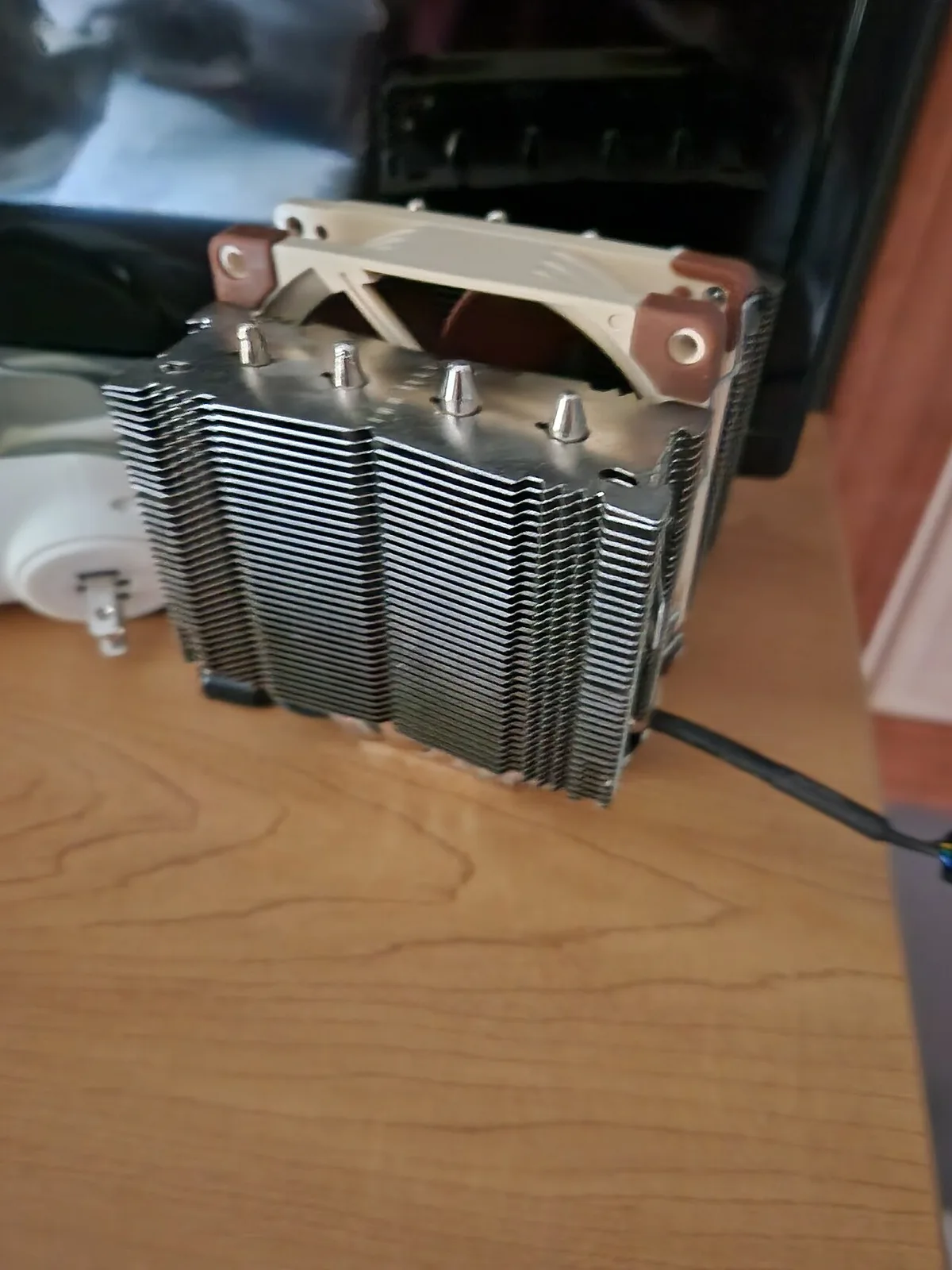
Image source: Wikimedia Commons / TheSaturnLover
Components You Should Avoid or Buy Used Carefully
Some parts carry too much hidden risk to buy used without serious precautions. Here's where to be careful.
Power supply (PSU). This is the riskiest component to buy used. Capacitors degrade with heat and age. A failing PSU can take out your entire system or worse.
If you must buy used, stick to reputable brands with 80 Plus Gold or better ratings and ask for the purchase date. Refurbished units with warranty are the safer route. Never buy a no-name or heavily used PSU.
A UL-certified unit at least gives you a baseline safety standard.
AIO liquid coolers. Pump failure is silent and sudden. A dead pump means your CPU overheats in minutes. Coolant can also evaporate or leak over time.
Used AIOs are hard to test fully before purchase. If you want liquid cooling, buy new or manufacturer-refurbished.
Motherboards. They're fragile, hard to test thoroughly, and often sold without accessories. Bent pins, damaged PCIe slots, and dead USB ports are common. BIOS tampering and compatibility issues add risk.
Buy used only if you can test it before paying, and confirm the exact model supports your CPU. Checking Intel's processor database helps verify socket and chipset compatibility.
GPUs with mining history. Mining-used cards ran at 100 percent load for months or years. Fan bearings wear out, thermal paste dries, and VRAM degrades. Ask directly about mining use.
If the seller dodges the question, assume the worst. A used gaming GPU with light usage history is a much safer bet.
Pre-used storage without SMART data. Never buy a used drive without checking its health metrics first. Fake capacity scams are also common on private sales.
Used vs New vs Refurbished: What Actually Changes
The condition label on a listing changes everything about price, risk, and support.
New components come with full manufacturer warranty, sealed packaging, and known history. You pay the most but take the least risk. For PSUs, AIOs, and motherboards, new is almost always the right call.
Used parts are sold as-is by private sellers or small resellers. Prices are lowest but so is protection. There's no warranty unless the original is transferable, and most aren't.
You're trusting the seller's honesty and your own testing skills. Used is best for low-risk parts like cases, RAM, and air coolers where failure is obvious and damage is rare.
Refurbished units sit in the middle. A manufacturer or authorized retailer inspected, repaired, and repackaged the unit. They usually include a shorter warranty, often 90 days to one year.
Refurbished GPUs and SSDs can be excellent deals because the testing is done for you. The price premium over used is often worth the peace of mind.
Open-box items are essentially new products returned within the return window. They're typically discounted 10 to 20 percent and include full warranty. These are the closest thing to new at a used price.
| Condition | Price | Warranty | Risk Level | Best For |
|---|---|---|---|---|
| New | Highest | Full (1-5 years) | Lowest | PSU, AIO, motherboard |
| Refurbished | Medium | 90 days to 1 year | Low | GPU, SSD, RAM |
| Open-box | Slight discount | Full | Lowest | Any component |
| Used (private) | Lowest | None | Highest | Case, RAM, air cooler, fans |
The right choice depends on the component and your risk tolerance. For high-risk parts, refurbished or new wins. For low-risk parts, used saves the most money with minimal downside.
Matching the buying channel to the component type is the real skill here.
If you're still figuring out your overall budget, our guide on setting a realistic build budget can help you decide how much to allocate to used versus new parts. And if you're splitting funds across components, our budget allocation guide breaks down where your money goes furthest. For beginners, understanding gaming hardware basics makes used-part shopping much less intimidating.
Side-by-Side Risk and Value Comparison
The easiest way to decide is to compare parts by failure risk, not just price.
| Component | Used Verdict | Main Risk | Quick Test |
|---|---|---|---|
| CPU | Usually safe | Bent pins, socket damage | POST test, temperature check |
| GPU | Conditional | Fan wear, thermal paste, mining use | Stress test, artifact check |
| RAM | Usually safe | Instability, compatibility | MemTest86 passes |
| Motherboard | Risky | Dead ports, BIOS issues | Full port and slot test |
| PSU | Avoid used | Capacitor aging | Not practical for most buyers |
| AIO cooler | Avoid used | Pump failure, leaks | Hard to verify fully |
| Case | Very safe | Physical damage only | Visual inspection |
| SSD | Conditional | Wear, fake capacity | SMART data, TBW check |
A used CPU or RAM stick can deliver nearly the same value as new hardware. The risk stays low because these parts have no moving parts and rarely degrade from normal use.
GPUs and SSDs need more caution. A used GPU can be a great deal, but only if you verify fan noise, temperatures, and visual artifacts under load. A used SSD is fine when SMART data shows healthy wear levels.
PSUs, AIO coolers, and motherboards are the three parts where used savings often aren't worth the risk. Replacing a failed PSU or motherboard can cost more than buying new the first time.
Best Used Component Choices by Budget and Build Goal
Your build goal should decide which used parts make sense.
| Build Goal | Good Used Buys | Better Bought New |
|---|---|---|
| 1080p budget build | Case, RAM, CPU, air cooler | PSU, motherboard |
| 1440p mid-range build | Case, RAM, air cooler, maybe GPU | PSU, motherboard, AIO |
| 4K or high-end build | Case, RAM, fans | GPU, PSU, motherboard |
| Small form factor build | Case, RAM, low-profile cooler | PSU, motherboard |
For a budget 1080p system, used CPUs and RAM can free up money for a better GPU. That trade usually improves real gaming performance more than buying everything new at lower tiers.
For mid-range builds, a used GPU with clean history can work well. Ask about mining use and request proof of purchase or benchmark screenshots. If the seller won't share details, assume heavy use.
For high-end or 4K builds, the used savings matter less. A used GPU near the top of the market carries too much risk for the small discount. Buying new gives you warranty support if a high-cost part fails.
Small form factor builds are a special case. Used compact cases can save a lot, but SFX PSUs and mini-ITX motherboards are riskier used because compatibility and power delivery matter more. If you're choosing between a used prebuilt and a custom build, our guide on prebuilt systems can help you compare the tradeoffs.
Mistakes to Avoid and How to Test Used Parts
Most bad used-part purchases come from skipping basic checks.
- Buying without a return policy. If the seller won't accept returns, the price should reflect that risk.
- Ignoring compatibility. Check CPU socket, RAM generation, PSU wattage, and case size before paying.
- Trusting vague listings. "Works great" means nothing without model numbers, photos, and usage history.
- Skipping SMART checks on SSDs. Always ask for health data before buying used storage.
- Buying a PSU because it "looks clean." Capacitor aging isn't visible from the outside.
- Ignoring fan noise. Grinding or rattling fans often mean bearing wear.
- Forgetting included accessories. Missing brackets, cables, or mounting hardware can add hidden cost.
Testing should be simple and repeatable.
- Power on and confirm POST.
- Check BIOS version and CPU recognition.
- Run MemTest86 for at least two passes on RAM.
- Check SSD SMART data and compare TBW usage.
- Run a CPU stress test and monitor temperatures.
- Run a GPU stress test and watch for artifacts, crashes, or overheating.
- Listen for coil whine and fan noise.
- Verify all ports, slots, and connectors work.
If a seller refuses testing before payment, walk away. There are too many used parts on the market to accept that risk. Beginners who want a clearer foundation before shopping should review gaming hardware basics first.
Final Recommendation: What to Buy Used and What to Skip
Buy used for parts with low failure risk and easy testing. Buy new or refurbished for parts where failure is expensive or hard to detect.
Used is usually worth it for:
- PC cases
- RAM
- CPUs with clean history
- Air coolers
- Case fans
- Cables and brackets
Used can be worth it with proof for:
- GPUs with light gaming history
- SSDs with healthy SMART data
- Open-box or refurbished components
Skip used or buy only refurbished for:
- Power supplies
- AIO liquid coolers
- Motherboards
- Drives with unknown health
- Parts with no return policy
The best used-part strategy is simple. Save money where failure is obvious and cheap. Spend money where failure is hidden and expensive.
That approach protects your build while still giving you the price advantage of secondhand hardware.
If you're planning around a specific resolution, our guide on 1080p gaming PC budgets can help you decide where used parts fit best.
Frequently Asked Questions
Can you buy a used graphics card safely?
Yes, if you verify its history and condition. Ask about mining use, check fan noise, and run a stress test for artifacts or overheating. Buying from a seller with a return policy reduces risk.
Refurbished GPUs are safer but cost more.
Which used parts save the most money?
Cases, RAM, and air coolers usually offer the best savings with the lowest risk. These parts are easy to inspect and rarely fail from normal use. Used CPUs can also save money if socket compatibility is confirmed.
Should you buy a used power supply?
No, unless it is refurbished with warranty. Capacitors age with heat and time, and a failing PSU can damage other components. The small savings are not worth the risk to the rest of your build.
Is used RAM reliable for gaming?
Yes, in most cases. RAM has no moving parts and usually works or fails completely. Run MemTest86 before trusting it in a build.
Match generation, speed, and capacity to your motherboard.
How do you check a used SSD before buying?
Ask for SMART data, including TBW usage and reallocated sector counts. Compare the reported capacity with the model's official specifications. Avoid drives with high wear or unknown health history.