Building a gaming PC on a very limited budget is less about buying cheap parts and more about making smart trade-offs. The difference between a $400 machine that runs Fortnite at 120fps and one that stutters at 30fps usually comes down to three things: where you put the money, whether you buy used, and how well you match your CPU to your GPU.
As of 2026, a realistic ultra-budget build lands between $300 and $700 USD depending on your region, your tolerance for used parts, and your target resolution. The 80 Plus certification standard for power supplies is one spec you should never skip, even at the bottom tier, because an unrated PSU can take your whole build down with it.
how to build a gaming pc on a very limited budget
Set a hard budget ceiling first. Pick your CPU and GPU as a matched pair. Fill the rest with used or refurbished parts.
Test everything before final assembly. Target 1080p at 60fps on low to medium settings. Expect to spend $300 to $700 total.
Why a Very Limited Budget Changes the Whole Game
When money is tight, every dollar has a job. You can't just buy the fastest CPU and GPU and call it a day. The whole build becomes a series of trade-offs.
On a normal budget, you might overspend a little to be safe. On a very limited budget, that kind of mistake costs you a whole component. A $30 PSU instead of a $50 one frees up $20 for RAM.
But a dead PSU takes your motherboard with it.
The biggest shift is mindset. You stop thinking about "best" and start thinking about "good enough for the games I play." That single change saves more money than any coupon code.
This is also where a custom build earns its keep. A prebuilt at the same price usually cuts corners you can't see, like a no-name power supply or a single stick of RAM. Building yourself lets you see every corner.
If you're new to this, our guide on what beginners should understand about gaming PC hardware covers the basics before you spend a cent.
What You Can Realistically Expect at Each Budget Level
Expectations matter more than specs here. A $300 build and a $700 build are both "budget" builds, but they deliver very different experiences.

Image source: Wikimedia Commons / Dietmar Rabich (CC BY-SA)
At $300, you're playing esports titles and older games at 1080p. Think Valorant, Fortnite, and CS2 on low to medium settings. New AAA releases will struggle.
Frame rates land somewhere between 45 and 75fps in competitive titles.
At $500, the door opens wider. You can run most modern games at 1080p on medium settings at a steady 60fps. This is the tier where a used mid-range GPU like an RX 580 or GTX 1660 Super starts to shine.
At $700, you're approaching comfortable 1080p gaming. High settings in many titles become realistic, and you get headroom for future upgrades. It's also the point where a new GPU like an RX 6600 or RTX 3050 becomes affordable without sacrificing the rest of the build.
The table below maps each tier to what it can actually run.
| Budget Tier | Typical Target | Realistic FPS (1080p) | Game Examples |
|---|---|---|---|
| $300 | Esports and older titles | 45-75 fps | Valorant, CS2, Fortnite |
| $500 | Modern games on medium | 60 fps steady | Apex Legends, GTA V, Minecraft |
| $700 | Modern games on high | 60-90 fps | Cyberpunk 2077, Hogwarts Legacy |
If you're unsure how much you should spend on a 1080p gaming PC, that question deserves its own honest answer before you commit money.
The Variables That Decide Your Build Path
Not every budget build looks the same. Four variables decide which path makes sense for you.
Your Actual Budget Ceiling
Be honest with yourself. A $500 budget that quietly stretches to $650 is really a $650 budget. Pick a hard number and include the hidden costs: Windows license, thermal paste, and a few case fans.
Regional Pricing and Availability
Prices vary wildly by region. A GPU that costs $120 in the US might cost $180 in Australia or the UK after shipping and VAT. Always price parts in your local currency before committing.
Used-Part Access and Risk Tolerance
Used parts can cut your cost by 30 to 50 percent. But they come with risk. A used GPU might have mining wear.
A used CPU might have bent pins. If you're not comfortable testing and returning, buy new.
Upgrade Plans Down the Road
A cheap motherboard with no upgrade path means rebuilding from scratch in two years. Spending $20 more on a B550 board instead of an A520 board buys you a CPU upgrade later. That's the kind of thinking that separates a smart budget build from a throwaway one.
Our breakdown of how to divide a gaming PC budget between components walks through exactly this kind of allocation.
Build Paths by Budget Tier: $300, $500, and $700
Here's what each tier actually looks like in parts. These are starting points, not shopping lists. Prices move weekly.
The $300 Entry-Level Build
The strategy here is used everything except the PSU. Grab a used Ryzen 5 2600 or Intel i5-9400F, a used RX 570 or GTX 1060 6GB, 8GB of DDR4 RAM, a 240GB SATA SSD, and a basic case. Spend the most on a new 500W 80 Plus Bronze PSU.
Eight gigabytes of RAM is the floor. It'll run, but multitasking will hurt. If you can find 16GB used for $15 more, grab it.
The $500 Sweet-Spot Build
This is where budget building gets fun. A used Ryzen 5 3600 on a B450 board, a used RX 580 or GTX 1660 Super, 16GB DDR4-3200, a 500GB NVMe SSD, and a new 550W 80 Plus Bronze PSU. You get real 1080p gaming without the pain.
The Ryzen 5 3600 still holds up well in 2026 for 1080p. Aggregate benchmarks show it pairing cleanly with mid-range GPUs without major bottlenecking.
The $700 Future-Proof-ish Build
New CPU, new GPU, new everything except maybe storage. A Ryzen 5 5600 on B550, an RX 6600 or RTX 3050, 16GB DDR4-3600, a 1TB NVMe SSD, and a 650W 80 Plus Gold PSU. This build handles modern games at high settings and gives you a real upgrade path.
The B550 chipset matters here. It supports PCIe 4.0 and gives you a clear path to a Ryzen 7 5800X3D later if you want one.
New Parts, Used Parts, Prebuilts, or a Console: Which Route Fits?
The right answer depends on your situation, not just your budget.
Buying New on a Tight Budget
New parts give you warranties and peace of mind. The downside is price. At $300 to $400, new parts force painful compromises, like a dual-core CPU or a GPU with 4GB of VRAM.
If you can stretch to $500, new becomes more viable.
Buying Used or Refurbished
Used parts deliver the best price-to-performance ratio. The risk is real though. Always test before you commit, and prefer sellers with return windows. eBay buyer protection and local classifieds with in-person testing are your friends.
Refurbished OEM Desktops
A refurbished Dell OptiPlex or HP EliteDesk with an i5 and 8GB of RAM costs $100 to $150. Add a low-profile GTX 1650 or RX 6400 and you have a gaming PC for under $250. These machines are built like tanks and run cool.
Prebuilt Budget Gaming PCs
Prebuilts save time but cost more per component. At the low end, they often ship with single-channel RAM and weak PSUs. If you're weighing this, our article on what a prebuilt gaming PC system is and whether you should buy one breaks down the trade-offs.
A prebuilt makes sense if you value warranty and support over raw value.
Consoles and Handhelds as Alternatives
Sometimes the honest answer is a PS5 or Xbox Series S. Consoles cost $300 to $500, include a controller, and just work. A Steam Deck at $399 gives you portable PC gaming.
If your budget is truly $300 and you want plug-and-play, a console wins. If you want upgradeability and modding, a PC wins even at the same price.
Understanding the real difference between a gaming PC and a gaming console helps you decide which camp you're actually in. And if you're still figuring out what a custom built gaming PC even is, start there before spending anything.
Step-by-Step: Assembling a Budget Gaming PC
Building your first PC feels intimidating. It isn't. The parts only fit one way, and you have more room for error than you think.
Before You Start: Compatibility and Sourcing
Check compatibility before buying anything. PCPartPicker catches most socket, RAM, and case-size mismatches automatically. It won't catch everything, so double-check your motherboard's CPU support list on the manufacturer's site.
Buy from sellers with return windows. For used parts, test on arrival, not after assembly. A dead CPU is easier to return before it's bolted to a motherboard.
Gather your tools. You need a Phillips #2 screwdriver, thermal paste if your cooler doesn't include it, and zip ties. That's it.
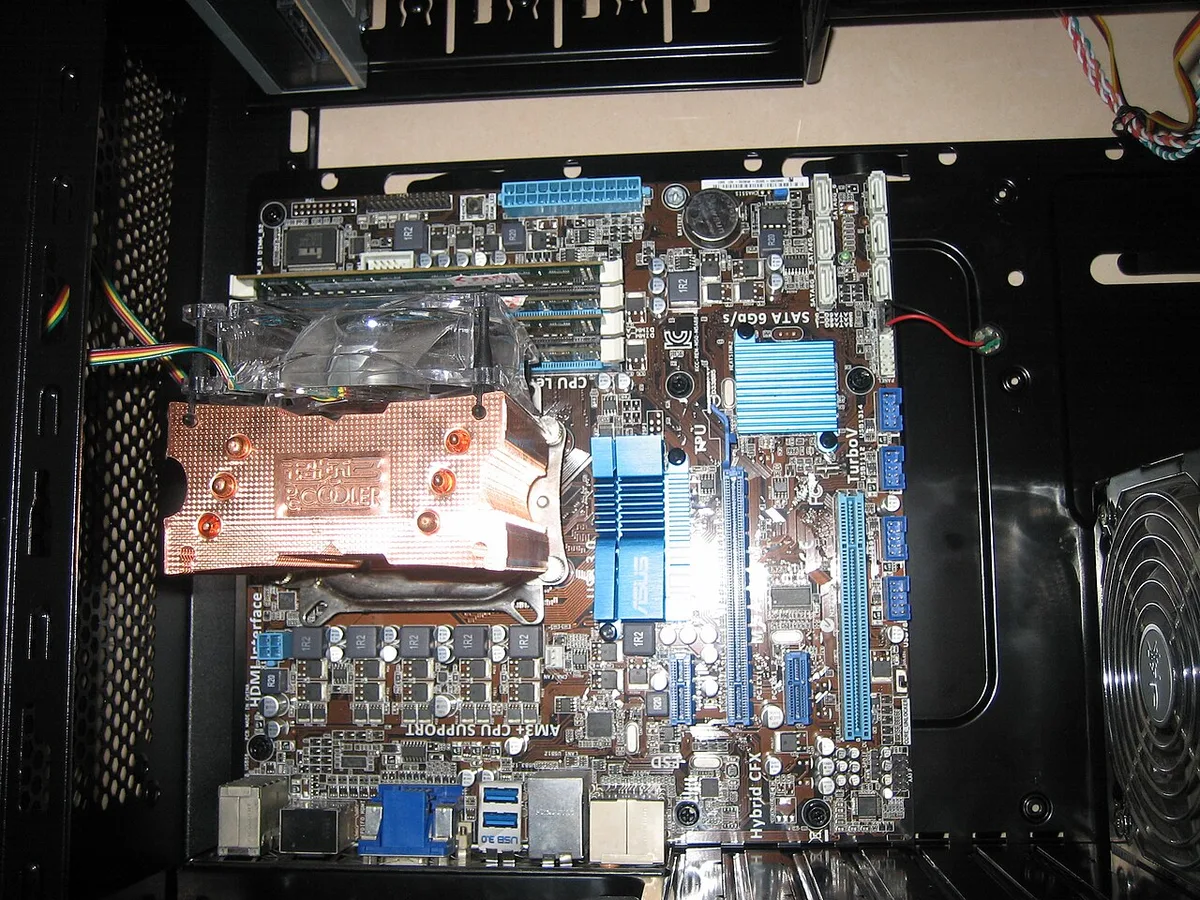
Image source: Wikimedia Commons / Porsche 911GT2 (CC BY-SA)
Assembly Order and Cable Management
Start with the motherboard on the box it came in. Install the CPU first, then the cooler, then RAM, then the M.2 SSD. Doing this outside the case is called "breadboarding" and it saves hours of frustration.
Mount the motherboard in the case next. Then the PSU. Run cables before installing the GPU, because the GPU blocks everything.
Cable management matters more on a budget build. Cheap cases have terrible airflow. Tuck cables behind the motherboard tray and use every tie-down point.
Good airflow can drop CPU temps by 5 to 10 degrees.
BIOS, Memory, and Driver Setup
Power on and enter the BIOS. Check that all RAM is detected. Enable XMP or EXPO to run your RAM at its rated speed.
Without this step, your DDR4-3200 kit runs at 2133MHz and you lose free performance.
Install Windows next. Use a USB installer created with Microsoft's Media Creation Tool. Activate with a digital license if you have one, or buy a key later.
Testing, Stress Testing, and Validation
Before gaming, stress test. Run MemTest86 for RAM, OCCT for CPU, and a light FurMark run for the GPU. Watch temps.
If anything exceeds 85 degrees, fix your cooling before playing.
Benchmark with a free tool like 3DMark or an in-game benchmark. Compare your FPS to similar builds online. If you're way off, you have a bottleneck or a driver issue.
Mistakes That Quietly Waste a Tight Budget
Budget builds have thin margins for error. One wrong part choice can cost you 20 percent of your performance.
Bottlenecking the CPU and GPU
Pairing a Ryzen 3 3200G with an RX 6600 wastes the GPU. The CPU can't feed it fast enough. Match your components to each other, not just to your budget.
A good rule: spend roughly 40 to 50 percent of your budget on the GPU, 20 to 25 percent on the CPU, and the rest on everything else. Our guide on how to set a realistic gaming PC build budget covers this allocation in detail.
Undersized or No-Name Power Supplies
This is the number one budget-killer. A $25 no-name PSU might work fine for six months. Then it dies and takes your motherboard and GPU with it.
Buy a unit with an 80 Plus Bronze rating or better. Stick to known brands like Seasonic, Corsair, or be quiet!. The 80 Plus program certifies efficiency and basic safety, which is the minimum bar for any build.
You can verify certified units through the official 80 Plus database at clearesult.com.

Image source: Wikimedia Commons / James St. John (CC BY)
Hidden Costs You Forgot to Budget For
Windows licenses cost $100 to $140 if you buy retail. A Windows key from a third-party reseller runs $15 to $25 but carries risk. Linux is free but has a learning curve for gaming.
Thermal paste, case fans, cable extensions, and a Wi-Fi adapter add up. Budget $30 to $50 for these extras from the start.
Buying Used GPUs With Hidden Wear
Used GPUs from crypto mining can have degraded thermal pads and worn fans. Ask the seller for proof of light use. Check the fan bearings for grinding noises.
Run a stress test within the return window.
A used GPU that's been cleaned and re-pasted is often fine. One that's been run at 90 degrees for two years is not.
Keeping It Alive: Maintenance, Upgrades, and Long-Term Optimization
A budget build isn't a throwaway machine. With care, it lasts five years or more.
Smart Upgrade Order
Upgrade in this order: RAM first, then GPU, then CPU and motherboard together. RAM is cheap and gives immediate multitasking relief. A GPU upgrade is the biggest single performance jump.
Don't upgrade the CPU alone on a budget board. If your B450 board supports it, a Ryzen 5 5600 is a great drop-in upgrade from a Ryzen 5 2600. If it doesn't, you're buying a new board too.
Cooling and Airflow on a Budget
Dust is the enemy. Clean your PC every three to six months with compressed air. Pay attention to the GPU fans and the CPU cooler.
Adding two $8 case fans can drop temps by 5 to 8 degrees. That's cheaper than a new cooler and extends component life. If you're still figuring out entry-level hardware, our piece on what an entry-level gaming PC actually is helps set expectations for cooling on cheap builds.
Software and Settings Tweaks for Free FPS
Turn on FSR or DLSS in every game that supports it. These upscaling tools can boost frame rates by 30 to 50 percent with minimal visual loss.
Lower shadow quality and anti-aliasing first. These settings cost the most performance for the least visual difference. Cap your frame rate to your monitor's refresh rate to reduce GPU load.
Keep drivers updated. AMD and NVIDIA release game-ready drivers regularly. A single driver update can fix stuttering in a specific title.
Frequently Asked Questions
Can I build a gaming PC for under $300?
Yes, but expectations must be low. A $300 build handles esports titles like Valorant and CS2 at 1080p on low settings. Refurbished OEM desktops with a low-profile GPU are the best route at this price.
Is it cheaper to build or buy a prebuilt gaming PC?
Building is almost always cheaper for the same components. Prebuilts charge for assembly and warranty, and often cut corners on the PSU and RAM. The gap is smallest at the very low end where prebuilts benefit from bulk pricing.
Should I buy a used GPU for a budget build?
Yes, with caution. Used GPUs offer the best value in a budget build. Test thoroughly within the return window.
Avoid cards with visible mining wear or grinding fan bearings.
How much RAM do I need for budget gaming?
16GB is the sweet spot. 8GB works for esports but struggles with modern games and multitasking. DDR4-3200 is the standard speed for budget AM4 builds.
Do I need an SSD for a budget gaming PC?
Yes. An SSD is non-negotiable. A 500GB NVMe drive costs $30 to $40 and cuts load times dramatically.
A mechanical hard drive as primary storage will bottleneck your entire system.
Can a budget PC run modern AAA games?
At $500 to $700, yes, at 1080p on medium settings. At $300, no. Modern AAA titles need at least 6GB of VRAM and a quad-core CPU to run acceptably.
The Decision Guide: Which Path Is Right for You?
If your budget is under $400 and you're comfortable with used parts, build a $300 tier PC with a used GPU and a refurbished OEM base. If you want zero hassle, buy a console.
If your budget is $400 to $600, the $500 sweet-spot build is your target. Buy the GPU used, everything else new. This tier gives you the best balance of performance and longevity.
If your budget is $600 to $800, go new on the $700 tier. A B550 board and RX 6600 give you a real upgrade path. You won't need to rebuild for three to four years.
If you're a first-time builder, start at $500. It's forgiving enough to learn on without being so cheap that every compromise hurts. You don't need coding skills to use a gaming PC, and the learning curve is gentler than you'd expect.
The bottom line: match your build to your games, not your ego. A $500 PC that runs your favorite titles at 60fps beats a $700 PC that stutters because you overspent on the CPU and skimped on the GPU.