Figuring out how much should you spend on a gaming pc for 4k is trickier than it looks. Prices range from roughly $1,000 to over $4,000, and the right number depends on your games, monitor, and expectations. Get it wrong in either direction and you either struggle to hit 60 frames per second or waste money on power you'll never touch.
As of 2026, a solid 4K card like the NVIDIA GeForce RTX 4070 Super sits well below the flagship RTX 4090, yet both can deliver smooth 4K play with the right settings. The real skill is matching your budget to a clear target instead of chasing the biggest number. Let's break down exactly where your money should go.
how much should you spend on a gaming pc for 4k
Most gamers should spend between $1,800 and $2,500 on a 4K gaming PC. That tier pairs a strong mid-range GPU with a capable CPU and 32GB of RAM. It handles modern games at 4K with high settings and upscaling.
Entry 4K builds start near $1,200. High-end rigs climb past $3,500.
Why 4K Gaming Budgets Get Messy Fast
4K gaming sounds simple until you start shopping. The resolution is fixed at 3840 by 2160 pixels, but everything else varies wildly. One person's 4K target is 60 frames per second on a TV.
Another's is 144 frames per second on a premium monitor. Those two goals need completely different machines.
The biggest trap is GPU confusion. Many buyers assume any card labeled "4K ready" will run every game smoothly. Aggregate reviews report that lower-tier cards often drop to 30 to 40 frames per second in demanding titles at native 4K.
That's playable for some, frustrating for others.
CPU pairing adds another layer. At 4K the GPU does most of the work, so a mid-range processor often keeps up fine. But buy too weak a CPU and you'll bottleneck high-refresh setups.
Buy too strong and you steal budget from the graphics card.
Upscaling technology has also changed the math. Tools like NVIDIA DLSS and AMD FSR let a cheaper GPU punch above its weight. That blurs the old rule of "buy the best GPU you can afford." Now the question is whether you want native 4K or smartly upscaled 4K.
Finally, prices move fast. Street prices for GPUs swing with supply and demand. A card at MSRP one month may cost 20 percent more the next.
That volatility makes fixed budget advice go stale quickly. This is why we focus on tiers and priorities instead of single price points. If you're struggling to pin down a number, our guide on setting a realistic build budget can help you anchor expectations before you shop.
The Short Answer: What a 4K Gaming PC Really Costs
Here's the honest range as of 2026. A capable 4K gaming PC costs between $1,000 and $4,500, depending on your target frame rate and settings. Most buyers land in the middle.
The entry point sits near $1,000 to $1,500. That gets you a last-generation or mid-range GPU, a solid CPU, 16 to 32GB of RAM, and a 1TB SSD. Expect 4K at 60 frames per second in many games, often with upscaling and medium settings.
The sweet spot runs $1,800 to $2,500. This is where 4K gaming feels genuinely good. A strong current-generation GPU, a fast CPU, 32GB of DDR5 RAM, and 2TB of storage.
Most modern titles hit 60 to 90 frames per second at high settings.
High-end builds start around $3,000 and climb to $4,500 or more. These pair flagship GPUs with top-tier CPUs and premium components. They target 4K at 120 frames per second or higher, with ray tracing enabled.
Beyond $4,500 you enter enthusiast territory. Diminishing returns hit hard here. Each extra dollar buys smaller performance gains.
Unless you want 4K at 240 frames per second or heavy path tracing, the jump rarely justifies the cost.
The right spend comes down to your monitor's refresh rate and whether you care about ray tracing. Match those two factors to a tier and you'll avoid both overspending and undershooting. If you're new to the space, it helps to understand what a 4K gaming PC actually is before committing to a price bracket.
The Three 4K Spending Tiers, Explained
Think of 4K budgets in three clear tiers. Each one answers a different question about how you play.
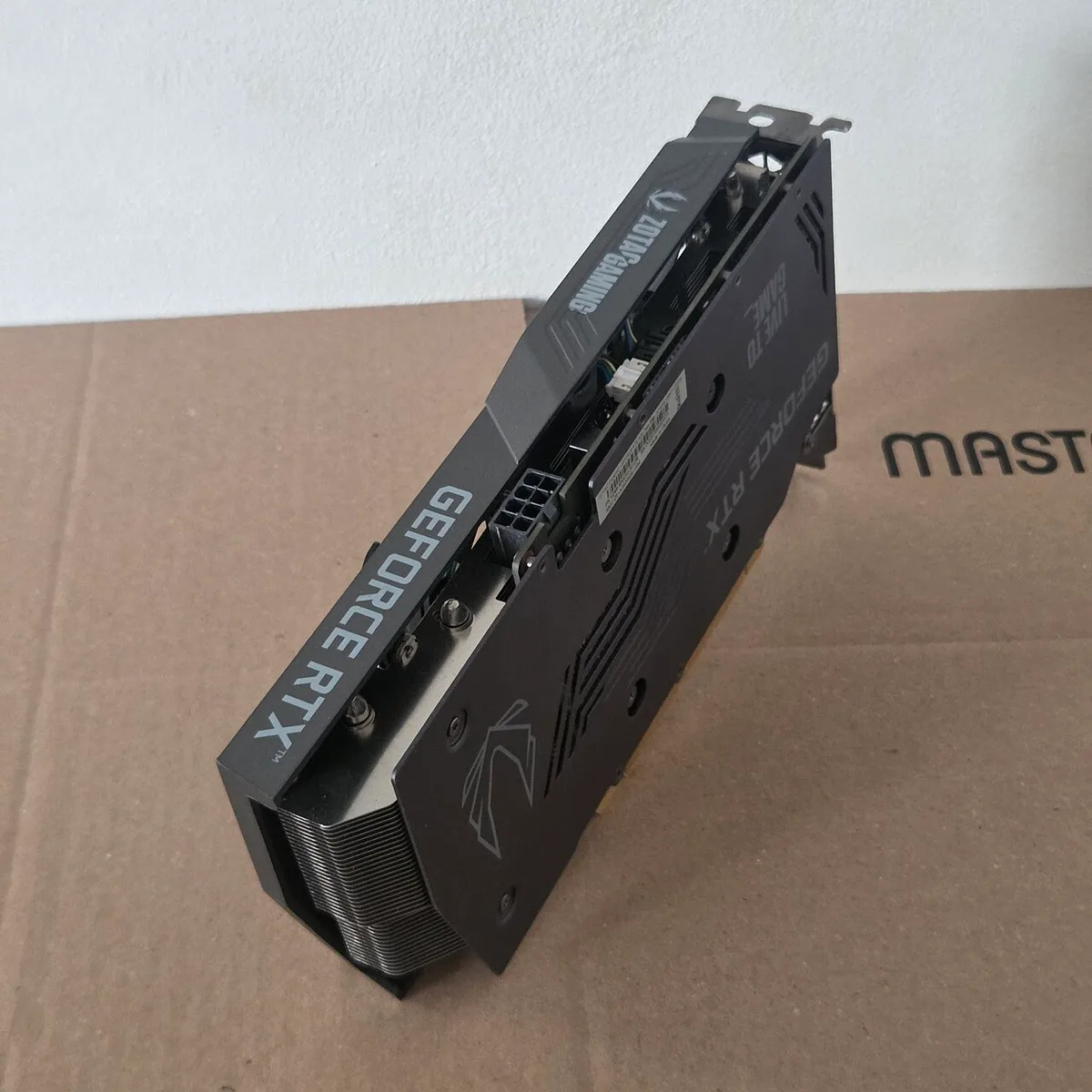
Image source: Wikimedia Commons / ITEagle Europe, Sebastiaan Broekhoven (CC BY-SA)
Entry 4K: $1,000–$1,500
At this tier you're buying smart, not big. A GPU like the AMD Radeon RX 7800 XT or NVIDIA GeForce RTX 4060 Ti 16GB handles 4K with upscaling. Pair it with a mid-range CPU such as the AMD Ryzen 5 7600 or Intel Core i5-14400F.
Add 16 to 32GB of DDR5 RAM and a 1TB NVMe SSD.
Expect 4K at 60 frames per second in most games using DLSS or FSR on Quality mode. Native 4K without upscaling will struggle in heavy titles. Ray tracing stays off or minimal.
This tier suits gamers moving up from 1080p who already own a 4K TV or monitor. It also works for slower-paced games where 60 frames per second feels smooth. Budget-conscious buyers who don't mind tweaking settings will be happy here.
If you're weighing this against a lower resolution, our comparison of 1080p gaming budgets shows how much less you'd spend for similar frame rates.
The Sweet Spot: $1,800–$2,500
This is where most 4K gamers should spend. A GPU like the NVIDIA GeForce RTX 4070 Super or AMD Radeon RX 7900 XT leads the build. The CPU steps up to something like the AMD Ryzen 7 7800X3D or Intel Core i5-14600K.
You get 32GB of DDR5-6000 RAM and a 2TB Gen4 SSD.
Performance lands at 60 to 90 frames per second at high settings in demanding games. Ray tracing works at medium to high in many titles. Upscaling pushes frame rates even higher when needed.
This tier balances longevity and value. A build here should stay relevant for four to five years at 4K. It's the best return on every dollar spent as of 2026.
High-End 4K: $3,000–$4,500
Flagship territory. The GPU is an NVIDIA GeForce RTX 4080 Super or RTX 4090, or an AMD Radeon RX 7900 XTX. The CPU matches with a Ryzen 9 7950X3D or Intel Core i9-14900K.
Expect 64GB of RAM, a 2TB or 4TB Gen5 SSD, and a premium case and cooling.
Targets shift to 4K at 120 frames per second or higher. Ray tracing and path tracing become realistic. This tier suits enthusiasts with 144Hz 4K monitors and gamers who want max settings without compromise.
The jump from the sweet spot costs roughly $1,000 to $2,000 more. Performance gains are real but smaller per dollar. Buy here only if your monitor and games actually use the headroom.
Native 4K vs. Upscaled 4K: Where Your Money Actually Goes
Native 4K means the GPU renders every frame at full 3840 by 2160 resolution. It looks sharp but demands enormous processing power. Upscaled 4K renders at a lower resolution, then uses AI to fill in detail.
The result is often nearly identical to native, at a fraction of the cost.
This distinction reshapes your budget. A $1,200 build with DLSS or FSR on Quality mode can look close to a $2,500 native 4K build in many games. The gap narrows further with frame generation, which inserts AI-created frames between real ones.
Manufacturer specs confirm that DLSS 3 and FSR 3 can double or triple frame rates in supported titles. That means a mid-tier GPU performs like a flagship in those games. The catch is game support.
Not every title includes these features, and quality varies.
Ray tracing widens the gap again. Native 4K with ray tracing needs a top-tier GPU. Upscaling helps, but path tracing in games like Cyberpunk 2077 still taxes even an RTX 4090.
If ray tracing matters to you, budget higher.
Practical advice: decide your stance before buying. If you're happy with upscaling, save $500 to $1,000 on the GPU. If you want native 4K with ray tracing, spend at the high-end tier.
Mixing the two goals wastes money.
GPU vs. CPU: Where to Spend and Where to Save
At 4K resolution the GPU carries most of the load. That single fact should drive your entire budget split. Spend 35 to 45 percent of your total on the graphics card.
The CPU gets 15 to 20 percent. Everything else shares the rest.
A common mistake is pairing a flagship CPU with a mid-range GPU. That wastes money. The CPU sits idle while the GPU struggles.
Aggregate reviews report this mismatch in many prebuilt systems, where marketing pushes expensive processors over better graphics.
For 4K gaming, a CPU with strong single-thread performance and a large cache wins. The AMD Ryzen 7 7800X3D is a standout example. Its 3D V-Cache boosts frame rates in CPU-heavy games.
You don't need 16 cores for gaming. Eight cores with great cache beats twelve cores with average cache.
RAM and storage matter less for pure gaming. 32GB of DDR5 is plenty for 4K play. A 2TB NVMe SSD holds a large game library. Spending beyond that on RAM or storage rarely improves frame rates.
The PSU is where people cut corners dangerously. A quality 80 Plus Gold unit with enough wattage prevents crashes and protects components. Add 20 to 30 percent headroom above your peak system draw.
Skimp here and you risk stability issues that look like GPU problems.
If you want a deeper breakdown of allocating money across parts, our guide on splitting your gaming PC budget across components walks through the math step by step. For builders deciding between DIY and retail, understanding what a custom built gaming PC involves can also shape how much you spend on labor versus parts.
Side-by-Side: What Each Tier Actually Delivers
A spec sheet can hide a lot. The table below shows what each tier actually buys you in real 4K play.
| Tier | Typical Price | GPU / CPU Pairing | 4K Target |
|---|---|---|---|
| Entry | $1,000 to $1,500 | RX 7800 XT or RTX 4060 Ti 16GB / Ryzen 5 7600 | 60 fps with upscaling |
| Sweet Spot | $1,800 to $2,500 | RTX 4070 Super or RX 7900 XT / Ryzen 7 7800X3D | 60 to 90 fps high settings |
| High-End | $3,000 to $4,500 | RTX 4080 Super or RTX 4090 / Ryzen 9 7950X3D | 120 fps+ with ray tracing |
The jump from entry to sweet spot is the biggest quality leap. You gain smoother frame rates, better ray tracing, and more VRAM headroom. The jump from sweet spot to high-end is smaller in feel but costs much more.
Monitor pairing matters as much as the PC. A $2,500 build wasted on a 60Hz TV leaves performance on the table. A $1,200 build on a 144Hz 4K monitor will feel choppy.
Match the tier to the screen first.
If you want help allocating money across parts, our guide on splitting money across parts walks through the math step by step.
Which Tier Fits Which Gamer
Different players need different machines. Match your habits to a tier before you shop.
- Single-player fans who love story games fit the sweet spot. Titles like Cyberpunk 2077 and Alan Wake 2 reward high settings and ray tracing without needing 144 fps.
- Competitive players often do better at 1440p. If you insist on 4K for esports, the high-end tier is the only one that keeps frame rates high enough.
- Couch gamers on a 4K TV usually land in entry or sweet spot. A 60Hz screen hides the gains of a flagship GPU.
- Content creators and streamers should lean sweet spot or higher. Encoding plus gaming needs CPU and GPU headroom.
- First-time 4K upgraders coming from 1080p often love the entry tier. The jump in clarity alone feels huge.
- Sim racers with triple monitors or VR need high-end budgets. Those setups multiply the load fast.
If you're still unsure what a 4K machine actually is, our primer on 4K gaming PC basics explains the parts and targets in plain terms.
Budget Traps That Waste Money
Most overspending comes from a few repeat mistakes. Avoid these and your money goes further.
- Buying a flagship CPU with a mid-range GPU. The processor sits idle while the graphics card struggles.
- Skipping the PSU quality check. A cheap unit can crash under load and mimic GPU problems.
- Ignoring VRAM. 8GB cards choke on 4K textures in newer games. Aim for 12GB or more.
- Forgetting case size. Large three-slot GPUs need clearance. Measure before you buy.
- Chasing ray tracing on a tight budget. It can cut frame rates by half. Decide early if it matters.
- Paying prebuilt markups without checking parts. Some prebuilt systems use weak GPUs with flashy cases. Compare the actual component list.
- Buying used GPUs without warranty. A deal can become a dead card fast.
If you're weighing retail against DIY, our breakdown of prebuilt systems shows what to watch for. Building it yourself can save money, but only if you have the time and patience.
Frequently Asked Questions
Is $1,500 enough for a 4K gaming PC?
Yes, for 60 fps gaming with upscaling. Expect medium to high settings and minimal ray tracing. It suits 60Hz 4K TVs and slower-paced games.
Demanding titles may need settings lowered. It is a strong entry point, not a maxed-out experience.
Should I buy a prebuilt 4K gaming PC?
Prebuilts work if you want warranty support and zero build time. Always check the GPU and CPU models, not just the case. Some use last-gen parts at inflated prices.
DIY builds often give better value if you compare component by component.
Do I need ray tracing for 4K gaming?
No. Ray tracing is optional eye candy. Many games look great without it.
It taxes the GPU heavily and raises your budget. Turn it on only if you have a sweet spot or high-end GPU and care about lighting realism.
How long will a $2,000 4K PC last?
About four to five years at 4K with settings tweaks. Upscaling support extends that life. The GPU will be the first part you want to upgrade.
The CPU and platform often last longer if you choose a current socket.
Is 4K gaming worth it over 1440p?
It depends on your monitor and games. 4K gives sharper detail and immersion. 1440p offers higher frame rates for less money. If you play fast competitive games, 1440p may serve you better. If you love cinematic single-player games, 4K is worth it.
Final Verdict: How Much You Should Actually Spend
Spend $1,800 to $2,500 if you want the best balance of quality and value. That tier handles modern 4K games well and stays relevant for years. Spend $1,000 to $1,500 if you mainly play on a 60Hz TV and like tweaking settings.
Spend $3,000 or more only if you have a high-refresh 4K monitor and want ray tracing maxed.
Before you buy, set your target frame rate and refresh rate. Then allocate 35 to 45 percent of the budget to the GPU. Pick a strong mid-range CPU, 32GB of DDR5 RAM, and a quality 80 Plus Gold PSU.
Compare your plan against a 1080p budget comparison to see how much extra 4K really costs.
If you're still planning the total, our guide on planning your total spend helps you set a realistic ceiling before prices tempt you upward. Buy once, buy right, and enjoy the pixels.