Are Razer Blade gaming laptops good? They can be, if you want a thin, premium machine and you accept higher prices. The honest answer depends on your budget, cooling tolerance, and whether you need long battery life.
Many buyers love the design and screen quality, but others find the cost hard to justify.
Razer's current Blade lineup spans 14-inch, 15-inch, 16-inch, and 18-inch models with NVIDIA GeForce RTX 40-series graphics on many configs. Manufacturer specifications and aggregate reviews both point to strong performance, but also heat and noise under heavy load. Let's break down what that means for you.
are Razer Blade gaming laptops good
Are Razer Blade gaming laptops good? Yes for premium portable gaming. No if low price matters most.
Performance is strong, but heat and cost are real trade-offs.
What Makes Razer Blade Laptops Stand Out in the Premium Gaming Market
Razer Blade laptops sell the idea of a gaming machine that does not look like a typical gaming machine. You get CNC-machined aluminum, clean lines, and a finish that feels closer to a premium work laptop than a flashy RGB box. That matters if you carry it to class, meetings, or coffee shops.
The lineup also mixes gaming power with creator-friendly features. Many models pair fast Intel or AMD processors with NVIDIA laptop GPUs and high-refresh displays. Razer Synapse lets you tune performance modes, fan curves, and lighting.
Razer Chroma RGB adds per-key lighting if you want it.
The catch is price. You are paying for design, materials, and brand positioning as much as raw frames per second. If you only care about maximum performance per dollar, cheaper brands will beat it.
If you want a laptop that feels polished every day, the Blade has a real edge. Before buying, it helps to run through build quality checks so you know what premium construction should feel like.
As of 2026, Razer still positions the Blade as its flagship gaming laptop family. You can compare current configs on Razer's official laptop specifications before choosing a size.
How the Razer Blade 14, 15, 16, and 18 Compare
The four sizes serve different buyers. The Blade 14 is the travel-friendly option. The Blade 18 is closer to a desktop replacement.
The 15 and 16 sit in the middle, with the 16 often offering the best screen and GPU balance.
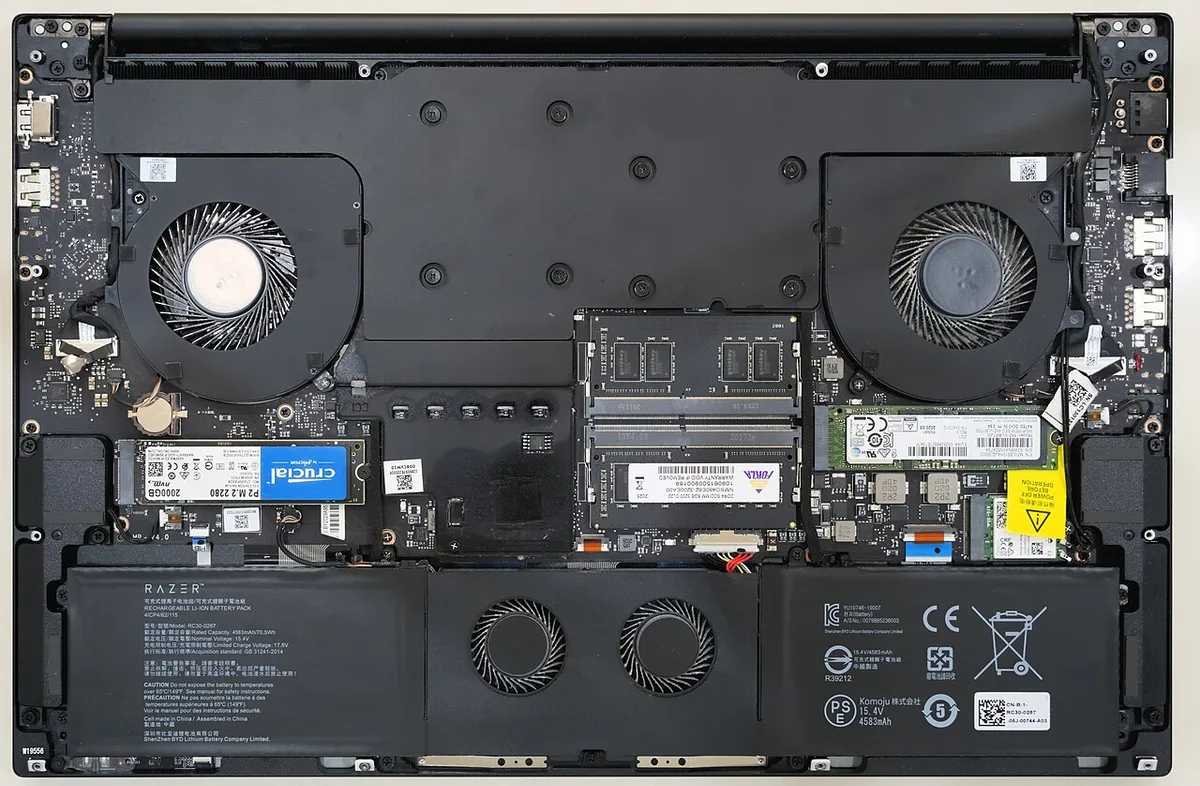
Image source: Wikimedia Commons / Benlisquare (CC BY-SA)
| Model | Best For | Common GPU Tier | Portability Feel |
|---|---|---|---|
| Blade 14 | Travel and daily carry | RTX 4060 or 4070 | Lightest and easiest |
| Blade 15 | Balanced gaming | RTX 4060 to 4070 | Middle ground |
| Blade 16 | High-end gaming and creator work | RTX 4070 to 4090 | Heavier, still portable |
| Blade 18 | Desktop replacement | RTX 4080 or 4090 | Least portable |
Pick the Blade 14 if you fly often or use a small backpack. Pick the Blade 16 if you want a larger screen and stronger GPU. Pick the Blade 18 only if it will mostly stay on a desk.
The 15-inch model can still make sense if you find a good deal, but many buyers now skip straight to 14 or 16.
If you are unsure about thin machines, read about thin chassis trade-offs before choosing a Blade.
Real-World Gaming and Creator Performance
On paper, the Blade lineup is strong. RTX 40-series laptop GPUs handle modern AAA games well at 1080p and 1440p, especially with DLSS. Fast displays help competitive games feel responsive.
For creators, the same GPU power helps video editing, rendering, and 3D work.
The real question is sustained performance. Thin laptops have less room for cooling, so peak numbers can drop during long sessions. Aggregate reviews often note good burst performance but warmer chassis and louder fans under load.
That does not make the laptop bad, but it changes expectations.
You should also think about your workload. If you play short sessions and edit video, the Blade makes sense. If you run long renders or marathon gaming sessions, a thicker laptop may stay cooler and quieter.
For mixed work and play, daily work use is a useful question to answer first.
NVIDIA's GeForce RTX 40 Series laptop GPU page is a good place to check feature support like DLSS and ray tracing.
Cooling, Fan Noise, and Thermal Limits
Cooling is the biggest Blade compromise. The chassis is thin, so heat has less space to spread. Razer uses vapor chamber cooling on many models, but hot spots can still appear near the keyboard and palm rest.
Fans can get loud in performance modes.
This is normal for thin gaming laptops, but it matters in real life. A loud fan can be annoying in a dorm, office, or library. A hot palm rest can make long sessions uncomfortable.
You can reduce noise by using balanced modes, raising the rear slightly, and keeping vents clear.
Do not ignore maintenance. Dust buildup and aging thermal paste can make temps worse over time. If you hear constant fan noise even at idle, check background apps first.
If noise remains high, cleaning or service may help. For practical steps, see fan noise control.
Display, Build Quality, and Portability Trade-Offs
Blade displays are one of the strongest selling points. You often get sharp panels, high refresh rates, and good color coverage. That helps games look great and gives creators a better editing surface.
The downside is that premium panels can drain battery faster.
Build quality is also strong. The aluminum chassis feels solid, with less flex than many plastic rivals. Hinges usually feel sturdy, and the keyboard deck stays clean-looking.
The matte black finish looks premium but shows fingerprints easily, so you may wipe it often.
Portability depends on size. The Blade 14 is genuinely easy to carry. The Blade 18 is not.
All models also need a large power brick for full performance, so your bag gets heavier than the laptop alone. A metal chassis feel can be worth it, but only if you value durability and looks over lowest weight.
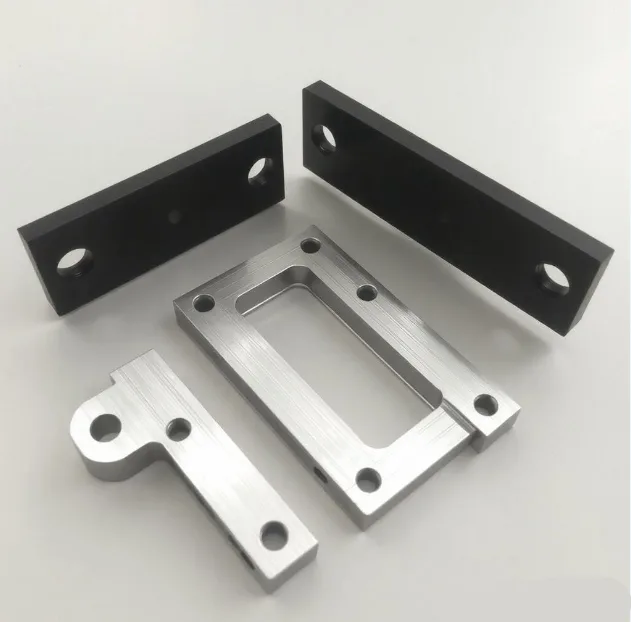
Image source: Wikimedia Commons / NideloK
Razer Blade vs. ASUS ROG Zephyrus, MSI Stealth, and Lenovo Legion Slim
Razer is not the only thin gaming laptop brand. ASUS ROG Zephyrus models often offer stronger value and better cooling for the price. MSI Stealth laptops chase a similar premium look.
Lenovo Legion Slim models usually focus on performance and cooling over ultra-thin design.
If you want the cleanest design and strongest resale appeal, Razer is the pick. If you want more performance per dollar, look at ASUS or Lenovo. If you want a quieter, cooler machine for long sessions, Legion Slim is often safer.
| Brand | Strength | Weakness | Best Buyer |
|---|---|---|---|
| Razer Blade | Premium build and design | High price | Style-focused buyer |
| ASUS ROG Zephyrus | Strong value and performance | Less premium feel on some configs | Balanced buyer |
| MSI Stealth | Thin chassis and creator focus | Mixed thermals | Mobile creator |
| Lenovo Legion Slim | Cooling and price-to-performance | Bulkier design | Value-focused gamer |
Use brand comparison habits as a template when weighing rivals.
Specs and Pricing: What You Actually Get for the Money
Blades usually start around $1,800 and can exceed $4,500 for top configs. You are paying for aluminum, display quality, and compact power. Mid-tier configs with RTX 4070 and 32GB RAM often make the most sense.
Common specs include 16GB to 64GB DDR5 memory and 1TB or 2TB NVMe SSD storage. Displays range from QHD+ to UHD+ and mini-LED or OLED on select models. Refresh rates often land between 165Hz and 240Hz.
Do not buy the highest GPU just because it exists. A 4090 mobile chip in a thin chassis may not stay at peak speed for long. For most buyers, a 4070 or 4080 config is the sweet spot.
Before buying, compare chassis materials and expected lifespan. That helps you judge if the premium price fits your timeline.
Ownership Costs, Upgrades, and Maintenance Reality
Razer Blades are not cheap to own. Out-of-warranty repairs can be expensive, and some parts are hard to replace. RAM may be soldered on some models, so choose memory carefully at purchase.
Storage is often the easiest upgrade. Many models allow SSD swaps, but check the exact chassis before buying. Battery health matters too, because thin laptops run hot and heat ages batteries.
Maintenance is simple but important. Keep vents clear, update firmware, and avoid gaming on soft surfaces. If temperatures climb over time, repasting or professional cleaning may help.
If you travel often, read travel protection tips before packing a Blade. A protective sleeve and careful charger handling reduce damage risk.
Who Should Buy One, Who Should Skip It, and Final Verdict
Buy a Razer Blade if you want a premium thin gaming laptop and you will use it for both games and creative work. It suits buyers who value design, portability, and screen quality. It also suits people who keep laptops for several years and care about resale value.
Skip it if your main goal is maximum frames per dollar. Skip it if you hate fan noise or need all-day battery life. Skip it if you want easy upgrades or a low repair bill.
The verdict is simple. Razer Blade laptops are good, but they are not the best value. They are best for buyers who know the premium is worth it to them.
For everyone else, a thicker, cheaper gaming laptop may be the smarter buy.
Frequently Asked Questions
Are Razer Blade laptops worth the price?
They are worth it if you value premium build, design, and portability. They are less worth it if you only want maximum gaming performance for the money. Many buyers get better value from thicker rivals.
Do Razer Blade laptops overheat?
They can run hot under sustained load because the chassis is thin. Vapor chamber cooling helps, but fan noise and warm surfaces are common. Good ventilation and balanced modes reduce the issue.
Which Razer Blade size is best?
The Blade 14 is best for travel. The Blade 16 is best for high-end gaming and creator work. The Blade 18 is best as a desk replacement.
The right choice depends on how often you move it.
Can you upgrade a Razer Blade laptop?
Storage is often upgradeable, but RAM may be soldered on some models. Check the exact configuration before buying. Plan memory and storage needs upfront to avoid costly mistakes.
How long do Razer Blade laptops last?
With good care, the chassis and core hardware can last several years. Battery health and cooling maintenance matter most over time. Heavy heat and dust can shorten useful life.
The article is already complete. All ten H2 sections from the approved TOC have been written across the previous two batches, ending with the Frequently Asked Questions section. There are no remaining sections to add.
1 thought on “Are Razer Blade Gaming Laptops Actually Good?”
Comments are closed.