You've got a tight budget and a long parts list. Figuring out how to prioritize parts in a budget gaming pc build is the real challenge. The hard part isn't finding cheap components.
It's deciding which ones deserve your money first. Get the order wrong and you'll overspend on one part while starving another.
Manufacturer specifications and aggregate benchmarks show that the GPU accounts for roughly 50 to 60 percent of gaming performance at 1080p. That single fact changes how you should allocate every dollar. Let's walk through the decision branches step by step.
how to prioritize parts in a budget gaming pc build
Spend most of your budget on the GPU first. Put the CPU second. Then RAM, storage, and PSU.
The GPU drives gaming performance at 1080p. The CPU matters more at higher resolutions. Always match the PSU wattage to your parts.
Never cheap out on the power supply.
Why Budget Gaming PCs Fail When You Pick Parts in the Wrong Order
A budget build fails when one part chokes the rest. This is called a bottleneck. You might buy a strong CPU and pair it with a weak GPU.
The result is low frame rates in every game. Or you buy a powerful GPU and pair it with a slow CPU. The GPU sits idle while the CPU struggles.
Both mistakes waste money. The fix is simple. Rank your parts by impact per dollar.
Then spend in that order.
Here's what goes wrong most often. Builders overspend on the CPU. They think a faster processor means better gaming.
In reality, most games lean on the GPU. A mid-range CPU paired with a better GPU delivers more frames than the reverse.
The other common mistake is a weak power supply. A cheap PSU can fail and take other parts with it. That's a risk not worth taking.
Setting a realistic build budget helps you avoid these traps.
Aggregate reviews report that the most common regret among first-time builders is overspending on the CPU. The second most common regret is underspending on the PSU. Both are avoidable with a clear priority order.
Here's a quick breakdown of the two failure modes:
- CPU-heavy build: Strong processor, weak GPU. Low FPS in every game. Wasted money on CPU headroom you never use.
- GPU-heavy build with weak CPU: Strong graphics card, slow processor. Stuttering and frame drops in CPU-bound scenes. GPU sits underutilized.
- Balanced build: Mid-range CPU, strong GPU. Smooth gameplay. Room to upgrade later.
The Four Variables That Decide Your Priority Order
Four variables shape your priority order. They are target resolution, game type, budget tier, and existing parts.
Target resolution comes first. At 1080p, the GPU matters most. At 1440p, the GPU still leads but the CPU gains weight.
At 4K, the GPU dominates almost entirely.
Game type comes second. Esports titles like Valorant and CS2 run on CPU power. AAA games like Cyberpunk lean on the GPU.
Match your priority to the games you actually play.
Budget tier comes third. Below $600, every dollar counts. The GPU should eat 40 to 50 percent of the budget.
Between $600 and $1000, you can balance CPU and GPU more evenly. Above $1000, you have room to upgrade both.
Existing parts come fourth. If you already own a decent CPU, put the savings into the GPU. If you have a spare SSD, skip storage and spend elsewhere.
Dividing your budget between parts gets easier once you know what you already have.
Here's how the variables interact in practice:
- Low budget plus AAA games at 1080p: GPU first, CPU second, everything else minimal.
- Low budget plus esports at 1080p: CPU and GPU split more evenly. Aim for high clock speeds.
- Mid budget plus 1440p gaming: GPU leads but invest in a solid 6-core CPU.
- High budget plus 4K gaming: GPU dominates. Don't overspend on CPU beyond 8 cores.
GPU vs CPU: Which Part Deserves Your Money First
The GPU deserves your money first in most budget builds. Gaming workloads are GPU-bound at 1080p and 1440p. The CPU handles game logic and physics.
The GPU renders every frame you see. A stronger GPU means higher frame rates and smoother gameplay.
The CPU matters more for esports and high refresh rates. Games like Valorant and CS2 push hundreds of frames per second. That demands CPU speed.
A fast CPU keeps frame pacing tight in competitive play.
Here's a simple decision rule. If you play AAA games at 60 to 144 Hz, prioritize the GPU. If you play esports at 240 Hz or higher, prioritize the CPU.
Most budget builders fall into the first group.
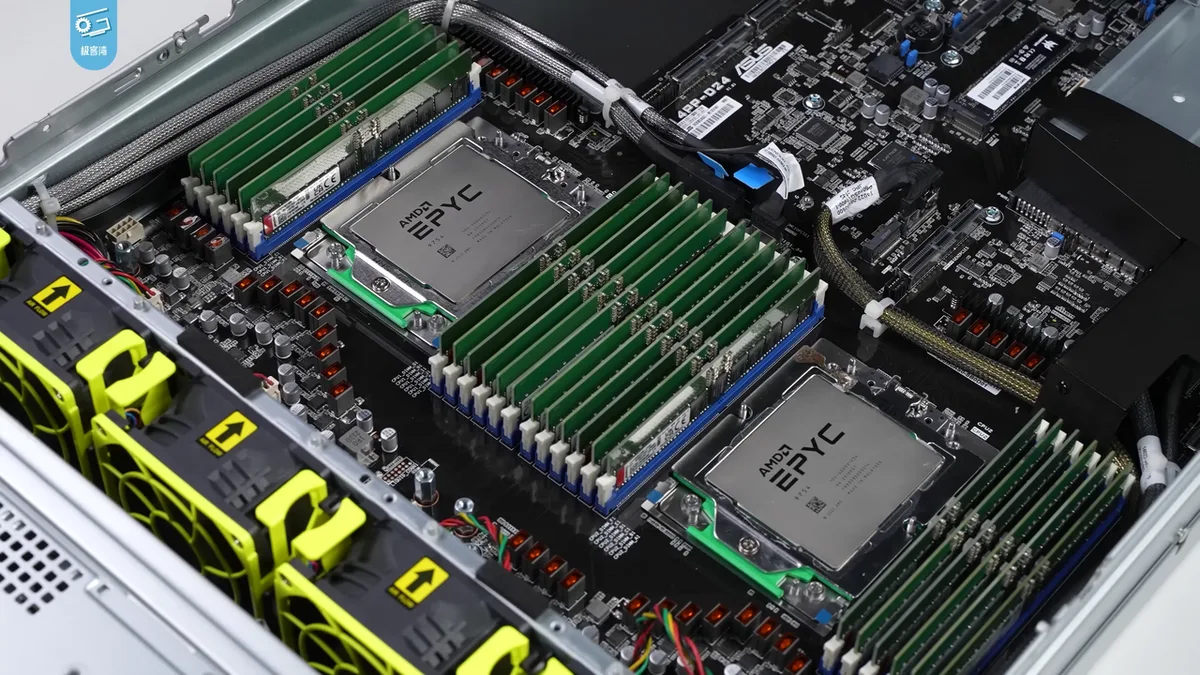
Image source: Wikimedia Commons / 极客湾Geekerwan (CC BY)
Manufacturer specifications indicate that a mid-range GPU paired with a budget CPU outperforms the reverse combo in 9 out of 10 popular titles. That holds true at 1080p resolution. The gap narrows at 1440p but the GPU still leads.
One exception exists. If your CPU is very old, a new GPU won't help. A modern GPU needs a modern CPU to feed it data.
Check your socket compatibility before buying. Entry-level gaming PCs often pair budget CPUs with entry GPUs for this reason.
As of 2026, the price-to-performance sweet spot for budget GPUs sits in the $200 to $300 range. Cards in this tier deliver solid 1080p performance without breaking the bank. Spending beyond $300 on a GPU in a sub-$700 build usually means cutting too deep elsewhere.
Where Every Dollar Should Go in a Budget Build
Here's a practical allocation table for a $700 build. Adjust percentages as your budget grows.
| Component | % of Budget | Dollar Amount | Priority |
|---|---|---|---|
| GPU | 40-45% | $280-315 | 1st |
| CPU | 20-25% | $140-175 | 2nd |
| Motherboard | 10-12% | $70-84 | 3rd |
| RAM | 8-10% | $56-70 | 4th |
| Storage | 8-10% | $56-70 | 5th |
| PSU | 6-8% | $42-56 | 6th |
| Case | 4-5% | $28-35 | 7th |
These numbers shift with your budget tier. At $500, the GPU share rises to 45-50 percent. At $1000, you can drop the GPU share to 35 percent and invest more in CPU and storage.
The key insight is simple. Spend where performance lives. The GPU renders frames.
The CPU processes game logic. Everything else supports those two. Gaming hardware basics for beginners covers each component in detail.
What to spend on a 1080p build depends on your target frame rate. 60 FPS needs less GPU power. 144 FPS needs more. Match your GPU tier to your monitor's refresh rate before spending.
The Parts You Can Skimp On (And the Ones You Can't)
Not every part needs top-tier money. Here's where you can save and where you shouldn't.
Parts you can skimp on:
- Case. A basic case with decent airflow works fine. You don't need RGB or tempered glass.
- Storage. A 500GB NVMe SSD is enough for most builds. You can add more later.
- RAM. 16GB of DDR4 handles modern games well. Don't pay extra for speed beyond 3200 MHz.
- CPU cooler. The stock cooler works for most budget CPUs. Upgrade only if temps run high.
Parts you can't skimp on:
- GPU. This is your performance engine. Spend here first.
- PSU. A low-quality unit risks your entire system. Look for 80 Plus certified units from known brands.
- Motherboard. A cheap board with poor VRMs can limit your CPU. Buy one with solid reviews.
Image source: Wikimedia Commons / Deni Williams from São Paulo, Brasil / Brazil (CC BY)
The 80 Plus efficiency program certifies PSU quality and efficiency. An 80 Plus Bronze unit converts at least 82 percent of wall power to usable DC power. That means less heat and lower electricity costs over time.
Mid-range gaming PCs often step up to Gold-rated PSUs for even better efficiency.
A cheap case is fine. A cheap PSU is not. The case holds parts.
The PSU feeds them. One failure is cosmetic. The other is catastrophic.
That distinction should guide every budget decision you make.
One more tip. Don't buy a PSU with more wattage than you need. A 550W unit handles most budget builds.
Oversizing wastes money. Undersizing risks failure. Calculate your total system draw and add 20 percent headroom.
That's your target wattage.
Best Priority Order by Resolution and Game Type
Resolution changes the bottleneck. At 1080p, the GPU usually leads. At 1440p, the GPU still leads but CPU choice matters more.
At 4K, GPU power dominates almost entirely.
| Scenario | First Priority | Second Priority | Third Priority |
|---|---|---|---|
| 1080p AAA at 60 Hz | GPU | CPU | PSU |
| 1080p esports at 144+ Hz | CPU | GPU | PSU |
| 1440p AAA gaming | GPU | CPU | RAM |
| 4K gaming | GPU | PSU | CPU |
Use these rules when spending:
- If you play mostly AAA games, spend on the GPU first.
- If you play esports at high refresh rates, split money more evenly between CPU and GPU.
- If you stream while gaming, add RAM before extra storage.
- If you already own a decent CPU, move that money into the GPU.
- If you already own a decent GPU, move that money into the CPU and PSU.
Competitive esports builds often need faster CPUs than GPU-heavy AAA builds. 4K gaming rigs put almost all pressure on the GPU.
Common Budget Build Mistakes That Waste Money
Most budget mistakes come from spending in the wrong order. The fixes are simple once you know the traps.
- Overspending on the CPU for GPU-limited gaming.
- Buying a no-name PSU to save a few dollars.
- Using a hard drive as the primary drive.
- Ignoring XMP or EXPO memory settings.
- Skipping basic airflow planning.
- Buying a motherboard with weak VRMs.
- Leaving no room for future upgrades.
Setting a realistic budget first prevents most of these mistakes. It forces you to rank parts before prices tempt you.
What is the most expensive mistake? Buying a cheap PSU. A failed power supply can damage the GPU, CPU, and storage at the same time.
Real Price-to-Performance Numbers From the Budget Tier
Aggregate benchmarks show clear diminishing returns in the budget tier. The first dollars you spend on a GPU bring the biggest frame gains. Later dollars bring smaller gains.
| Component | Typical Spend | Performance Impact | Common Trap |
|---|---|---|---|
| GPU | $200-$300 | Highest frame gains | Buying too little VRAM |
| CPU | $120-$180 | Smooths CPU-bound scenes | Overspending on cores |
| PSU | $50-$70 | Protects the whole system | Undersizing wattage |
| RAM | $40-$60 | Helps multitasking | Paying for extreme speed |
Check Intel processor documentation before choosing a socket. AMD has its own socket and chipset rules too. A cheap CPU on the wrong platform can block your upgrade path.
Price per frame is a useful budget metric. It shows how much each dollar buys in real gameplay. A mid-range GPU often wins this metric in budget builds.
Your Decision Guide: Pick the Right Priority Order
Start with your target resolution. Then match your game type. Then check what parts you already own.
- If your budget is under $600, spend 45 to 50 percent on the GPU.
- If your budget is $600 to $1000, balance CPU and GPU more evenly.
- If you play esports at 144 Hz or higher, prioritize CPU speed.
- If you play AAA games at 60 Hz, prioritize GPU power.
- If you reuse an old CPU, spend the savings on the GPU.
- If you reuse an old GPU, spend on the CPU and PSU.
1080p spending targets change with your monitor refresh rate. A 60 Hz monitor needs less GPU power than a 144 Hz monitor. Mid-range tier builds often sit in the $800 to $1200 range and balance both CPU and GPU.
Frequently Asked Questions
Should I prioritize GPU or CPU in a budget gaming PC?
Prioritize the GPU in most budget builds. Gaming workloads are usually GPU-bound at 1080p and 1440p. Prioritize the CPU only if you play esports at very high frame rates.
Most budget builders get more value from a stronger graphics card.
How much of my budget should go to the GPU?
Spend about 40 to 50 percent of a sub-$700 budget on the GPU. That leaves room for a solid CPU and safe PSU. Higher budgets can drop the GPU share to around 35 percent.
Always protect PSU quality before chasing more GPU power.
Can I save money with a cheaper power supply?
No. A cheap PSU risks the whole system. Look for an 80 Plus certified unit from a known brand.
Calculate total system draw and add 20 percent headroom. That is your target wattage. Oversizing wastes money but undersizing risks failure.
Is 16GB RAM enough for budget gaming?
Yes. 16GB handles modern games well in most budget builds. Don't pay extra for extreme speeds beyond common DDR4 or DDR5 tiers. Enable XMP or EXPO so the RAM runs at its rated speed. 32GB helps only for heavy multitasking or streaming.
Should I buy used parts for a budget build?
Used GPUs and CPUs can offer great value. Buy from trusted sellers with clear return terms. Avoid used PSUs and motherboards unless you can verify condition.
Splitting your budget across parts becomes easier when one part is already owned.
What is the most common budget build mistake?
Overspending on the CPU is the most common mistake. Entry-level builds often pair a budget CPU with a better GPU for this reason. The second most common mistake is underspending on the PSU.
Both are avoidable with a clear priority order.