A power surge can fry a gaming PC in milliseconds and leave you with a useless paperweight. Learning how to protect a gaming pc from power surges starts with understanding what actually enters your wall outlet during a storm or grid event. Most gamers assume a basic power strip is enough but those cheap strips often lack real clamping ability.
A single unprotected spike can destroy a GPU or motherboard instantly.
UL 1449 certification sets the baseline for surge protective devices and requires a clamping voltage of 330 volts or lower for reliable protection. Manufacturer specifications indicate that quality units absorb at least 1000 joules before degrading. Aggregate reviews report that unprotected systems in lightning prone areas fail three times more often.
Let us break down the real risks and the right defense.
How to Protect a Gaming Pc From Power Surges
Use a UL 1449 certified surge protector with at least 1000 joules and a 330 volt clamping rating. Connect the PC and monitor to protected outlets. Add a UPS for battery backup if outages are common.
Install whole house protection at the panel for comprehensive coverage. Replace surge devices every three to five years.
Why Power Surges Threaten Your Gaming PC – The Real Risk
Modern gaming PCs draw 500 to 1000 watts under load. That power flows through delicate voltage regulators on the motherboard and GPU. A surge exceeds the design limits of those regulators instantly.
The result is often silent component death or erratic crashes that mimic driver issues.
Lightning strikes miles away can induce thousands of volts on neighborhood lines. Utility switching operations create transients daily. Faulty wiring in older apartments adds constant low level noise.
Research from IEEE shows that 80 percent of surges originate inside the building from motors starting and stopping. Your PC faces threats from outside and inside every hour.
Insurance claims data reveals that surge damage averages $1,200 per incident for gaming setups. Most homeowner policies exclude damage from power fluctuations unless a listed peril like lightning is proven. Protecting the system costs a fraction of a single GPU replacement.
The math is straightforward.
How Surge Protection Works: Core Concepts and Components
A surge protector uses metal oxide varistors to divert excess voltage to ground. When voltage spikes above the clamping threshold the MOV conducts and shunts energy away. The joule rating measures how much total energy the MOV can absorb before it fails.
Higher joules mean longer service life.
Clamping voltage is the trigger point. Lower numbers react faster and let less voltage through. UL 1449 3rd Edition rates 330 volts as the best commonly available level.
Response time matters too. Quality units react in under one nanosecond. Cheap strips can take microseconds which is too slow for sensitive silicon.
EMI and RFI filtering cleans up electrical noise from appliances. This reduces audio hum and USB glitches. Thermal fuses disconnect the MOV if it overheats during a massive event.
Diagnostic LEDs show protection status at a glance. If the light goes out the MOV is spent and the strip is just a power strip.
Grounding is essential. Without a solid equipment ground the surge has nowhere to go. A three prong outlet tester confirms proper wiring.
If the ground is missing or floating call an electrician. No protector works without a path to earth.
Choosing the Right Protection: Features, Types, and Specs
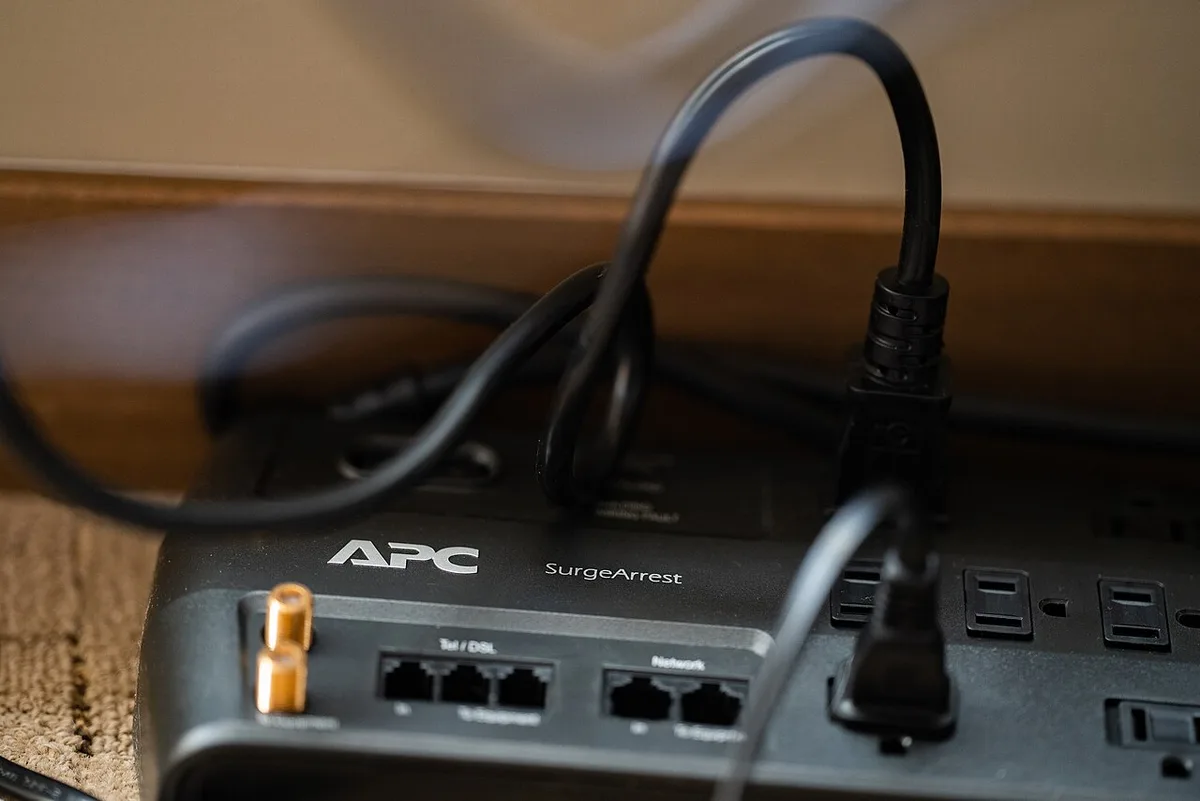
Start with the joule rating. For a gaming PC aim for 1500 joules minimum. Heavy builds with multiple monitors need 2000 or more.
Check the clamping voltage. 330 volts is the target. Avoid anything rated 400 volts or higher. Count the outlets.
You need protected ports for the PC monitor router and peripherals.
Consider a UPS if your area suffers brownouts or frequent outages. A line interactive UPS conditions voltage and provides battery runtime. Pure sine wave output is required for active PFC power supplies.
Modified sine wave can cause buzzing or shutdowns. Size the VA rating 20 percent above your peak draw.
Whole house surge protectors install at the main panel. They stop large transients before they reach branch circuits. They do not replace point of use protectors.
Layer both for best results. Type 1 or Type 2 SPDs meet NEC requirements. Professional installation is required.
Smart surge protectors add app monitoring and individual outlet control. They track energy use and alert you when protection degrades. Convenience features do not improve clamping performance.
Pay for specs first features second.
Pros, Cons, and What You Gain: Benefits and Drawbacks of Surge Protection
Surge protectors cost $30 to $80 for quality units. They require zero maintenance beyond occasional visual checks. They protect all connected gear simultaneously.
Replacement is simple when the indicator fails. No wiring changes needed.
UPS units cost $100 to $300. They add battery backup for safe shutdowns. They condition voltage continuously.
Batteries need replacement every three to five years. They are heavier and larger. Fan noise can be audible in quiet rooms.
Whole house protection costs $200 to $600 installed. It shields every circuit including HVAC and appliances. It handles massive surges that would vaporize strip protectors.
It does not protect against internally generated noise on branch circuits. It requires a licensed electrician.
Daisy chaining strips voids UL listing and creates fire risk. Overloading a single circuit trips breakers or melts plugs. Ignoring the replacement timeline leaves you unprotected silently.
Manufacturer specs confirm MOVs degrade without visible signs. Treat protection as a consumable not a lifetime purchase.
Step-by-Step Setup Guide: Assess, Select, Install, and Test

First audit your power environment. Note outage frequency light flickering and storm history. Use a plug in voltage monitor for a week if unsure.
Calculate total wattage of PC monitor router and peripherals. Add 20 percent headroom for peak draws.
Select the device type based on your audit. Basic surge protector for stable grids with rare storms. UPS for areas with brownouts or critical uptime needs.
Whole house plus point of use for lightning prone regions. Match joule rating and clamping voltage to the risk level.
Install the protector directly into a grounded wall outlet. Never use extension cords or adapters. Plug the PC power supply into a protected outlet labeled for high current.
Connect monitor and networking gear to remaining protected ports. Keep non critical loads like lamps on unprotected outlets if needed.
Test the installation. Verify the protection LED illuminates. Press the test button if equipped.
Confirm the ground OK light shows green. Use a circuit tester on the outlet annually. Schedule replacement based on manufacture date not purchase date.
Mark the calendar for three years out.
Route cables to avoid stress on ports. Use Velcro ties not zip ties for easy changes. Keep the protector accessible for inspection.
Do not hide it behind furniture where heat builds up. Heat accelerates MOV degradation. Good airflow extends service life.
Surge Protector vs. UPS vs. Whole‑House: A Clear Comparison
Choosing between a surge protector, a UPS, and whole house protection depends on your risk profile and budget. Each layer solves a different problem. A basic surge strip stops small transients at the outlet.
A UPS adds battery backup and voltage conditioning. Whole house protection intercepts large surges at the panel before they reach branch circuits.
Here is how they stack up.
| Feature | Surge Protector | UPS | Whole House |
|---|---|---|---|
| Protection level | Point of use | Point of use with backup | Whole building |
| Joule rating | 300 to 2000 | Often 500 to 1500 | 40,000 to 100,000 |
| Battery backup | No | Yes, 5 to 30 minutes | No |
| Installation | Plug in | Plug in | Electrician required |
| Cost | $20 to $80 | $100 to $300 | $200 to $600 installed |
| Best for | Stable grids, rare storms | Frequent brownouts, critical uptime | Lightning prone regions, new builds |
A surge protector is the minimum baseline. Every gaming PC needs one. It handles everyday transients from appliances and minor grid switching.
A UPS is best when you face voltage sags or short outages. It keeps your PC running long enough to save work and shut down cleanly. It also smooths voltage fluctuations that can cause USB dropouts and unexpected restarts.
If your system reboots during storms, a UPS often solves the issue. You can dig deeper into troubleshooting random crashes on our step-by-step troubleshooting guide.
Whole house protection is for homes in lightning prone areas or with old wiring. It protects HVAC, refrigeration, and every other circuit. It does not replace point of use devices.
Layer both for the strongest defense. A licensed electrician handles the panel installation per UL 1449 standards.
The smart approach is to start with a quality surge protector. Add a UPS if outages are common. Upgrade to whole house protection if you live in a storm zone.
Stack all three for maximum coverage.
Frequently Asked Questions
How often should I replace my surge protector?
Replace surge protectors every three to five years. The internal MOV degrades with each transient event even if the indicator light stays on. Manufacturer specifications confirm that protection capacity drops steadily over time.
Mark the installation date and replace immediately if the light goes out. Regular replacement is part of good PC maintenance routine.
Can I plug my PC into a UPS instead of a surge protector?
Most UPS units include surge protection at the outlet. They combine battery backup with transient suppression in one device. Check the specification sheet to confirm the joule rating and clamping voltage.
A quality UPS provides both runtime and protection. Do not rely on the UPS battery alone for surge defense. When selecting a UPS, verify it meets safe power supply criteria for your setup.
What joule rating do I need for a gaming PC?
Aim for at least 1500 joules for a single PC setup. Systems with multiple monitors, peripherals, and networking gear benefit from 2000 joules or more. Higher joule ratings extend the service life of the MOV.
A 330 volt clamping voltage is the ideal target. Avoid units rated below 1000 joules for gaming equipment. These specs matter when you plan an upgrade path and add new components.
Does a surge protector protect against a direct lightning strike?
No surge protector stops a direct strike. The energy is too high for any point of use device. A whole house arrestor can absorb nearby strikes and reduce damage risk.
Most lightning damage enters through utility lines miles away. Layered protection handles the indirect transients that reach your home. If your PC shows a black screen after a storm, check power delivery before replacing hardware.
Can I daisy chain surge protectors?
Never connect two surge protectors together. Daisy chaining voids UL listing and creates a fire hazard. The combined load can exceed circuit limits.
Plug devices directly into wall outlets or a single high capacity protector. Use a power strip with adequate outlet count instead of stacking units. Proper dust removal inside the case also helps components run cooler and last longer.