Is a gaming laptop good for programming? It can be, but only when your workload matches its strengths. Many developers buy one for CPU and RAM, then regret the weight and battery.
The better question is which kind of coding you do most.
As of 2026, mid-range models often ship with 16 to 32 GB RAM and fast NVMe storage. Those specs help compiles and containers. Yet battery life and fan noise still decide daily comfort.
Let's walk through the tradeoffs before you spend.
is a gaming laptop good for programming
A gaming laptop can be good for programming. It fits heavy builds and local machine learning. It is weaker for long battery life.
Choose it when performance matters more than portability.
Why Programmers Keep Eyeing Gaming Laptops
Gaming laptops look like a shortcut to desktop speed. They often use high-TDP Intel Core H or AMD Ryzen HX chips. Those chips handle large repos and Docker stacks well.
The appeal is simple. You get strong CPU performance, lots of RAM, and a dedicated GPU in one box. For game developers and data scientists, that bundle can save money.
The catch is that the same parts run hot. A machine that scores well in a short benchmark may slow down during a long compile. That gap matters more than headline specs.
If you mainly write web apps or scripts, you may not need this much hardware. A lighter machine can feel better on a couch or train. Think about your heaviest weekly task first.
What a Gaming Laptop Actually Brings to the Desk
A good gaming laptop brings CPU headroom, GPU acceleration, and upgradeable memory. Many models use DDR5 RAM and NVMe SSDs. That helps when you run VMs, emulators, or local AI tools.
Ports matter too. HDMI 2.1, Thunderbolt 4, and USB-C can drive two or three monitors. That setup feels closer to a desktop than a thin laptop.
Keyboard quality varies by brand. Some have deep travel and solid feedback. Others feel mushy after hours of typing.
Check key travel and layout before buying.
For context, see how a gaming chassis differs from a standard notebook in Gaming Laptop vs Normal Laptop: Key Differences Explained. Also review desktop-class performance in a portable shell in Is a Gaming Laptop as Powerful as a Desktop?.
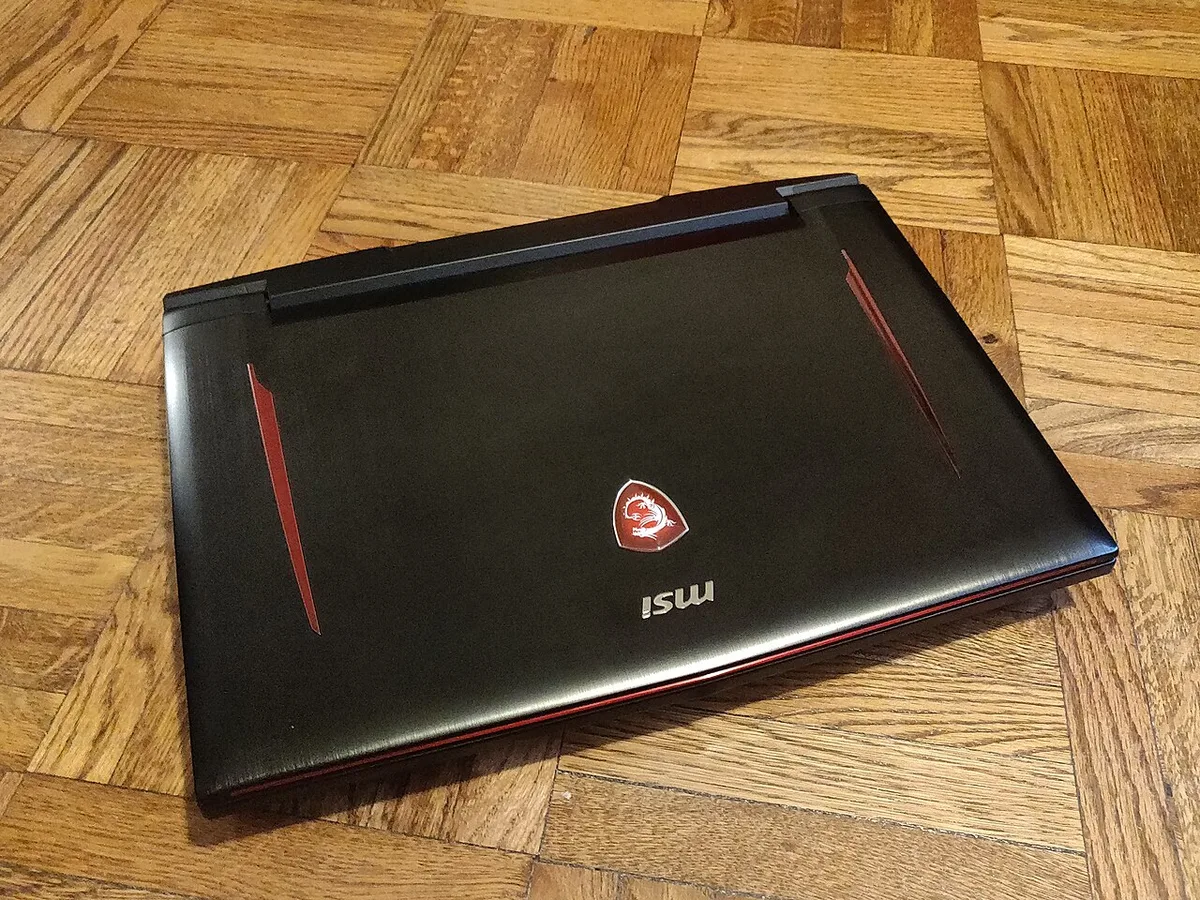
Image source: Wikimedia Commons / Kurt Kaiser
The Hidden Costs: Battery, Heat, and Noise
Battery life is the first real cost. Many gaming laptops last 2 to 4 hours under coding load. Some drop faster with Docker, browsers, and video calls open.
Heat is the second cost. Sustained compiles can push surface temps high. Fans may stay loud for long stretches.
That can be tiring in a quiet office.
Weight is the third cost. A 5 to 7 pound laptop plus a large power brick is not fun to carry. If you move between rooms daily, that weight adds up.
Thermal limits that cut sustained speed are explained in Why Your Gaming Laptop Is Slower Than a Desktop. For repair planning, read repair support before a long project in Which Gaming Laptop Brands Offer Good Repair Support?.
Gaming Laptop vs. Ultrabook vs. Mobile Workstation
An ultrabook wins on battery and weight. It suits web development, scripting, and writing. It loses ground with heavy builds and GPU tasks.
A gaming laptop sits in the middle. It gives more power than an ultrabook but costs less than many workstations. It is often the better value for students and freelancers.
A mobile workstation is built for stability and service. It may have ECC RAM, ISV certifications, and better cooling. It costs more and is less common for hobby projects.
| Option | Best For | Main Tradeoff |
|---|---|---|
| Ultrabook | Light coding and travel | Lower sustained performance |
| Gaming laptop | Heavy builds and GPU work | Short battery and loud fans |
| Mobile workstation | Professional 3D and CAD | Higher price and weight |
Mobile workstation tradeoffs for heavy builds are covered in Gaming Laptop vs Workstation for 3D Work: Which Is Better?. Creator-focused alternatives with quieter fans appear in Gaming vs Creator Laptops: Key Differences Explained.
Side-by-Side Specs That Actually Matter for Coding
CPU cores matter most for builds. Aim for 8 cores or more if you compile large projects. Single-core speed matters for IDE responsiveness.
RAM is your safety net. 16 GB is the floor for modern development. 32 GB is better for containers, emulators, and local models. 64 GB is useful but often unnecessary.
Storage should be NVMe. A 1 TB drive gives room for SDKs and VMs. Faster read and write speeds reduce load times.
GPU need depends on your stack. Web developers may not need a dedicated GPU. ML, game dev, and rendering users often do.
NVIDIA Studio drivers can help stability.
| Spec | Good Minimum | Better Target |
|---|---|---|
| CPU | 8 cores | 12 to 16 cores |
| RAM | 16 GB | 32 GB |
| Storage | 512 GB NVMe | 1 TB NVMe |
| GPU | Integrated | 8 GB dedicated |
Manufacturer specs confirm these ranges on official pages from Intel and NVIDIA. Check the Intel product overview at Intel Products and NVIDIA Studio drivers at NVIDIA Studio.
Which Programming Workloads Suit a Gaming Laptop
Workload decides the answer more than brand does. Heavy builds, game engines, and local machine learning all benefit from strong CPUs and GPUs. Light scripting and web work usually do not.
A gaming laptop fits best when your day includes long compiles, Docker stacks, Android emulators, or 3D assets. It also helps when you train small models locally. In those cases, extra cores and VRAM save real time.
It is less useful when you mostly edit text, run tests, and browse docs. An ultrabook or desktop can feel better there. The gaming machine still works, but you pay for power you rarely use.
| Workload | Fit | Why |
|---|---|---|
| Game development | Strong | Needs CPU, GPU, and RAM together |
| Machine learning | Strong | Benefits from dedicated GPU acceleration |
| Web development | Moderate | Fast CPU helps, but GPU is often unused |
| Writing and scripting | Weak | Battery and weight matter more |
Common Mistakes When Buying One for Development
Buying the wrong machine usually starts with the wrong question. Many shoppers ask which GPU is biggest. Developers should ask which CPU stays fast under load.
Another mistake is ignoring the keyboard. A beautiful spec sheet will not fix shallow keys or a cramped layout. If you type all day, test travel and feedback before buying.
People also forget thermal behavior. A short benchmark can hide fan noise and throttling. Look for sustained wattage, not peak scores.
Driver choice matters too. Game Ready drivers focus on games. Studio drivers often suit creative and dev tools better.
Check which driver branch your workflow needs.
Finally, plan for accessories. A dock, external monitor, and cooling pad can improve daily comfort. Those costs belong in the budget from day one.
Getting the Most Out of a Gaming Laptop for Coding
Start with the software layer. Install the right GPU drivers and set Windows to a high-performance power plan. Then tune fan curves so heat spikes do not surprise you.
Use an external monitor and keyboard when you are at a desk. That reduces strain and keeps the laptop cooler. It also makes long debugging sessions easier.
Protect the battery with a charge limit if the vendor offers one. Many models let you cap charging near 80 percent. That can help long-term battery health.
Keep vents clear and clean dust on a schedule. Thermal paste and fan wear can change performance over time. If temps rise, service the cooling system before blaming the CPU.
A simple setup checklist helps:
- Install NVIDIA Studio drivers if you use creative or ML tools
- Set the power plan to high performance
- Tune fan curves with vendor software
- Add an external monitor and keyboard
- Limit battery charge when docked
- Clean vents and fans regularly
Frequently Asked Questions
Is a gaming laptop overkill for web development?
Yes, often it is. Web development needs a fast CPU, enough RAM, and a good screen. A lighter laptop can do that job with better battery life.
Can a gaming laptop run Docker and virtual machines well?
Yes, if it has enough RAM and CPU cores. Aim for 32 GB RAM for serious container work. Fast NVMe storage also helps VM boot times.
Do gaming laptops have good keyboards for coding?
Some do, but many do not. Check key travel, layout, and feedback before buying. A poor keyboard can slow you down every day.
Should I choose a dedicated GPU for programming?
Choose one for game dev, rendering, or machine learning. Skip it for pure web or backend work. Integrated graphics are enough for many developers.
How long should a gaming laptop last for development?
A well-chosen model can last four to six years. Battery wear and thermal paste aging matter more than raw speed. Good cooling and careful charging extend usable life.
Final Verdict: Should You Buy One?
Buy a gaming laptop if your work needs sustained CPU power, GPU acceleration, or large RAM. It is a strong fit for game developers, ML learners, and heavy build users. It is also a decent value compared with many mobile workstations.
Skip it if you value battery life, low weight, and quiet fans above raw speed. Writers, students, and light web developers often feel better with an ultrabook. A desktop plus a cheap travel laptop can be smarter too.
The safest choice is to match the machine to your heaviest weekly task. If that task is compiling, rendering, or training, a gaming laptop makes sense. If it is typing and browsing, choose something lighter.