If you're asking which gaming laptop brands offer good repair support, you're already thinking past raw specs. A fast GPU won't help if a broken hinge or swollen battery leaves the machine in a box for weeks. Repair support is really about parts, labor, and how easy it is to get help when something fails.
Manufacturer specifications indicate that warranty terms, service center density, and parts availability vary more by region than by brand name. Aggregate reviews report that turnaround time often matters more than whether a repair is free. As of 2026, many brands still rely on mail-in depot repair, so local access can change the whole experience.
Let's break down the brands that actually make repairs easier.
which gaming laptop brands offer good repair support
Lenovo, Dell, and ASUS usually have the widest service networks. Framework stands out for parts and self-repair. MSI, HP, and Acer vary by region.
Razer can be slower and costlier. Check local centers before buying.
Why Repair Support Matters More Than Specs When Buying a Gaming Laptop
A gaming laptop is a high-heat, high-wear machine. Hinges, fans, batteries, and ports take daily abuse. If repairs are slow or expensive, the laptop can become a desk ornament.
Our research shows that many buyers focus on GPU and RAM first. That makes sense for performance. But a weak repair network can erase the savings from a cheaper model.
When comparing brands, look at the full repair path. That includes diagnosis, shipping, parts, labor, and return time. It also includes whether a technician can replace a keyboard without replacing the whole top case.
A good repair program reduces downtime. It also protects resale value. If you plan to keep the laptop for three to five years, support quality matters as much as cooling.
Brand Breakdown: ASUS, Lenovo, Dell Alienware, MSI, HP, Razer, Framework, and Clevo Builders
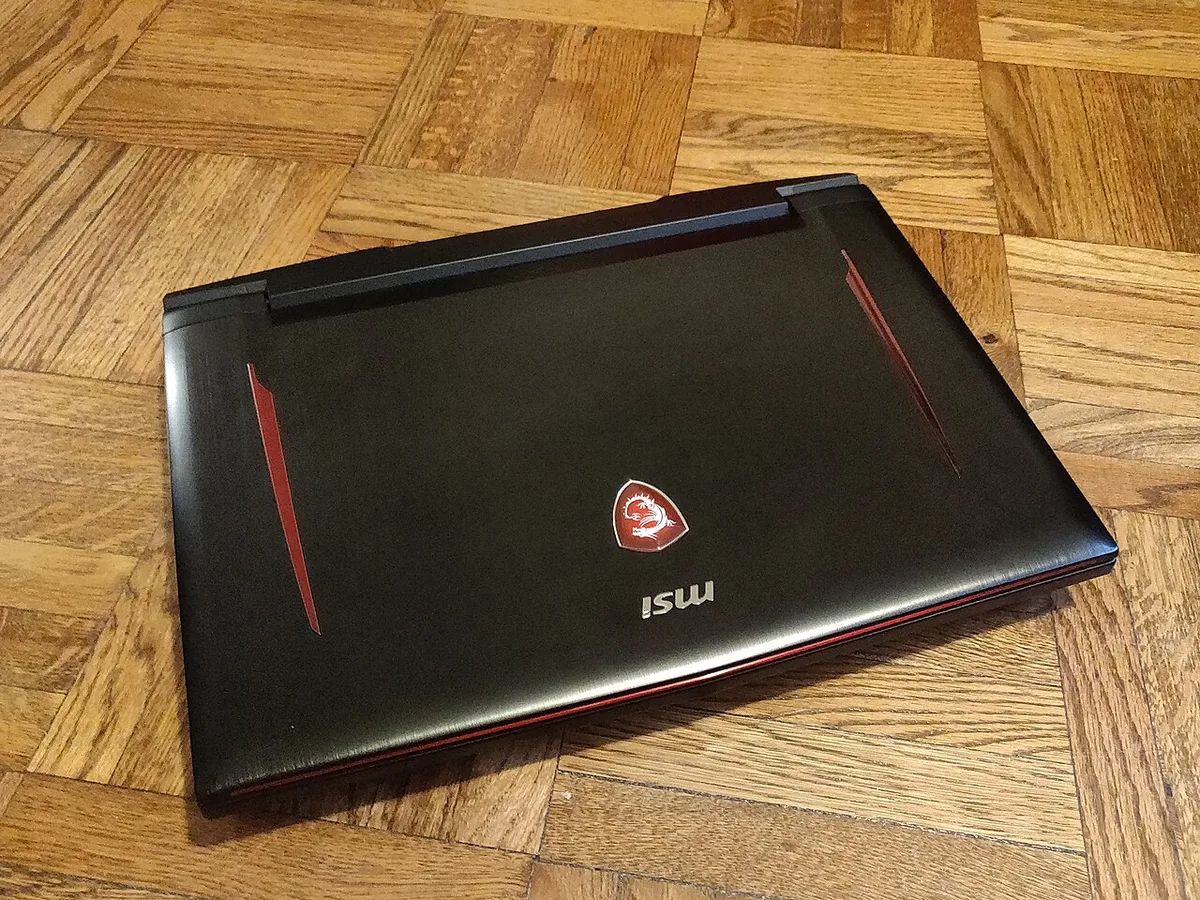
Image source: Wikimedia Commons / Kurt Kaiser

Image source: Wikimedia Commons / 玄史生
ASUS usually offers a broad lineup and decent parts access. ROG and TUF models often share parts, but support quality can vary by country. If you're weighing tiers, our guide on ROG versus TUF laptops can help you understand the hardware split.
Lenovo Legion and LOQ machines often have strong service networks in many regions. Lenovo's depot repair is common, but parts access is usually better than average. For tier differences, see our breakdown of Legion versus LOQ models.
Dell and Alienware often score well for support infrastructure. Dell has many authorized service options and clear warranty tools. Alienware repairs can cost more, but the support path is usually well documented.
MSI has improved support in some markets. Parts can be harder to source for older models. HP OMEN and Victus support varies, and some repairs route through third-party partners.
Our comparison of OMEN versus Victus is useful when judging build and service tiers.
Razer often has premium hardware but a smaller service footprint. Repairs can take longer and cost more out of warranty. Acer Predator support is mixed by region, so local center quality matters.
Our notes on Acer Predator laptops can add useful context.
Framework is different. It is built around modular parts and self-repair. That makes it strong for users who want to replace batteries, keyboards, or ports themselves.
Clevo-based builders like Sager or XMG can also be good, but support depends heavily on the seller.
Side-by-Side Repair Support Comparison
| Brand | Common Service Model | Parts Access | Typical Strength | Watch Out For |
|---|---|---|---|---|
| Lenovo | Depot or authorized center | Good | Wide service network | Regional warranty limits |
| Dell / Alienware | Depot, on-site options | Good | Clear support tools | Higher out-of-warranty cost |
| ASUS | Mail-in or partner repair | Moderate to good | Large parts ecosystem | Turnaround varies |
| MSI | Mail-in or partner repair | Moderate | Improving network | Older parts scarcity |
| HP | Depot or partner repair | Moderate | Broad retail presence | Third-party handoffs |
| Razer | Mail-in repair | Limited | Premium parts quality | Slower turnaround |
| Framework | Self-repair plus mail-in | Excellent | Modular components | Fewer gaming configs |
| Clevo builders | Seller-dependent | Variable | Custom upgrades | Inconsistent support |
Use this table as a starting point. Then check your exact model and country. A strong brand can still have weak local coverage.
What Actually Makes a Gaming Laptop Repair Program Good
A good program is not just a long warranty. It is a full system that gets the laptop back to you quickly and safely.
- Fast diagnosis through remote support or local intake.
- Clear repair quote before work begins.
- Genuine replacement parts for fans, batteries, screens, and keyboards.
- Reasonable labor cost for common repairs.
- Safe data handling and return shipping.
- Easy escalation when a repair fails twice.
Parts access matters most for older laptops. A brand with a spare parts catalog is easier to trust. A brand that solders RAM and storage makes repairs harder and costlier.
Service center density matters for students and travelers. If you live far from a major city, mail-in repair may be your only option. In that case, packaging support and shipping insurance become important.
Accidental damage protection can be worth it for frequent movers. Standard warranties usually exclude drops and spills. Read the terms before paying extra.
FTC warranty guidance is a useful place to understand common warranty language.
Best Brands for Different Gamers, Budgets, and Regions
Different buyers need different support. Match the brand to your habits, not just your budget.
- Best for wide service access: Lenovo and Dell.
- Best for self-repair and parts: Framework.
- Best for premium support paths: Dell Alienware.
- Best for value buyers who stay near service centers: HP and ASUS.
- Best for custom builds: Clevo-based sellers with strong local support.
- Best for users who rarely travel: MSI or Acer, if local centers are good.
If you game at college, prioritize local or campus-friendly service. If you travel often, prioritize accidental damage coverage and easy shipping. If you keep laptops for years, prioritize parts access and modular design.
Build quality also affects repair frequency. A sturdy chassis reduces hinge and port damage. Our guide on checking build quality before buying can help you avoid weak designs.
You can also compare metal versus plastic chassis when judging durability.
Before buying, search the brand's service locator with your zip code or postcode. Check turnaround estimates and parts pricing. That five-minute step can save weeks of frustration later.
Hidden Costs, Warranty Traps, and Parts Pricing
A free repair is not always a free repair. Shipping, labor, and parts can still cost money.
Standard warranties usually cover manufacturing defects. They often exclude drops, spills, and wear items like batteries. Accidental damage protection can fill that gap, but it adds cost upfront.
Parts pricing is where brands separate themselves. A common fan or battery may be affordable. A custom screen, hinge assembly, or top case can cost much more.
Some brands require replacing a full assembly instead of one small part.
Watch for these common traps:
- Regional warranty limits that block service in another country.
- Refurbished replacement units instead of your original laptop.
- Labor charges after the warranty expires.
- Parts scarcity for older or niche models.
- Coverage that excludes liquid damage or cosmetic damage.
- Shipping fees that are not fully reimbursed.
Extended warranties can also overlap with credit card protection. Check what you already have before paying extra. If you travel often, accidental damage coverage may be worth it.
How a Gaming Laptop Repair Claim Actually Works
The process is usually simple, but small mistakes can delay it. Start before the laptop fails.
- Back up your files to cloud or external storage.
- Record the serial number, purchase date, and warranty status.
- Contact support through the brand's official portal.
- Run any requested diagnostics or provide photos.
- Get repair authorization and a quote.
- Pack the laptop with padding around the corners.
- Ship with tracking and insurance if possible.
- Wait for diagnosis and approval.
- Review the repair cost before work begins.
- Receive the repaired or replacement unit.
- Test keyboard, ports, screen, battery, and thermals.
- Escalate if the same issue returns.
Data loss is a real risk. Some repairs require a full reset. Never send a laptop with only one copy of your files.
Packaging matters too. Poor packing can cause shipping damage and delay the claim. Use the original box if you still have it.
If not, use a sturdy box with foam or bubble wrap.
Mistakes That Make Repairs Harder or More Expensive
Most repair pain comes from avoidable mistakes. The biggest one is buying without checking local service first.
Other common mistakes include:
- Ignoring soldered RAM or storage before purchase.
- Skipping accidental damage coverage for a travel laptop.
- Waiting until the warranty expires to report a defect.
- Using unofficial chargers that damage ports.
- Shipping a laptop without photos of its condition.
- Forgetting to back up data before service.
- Buying a region-locked warranty for international use.
- Trying invasive DIY fixes that void coverage.
Build quality also affects repair frequency. Weak hinges and poor chassis flex can lead to repeated service. Our guide on preventing hinge damage can help reduce that risk.
If you travel with your machine, our tips on protecting a laptop during travel are also useful.
Do not assume a cheap repair quote means a good repair. Ask whether genuine parts are used. Ask whether the repair includes testing.
Ask what happens if the issue returns.
Final Verdict: Which Brand to Buy for Repair Support
There is no single best brand for every buyer. The right choice depends on where you live and how you use the laptop.
Lenovo and Dell usually offer the strongest overall support networks. ASUS is a strong all-rounder with good parts access. HP and MSI can be good if local service is strong.
Acer Predator support is more region-dependent. Razer offers premium hardware but can be slower and costlier to repair. Framework is best for users who want self-repair and modular parts.
Clevo-based builders depend heavily on the seller.
Use this simple decision rule:
- Buy Lenovo or Dell if you want broad service access.
- Buy Framework if you want maximum repairability.
- Buy ASUS if you want balance and parts availability.
- Buy HP or MSI only after checking local centers.
- Buy Razer only if you accept higher repair costs.
- Buy Clevo builders only from sellers with strong support.
Before checkout, run four checks. Use the service locator. Read the warranty terms.
Check accidental damage options. Look for a spare parts catalog. Those steps matter more than brand reputation alone.
Frequently Asked Questions
Which gaming laptop brand has the best repair support?
Lenovo and Dell usually lead for broad service networks. Framework leads for self-repair and parts access. ASUS is often a strong middle ground.
The best choice still depends on your region and model.
Is mail-in repair safe for gaming laptops?
It can be safe if you pack it well and use tracked, insured shipping. Back up your data first. Use padding around the corners and avoid loose accessories inside the box.
Does opening a gaming laptop void the warranty?
It depends on the brand and region. Some brands allow basic upgrades. Others restrict repairs to authorized technicians.
Always check the warranty terms before opening the chassis.
How long do gaming laptop repairs usually take?
Many depot repairs take one to three weeks. Local service can be faster. Parts shortages, shipping delays, and approval steps can extend the timeline.
Should I buy accidental damage protection?
It is worth considering if you travel, commute, or use the laptop in shared spaces. It usually covers drops and spills that standard warranties exclude. Compare the plan cost with likely repair costs.
Are refurbished replacement laptops common?
Yes, some brands send refurbished units instead of repairing your original laptop. That can be fine if the unit is tested and warranted. Ask about replacement terms before buying.
2 thoughts on “Which Gaming Laptop Brands Offer Good Repair Support?”
Comments are closed.