Can a gaming laptop replace a desktop computer? Yes, for some people, no for others. It depends on your games, desk setup, and tolerance for heat and noise.
The real question is not whether a laptop can run your games. It is whether it can be your main machine every day without becoming a compromise.
As of 2026, mobile GPUs still draw less power than desktop cards, and many laptops cap sustained boost clocks. That gap matters more during long sessions than in short benchmarks. If you mostly play esports titles at 1080p, a laptop can feel desktop-class.
If you chase 4K ray tracing, the desktop still wins.
can a gaming laptop replace a desktop computer
Yes, for many players. A gaming laptop can replace a desktop if you value portability. It can also save desk space.
It usually costs more per frame. It may run hotter and louder. It has fewer upgrade options.
The Real Question Behind "Can a Gaming Laptop Replace a Desktop"
A replacement is about daily use, not peak numbers. You are asking whether one machine can handle gaming, work, video calls, and travel. That is a judgment call, not a benchmark score.
Think in terms of your worst-case week. If you play for two hours on Friday, a laptop is easy. If you render video, stream, and game on the same desk, heat and noise become daily issues.
The best fit is someone who needs one machine in more than one place. The worst fit is someone who wants maximum frames for minimum money and plans to upgrade parts over time.
Gaming Laptop vs Desktop: What Actually Differs Under the Hood
The biggest difference is not the chip name. It is how much power the chassis can feed and cool. A desktop GPU can pull 250W or more for hours.
Many gaming laptops run mobile GPUs at 90W to 175W. That changes sustained performance.
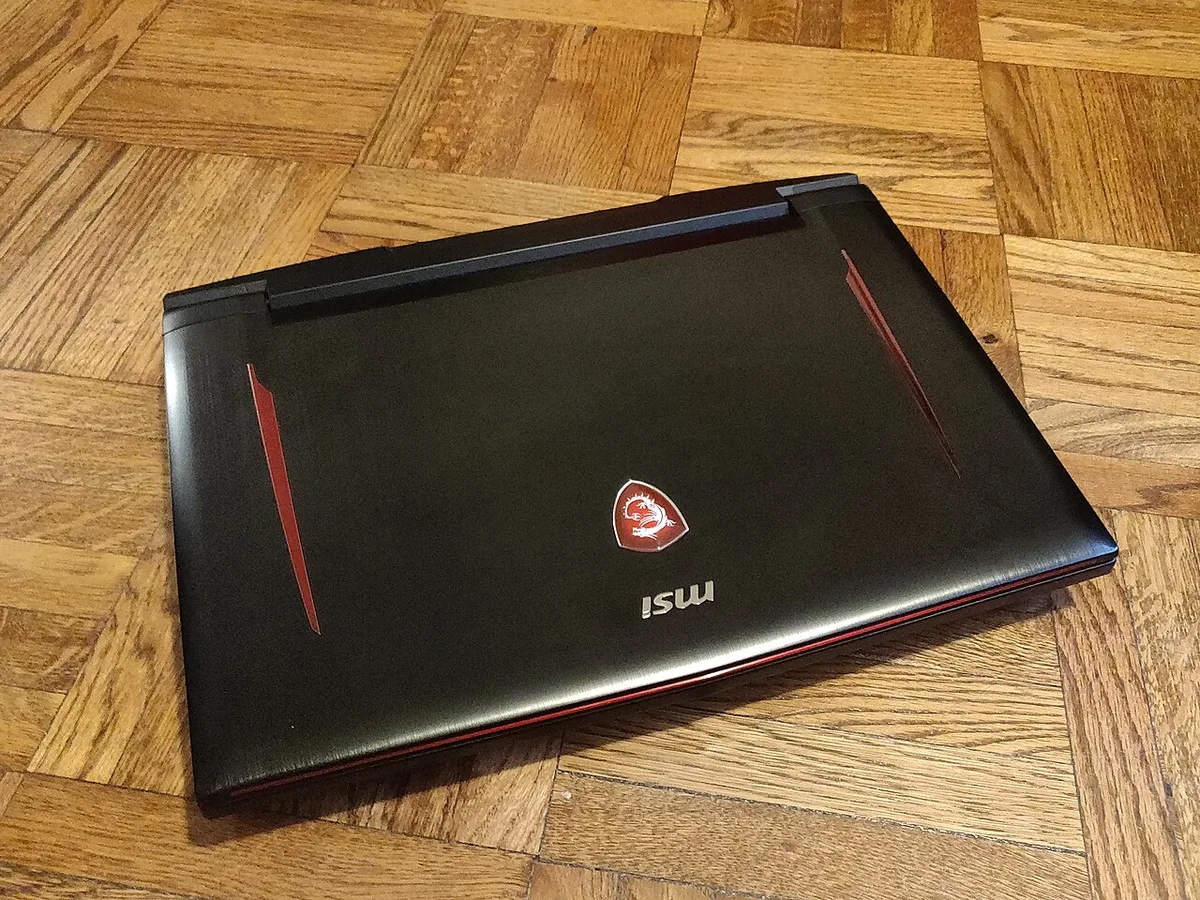
Image source: Wikimedia Commons / Kurt Kaiser
Mobile vs Desktop GPUs and CPUs
Mobile GPUs share names with desktop GPUs, but they are tuned for wattage and heat. An RTX 4070 mobile card is not the same as an RTX 4070 desktop card. Manufacturer specifications often list a wattage range, so check the exact model before buying.
Mobile CPUs also behave differently. They boost hard for short bursts, then settle lower to manage heat. Desktop chips usually hold higher clocks for longer.
That is why a laptop can look fast in a quick test and slower in a long session.
Cooling, Power Delivery, and Sustained Clocks
Cooling is the real bottleneck. Compact fans, thin heat pipes, and dust buildup all limit sustained clocks. Some laptops use vapor chambers and liquid metal to push harder.
Even then, fan noise can rise fast.
Power delivery matters too. A 230W or 330W power brick is heavy, and the laptop may still draw from the battery during peak load. That means the wall adapter is not optional for serious gaming.
Upgrade Paths and Long-Term Ownership
Desktops are built for parts swapping. Laptops are mostly sealed systems. RAM may be soldered.
The GPU is usually not replaceable. Storage is often the only easy upgrade, and even that may be one M.2 slot.
Before you buy, check how many years of ownership you expect. If you want five years with upgrades, a desktop is safer. If you want three years of portability, a laptop makes more sense.
For a deeper look at chassis lifespan, see how long the chassis lasts.
Side-by-Side: Performance, Cost, and Longevity Compared
| Factor | Gaming Laptop | Gaming Desktop |
|---|---|---|
| Portability | High | Low |
| Sustained FPS | Medium | High |
| Noise under load | Often high | Easier to control |
| Upgrade cost | Limited | Flexible |
| Desk footprint | Small | Larger |
| Total cost per frame | Higher | Lower |
A laptop gives you a screen, keyboard, battery, and speakers in one body. That is convenient. It also means you pay for parts you may not need if you already own a monitor and peripherals.
A desktop costs less per frame over time. You can replace the GPU, add RAM, or swap storage without replacing the whole machine. That is the main reason desktops still dominate value-focused gaming builds.
If you are comparing brands, warranty terms matter more with laptops because repairs are harder. A good place to start is brand warranty terms. If you are eyeing a budget machine, budget brand reliability is worth reading before you commit.
Sustained Performance: Thermals, Throttling, and Noise in Real Use
Short benchmarks do not tell the whole story. A laptop may hit a high score for 30 seconds, then drop clocks as heat builds. That is normal behavior, not always a defect.
The question is how far it drops and how long it stays there.
Aggregate reviews report that sustained load is where laptops separate from desktops. Fan noise can reach uncomfortable levels in quiet rooms. Surface temperatures can also make wrist rests unpleasant during long sessions.
If comfort matters to you, read about long-session comfort.
There are practical ways to improve results. Raise the rear of the laptop on a stand. Use a cooling pad with good airflow.
Clean dust from intake vents. Tune fan curves in OEM software if available. These steps help, but they do not turn a 120W mobile GPU into a 300W desktop card.
Battery behavior is another real-world factor. Gaming on battery usually lowers performance and drains charge fast. Many laptops last one to two hours under gaming load.
For serious play, stay plugged in.
Manufacturer specifications and safety certifications such as UL Solutions help confirm electrical and thermal safety. Still, every chassis handles heat differently. A well-reviewed cooling system matters more than a flashy spec sheet.
Who a Gaming Laptop Actually Replaces a Desktop For (and Who It Doesn't)
A gaming laptop replaces a desktop best for people who move often. College students, travelers, LAN attendees, and small-apartment dwellers all benefit from one portable machine. It also works well if you want a clean desk with minimal cables.
It is less ideal for people who want maximum value, silence, and upgrade freedom. If you play at 1440p or 4K, edit large video files, or keep a machine for six years, a desktop is usually the better tool.
Daily work use is a separate question. A gaming laptop can handle office tasks easily, but heat and battery wear still matter. If that is your main concern, see daily work use.
If you need a comfortable desk setup, an ergonomic desk setup can make a big difference.
The honest answer is simple. A gaming laptop can replace a desktop computer for the right person. It is not the best choice for everyone.
Choose based on where you play, how long you play, and how much you care about upgrades.
The Hidden Costs: Upgrade Limits, Battery Wear, and Cost Per Frame
The upfront price is only part of the story. A gaming laptop bundles a screen, keyboard, battery, and speakers into one unit. That convenience raises the cost per frame compared with a desktop built from separate parts.
Battery wear is the quiet expense. Lithium-ion packs lose capacity over charge cycles, and heat speeds that decline. Many owners see noticeable battery loss within three years of heavy use.
Setting a charge limit near 60 to 80 percent helps slow that wear.
Upgrades are where laptops feel most restrictive. You can usually add storage, but RAM and GPU swaps are often impossible. A desktop lets you replace one part at a time.
A laptop often forces a full replacement when the GPU ages.
An external GPU can bridge the gap. It connects over Thunderbolt 4 or USB4 and can improve performance. It also costs extra, adds cable clutter, and may run at reduced PCIe bandwidth.
For many buyers, that money is better spent on a desktop.
| Cost Factor | Gaming Laptop | Gaming Desktop |
|---|---|---|
| Upfront price | Often higher for same GPU class | Lower for same GPU class |
| Upgrade spend over five years | Low, but limited | Higher, but flexible |
| Battery replacement | Common after heavy use | Not needed |
| Resale value after three years | Moderate for whole unit | Stronger for individual parts |
Warranty terms matter more with laptops because repairs are harder. Before buying, review warranty coverage differences. If you are considering a budget brand, check budget brand reliability.
How to Set Up a Gaming Laptop So It Truly Replaces a Desktop
A good docked setup makes the laptop feel like a desktop. The goal is simple. Keep heat low, keep posture healthy, and make daily use easy.
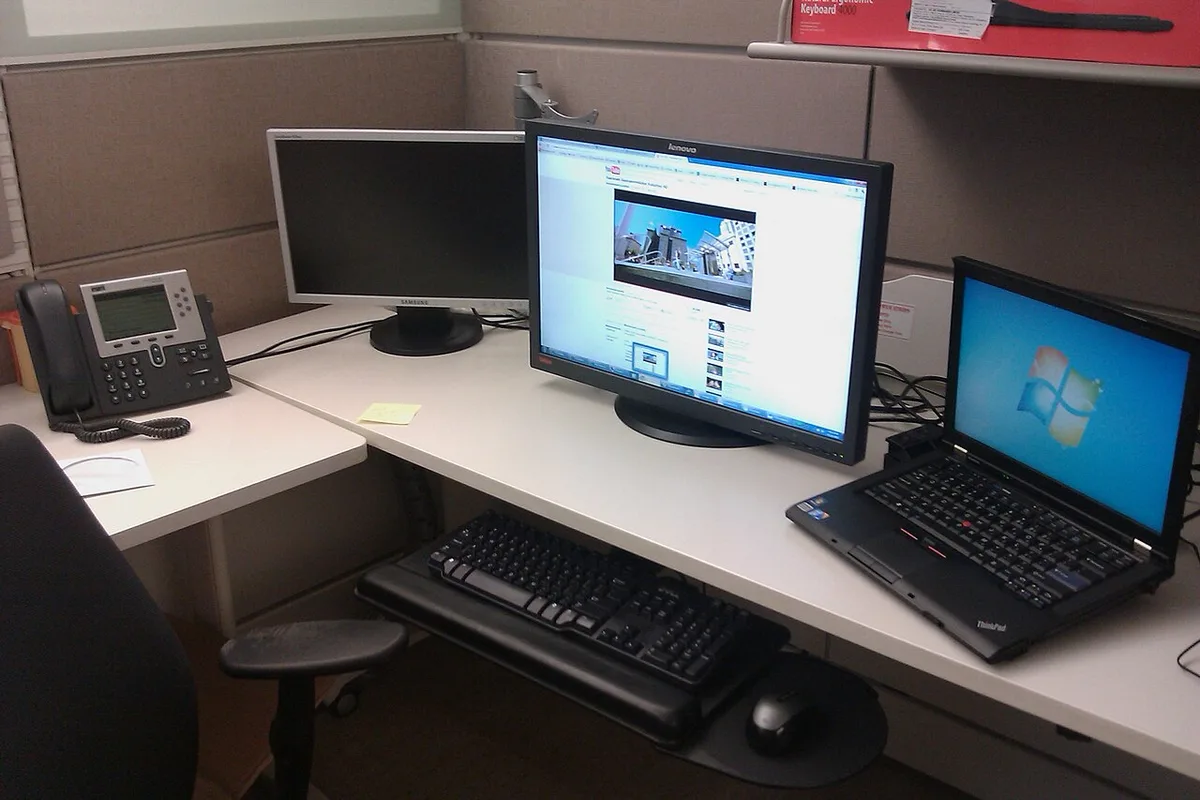
Image source: Wikimedia Commons / Ashwin Kumar from Bangalore, India (CC BY-SA)
Start with a dock that supports Thunderbolt 4 or USB4. Add a 27-inch external monitor, a mechanical keyboard, and a mouse. Raise the laptop on a stand so its screen sits near eye level.
That last step matters more than people expect.
Battery care is next. Use OEM software to cap charging at 60 to 80 percent when plugged in. That small habit can extend battery life.
It also reduces heat during long desk sessions.
Fan tuning comes after that. Use the manufacturer's performance mode for gaming. Use a quieter mode for work.
If the laptop allows undervolting, test it carefully. Many newer models lock voltage controls, so OEM profiles may be the safer route.
Maintenance is simple but important. Clean intake vents every few months. Keep the laptop off soft surfaces.
A cooling pad helps, but it cannot fix a weak cooling design. For desk comfort, follow desk ergonomics. For travel, review charger travel safety.
Common Mistakes That Make People Regret Going Laptop-Only
The first mistake is buying by GPU name alone. A mobile RTX 4070 at 90W is not the same as one at 140W. Always check the wattage in the spec sheet.
That single number changes real performance.
The second mistake is ignoring noise. Aggregate reviews report that some laptops get loud under sustained load. If you game in a shared room, that matters.
Look for dBA measurements, not just marketing claims.
The third mistake is expecting battery gaming. Most gaming laptops drain fast under load. Some last one to two hours.
Treat the battery as backup power, not a gaming fuel source.
The fourth mistake is assuming easy upgrades. Many buyers plan to add RAM later and discover it is soldered. Check upgrade slots before purchase.
That is especially important for long-term ownership.
The fifth mistake is poor airflow. Gaming on a bed or couch blocks vents. Heat builds fast.
Use a hard, flat surface or a stand. Clean dust from cooling fins on a regular schedule.
The sixth mistake is chasing the thinnest model. Thin laptops look great but often run hotter. A slightly thicker chassis can mean quieter fans and steadier clocks.
That tradeoff is worth it for many players.
Frequently Asked Questions
Can a gaming laptop match a desktop's FPS?
Sometimes, but not always. A high-wattage laptop can get close in esports titles. In heavy 4K or ray-traced games, desktop cards usually pull ahead.
Sustained clocks and cooling make the difference.
Is a gaming laptop cheaper than a desktop over five years?
Usually no. Laptops cost more per frame and offer fewer upgrade options. A desktop can be upgraded part by part.
That keeps costs lower over time for most gamers.
Can I upgrade a gaming laptop later?
Sometimes, but only in limited ways. Storage is often upgradeable. RAM may be soldered.
The GPU is usually fixed. Check the service manual before buying if upgrades matter to you.
Do gaming laptops overheat in hot rooms?
They can. High ambient temperature reduces cooling headroom. Fans spin faster and clocks may drop.
Use a stand, clean vents, and avoid direct sunlight or hot surfaces.
Is an eGPU worth it for a laptop?
It depends. An eGPU can boost performance at a desk. It adds cost and cable clutter.
If you mostly play at home, a desktop is usually the better value.
Should I buy a desktop instead if I never travel?
Often yes. If portability has no value, a desktop gives better sustained performance, lower noise, and easier upgrades. A laptop only makes sense if you need one machine in multiple places.
Final Verdict: Laptop, Desktop, or Both?
A gaming laptop can replace a desktop for the right person. That person values portability, wants one machine, and accepts higher cost per frame. They also accept louder fans and fewer upgrades.
A desktop remains the better choice for maximum performance, silence, and long-term value. It wins for 1440p or 4K gaming, heavy creative work, and multi-year upgrade plans.
As of 2026, the smartest answer is often both. Use a desktop at home and a lighter laptop for travel. If budget forces one machine, choose based on where you spend most of your time.
That decision matters more than any single benchmark.