A gaming PC for content creation is a desktop built for games that also runs editing, streaming, and 3D software. It usually pairs a fast CPU with a strong GPU. Enough RAM matters too.
It is not a workstation, but it handles many tasks.
In our research, many creators now use one machine for both play and paid work. That trend makes sense when budgets are tight. A typical mid-range gaming build with an NVIDIA GeForce RTX card and 32GB of RAM can edit 4K video in Adobe Premiere Pro or DaVinci Resolve.
The catch is that gaming parts are tuned for frame rates first. Creator work often needs color accuracy, quiet cooling, and memory headroom instead.
what is a gaming pc for content creation
A gaming PC for content creation is a desktop built for games. It also runs editing, streaming, and 3D software. It usually pairs a fast CPU with a strong GPU.
Enough RAM matters too. It is not a workstation, but it handles many tasks.
Why a Gaming PC Keeps Showing Up in Creator Workflows
A gaming PC keeps showing up because it already has the two parts creators use most. Those are a strong GPU and a fast CPU. For many people, that is a better starting point than a basic office desktop.
There is also a cost reason. A balanced gaming build often costs less than a workstation with similar rendering power. You can spend the savings on a color-accurate monitor, better audio, or storage.
That trade makes sense for freelancers and small studios.
Gaming hardware also has wide support. Parts are easy to find, drivers update often, and community fixes are easy to search. If you want to understand the wider role of these machines, how a gaming PC gets used beyond gaming is a helpful starting point.
The real question is not whether a gaming PC can create. It can. The question is whether it fits your exact workflow, deadlines, and software.
What Actually Makes a PC Good at Content Creation
Content creation is not one task. Editing 1080p video, rendering a 3D scene, and streaming live all stress different parts. A good creator PC matches the bottleneck, not just the biggest spec on the box.
The GPU matters for rendering, effects, AI tools, and hardware encoding. NVIDIA GeForce RTX cards are common because NVENC helps streamers and editors. The CPU matters for timeline work, exports, and multitasking.
RAM matters when projects get large.
Storage is easy to ignore. It should not be. A fast NVMe SSD for the operating system and active projects makes the whole machine feel better.
A second drive for archives keeps large media files from filling the main disk.
Color accuracy is the hidden requirement. A gaming monitor may look great in games but show the wrong colors for client work. That is why creators often add a wide-gamut display with good Delta E performance.
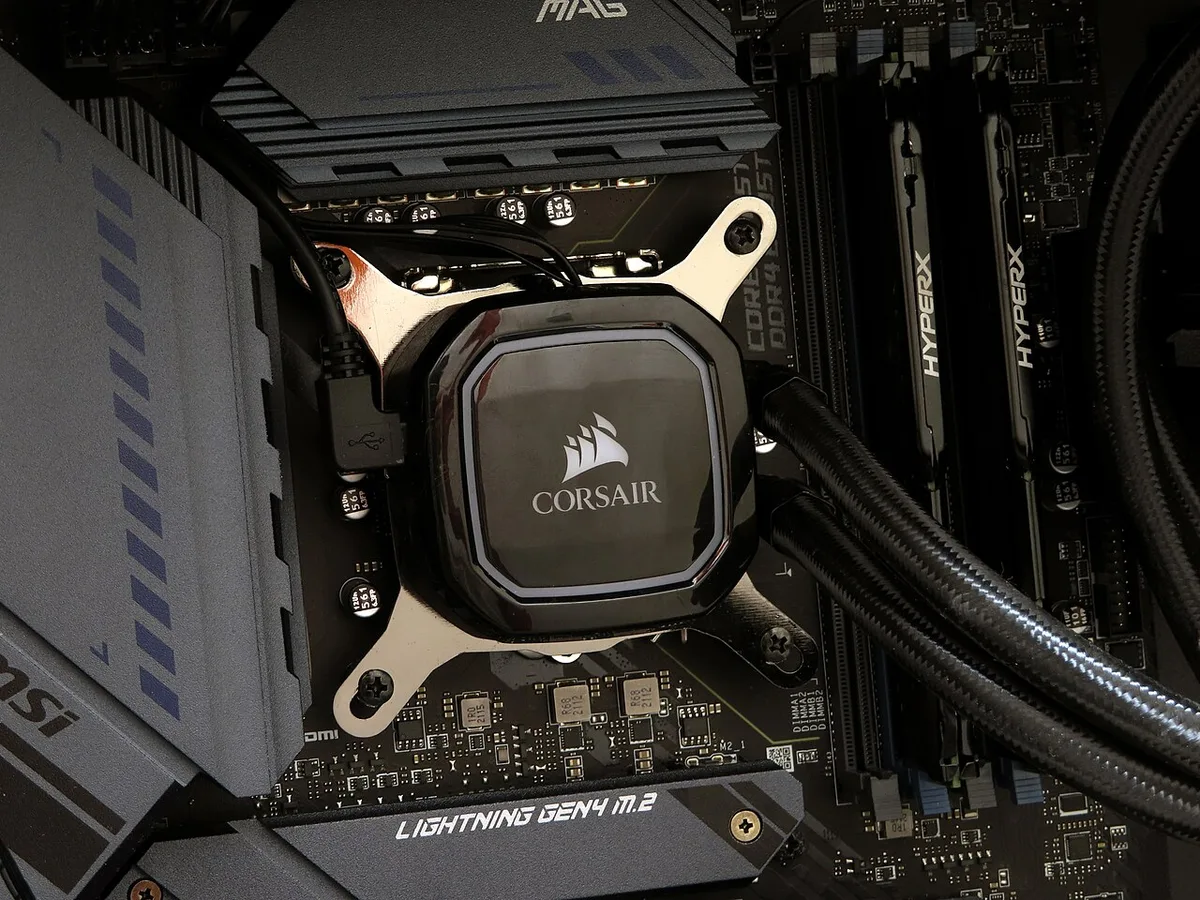
Image source: Wikimedia Commons / Chi Ho Chan from Hong Kong (CC BY)
If you are comparing machine types, the difference between a gaming PC and a workstation helps frame the tradeoffs.
Gaming PC vs Creator Workstation vs Mac: The Real Differences
Each option can be right. The best choice depends on software, budget, and upgrade plans.
| Option | Best For | Strengths | Watch Outs |
|---|---|---|---|
| Gaming PC | Dual gaming and creator use | Strong value, upgradeable, wide parts support | Color accuracy and noise may need fixes |
| Creator workstation | Heavy 3D, VFX, and pro rendering | ECC RAM options, tested drivers, service plans | Higher cost and less gaming focus |
| Mac (Mac Studio or Mac Pro) | Final Cut Pro, Logic, Apple workflows | Quiet design, strong media engines | Less GPU upgrade freedom |
A gaming PC is usually the most flexible. You can swap the GPU, add RAM, or change cooling later. That matters if your work grows from 1080p to 4K.
A workstation makes sense when downtime costs money. Certified drivers, ECC memory, and vendor support can reduce risk. Those features cost more, but they help in studio settings.
A Mac can be excellent for Apple-first workflows. It is less ideal if you need NVIDIA-only tools, CUDA rendering, or easy GPU upgrades. The best platform is the one your software and clients already expect.
The Components That Decide Whether You'll Be Happy
The GPU is the first decision. For many creators, 12GB of VRAM is a safer target than 8GB. Heavy Blender scenes, large After Effects comps, and AI tools can push past 8GB quickly.
The CPU should match the software. Adobe apps often like strong single-thread performance. Blender and rendering tools like more cores.
A balanced build is usually better than chasing one extreme spec.
RAM is where many gaming PCs fall short. 16GB can feel tight with a browser, Premiere Pro, and Discord open. 32GB is a safer creator baseline. 64GB helps with 4K, large photo libraries, and 3D work.
Storage should be split by role. Use one fast NVMe SSD for the OS and apps. Use a second fast drive for active projects.
Use larger HDD or SSD storage for archives. This keeps scratch work fast without buying everything in premium flash.
Cooling and noise matter more than people expect. Long renders can make a compact gaming case loud. A better case, stronger cooler, and tuned fan curves can make the machine easier to live with.
Best Fit by Workflow: Video, 3D, Streaming, Photo, and Audio
Video editors need RAM, fast storage, and a GPU with good encoding. A gaming PC with an NVIDIA RTX card, 32GB RAM, and NVMe storage is often a strong fit. Color-accurate monitoring is the part you should not skip.
3D artists need more VRAM and memory. Blender, Maya, and Cinema 4D can use large scenes. A gaming GPU may work well, but 16GB or 24GB of VRAM is safer for heavier work.
Streamers benefit from hardware encoding. NVENC can take pressure off the CPU during live broadcasts. A dual-PC setup is still useful for serious shows, but many creators start with one strong machine.
Photographers need color accuracy more than raw GPU power. Lightroom and Photoshop respond well to fast storage and enough RAM. A wide-gamut monitor with good Delta E matters more than chasing top-tier gaming specs.
Audio producers need quiet systems and low-latency interfaces. CPU speed helps, but fan noise can ruin a recording space. A gaming PC can work well if cooling and case design are chosen carefully.
If you are unsure which tier fits, what defines a mid-range gaming PC can help set expectations before you buy.
Where Gaming PCs Fall Short for Creators
Gaming PCs have real gaps for creator work. The biggest one is color accuracy. Most gaming monitors use panels tuned for speed and contrast, not color fidelity.
A client may see a different shade than you approved on your screen.
Noise is another issue. Gaming cases often prioritize airflow over silence. Long renders can push fans to high speeds for hours.
That noise can ruin voiceover recordings or make a shared workspace unpleasant.
Memory limits show up fast. Many gaming builds ship with 16GB of RAM. That amount works for games but struggles with 4K timelines and large photo libraries.
Upgrading later costs more than buying enough upfront.
VRAM is the next wall. An 8GB card handles 1080p editing well. It can choke on heavy Blender scenes or AI upscaling tools.
The fix is usually a more expensive GPU, not a settings tweak.
Gaming PCs also lack some pro features. ECC memory support is rare. Certified drivers for studio apps are not guaranteed.
Warranty service may not match workstation expectations.
These gaps do not make gaming PCs bad. They make them a starting point that needs tuning. The next sections cover what to pay and how to fix the weak spots.
What You'll Actually Pay and What Specs to Target
Price depends on how far you push the build. A solid entry creator gaming PC often lands between $800 and $1,200. That range usually covers a mid-range GPU, 32GB RAM, and NVMe storage.
Mid-range creator builds often cost $1,200 to $1,800. These machines handle 4K editing and moderate 3D work. They are the sweet spot for many freelancers.
High-end builds can reach $2,000 to $3,000 or more. That tier makes sense for heavy 3D, VFX, or live streaming with complex scenes. The extra money often goes to VRAM and RAM, not just the CPU.
Here is a practical spec target for most creators:
- GPU: 12GB VRAM or more
- CPU: 8 cores or better
- RAM: 32GB minimum, 64GB for heavy work
- Storage: 1TB NVMe for OS and apps, 2TB for projects
- Monitor: wide gamut with Delta E under 2
Do not overspend on the CPU if your work is GPU-heavy. Many buyers put money into the processor and starve the GPU. That mistake shows up in render times.
If you want to understand which specs define true power, what makes a high-end gaming PC breaks down the tiers clearly.
How to Tune a Gaming PC for Creator Work
Tuning starts with drivers. NVIDIA offers Studio drivers for GeForce cards. These drivers prioritize stability in creative apps over game frame rates.
Switching can reduce crashes in Premiere Pro and Blender.
Color calibration comes next. A hardware calibrator creates an ICC profile for your monitor. That step alone can fix skin tones and client mismatches.
It is cheap insurance for paid work.
Storage layout matters. Keep the OS and apps on one fast drive. Put active projects on a second fast drive.
Archive finished work on slower, cheaper storage. This setup keeps scratch disks from filling the main drive.
RAM upgrades are often the best value. Moving from 16GB to 32GB can transform editing performance. Check your motherboard's max capacity before buying.
Some boards top out at 64GB.
Cooling tweaks help with noise and longevity. Undervolting a GPU can drop temperatures without hurting performance. Custom fan curves keep fans quiet during light work.
These changes are free and reversible.
Finally, set up backups. The 3-2-1 rule works well. Keep three copies, on two media types, with one offsite.
A gaming PC is only as safe as its backup plan.
If you want to understand how parts interact, how gaming PC components work together is a useful reference.
Frequently Asked Questions
Can a gaming PC run professional creative software?
Yes. Most gaming PCs run Adobe Creative Cloud, DaVinci Resolve, and Blender well. The main limits are RAM, VRAM, and color accuracy.
Add more memory and a calibrated monitor, and performance is often close to a workstation.
Is 16GB of RAM enough for content creation?
It is enough for light editing and simple photo work. It struggles with 4K video, large Photoshop files, and 3D scenes. 32GB is the safer baseline for most creators. Heavy work may need 64GB.
Do I need a workstation GPU for video editing?
No. A GeForce RTX card handles most editing tasks well. NVIDIA Studio drivers improve stability in creative apps.
Workstation GPUs add ECC memory and certified drivers, which matter more for studios than solo creators.
Is a gaming PC good for streaming and recording?
Yes. Hardware encoding on NVIDIA RTX cards reduces CPU load during streams. A single strong PC can handle gaming and streaming together.
Dual-PC setups still help for high-end shows.
How long does a gaming PC last for content creation?
Most builds stay useful for four to six years. GPU and RAM upgrades can extend that. Software demands grow over time, so plan for upgrades around year three.
For more detail, how long a typical gaming PC lasts covers the topic well.
Should I buy pre-built or build custom?
Pre-built is faster and comes with warranty coverage. Custom builds offer better part choices and easier upgrades. Beginners often prefer pre-built.
Experienced users usually prefer custom for long-term flexibility.
Final Verdict: Is a Gaming PC the Right Call?
A gaming PC is the right call for many creators. It offers strong value, upgrade paths, and dual use for gaming. The gaps are fixable with better RAM, storage, cooling, and a calibrated monitor.
It is less ideal for studios that need certified drivers, ECC memory, or vendor support. In those cases, a workstation or Mac may be safer. For solo creators and small teams, the gaming PC route is hard to beat.
The smartest move is to buy for your heaviest workflow, not your lightest. If you edit 4K video, buy enough VRAM and RAM now. If you stream, prioritize hardware encoding.
Match the machine to the work, and the gaming PC becomes a capable creator tool.
1 thought on “What Is a Gaming PC for Content Creation? Explained”
Comments are closed.