What is a mid range gaming pc? It is a system built for strong 1080p or 1440p gaming without flagship pricing. You buy balance, not bragging rights.
The right build fits your games, monitor, and budget.
As of 2026, many balanced builds use 12GB to 16GB of VRAM and 16GB to 32GB of DDR5. Manufacturer specifications indicate these parts handle modern games well at 1440p. The trick is matching pieces, not chasing one big number.
That matching process shapes every choice below.
what is a mid range gaming pc
A mid-range gaming PC runs modern games at 1080p or 1440p. It balances cost, power, and future use. Most builds avoid flagship prices.
They focus on smooth frame rates. They also leave room to upgrade. It suits most players well.
Defining "Mid-Range" in 2026: It’s Not Just a Price Tag
Mid-range is a moving target. It means strong gaming value, not a fixed price. A $900 build can be mid-range.
A $1,500 build can also be mid-range. The difference is what you ask it to do.
Think in tiers. Entry systems chase basic play. High-end systems chase maximum settings.
Mid-range sits between them. It targets smooth 1080p or 1440p gaming with sensible parts.
Price still matters. As of 2026, many balanced builds land between $800 and $1,500. Regional taxes and stock levels move that range.
The smarter test is performance per dollar. If a part costs much more but adds little, skip it.
A good mid-range PC also keeps upgrade doors open. It uses a solid PSU. It has spare RAM slots.
It avoids tiny cases with poor airflow. These choices matter more than RGB.
If you want the full spec breakdown, see detailed mid-range specifications. That page pairs well with this guide.
| Build band | Typical goal | Common tradeoff |
|---|---|---|
| $800-$1,000 | 1080p high refresh | Lower VRAM |
| $1,000-$1,300 | 1440p balanced | Fewer premium extras |
| $1,300-$1,500 | 1440p smoother | Less future headroom |
The Resolution Reality Check: Why 1440p Changes Everything
Resolution decides which parts matter most. 1080p leans on the CPU more. 1440p leans on the GPU more. This is the first branch in your decision tree.
If you play competitive shooters, 1080p high refresh can make sense. You get lower input lag and cheaper parts. If you play AAA games, 1440p gives sharper detail.
It also asks for more VRAM.
Do not buy a GPU only by name. Check its VRAM. For 1440p, 12GB is a safer floor as of 2026. 8GB can still work, but settings may need trimming.
Upscaling can help, but it is not magic.
Your monitor should lead the build. A 1080p 144Hz screen needs different priorities than a 1440p 165Hz screen. Match the PC to the panel, not the other way around.
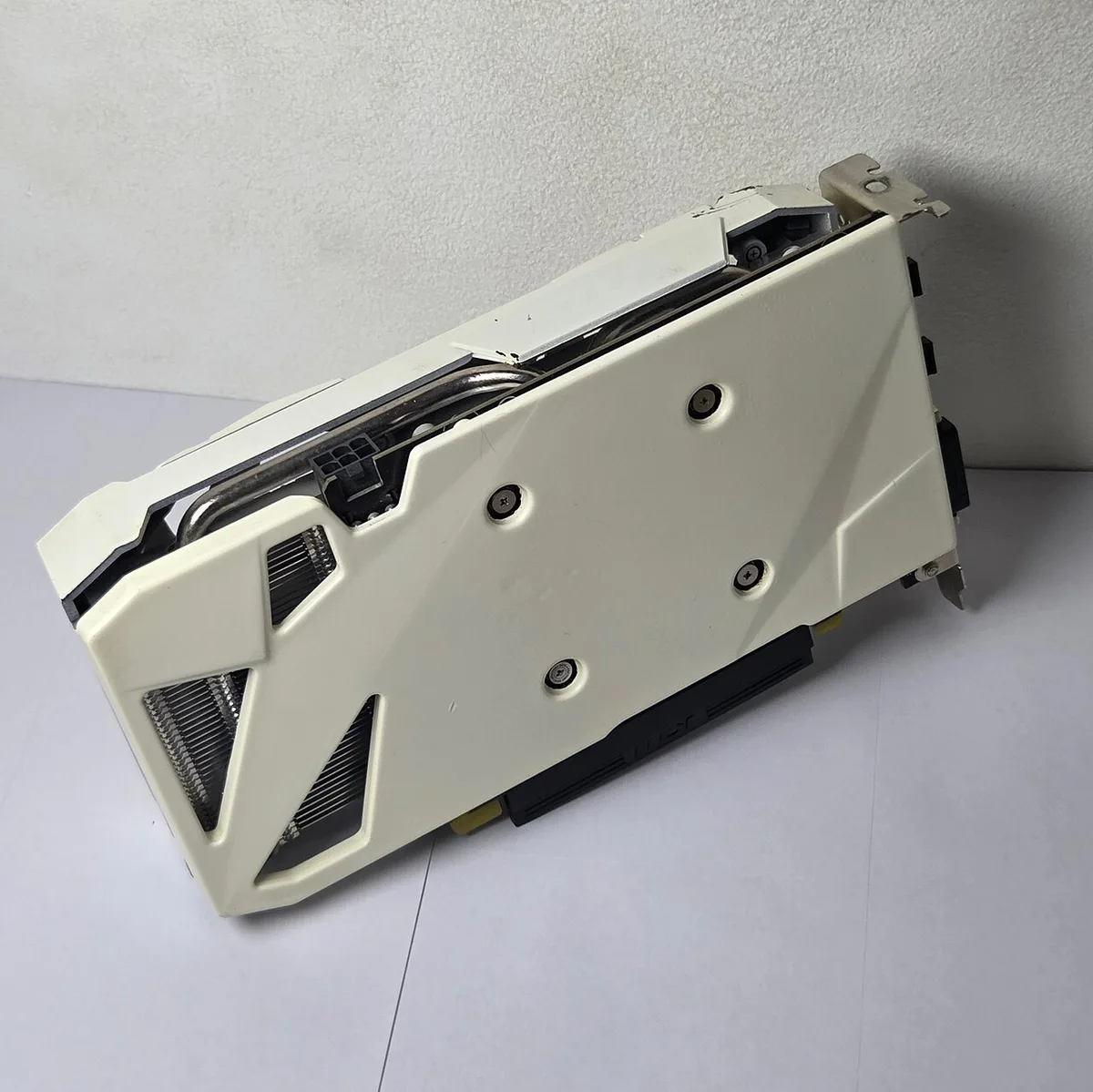
Image source: Wikimedia Commons / ITEagle Europe, Sebastiaan Broekhoven (CC BY-SA)
Image source: Wikimedia Commons / Ocean Observatories Initiative
Component Balance Logic: Matching CPU, GPU, and RAM Without Waste
A mid-range PC lives or dies by balance. A strong GPU with a weak CPU wastes money. A strong CPU with a weak GPU does the same.
Match tiers, not hype.
Start with the GPU. Then choose a CPU that feeds it well. For many 1440p builds, a six-core or eight-core processor is enough.
More cores help streaming and multitasking. They are not always needed for pure gaming.
RAM is the quiet bottleneck. 16GB is the minimum for modern games. 32GB is better for heavy multitasking. Speed matters, but stability matters more. Use the motherboard’s supported memory profile.
Storage should be fast and simple. A 1TB NVMe SSD is a practical baseline. Add a second drive later if needed.
Do not overspend on extreme speeds for normal gaming.
Manufacturer specifications indicate current mid-tier GPUs often list 12GB to 16GB VRAM. See NVIDIA GeForce or AMD Radeon for official feature sets.
Image source: Wikimedia Commons / Retired electrician
If you are unsure how parts interact, read how gaming PC parts work together. It explains the balance in plain terms.
Pre-Built vs. Custom Build: Which Path Fits Your Skill Level?
This choice is about time, risk, and learning. Pre-built systems are faster. Custom builds teach you more.
Neither is automatically better.
Pre-built PCs suit buyers who want support and warranty. They also help if you do not want to troubleshoot. The tradeoff is less control over every part.
Some use weaker PSUs or motherboards.
Custom builds suit buyers who want exact control. You can choose a better power supply. You can pick quieter cooling.
You also learn repair skills. The tradeoff is time and possible mistakes.
Skill level matters. If you have never opened a case, start with research. Watch assembly guides.
Buy a kit with compatible parts. If you want zero hassle, choose a reputable pre-built.
For a broader buying path, compare best price gaming PCs. It can help frame the market before you decide.
New vs. Used Market Strategy: Finding Value Beyond MSRP
New parts give warranty and peace of mind. Used parts can stretch your budget. The right choice depends on risk tolerance.
New GPUs and CPUs cost more. They also have full manufacturer support. This matters if you want stability.
It also matters if you dislike returns.
Used GPUs can be strong value. Many come from upgrades, not failures. Check seller history and photos.
Ask about mining use if relevant. Test the card quickly after purchase.
Used CPUs and RAM are often safer buys. They have fewer moving parts. Motherboards are riskier because of hidden damage.
PSUs are usually not worth buying used.
If you are replacing an older machine, compare entry-level gaming PC specs. That helps avoid overspending on parts you already own.
Critical Pain Points: Bottlenecks, PSU Risks, and Upgrade Traps
Bottlenecks happen when one part holds back another. You might buy a fast GPU but pair it with an old CPU. The result is stuttering in busy scenes.
This wastes money on hardware you cannot fully use.
Power supplies are the silent killers of gaming PCs. Cheap units often fail under transient spikes. A mid-range build needs a reliable 80 Plus Gold rated unit.
Do not skimp here to save twenty dollars. Failure can fry your motherboard and drives.
Upgrade traps catch many buyers off guard. Some cases lack space for larger coolers. Others have proprietary power connectors that limit future swaps.
Always check clearance before buying parts.
If you plan to stream or record, balance matters even more. Encoding video adds load to both CPU and GPU. Verify your chosen combo handles simultaneous tasks well.
Aggregate reviews indicate mismatched pairs struggle heavily.
For deeper insight into component synergy, explore how parts interact. It clarifies why pairing matters more than raw specs. Avoid building blindly.
Research compatibility charts first.
Common mistakes include ignoring thermal limits. Mid-range cards run hot under sustained load. Ensure your case has front intake fans.
Poor airflow leads to throttling and noise. Fix this early, not after assembly.
Another trap is overspending on aesthetics. RGB lights do not boost frame rates. Spend that cash on better VRAM instead.
Prioritize performance metrics over visual flair. Your wallet will thank you later.
Finally, watch out for driver instability. New releases sometimes break older setups. Stick to proven combinations if stability is key.
Check forums for known issues before committing. Knowledge prevents headaches down the road.
Performance Benchmarks: What to Expect at 1080p and 1440p
What FPS should you expect? At 1080p, aim for 60+ frames consistently. Competitive titles may push higher.
At 1440p, target 50-60 frames on high settings. This feels smooth and responsive.
Average FPS tells only half the story. Look at 1% lows too. These represent worst-case moments.
If they dip below 30, gameplay feels choppy. Balanced builds keep lows steady.
Upscaling tech like DLSS or FSR changes expectations. It boosts perceived performance significantly. Enable quality modes for sharpness.
Balance modes offer more speed. Test both to find your sweet spot.
Ray tracing remains expensive for mid-range cards. Turning it on halves frame rates often. Use it selectively in supported games.
Do not force it everywhere. Native rasterization still looks great.
| Game Type | 1080p Target (FPS) | 1440p Target (FPS) | Settings Note |
|---|---|---|---|
| Competitive Shooter | 120-144+ | 90-120 | Low/Medium priority |
| AAA Story Title | 60-75 | 50-60 | High/Ultra priority |
| Open World RPG | 60+ | 45-60 | Mixed settings |
Storage speed impacts loading times noticeably. NVMe drives cut waits drastically. SATA SSDs remain viable but slower.
For large open worlds, faster storage helps immersion. Consider Gen 4 drives for best results.
Memory bandwidth also plays a role. DDR5 offers headroom for future titles. Current games rarely saturate it yet.
Still, it ensures longevity. Pair it with compatible motherboards.
Check manufacturer benchmarks for realistic numbers. They account for optimized drivers. Third-party tests vary by scene complexity.
Trust consistent trends over single outliers.
Setup and Optimization Workflow: From Box to Stable Frames
Assembly starts with preparation. Lay out parts on a non-conductive surface. Ground yourself frequently to prevent static damage.
Follow the manual for standoff placement. Rushing causes bent pins or stripped screws.
BIOS configuration unlocks potential. Enable XMP or EXPO profiles for RAM. Set fan curves for quieter operation.
Update firmware for security patches. These steps ensure stability from day one.
Windows optimization reduces background noise. Disable unnecessary startup apps. Turn on Game Mode for resource priority.
Install latest chipset and GPU drivers directly from manufacturers. Avoid third-party updater tools.
Stress testing verifies system health. Run synthetic benchmarks for thirty minutes. Monitor temperatures and voltages closely.
Stability issues appear as crashes or artifacts. Address them immediately via driver tweaks or cooling adjustments.
Network setup affects online play. Use Ethernet cables for lowest latency. Wi-Fi works but introduces jitter.
Configure QoS on routers if possible. Prioritize gaming traffic over downloads.
Software hygiene keeps systems fast. Remove bloatware pre-installed by OEMs. Use trusted antivirus solutions sparingly.
Real-time scanning can impact performance slightly. Schedule scans during idle times.
For comprehensive protection advice, review virus prevention strategies tailored for gamers. Security need not compromise speed. Find the right balance.
Long-Term Viability: Future-Proofing Through Upscaling Tech
Will your PC stay relevant? Hardware ages quickly. Software demands grow steadily.
Mid-range builds bridge this gap smartly. Focus on scalable components rather than peak specs.
VRAM capacity dictates texture quality ceilings. 8GB struggles with modern assets soon. 12GB provides breathing room. 16GB extends life further. Choose wisely based on resolution goals.
Platform socket longevity matters immensely. AM5 promises support through multiple generations. LGA1700 reached its end recently.
Buying new platforms allows easier CPU upgrades later. Check vendor roadmap announcements carefully.
Frame generation technology reshapes performance metrics. AI inserts intermediate frames smoothly. It masks lower native framerates effectively.
Support varies across titles though. Verify game compatibility before relying on it.
Cooling solutions degrade over time. Dust accumulation raises temperatures annually. Clean filters every three months.
Replace thermal paste yearly if needed. Maintained thermals preserve silicon lifespan.
Resale value depends on brand perception. NVIDIA cards typically hold value better. AMD offers aggressive pricing initially.
Factor this into total cost of ownership calculations. Smart buys retain equity longer.
Energy efficiency influences long-term costs. Lower TDP parts reduce electricity bills. Quiet operations improve comfort during marathon sessions.
Invest in efficient PSUs and coolers. Savings accumulate over years of use.
Expandability remains crucial. Leave slots free for extra storage or RAM. Modular designs simplify repairs.
Proprietary layouts complicate fixes. Prioritize standard form factors whenever feasible.
Frequently Asked Questions About Mid-Range Gaming PCs
Is a console better than a mid-range PC?
Consoles offer simplicity and guaranteed optimization. PCs provide flexibility and modding capabilities. Choose consoles for ease of use.
Pick PCs for customization and broader library access. Both serve distinct user preferences effectively.
How much should I spend on a mid-range build?
Budget between $800 and $1,500 USD currently. Prices fluctuate based on regional taxes. Aim for balanced component allocation.
Avoid extreme low-end corners. Quality parts ensure reliability and decent resale potential eventually.
Can I upgrade individual parts later?
Yes, most standard ATX builds allow modular upgrades. Swap GPUs easily for immediate gains. Add RAM sticks incrementally as needed.
Replace CPUs if sockets permit. Plan ahead for compatibility constraints during initial purchase decisions.
Do I need liquid cooling for mid-range systems?
No, air cooling suffices for most mid-tier processors. Liquid loops add complexity and cost. Stock coolers handle moderate loads adequately.
Upgrade only if overclocking aggressively. Silence seekers might prefer aftermarket air towers anyway.
How important is monitor refresh rate matching?
Matching FPS to Hz reduces tearing visually. Adaptive sync technologies help mitigate mismatches. Buy monitors supporting G-Sync or FreeSync Premium.
This ensures smoother experiences without strict synchronization requirements during variable workloads commonly seen in gaming.
1 thought on “What Is a Mid-Range Gaming PC? A Simple Guide”
Comments are closed.